



Short answer: yes. Every tool in this guide is free to start, and most of them open right in a browser tab with nothing to install. The Just Create App team tested all ten tools below. In our Twine and GDevelop checks, each let us open an example project and run it without an account, though cloud saving in GDevelop did ask for one. Twine covers interactive stories, GDevelop and Flowlab cover no-code games, Scratch and MakeCode Arcade teach with blocks, and Godot, KAPLAY and PICO-8 leave room to grow. If you want to build an app rather than a game, our guide to the no-code app builders is the better starting point.
MethodHow we put this guide together
We read each tool’s official site and documentation in October 2026, captured the homepage screenshots you see below, and re-checked the key pages on 17 October 2026. We quote version numbers, limits and license terms only where the vendor states them on its own pages.
The Just Create App team tested all the tools in this list. For Twine and GDevelop, on 5 October 2026, our team tried a small fictional demo in the desktop browser with AI-assisted browser checks. For Twine we imported a three-passage story, played it and followed both choices. For GDevelop we opened the free Platformer starter, changed the player’s start position, previewed it and exported an HTML5 build. We did not use paid plans, create accounts or publish anything. We did not verify jumping, coin collection or custom game logic in GDevelop, and we did not reopen Twine’s exported file.
Where we describe a first session with a tool, it is a short example you can reproduce yourself from the vendor’s starter projects and tutorials, not a benchmark. Plans and features change, so treat this page as a dated reference and check each official page before you start a project you care about.
To plan your game’s screens before you build, our list of app design and prototyping tools covers the software made for that step.
ShortcutsQuick picks
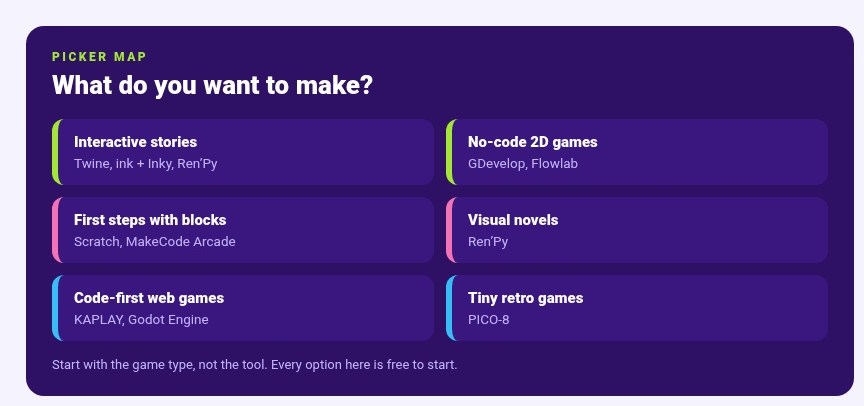
- Interactive stories without code: Twine
- No-code 2D games: GDevelop or Flowlab
- First steps with blocks: Scratch or MakeCode Arcade
- Visual novels: Ren’Py
- Branching story scripts: ink and Inky
- A full engine to grow into: Godot Engine
- Code-first web games: KAPLAY
- Tiny retro games: PICO-8
If you would rather play something than build something, our GamePigeon alternatives guide rounds up games you can play on your phone instead.
Side by sideComparison at a glance
| Tool | Best for |
|---|---|
| Twine | Interactive stories and text adventures |
| GDevelop | No-code 2D games, including platformers |
| Scratch | Beginners and young learners making stories, games and animations |
| Godot Engine | 2D and 3D games for people ready to learn a full engine |
| Flowlab | Making games online with flow-based visual logic |
| MakeCode Arcade | Retro arcade games with blocks or JavaScript |
| Ren’Py | Visual novels and life simulation games |
| ink and Inky | Writers who want branching narrative scripting |
| KAPLAY | JavaScript developers making small web games |
| PICO-8 | Tiny retro games with built-in code, sprite and sound tools |
Every tool here is free to start. If your idea grows into a commercial project, our app development cost calculator gives you a rough sense of what a custom build would cost by comparison.
The listThe 10 tools
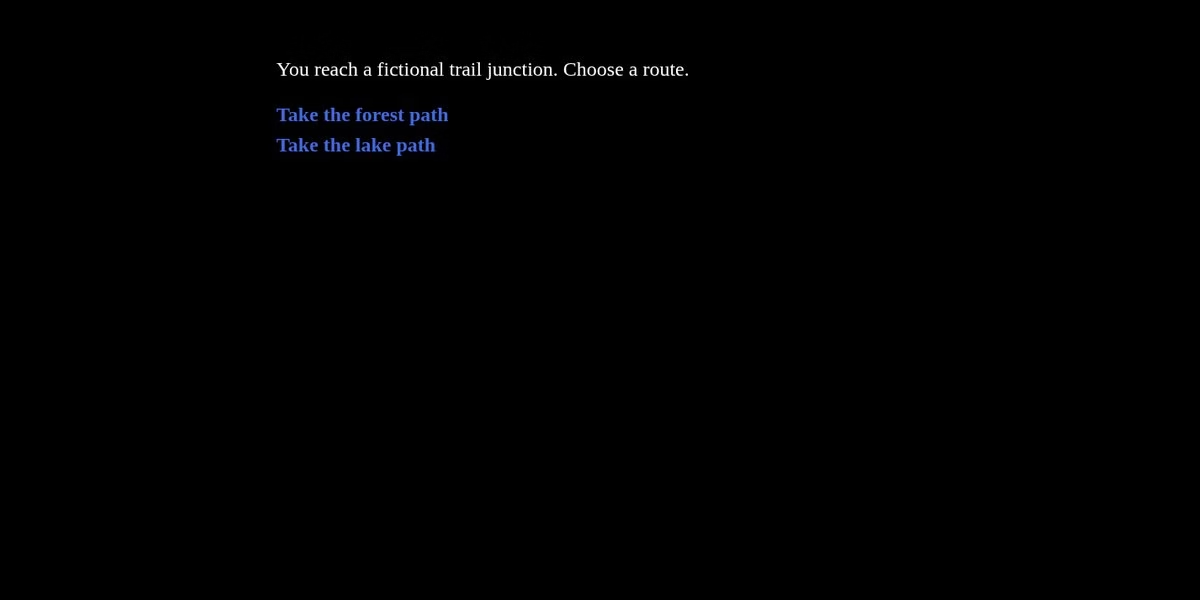
Twine is an open-source tool for telling interactive, nonlinear stories, according to its site. You do not need to code to make a simple story, and you can add variables, conditional logic, images, CSS and JavaScript later as the story grows.
Twine publishes directly to HTML, so you can post the result nearly anywhere. The current version listed on the homepage is 2.12.1, and the tool runs in the browser or as a download.
A simple first session: write three short passages, link them with choices, press Play and follow both paths to the end. The official guide walks through exactly that, which is why Twine is the gentlest start in this list. You will find more tools like it in our game section.
Worth checking: long stories need structure early, so sketch your branching on paper first.
GDevelop calls itself an open-source, no-code game engine, and its site focuses on making games you can publish to Steam and the app stores. The editor runs in the browser, so there is nothing to install.
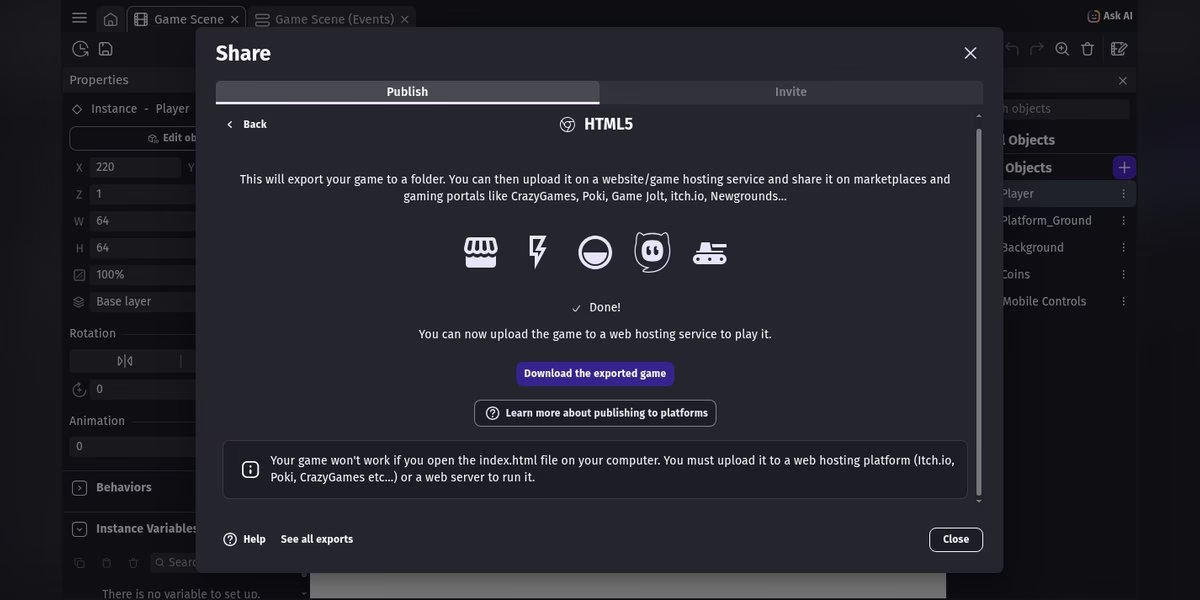
The free Platformer starter is the fastest way to see how a project fits together: open it, move the player’s start position, preview the result, and the export screen produces an HTML5 build. That screen also warns the build must be uploaded to a web host to run, not opened as a local file.
Cloud saving is the step that asks for an account, so export copies of anything you care about. If the earning side of no-code interests you, our guide to free AI and no-code tools for making money online covers that angle.
Worth checking: the HTML5 export needs web hosting, so plan where the game will live before you build.
Scratch describes itself as a free programming language and online community where you can create your own interactive stories, games and animations. It is aimed at young learners, and the Scratch Foundation says it is free for everyone and used by millions of kids.
You snap blocks together instead of typing code, which makes it a gentle first step into how games work. Projects can be shared with the community, which gives beginners an audience on day one; that community is its own social network, and our list of no-code social media app builders shows how people build platforms like it.
Read the official site for current account and sharing details before you start a project you care about, especially for a classroom or a child’s account.
Worth checking: shared projects are public by default, so review the community rules first.
Godot is a free and open-source 2D and 3D game engine, and its site describes it for games, cross-platform projects and even XR ideas. It also offers a web editor you can open in a browser, alongside the full desktop download.
Godot is a complete engine with its own scripting language, so it asks more of a beginner than block tools do. It suits people who want to grow into larger projects, and the official docs are the right place to check what the web editor supports today.
When a project outgrows what one person can build, professional studios step in. Our lists of top Unity game development companies and Unreal Engine game development companies show the engines most of them work in, which is useful context for where Godot sits.
Worth checking: the web editor and the desktop build differ, so confirm the features you need in the official docs.
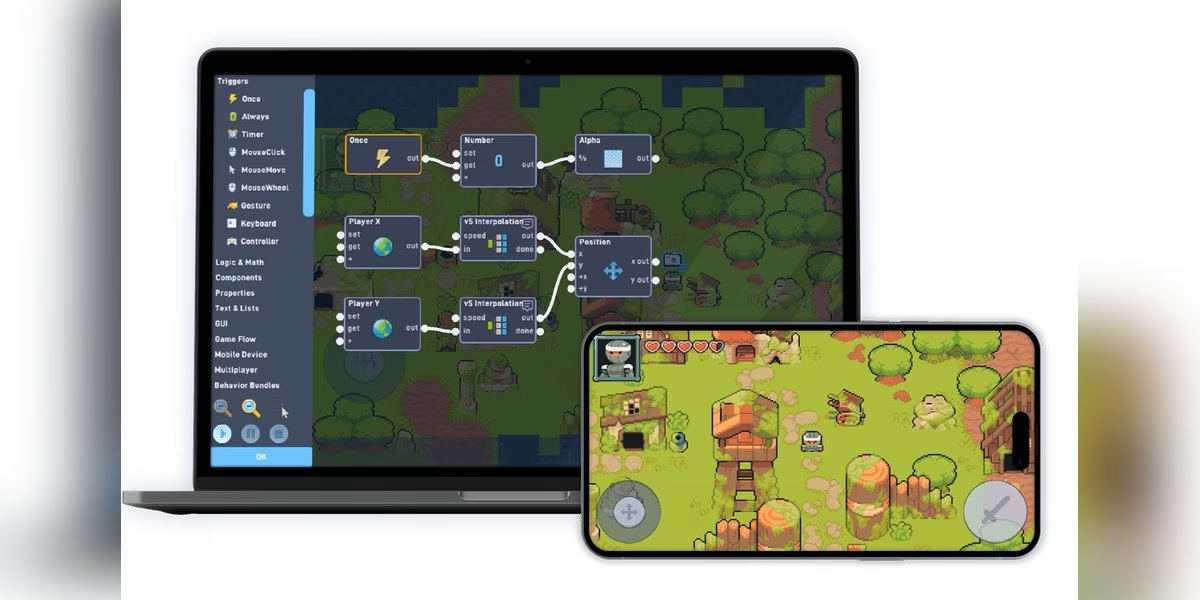
Flowlab says it is the easiest, fastest way to start making your own games right now, with no coding needed. Its homepage describes a game creator that runs online with nothing to download, install or maintain.
The editor uses flow-based visual logic, and sprite and logic editing happen directly inside the game. Flowlab also mentions publishing for iOS, Android, Windows and Mac, and says nearly 3 million games have been made with it.
Check the official page for current limits and plans before a big project. If the social side of apps interests you more than games, our list of no-code social media app builders covers that category.
Worth checking: free-plan limits on objects and levels decide how big a game can get, so read the plan page first.
Microsoft MakeCode Arcade is a browser editor for creating and modding retro arcade games. Its own description says you can develop programming skills by quickly creating games with blocks and JavaScript in the MakeCode editor.
That mix lets a beginner start with blocks and switch to code when ready, all in the same project. The pixel-art style keeps projects small, which makes it a good practice ground for ideas like sprites, scores and simple levels.
Check the official site for account and sharing details before you rely on it for a larger project, and save copies of work that matters to you. If you are new to games in general, our guide to gaming genres every newbie should explore helps you pick what to make first.
Worth checking: the block-to-JavaScript switch is the main draw, so try both modes in the tutorial.

Ren’Py is a visual novel engine that helps you use words, images and sounds to tell interactive stories on computers and mobile devices. Its site says it is used by thousands of creators and can make visual novels and life simulation games.
Ren’Py is open source and free for commercial use, which is rare and worth noting if you ever plan to sell a game. The site lists the latest official release of Ren’Py 8 as 8.5.3 and recommends version 8 for all projects.
It is a download, not a browser editor, but a quickstart guide walks you through making a simple game in an afternoon. Writers tend to feel at home here because a Ren’Py script reads like a screenplay. Bigger visual novels often split work across a writer, an artist and a composer; our guide to roles in game development teams maps who does what.
Worth checking: it runs as a desktop app, so school or locked-down work computers are a poor fit.

ink is inkle’s narrative scripting language for games. The inkle site says its own games have relied on ink to write millions of words of highly branching narrative, which is a strong pedigree for a writing tool.
If you are new to it, the site suggests downloading Inky, an editor that lets you write, test and export your stories in one app. A basics tutorial is written for a non-technical audience who want to put stories on the web, and there is a writer’s manual and an official guide.
This is a tool for writers who like working in text, not for drawing game levels. Pair it with another engine when the story needs graphics, which is how inkle’s own games use it. Our game section has more guides for each step of that build.
Worth checking: ink produces a story engine, not a finished game, so plan how the story will be presented.

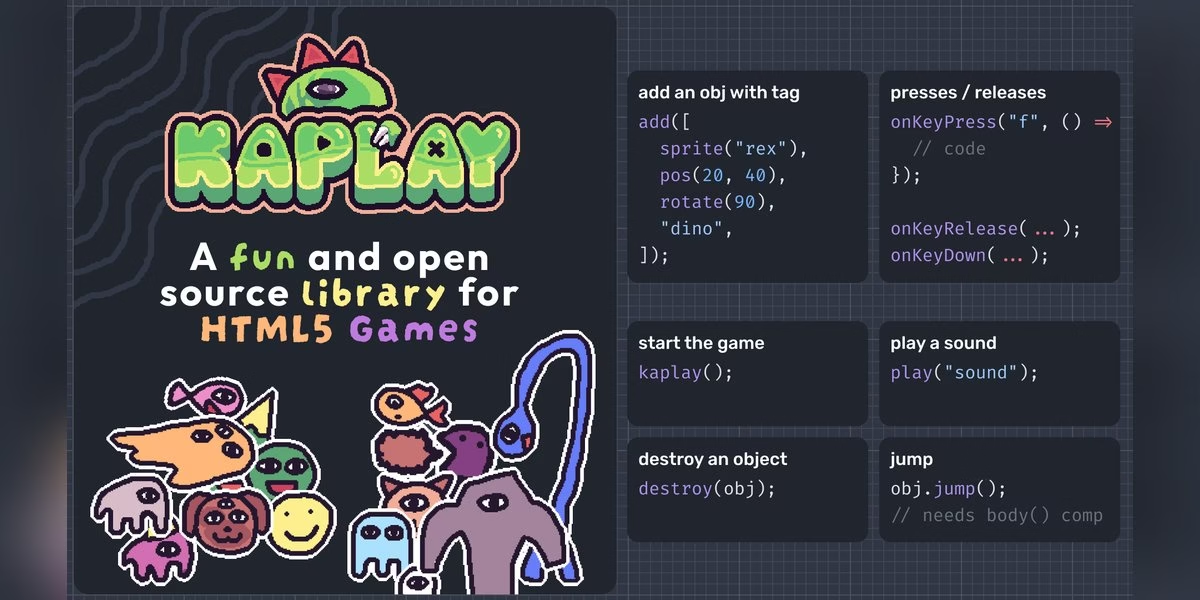
KAPLAY is a free, open-source JavaScript and TypeScript game library for making games on the web. Its homepage promises a friendly API that is easy to learn and teach, a set of examples and assets to get started, and strong TypeScript support.
It also links to KAPLAYGround, a place to play with code in the browser, and a community Discord for help when you get stuck. The examples gallery doubles as a set of starter projects.
This is a coding tool, not a drag-and-drop builder, so it fits people who already know some JavaScript and want to make small web games. Use the official examples to judge whether its style suits you. If games are more than a hobby for you, see our tips for building a full-time career in online gaming.
Worth checking: you need your own editor and hosting, so budget a little setup time.
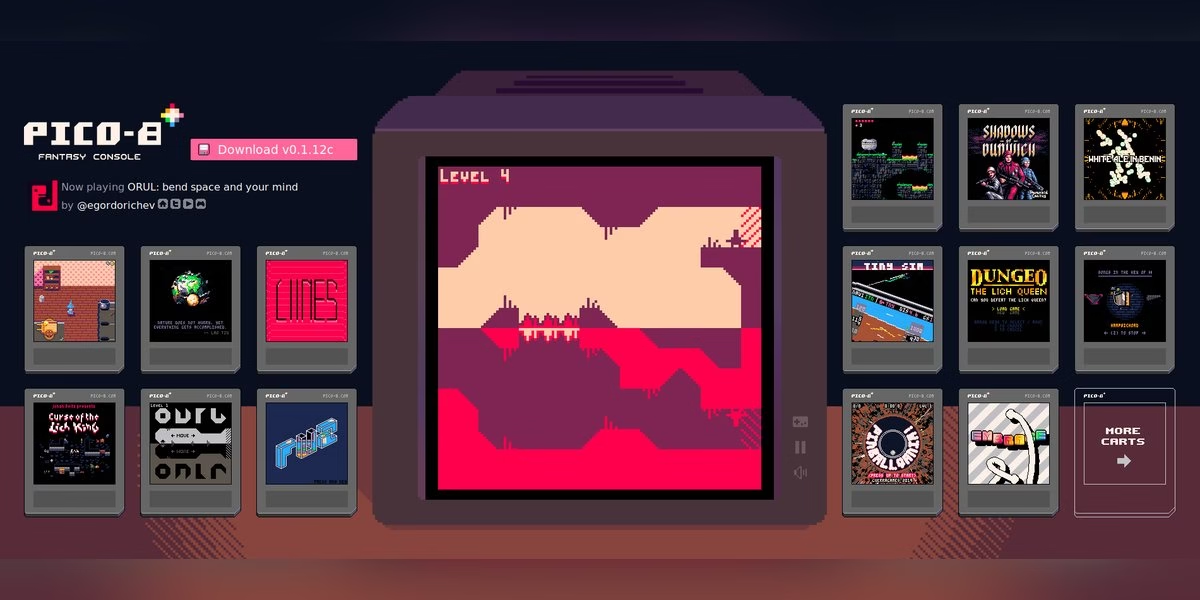
PICO-8 is a fantasy console for making, sharing and playing tiny games. Its site says it feels like a regular console, with harsh limits chosen on purpose to encourage small, expressive designs.
Tools for editing code, music, sound, sprites and maps are built in, so you can make a whole game without leaving the environment. Cartridges can be shared as PNG files, played through a web cart player, or exported to HTML5, Windows, Mac and Linux apps.
It runs as a desktop app on Windows, Mac or Linux, not in a browser editor. The official page has the current price, which is a one-time purchase rather than a subscription. For the playing side of retro gaming, our PC gaming gear guide covers the hardware.
Worth checking: PICO-8 is the only paid tool on this list, so check the price on the official page.
DecisionsHow to choose
- Start with what you want to make. Stories point to Twine, ink or Ren’Py, while platformers and arcade games point to GDevelop, Flowlab or MakeCode Arcade.
- Decide how much code you want. Scratch and GDevelop avoid typing code, while Godot and KAPLAY expect you to learn it.
- Check whether it runs in a browser. Ren’Py, Inky and PICO-8 are downloads, and that matters on a school or work computer.
- Ask about accounts before you build. Cloud saving, sharing and publishing are the steps that usually want one.
- Plan where the game will live. An exported HTML5 game needs web hosting to run, as GDevelop’s export screen warns.
Games can also grow in unexpected directions. If yours drifts toward tokens or wallets, read how web3 games are built first, then browse our blockchain game development companies and top metaverse game development companies lists to see what professional builds look like.
Making art or promo content for your game? Our creator apps list covers the tools for that side of the work.
Fine printWhat to check before you commit to a game maker
All ten tools above let you start for free, but the details that cause trouble come later: where the game runs, how you share it and what the terms say. Check these before you spend a weekend on a project.
Where the tool runs: browser or download
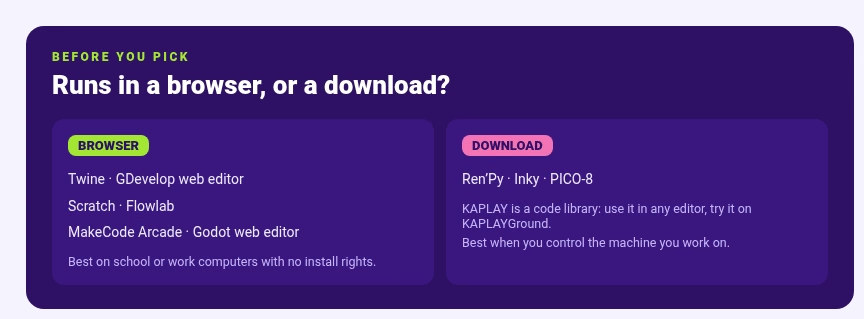
Some tools open in a browser tab, such as Twine, GDevelop’s web editor, Scratch, Flowlab, MakeCode Arcade and Godot’s web editor. Others are downloads: Ren’Py and PICO-8 run as desktop apps, and Inky is an editor you download.
If you work on a school or work computer where you cannot install software, a browser tool is the safer choice.
Accounts, saving and your files
GDevelop’s cloud saving asks for an account, while its starter projects open and preview without one. Other tools have their own rules, and they change over time.
Before you invest hours in a project, find out where it is saved, whether you can export a copy to your own computer and how you would move it to another tool. A project that lives only in a browser tab is easy to lose, and dormant cloud accounts carry their own risk, since Google will start deleting inactive accounts under its current policy.
Exporting and sharing your game
GDevelop’s export screen warns that an HTML5 game must be uploaded to a web host to run, not opened as a local file. That is common for web games, and it catches many beginners.
Decide early where the game will live: a community site, your own hosting or a page on a games platform. If the project grows beyond you, our guide to roles in game development teams maps out who does what on a larger build.
Licenses and selling your game
Read the license before you plan to sell. Ren’Py says on its site that it is open source and free for commercial use, and Godot, GDevelop, Twine and KAPLAY describe themselves as open source.
Open source does not cover the art, music or fonts you add, so check the license of every asset you use. For Scratch and other community platforms, read the terms for what you can do with projects you share. If earning from play is the goal rather than selling a game, our JustPlay alternatives guide looks at apps that pay players.
First projectA weekend plan for your first small game
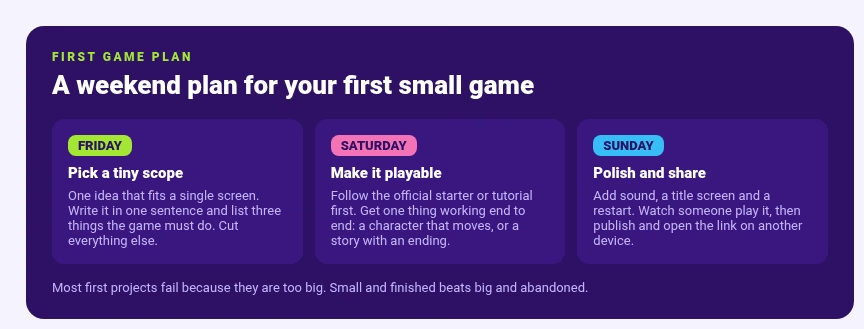
Most first projects fail because they are too big. This plan is a suggested path for a beginner, and it works with any of the beginner-friendly tools above.
Pick a tiny scope
Choose one idea that fits on a single screen. A short story with three choices, a one-button jumping game, or a catch-the-falling-object game is plenty.
Write the idea in one sentence, and write down three things the finished game must do. Cut anything else. If you are stuck for an idea, our guide to gaming genres every newbie should explore is a good menu to steal from.
Saturday: make it playable
Pick the tool that matches your idea: Twine for a branching story, GDevelop or Flowlab for a no-code platformer, Scratch or MakeCode Arcade for blocks. Follow the official tutorial or starter project first, since that is the fastest way to see how a project fits together.
Get one thing working end to end: a character that moves, or a story with a start and an ending.
Sunday: polish, test and share
Add sound, a title screen and a way to restart. Ask someone who has never seen the game to play it while you stay quiet, and write down where they get stuck.
Small touches keep people playing, and our piece on what app designers can learn from online casinos looks at how games hold attention. Export or publish the game, then open the shared link on a different device to check that it loads.
Avoid theseCommon beginner mistakes
- Starting with a big idea instead of a small one.
- Spending the weekend on art before the game is playable.
- Forgetting to check where the game will be hosted until the end.
- Using music or images without checking their licenses.
When the first game is done, pick a bigger tool or a new idea. Godot and KAPLAY suit people who want to learn code, and Ren’Py and ink suit people who want to write.
FAQFrequently asked questions
For a small example, yes. Twine runs in the browser without an account, and GDevelop’s web editor opens its starter projects without one, asking only when you want cloud saving. Other tools, such as Scratch, have their own account options, so check each official page. If you do not create an account, save or export your project to your own computer, because a browser tab can close and an inactive account can be deleted.
Block-based tools such as Scratch and MakeCode Arcade are designed for beginners, and GDevelop describes itself as no-code. If you prefer to write a story, Twine is the simplest start. Choose by the type of game you want, then follow the official tutorial before you try anything of your own. Our apps hub has more category roundups like this one.
Yes. Twine says you do not need code for a simple story, and you can add variables, conditional logic, images, CSS and JavaScript later if you want. Ren’Py and ink involve scripting: Ren’Py has a quickstart guide, and ink offers Inky, an editor that lets you write, test and export in one app. Start with Twine, then move to ink or Ren’Py if your story needs more structure.
Not always. GDevelop’s export screen says its HTML5 game will not work if you open index.html on your computer, so upload it to a web host or run a local web server. Twine publishes straight to HTML, and PICO-8 lists a web cart player and HTML5 export, so check how each tool tells you to share a finished game.
Twine, GDevelop’s web editor, Scratch, Flowlab, MakeCode Arcade and Godot’s web editor all offer a browser editor according to their sites. Ren’Py, Inky and PICO-8 are downloads, and KAPLAY is a JavaScript library you use with a code editor, with KAPLAYGround as a place to try code in the browser. Browser versions can differ from downloads, so check the official docs. A browser game can also be tiny: our Google Memory game explainer shows how little a playable game needs.
It depends on the tool and on the assets you use. Ren’Py says it is open source and free for commercial use. For other tools, read the license and terms on the official site, and check the license of every image, sound and font you add. Platforms with community sharing, such as Scratch, have their own rules for shared projects.
Scratch and MakeCode Arcade begin with blocks, and MakeCode lets you switch to JavaScript. Godot is a full engine with its own scripting, and KAPLAY is a JavaScript and TypeScript library, so both ask for more. A common path is to start with blocks to learn how games work, then move to a code-first tool when you want more control. Our game section has more guides for each step of that path.



Leave a Reply