

LiveJournal was where a whole generation learned to write online. It mixed a personal diary with a friends list and communities, and for years nothing else felt quite like it. But the platform today is a shadow of what it was: development slowed long ago, the design feels frozen in another decade, and many writers I hear from worry about keeping years of entries on infrastructure they no longer trust. If you are looking for LiveJournal alternatives, the good news is that blogging has branched into several healthy directions, and at least one of them will feel like home.
I build and review software for a living, including the tools that make everyday work more efficient, and I hold publishing platforms to the same bar. On 18 October 2026 I revisited every platform below, opened its homepage, and captured what it actually offers right now: the free plan, the audience model, and the kind of writer it suits.
In a hurry? Start here
- Best all-round replacement: WordPress.com
- Best built-in audience: Medium
- Most like classic LiveJournal: Dreamwidth
- Best for a paid newsletter: Substack or beehiiv
- Best free classic blog: Blogger
- Best for private, minimal writing: Write.as or Bear Blog
The 12 best LiveJournal alternatives at a glance
| Platform | Best for | Free option | Model |
|---|---|---|---|
| WordPress.com | Most writers, long term | Free plan | Freemium |
| Medium | Being read by strangers | Free to publish | Membership |
| Ghost | Membership publishing | Trial; open-source self-host | Subscription |
| Substack | Newsletter-first writers | Free to publish | Revenue share |
| Blogger | A free classic blog | Completely free | Free (Google) |
| Tumblr | Social journaling | Free | Freemium |
| Wix | Design control | Free plan | Freemium |
| beehiiv | Growth and monetization | Free sign-up (its site) | Freemium |
| Write.as | Distraction-free writing | Free to start | Freemium |
| Dreamwidth | LiveJournal’s community feel | Free basic account (its site) | Freemium |
| Bear Blog | Lightweight blogging | Free | Freemium |
| Telegraph | Instant anonymous posts | Free, no account | Free (Telegram) |
What LiveJournal still does best
To be fair to the old platform, a few things it pioneered are still hard to find in one place. The friends-locked post, part blog and part private letter, has no clean modern equivalent; most tools below are either fully public or fully private. Communities, where strangers gathered around an interest rather than an influencer, survive mainly on Reddit-style sites and a couple of the picks below. And LiveJournal’s plain chronological journal, with no algorithm deciding who sees your words, is something many writers actively miss. I kept all three in mind while ranking this list, and I note where each alternative comes close and where it does not.
12 LiveJournal alternatives, reviewed one by one
1. WordPress.com: best all-round LiveJournal replacement
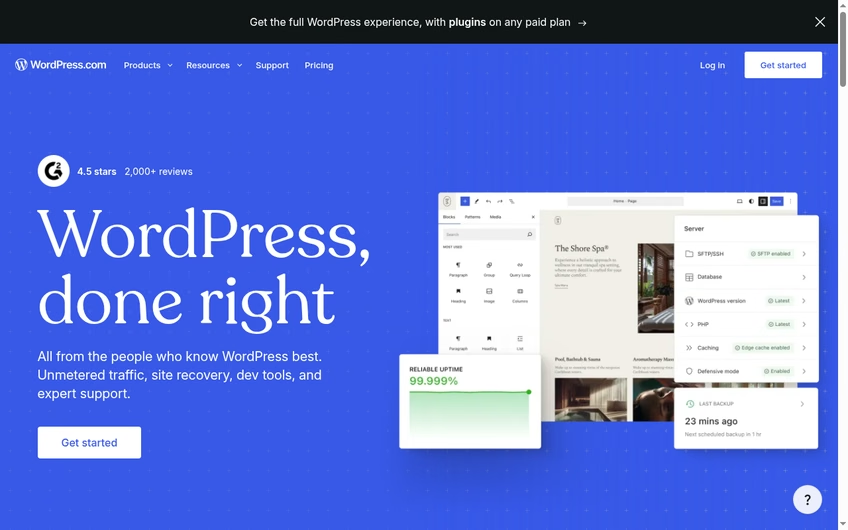
WordPress.com is the hosted, no-server version of the software that runs a huge share of the web, and it is the easiest recommendation on this list. Its current homepage leads with “WordPress, done right” and unmetered traffic, and a banner on the site today promises the full WordPress experience with plugins on any paid plan, while the free plan is enough for a personal journal. In practice, that means you can start at zero cost, publish a diary-style blog with comments, and grow into a custom domain, themes, and plugins only if you ever need them.
For a LiveJournal refugee, the big win is ownership: your posts, your domain, your export file. The editor handles long-form writing well, and the Reader feature gives a quiet social layer that faintly echoes the old friends page. If you eventually outgrow the hosted version, the same content moves to self-hosted WordPress, and comparisons like KeystoneJS vs WordPress show how deep that ecosystem goes. The catch is choice overload: the dashboard has far more knobs than LiveJournal ever did, and the best features sit behind paid tiers. If you want one platform you will never need to leave, this is it. If you want a hosting-based setup instead, my notes on Render as a hosting platform and the FastComet vs SiteGround comparison cover that road.
Official site: wordpress.com
2. Medium: best built-in audience
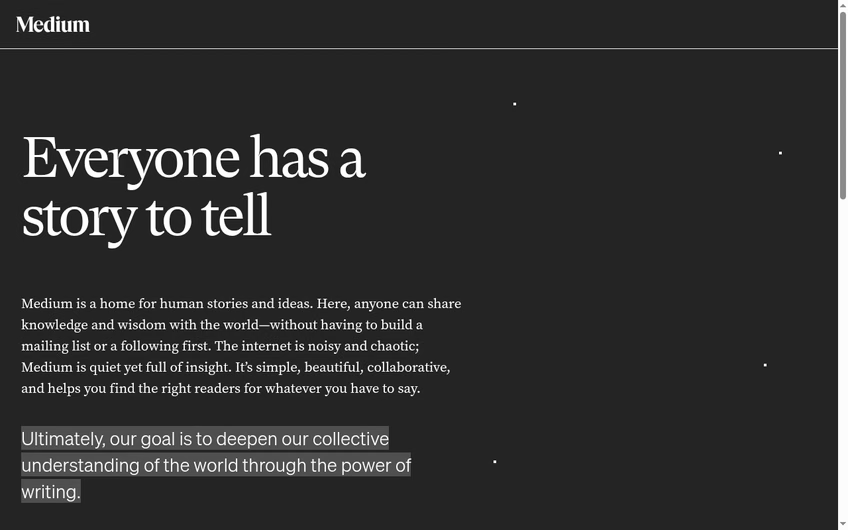
Medium solves the loneliest part of leaving LiveJournal: starting again in front of nobody. Its own pitch, on the about page I captured today, is “Everyone has a story to tell,” and it describes itself as a home for human stories and ideas where anyone can share knowledge “without having to build a mailing list or a following first.” That is literally true in a way most platforms are not. Medium’s distribution system puts good posts in front of strangers who follow topics, not just people who already know you.
Publishing is free, the editor is the cleanest I have used anywhere, and an optional paywall can earn money through the Partner Program if your country is supported. The trade-offs are real, though. You are building on rented land, the design of your blog is Medium’s design, and the social graph is weaker than LiveJournal’s tight circles; comments exist, but the community feel does not. Writers who care about craft over branding tend to love it, and pairing it with the AI writing tools I keep an eye on makes drafting even faster. If your main goal is being read, Medium is the shortest path on this list.
Official site: medium.com
3. Ghost: best for membership publishing
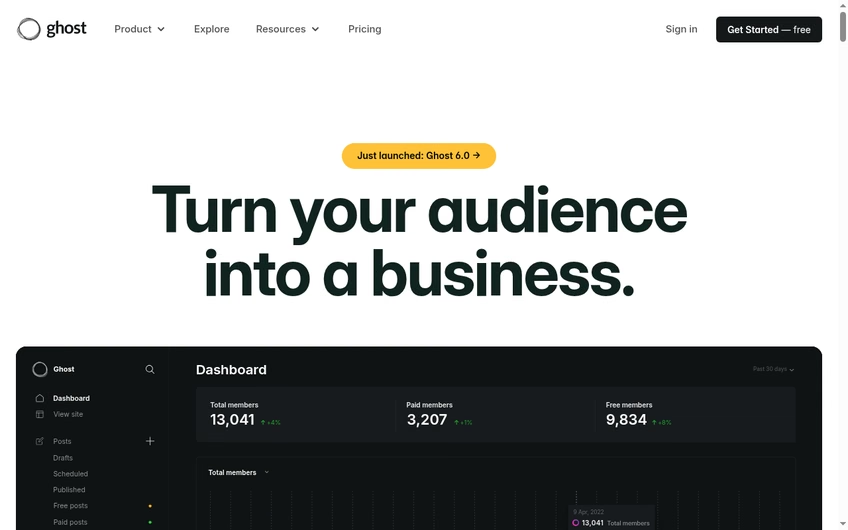
Ghost is what happened when professional blogging software took the newsletter seriously. The homepage today leads with “Turn your audience into a business” and a just-launched Ghost 6.0 badge, and the pitch underneath is exactly that: posts, email delivery, and paid memberships in one open-source package. You can pay for Ghost’s hosted version or self-host the software for free if you are comfortable running a server.
For an ex-LiveJournal writer, Ghost makes sense at the moment a journal turns into a publication. Everything is yours: the design, the member list, the email addresses, the revenue. There is no algorithm and no ads. The honest caveats are that it wants to be a business tool more than a diary, the hosted pricing is aimed at people who plan to earn, and there is no built-in community layer beyond comments and memberships. It sits comfortably next to the creator apps I recommend for people turning a hobby into income. If you suspect your journal could become a small media business one day, start here and skip a painful migration later.
Official site: ghost.org
4. Substack: best for newsletter-first writing

Substack reframed blogging as email. Every post is both a web page and a message in your readers’ inboxes, and the about page I captured today states the bargain plainly: “Make money doing the work you believe in,” with writers, creators, and subscribers in charge. Starting is free; Substack takes a cut only if you turn on paid subscriptions, so a hobby journal costs nothing to run.
The LiveJournal parallel is stronger than people think. Substack Notes behaves like a social timeline, recommendations create something like the old community discovery, and comments sit under every post. On the other hand, your blog looks like every other Substack, custom domains cost extra, and the platform’s discovery favors writers who already bring readers. It pairs naturally with the email automation tools I have reviewed, though Substack itself keeps things deliberately simple. If the part of LiveJournal you miss most is a loyal circle reading everything you write, email is the modern way to hold that circle, and Substack is the easiest way to start. For saving and rereading other writers, I still keep a read-it-later app alongside it.
Official site: substack.com
5. Blogger: best free classic blog

Blogger is the cockroach of blogging platforms, and I mean that as a compliment. Google’s veteran service is still free, still unlimited, and its landing page today keeps the same simple promise: “Publish your passions, your way.” You sign in with a Google account, pick a template, and you have a blog on a blogspot subdomain in about two minutes, with no storage limits and no bandwidth charges, ever.
For someone leaving LiveJournal, Blogger is the closest thing to a zero-commitment fresh start: the posting screen is a plain box, comments are built in, and pages are static and fast. The downsides are equally clear. Templates look dated unless you tweak them, Google has a long history of retiring beloved products, and there is no social layer at all, so every reader must arrive from search or a link. On that last point, do read my guide on whether you can use Google images on a blog before decorating your first post, because old Blogger habits get people in copyright trouble. If you want free, simple, and durable, and you can live without a built-in community, Blogger still earns its place.
Official site: blogger.com
6. Tumblr: closest living relative to LiveJournal’s social side
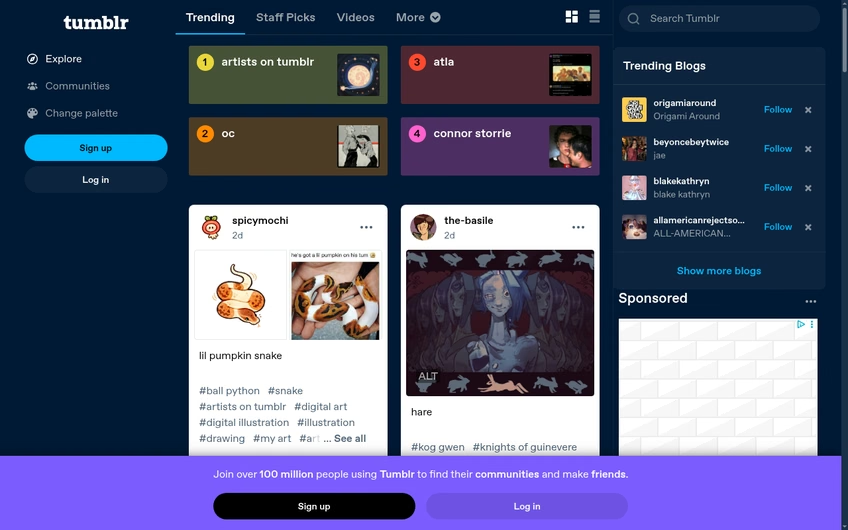
If what you actually miss is LiveJournal’s social energy, the dashboards, the reblogs, the fandom communities, then Tumblr is the only platform on this list where that culture never died. The site today invites you to “join over 100 million people using Tumblr,” and the explore page is still a lively scroll of art, fandom, humor, and personal journals. Accounts are free, posting is instant, and the format happily mixes long text posts with images, links, and chats.
The reblog is the spiritual heir to the LiveJournal comment thread: your words travel, and conversations attach themselves as they go. Communities here form around tags rather than moderated groups, which is looser but more alive. Be aware that Tumblr’s audience skews toward fandom and visual content, the chronological-and-algorithmic feed mix takes getting used to, and monetization is not the point. For a sense of how tag-driven communities compare, my roundups of apps like Reddit and apps like Pinterest map the neighborhood. For pure social journaling, though, nothing else comes this close.
Official site: tumblr.com
7. Wix: best for design control

Wix is the pick for the LiveJournal user who always wished they could restyle everything. It is a full visual website builder with a capable blog module, and its homepage today invites you to “start for free, no credit card required.” You drag sections onto a canvas, choose from hundreds of templates, and end up with something that looks like a designed magazine rather than a default diary.
The blog itself handles scheduled posts, categories, comments, and member areas, and the free plan is genuinely usable with Wix branding and a wixsite.com address. Paid plans add your own domain and remove the ads. The trade-off is weight: the editor is powerful but busy, pages carry more code than a pure blogging tool, and moving your content elsewhere later is harder than it should be. If you are weighing a builder against hand-coded options, my Shopify vs custom websites breakdown covers the same build-versus-own question, and the no-code app builders list shows how far visual tools have come. Choose Wix when the look of the thing matters as much as the words.
Official site: wix.com
8. beehiiv: best for growth and monetization tools

beehiiv is the newest name here, built by early Morning Brew employees, and its homepage packs the ambition into one line: “Newsletters. Podcasts. Community. One platform.” The site today shows a 4.9 out of 5 rating from 28,479 customers and a free sign-up with no credit card required, which matches what I found clicking through: a modern editor, built-in referral programs, recommendation networks, and ad tools that Substack does not offer.
For a LiveJournal expat with an entrepreneurial streak, beehiiv is the growth-obsessed option. Posts live on the web and in the inbox, analytics show exactly what readers do, and the monetization levers are front and center rather than bolted on. The flip side is that it feels like a cockpit, not a diary; nobody comes here to whisper into a friends-locked void. It belongs on the same shelf as the free tools for making money online I have collected. If your journal has an audience-shaped hole in it, beehiiv is built to fill it.
Official site: beehiiv.com
9. Write.as: best for distraction-free, private writing
Write.as strips blogging back to the text. The homepage is a white page with one line, “Type words, put them on the internet,” and a start-writing button that works without even creating an account first. Underneath, it is a small indie platform built around privacy: no ads, no tracking, and the ability to publish anonymously or under as many pen names as you like.
That combination makes it the quietest refuge on this list, and the closest in spirit to a private LiveJournal journal. You can keep posts unlisted, share them by link, or publish to a minimal public blog with a custom domain on paid plans. There is even a federated layer that lets people follow you from Mastodon. What you give up is any discovery at all: no feed, no recommendations, no algorithm. Small tools like this pair well with the lightweight software I suggest for small teams, because the philosophy is the same: do one thing and stay out of the way. If LiveJournal was your locked diary, Write.as is the modern equivalent.
Official site: write.as
10. Dreamwidth: the true LiveJournal successor
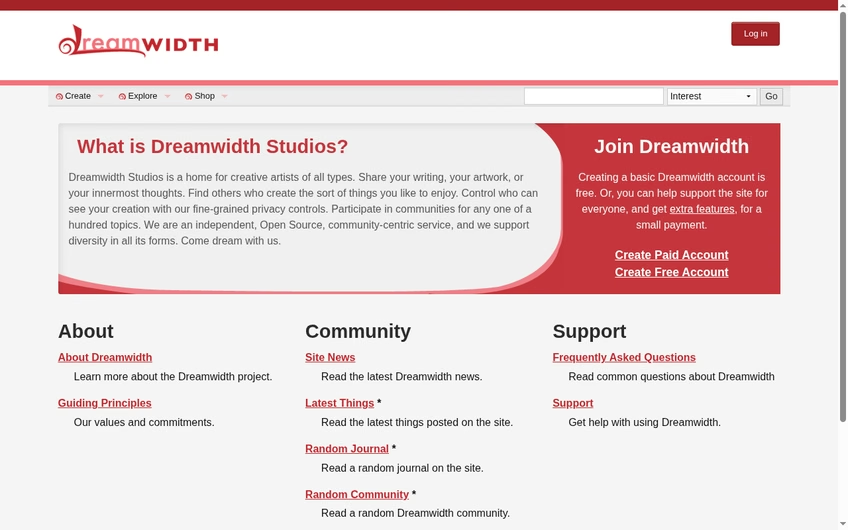
Dreamwidth is not merely similar to LiveJournal; it is built from LiveJournal’s own open-source code, forked in 2008 by people who wanted the same community with different stewardship. The homepage today describes “a home for creative artists of all types” with fine-grained privacy controls and communities, and it states plainly that creating a basic Dreamwidth account is free. It is independent, open source, and community-run, with no venture capital and no advertising.
Everything a LiveJournal loyalist remembers is here: journals, friends-locked posts under the newer “access list” name, communities with moderators, icons, and a culture that still cares about fandom and long-form personal writing. There is even an importer that pulls your entire LiveJournal archive, comments included, which no other platform on this list offers. The honest warning is scale: the user base is small and devoted rather than large and growing, and the design proudly ignores modern web fashion. If you want LiveJournal as it was, run by people who loved it, this is the answer, and it is not close.
Official site: dreamwidth.org
11. Bear Blog: best lightweight, no-nonsense blog
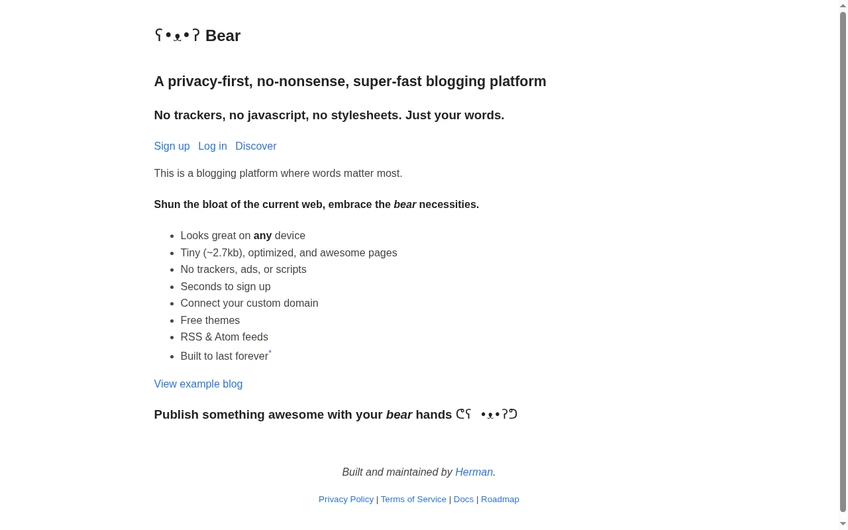
Bear Blog is a one-person labor of love with a manifesto I enjoyed reading today: “A privacy-first, no-nonsense, super-fast blogging platform. No trackers, no javascript, no stylesheets. Just your words.” Pages weigh about 2.7 kilobytes, sign-up takes seconds, and the feature list is deliberately short: free themes, custom domains, and RSS feeds, “built to last forever.”
The result is the fastest-reading experience on this list and the least distracting writing box. Your blog is a plain, beautiful column of text, and there is a small discovery page where Bear blogs find readers without any algorithmic games. For an ex-LiveJournal diarist, it recreates the feeling that the words are the point. The limits follow from the philosophy: no comments by default, no communities, no monetization features, and image handling is basic on the free tier. It will not replace LiveJournal’s social web, but as a clean public notebook it is nearly perfect, and it respects your readers in a way bigger platforms forgot how to do.
Official site: bearblog.dev
12. Telegraph: best for instant, no-account posts

Telegraph, from the Telegram team, is the most minimal publishing tool I have ever used, and today it is exactly what it has always been: a blank page with three fields (title, your name, your story) and a publish button. There is no account, no sign-up, no settings, and no cost. You type, you publish, you get a link. The page lives on telegra.ph, clean and fast, and that is the entire product.
Obviously this is not a LiveJournal replacement for keeping a journal over years, because there is no archive you own or even a way to edit later from another device. What it does brilliantly is remove every excuse between thinking something and publishing it, which makes it perfect for a one-off essay, an anonymous post, or a long note you want to drop into a chat. Telegram integration means posts open instantly inside the app. Keep it bookmarked as a utility alongside a real blog from the options above; on its own it is a scalpel, not a home.
Official site: telegra.ph
How to choose the right LiveJournal alternative
Start with the thing you actually miss. If it is the community and the friends-locked diary, go straight to Dreamwidth and import your archive. If it is having readers, Medium or Substack will find them faster than any empty blog. If it is ownership, WordPress.com or Ghost keeps your words portable, and larger operations can look at enterprise options like the ones in my WordPress VIP vs Adobe Experience Manager comparison. Finally, think about discovery before you need it: the SEO strategies that work now, a newsletter’s inbox presence, and even the AI social media tools that reshare your posts all decide whether anyone reads the next thing you write.
How I put this list together
I write about software for a living, and I kept a journal in the LiveJournal era myself. On 18 October 2026 I opened every platform on this list, captured its homepage, and checked what a new writer gets for free. Typepad would have been an obvious inclusion a year ago, but it has closed, so it is out. I favored platforms that respect your content and are still actively developed, and I flagged the trade-offs I would want a friend to know. You can browse more of my app comparisons anytime, including recent deep dives on Zendesk alternatives and Seeking Alpha alternatives.
Frequently asked questions about LiveJournal alternatives
Is LiveJournal still active in 2026?
Yes, the site is still online and people still post, but it is a quiet echo of its peak. Development is slow, the design is dated, and many long-time users have moved their archives elsewhere. It works, but I would not start a new journal there today.
What is the closest alternative to LiveJournal?
Dreamwidth, without question. It was built from LiveJournal’s own code by former fans, keeps journals, access lists, and communities, and even imports your old entries. Nothing else preserves that experience as faithfully.
Can I import my old LiveJournal posts to a new platform?
Dreamwidth has a dedicated importer that pulls entries and comments directly from LiveJournal. WordPress.com can import from many platforms, and for anything else you can export your LiveJournal archive and move it manually. Whatever you choose, export your LiveJournal content first so you always have a copy.
Which LiveJournal alternative is completely free?
Blogger is the most generous fully free option, with no post limits and no bandwidth charges; I keep a longer list of free tools that cost nothing too. Telegraph is free with no account at all, and Dreamwidth, Tumblr, Bear Blog, WordPress.com, Medium, and Substack all let you publish without paying. The catch is usually a subdomain and limited design control.
What happened to Typepad?
Typepad has closed. Its website now tells visitors the service has shut down and points former customers to a partner for keeping their domains and sites. If you see it recommended in older LiveJournal alternative lists, that advice is out of date.
Which platform is best for private journaling?
Write.as is the best for quiet, private writing: unlisted posts, pen names, and no tracking. Dreamwidth’s access lists recreate LiveJournal’s friends-locked posts if you want privacy with a small community around it.
Can I earn money from a blog the way people did after LiveJournal?
Yes, and more directly than back then. The creator apps I recommend all assume an audience first; Substack and beehiiv take a cut of paid subscriptions, Ghost lets you keep everything through your own payment setup, and Medium’s Partner Program pays for member reading time. None of it is instant, but the infrastructure for paid writing is better than it has ever been.




Leave a Reply