




The Coco in this guide is the live video chat and streaming app from Newell Media, not an unrelated product with a similar name. Its Google Play listing is still live, and coconut.tv points to its mobile downloads. The older article mixed broadcast apps, random stranger chat and ordinary video calls, and even described Omegle as active. Omegle closed in 2023. This refreshed shortlist groups ten currently active alternatives by the experience you actually want: watch a stream, broadcast yourself, or meet someone in a video call. Product descriptions are checked against current operator sites and official app listings, not presented as our hands-on tests.
Coco official Android app listing
Quick picks
- For public live streams with creators and audiences: BIGO Live, Tango and YouNow.
- For a Coco-like mix of live social rooms and chat: MICO.
- For spontaneous one-to-one video chat: Azar or LivU.
- For a safety-first choice: inspect the app’s minimum age, report/block controls, purchase prompts and visibility settings. None is risk-free.
- More live and social options: LiveMe, MeetMe, 17LIVE and StreamKar.
Compare the ten live-video alternatives
| App | Main format | Closest Coco use | Watch-out |
|---|---|---|---|
| BIGO Live | Public broadcast, calls | Streams and audience chat | Gifts and exposure to strangers |
| Tango | Creator livestream | Broadcast/chat with viewers | Virtual gifts and moderation limits |
| Azar | One-to-one matching | Meet a stranger on video | Age checks can use camera/selfie |
| LivU | Random video chat | Fast person-to-person calls | Verify paid features and privacy |
| MICO | Social live rooms | Live rooms and meeting people | Public profile and gift spending |
| YouNow | Live broadcast | Watch or host streams | Public comments and visibility |
| LiveMe | Creator streams and one-to-one chat | Live streams and video conversation | Public exposure and gifts warrant care |
| MeetMe | Social discovery with live streams | Livestreams and meeting people | Public profile and stranger contact |
| 17LIVE | Audience-led live broadcasting | Live streaming and chat | Check regional availability and gift spending |
| StreamKar | Live streams and social chat | Mobile live stream and chat | Store availability and in-app costs vary |
These are different products, not six replicas of Coco. Google Play listings confirmed a live Android listing on September 29, 2026; local store availability and app features may still differ.
1. BIGO Live: Public streaming and group interaction
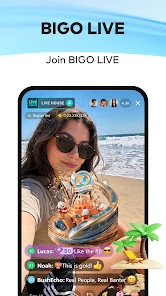
BIGO Live offers live broadcasting, watching creators, group and one-to-one interaction according to its official app listing and eSafety’s independent guide. Choose it when the audience and live comments are the point. Its virtual-gift economy can make optional spending feel urgent; decide a limit before entering a stream. The Australian eSafety Guide lists the operator’s minimum age as 18 and describes reporting tools.
Best for: creator-led streams rather than anonymous roulette calls. Be careful with your camera view, public username and gifts.
Official BIGO Live site, help or app listing
2. Tango: Creator-led broadcasts

Tango’s current app listing identifies live streaming and video chat. Its community guidelines cover livestreams, comments and chats, prohibit explicit content and say users can report problematic material. The service says it uses technology and human moderation; that is a policy claim, not proof that every stream is clean.
Best for: following creators and broadcasting. Before buying any virtual gifts, check the in-app price and whether you are entering a public or restricted stream.
Official Tango site, help or app listing
3. Azar: One-to-one global discovery
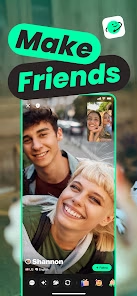
Azar is a mobile video-chat service for meeting people. Its help center describes age assurance using camera images before calls, with extra video-selfie checks in some regions. Those procedures make it meaningfully different from a public Coco broadcast, and the camera/data tradeoff should be understood before signup.
Best for: spontaneous conversations rather than maintaining a livestream audience. Do not reveal your location or personal details to a new match.
Official Azar site, help or app listing
4. LivU: Quick video introductions
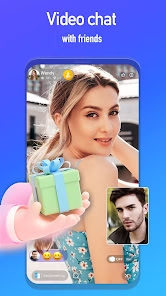
LivU maintains an official video-chat website and a current Google Play listing describing meeting people through live video chat. This is closer to a random conversation than a creator channel. We did not verify a universal free allowance or a particular filter entitlement; inspect the purchase screen before paying for extras.
Best for: short one-to-one introductions. End and report a call if the other person pressures you for money or to move elsewhere.
Official LivU site, help or app listing
5. MICO: Social live rooms and chat

MICO’s official app listing names live streaming and chat, and the operator’s site remains online. It is a closer match for a social discovery feed than a bare roulette call. The app may present gifts or public-facing profile elements, so set boundaries for spending and visibility.
Best for: people who want ongoing rooms and a social feed. Check what a stranger can see on your profile before commenting or streaming.
Official MICO site, help or app listing
6. YouNow: Watching and hosting live streams
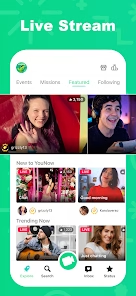
YouNow has a live site and a current official app listing for streams and live chat. It is primarily a broadcast-and-audience choice, not a guaranteed private one-to-one call. If hosting, assume a public viewer can record what you say and show; keep personal details, location and others’ faces out of frame.
Best for: following live creators or hosting a stream. Think about comment moderation and audience before going live.
Official YouNow site, help or app listing
7. LiveMe: Creator streams and one-to-one chat
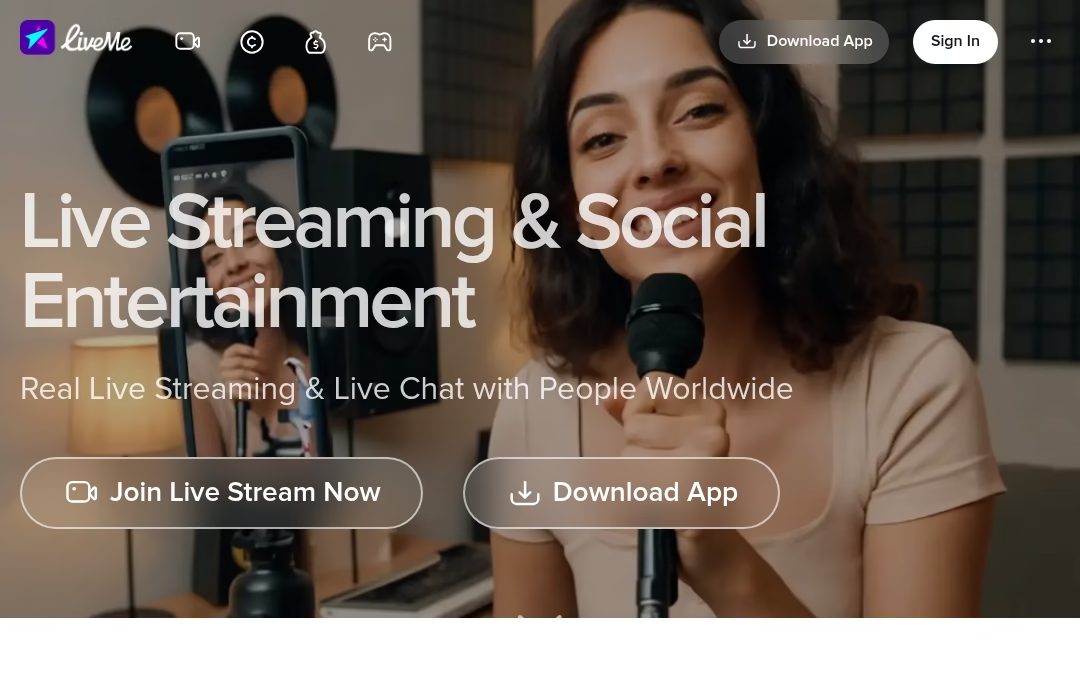
LiveMe offers live streams and video chat on its official site. It is a closer match for Coco’s blend of broadcaster audiences and social video than a plain meeting app.
Best for: watching creators and trying live conversations. Review visibility and gift costs before broadcasting.
8. MeetMe: Social discovery with live streams

MeetMe’s official service presents livestreams alongside meeting new people. It is a social-discovery alternative rather than a guaranteed private match.
Best for: discovering creators and social conversations. Check profile visibility and report controls.
9. 17LIVE: Audience-led live broadcasting
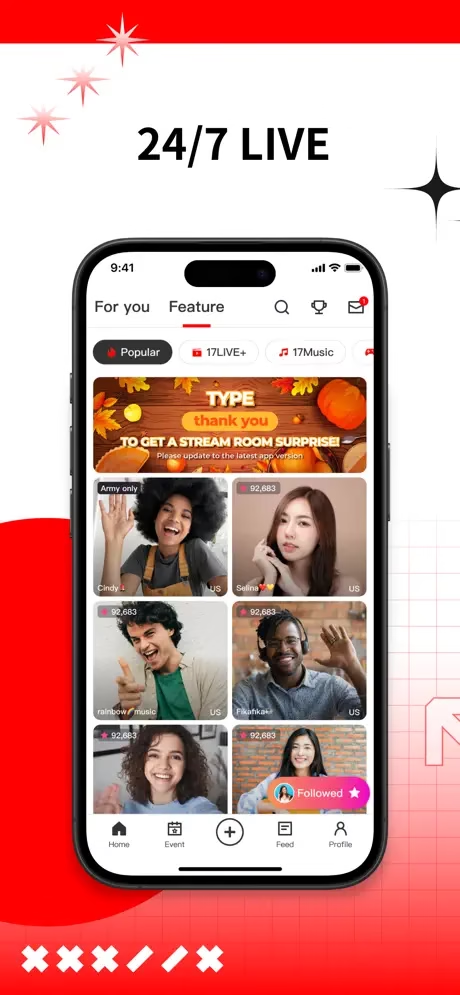
17LIVE has an active official App Store listing for live streaming and chat. It fits Coco users who care more about watching hosts and audience interaction than roulette calls.
Best for: public live rooms. Check app availability, age terms and purchase screens.
10. StreamKar: Live streams and social chat
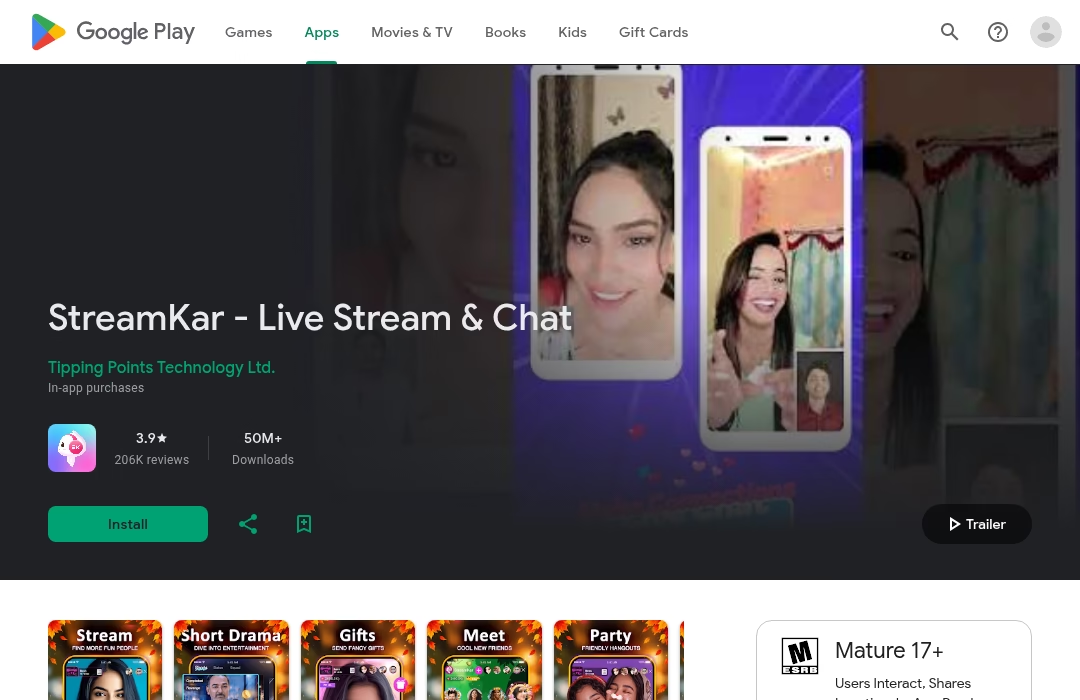
StreamKar has an active official Google Play listing for live streams and chat. It belongs in the broadcast-and-social part of this list, not among private calling tools.
Best for: joining live rooms on mobile. Review audience visibility and optional purchases.
StreamKar official information
Safety and spending checklist before you go live
- Check the operator’s minimum-age rule, not only the app store’s content rating. A “Mature 17+” store badge is not necessarily permission for a 17-year-old to use the service.
- Choose whether you want a public broadcast, a social room or a private video match. Public comments and audience discovery can expose more than a one-to-one chat.
- Use a neutral background and turn off location disclosure where possible. A username, street view, school badge or work logo can identify you.
- Assume calls and streams may be recorded by others. Avoid sending personal documents, payment information or intimate images.
- Use report and block controls when someone harasses you, solicits explicit content or pressures you to spend. Set an optional-gift budget before entering a stream.
For a second view beyond operator promises, Australia’s eSafety Commissioner provides an independent guide to BIGO Live. Its age and risk notes may be region-specific or dated, so check the operator’s current rules as well.
Frequently asked questions
Is Coco still available?
Its official Android listing was accessible on September 29, 2026, and coconut.tv still points to app downloads. That does not guarantee access in every country or on every device.
Which Coco alternative is closest for livestreams?
Start with BIGO Live or Tango for creator broadcasts and audiences, or MICO if social rooms matter. For one-to-one stranger chat, Azar and LivU are more relevant.
Is Omegle one of the choices?
No. The original Omegle shut down in 2023; it should not be recommended as a working alternative.
Are virtual gifts free?
Do not assume so. These apps may sell optional coins or gifts. Review the live purchase screen, renewal terms and refund policy before paying.
Can I make a private call instead of broadcasting?
Azar and LivU focus on person-to-person discovery. Some broadcasting apps also support calls, but a creator stream or room is not private merely because you can talk to one person.
Which platform is safe for teenagers?
Do not infer eligibility from app-store badges. Check each service’s terms and minimum-age rule, and remember that live stranger interactions can include inappropriate behavior even when a platform moderates them.
Related Just Create App guides
LuckyCrush alternatives for random video chat
September 2026 update: Choose the right Coco alternative for your use case
Updated September 30, 2026. The ten-app shortlist above covers Coco live streaming and video chat. This update adds practical ways to choose between them, explains gifts and paid calls, and separates other products that share the Coco name. These are research-based recommendations, not claims that we personally tested every app or spent money in its gift store.
Which Coco do you mean?
Before installing an alternative, check the developer and the product format. A search for “Coco” can lead to a livestream app, a French text-chat site, or a media player. They solve different problems.
| Name or search intent | What it refers to | Where to start |
|---|---|---|
| Coco live streaming app, apps like Coco | The Newell Media live-video product linked from coconut.tv. | The existing shortlist above: BIGO Live, Tango, MICO and other live-room apps. |
| Coco chat alternative, Coco.fr alternative, Coco.gg alternative | Often the French text-chat service, not the Newell Media mobile app. | Read the text-chat section below. Do not assume a similarly named site is an official replacement. |
| Apps like Coco Player, apps similar to Coco Player | A media-player search. One official Google Play listing is CoCoPlayer – Movie Player APP, from happycoin. | Compare local video players rather than livestream communities. |
| CoCoBox similar apps | An ambiguous product name that should not be treated as Coco livestreaming. | Check the exact app-store link and developer before comparing storage or download features. |
| Cococart alternative | Cococart is an online-store and business product. | Compare store tools, not social-video apps. |
The official Coco listing and coconut.tv identify the live-video product covered by this article. This distinction matters more than matching a name in an app-store search.
Coco.fr and Coco.gg text-chat alternatives: A different comparison
If you arrived looking for an “alternative coco tchat,” “chat coco remplacement,” “Coco chat equivalent” or “alternatives to Coco.gg chat site,” you probably want text rooms and social conversation rather than buying gifts in a livestream. The Paris public prosecutor’s June 25, 2024 statement confirms that the Coco site was closed in a judicial investigation. It explicitly references coco.gg and coco.fr. That history must not be confused with the separate Newell Media app.
For topic-based text conversation, Discord’s official server guide describes text and voice channels and community setup. It is a better fit when you want a continuing community around a hobby. It is not a promise of anonymous, signup-free stranger matching or French-language rooms in every server. Check the server’s language, rules and moderation before joining.
Telegram’s official FAQ describes groups and public usernames. It can fit a known interest group, but you need to find a relevant group, and account setup and privacy settings differ from an open browser chat room. A public username lets people find and contact you; do not confuse it with guaranteed anonymity.
En bref : si vous cherchez un site similaire à Coco pour le tchat, choisissez selon la langue, les règles du groupe et la modération. Discord et Telegram sont des pistes pour des communautés, pas des remplacements officiels de Coco.fr ou Coco.gg. Vérifiez les paramètres de confidentialité avant de rejoindre un salon.
No service in this guide is certified as a Coco.gg successor. A site calling itself “the new Coco” does not establish that it has the same operator, safe moderation or suitable privacy practices. Do not download an unknown APK just because its name resembles the closed service.
Real use cases: Watching, hosting or meeting one person?
You want to watch a creator after work. Start with BIGO Live, Tango, YouNow, LiveMe or 17LIVE from the shortlist. The format is a broadcaster with an audience, so the practical question is whether you can find streams you enjoy in your language and time zone. Browse before buying currency. A busy room is not the same as a conversation with the host, and a gift is not a guarantee of personal attention.
You want to host a music, drawing or discussion stream. Compare the broadcast-focused options first. Decide what will be visible: your face, background, screen and comments. Check the current live controls and whether you can report or remove abusive viewers. Try a low-pressure session without gift goals. The useful first measure is whether you can maintain the conversation, not whether you earn money immediately.
You want an ongoing social room rather than a performance. MICO is one of the closer formats in the existing list because its official listing describes live streaming and chat. StreamKar and MeetMe are other social-discovery options above. Look for a room you can return to, then check profile visibility and contact controls. Do not assume that room participation means every member is a verified friend.
You want a spontaneous one-to-one introduction. Azar and LivU are more relevant than an audience-led stream. The tradeoff changes: you are matching with a person, not choosing a creator’s channel. Check age eligibility, filters, reporting and paid-call notices before turning on the camera. Use a neutral background and end a call rather than continuing under pressure.
You want local dating rather than livestream entertainment. That is a different decision. Badoo’s official site presents dating and meeting people. Searches such as “chat simili a Badoo” should be evaluated around dating intent, profile information and contact controls, not which livestream gift looks best. No live-video platform here guarantees a date or a compatible match.
You want a LivU similar app or “apps tipo Omegle.” Azar is the closer category match in this shortlist for stranger video conversation. “Similar” means the broad format, not identical prices, privacy rules or matching features. The original Omegle is not an active option in this list. Choose a current operator and inspect its current rules instead of relying on an old alternatives article.
Gift spending: What the currencies actually do
Coins, diamonds, gems and bars are not interchangeable. A viewer’s purchase price, the cost of sending a gift and a creator’s redemption value are three different numbers. You cannot use a creator cash-out rate to calculate what your card will be charged for a currency pack.
| App | Verified spending mechanic | What to check before paying |
|---|---|---|
| BIGO Live | Viewers use Diamonds for gifts; the official guide says broadcasters receive Beans. Gift prices appear in Diamonds under each item. | The pack’s local-currency total, the gift’s Diamond cost and whether you selected multiple gifts. |
| Tango | The help center distinguishes purchased coins from received diamonds. Gift Rush events can require sending particular gifts to unlock bonus gifts. | The current gift cost and event conditions. A bonus does not make the qualifying purchase free. |
| YouNow | Bars are its currency for bar-based gifts and stickers, including applause and tips described by its support page. | The bar bundle price and the gift’s cost, not just the animation or likes it generates. |
| Azar | Gems support premium services including gender/region preferences and additional video calls. | Whether the feature you selected consumes gems and what the current purchase screen offers. |
| LivU | Coins can be spent on gifts, some messages and paid video calls. Its support page gives per-minute call rates. | The specific call rate shown before accepting, duration and remaining balance. |
These mechanics are documented in BIGO’s gift guide, Tango’s Gift Rush help, YouNow’s Bars & Gifts page, Azar’s gems explanation and LivU’s coin-spending help. The other apps in the original list should be checked in their own purchase screens; this table does not imply they have no paid features.
Spending examples without invented app prices
BIGO gift example. Open the gift panel and read the Diamond cost shown under the gift. If you use the “Multi” category, calculate the total number of gifts before sending, not the price of one animation. BIGO’s guide says the leaderboard can show how many Diamonds are needed to overtake another supporter. Treat that as a competition prompt, not a reason to raise your budget.
Tango bonus-gift example. If an event asks you to send a featured gift several times, include every qualifying gift in your spending decision. The official Gift Rush page says challenges vary by VIP level and are updated. Do not budget from an old event screenshot, and do not buy more currency merely to avoid losing progress toward a bonus.
LivU paid-call example. Its support page currently states that regular calls cost 80 coins per minute and friend-call rates range from 80 to 120 coins per minute, with the friend’s rate shown before acceptance. At a displayed 80-coin rate, five minutes uses 400 coins; at 120, five minutes uses 600. These are calculations from the documented rates, not a quoted rupee or dollar price. Verify the live rate because the website also advertises free random-chat features; “some free features” does not mean every call is free.
Azar filter example. Azar says some gender and region preferences may require gems. If you only want to try the basic conversation format, check whether selecting a preference adds a paid step before buying a pack. Paying for a preference is not a guarantee of a meaningful conversation.
YouNow support example. If your goal is to thank a performer, compare the current cost of one bar-based gift against the bundle you must buy. An unused bar balance is still money you have already spent. The support page describes gift effects such as helping a broadcast trend; that is different from a private message or personal access.
A practical spending rule is to choose a session limit in your own currency, check the final pack total, and stop when you reach it. Keep gifts optional. Do not send money outside the app to someone promising a refund, a date, extra coins or a creator payout. Check refund and subscription terms before paying; this article does not promise that a sent gift can be reversed.
Coco Player, CoCoBox and Cococart: Do not install the wrong category
The official CoCoPlayer listing describes local media playback and support for formats including MP4, AVI and MKV. If that is the product you meant, VLC for Android’s official page is a relevant starting point: it describes playing local video/audio and network streams. That is a player comparison, not a recommendation to meet strangers or send gifts. We are not promising a free library of copyrighted movies.
We could not verify a current operator-owned listing for the exact CoCoBox product behind “cocobox similar apps.” A third-party APK page is not enough to endorse a download or claim that it shares Coco’s developer. Get the exact store link first and identify whether the need is file storage, downloading or playback.
Cococart’s official site is about running a business and an online store. It is unrelated to Coco live chat. Likewise, a site-search query such as “site:justcreateapp.com” is a navigation request rather than evidence that another app belongs in this shortlist.
Before you commit to a Coco chat alternative
Choose the format first, then the app. For audiences, compare live streams. For an ongoing interest group, compare community text channels. For a stranger introduction, compare one-to-one matching. For local media files, choose a player. This avoids paying for a service that answers the wrong question.
Check local availability, the operator’s minimum age, camera and microphone permissions, profile visibility and the current paid-feature screen. To check whether a profile photo is real, you can find someone by photo free with a reverse image search. Watch or explore without spending where that is available, then decide whether the experience is worth a fixed budget. No app in this article is guaranteed safe, free in every feature or an official successor to a similarly named service.









Leave a Reply