

Building a social media app without code can mean two very different things: designing a new product with profiles and posts, or giving an existing community a branded place to meet. The right builder depends on which job you have. These 20 current tools cover flexible app builders, mobile-first makers, and ready-to-run community platforms. Each entry explains the fit and the catch, rather than claiming all 20 can make the same app.
What your social app builder must protect and let you own
A social app builder is not only a feed designer. Private messages, member profiles, uploaded media and moderation tools require different access rules. A finished-looking screen can still expose information through the data returned to a device. Evaluate those boundaries separately from colors, templates and how quickly a demo launches.
Bubble: hidden content is not private content
Bubble’s privacy-rules documentation explains that rules run on the server before data is returned. Hiding a field on a page, or filtering it after download, does not make that data inaccessible. Configure each relevant data type, private upload and workflow condition. Test a logged-out visitor, an ordinary member and a blocked member. Search constraints matter too: the documentation describes strict search privacy modes to reduce information inferred from query results.
Glide: visibility and access are different checks
Glide’s security guide explicitly says visibility conditions are not a security feature. Read its row-owner and user-data guidance before using a spreadsheet-backed directory for private information. Decide which profile fields are public and which must never reach another member’s device. Test the data path, not only whether a component disappears from the screen.
FlutterFlow, Draftbit and WeWeb: ask what leaves the builder
FlutterFlow’s local-run guide says project code download is available on paid plans. Its export documentation describes branches and asset choices. Download and run a small project before treating code export as a proven exit route. A frontend export does not automatically move the database, authentication, storage or push-notification service; record those dependencies separately.
Draftbit currently describes web, iOS and Android building with full-code import, editing and export. WeWeb describes a Vue.js web application export and self-hosting. These are different delivery models. A downloadable web frontend is not an app-store package, and code access still needs a maintainer who can build, secure and update the result.
Adalo and community platforms: keep the promise specific
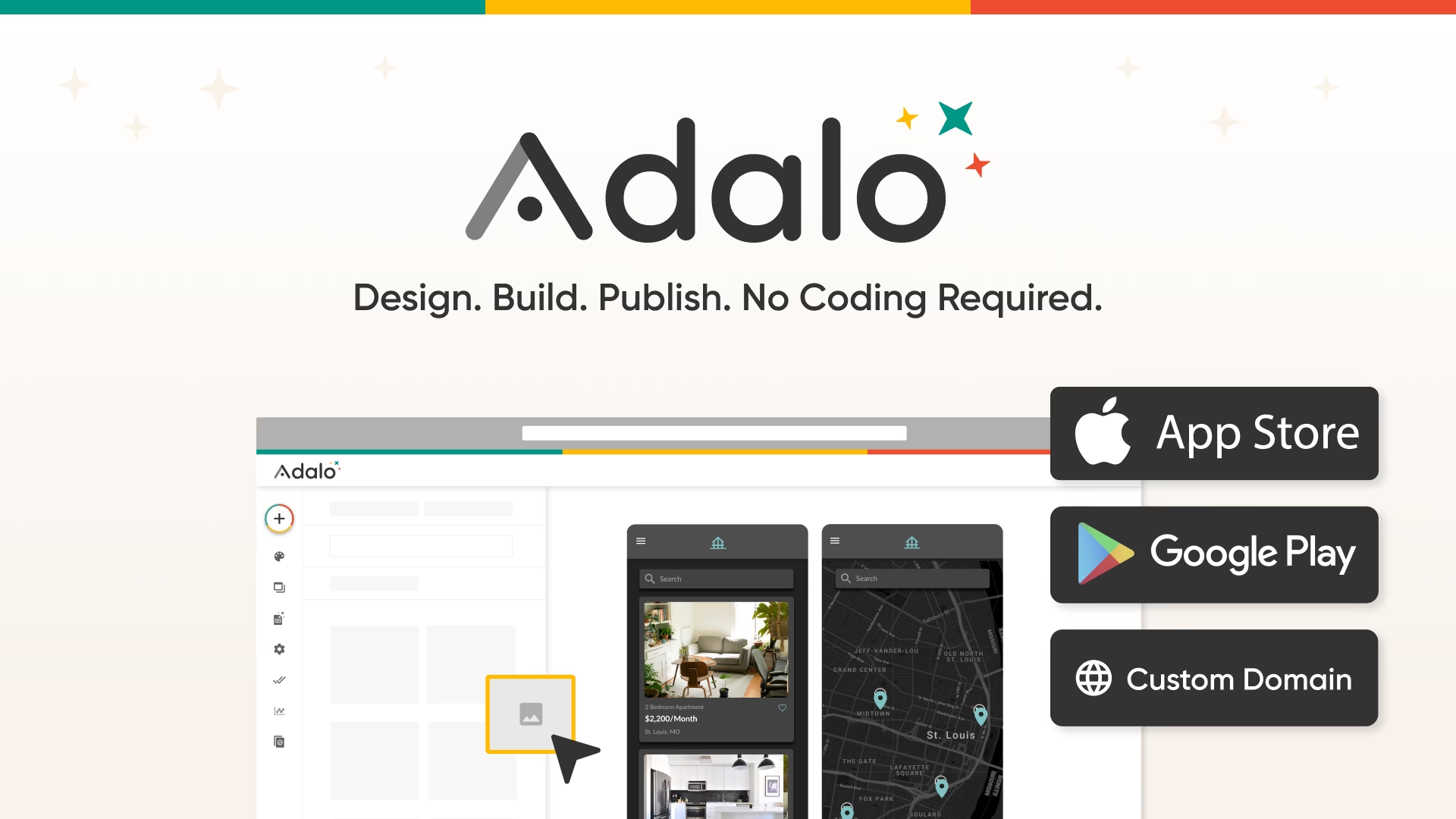
Adalo’s social-app page describes feeds, profiles, messaging, authentication and moderation workflows. Check the exact media and feed behavior your community needs, then price the chosen publishing route and connected services. For managed communities such as Circle, distinguish a shared platform app from a separately branded iOS/Android offering; the current vendor describes its branded app separately. Neither route guarantees store approval or that every custom social-network idea can be built without outside work.
Quick picks: which kind of social app are you building?
- Custom social product: Adalo or Bubble for configurable data and workflows; FlutterFlow or Draftbit if mobile design and future code access matter.
- Branded member community: Disciple, Mighty Networks or Circle if groups and member engagement matter more than inventing every feature.
- Customer forum or portal: Bettermode for customer discussion; Softr or Glide for more structured member directories.
- Existing website to mobile: AppMySite if your community already lives on a site.
“No code” is not “no decisions.” Before picking a tool, decide whether members can post publicly, who can message whom, what moderators can remove, and whether you need a downloadable iOS/Android app or a mobile-friendly web app. These distinctions change the shortlist.
Compare the launch model before comparing features
A feed screenshot does not tell you who will operate the community. Use this matrix to narrow the 20 options below. The examples are starting points from the profiles, not a promise that each product supplies every feature in the row.
| Launch model | Examples to trial | What you still need to prove |
|---|---|---|
| Custom feeds, profiles and interactions | Adalo, Bubble | Data permissions, posting rules, report queues and performance with representative content |
| Mobile-first product with a technical handoff | FlutterFlow, Draftbit | Backend ownership, code handoff, notifications and maintenance outside the visual editor |
| Branded community for an existing audience | Disciple, Mighty Networks, Circle | The actual branded-app plan, administrator controls and member migration route |
| Directory, portal or customer discussion | Softr, Glide, Bettermode | Access rules and the exact posting or messaging experience, without assuming a public social feed |
| A mobile front door to an existing website | AppMySite | Site login, payment, discussion and notification behavior inside the finished app |
Moderation and app-store checks for a social app
Publishing tools and permission to operate a social network are different things. Apple’s App Review Guidelines, section 1.2, require a way to filter objectionable material, report offensive content with timely responses, block abusive users and reach the operator through published contact information. The same section warns that apps used primarily for random or anonymous chat and certain abusive experiences do not belong on the App Store. A builder’s app-store publishing feature does not override those rules.
Google Play’s user-generated content policy requires users to accept terms before creating or uploading content, defines moderation obligations and distinguishes different interaction types. Public social content needs in-app reporting of users and content plus blocking; one-to-one interaction needs in-app user blocking. A private community is not automatically exempt from reporting requirements. Read the current policies for your actual design and audience before submitting.
Turn those requirements into screens and workflows in the trial. A report button should produce a usable queue for a real moderator, not just an email nobody watches. Blocking should have a defined effect on messages, profile visibility and future contact. Decide who handles reports, how members appeal decisions and which records you need to investigate abuse. These are operating choices as well as software features.
For example, Adalo’s social-app guide describes building moderation workflows with roles and reported posts; it does not claim built-in AI content filtering. Ask the same concrete question of every provider: is the control already supplied, must you build it, or does it need another service? Test the answer with ordinary member and moderator accounts rather than only an administrator login.
A small pilot that exposes the expensive mistakes
- Write one complete member journey. A useful first test is signup, profile creation, posting, reply, notification, reporting and account deletion. If the concept is a directory, replace the feed with search and contact controls. Choose the journey your community actually needs.
- Test different roles. Create separate member, moderator and administrator accounts. Check what each can read and change, including content reached through a direct link. Hidden buttons alone do not prove private data is protected.
- Try a real device. Compare the mobile browser and the installed test build when native distribution is required. Test photo uploads, notification permissions, reconnecting after a lost connection and navigating from a notification to the right post.
- Measure the recurring work. Use a small invited group and representative images or videos. Track slow screens, storage growth, failed uploads and moderator workload. Do not extrapolate a polished empty demo into a claim about consumer-scale performance.
- Rehearse leaving. Request an export of members and content, inspect what it contains and document what cannot move. Code access, database exports, media files and app-store ownership are separate checks. A CSV of email addresses is not a complete migration plan.
Compare total operating cost after the pilot: the publishing plan, backend services, storage, moderation services, notification delivery and any specialist help. Avoid ranking builders by a free trial alone. The useful price is the cost of running your tested member journey at the audience size you expect, with an exit route you can explain.
20 no-code social media app builders: profiles and trade-offs
1. Adalo – A purpose-built starting point for a custom social app
Pilot and ownership check: Adalo’s social-app page specifically describes a relational database connecting users, posts, likes, comments and follows. Use that as a testable starting point: create two accounts, publish a post, follow the author, then check which feed changes. Also test a blocked or removed account. A working feed alone does not establish that private data is protected or that reports reach an administrator.
Adalo explicitly markets a social-media app builder, with profiles, feeds, messaging and notifications among the patterns it describes. Its visual canvas, database and AI-assisted setup suit a founder who wants a branded product across web, iOS and Android without assembling a stack first. Start with a small community and test posting, permissions and moderation workflows before inviting a large audience. Its polished example screens are marketing examples, not proof that every feature is ready in every template. Visit Adalo’s official site.
2. Bubble – Flexible social-network logic and custom workflows
Pilot and ownership check: For Bubble, write the access rules before designing the public screens. In a pilot, create an owner, an ordinary member and a visitor; try to read another member’s private record with each role. The visual interface and the underlying data permissions are separate checks. Budget time for those tests and for documenting your workflows so another builder can maintain them later.

Bubble is for a social product whose rules will not fit a preset community template. Its visual builder covers interface, database, logic and privacy rules, with web and mobile development on the platform. You can model users, posts, follows and access rules, but you will have to design those workflows and test them yourself. That control is the appeal; it also makes the build more involved than launching a standard member space. Visit Bubble’s official site.
3. FlutterFlow – Visual mobile app design with room for technical growth
Pilot and ownership check: FlutterFlow’s homepage names Firebase and Supabase integrations for setting up a database and offers code export. Those are concrete choices for a team comparing backend ownership and a future developer handoff. Export a small project early and ask a developer to review the build and dependencies. Code access is useful, but it does not automatically migrate your hosted database, storage or authentication configuration.
FlutterFlow offers visual UI and logic building, data connections, and deployment to app stores and web. It is a fit when mobile design and future code access matter more than an instant community launch. A social feed or messaging experience needs a backend, authentication, data design and moderation choices; do not confuse a visual builder with a turnkey social network. Its code export also gives technical teams a path beyond the editor. Visit FlutterFlow’s official site.
4. Glide – A lightweight member directory or private hub
Pilot and ownership check: Glide’s current site separates GlideOS from Glide Classic and lists data sources, integrations, publishing and sharing controls. Establish which product you are evaluating before relying on an older tutorial. For a member directory, test what a signed-out visitor and two different members can see. Include the connected source data in the access review, not only the visible app screens or menu items.

Glide turns connected data into responsive business apps for desktop and mobile. For a private association, alumni list or small member hub, it can be a quick way to provide profiles and shared information without building a native app. It is not positioned as a full public social network, so check whether your required posting, real-time chat and app-store distribution are supported by your intended setup before choosing it. Visit Glide’s official site.
5. Softr – A web-based member portal and directory
Pilot and ownership check: Softr’s homepage lists databases, workflow automation and granular permissions, with connections including Notion, Google Sheets, Supabase and a REST API. For a portal trial, choose one real data source and two member roles, then test read and edit access separately. A filtered directory is not enough evidence that another member’s private record cannot be retrieved. Document the roles before importing your full community.
Softr specializes in no-code portals and external-facing business apps with connected data and access controls. That makes it attractive for a members-only directory, resource library or community-adjacent portal where people need different views of the same information. Its core pitch is portals and internal tools rather than a TikTok-like feed. Treat advanced social interactions as a requirement to prototype, not as a built-in promise. Visit Softr’s official site.
6. Thunkable – Native apps with visual logic and AI assistance
Pilot and ownership check: Thunkable’s current homepage frames the workflow as planning the app, shaping it visually and publishing native mobile apps to the two app stores. Make your pilot a small complete journey: signup, a post, a notification and a report. Confirm which data services support that journey and who will maintain them. Store distribution does not itself supply a moderation process or prove that user-generated content is safe.
.png)
Thunkable focuses on native iOS and Android apps. Its AI builder and visual tools let you shape app screens and behavior, then publish to the app stores. It can suit an experimental social concept that needs device-native distribution, but the official product page does not promise an out-of-the-box full social network. Plan the data model and user safety flows before building the first feed. Visit Thunkable’s official site.
7. GoodBarber – Native content and community-style apps
Pilot and ownership check: GoodBarber’s homepage describes an integrated CMS, connected content sources and an extension store. Map the content you control separately from content a member can submit. For a creator app, test how an article or video update reaches an installed app and what happens when access is withdrawn. Evaluate the specific extensions you need rather than treating the whole catalog as included in your chosen configuration.
GoodBarber is a no-code builder for native iOS and Android apps, with content, design and publishing tools in one platform. It suits publishers or creators who want an app around their own content and audience rather than an unrestricted social network from scratch. Check its extension catalog against the interactions you want, especially member posts and messages, before committing to a social-first concept. Visit GoodBarber’s official site.
8. BuildFire – Plugin-led branded mobile apps
Pilot and ownership check: BuildFire’s homepage names chat, event management and questionnaires as plugin examples and describes store-submission help plus a PWA option. Build a prototype with your actual plugins, not a generic demo. Check how a moderator receives a complaint, how permissions behave between plugins and what custom work would be needed. Get the maintenance responsibilities in writing before treating the launch service as a complete ongoing community operation.

BuildFire combines an iOS/Android app builder with a large plugin library and optional done-for-you services. For a branded club or customer community, the plugin model may be simpler than coding every mobile feature. The trade-off is that your exact community experience depends on the plugins and any custom work you choose. Verify posting and moderation behavior in a prototype instead of assuming every social feature comes standard. Visit BuildFire’s official site.
9. Shoutem – Mobile apps with a configurable content experience
Pilot and ownership check: Shoutem’s homepage describes importing outside content, a social wall, push notifications and app-store publishing. A useful pilot is to import one content source, publish an image through the social wall and send a notification to a test device. Then check deletion and member permissions. Distinguish the vendor’s platform examples from the behavior in your own configured app, especially if members will contribute content rather than only read it.

Shoutem provides a drag-and-drop mobile app builder and app-store publishing flow. Its examples include content-heavy and community-facing apps, which may suit a local group or creator who wants a mobile home for existing followers. Before choosing it for a social network, map which screens are publisher-managed content and which let members create or discuss posts. Those are different product requirements. Visit Shoutem’s official site.
10. Appy Pie – A social-network-specific no-code template
Pilot and ownership check: Appy Pie’s social-network page distinguishes building and testing from publishing, which requires a paid plan; it also says store coverage differs by offering. Check the current plan for your required platforms rather than assuming a free trial includes launch. In the trial, test profiles, a feed and a forum with two accounts. Ask how reported content is reviewed and how member data can be recovered if you leave.

Appy Pie explicitly presents a social-network app builder with member profiles, a feed, forum, chat and push notifications. That clear feature list makes it one of the most direct tools to evaluate for a first social-app prototype. Its site describes publishing to Google Play and the App Store. Confirm the actual editing freedom, moderation controls and plan limits in your trial; a listed feature alone does not answer how it works for your community. Visit Appy Pie’s official site.
11. Apphive – AI-assisted native app building
Pilot and ownership check: Apphive’s current homepage describes compiling iOS and Android apps under your own brand and adding native capabilities visually. Use a phone-based pilot to test the device features your idea actually requires, together with the account and content flow. Record who owns the store accounts and how the backend is configured. An AI-generated first draft still needs acceptance tests, privacy checks and an ongoing operator for the community.
Apphive describes an AI-assisted no-code workflow for native iOS and Android apps, with visual customization and app-store publishing. It is a general app maker rather than a dedicated community platform, so a social idea needs deliberate work on accounts, content and interaction. Consider it when native mobile presence is central and you want to explore an app concept before specifying every screen manually. Visit Apphive’s official site.
12. Draftbit – Visual editing with code access
Pilot and ownership check: Draftbit’s homepage explicitly lists importing, editing and exporting full code, working with a backend and publishing to web or app stores. Before selecting it for a handoff, export a small working build and have the receiving developer review it. Record the backend credentials, dependencies and build instructions separately. Exported source code is a handover component, not proof that another team can reproduce the deployed app without further setup.
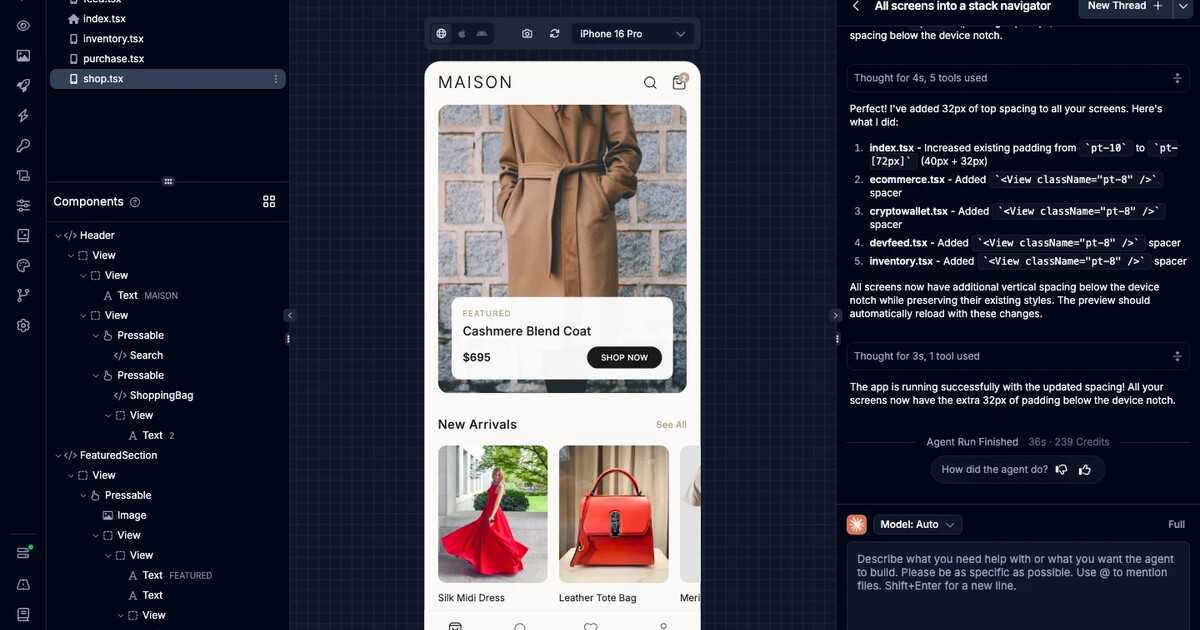
Draftbit combines AI-assisted workflows, visual editing and access to code for mobile and web apps. That makes it useful for a social MVP you may hand to developers later. Unlike a hosted community product, it does not replace decisions about databases, member identity or trust and safety. Its main distinction is the bridge between visual building and deeper customization. Visit Draftbit’s official site.
13. WeWeb – Custom web community front ends
Pilot and ownership check: WeWeb’s homepage now describes exporting a Vue.js single-page app for self-hosting or deploying through its own CDN. That makes hosting ownership a concrete comparison point. Test an export and the supporting authentication and database connections before deciding on that route. A self-hosted front end still needs a maintained backend, access rules and a deployment process; those responsibilities do not disappear when the visual editor generates the interface.
WeWeb is a visual web-app builder with AI generation and no-code editing. It is a candidate when you want a custom browser-based member experience and are prepared to connect the supporting data and services. This is a flexible front end, not a ready-made social network or native mobile-app promise. Check the authentication and backend setup against your intended posting and privacy rules. Visit WeWeb’s official site.
14. Disciple – A dedicated branded community app
Pilot and ownership check: Disciple’s homepage says members, posts and analytics can be exported, and describes SSO, CRM connections and API/webhook workflows. Ask for a sample export before migration so you can check the actual fields and relationships. Pilot a group with an administrator and ordinary members. Confirm who reviews reports and how integrations respond when a member is removed, rather than judging only the branded app’s appearance.
Disciple is purpose-built for branded communities on iOS, Android and web. The operator describes feeds, groups, messages and notifications, plus white-labeling and human support. It is a stronger fit for organizations gathering members under their own brand than for inventing a completely new public social-media product. Ask for a demonstration of administrator controls and the member experience before picking a platform migration path. Visit Disciple’s official site.
15. Mighty Networks – Membership-led community with courses and events
Pilot and ownership check: Mighty Networks’ current pitch is a membership business with courses, events and participation on iOS and Android. Evaluate one membership journey from joining to finding a discussion and attending an event. Do not turn the vendor’s engagement or revenue examples into a forecast for your audience. Ask which branded-app route applies, what migration help covers and how you will recover member and course data if the fit changes.

Mighty Networks centers communities, courses, events and member participation. It is a good fit for a paid or interest-based network where the community is the product, rather than a blank canvas for a new general social network. Native mobile apps are part of its pitch, but branding and access options depend on the offering. Compare the member journey and monetization setup, not only the list of social features. Visit Mighty Networks’s official site.
16. Circle – Community, events and courses in one branded place
Pilot and ownership check: Circle’s homepage describes spaces, live events, courses, payments and branded native mobile options. Its feature breadth is useful when those jobs belong in one member experience, but it also makes scope selection important. In a pilot, test invitation, permission changes and one live event. Confirm the specific plan and branded-app arrangement. Treat automated moderation as something to configure and review, not as a substitute for a community policy and human escalation.
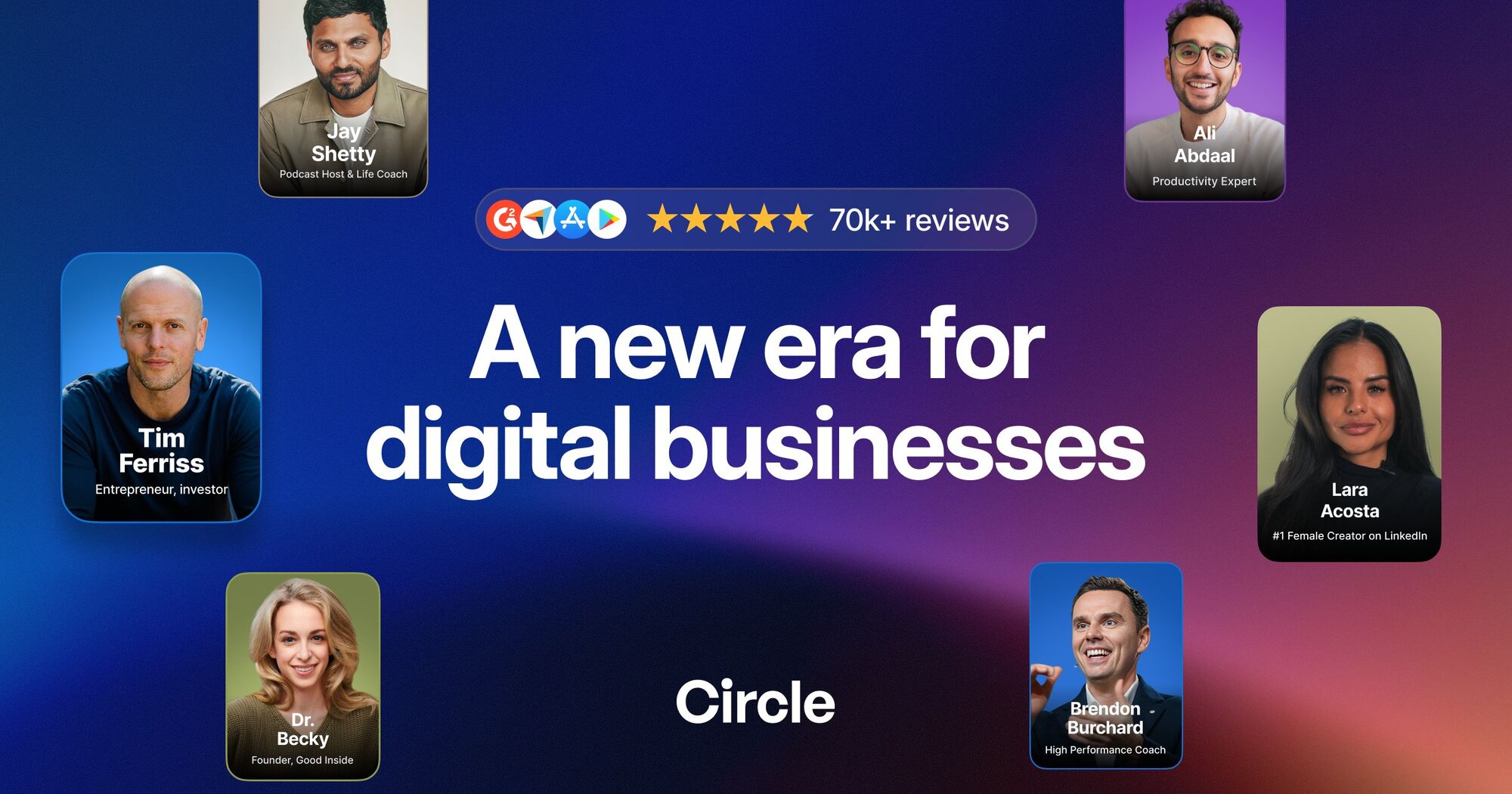
Circle brings community spaces, events and courses under a brand, with mobile-app options described by the vendor. It makes sense for creators or businesses moving discussion out of scattered social channels. It is less suited to a highly customized public feed algorithm. Test how spaces, permissions and member onboarding feel with a small pilot before migrating an audience. Visit Circle’s official site.
17. Bettermode – Modular customer community and support hub
Pilot and ownership check: Bettermode’s official site emphasizes drag-and-drop customization and connections to an existing stack. For a customer-support community, test one question from posting through staff response and moderation, then check how it appears to different roles. Ask for the actual export and integration behavior rather than inferring it from a feature headline. The useful result is an answerable support workflow, not merely a branded forum with a long feature list.
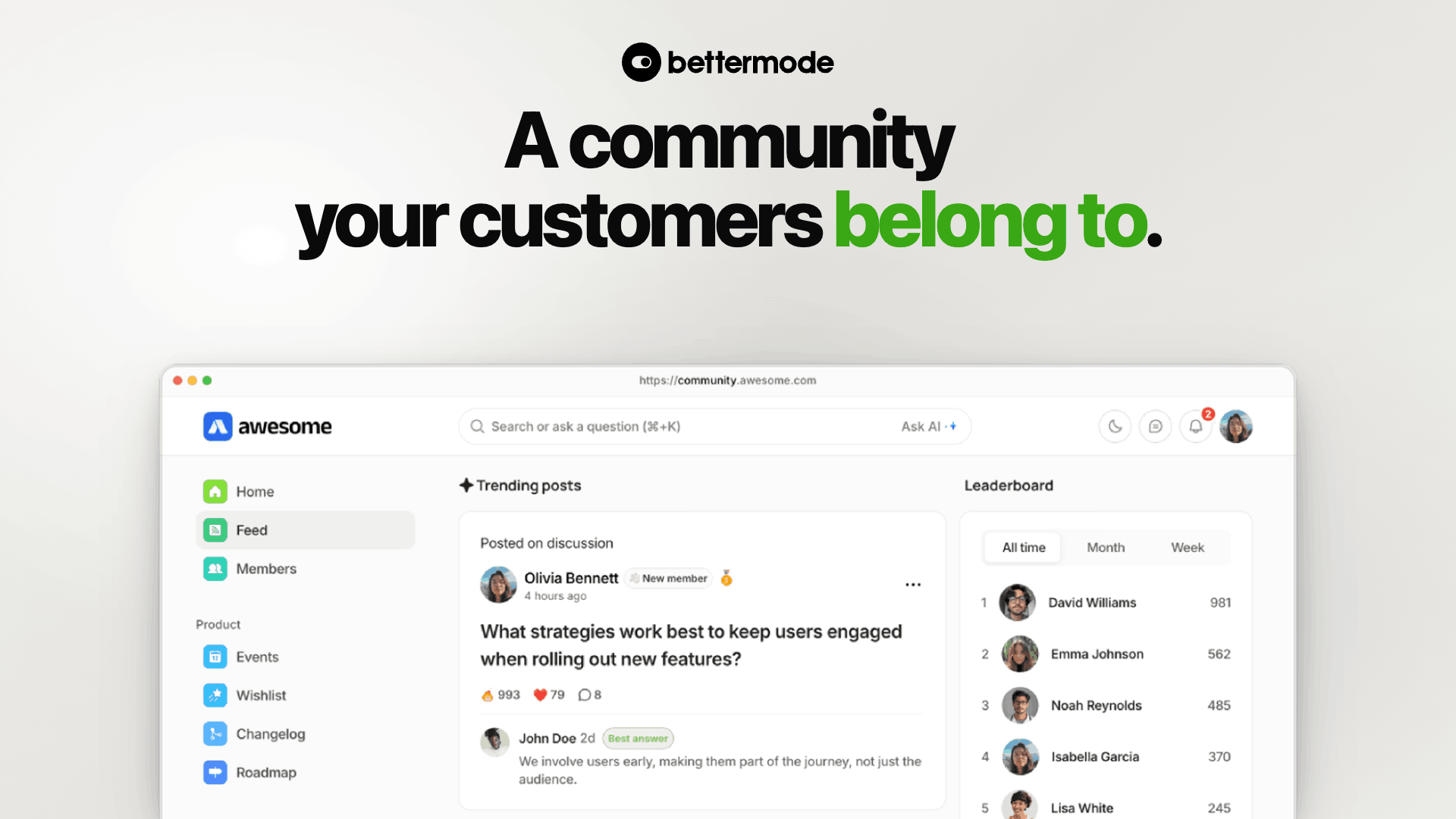
Bettermode is a customer-community platform for branded portals, forums and engagement hubs. Its modular approach suits a product team that wants customers to ask questions, share ideas and find support in one place. That is a different goal from shipping a standalone Instagram-style app. Evaluate its layouts, moderation and integration fit around your real support workflow. Visit Bettermode’s official site.
18. Passion.io – Creator app with learning and community
Pilot and ownership check: Passion.io’s homepage groups branded apps, courses, community, coaching and payments. Start with a learner journey: join, open a lesson, take part in discussion and find help. If an AI coach is involved, check what it can access and who reviews an unsafe or incorrect response. The vendor’s business examples are not income projections. Confirm your content ownership and member-data exit path before migrating paying customers.
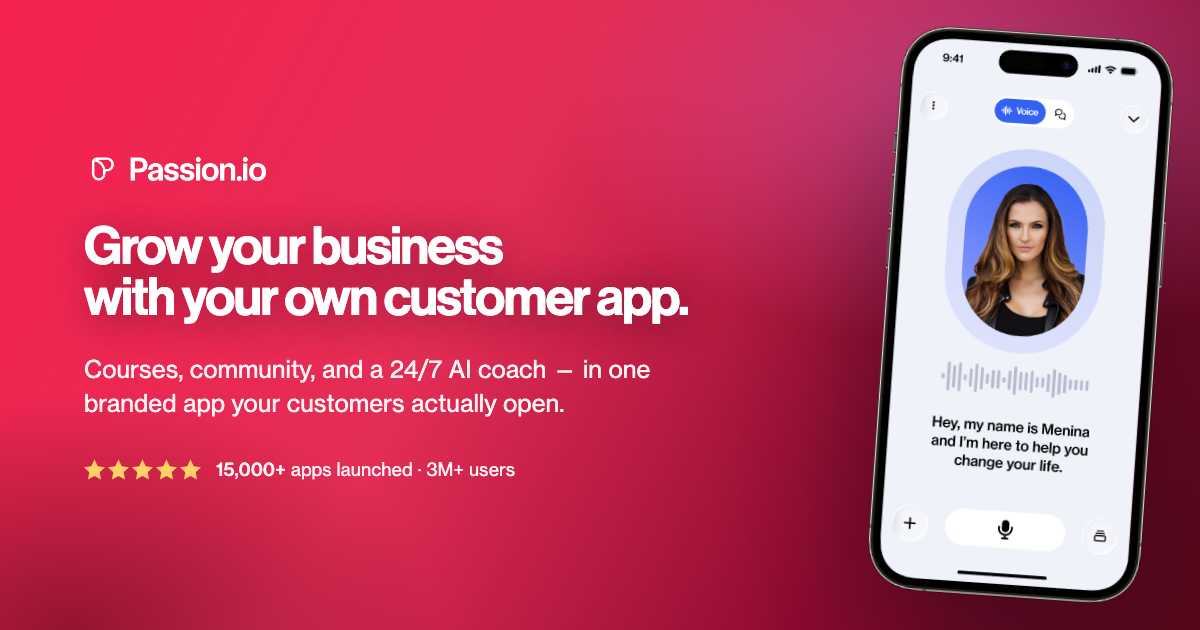
Passion.io targets coaches and creators who want a branded customer app combining courses, community and coaching. It is an option when member interaction supports a learning business, not when the main idea is an open-ended social network. Check whether the app and community functions in the plan you are considering match the amount of customization you need. Visit Passion.io’s official site.
19. Andromo – A content-first social app experiment
Pilot and ownership check: Andromo’s social-app article describes embedding web pages and external feeds as well as native media blocks. Its footer separately describes a newer AI builder focused on web apps, with native mobile considered for the future. Identify which builder your trial uses. Test a real login and posting journey on a device, and confirm the promised export format; do not combine features from different product generations into one assumed offering.

Andromo has an official guide to building a social media app with its drag-and-drop mobile-app builder. It is worth a look for a content-led concept and fast mobile prototype. The guide is a vendor explanation, not independent verification of every social interaction or its release status. Confirm user-generated posting, accounts and moderation in the current product before selecting it as the engine of a large network. Visit Andromo’s official site.
20. AppMySite – Turn an existing site into a mobile app
Pilot and ownership check: AppMySite’s homepage describes APK, AAB and IPA builds, PWA distribution, push notifications and website-based routes including WordPress. Choose the route that matches your existing community. Test whether login persists, links remain inside the intended experience and member actions update the underlying site correctly. Ask what the app controls independently of the website. A native build file does not by itself establish reliable discussion, moderation or notification delivery.
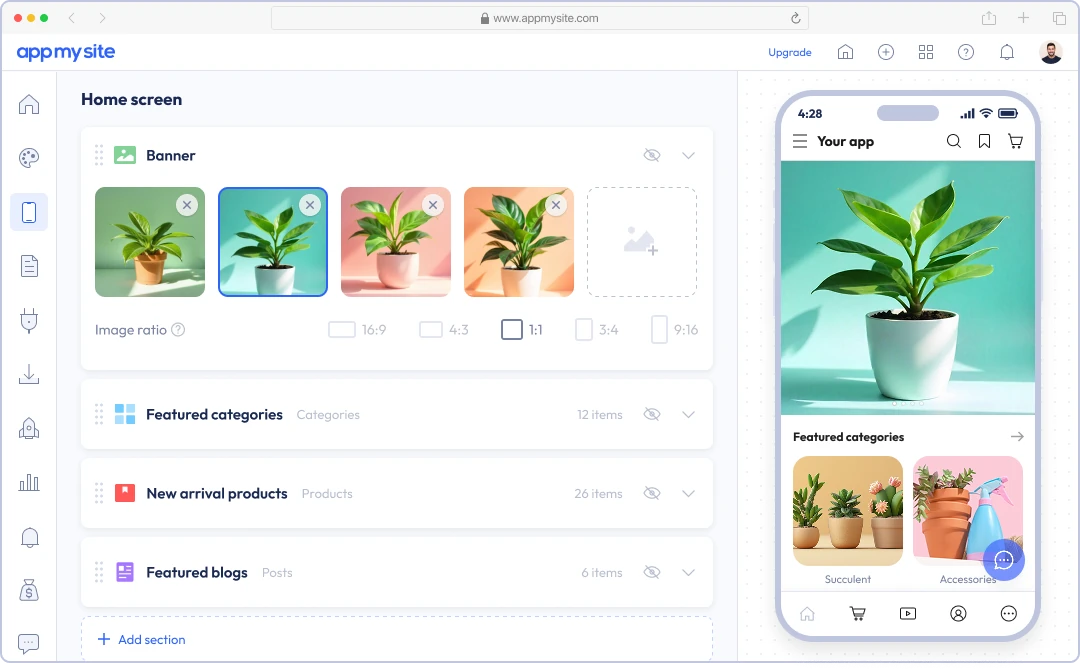
AppMySite can build Android, iOS and PWA apps around an existing website, content or a new idea. It is especially relevant when you already run a community website and want a mobile front door rather than recreating the product in a new builder. The mobile experience inherits important constraints from the site and its integrations. Test login, discussion and notifications end to end before calling it a social app. Visit AppMySite’s official site.
How to choose a no-code social media app builder
Start with the product type. A public feed with member-generated posts needs identity, reporting, content rules and storage. A private creator community needs clear spaces, onboarding and payments. A directory needs profiles and search, but may not need a feed at all. Test the one flow people will use every day before choosing a plan.
Check distribution and ownership. Web, progressive web apps, native apps and branded app-store listings are not interchangeable. Ask who controls the domain, source code, member data and app-store account. Some vendors supply a hosted community; others offer a visual builder where you connect services yourself. Confirm export and migration options before building a large audience.
Plan safety before launch. User-generated content needs reporting, moderation, privacy settings and a way to respond to abuse. Confirm the vendor’s actual controls and your obligations under the app-store and privacy rules that apply to your audience. A vendor’s marketing claim is not a safety guarantee.
Bottom line
If you want to invent a social product, start a small prototype in Adalo or Bubble and compare the mobile-first controls in FlutterFlow. If you want a branded place for an existing audience, evaluate Disciple, Mighty Networks and Circle instead. For a broader view of visual builders beyond social apps, see our guide to 50 app builders. Choose the tool that matches your daily member action, not the one with the longest feature list.


Leave a Reply