


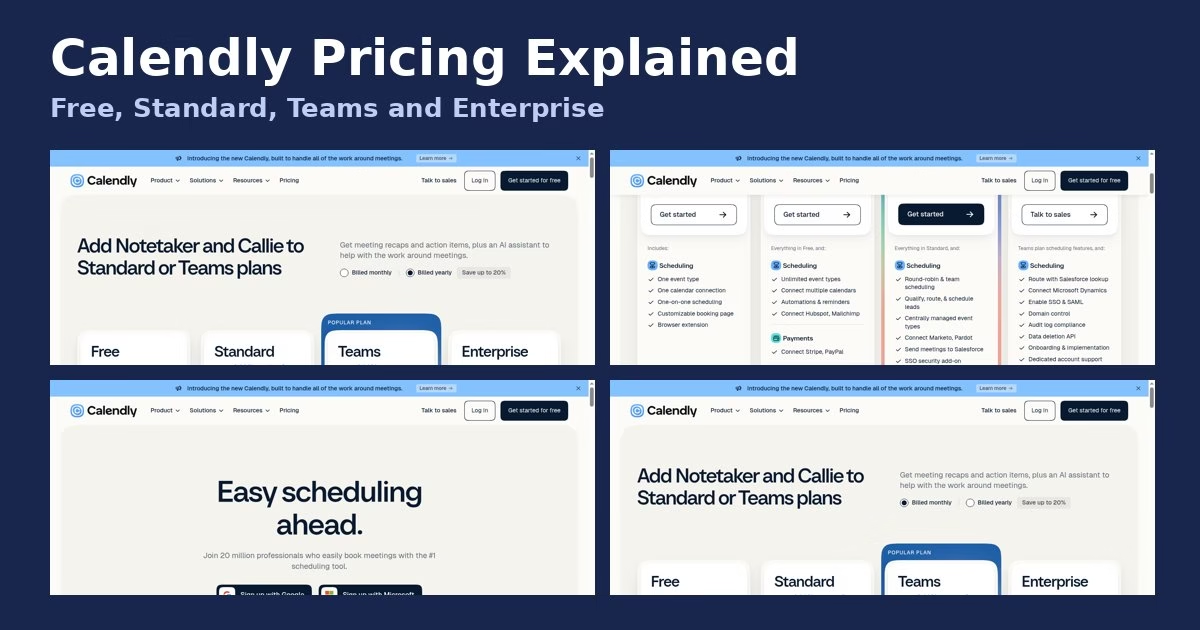

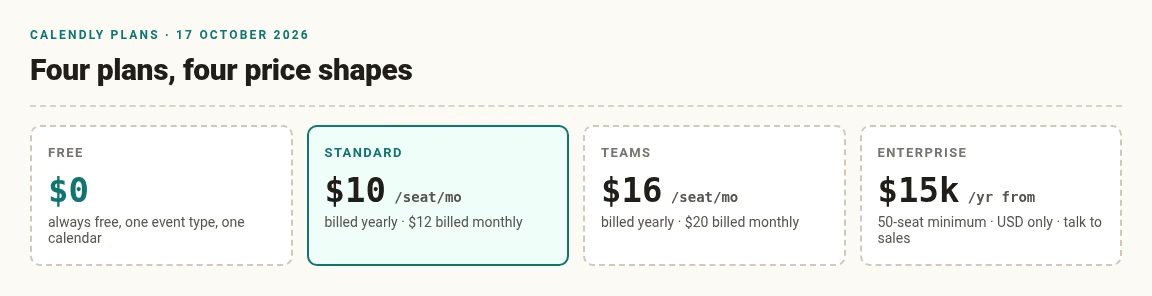
Short answer: on 17 October 2026, Calendly’s pricing page listed a Free plan, Standard at $10 per seat per month billed yearly ($12 billed monthly), Teams at $16 billed yearly ($20 billed monthly), and Enterprise starting at $15k per year for 50 seats. This guide explains what each plan includes, how seats work and how to estimate a bill. Prices change, so confirm them on the official Calendly pricing page before you buy. And if the seat model itself does not suit you, our guide to Calendly alternatives covers other scheduling tools by scenario.
MethodWhere these numbers come from
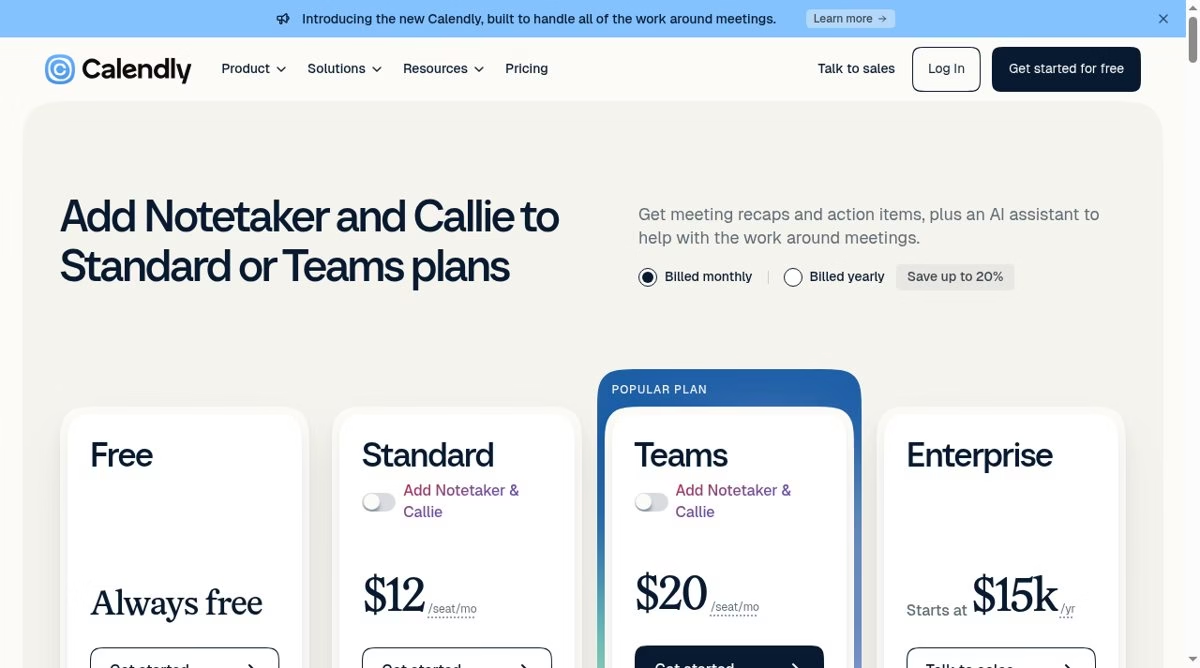
I read Calendly’s public pricing page in a browser on 6 October 2026 and saved screenshots of the monthly and yearly views, shown below. I read the same page again on 17 October 2026 and the plan names and prices were unchanged: Free, Standard $10 or $12, Teams $16 or $20, and Enterprise from $15k a year.
We apply the same read-the-page-first method across the reviews on our apps hub.
I did not sign up, start a trial or buy a plan, so everything here is what the page says, not our experience with billing. Prices were shown in US dollars, before any tax. I copy only figures I saw on the page, and the cost examples further down are my own arithmetic from those figures, labeled as estimates.
OverviewCalendly plans at a glance
If you are comparing cards across vendors, our Calendly alternatives guide applies the same reading to 12 other scheduling tools.
Two things to know before you read the cards yourself. The page opens on the yearly-billing view and advertises “Save up to 20%”, so the first prices you see are the lower yearly ones; flick the toggle to monthly to see what leaving early costs. And each plan ends in a different button: Free, Standard and Teams say Get started, while Enterprise only offers Talk to sales.
Billing unitHow Calendly seats work
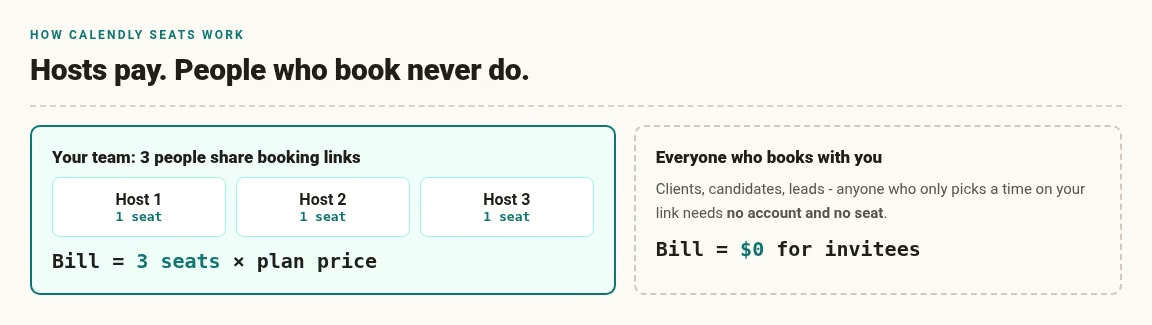
Calendly sells per seat, and the page spells out who needs one. A seat is required for people who connect a calendar and host Calendly meetings. The people who book time with you do not need a seat, and on Teams the page says invitees do not need an account or seat either.
If three people on your team each share a booking link, you need three seats. Someone who only books a meeting does not count at all. The page repeats this seat definition under every paid card, worded slightly differently each time, but the rule is the same: hosts pay, invitees never do.
This matters most when a team grows. A growing sales group that wants more booked calls will find the bill tracks the number of hosts, not the number of meetings. If meetings are the metric you care about, our piece on earning more meetings by connecting the three elements is worth a read alongside this one.
FeaturesWhat each plan includes
Free
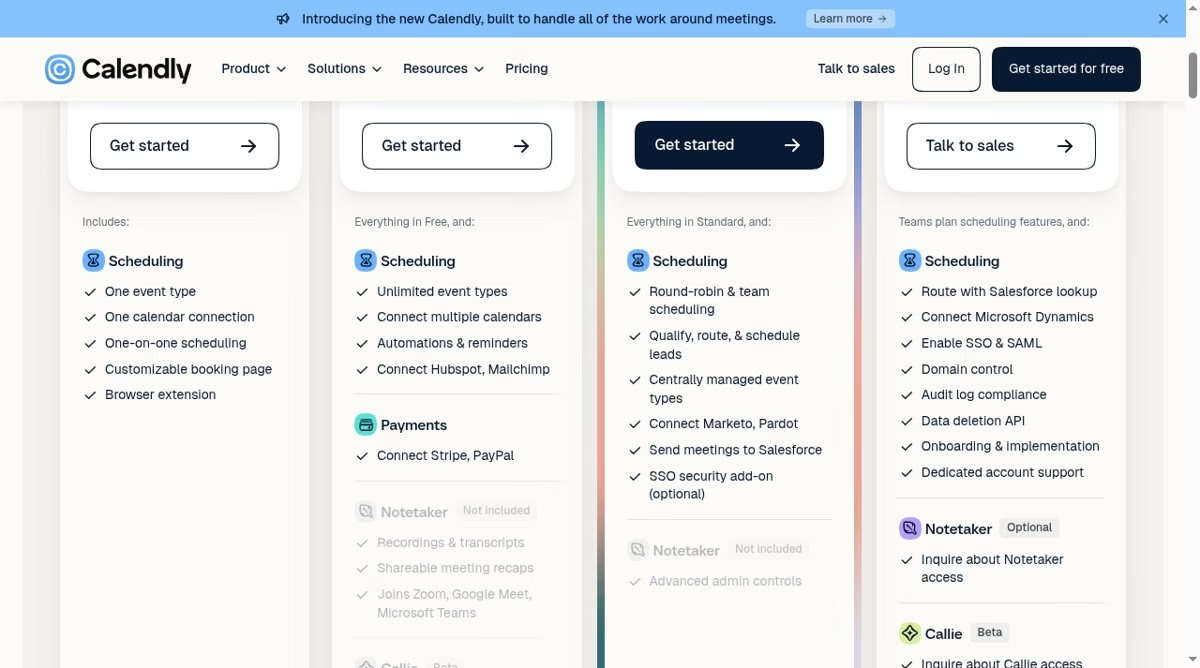
The Free card lists one event type, one calendar connection, one-on-one scheduling, a customizable booking page and a browser extension. That is enough for a single person with one calendar and one kind of meeting.
If you need a second kind of meeting, such as a 15-minute intro call and a 60-minute session, you run into the one-event-type limit. And with one calendar connection, Calendly checks conflicts against a single calendar only. If you share calendars for work, our guide on sharing a Google Calendar without exposing private events covers the privacy side of that setup.
Standard
Standard includes everything in Free, plus unlimited event types, connecting multiple calendars, automations and reminders, and connections to HubSpot and Mailchimp. It also lists payments through Stripe and PayPal.
For a freelancer or coach who sells sessions, payments and multiple event types are usually the reason to upgrade. The automations are the quiet win: reminders and follow-ups send themselves, in the same spirit as the automation tools we cover elsewhere. If your follow-up loop lives in email or SMS, our reviews of marketing automation platforms map the options that pair with HubSpot, Mailchimp and the rest.
Teams
Teams includes everything in Standard, plus round-robin and team scheduling, tools to qualify, route and schedule leads, centrally managed event types, Marketo and Pardot connections, sending meetings to Salesforce, and an optional SSO security add-on. The page marks it as the popular plan.
It is the first tier built for sharing availability across a team. Round robin is the headline: meetings are distributed across teammates automatically, which is a lighter version of what dedicated employee scheduling software does for shifts. The Salesforce connection is the other draw, and our list of Salesforce integration tools shows where Calendly sits in that ecosystem. One caution from experience: routing rules that look simple on a pricing card still need a clean CRM behind them, which is why CRM projects fail more often than scheduling ones.
Enterprise
Enterprise starts at $15k a year and at 50 seats, and is quoted in USD only. On top of Teams scheduling features, the card lists routing with a Salesforce lookup, Microsoft Dynamics connection, SSO and SAML, domain control, audit log compliance, a data deletion API, onboarding and implementation, and dedicated account support. You talk to sales to buy it.
This tier is really about control: who can book what, under which domain, with a log to prove it. Larger organizations often pair it with a broader CRM stack, and our piece on CRM platforms for managed service providers covers that angle.
ExtrasNotetaker and Callie add-ons
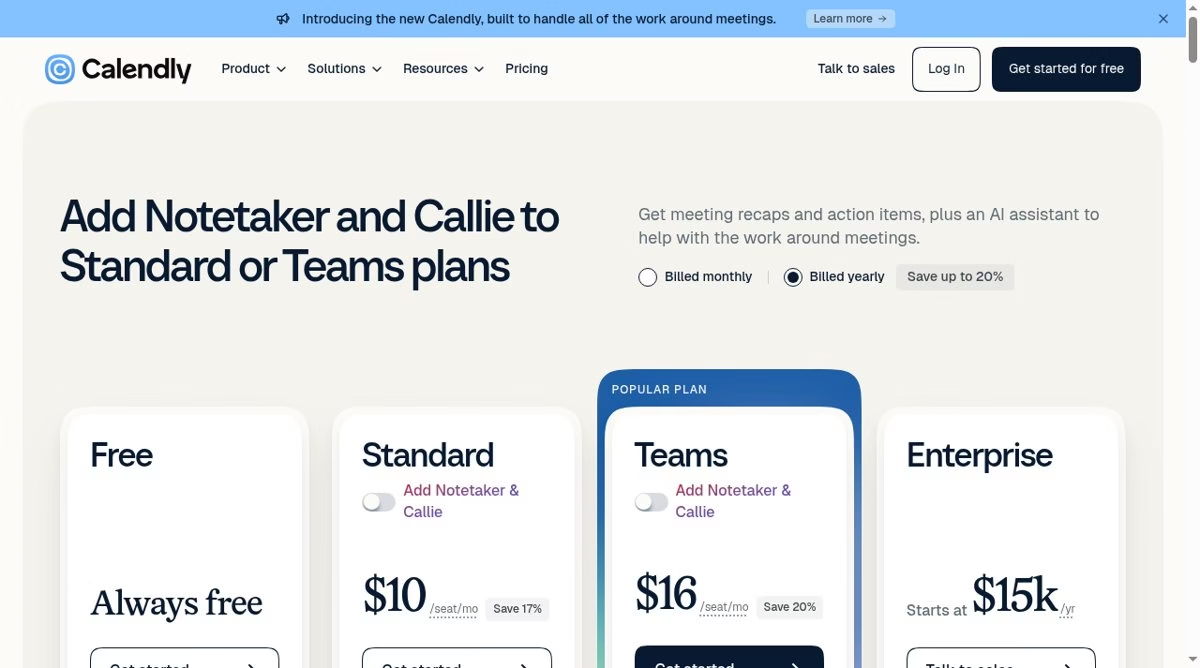
The top of the pricing page promotes adding Notetaker and Callie to Standard or Teams plans. Notetaker is described as recordings, transcripts and shareable meeting recaps that join Zoom, Google Meet and Microsoft Teams. Callie is marked Beta and described as an AI assistant that schedules over email.
The cards show Notetaker as “Not included” on the Standard and Teams cards until you switch the add-on on, and both are available in English only. On the Enterprise card Notetaker is listed as Optional, with an invitation to inquire about access rather than a price. The page shows $10 and $12 for Standard and $16 and $20 for Teams as the base prices, and I did not toggle the add-ons on, so I cannot tell you what they add to the bill. Read the page with the add-on switch on if you need them.
h sit in the wider wave of AI helpers for small teams, which we track in our guide to AI tools for small business.
Worked examplesEstimating a Calendly bill
These examples are my own arithmetic from the per-seat prices above. They exclude tax, add-ons and any promotion, so treat them as a starting point, not a quote.
(If you schedule crews and shifts rather than meetings, per-seat math works differently there; our employee scheduling software guide covers that model.)
| Scenario | Estimate |
|---|---|
| 1 person on Standard, billed yearly | $10 x 12 = $120 per year |
| 5 people on Standard, billed yearly | $10 x 5 x 12 = $600 per year |
| 10 people on Teams, billed yearly | $16 x 10 x 12 = $1,920 per year |
| 10 people on Teams, billed monthly | $20 x 10 x 12 = $2,400 per year |
| Enterprise at the 50-seat minimum | $15,000 per year, about $25 per seat per month by our division |
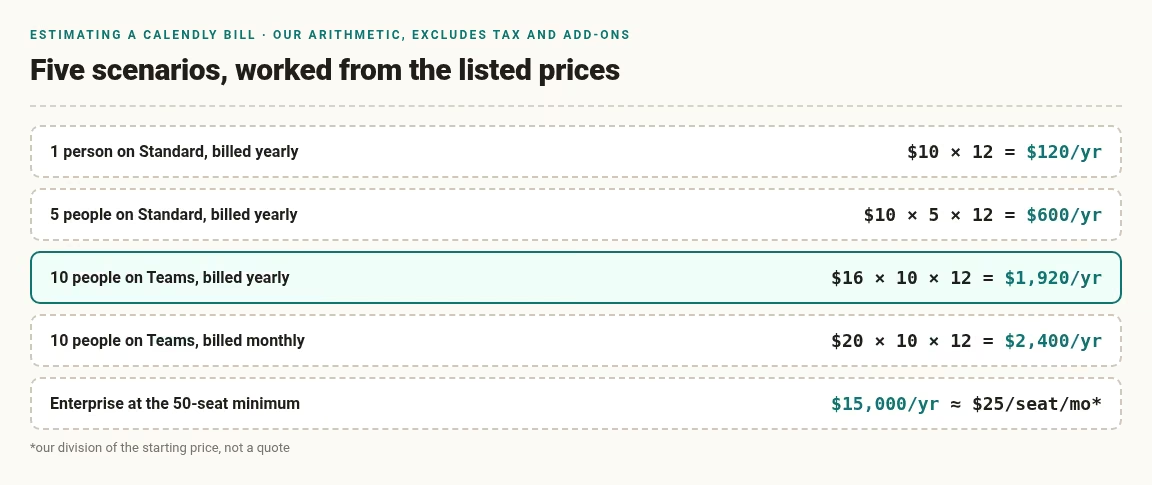
One more read on the Enterprise row: dividing the $15,000 minimum across the 50-seat minimum gives roughly $25 per seat per month, cheaper per seat than Teams on paper, but only if you genuinely need 50 seats and the compliance features. Buying Enterprise for the per-seat math alone is over-buying; the buying motion itself looks like the one we describe in CRM platforms for managed service providers.
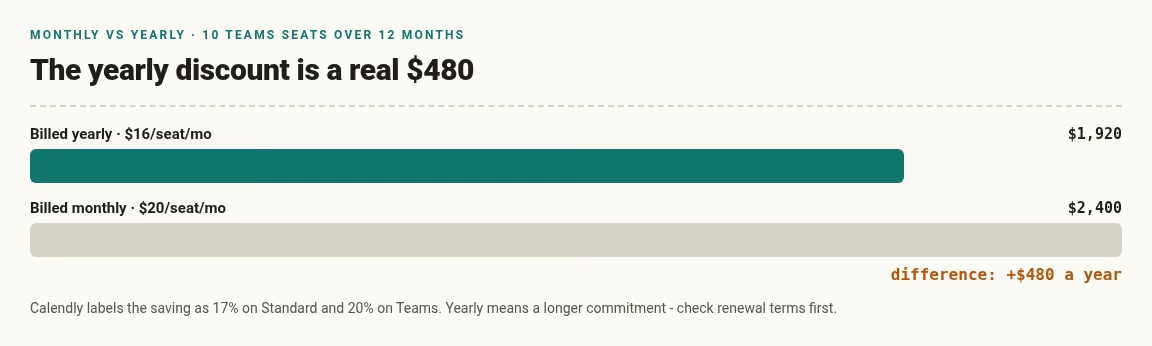
The gap between monthly and yearly billing on Teams in the 10-seat example is $480 a year. Whether that matters depends on whether you can commit to a year, so check the renewal and cancellation terms on the official site.
DecisionWhich plan fits which person
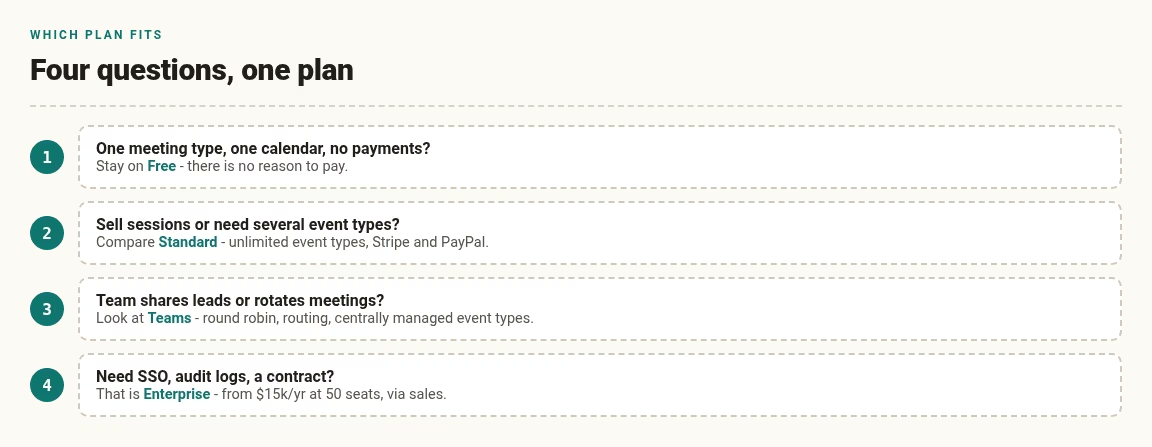
- You book one kind of meeting with one calendar: start with Free.
- You sell sessions or need several event types: compare Standard, which lists payments through Stripe and PayPal.
- Your team shares leads or rotates meetings: look at Teams for round-robin scheduling and routing.
- You need SSO, audit logs and a contract: Enterprise is the plan that lists them.
A small support or success team that also answers customers in other channels might compare our guide to customer messaging software for small businesses at the same time, since scheduling and messaging often share a budget line. A solo consultant usually sits between Free and Standard, and the deciding factor is whether clients pay through the booking page. And if client records are the real bottleneck, an easy CRM for a small sales team may matter more than the scheduling tier.
Free planWhen the Free plan limits start to matter
Free works until your calendar life gets more complicated than a single link. The first wall is event types: with only one, you cannot offer a short intro call and a longer working session as separate links.
The second is calendars: with one connection, Calendly can only check conflicts against one calendar, so a person who keeps work and personal events apart has no way to block both.
The third is payments and automations, which the cards list under Standard. If none of those apply, there is no reason to pay.
If two people share one connected calendar to get around the limit, mind the privacy side first: our guide on sharing a Google Calendar without exposing private events shows what coworkers can and cannot see.
Picture a part-time coach. One discovery-call link and one Google calendar: Free covers it, indefinitely. The moment she adds a paid 60-minute session as a second event type and wants to collect the fee at booking time, both walls arrive at once, and that is exactly the Standard upgrade case.
ChecklistQuestions to settle before you pay
The pricing page has its own FAQ with headings on what happens at the end of a trial, which plan suits you, trying Calendly with multiple users, the renewal process, upgrading or downgrading, non-profit pricing and accepted payment methods. I did not copy the answers because they can change, so read them on the official page.
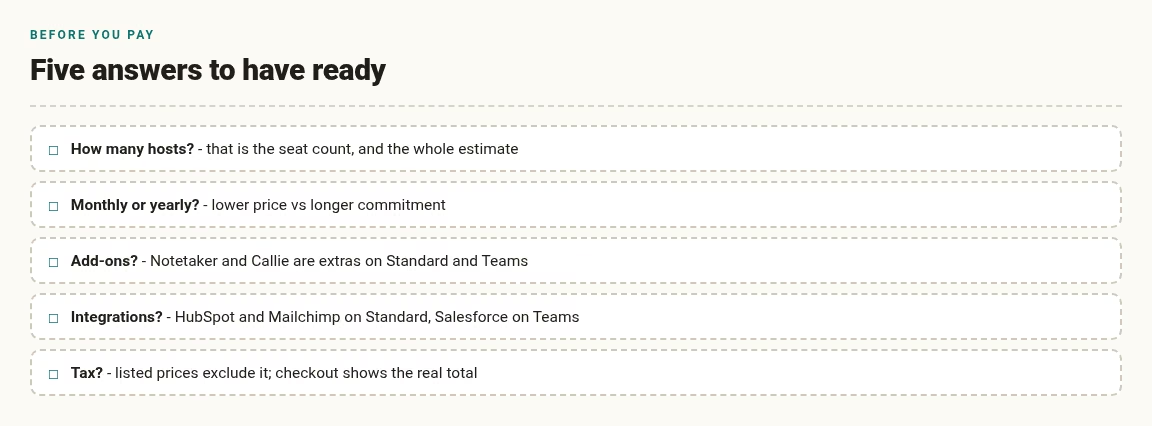
A short checklist helps you ask the right things:
- How many people will host meetings? That sets the seat count and the whole estimate.
- Monthly or yearly? The yearly view showed lower per-seat prices, but you commit for a longer period.
- Do you need the add-ons? Notetaker and Callie are extra choices on Standard and Teams, not part of the base price.
- Do you need an integration? HubSpot and Mailchimp appear on Standard, Marketo and Salesforce on Teams, and Microsoft Dynamics on Enterprise. The CRM side is its own decision; see our easy CRM platforms for a small sales team.
- Is tax added? Our figures exclude tax, which can change your total depending on where you live.
StructureHow the tiers build on each other
Each paid card says it includes everything in the plan below it. That means the jump from Free to Standard is about capacity and payments, the jump from Standard to Teams is about team scheduling and lead routing, and the jump from Teams to Enterprise is about security, compliance and support.
Reading the cards in that order is the quickest way to see which step you actually need, instead of comparing every row of the feature table at once.
One caveat on the routing step: it only pays off when the CRM behind it is healthy, which is a big part of why CRM projects fail more often than scheduling ones.
FallbackIf Calendly pricing does not fit
If the seat model or the Free plan limits do not suit you, our guide to 12 Calendly alternatives covers other scheduling tools by scenario, from group polls to paid client appointments.
SavingsHow to keep your Calendly bill down without losing what you need
Calendly sells per seat, so most savings come from buying the right number of seats on the right plan. These steps use only the plan details shown on the pricing page I read on 6 and 17 October 2026. Check the page again before you act, because plans and prices can change.
Count hosts, not people
A seat is for someone who connects a calendar and hosts meetings. Staff who only receive bookings do not need one. List the people who will actually share links before you multiply anything, and keep the list wherever your team already tracks shared admin – even a plain sheet works, and Airtable vs Google Sheets compares the two tools we see used most.
Choose monthly or yearly on purpose
The page labels the saving as 17% on Standard and 20% on Teams when you bill yearly. On 10 Teams seats that is $480 a year, real money, but it locks you in for longer. Pick monthly while your headcount is moving and yearly once it settles.
Do not pay for team features you will not use
Round robin and lead routing are Teams features. If one person handles all bookings, Standard covers them, and upgrading buys nothing you will touch. Match the plan to the workflow, not to the badge that says popular.
Review seats on a schedule
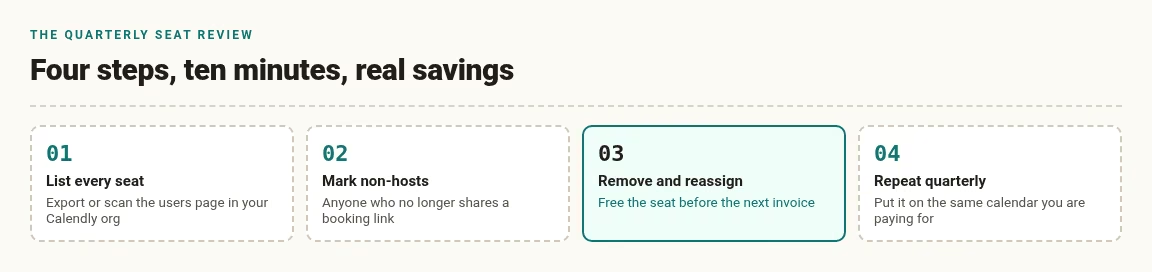
Seats for people who left or stopped hosting keep billing until you remove them. A quarterly review of the seat list takes minutes and is the cheapest saving on this page. It belongs on the same housekeeping list as the other business processes worth automating.
ComparisonCalendly pricing compared with other options: what to look at besides the price
Cost per host versus cost per feature
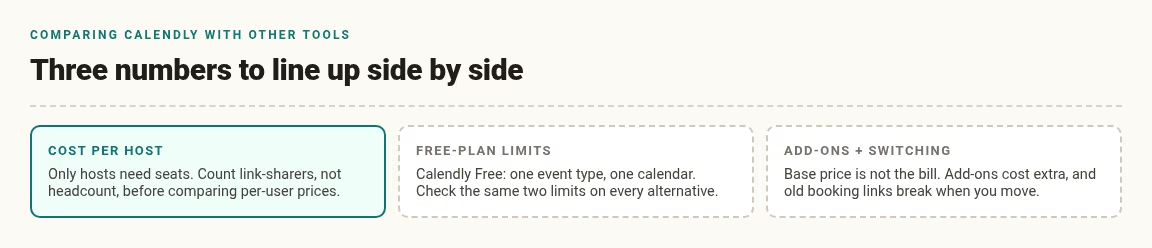
A cheaper tool that charges per user can cost more than a pricier one that charges per host, because only hosts need seats here. Count the people who will share links, not the headcount, before you compare prices across tools.
Free plan limits
Most scheduling tools have a free tier, and the real difference is what it holds back. Calendly’s Free plan limits you to one event type and one calendar connection. When you compare alternatives, check the same two limits on each one, because they are what push a solo user onto a paid plan first. We line up exactly those limits in our Calendly alternatives guide.
Add-ons and switching costs
The base per-seat price is not the whole bill. Notetaker and Callie are add-ons on Standard and Teams, and moving an existing booking flow to a cheaper tool has its own cost in setup time and broken links. Booking links tend to live in email signatures, website contact pages, proposals and saved templates; a switch means finding and replacing every one of them, and any link you miss quietly 404s for a client. You can browse more of our category picks on the apps hub.
FAQFrequently asked questions
On 17 October 2026 the page listed a Free plan, Standard at $10 per seat per month billed yearly or $12 billed monthly, Teams at $16 billed yearly or $20 billed monthly, and Enterprise starting at $15k a year with a 50-seat minimum. Prices are in US dollars before tax.
Yes, there is a Free plan that the page prices as always free. It includes one event type, one calendar connection, one-on-one scheduling, a customizable booking page and a browser extension. You hit its limits when you need more event types, more calendars or payments.
No. Seats are for people who connect a calendar and host meetings. The page states that invitees do not need a seat, and on Teams it says they do not need an account either. Only hosts count toward your bill. If your goal is more bookings from the same link, read our piece on earning more meetings.
Yearly billing showed lower per-seat prices on the page: $10 against $12 on Standard, and $16 against $20 on Teams. The page labeled the saving as 17% on Standard and 20% on Teams. As an example from our own arithmetic, ten Teams seats cost $1,920 billed yearly or $2,400 billed monthly, a $480 gap over twelve months. Yearly billing commits you for longer, so check the renewal and refund terms before you choose it. If reminders are the reason you are upgrading at all, our automation tools roundup covers options beyond scheduling.
The Standard card lists connecting Stripe and PayPal, and Teams includes everything in Standard. The Free plan card does not list payments. This means you need Standard or higher if you plan to charge for sessions through your booking page. You would connect your own Stripe or PayPal account, so check their fees and payout rules too.
The page says Enterprise starts at $15k per year, starts at 50 seats and is available in USD only. Our division of the starting price over 50 seats comes to about $25 per seat per month, but that is an estimate from the minimum, not a quote. The final price depends on what you negotiate with Calendly sales. It is the plan that lists SSO and SAML, domain control, audit log compliance, a data deletion API, onboarding and dedicated support. Organizations at that size usually evaluate it alongside a wider stack, like the CRM platforms for managed service providers.
If you sell sessions or need more than one meeting type, compare Standard first, because it lists unlimited event types, multiple calendar connections, automations and payments through Stripe and PayPal. If you only take free discovery calls on one calendar, Free may be enough. A simple test is to count how many different meeting types you offer. If the answer is more than one, Free will feel tight within a week. If none of the tiers fit, our Calendly alternatives guide compares 12 other tools by scenario.
They match Calendly’s pricing page as read on 17 October 2026, with screenshots kept from 6 October 2026 when the same figures applied. Vendors change plans and run promotions without notice, so treat this page as a dated reference, not a quote. Before you buy, open Calendly’s pricing page, switch between monthly and yearly billing, and note the currency and tax shown at checkout.



Leave a Reply