


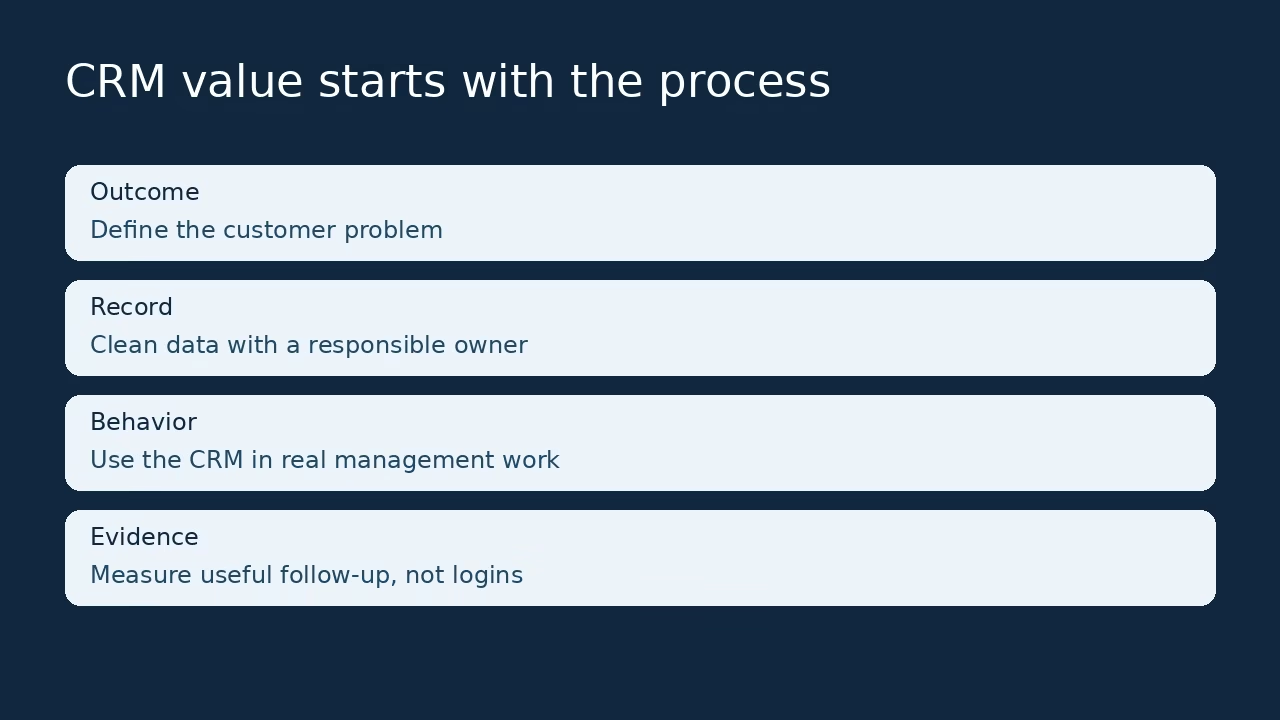

I have watched companies buy a CRM, launch it on time, and then keep running the business from private spreadsheets. The software worked. The implementation failed. That gap between a working tool and a working process is what this guide is about, and it is almost never solved by buying a different tool.
Companies struggle to get value from CRM software when the system records activity without improving a real customer decision. The typical causes are boring: unclear ownership, inconsistent sales stages, poor data, fragmented tools, weak training, and management that still works from its own files. Choosing between platforms using the same discipline as choosing a tech stack helps a genuine feature gap, but no platform can define a process nobody agreed to follow.
The good news is that the fix is smaller than people expect. Choose one useful customer journey, assign responsibility, clean a small data set, and use the CRM in the actual review routine that managers already run. Then measure whether anyone can see the next promise, the owner, and the outcome. Small teams picking a first system can start with my easy CRM platforms for small sales teams roundup; this guide is about what happens after the purchase.
One honesty note up front: this is an implementation diagnosis based on primary vendor guidance and illustrative scenarios from ordinary sales work. It is not a live deployment study, and I will not quote a fabricated industry failure percentage at you.
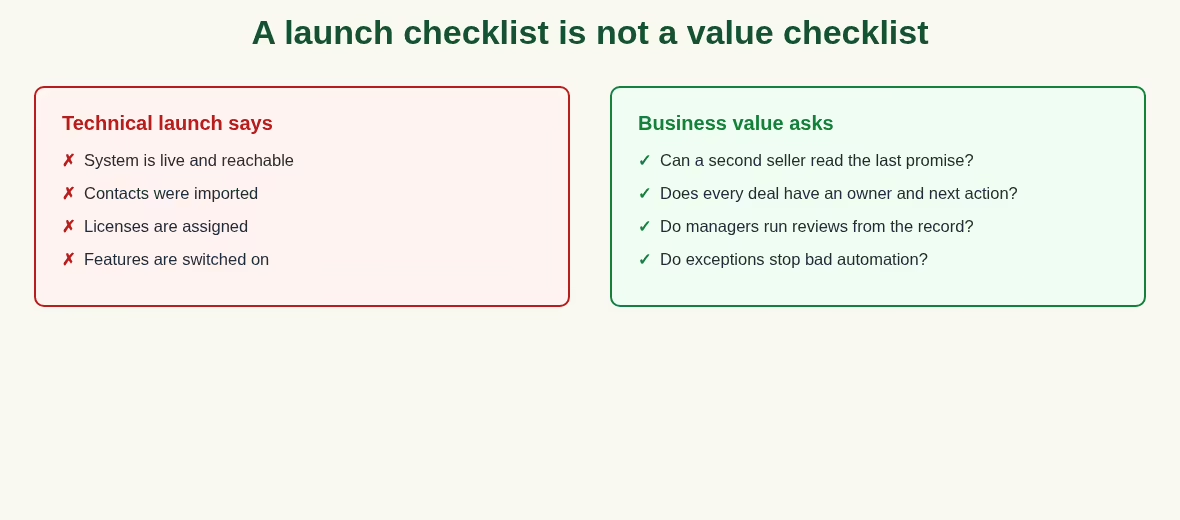
Why a technical launch is not the same as business value
A system can be live, available, and full of imported contacts while reps keep making decisions elsewhere. The deployment succeeded technically. The organization never made the record useful, and the dashboard nobody trusts becomes furniture.
A lead with no responsible person, a deal with an unexplained stage, and an automated email sent after a customer opts out are all failures that uptime cannot describe. They show up in the week after launch, when the project team has moved on. Teams running service work alongside sales feel this twice, which is why the CRM decision often sits next to the CRM platforms for managed service providers question.
Salesforce’s CRM implementation guidance names strategy, process, people, adoption, executive commitment, data quality, and architectural alignment as recurring issues. That page also discusses historical failure statistics. I am not reproducing those old figures as a current universal rate; different studies and definitions cannot support a single contemporary number.
Microsoft’s implementation strategy guidance treats design, testing, deployment, and operation as parts of a planned business change. It is written for Dynamics 365, but the shape transfers to any CRM: the project is the change, not the install.
The practical lesson is to judge the CRM against a decision it should improve, not an installed feature list. A team that cannot say which weekly decision gets better has finished a launch, not an implementation.
A diagnostic matrix: symptom, cause, and first repair
Before the eight causes in detail, here is the quick version. Find your symptom, check the likely cause, and start with the smallest repair that could work. If the spreadsheet symptom is yours, the Airtable vs Excel breakdown is an honest halfway house while you fix the actual cause.
| Observed symptom | Possible cause | First repair |
|---|---|---|
| Private spreadsheets still drive meetings | CRM not part of management decisions | Run the review from one shared record |
| Duplicate customers across teams | No stable identifier or data owner | Define ownership and deduplication rules |
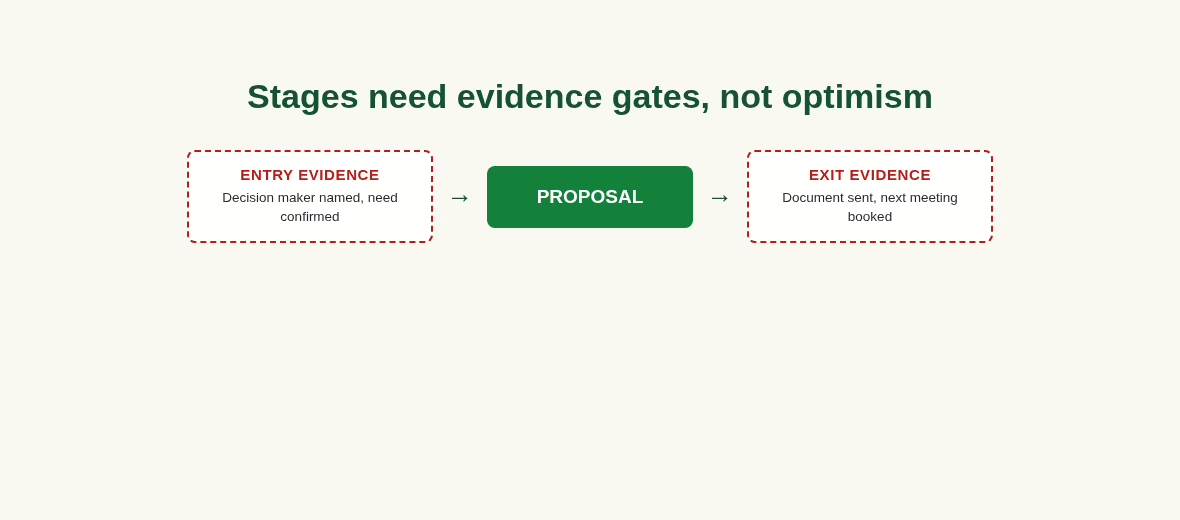
| Every deal looks almost won | Stages describe optimism, not evidence | Write entry and exit criteria |
| Activities recorded, follow-up missed | No next-action responsibility | Require owner and next-action date |
| Automation creates awkward messages | No exception or preference handling | Pause and review one complete journey |
| Reports disagree | Definitions and source systems differ | Agree metric meaning and authority |
| New hires need a private cheat sheet | Training misses the real workflow | Train using the same sample handoff |
That last row about disagreeing reports deserves a footnote: a dashboard layer from the Databox alternatives comparison can chart whichever measure you settle on, but agreeing the definition comes first.
The eight causes, and what to change first
1. The outcome was never defined
“Improve customer relationships” is too broad to configure or measure. Start with one concrete failure: inquiry ownership is unclear, proposals go stale, referrals disappear, or account managers cannot find the last customer commitment.
A good test: the outcome should fit in one sentence a new hire can repeat back. State what information the responsible person needs and what action should happen next. Only then decide which CRM fields and features support the result. Writing that outcome down in a shared doc beats a settings page; any of the Notion alternatives I compared handles this fine.
2. Sales stages mean different things to different people
One rep marks a proposal stage when a price is discussed. Another waits until a document is sent. The forecast becomes inconsistent even when every field is filled.
Write the definitions where reps actually work. Define the evidence needed to enter and leave each stage, and keep those definitions close to the workflow. Explain exceptions, like a deal returning to discovery. Teams shopping for clearer pipeline tooling end up in my Pipedrive alternatives comparison, but the stage definitions matter more than the brand.
3. Data moved faster than its quality checks
A large import can copy old duplicates, abandoned contacts, inconsistent companies, and obsolete ownership into a clean system. The new interface then receives the blame for problems inherited from the old one.
Microsoft’s data-management guidance separates configuration data from migration data and demands preparation before go-live. Treating customer records with basic data governance discipline – named owners, stable identifiers, defined sources – prevents most of this.
4. The CRM competes with the actual management routine
If managers ask for a private slide deck and ignore the shared pipeline, reps learn which record counts. It becomes extra administration after the real review.
The fix starts at the top of the room, not the bottom. Use the shared record in meetings and coaching, then fix the missing fields or views that genuinely block a useful discussion. If leadership still prefers a spreadsheet, at least make it one shared sheet – the tradeoffs in Airtable vs Google Sheets cover that middle ground while the CRM earns trust.
5. Ownership is split across tools
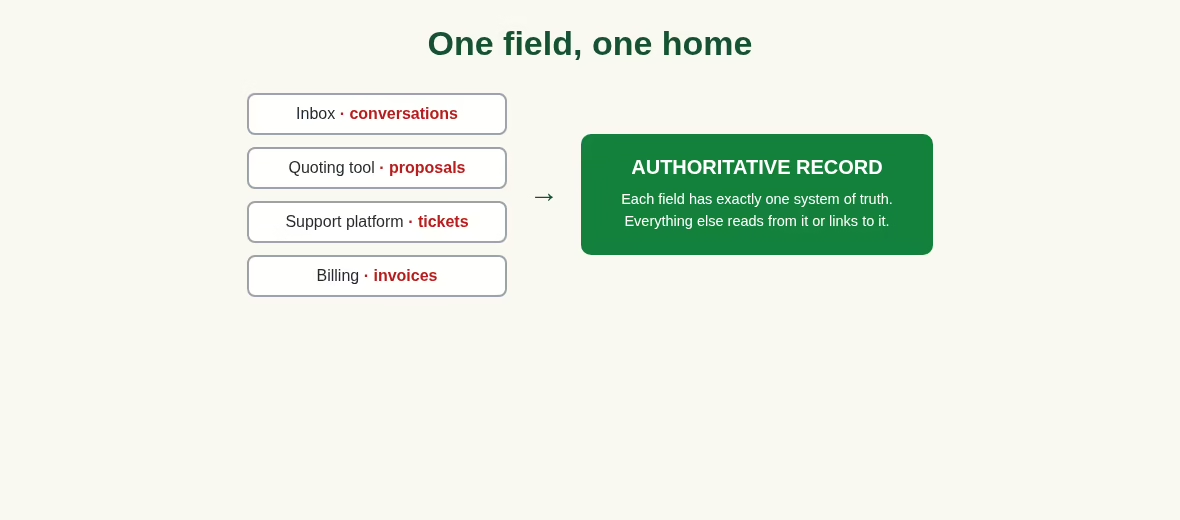
The inbox, quoting system, CRM, and support platform may each hold a different version of the account. Without an authoritative source and a stable identifier, synchronization reproduces contradictions at scale.
I see this most often past fifty employees. Decide where contacts, opportunity values, accepted scope, and billing details belong. The support side usually lands in a ticketing tool; my help desk software guide and the Freshdesk explainer cover that category, but the principle holds whatever you run: one field, one home.
6. Automation arrived before exception handling
A perfectly configured sequence can still send the wrong message after a customer replies, opts out, or changes circumstances. Automation should support an agreed process with pauses, ownership, and preferences.
Volume is not value. Test the exceptions before counting the messages produced. The messaging layer matters here too; the tools in my customer messaging software review all handle opt-outs differently, and the wider automation tools roundup shows the same pattern everywhere: the happy path is easy, the exceptions are the product.
7. Training explains menus rather than customer work
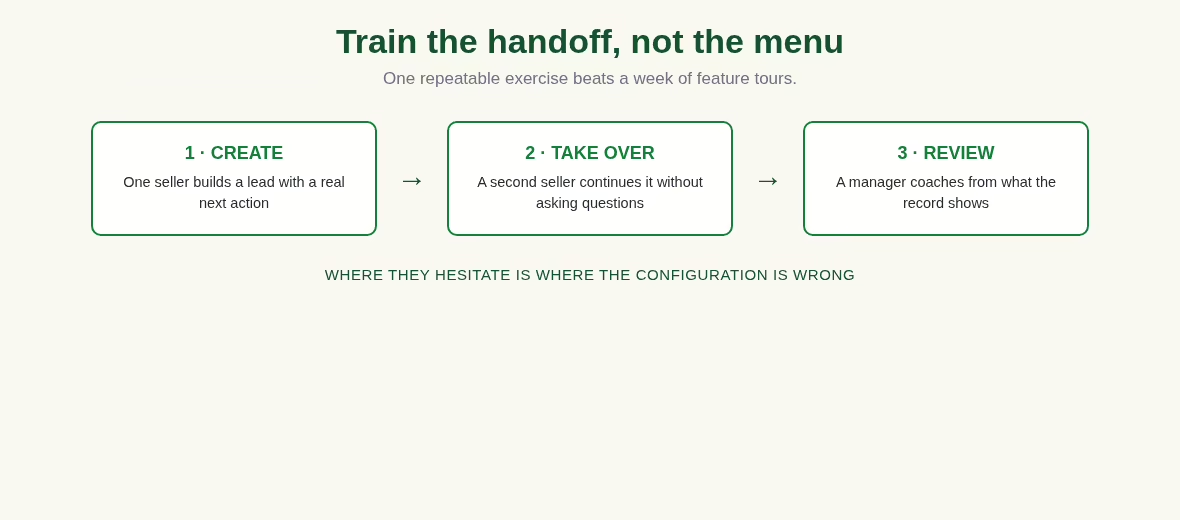
Feature tours rarely show how a rep should handle a real handoff, an overdue proposal, or a changed preference. Build training around the actual records the team uses.
One person creates an opportunity, another takes it over, and a manager reviews the next action. That single exercise teaches more than a week of video walkthroughs, because it rehearses the exact moment CRMs usually lose the thread.
8. Nobody owns the system after launch
A CRM keeps changing as people, products, and sales processes change. Without an owner for field definitions, permissions, and workflow updates, abandoned configuration accumulates like sediment.
Two owners, not a committee. Assign a business owner and a technical owner with a simple change-review routine. A shared board from the Trello alternatives list is enough to track requested changes and why each was accepted.
A documented example: mandatory stages need a shared definition
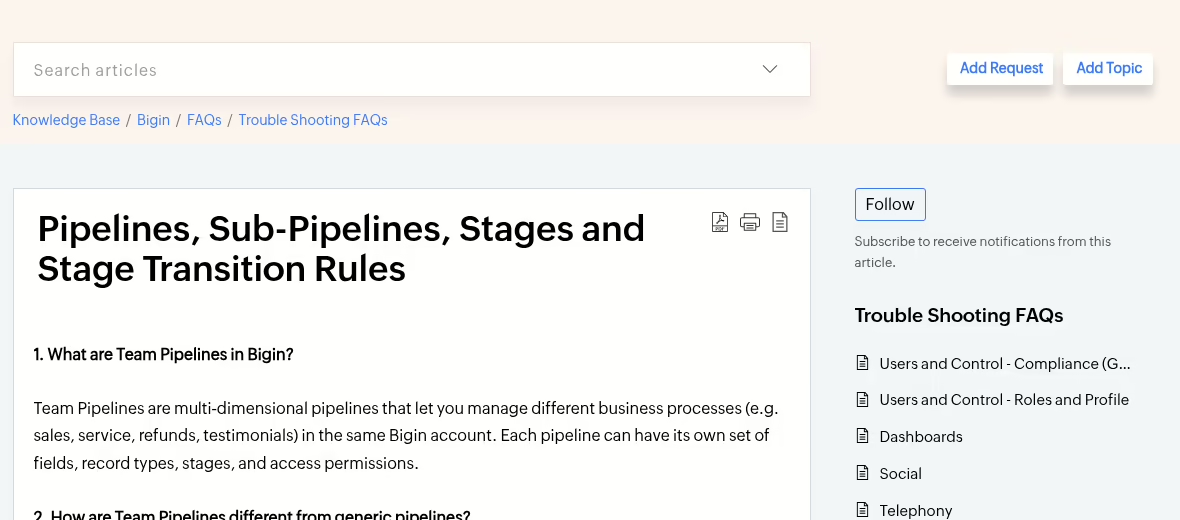
Bigin’s published pipeline FAQ describes Stage Transition Rules that can require fields, notes, files, or checklists, and its pricing comparison places those rules in the Premier tier. That is a feature-boundary example, not evidence that I configured a live account.
Imagine a proposal stage that requires the intended service, the decision maker, and the next meeting. That checkpoint only helps if the team agrees what those values mean. Adding the rule first produces placeholder text typed just to advance a deal.
Mandatory fields are a tax on every deal, so spend them on evidence that changes decisions. Define the evidence, pilot it with sample records, and review exceptions before making the field mandatory for everybody. Vertical CRMs bake in their own versions of these rules; the real estate CRM writeup shows how one industry handles it.
For migration planning, Microsoft’s configuration and data-migration guidance is a solid primary reference. For a small-team import example, Capsule’s contact-import documentation separates contacts from its opportunity-import workflow. Neither source turns this article into a deployed benchmark.
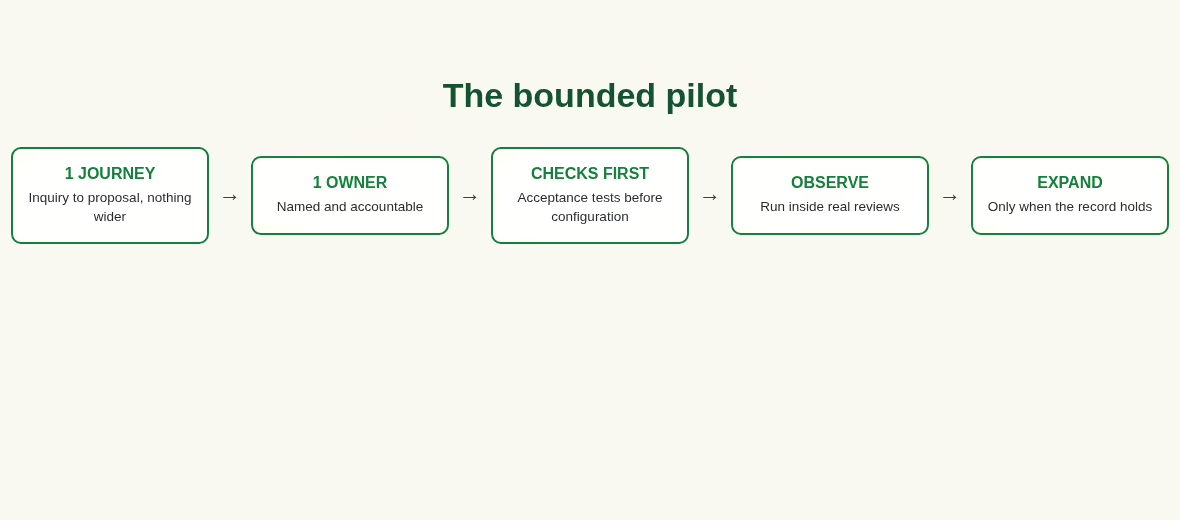
Recover value with a bounded pilot
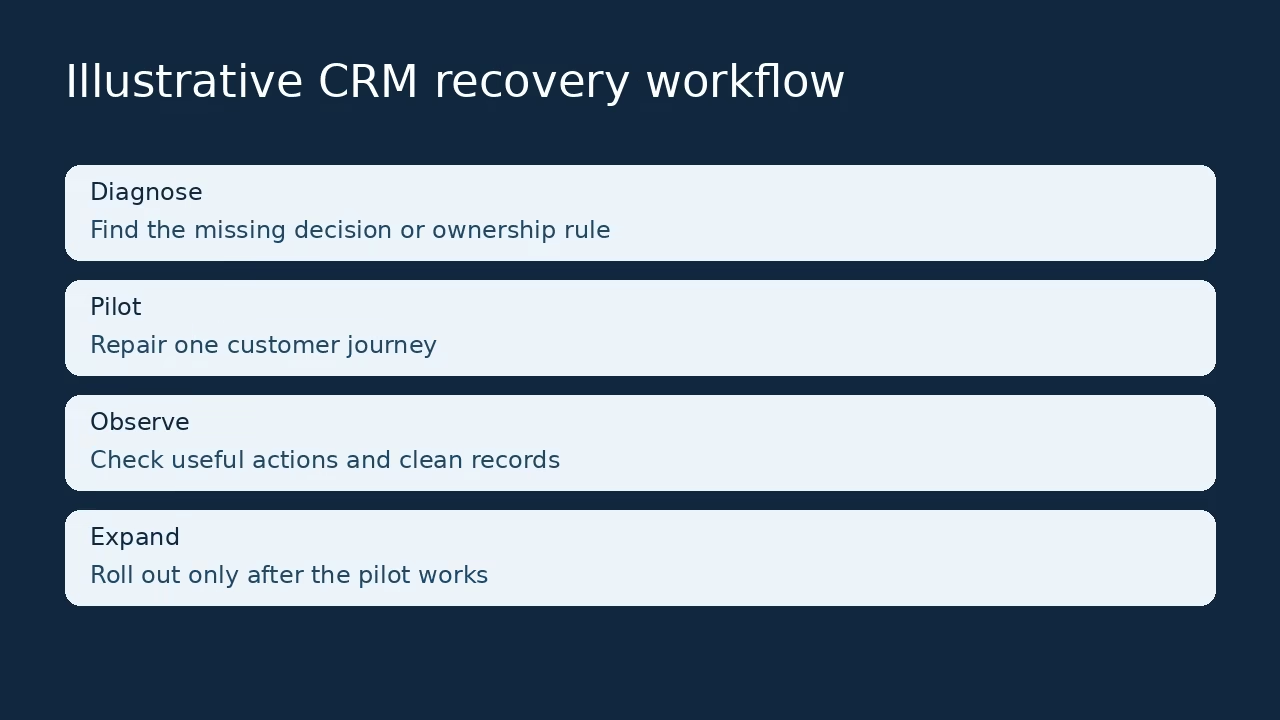
Choose one journey and one accountable owner
Pick an inquiry-to-proposal journey or a renewal-to-account-manager journey, not the whole organization. Name the responsible owner, the required record, and the next action. One journey, one owner, one measurable promise.
Use synthetic or appropriately permitted sample data while reviewing the flow. The objective is to make one customer decision more reliable before widening anything. If the pilot cannot succeed on one journey, a wider rollout only scales the confusion.
Write the acceptance checks before configuration
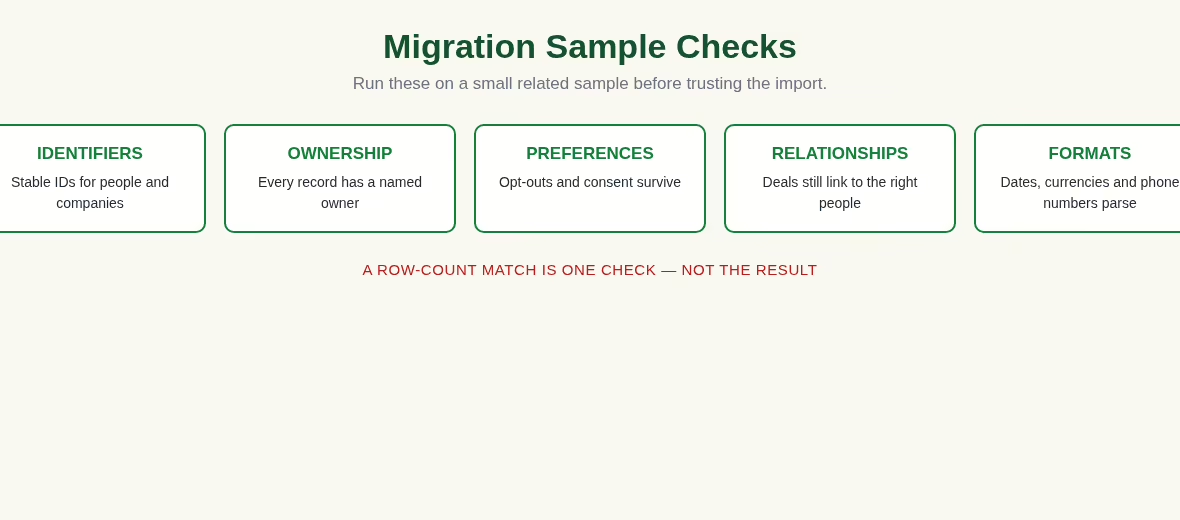
Check owner completeness, duplicate handling, stage meaning, communication preferences, and transfer history. Then ask a second employee to interpret the record without help, and watch where they hesitate.
Do not define success as “everyone logged in.” A useful check exposes the failure you are trying to remove. Record what stays manual and why, rather than hiding it behind an automation claim. Five checks you actually run beat twenty you framed and forgot.
Observe, then expand
Run the pilot through normal reviews and capture where people still reach for a spreadsheet, a private message, or a repeated explanation. I keep that evidence as annotated screenshots; any tool from the screenshot apps roundup does the job. Repair the largest gap first.
Expand only after the shared record supports the journey and its exceptions are understood. This is an operating method, not a promise that a fixed number of days delivers a particular financial result. Anyone selling you a guaranteed timeline is selling.
Measure value without confusing activity with progress
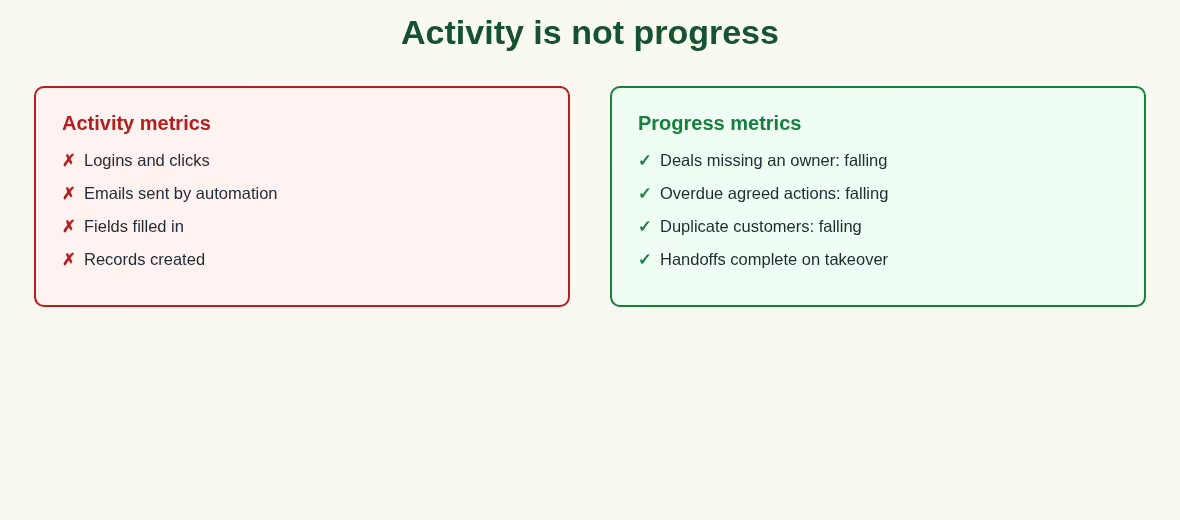
Use a small set of decision-linked measures
Useful early measures include the opportunities missing owners, overdue agreed actions, duplicate customer records, and incomplete accepted-deal handoffs. These are boring numbers, and that is the point: they describe whether the record can be trusted, which is the thing the CRM is for.
Share the early numbers at the same review that used to run on the spreadsheet, or they will not change anything. Four numbers everyone trusts beat forty that need a narrator. Later commercial measures can include conversion, retention, or sales-cycle length, but they need stable definitions and comparable periods. Changes in lead quality or staffing move the same numbers, so do not assign every movement to the CRM. A reporting layer like the ones in my Databox alternatives comparison can visualize these, but the definitions come first.
Account for the cost of correction
Include the subscriptions, setup, training, integration maintenance, and time spent repairing data. Correction time is the cost nobody budgets and everybody pays. An automation that generates many messages but needs human correction may increase work rather than reduce it.
Compare the effort required to maintain a reliable record before and after the pilot. Include the hours, not just the invoices. A cheaper tool that needs weekly manual reconciliation is not cheaper. AI add-ons deserve the same skepticism; the tools in my AI tools for small business roundup are useful for defined tasks, but count the correction work they create. If the same process gap persists after the pilot, investigate it before buying a replacement.
Method note: vendor claims in this guide come from the official documentation linked above, checked the week this page was updated, and the scenarios are illustrative rather than reported from a named client engagement. That is the same sourcing standard described in how we rank companies. More software guides, including our CRM roundups, live in the Apps category.
Frequently asked questions
Why do companies struggle to get value from CRM software?
Common causes include unclear business outcomes, inconsistent process definitions, poor data, fragmented tools, weak training, and management that still works outside the CRM day to day. A technical launch does not prove customer value. Start with one journey and show whether another employee can understand its owner, last promise, and next action. Repair the missing process before assuming a new brand will fix it.
What percentage of CRM projects fail?
There is no current universal failure percentage I can honestly defend. Historical studies used different populations, dates, and definitions, including technical failure and unmet expectations. Salesforce discusses some of that older research, but it should not be recycled as a live market-wide rate. Diagnose your own implementation with explicit acceptance checks instead of leaning on a dramatic unsourced number. Your own baseline matters more than any industry average.
Should we replace the CRM or repair it?
Separate the process problems from the genuine product gaps. Undefined ownership, poor data, and management outside the CRM will follow you into a replacement, and you will pay twice for the same mess. Missing permissions, weak communication features, or a data model that forces duplicates may justify switching. Write the gap and an acceptance check first, then compare repair effort with the full migration cost, including retraining and historical data. Most teams underestimate the second list.
What is the first recovery step?
Choose one customer journey that is visibly failing and name its responsible owner. Describe the information needed and the next action, and use the CRM in the actual review routine from day one of the pilot. Inspect a few related records for ownership, stages, preferences, and duplicates, then configure only what supports that journey. Expanding a small verified repair is safer than changing every workflow at once.
How do we improve adoption?
Train through real work rather than menus: one seller creates a lead, another takes it over, a manager reviews it, and the group talks through what the record told them. Remove duplicate reporting and use the shared record in management meetings, so updating it stops being a second job. Login counts show access, not reliable follow-up, so track whether useful actions and data stay complete week over week.
Why does bad data reduce CRM value?
Duplicate people, inconsistent companies, obsolete owners, and missing preferences make records hard to trust, so users quietly return to private notes and the CRM becomes a write-only archive. Inspect row counts and relationships during migration, and define authoritative sources before synchronization. A clean interface cannot repair inaccurate history by itself, and trust once lost takes months to rebuild.
Can AI solve the adoption problem?
AI can help with a defined task, but it cannot decide your process, and it cannot create accurate source data from thin air. Summaries and suggested actions need checking against the original record, especially before customer communication. Pilot one use case and count the correction work. Generating more output is not progress if someone must inspect and rewrite it each time.
How should CRM ROI be measured?
Use consistent definitions, a baseline, and an appropriate observation period measured in quarters, not weeks. Include implementation, licenses, training, integration maintenance, and correction work in the cost side. Revenue and retention move slowly and for many reasons, so avoid crediting the CRM for every improvement without supporting evidence. Early checks can show better ownership and follow-up long before the revenue line moves.


Leave a Reply