


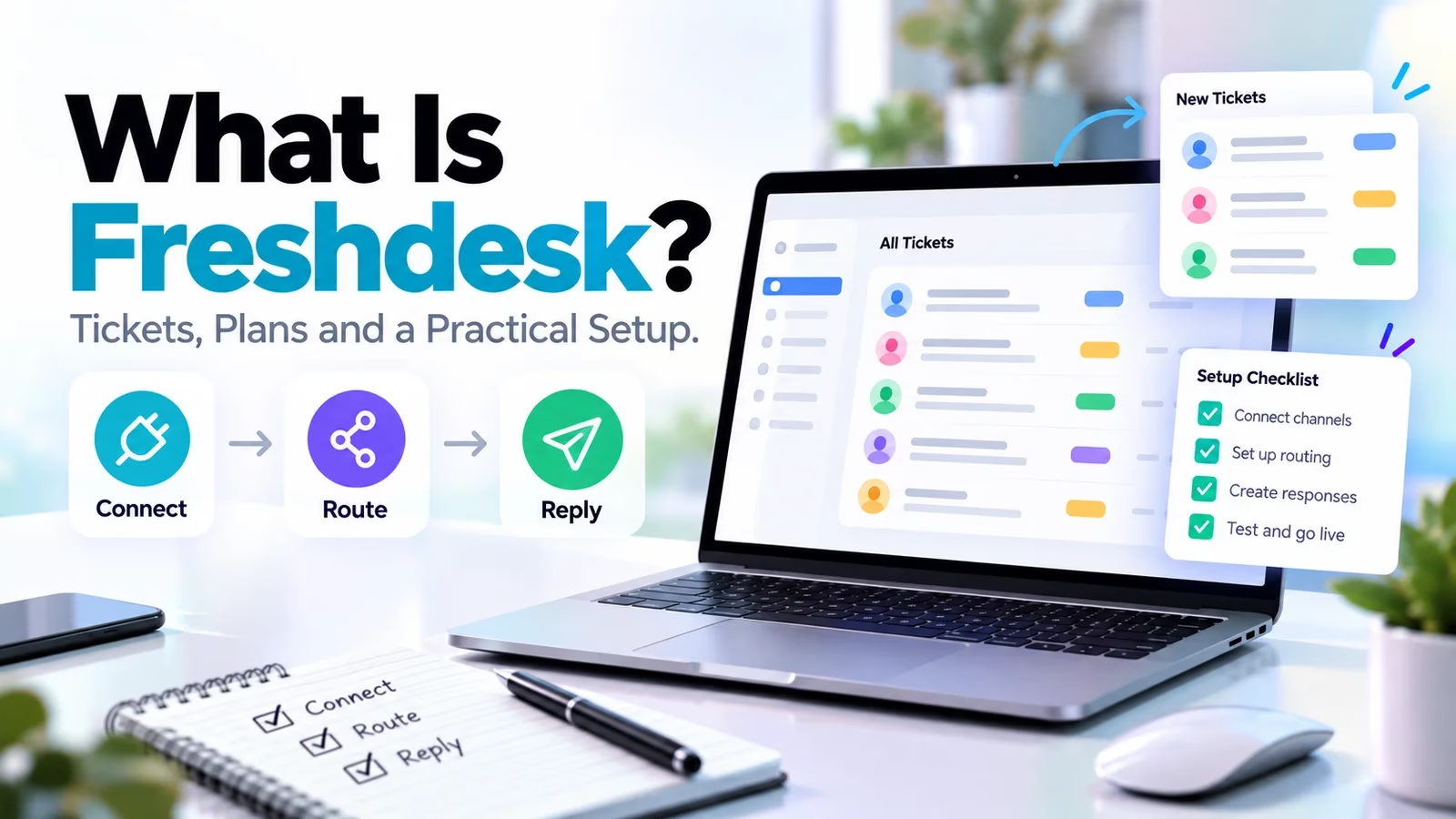

Freshdesk is Freshworks’ customer-support software: it turns incoming customer messages into tickets with an owner, a priority, a status and a full history, so a support team answers from one queue instead of a shared mailbox.
Freshworks says more than 50,000 businesses run on it, which makes it one of the most widely deployed help desks on the market, and also one of the most misunderstood, mostly because Freshworks sells two similarly named products beside it.
This explainer covers what Freshdesk does with a request, how the plans and AI charges really stack up, how its SLA timers behave, and a setup workflow a small team can follow in its first week.
If you already know you need a desk and just want the shortlist, skip to the pricing and verdict sections. Everything below was re-checked against the official product, pricing and support documentation on October 16, 2026.
If your priority is sales rather than service, start with our small-team CRM guide instead; a CRM pipeline and a support queue solve different problems.
What Freshdesk actually does
Freshdesk is a customer-support platform that converts email, portal and connected-channel messages into tickets, routes each ticket to an accountable agent or group, and tracks the conversation through to resolution, with a customer portal, knowledge base, automation rules, SLA targets and AI assistance layered on top.
The unit of work is the ticket. A ticket is not just an email with a subject line: it carries the requester’s identity and history, the current owner, a priority, a status, internal private notes, and the timers your service promises run against.
When a customer writes twice about the same problem, those messages land on one record instead of two inboxes. When a colleague goes on holiday, the ticket, not the person, holds the state of the conversation.
Six months later, that same record answers the question every support lead eventually gets: has this customer hit this problem before, and what did we promise last time?
That structure is what a shared mailbox cannot give you: accountability you can see. One team knows who must respond, what is waiting, and what is late. The practical test I use: if you can answer “who owns this customer’s problem right now, and when do they next owe a reply?” in one glance, the desk is doing its job.
Out of the box, tickets move through statuses such as open, pending and resolved, and you add your own: waiting on customer, waiting on warehouse, escalated to engineering. Views slice the queue by owner, group, priority or due time, so each agent starts the day with a personal worklist instead of the whole firehose.
Custom fields carry your business data, like an order number or a plan tier, and those same fields can drive routing rules later.
Collaboration without forwarding
Agents discuss a case in private notes on the ticket itself, loop in colleagues with threads and tasks, and on the Pro plan can add external collaborators, such as a supplier or an operations partner, without buying them a seat. The customer sees none of it.
Compare that with the forwarded-email chain where half the context lives in someone else’s sent folder.
The two halves of the product
Tickets in, answers out, plus self-service
The second half of Freshdesk is the part customers touch directly. Every paid plan includes a customer portal and a knowledge base, which together deflect the repetitive questions: order status, password resets, return policy.
The portal sits on your own subdomain, carries your branding, and gives customers a place to check ticket status without writing in.
A good knowledge base is not a documentation dump; it is a short set of approved answers, each with a named owner and a review date, linked to the queue so agents can insert them into replies. Multilingual versions of that helpdesk arrive at the Pro tier.
What deflection is actually worth
Do the arithmetic once and self-service stops sounding abstract. If your queue sees 300 tickets a month and a maintained knowledge base answers even one in five before it becomes a ticket, that is 60 conversations your agents never touch.
At ten minutes each, you just returned ten hours a month to the team, which is often more valuable than any AI add-on on the price list. The catch is the word maintained: an outdated article creates worse tickets than no article, because customers arrive already annoyed.
Automation sits between the two halves. Rules can categorize incoming tickets, assign them to groups, fire acknowledgements and escalate stale cases. My advice after watching teams over-automate: start with a small set of categories that lead to genuinely different actions. Too many fields make agents guess; too few hide why a customer is waiting.
A general workspace from our Notion alternatives list can hold internal notes and procedures, but it is not a substitute for routing and timers inside the desk itself.
Same family, different scopes
Freshdesk vs Omni vs Freshservice
The most expensive mistake buyers make here is confusing the three Freshworks products. Freshdesk is customer-support ticketing. Freshdesk Omni is the multichannel edition, with connected chat, messaging and channel history priced separately. Freshservice is a different product entirely: internal IT and employee service delivery, with assets, incidents and change management.
Internal asset work does not belong in a Freshdesk evaluation, and a multichannel requirement should not be silently priced at the base Freshdesk rate. The full head-to-head is in our Freshservice vs Freshdesk comparison, and MSPs should also map the commercial side with our MSP CRM and PSA guide.
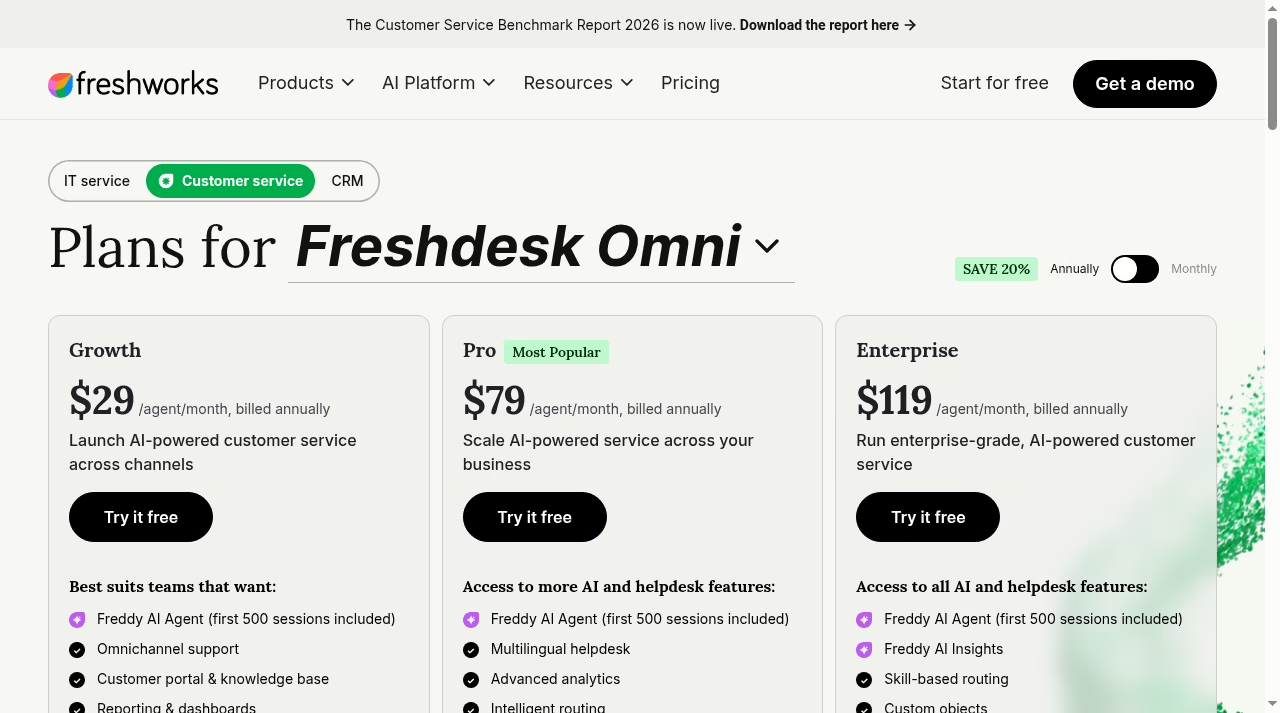
| Product | Main work | Annual-billed USD rates (Oct 16, 2026) |
|---|---|---|
| Freshdesk | Customer support ticketing | Growth $19, Pro $55, Enterprise $89 per agent/month |
| Freshdesk Omni | Connected multichannel customer service | Growth $29, Pro $79, Enterprise $119 per agent/month |
| Freshservice | Internal IT and employee services | Starter $19, Growth $49, Pro $99 per agent/month; Enterprise custom |
These are plan-card rates on annual billing, not tax-inclusive quotes. For a wider view of the category before committing, our help desk software guide compares Freshdesk against the rest of the market, and our ServiceNow alternatives piece covers the internal-service side.
A practical note on Omni: the premium buys connected channel history, meaning the agent sees one conversation when a customer moves from chat to email. If your customers reliably stick to one channel, that is money spent on a problem you do not have.
If they channel-hop when frustrated, and most do, price Omni properly instead of discovering the gap mid-migration.
The real bill
Pricing and what AI adds to it
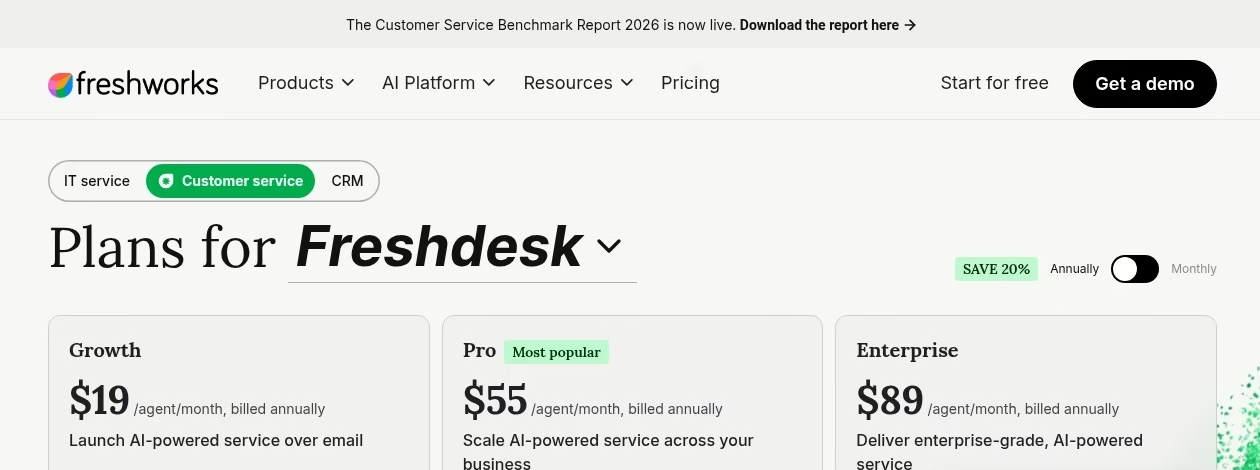
Seat prices are the start of the bill, not the end. The current cards bundle Freddy AI Agent with the first 500 sessions included on every plan, then sell additional sessions at $49 per 100.
Freddy AI Copilot, the assistant that drafts and summarizes for human agents, is a $29 per agent per month add-on on Pro and Enterprise. Day passes for occasional agents run $2 on Growth, $7 on Pro and $12 on Enterprise, useful for a manager who only jumps in during incidents.
Connector app tasks cost $80 per 5,000 and MCP actions $15 per 1,000. Here is the seat math for a four-person team on annual billing:
Two habits keep the bill honest. First, model AI as usage: pull your top ten ticket types and estimate how many an AI agent could close, because sessions burn faster than teams expect.
Our small-business AI guide has the evaluation framework, and if you outgrow the built-in bot, our chatbot providers comparison is the next step.
Second, trial before you multiply: the 14-day trial starts on the Enterprise plan with an alert before expiry, there are no cancellation fees, and cancellation takes effect at the end of the term.
Annual billing saves 20 percent, so only commit annually after the trial proves the queue; every pricing page offers a monthly toggle if you prefer to stay flexible. Enterprise adds the guardrails larger teams ask for, including a sandbox, audit logs, skill-based routing and IP whitelisting, at $89 per agent.
Two add-ons deserve a deliberate yes or no rather than a default. Day passes suit seasonal help, like contractors during a launch, because occasional agents cost a few dollars on the days they log in instead of a full seat.
Freddy AI Agent sessions suit queues with repetitive, well-documented questions; for a queue full of exceptions, buy knowledge base maintenance time first, because the agent can only answer what your articles can.
Promises, timed
How Freshdesk SLAs actually work
SLA policies set targets for first response, subsequent responses and resolution, and the current documentation, updated August 2026, applies them across Growth, Pro and Enterprise for both Freshdesk and Omni. Two details deserve more attention than they usually get.
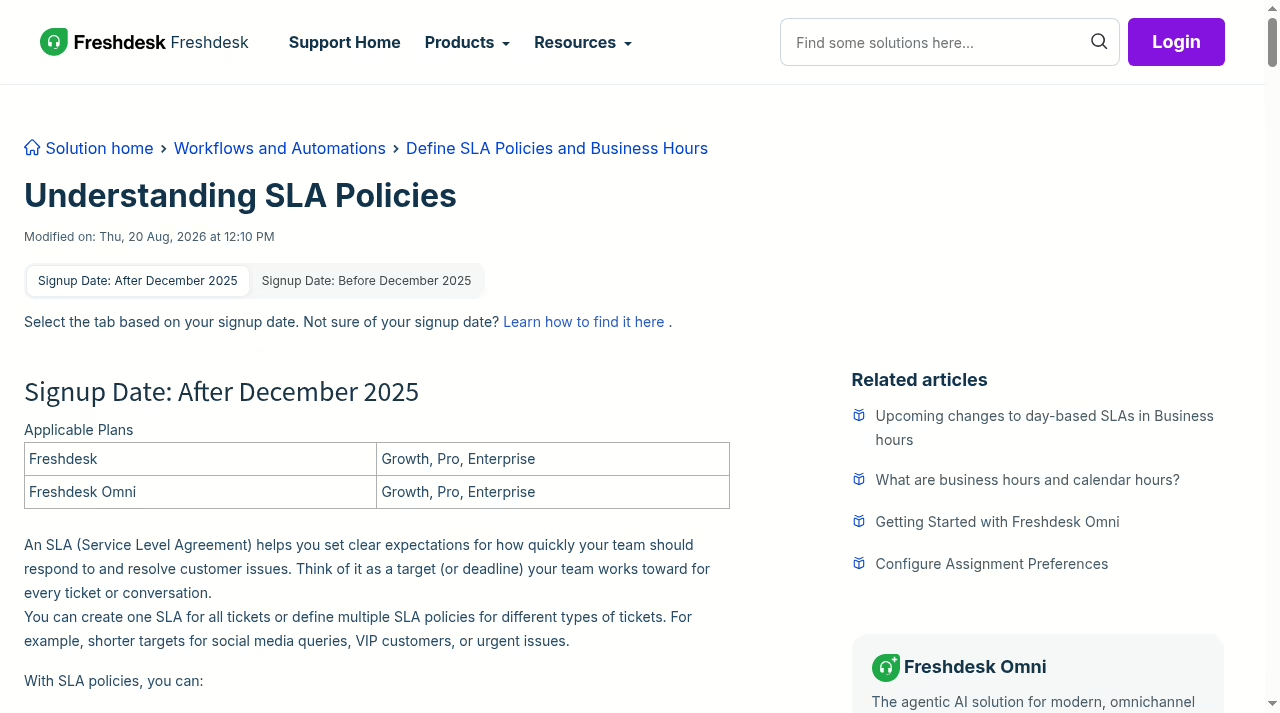
First, business hours versus calendar hours. A first-response target of four business hours behaves very differently from four calendar hours for a ticket that lands at 6pm on a Friday. Set targets that match your actual staffing, not the setting that makes the dashboard look best.
Second, the acknowledgement trap: the documentation states that replies sent through the automation-rule Send Reply action do not count toward the first-response SLA, because they are system messages rather than agent responses. An agent reply or public note counts, including API responses with an agent key.
If you want an automated first response to stop the timer, the documented path is a webhook posting a public note, not Send Reply. Teams that send instant receipts but take six hours to actually help are training customers to distrust the receipt.
A worked example makes the hours setting concrete: with a nine-to-five weekday calendar, a ticket arriving Friday at 4:55pm on a two-business-hour first-response target is due Monday morning, while the same target in calendar hours was already missed Friday evening. Neither is wrong; they are different promises, and customers hear them differently.
Multiple SLA policies with different targets for VIP, urgent and ordinary tickets are available, with the fuller policy and escalation controls from Pro upward.
Test the matching rule on a sample case before announcing any promise publicly, and build the automation around a human owner, the same discipline we describe in our automation tools guide.
If a case needs an expert call, a scheduling link can book it, but the ticket stays open until the customer has the answer.
Week one
A practical setup for a small support team
Picture a small online business with three agents handling order questions and account access. Here is the sequence I would run, in order, with fictional or anonymized cases until the queue proves itself.
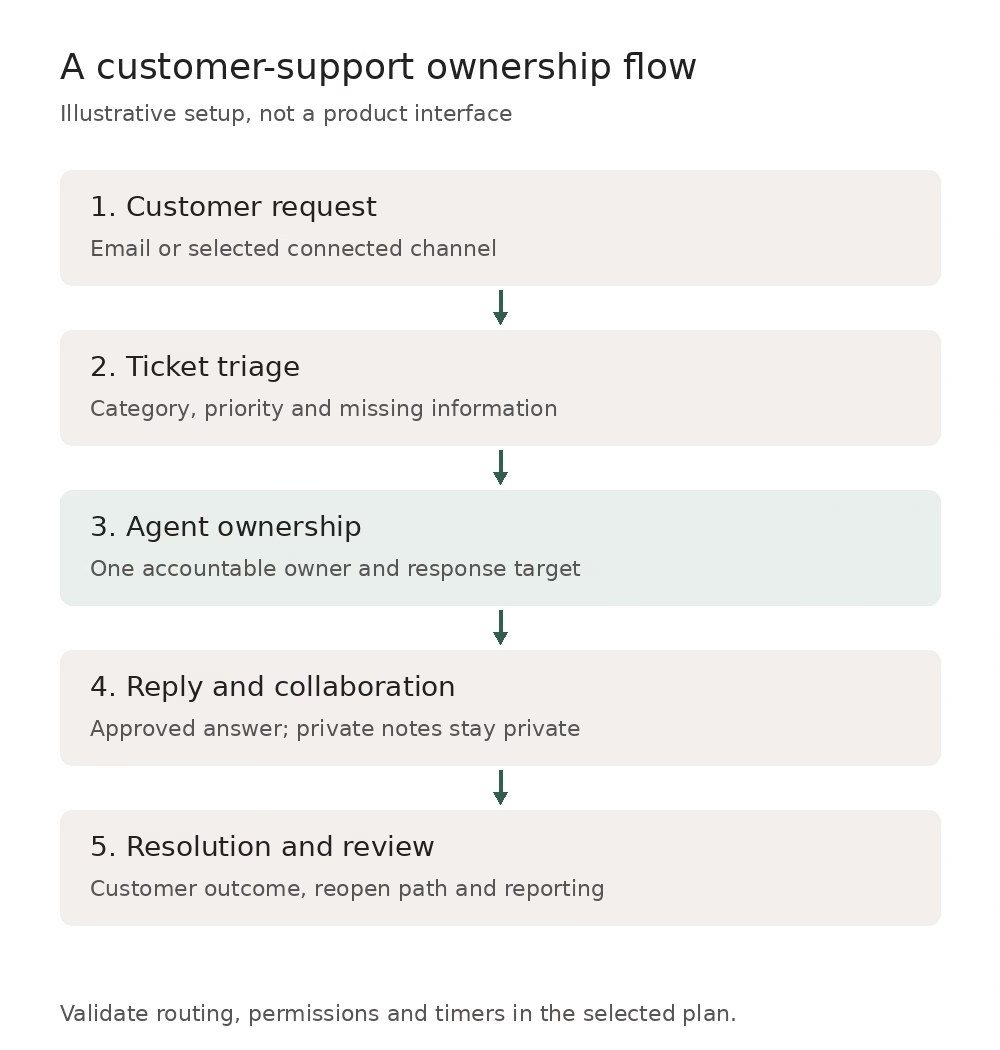
- Identity, routing and permissions
Connect one support address and set the customer-facing sender name. Create groups only where different people or rules genuinely handle the work: an orders group and an account-access group, not seven teams of one. Restrict admin privileges and decide which fields route a ticket and what happens when information is missing.
- Categories that change the action
Write a short category list where each value leads to a different next step. If two categories produce identical handling, merge them. Every field an agent must fill is a small tax on every ticket.
- Approved answers and knowledge
Draft answers for the five most common questions, link them into the knowledge base, and assign each an owner. Keep money-moving actions such as refunds behind an explicit approval. The commerce connection depends on your store platform; our Shopify versus custom websites guide explains that layer.
- Response targets and escalation
Set first-response and resolution targets that fit real staffing hours, name an escalation owner, and inspect one outside-hours case before announcing anything. Test a duplicate, a reopen and an incomplete request.
- Pilot, then open the taps
Run the queue on pilot volume until you can explain every routing and timer result. Track the rollout on a board from our Trello alternatives list without creating a second shadow queue.
Trust, then measure
Test the queue before you trust it
Before you measure anything, run a documented acceptance test. Build a small case sheet: input message, expected group, expected owner, priority, timer behavior and the customer-visible result. Include one incomplete request, one duplicate and one reopened problem. The checklist below is the minimum; keep the results with the configuration so another manager can reproduce the behavior after a rule change.
- Open a pilot case as the agent and as the customer. Private notes must stay private, and the displayed sender must be the support identity, not a person.
- Have two agents view the same case and verify assignment, collision handling and internal notes.
- Send an acknowledgement and confirm it does not mark the first-response target as met.
- Change priority mid-case and reopen a resolved case; check the timers and the customer’s view both times.
- Inspect the account as an ordinary agent, not the administrator. Permissions that look fine from the top often leak from the side.
- Export a sample and prove you can retrieve what you stored, the same principle as our backup and restore comparison.
Once the mechanics hold, measure service rather than cosmetic closure: useful first response, resolution, reopen rate, and time spent. Define each metric before launch, because teams routinely discover they were measuring first response on business hours while the SLA promised calendar hours, or counting a ticket resolved when the customer never confirmed it.
Then review time spent waiting on another team. Sample actual answers for accuracy and tone; five random tickets per agent per week beats a quarterly audit that everyone performs for.
And do not copy a vendor AI resolution percentage into your staffing plan; Freshworks quotes up to 80 percent resolution rates for its AI agents, but your queue’s ticket mix decides your number, not their marketing page.
After go-live
Migration, ownership and upkeep
Moving from a shared mailbox or another desk? Decide what history to import and what to archive. Preserve attachments, authors, timestamps and old ticket references wherever possible, reconcile a small sample, and test retrieval before deleting anything at the source. A download you have never restored is a hope, not a backup.
Then assign the unglamorous roles that keep a desk healthy: someone owns routing rules, someone owns SLA promises, someone owns knowledge pages, and someone reviews integration failures. Keep a small configuration log: the purpose of each rule, its conditions, its owner and the last case it was tested against.
Review errors and reopened tickets on a cadence the support manager can actually sustain, weekly for most small teams, and retire rules that no longer map to real work. Document who approves new AI-generated answers, and remove access promptly when a teammate leaves.
Most support-tool failures are ownership failures wearing a software costume; why CRM projects fail tells the same story from the sales side. If you connect a CRM, the questions in our Salesforce integration tools guide help distinguish a real maintained workflow from a connector that merely exists.
The verdict
Who Freshdesk is for
Teams whose queue is customer conversations: ecommerce orders, account access, product questions. Growth covers a lean email-first team at $19 per agent; Pro earns its price when you need multiple SLA policies, intelligent routing, a multilingual helpdesk or external collaborators; Omni when messaging channels must share one customer history.
Internal IT and employee services belong in Freshservice or another ITSM tool. A pure sales pipeline belongs in a CRM. And a solo founder answering five emails a week does not need a desk yet; a shared inbox and a promise to reply today will do until volume forces structure.
Freshdesk’s strength is that it grows in steps: a clean queue at Growth, real policy control at Pro, enterprise guardrails like sandbox and audit logs at Enterprise. Start at the tier that carries your one mandatory feature, not the tier with the longest list. More options live in our app directory.
Quick answers
Frequently asked questions
What is Freshdesk used for?
Freshdesk organizes customer requests into tickets with owners, priorities, replies and status, backed by a customer portal, knowledge base, automation and SLA targets. It is a customer-support product, not the internal IT and employee-service scope covered by Freshservice.
Is Freshdesk free?
The current pages show paid tiers plus a 14-day free trial that starts on the Enterprise plan. A Start for free button begins a trial, not a permanent free plan. Check the live pricing page for the current offer rather than relying on older descriptions of a free tier.
Does Freshdesk include WhatsApp and every support channel?
Do not assume every channel is in base Freshdesk. Freshdesk Omni carries the connected multichannel scope and its own pricing. Map each channel you need to the specific product and tier before budgeting.
Do the 500 AI sessions renew monthly?
The current plan cards describe the first 500 Freddy AI Agent sessions as included, with additional packs at $49 per 100 sessions. The public pages do not spell out a monthly renewal, so confirm the refresh behavior with Freshworks before modeling long-term AI cost.
Does an automated acknowledgement meet first-response SLA?
No. Freshdesk’s documentation says replies sent through the automation-rule Send Reply action do not count toward first-response SLA because they are system messages. An agent reply or public note counts, including via API with an agent key; the documented automated path is a webhook posting a public note.
Can we integrate Freshdesk with a CRM?
Yes, integrations exist, but verify the specific connector, field mapping, permissions and sync direction on your tier. Treat the connection as a maintained workflow with a named owner, not a one-time checkbox.
Is Freshdesk suitable for internal IT?
No. Internal IT service management, with assets, incidents, changes and employee services, is Freshservice’s scope. Freshdesk can store a form for an internal request, but it does not carry the ITSM data model or governance an IT team needs.



Leave a Reply