



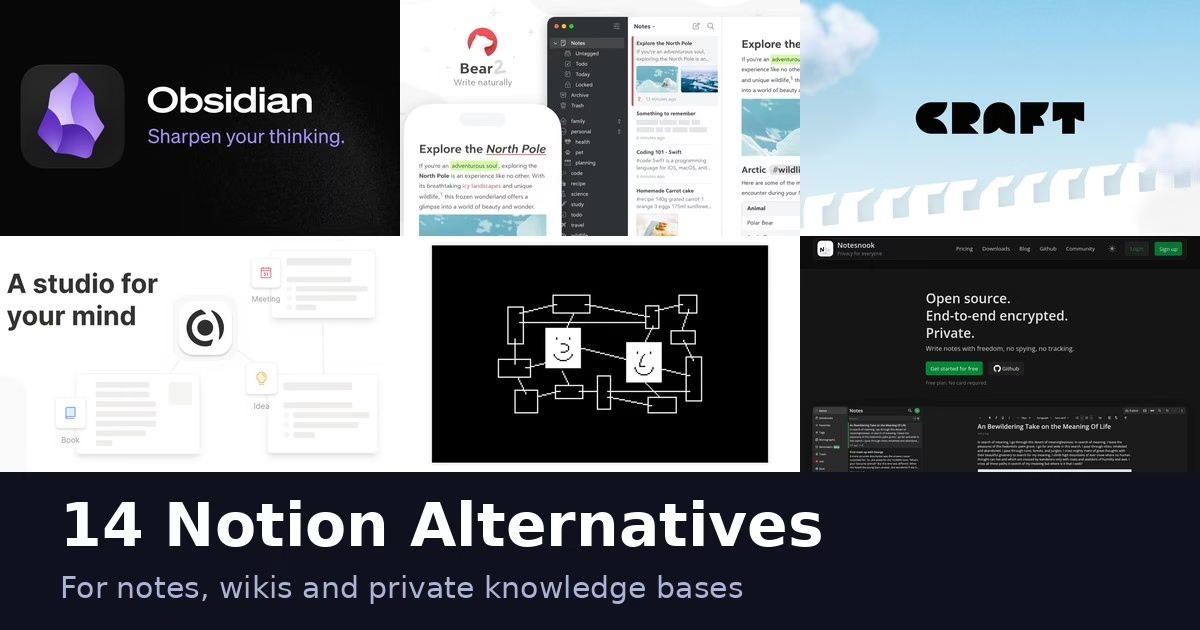
Notion is a good all-in-one workspace, but plenty of people want something lighter, more private, open source or tied to a single device. The 14 apps below cover those reasons, from plain note apps to self-hosted workspaces. Every description comes from the product’s own site, and we have not run hands-on tests. Features and plans change, so check each official page before you move your notes.
Moving from Notion: export is not the same as a working migration
The best alternative depends on what must survive the move. Plain writing, attachments, linked pages, databases, comments and sharing rules are different kinds of information. A tool that imports text successfully may still leave you rebuilding the workspace your team uses every day.
Notion’s export guide says non-database pages can export as Markdown, while full-page databases export as CSV with Markdown files for subpages. HTML exports can include comments, and exports with subpages contain separately saved assets. A workspace export excludes pages the exporter cannot access and may be limited by teamspace settings. Notion also warns that reuploading an export does not instantly recreate the workspace. Keep the export as a backup, but test the destination before calling the move complete.
Match the export format to the destination
Obsidian’s current Notion import guide describes two routes. Its account/API importer can preserve databases and formulas by converting them to Bases, but has documented limits, including importing only a database’s primary view and not importing linked data sources. Its ZIP-file route does not preserve databases and recommends Notion’s HTML export, not Markdown. Both routes offer a preview. Read the current guide for the route you choose rather than assuming every Obsidian import has the same fidelity.
Joplin’s import documentation supports importing individual Markdown files or a directory, with directories mapped into notebook and subnotebook structure. That is useful for a note library, but it is not evidence that a Notion database’s behavior, sharing or views will become a working Joplin feature. If databases are central to your daily work, evaluate a workspace-oriented alternative as well as a notes app.
A migration pilot before you cancel the old workspace
- Choose a representative set. Include a long note, nested pages, images, attached files, internal links, a database and a shared page. Use content you are authorized to export. A clean plain-text note alone is too easy a test.
- Keep the original export intact. Make a separate working copy for the trial. Record the export format, date, account and any pages missing because of access restrictions. Store backups privately; they can contain team or customer information.
- Inspect content and behavior separately. Compare text, attachments and links, then check properties, views, calculations and access. A readable CSV may preserve values without recreating a database workflow. Record each gap as lost, converted or needing manual rebuilding.
- Test daily use on your actual devices. Search for an old note, open an attachment, follow a cross-link and edit offline if that matters to you. Try a second device and verify the intended sync route. Do not confuse local storage with automatic encrypted synchronization.
- Plan a controlled cutover. Decide when editing stops in the old workspace, who fixes links and sharing, and how you will capture changes made during the trial. Keep a rollback path until the people using the new system can complete their ordinary work.
Choose the alternative that preserves the work you need, rather than the one that copies the most screenshots of Notion. For personal notes, clean Markdown and portable attachments may be enough. For a team wiki or database-heavy workspace, permissions, views and ownership need their own acceptance checks.
Quick picks
- Open source and private: Joplin, Logseq, AppFlowy or Notesnook
- End-to-end encrypted: Standard Notes or Notesnook
- Markdown on Apple devices: Bear
- Linked notes and a graph: Obsidian, Logseq or Capacities
- Docs with tables and apps: Coda
- Simple and fast: Simplenote
Comparison at a glance
| App | Type | Platforms named on its site |
|---|---|---|
| Obsidian | Notes app | Windows, Mac and more platforms on its site |
| Evernote | Notes app | See official site |
| Joplin | Notes app | Desktop and mobile apps on its site |
| Logseq | Knowledge base | See official site |
| AppFlowy | Workspace | See official site |
| Anytype | Workspace | See official site |
| Coda | Docs workspace | See official site |
| Craft | Notes app | See official site |
| Bear | Notes app | Mac, iPhone, iPad |
| Standard Notes | Notes app | See official site |
| Microsoft OneNote | Notes app | Web and apps on its site |
| Capacities | Notes app | Mac, Windows, Linux, iOS, Android |
| Notesnook | Notes app | Windows, macOS, Linux, Android, iOS, web |
| Simplenote | Notes app | iOS, Android, Mac, Windows, Linux, web |
The 14 apps
1. Obsidian
Obsidian describes itself as the free and flexible app for your private thoughts. Its site says notes are stored privately on your device, so you can open them quickly even offline, and that no one else can read them, not even the company. Notes use open file formats, so you are not locked in. You can link notes to each other to build what the site calls your own personal Wikipedia, and a graph view shows how notes relate. Plugins and themes let you shape the app, and the site mentions sync and publish options and a Web Clipper. People use it for personal notes, journaling, knowledge bases and project management. Expect to set it up to your taste rather than get a ready-made workspace.
Best for: people who want a private, linkable notes library they control.
Trial check: Local files and paid sync are separate choices. Obsidian’s current site describes end-to-end-encrypted Sync, shared files and selective sync alongside the local app. Test the devices, attachments and shared-vault behavior you need before treating local-first as automatic synchronization. For an individual knowledge base, links and Markdown portability are the main attraction; a shared folder is not a complete replacement for Notion’s database and workspace-permission model.
2. Evernote

Evernote pitches itself as a place for notes, tasks and your schedule together. Its site lists ready-made note structures, fast search, tasks, calendar links that connect events to notes, and a web clipper, with content synced across devices. Evernote v11 adds AI features, described as standalone tools for your notes. Teams can edit in real time, leave comments and assign tasks. You can record, transcribe, scan and clip content, and there is a desktop app. Compared with Notion it is closer to a notebook with extras than to a database-driven workspace. It suits people who capture lots of mixed material, such as scans, clips and recordings, and want it findable later. Check the site for which features sit in which plan.
Best for: people who want an all-in-one notes and tasks app.
Trial check: Evernote’s current pitch includes AI tools, clipping, search and collaborative editing. Try importing a note with attachments and finding it later using the search you actually rely on. Compare the current paid-plan limits rather than assuming that a free signup can hold a large migrated library. It is a note-and-capture choice; verify any structured database workflow separately.
3. Joplin
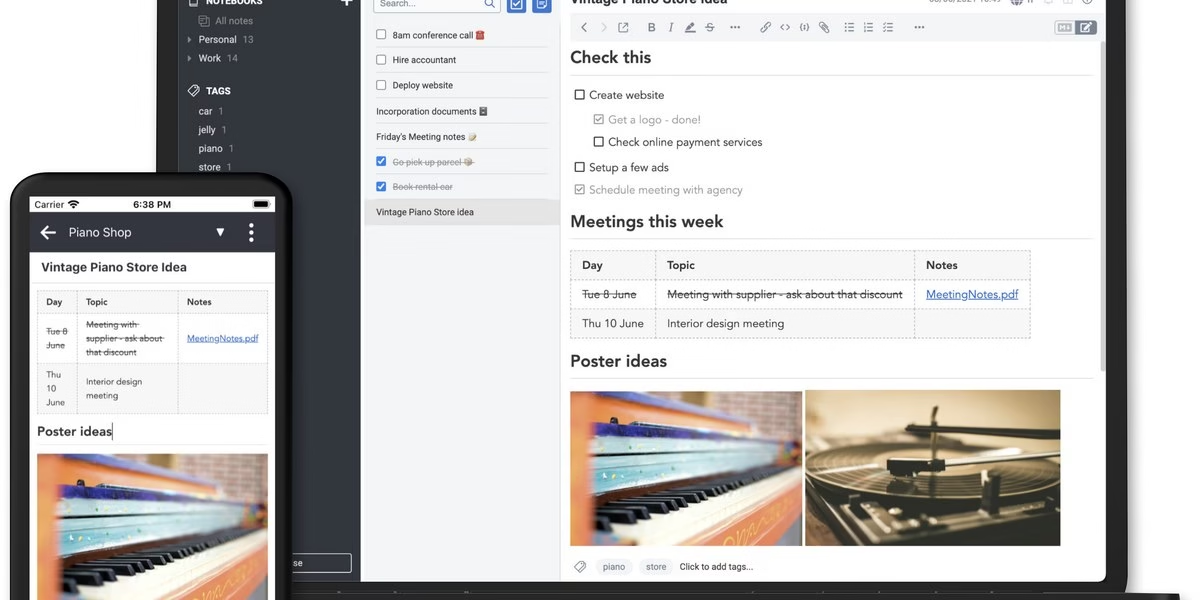
Joplin is an open source note-taking app. Its site says images, videos, PDFs and audio files are supported, you can create math expressions and diagrams, and the mobile app can take photos straight into a note. You can write in Rich Text or Markdown, extend the app with plugins, custom themes and an Extension API, and clip web pages or screenshots with a Chrome or Firefox extension. Sync works through Joplin Cloud, Dropbox, OneDrive and other services. The app runs on Windows, macOS, Linux, Android and iOS, and there is a terminal app. Notes are stored in an open format, and end-to-end encryption is available. Joplin Cloud is based in France. It suits people who want control over where notes live.
Best for: people who want open source software with several sync choices.
Trial check: Joplin separates the app from the sync service you select. Its site describes Joplin Cloud collaboration and several other sync routes, with end-to-end encryption support. Decide who owns that setup and test a restore. It fits a portable note library with attachments, but moving a Notion database to Markdown does not recreate its views, formulas or team permissions.
4. Logseq

Logseq describes itself as a privacy-first, open-source knowledge base. Its homepage highlights task management, PDF annotations, flashcards, journaling and outline-based writing. Check the current release and documentation for the storage and sync setup you intend to use. The pitch is an open-source tool aimed at people who want their notes under their own control rather than in a hosted workspace. It is closer to a personal knowledge base than to a team wiki, so it is a better match for solo thinking and research than for shared project boards. Read how it stores your notes and how syncing works before moving anything important across from Notion.
Best for: people building a personal knowledge base on open-source software.
Trial check: Do not choose Logseq only because it is described as open source. Inspect the current release, data format and import documentation for the workflow you intend to use. Try a linked outline, an attachment and your export route before moving the full library. Logseq’s outline, task-management and PDF-annotation focus can suit study and research. Check synchronization and shared-workspace requirements separately rather than assuming that an outline app replaces a team wiki.
5. AppFlowy
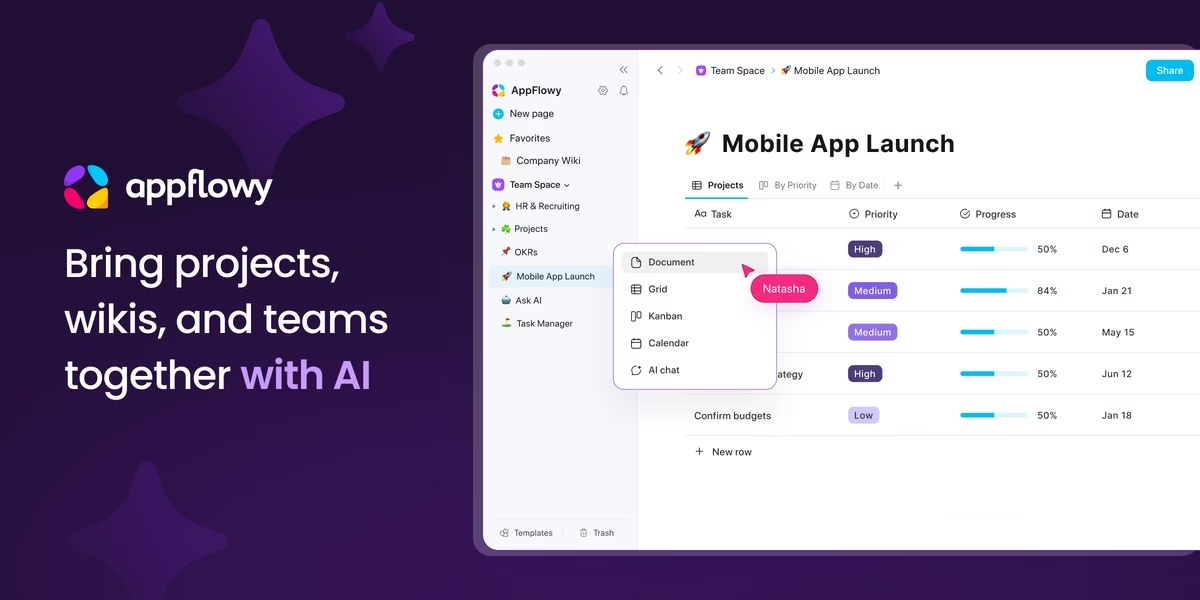
AppFlowy calls itself an AI collaborative workspace for projects, wikis and teams. Its site puts the focus on control: you can run it on your own infrastructure, in your own cloud or in a fully air-gapped environment, keep AI processing and data inside that environment with self-hosted language models, and choose where data is stored to meet residency and security needs. For larger setups it lists SAML and OIDC single sign-on, SCIM, LDAP, public APIs and an admin panel. Apps are available on macOS, Windows, Linux, iOS, Android and the web. The site offers help migrating from Notion and Confluence, and says development is transparent and auditable. It fits teams that want Notion-style pages with their own hosting.
Best for: teams that want a workspace they can host themselves.
Trial check: AppFlowy’s current site describes real-time co-editing, comments and local/on-premise AI choices. For a self-hosted deployment, ask who will maintain updates, backups and authentication. For hosted use, compare the plan’s actual access and data-location terms. The value is a workspace-shaped alternative, but a claim about infrastructure control is not proof that your import or enterprise configuration works without testing.
6. Anytype
Anytype presents itself as a safe haven for digital collaboration. Its site says everything in the app is owned and controlled by you, with data stored locally and the option to self-host backups where you please. It keeps working without an internet connection, which the site frames as inspiration not needing Wi-Fi. You can create notes, tasks, databases and chats, and the app includes tools to communicate and collaborate with others. The pitch is less organizing and more creating, with data privacy and security as the main reason to pick it. It suits people who like Notion-style objects and databases but want local storage and ownership. Check the site for current platform support and how collaboration and sync work.
Best for: people who want a private, offline-capable workspace.
Trial check: Anytype’s site distinguishes local data, on-device encryption, peer-to-peer local-network sync and backup choices. Test a second device outside the same network as well as an offline edit; those are different situations. It offers objects and databases rather than only text files. Check shared-space behavior and export fidelity before assuming that local ownership reproduces all Notion collaboration features.
7. Coda

Coda describes itself as an all-in-one collaborative workspace that brings teams and tools together. Its site says it is familiar like a doc and engaging like an app: tables talk to each other, edits sync everywhere and views can be personalized. Anyone can build a solution with a formula, button or automation, and a gallery of templates published by other teams helps you start. Coda AI can brainstorm, summarize, create content and generate tables. The site notes that Coda is now Superhuman Docs, so expect the name and some pages to change. It is a strong match for teams that want docs that behave like spreadsheets and small apps, and less of a match for plain private notes.
Best for: teams who want docs with tables and automation in one place.
Trial check: Coda’s attraction is a document that behaves like an application through tables, formulas, buttons and automation. Prototype the particular calculation or action you depend on, including who may run it and what happens when a connected service fails. Do not compare it to a plain-note app only by page count. A database-heavy team should inspect permissions, integrations and current plan limits alongside the editor.
8. Craft

Craft is described on its site as a productivity app for notes, tasks and docs. Its pitch is that writing moves with you: capture ideas fast on any device, then refine them into documents you are proud to share. You can publish directly from Craft, connect other tools and integrations, and use it for plans, reports, project boards, a personal wiki or course notes. The site highlights design, saying it awarded Craft in several categories, and users quoted on it mention notes that look good as well as work well. It covers notes, tasks, a calendar, whiteboards and daily notes in one app. A good fit for people who care about a polished writing space and sharing documents, more than heavy databases.
Best for: people who want a polished notes app with daily notes and tasks.
Trial check: Craft’s current product emphasizes writing, structured collections, tasks and sharing. Test an exported document and the public-versus-private sharing path before choosing it for a wiki. A polished published page is a different requirement from a multi-user operational database. Verify the current device apps and offline behavior you need, and keep any AI/integration choice separate from the basic document experience.
9. Bear
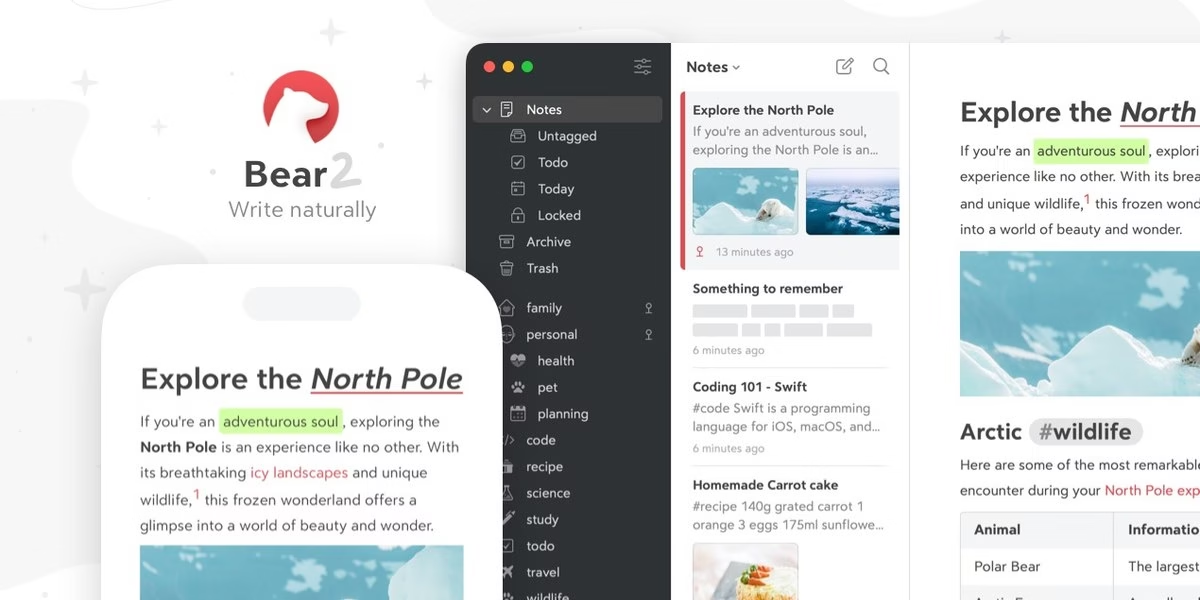
Bear is a Markdown note-taking app for Apple devices. Its site says you can mix text, photos, tables and to-do lists in one note, organize with flexible tags, and use simple Markdown formatting. It describes fast, native apps that work online and off, themes for a cozy writing space and a polished, minimal interface. You can send notes to others, export to many formats and share ideas with the world if you choose. For privacy, notes can be encrypted, and Apple’s Advanced Data Protection is supported. People use it to plan a week, write a book or build a small wiki. Because it is built for Mac, iPhone and iPad, it is not an option if you need Windows or Android.
Best for: Apple users who write in Markdown.
Trial check: Bear’s Apple focus can be a strength if your whole workflow uses those devices. Its current page separates iCloud sync and additional exports into Pro features. Check the format you will need to leave later and whether another household or work device is supported. A tag-based writing library is a different structure from Notion’s team database; use a small export/import trial rather than expecting a like-for-like replacement.
10. Standard Notes

Standard Notes is a free, secure note-taking app with end-to-end encryption and sync across unlimited devices. Its site says the encryption is audited and that only you hold the keys needed to decrypt your notes and files. The site argues that other note services cannot stop employers and governments from reading your data, and pitches its privacy controls as protection against hacks, breaches and outside access. You always keep an offline copy, so notes and files stay available without a connection, and automated backups and secure cloud sync guard against a lost or damaged device. It is built for confidential material such as contracts and agreements. Expect a focus on security over layout flexibility or databases.
Best for: people who put privacy ahead of features.
Trial check: Encryption is only one part of moving private notes. Test account recovery, a second device and the exported files before migrating the only copy of important information. Check which editors, attachment and sharing features the current plan includes. Standard Notes may fit private personal writing, but that does not establish the same workflow as a shared Notion project database.
11. Microsoft OneNote
Microsoft OneNote official site
Microsoft OneNote is a digital note-taking app that Microsoft’s support pages describe as a single place for notes, research, plans and information at home, at work or at school. Notebooks are organized into sections that contain pages and subpages, and every page is an infinite canvas where you can click and type anywhere. You can add To-Do tags to lists and use search to find information wherever you wrote it. Notebooks are stored online so you can reach them on mobile devices, and the web version is offered for free. It fits people who like a notebook with tabs and a free-form page, especially if they already work in Microsoft tools. It is less database-like than Notion.
Best for: people already working in Microsoft tools.
Trial check: OneNote’s notebook, section and page model suits research and free-form notes. Try the account and devices your organization permits, then check synchronization and shared-notebook access. A large flexible canvas can preserve a different style of note-taking than Markdown or database objects. Confirm your exit/export route before moving a long-lived library, and do not infer advanced database behavior from the Microsoft ecosystem alone.
12. Capacities
Capacities turns ideas into connected objects instead of files buried in folders. Its site says you can link anything to anything and find what you need the moment you need it, and it describes notes as objects such as meeting notes, article highlights and project ideas. The pitch is that your brain does not think in folders, so you spend less time filing and more time thinking. The site says it is trusted by 50,000+ knowledge workers and was featured in Fast Company, and notes availability on Mac, Windows, Linux, iOS and Android. It fits people who read and research a lot and want connections across notes. If you want team project boards, check how collaboration works first.
Best for: people who think in connections rather than folders.
Trial check: Capacities’ current site explicitly positions it for individuals, with connected objects and export to standard formats. That supports the personal-knowledge use case but is not a promise of enterprise collaboration. Try a research topic with linked objects, daily notes and attachments; inspect the export afterward. Its encrypted-server claim is distinct from an end-to-end-encryption claim, so do not substitute one for the other when privacy drives the decision.
13. Notesnook
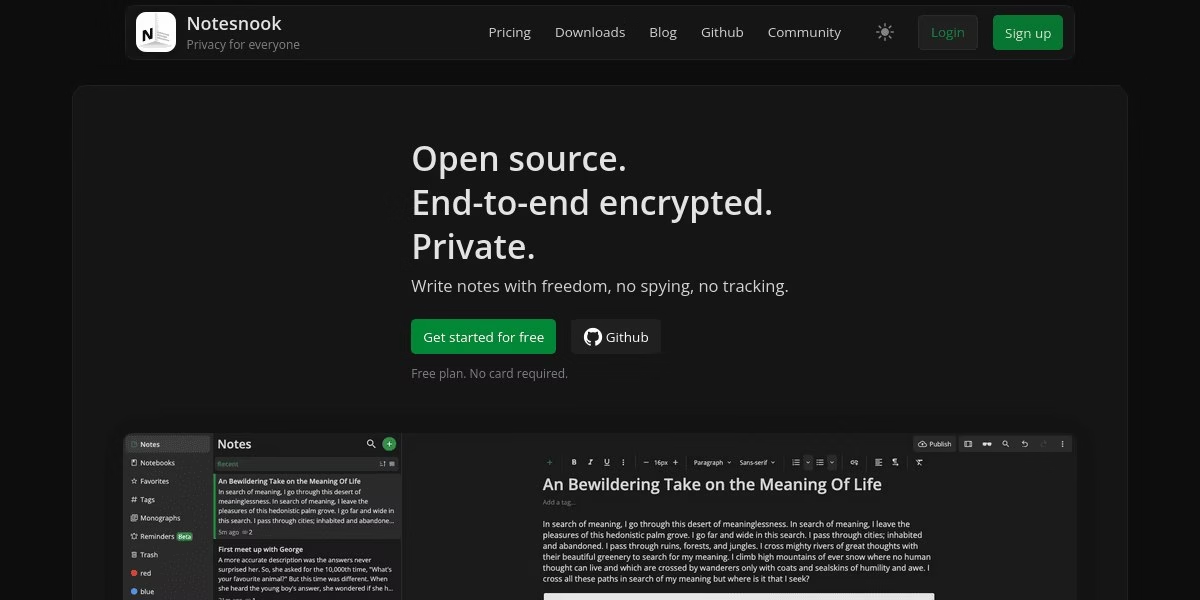
Notesnook is an open source, zero-knowledge private note-taking app. Its site says there is no spying and no tracking, and it is built for the notes you would never let anyone read, such as passwords, medical results and money details. You can start a note on your laptop and finish it on your phone, since apps cover Windows, macOS, Linux, Android, iOS and the web. The site says unlimited notes are free and paid plans add storage and features, and it invites users to suggest features, report issues and read release notes. It is a good match if privacy is the main reason you are leaving Notion. Check what the free tier covers before you move a large library.
Best for: people who want private notes that work everywhere.
Trial check: Notesnook’s current site says notes are encrypted before leaving the device and describes open-source apps and server. Test recovery, sync and the intended export with noncritical notes first. Use a dedicated password manager for login secrets rather than choosing a general notes app because marketing mentions passwords. Privacy-focused notes are a valid goal, but they do not automatically supply Notion-style team databases or access controls.
14. Simplenote
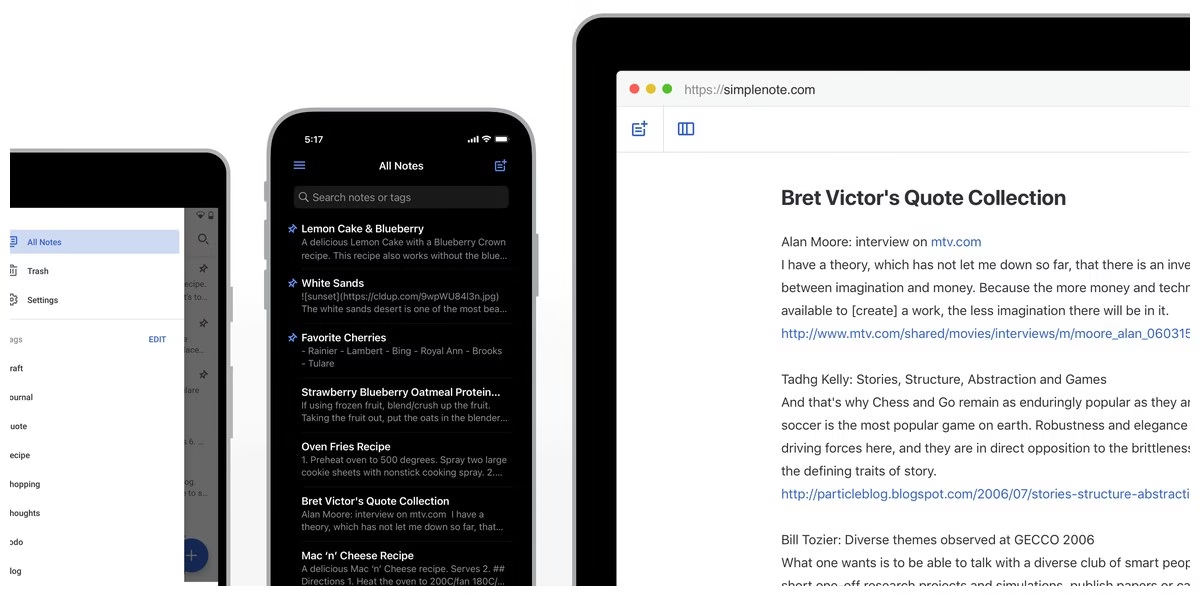
Simplenote says it is the simplest way to keep notes. Its site lists apps for iOS, Android, Mac, Windows, Linux and the browser, with notes updated across devices automatically and in real time, so there is no sync button. You can add tags and find notes with instant search, share a to-do list or publish notes online, and write and preview in Markdown. Notes are backed up with every change, so you can see what you wrote last week or last month. The site says apps, backups, syncing and sharing are all free. Reviews quoted on the page describe it as a distraction-free tool with just enough frills. It suits quick text notes, not databases or project boards.
Best for: people who want quick text notes and nothing else.
Trial check: Simplenote’s text-and-tags approach can be the right answer when the old workspace became needlessly complicated. Its site describes free sync, revision history and sharing. Test a representative note and the sharing settings, but do not expect rich attachments, relational tables or project views just because the app can publish text. It is a deliberately different product, not a complete clone.
How to choose
- Decide what you actually use in Notion. Plain notes point to Bear, Simplenote or Joplin. Databases and team docs point to Coda, AppFlowy or Anytype.
- Check privacy needs. Standard Notes and Notesnook list end-to-end encryption. Self-hosted options give you control but also the upkeep.
- Check your devices. Bear is for Apple devices only. Others list Windows, Linux and mobile apps.
- Test an export first. Move a small set of pages and see what survives before you switch everything.
FAQ
What is the best free Notion alternative?
Joplin, Obsidian, Simplenote and Notesnook describe a free option on their official sites. Which one fits depends on whether you want plain notes or a full workspace.
Which alternatives are open source?
Joplin, Logseq, AppFlowy and Notesnook describe themselves as open source on their sites.
Can I move my Notion pages automatically?
Do not assume it works cleanly. Check the import options of the app you choose and test with a few pages before moving everything.
Are these prices current?
We do not list prices because plans change. Read the current plan details on each official site.
Keep credentials out of shared pages
A note workspace is not a substitute for a credential vault. If your migration includes team logins, compare our password manager apps separately. Keep passwords and recovery codes out of exported documents and shared project notes.









Leave a Reply