



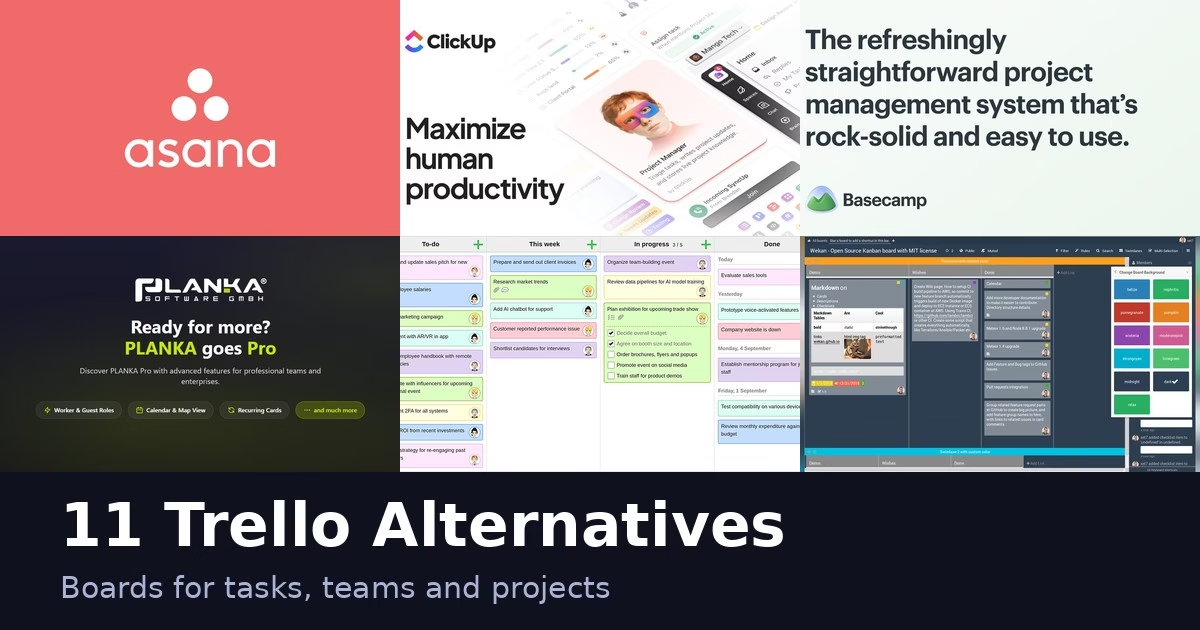
Trello made card boards famous, but plenty of teams want something different: more views, self-hosting, built-in time tracking or a simpler setup. The 11 apps below range from open-source boards you can run yourself to full work-management platforms. Each description comes from the product’s own site, and we have not run hands-on tests. Features and plans change, so check the official page before you switch.
Moving a Trello board: what to test before switching
A board is more than a list of task names. Cards may carry owners, dates, checklists, comments, attachments, labels and automation that the team relies on. Choose an alternative by whether it preserves your working routine, not only whether its interface looks like Trello.
Atlassian’s Trello export guide says board members can export raw JSON, while boards in Premium Workspaces can export CSV. It also says importing those files does not recreate a Trello board in Trello. The ordinary CSV export includes unarchived cards; the guide describes a separate route for including archived cards. Check the current export instructions and the scope of the file before assuming that your backup is complete.
Trello’s Premium guide describes workspace exports containing JSON and CSV boards plus attachments in their original formats. That is a useful backup route, but it does not prove that the destination imports every part. An attachment file, the card it belongs to and the team’s permission to open it are separate things to verify.
Asana’s import guide describes moving Trello CSV data through its CSV importer and matching spreadsheet columns to destination fields. Its Trello section uses the older “Business Class” plan name; use Atlassian’s current Premium export documentation to confirm Trello availability. Treat the destination guide as a starting point, then inspect the imported project rather than assuming every comment, checklist or rule survived.
A board-migration acceptance checklist
- Inventory the board. Count open and archived cards, lists and attached files. Note required custom fields, repeating tasks, checklists and automations. Include a card with each important pattern in your trial.
- Map the workflow. Decide whether a list becomes a column, status or another field. Record how labels and owners map, and check that due dates keep their intended meaning. Similar labels in two tools do not guarantee the same behavior.
- Import a safe copy. Use a test project and content you may transfer. Inspect links and attachments, not just task counts. For confidential boards, confirm who can access the test project before inviting teammates.
- Rebuild rules deliberately. Write down each trigger and action, who owns it and how to detect a failure. Confirm the new tool supports that exact action. An import button is not evidence that a Trello automation or Power-Up has a matching replacement.
- Run the team’s everyday cycle. Assign a task, move it through the board, request a review and close it. Ask an ordinary member to try the same flow. Check notifications, search, mobile access and the reporting your manager needs.
- Control the cutover. Decide when the old board stops receiving edits, where new work goes and who fixes missing data. Keep the original export and a rollback route until the team can use the new board without rebuilding tasks from memory.
Hosted service or self-hosted board?
Self-hosting is a control choice, not automatically a cheaper or safer outcome. Before choosing it, name the person responsible for updates, backups, restoration tests, access management and service availability. Compare that work with the hosted plan’s member limits, views, automation allowance and export route. If nobody can own the maintenance, a hosted board may fit the team better even when a self-hosted option has no license charge.
The trial should answer one simple question: can the team finish a real project with less friction, without losing the records and controls it needs? A successful import is only the beginning of that test.
Quick picks
- Boards plus timelines and automation: Asana, monday.com or ClickUp
- Software teams: Jira or Taiga
- Self-hosted and open source: WeKan, PLANKA or Kanboard
- Lean Kanban with a timer: KanbanFlow
- Simple project communication: Basecamp
- Planning and billing: Zoho Projects
Comparison at a glance
| App | Best for |
|---|---|
| Asana | Boards plus timelines and automation |
| monday.com | One platform for many departments |
| ClickUp | Highly customizable work management |
| Jira | Software teams using Scrum or Kanban |
| Basecamp | Small teams and client projects |
| WeKan | Self-hosted Trello-style boards |
| PLANKA | On-premise Kanban boards |
| Taiga | Agile teams that use Scrum and Kanban |
| Kanboard | Minimal Kanban with limited features |
| KanbanFlow | Lean Kanban with a timer and time tracking |
| Zoho Projects | Planning, time tracking and billing together |
The 11 apps
1. Asana
Asana’s project views page says you can switch between a list, calendar, timeline or Kanban board with a single click and no setup, and drag and drop tasks to update a timeline. Its help center describes rules that automate actions inside projects, including section-based rules that show a lightning bolt on a section in list and board views. The current homepage focuses on AI teammates working inside real workflows, with permissions and audit trails. Asana is a broad work-management platform, so it can feel larger than a simple board. It suits teams that want Trello-style boards plus timelines, goals and automation in one place.
Best for: Boards plus timelines and automation
Trial check: Asana’s project-view page describes list, board, calendar and timeline options. Compare what the same task looks like in the views your team actually uses, then check the plan that includes them. Test a due-date change and a rule-triggered handoff. A wider set of views can help project coordination, but it also changes the operating routine from a simple Trello board.
2. monday.com
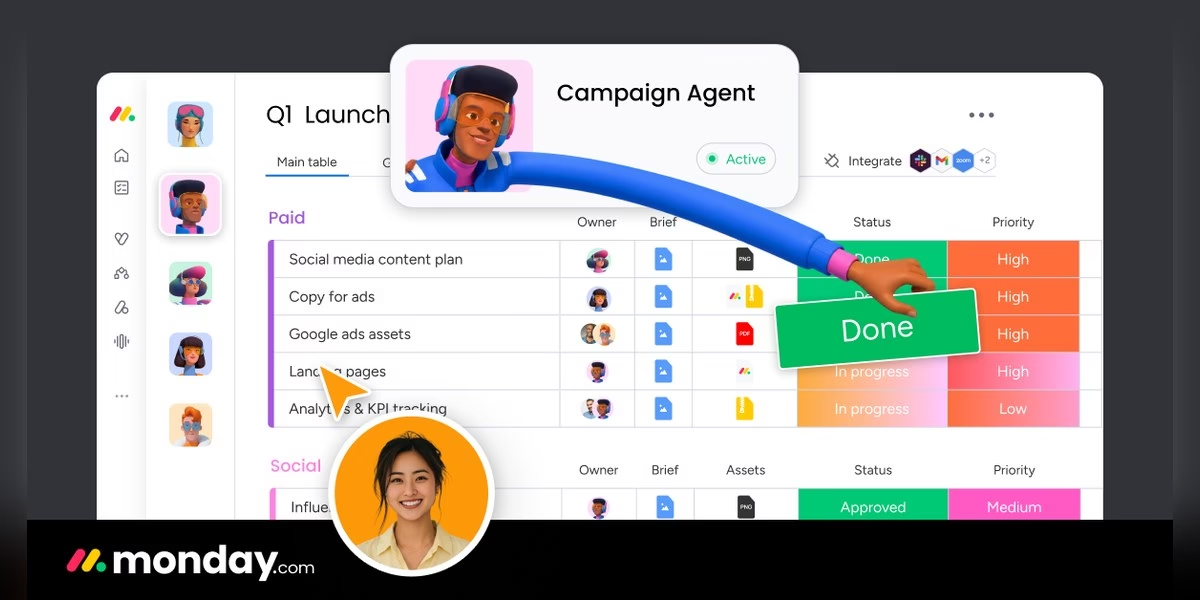
monday.com describes itself as an AI work platform where people and agents work together, and its homepage says there is a Free plan with unlimited time and no credit card needed. For a Trello-style layout, its support center explains that you add a Kanban view from the board’s view options, then adjust it through the settings menu. Its homepage examples cover areas such as triaging tickets, updating roadmaps and screening applicants, so it reaches beyond task boards into sales, HR and operations. It fits teams that want one customizable platform across departments rather than a single board.
Best for: One platform for many departments
Trial check: Ask whether your current plan includes the Kanban view, automations and guest access you need. Set up a representative workflow with one owner and one reviewer, then check what each can see and change. monday.com’s broader work-platform pitch may suit multiple business processes; if you only need a lightweight board, evaluate the extra configuration rather than treating more features as automatically better.
3. ClickUp

ClickUp says it brings tasks, docs and conversations together and lists 100+ products meant to replace fragmented software. Its help center describes Board view as a drag-and-drop interface: you can move a task, or several at once with Shift and click, into any status and reorder them to change priority. ClickUp’s feature page encourages custom task statuses so a card can show stages such as in progress. The site also promotes Brain, an AI layer that works across your tasks, docs and chats. With so many options, expect a longer setup than Trello.
Best for: Highly customizable work management
Trial check: ClickUp’s Board-view documentation describes status-based movement and notes that availability varies by plan and role. Test custom statuses and a private/shared view with ordinary members. A private view is a visibility choice, not evidence that every underlying task or field is protected in the way you intend. Check tasks, workspace access and notifications separately before moving sensitive work.
4. Jira

Jira is Atlassian’s work management product. Atlassian’s board guide says Jira offers two pre-configured boards: a Scrum board for teams that work in sprints, and a Kanban board where work items move through columns from creation to completion. It says boards suit almost any team, not just software teams. The homepage highlights AI features through Rovo, enterprise search across Jira, Confluence and connected apps, and the ability to assign work to coding agents. Jira fits engineering and technical teams that need backlogs, sprints and reporting. Smaller teams may find it heavier than a plain board.
Best for: Software teams using Scrum or Kanban
Trial check: Decide whether the team needs continuous Kanban flow or sprint planning before selecting Jira’s board type. Map the work-item statuses and permission roles, then run one task through review and completion. Jira can fit software delivery well, but a board alone does not prove that your existing Trello rules and reporting have equivalent replacements. Include integration and administration work in the trial.
5. Basecamp
Basecamp calls itself project management without all the nonsense, and says it is rock solid and famously easy to use. Each project gets its own page where you add the tools you need: to-dos, message boards, chat, a calendar and card tables. Message boards replace email with announcements and discussions, and to-do lists let you assign items, set due dates, attach files and create subtasks. You can invite co-workers, clients and even AI agents. Basecamp is less about customizable boards and more about keeping a project’s communication and tasks in one place. It fits small teams and client work.
Best for: Small teams and client projects
Trial check: Basecamp’s project-centered model combines discussions, to-dos and card tables rather than asking every activity to become a card. Test how a client joins, where an announcement lives and how the team finds a decision later. If your friction comes from scattered chat and email, that may matter more than matching Trello’s columns exactly. Verify the board behavior and reporting you need separately.
6. WeKan
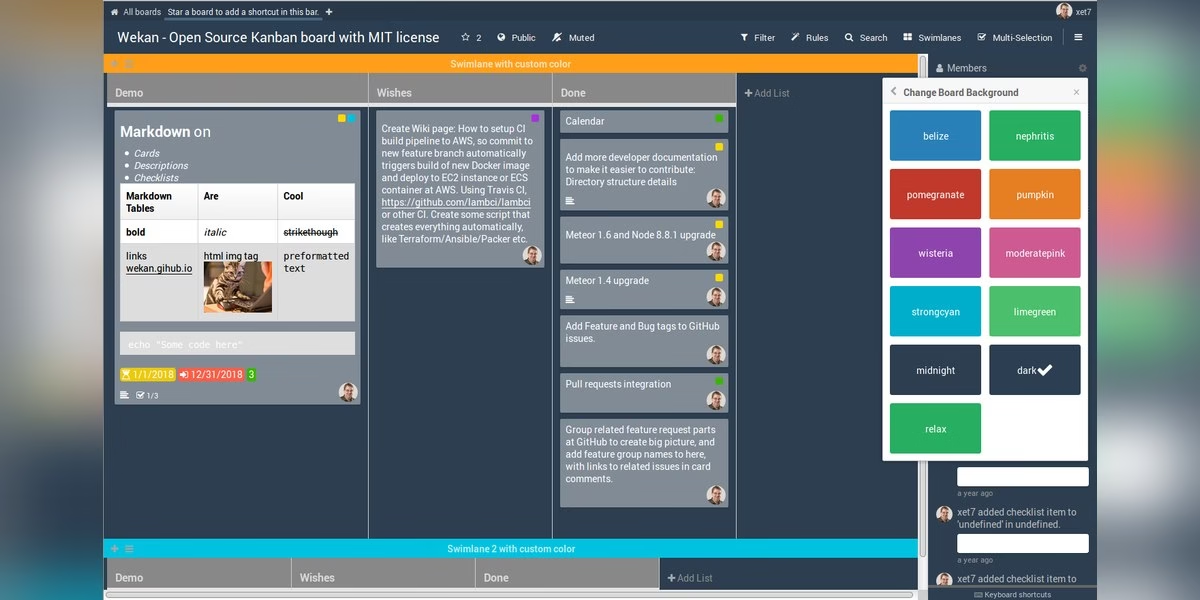
WeKan describes itself as an open-source, customizable and privacy-focused kanban. Its site says you can make many boards for different projects, each with lists such as To Do, Doing and Done, and cards with titles, descriptions and due dates. You move cards between lists by dragging and dropping, and you can customize lists with colors or custom fields. Cards can carry labels, files, checklists and comments. The site stresses that its source code is open for anyone to inspect and that it is designed with security in mind. WeKan suits people who want a Trello-like board they can host and control themselves.
Best for: Self-hosted Trello-style boards
Trial check: WeKan’s control and customization are valuable only if someone owns the deployment. Test attachments, member access and restore from backup as well as dragging cards. Ask who updates the server and plugins, and document the exit/export route. Open source provides code access; it does not by itself establish secure configuration, trouble-free operation or a zero-cost team setup.
7. PLANKA
PLANKA is a self-hosted Kanban board for agile teams, according to its site, and is also available fully hosted. It pitches control over your data and infrastructure, privacy and flexibility. The current site describes Pro and Enterprise offerings. Pro includes roles and guest access, single sign-on, templates, advanced search and reporting, run on your server or by the vendor. Check current edition and license terms before treating a deployment as free for professional use. Because it is built around the Kanban board, it is a close match for Trello habits. It suits teams that want an on-premise board with the option to grow into paid features.
Best for: On-premise Kanban boards
Trial check: PLANKA’s current site describes Pro and Enterprise offerings, with Pro described for organizations needing roles, guest access, SSO and reporting. Compare the current edition terms before assuming a free installation includes professional team controls. Decide between self-hosting and vendor-managed hosting, and test the exact board/permission setup in that route. Those are separate choices from liking its interface.
8. Taiga
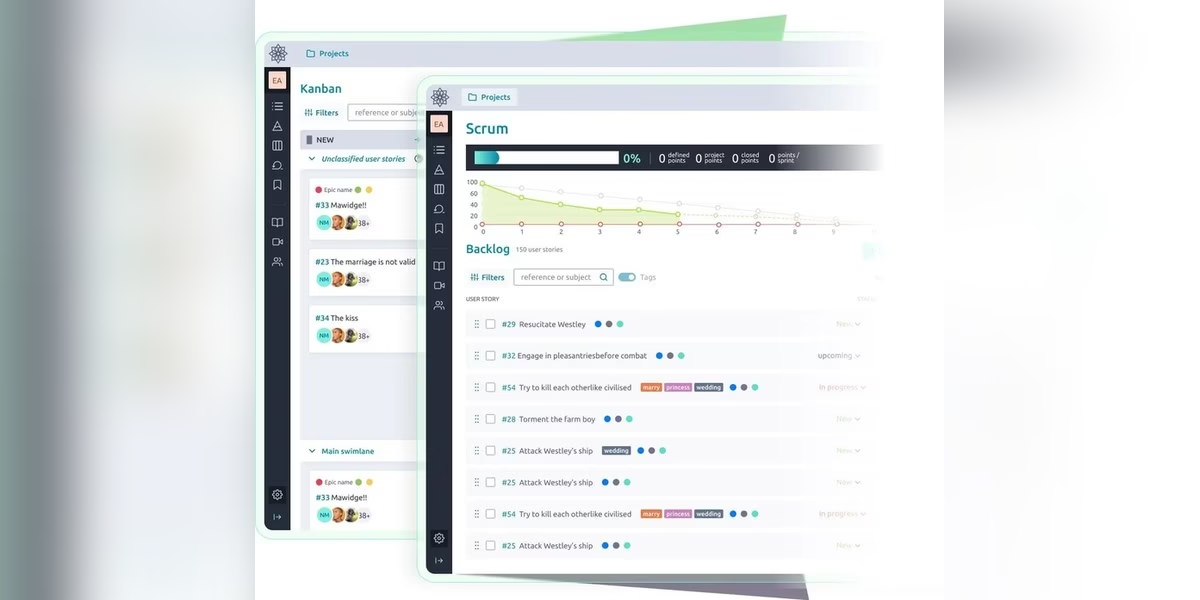
Taiga calls itself a free and open-source project management tool for cross-functional agile teams, with an intuitive interface and a simple start. Its community guides say the available modules are Epics, Scrum, Kanban, Issues, Wiki and Meetup, and that epics, user stories, tasks and issues each have their own editable set of statuses. You choose which status counts as closed, which affects metrics such as story points. The site features customer quotes about reduced stress and clearer prioritization. Taiga is a good match for software teams that want both Kanban and Scrum in the same open-source tool.
Best for: Agile teams that use Scrum and Kanban
Trial check: Taiga’s current page presents Scrum, Kanban and other agile modules, including work-in-progress limits. Start with the methodology your team follows, not every available module. Try a story with tasks, an issue and a completed status, then inspect the resulting metrics. If you only need three columns for household tasks, the agile structure may be unnecessary; for a product team, it can be the important difference.
9. Kanboard
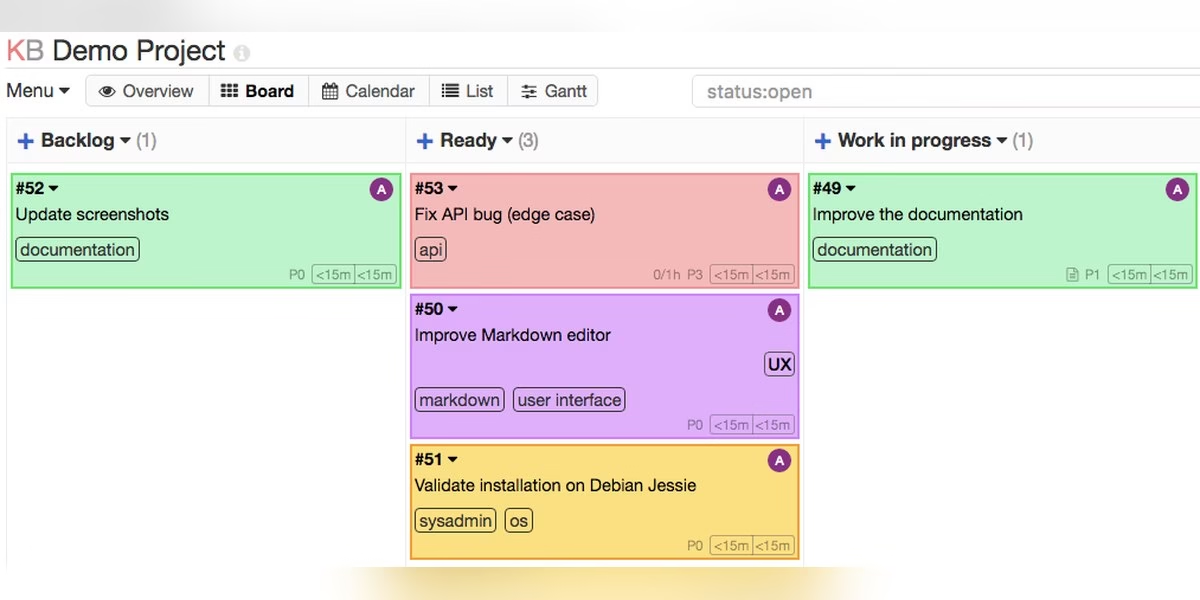
Kanboard is a free and open source Kanban project management tool that focuses on simplicity and minimalism. Its site says there is no fancy interface, the number of features is deliberately limited and no training is required. You can add, rename and remove columns at any time, limit work in progress (a column is highlighted when you go over the limit), and filter the board with a simple query language by assignee, category, due date and more. Tasks support sub-tasks with time or complexity estimates, Markdown descriptions, comments and attachments. Kanboard suits people who want a plain, self-managed board without extras.
Best for: Minimal Kanban with limited features
Trial check: Kanboard’s limited interface is an intentional fit choice. Test WIP limits, filtering and the task fields needed for your project, then check any required extensions before relying on them. It can suit a team that values a clear board over a wide project suite. Self-hosting still needs updates, backup restoration and an administrator; minimal software does not mean no operating work.
10. KanbanFlow
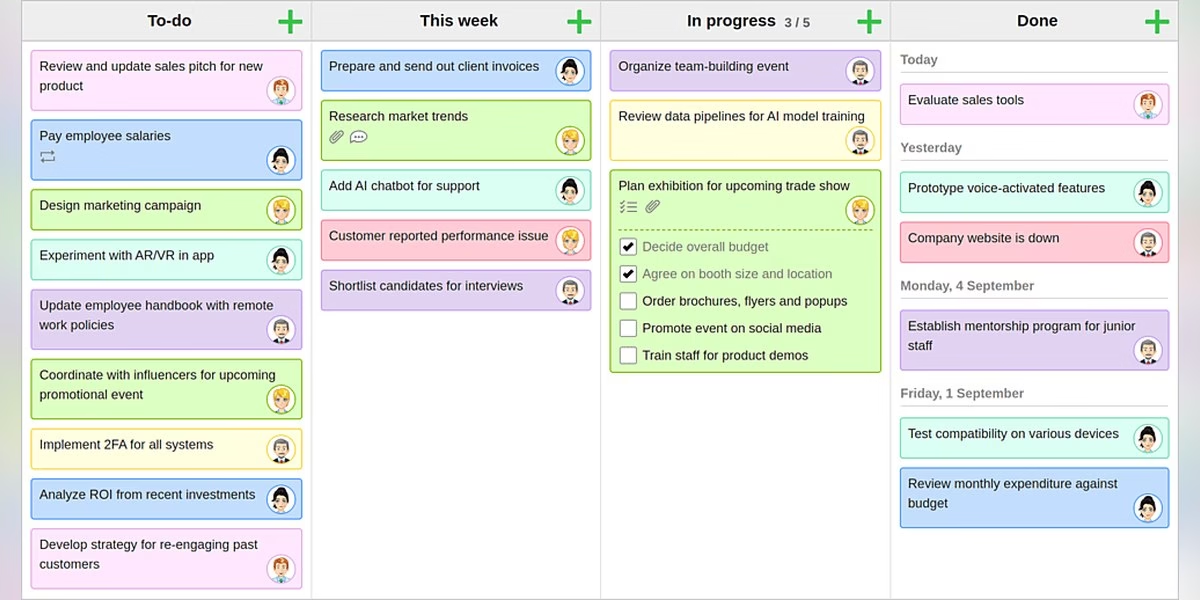
KanbanFlow describes itself as lean project management, simplified. Its site focuses on Kanban boards for teams, including swimlanes for an overview of tasks, work in progress limits that stop you starting more tasks than you finish, and a Pomodoro timer. You can track the time you spend on tasks, log it manually, and filter and group logged time in many ways. Every change to the board is shown to the team, and mobile apps let you stay updated on the go. It integrates with other systems, including external calendars like Outlook and Google Calendar. It fits teams that care about lean Kanban practice and time tracking.
Best for: Lean Kanban with a timer and time tracking
Trial check: KanbanFlow’s time-tracking and Pomodoro focus makes it different from a board chosen purely for visual task movement. Try logging time against a real card and retrieving the report you need. Inspect the current plan’s swimlane, export and reporting features instead of assuming all highlighted capabilities are free. Use it when flow and work-time records matter, rather than adding a timer nobody will use.
11. Zoho Projects
Zoho Projects calls itself project management software with Gantt charts that show critical tasks and dependencies, and shows any gap between planned and actual progress. Its site lists timesheets for billable and non-billable hours, with integration to Zoho Invoice to generate invoices from timesheets, custom fields, modules, statuses and workflows, and a drag-and-drop automation builder. It also mentions AI that helps find information and summarize reports, integrations with other Zoho and third-party apps, mobile apps and a 27001 enterprise-grade security listing. It suits teams that want planning, time tracking and billing in one product. If you only want a simple board, it may offer more than you need.
Best for: Planning, time tracking and billing together
Trial check: Zoho Projects combines task planning with timesheets and billing-related integrations. Test dependencies and the billable-versus-nonbillable workflow with your actual account roles. That can suit a delivery business already using Zoho, but an integration name is not proof of a finished invoice workflow. Check setup, permissions and the relevant plan before replacing a simple Trello board with a broader system.
How to choose
- Start with why you are leaving. Missing views, data control and cost each point to different tools.
- Check hosting. WeKan, PLANKA and Kanboard describe self-hosted options. The others are mainly hosted services.
- Match the size of the tool to the team. A small team may only need a board. Larger teams may want timelines, reporting and automation.
- Test with a real project. Move one live board over before you commit the whole team.
FAQ
Which Trello alternatives are open source?
WeKan, Taiga and Kanboard describe themselves as open source. PLANKA offers a free Community edition and a self-hosted option.
Which options can I host myself?
WeKan, PLANKA and Kanboard are described as self-hostable on their sites.
Which are best for software teams?
Jira offers Scrum and Kanban boards, and Taiga covers Scrum, Kanban, issues and a wiki.
Are prices listed here?
No. Plans change, so read the current details on each official site.
Plan a video review without putting credentials in cards
For a production board, link the script, assign the editor and record the review deadline. Our video editing apps comparison covers the software doing the edit. If access to shared publishing accounts is needed, use a separate password manager rather than pasting credentials into task cards.






Leave a Reply