


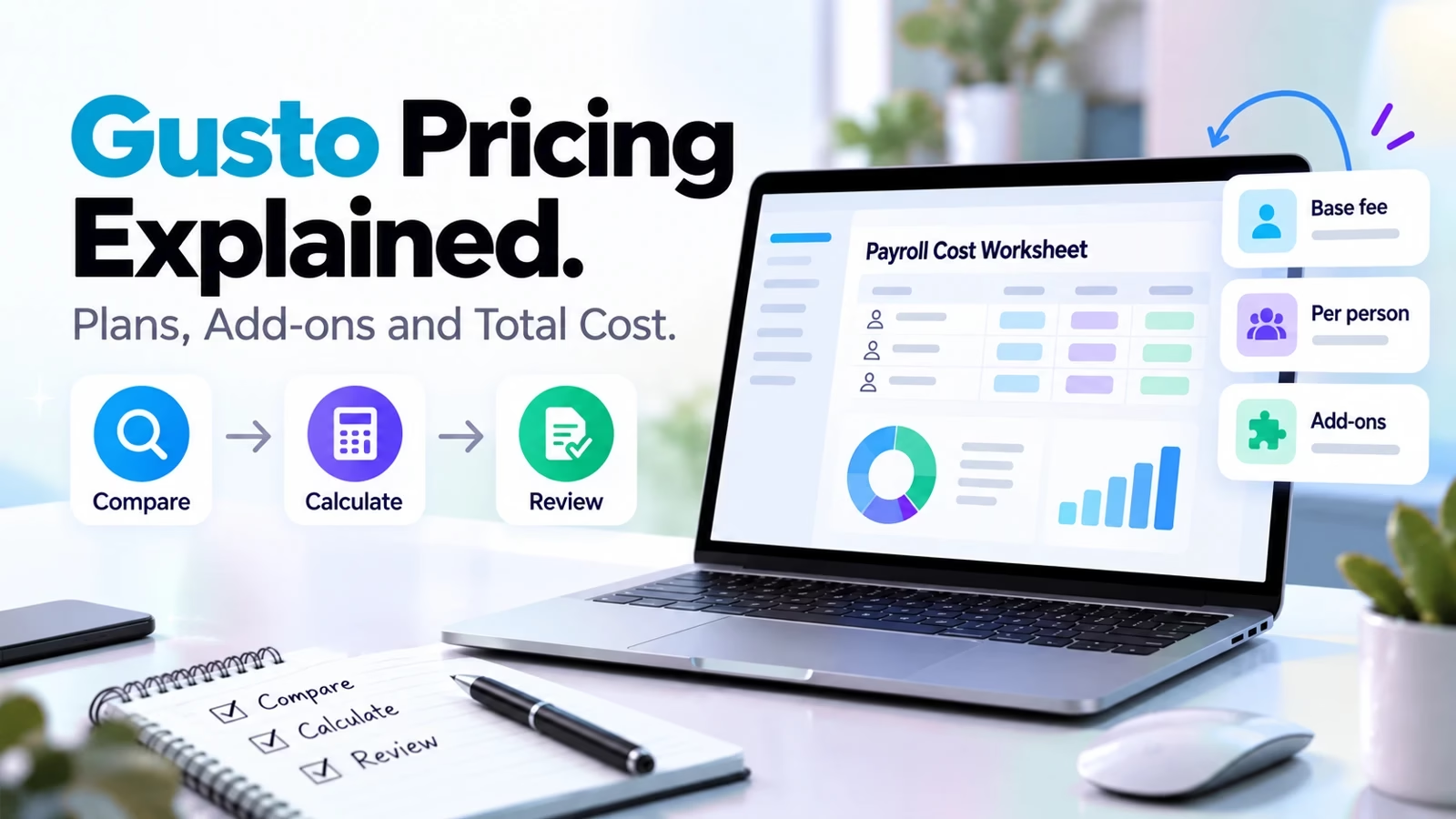

Gusto prices its payroll the way a good deli prices a sandwich: a headline number on the board, then a line for every extra you add. The board price is real, but it is not your bill.
We rebuilt the full pricing page line by line, including the add-on menu most reviews skip, so you can see what a team your size would actually pay each month.
We track tools like this across our apps directory, and payroll is one of the categories where the gap between the advertised price and the invoice is widest.
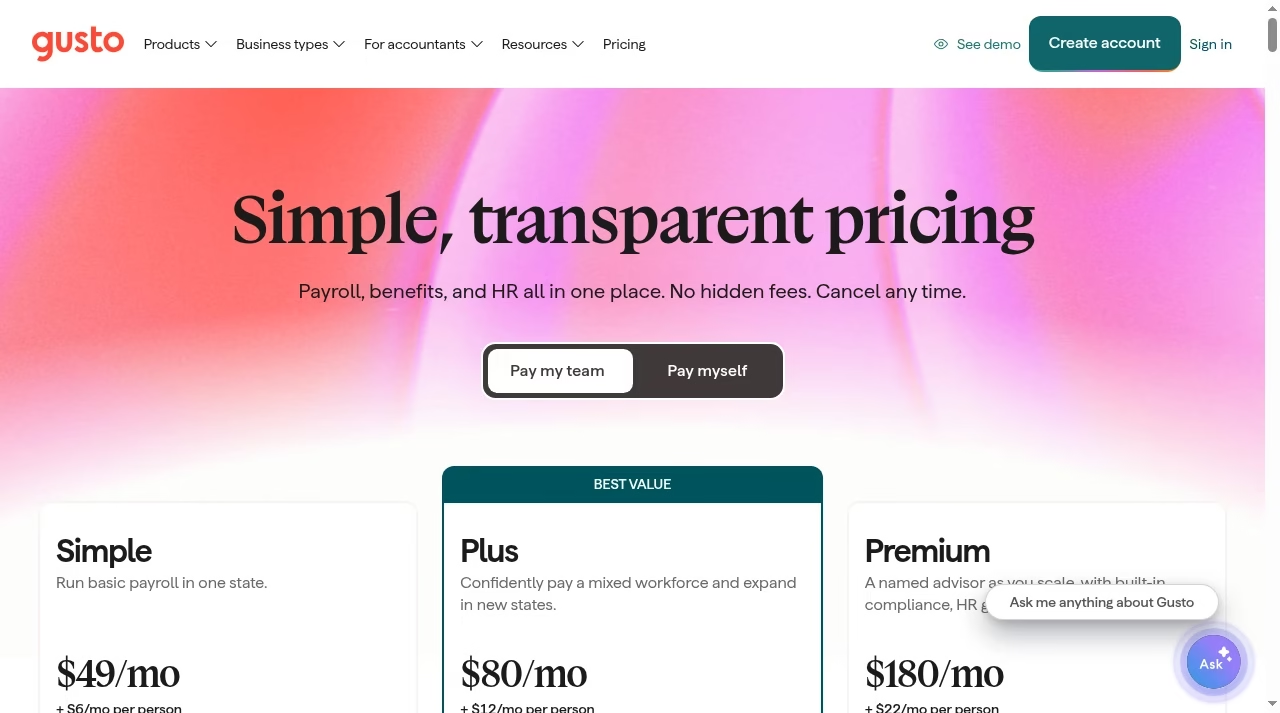
The short version: plans run $49, $80, or $180 per month, plus $6 to $22 per person per month on top. Add-ons range from free to $85 per state per month. A 10-person team lands anywhere from $109 to $400 a month before add-ons.
Below is every number on the page, what each one buys, and where the costs hide. If you are still building out your wider stack, our guide to the best AI tools for small business pairs well with this one.
Gusto’s three payroll plans
Gusto sells three plans under its “Pay My Team” tab. Every plan includes unlimited payroll runs, tax filings and payments, direct deposit or printable checks, payroll approvals, Payroll on AutoPilot, multiple pay rates and schedules, the employee app, an employer mobile app, domestic contractor payments, and expenses with reimbursements. That baseline is genuinely generous: unlimited runs alone is something several competitors meter.
Simple costs $49 per month plus $6 per person. It covers basic payroll in one state, with basic PTO policies and holiday pay. For a single-state business that just wants payroll done correctly, this is the whole product.
Plus costs $80 per month plus $12 per person, and Gusto flags it as the best value. It adds time tracking and scheduling, unlimited next-day pay, multi-state payroll, and contractor invoice management. The moment you hire in a second state, Simple stops being an option and Plus becomes the floor.
Premium costs $180 per month plus $22 per person. It adds a named advisor with premium account support, HR guidance and tools, Gusto Business Compliance, unlimited same-day and instant pay, project-based rules and costing, and 25 included invoice payments and bank transfers per month.
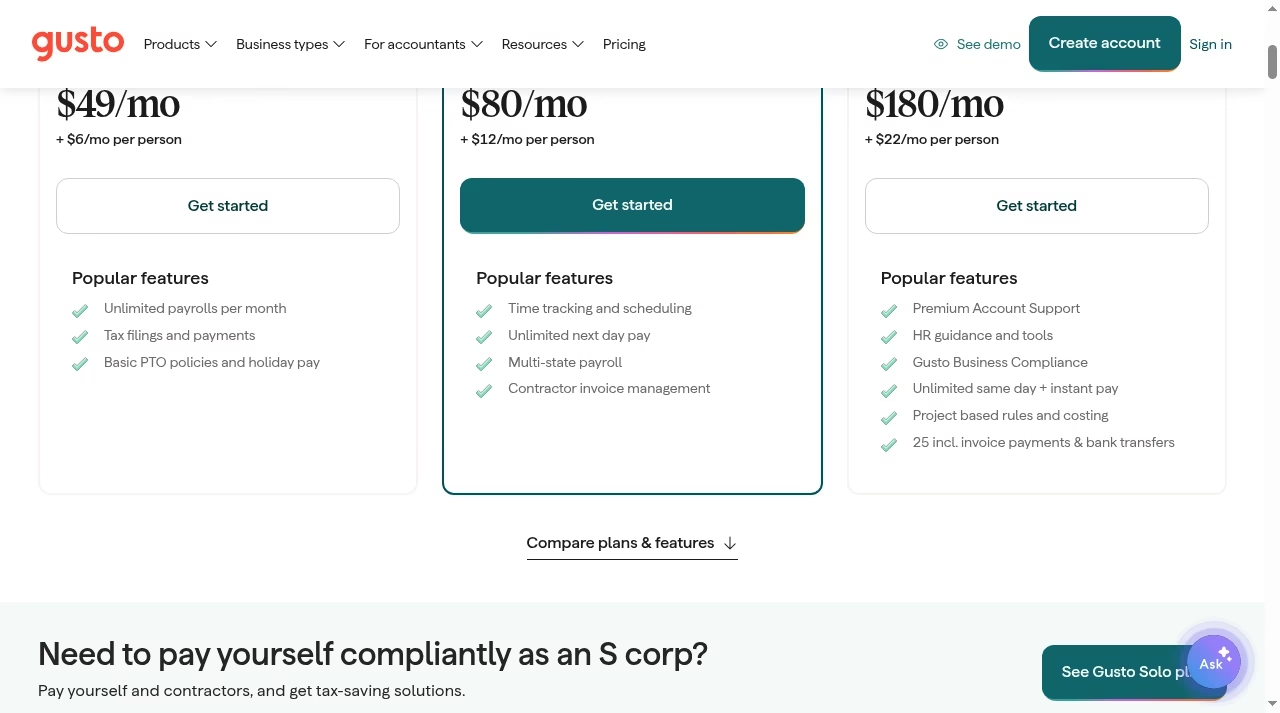
The per-person line is where budgets drift. On Simple, each employee costs less than a streaming subscription. On Premium, each one costs $22, so a 25-person team pays $550 a month in per-person fees alone.
Payroll is one of the quieter line items in a business’s efficiency tooling stack, and it scales with headcount whether you use the premium features or not.
One automation note: Payroll on AutoPilot, included on every plan, runs salaried payroll without you touching it. If hands-off automation is the draw, it is worth comparing against the other automation tools we have tested, because “set and forget” means very different things across categories.
What you actually get at each tier
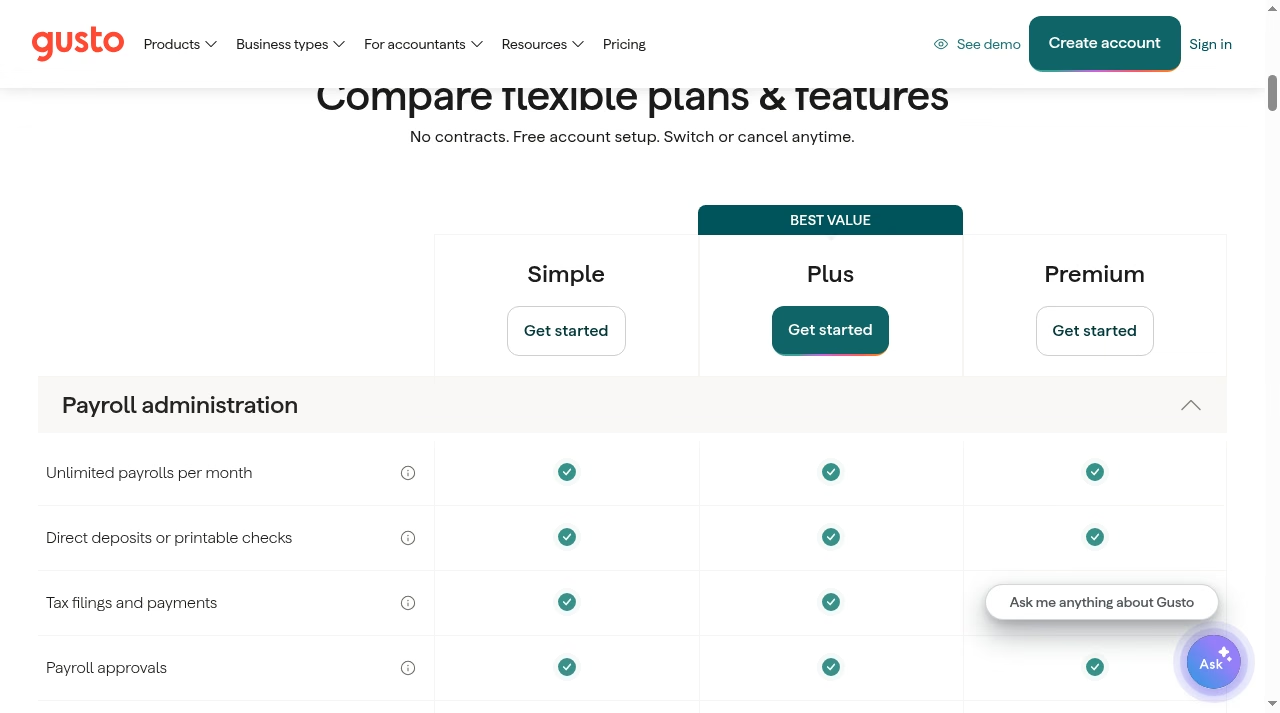
The plan comparison table on Gusto’s pricing page is mostly green checkmarks, which is the point: the shared baseline is wide. The differences concentrate in a handful of rows, and those rows are where your decision lives.
Simple withholds three things that Plus opens up: contractor invoice upload, workforce cost reports, and unlimited custom earning types. Premium then holds three exclusives of its own: unlimited custom admin roles, same-day pay, and instant pay.
Two more rows matter for planning: state tax registration and global contractor payments are add-ons on every plan, including Premium. There is no tier where they come free.
Think of Plus as the plan where Gusto stops being a payroll utility and starts being a workforce tool. The included time tracking alone replaces a separate subscription for most teams, and unlimited next-day pay removes the scheduling anxiety that comes with the standard four-day processing window.
Premium, meanwhile, is really a bundle: the named advisor, HR guidance, and compliance coverage would each cost real money bought separately, and Gusto is betting that enough growing companies will want them wrapped into payroll.
This structure has a practical consequence. If your payroll is simple but your reporting needs are not, Simple will frustrate you, because workforce cost reports sit behind Plus. Paying for a tier you never adopt is the same failure pattern we see in failed CRM rollouts: the tool was fine, the fit was wrong.
Teams that are small but complex, the kind also shopping for an easy CRM for a small sales team, should read the matrix rows before the price rows.
| Feature | Simple | Plus | Premium |
|---|---|---|---|
| Unlimited payrolls, tax filings, AutoPilot | Yes | Yes | Yes |
| Multi-state payroll | No | Yes | Yes |
| Time tracking and scheduling | Add-on | Yes | Yes |
| Next-day pay | Add-on | Yes | Yes |
| Same-day and instant pay | No | Add-on | Yes |
| Contractor invoice management | No | Yes | Yes |
| Workforce cost reports | No | Yes | Yes |
| Custom admin roles | No | No | Yes |
| Named advisor and HR guidance | No | No | Yes |
| State tax registration | Add-on on all plans, pricing varies by state | ||
| Global contractor payments | Add-on on all plans, $5 per payment to US-based accounts | ||
The payroll add-on menu
Gusto’s add-on section is where a $49 plan becomes a $150 plan, and none of it is hidden so much as unadvertised. Here is every payroll add-on on the page with its live price.
Next-day pay costs $15 per month plus $3 per person on Simple. It is included in Plus and Premium, which is one of the strongest arguments for skipping Simple once you care about cash flow timing.
Same-day pay costs $90 per payroll and instant pay costs $100 per payroll on Simple and Plus; both are included in Premium. Two instant payrolls a month on Plus is $200, most of the gap to Premium by itself.
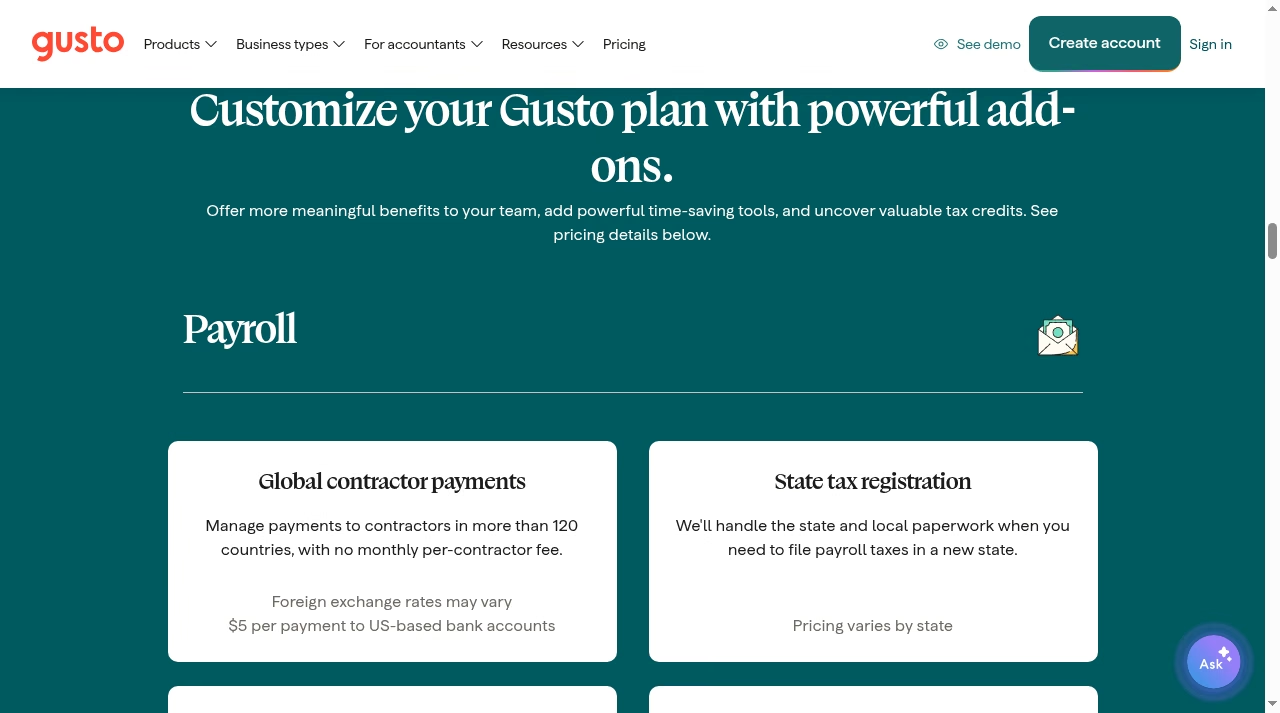
Global contractor payments cover 120-plus countries with no monthly per-contractor fee. You pay $5 per payment to US-based bank accounts, and foreign exchange rates vary for international payouts. For teams paying overseas contractors, including the kind of distributed development crews that SaaS application development companies often run, this is one of the cleaner cross-border setups on the market.
State tax registration is an add-on on every plan, priced per state with pricing that varies by state. Gusto handles the state and local paperwork when you expand into a new state. Budget for it the moment you hire across a state line, because Plus gives you multi-state payroll but not the registration legwork.
R&D tax credits work on contingency: Gusto scans your payroll data to identify credits worth up to $250,000 in annual payroll tax offsets, and charges 15% of the credits it identifies, with discounts on the Premium plan. You pay nothing unless it finds money.
Time, attendance, compliance and HR add-ons
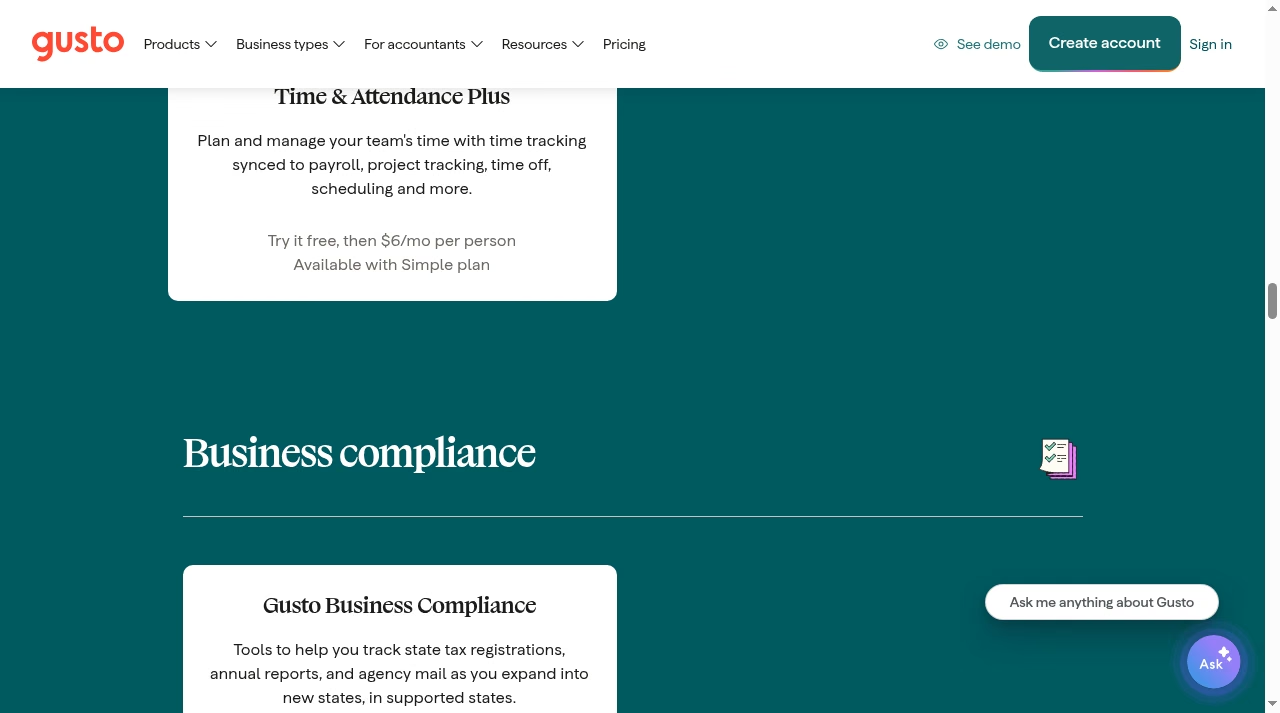
Beyond payroll speed, Gusto sells operational add-ons. Time & Attendance Plus runs $6 per person per month on Simple, syncing time tracking, project tracking, time off and scheduling into payroll. Because it feeds hours straight into payroll, it kills the CSV export dance that makes standalone trackers painful.
Businesses with shift-based staff should still weigh it against dedicated tools; our rundown of apps like ShiftSmart covers that category in depth.
Gusto Business Compliance costs $85 per month per state on an annual contract, and is included in Premium. It tracks state tax registrations, annual reports and agency mail as you expand, in supported states. For a company growing into three new states, that is $255 a month if you are not on Premium, which reframes Premium’s sticker price completely.
The compliance piece matters most for teams expanding state by state. Each new state brings registrations, annual reports, and a stream of agency mail that someone has to open, log, and answer. Miss one notice and penalties follow; GBC exists to absorb exactly that administrative drip.
Hiring paperwork has its own menu: Remote I-9 verification costs $20 per submission, and E-Verify adds $5 per submission on top of the Remote I-9 fee. Both are included on Premium. Priority Support costs $30 per month plus $3 per person on Simple and Plus, buying faster phone and chat response times.
If support quality is a deciding factor for you across your stack, our explainer on what Freshdesk is shows how dedicated support desks price the same promise. Gusto also offers fractional HR help through Gusto HR Partners for eligible Plus and Premium customers, priced separately.
There is also Gusto Money Plus at $19 per month on all plans, which adds discounted transaction fees and money-management workflow tools. It is optional and easy to skip unless Gusto is already your financial hub, but for teams running high invoice volumes the discounted fees can pay for it.
Taken together, the add-on menu covers genuinely useful capabilities, and each is priced openly. The trap is not deception; it is accumulation. Five modest add-ons on a Simple plan quietly outprice Plus, so it pays to total your actual needs before choosing the entry tier.
It is also worth re-running that total once a year, because headcount growth, new states, and new benefits quietly change which plan is cheapest for the same company.
Reading the fine print
Gusto’s pricing page leads with a promise: no hidden fees, cancel any time. On the contract side, that checks out. There are no long-term contracts, account setup is free, and you can upgrade, downgrade, or cancel whenever you want. If your headcount changes mid-year, your per-person charges change with it.
The flexibility is real in both directions. Upgrading applies immediately when you need a feature, downgrading keeps you from paying for a tier you outgrew in reverse, and because billing is per person, a hiring freeze or a round of departures shrinks the invoice automatically. There is no annual true-up to negotiate and no seat minimum to defend.
Where the promise needs an asterisk is the add-on architecture. The fees are all published, but they are spread across a long page, and several apply on every plan. “No hidden fees” means no surprise line items on your invoice. It does not mean the plan price is the whole price.
A realistic budget is always base fee, plus per-person fees, plus whichever add-ons your state count, pay speed, and benefits menu require.
Gusto Solo: pricing for S-corp owners
Under the pricing page’s second tab sits a fourth product most roundups miss. Gusto Solo costs $49 per month plus $6 per person, and it is built for solopreneurs who pay themselves through an S corporation. It handles compliant self-pay with automatic tax filing, includes a reasonable salary calculator, and supports the S-corp election and compliance process.
The reasonable salary calculator deserves a specific mention, because setting that salary too low is the classic S-corp audit trigger, and most owners guess. Having the number grounded in data, with the payroll and tax filing wrapped around it, removes the one part of the S-corp strategy that usually needs an accountant on retainer.
Solo also opens Gusto’s Solopreneur Platform: a Solo 401(k), health benefits, bill pay and invoicing, and contractor payments with automated 1099 e-filing. For a one-person S corp, the pitch is that salary compliance, the part that gets owners in trouble with the IRS, runs itself.
Solo owners tending a wider one-person stack will find our guides to Notion alternatives and Trello alternatives useful for the operations side.
What a real monthly bill looks like
Base fees tell you little on their own, so here is the arithmetic for two common team sizes, before add-ons.
Two things stand out in the math. First, per-person fees dominate at scale: at 25 people they are roughly four times the base fee on Plus. Second, add-ons close plan gaps.
A Plus plan with two compliance states and an occasional instant payroll can cost more than Premium, at which point Premium’s included same-day pay, instant pay, compliance, and named advisor are the cheaper bundle.
Also note how the Solo equivalent undercuts everything for a single owner: at $55 a month it is the cheapest compliant payroll Gusto sells. Project-based costing on Premium pairs naturally with the kind of task-level tracking teams set up in Todoist alternatives, if you want labor costs mapped to actual work.
Benefits and tax-advantaged account fees
Gusto doubles as a benefits broker, and its benefits pricing is friendlier than its payroll add-ons. Health insurance costs you only the premiums: Gusto charges no administration fees for working with its licensed brokers on medical, dental, and vision.
If you already have a broker, the integration for eligible plans costs $6 per month per eligible employee. Workers’ compensation starts at $14 per month on a pay-as-you-go basis, and life and disability insurance are premium-only as well.
The tax-advantaged accounts share one annual charge: a single $200 service charge covers all four account types. On top of that, HSAs cost $2.50 per participant per month with no minimum, while FSAs, dependent care FSAs, and commuter benefits each cost $4 per participant per month with a $20 monthly minimum.
A 401(k) is priced separately, varying by integration. For a 15-person team offering all four account types, that works out to $200 a year plus roughly $55 a month, which is competitive for a fully synced payroll deduction flow.
Which Gusto plan should you pick?
The cleanest way to choose is to total your own receipt before you look at the plan cards: count your states, your must-have pay speed, your contractor mix, and the benefits you plan to offer. That number, not the $49 headline, is your real comparison figure when you weigh Gusto against rivals.
Pick Simple if you run a single-state team, pay people on a predictable schedule, and want tax filing handled. Pick Plus the moment any of these are true: you hire in more than one state, you want next-day pay without fees, or you need time tracking inside payroll.
Pick Premium when you would otherwise stack add-ons: two or more compliance states, frequent same-day or instant payrolls, or a genuine need for HR guidance and a named advisor.
Where Gusto is less compelling is worth saying plainly. Companies with heavy union or certified payroll needs, very large headcounts, or deep international employment beyond contractors will outgrow the per-person math and the feature set, and should price employer-of-record or enterprise HCM options alongside it. For everyone else, the ceiling is comfortable.
Gusto’s own numbers back its confidence: a 4.6 average on Capterra across 4,137 reviews, FastCompany’s number one Most Innovative Company in HR for 2025, and more than 500,000 businesses on the platform.
If you are torn between Gusto and a rival, our Gusto vs BambooHR comparison walks through the differences, and teams wiring payroll into a CRM should check the best Salesforce integration tools for the connection layer. Prices verified against the live Gusto pricing page.
The bottom line: budget base fee plus per-person fees plus add-ons. For most teams under 15 people in one or two states, Plus is the honest sweet spot.
Simple saves money only if you will never need faster pay or a second state, and Premium pays for itself once two or more of its included add-ons are on your shopping list.
Gusto pricing FAQs
How much does Gusto cost per month?
Gusto’s payroll plans cost $49, $80, or $180 per month for Simple, Plus, and Premium, plus $6, $12, or $22 per person per month respectively. Gusto Solo for S-corp solopreneurs costs $49 per month plus $6 per person. Add-ons such as faster pay, state registrations, and compliance tools are priced separately.
Does Gusto have a free plan?
No. Gusto has no free plan, but account setup is free, there are no contracts, and you only start paying when you run payroll. You can explore the platform and cancel at any time.
How much does Gusto charge for contractor payments?
Domestic contractor payments are included in every plan. The global contractor payments add-on covers more than 120 countries with no monthly per-contractor fee: you pay $5 per payment to US-based bank accounts, with foreign exchange rates varying for international payouts.
Is next-day pay included in Gusto’s plans?
Next-day pay is included in the Plus and Premium plans. On the Simple plan it is available as an add-on for $15 per month plus $3 per person. Same-day pay ($90 per payroll) and instant pay ($100 per payroll) are add-ons on Simple and Plus, and included in Premium.
What does Gusto charge for benefits like HSAs and FSAs?
A single $200 annual service charge covers all four tax-advantaged account types. HSAs then cost $2.50 per participant per month with no minimum, while FSAs, dependent care FSAs, and commuter benefits cost $4 per participant per month each with a $20 monthly minimum. Health insurance itself costs only the premiums, with no Gusto administration fees.
Can I cancel or change my Gusto plan at any time?
Yes. Gusto has no long-term contracts. You can upgrade, downgrade, switch, or cancel whenever you want, and your per-person charges adjust automatically as your headcount changes through the year.
Is Gusto Simple or Plus better for a 10-person team?
A 10-person single-state team pays $109 per month on Simple versus $200 on Plus. Simple is enough if you never need next-day pay, time tracking, or a second state. If you need any one of those, Plus is the better value, because adding next-day pay alone to Simple already costs $45 per month for that team.





Leave a Reply