


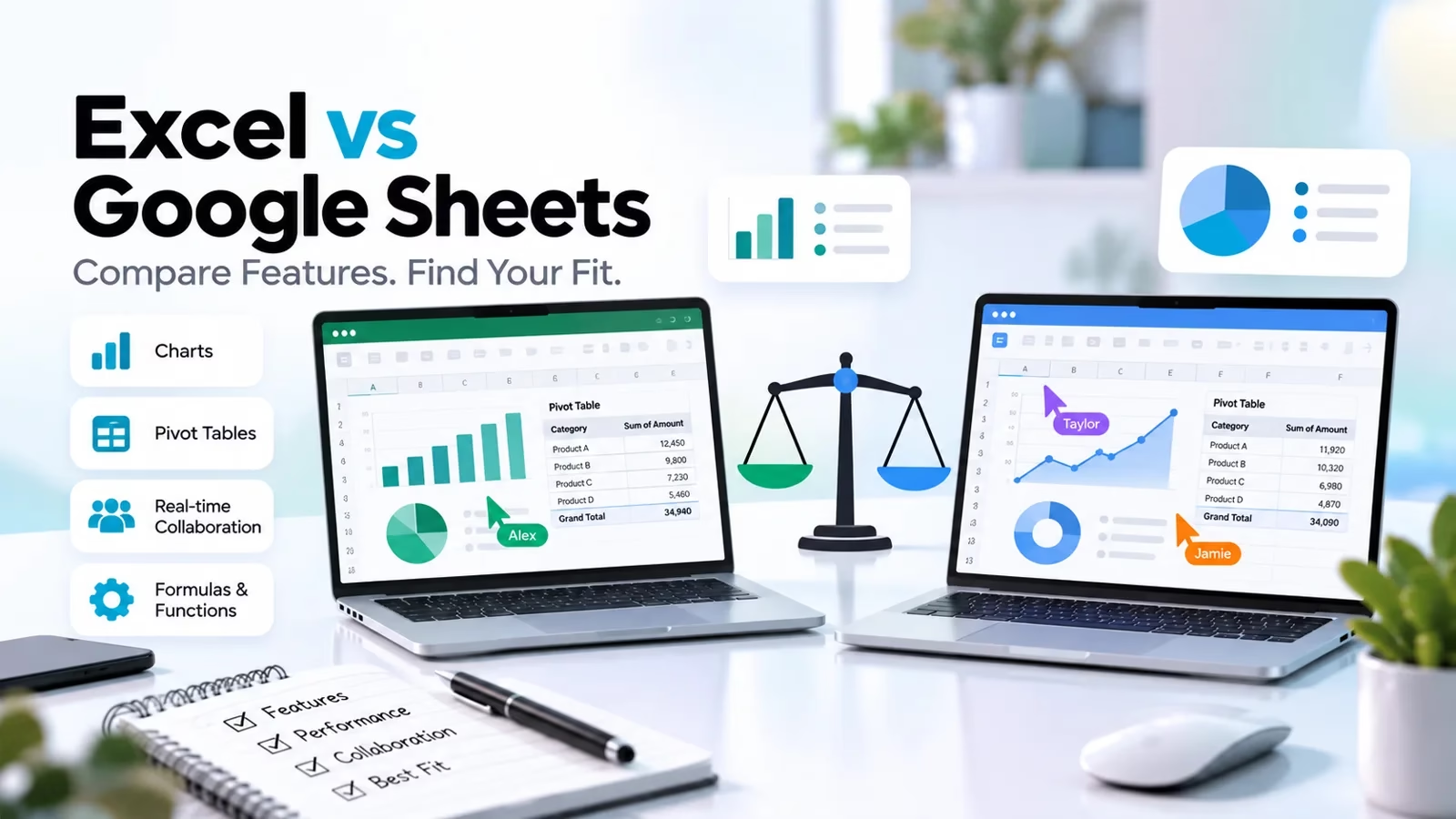

Choosing between Microsoft Excel and Google Sheets depends on how you work with data. Excel is particularly strong for advanced analysis, complex financial models, large workbooks, and desktop-based workflows. Google Sheets is an excellent choice for teams that need to collaborate in a browser, share information quickly, and work together on the same spreadsheet.
But the decision is not simply about which spreadsheet has more features. You also need to consider compatibility, automation, AI assistance, offline access, security, and the cost of the software you actually need.
Quick verdict: Choose Excel for advanced data analysis and complex spreadsheet work. Choose Google Sheets for straightforward collaboration and browser-first workflows. If your team does both, using the two together may be more practical than forcing everyone onto one platform.
Excel vs Google Sheets: At a Glance
| Feature | Microsoft Excel | Google Sheets |
|---|---|---|
| Best for | Advanced analysis, financial models, complex workbooks | Team collaboration, shared trackers, browser-based workflows |
| Collaboration | Real-time co-authoring through supported Microsoft 365 workflows | Real-time co-editing built around Google Drive sharing |
| Data analysis | Strong desktop analysis capabilities, PivotTables, Power Query and Power Pivot in supported editions | Formulas, pivot tables, charts, filters and connected cloud data |
| AI assistance | Copilot features, subject to eligibility and plan | Gemini features, subject to eligibility and plan |
| Sharing | Share workbooks through OneDrive or SharePoint in supported workflows | Share through Google Drive with viewer, commenter and editor permissions |
| File compatibility | Native support for Excel workbook formats | Can import and edit Excel files; conversion may affect some features |
| Offline work | Available in the desktop application; web capabilities differ | Offline access can be configured for supported accounts, browsers and devices |
| Cost | Free web access; paid plans for desktop apps and additional capabilities | Available with a Google Account; business capabilities are offered through Google Workspace |
The most important distinction is this: Excel offers greater depth for specialist spreadsheet work, while Google Sheets makes shared access and browser-based teamwork straightforward. Both can do far more than basic calculations, and their capabilities vary by version and subscription.
1. Microsoft Excel vs Google Sheets for Collaboration
Collaboration is one of the biggest reasons people compare Excel with Google Sheets. Both support real-time co-authoring in supported configurations, so it is no longer accurate to say that Excel is only for working alone.
Google Sheets: Designed for shared work
Google Sheets works naturally for teams that spend their day in a browser. You can share a spreadsheet with specific people, assign viewing or editing permissions, leave comments, and use version history to review earlier changes.
This makes Sheets particularly useful for:
- Marketing calendars and campaign trackers
- Shared project plans and task lists
- Sales pipelines and lead trackers
- Budgets that several people update
- Lightweight operational reports
For example, a marketing team can maintain one campaign calendar, let each team member update their assigned rows, and review changes without repeatedly emailing spreadsheet attachments.
Excel: Collaboration with a broader desktop workflow
Excel also supports real-time collaboration when workbooks are stored and shared through supported Microsoft 365 services. Teams can use comments, sharing permissions and version history while retaining Excel’s wider desktop capabilities.
Excel is often a better fit when collaborative work involves detailed models, complex reporting, specialist spreadsheet features or existing Microsoft-based business processes.
Collaboration winner: Google Sheets is often the simpler choice for teams that work primarily in the browser. Excel is equally worth considering when collaboration must sit alongside advanced spreadsheet workflows. Test the actual sharing and editing setup your organization will use.
2. Data Analysis: Which Spreadsheet Is More Powerful?
Both tools support formulas, sorting, filtering, charts, conditional formatting and pivot tables. The difference becomes more important as your analysis grows in complexity.
Why choose Excel for advanced analysis?
Excel’s desktop application includes powerful capabilities for specialist analysis, depending on the edition and platform. These include:
- PivotTables: Summarize large datasets and compare results across categories.
- Power Query: Import, clean, transform and combine data from supported sources.
- Power Pivot: Build data models and relationships in supported editions.
- Advanced formulas: Build calculations, financial models and multi-step analytical workflows.
- VBA macros: Automate certain desktop spreadsheet tasks.
Excel is especially useful for financial forecasting, complex budgeting, business intelligence preparation and recurring reports that require extensive data transformation. Not every feature is available in Excel for the web, so check the specific application before committing to a workflow.
What can Google Sheets do with data?
Google Sheets is not limited to simple lists. It supports formulas, pivot tables, charts, data validation, filters, conditional formatting and integrations with other cloud services. Connected Sheets can also let eligible users work with data from BigQuery and Looker.
Sheets is a strong choice for reporting dashboards, campaign performance trackers, shared budgets and datasets that need frequent updates from several people. For extremely large datasets or complex transformations, however, you may need a connected data platform or a more specialized analysis tool.
Data analysis winner: Excel for advanced desktop analysis and complex spreadsheet models. Google Sheets for collaborative analysis and cloud-connected workflows. Your data sources, workbook complexity and required features should determine the final choice.
3. Excel vs Google Sheets: Formulas and Functions
Both spreadsheet tools support a broad range of formulas for calculations, lookups, text manipulation, dates, logical conditions and data analysis. Many familiar functions are available in both, but compatibility is not universal.
Common spreadsheet tasks include:
- Calculating totals, averages and percentage changes
- Finding matching records with lookup functions
- Summarizing sales or expenses by category
- Cleaning text and standardizing dates
- Applying conditional calculations and filters
Google Sheets offers useful functions and array-based workflows for manipulating data across ranges. Excel provides a wide formula ecosystem and advanced options that work particularly well with structured tables and complex models.
If you are moving an existing workbook, do not assume that every formula will behave identically. Check named ranges, external references, array formulas, add-ins, macros and specialized functions. Test the calculations that matter most before migrating business-critical data.
Formula winner: There is no universal winner. For an existing Excel-heavy workflow, native Excel compatibility may be more important. For browser-first shared spreadsheets, Google Sheets may be the more convenient option.
4. AI Features: Copilot in Excel vs Gemini in Google Sheets
AI assistance is becoming an increasingly important part of spreadsheet software. Both Microsoft and Google offer AI features that can help users create formulas, summarize data and build visualizations. Availability depends on the relevant account, subscription, region and product version.
Copilot in Excel
Microsoft’s Copilot features can help users work with spreadsheet data, generate or explain formulas, create charts and PivotTables, and identify patterns. Depending on the supported workflow, Copilot can also help format and modify worksheets.
It is most useful when you need help with a complex workbook, want to explore a dataset in natural language, or need a starting point for a report. Always review generated formulas and verify the results before using them for financial or operational decisions.
Official details: Get started with Copilot in Excel.
Gemini in Google Sheets
Gemini in Sheets can help create tables, generate formulas, analyze data, build charts and perform supported spreadsheet actions such as applying formatting or creating pivot tables. Some features require an eligible Google Workspace or Google AI plan.
It can be particularly useful when you want to build a shared tracker, organize information or get a first-pass analysis without manually creating every part of the spreadsheet.
Official details: Collaborate with Gemini in Google Sheets.
AI winner: Choose based on the work you need to do and the AI access included in your plan. Instead of judging by marketing demonstrations, test both tools with the same representative task and verify the output. AI-generated formulas can be wrong, incomplete or based on misunderstood assumptions.
5. Pricing: Is Excel or Google Sheets Cheaper?
The answer depends on whether you need personal spreadsheet access, desktop software, AI capabilities or a business productivity suite. Comparing only the headline price can lead to the wrong decision.
Microsoft Excel pricing
Excel for the web is available for free with a Microsoft account. Desktop Excel and additional Microsoft 365 capabilities are offered through eligible paid plans. The right plan depends on whether you need desktop applications, business administration features, cloud storage or specific Copilot capabilities.
Check Microsoft 365 plan comparisons for current options and pricing in your country.
Google Sheets pricing
Anyone with a Google Account can create spreadsheets in Google Sheets. Organizations can also buy Google Workspace plans for business email, administration, storage and other productivity tools. Some AI features and business controls require eligible paid plans.
Check the Google Workspace pricing page for current plan details.
Pricing winner: Google Sheets is an easy starting point for free browser-based spreadsheet work. Excel for the web is also free. For business use, compare the full suite you need rather than the spreadsheet application alone. Prices, features and AI entitlements can change by country and plan.
6. File Compatibility: Can Google Sheets Open Excel Files?
Yes. Google Sheets can import Microsoft Excel files and can also work with Excel files in supported workflows. This makes it possible for teams using different spreadsheet tools to exchange information.
However, opening a file is not the same as preserving every feature. Complex formulas, macros, external data connections, specialized formatting, charts and advanced workbook features may behave differently after conversion or editing in another application.
Before migrating a business workbook, check these items:
- Formulas: Confirm key calculations and references return the expected results.
- Charts and formatting: Check that the layout and visualizations remain usable.
- Pivot tables: Verify that summaries and filters work as intended.
- Macros and automation: Identify any VBA macros, add-ins or scripts that need a different solution.
- Connections: Test external data sources, linked workbooks and refresh processes.
- Permissions: Confirm that sensitive data is shared only with the intended people.
Keep an unchanged backup of the original file and validate important totals before switching your team to a new format. For critical reporting, compare the outputs from both applications before retiring the original workflow.
Compatibility winner: Excel is the natural choice for workbooks that depend heavily on Excel-specific features. Google Sheets is convenient for teams that want to import and collaborate on standard spreadsheets, provided their important features survive the transition.
7. Automation and Integrations
Spreadsheet automation can eliminate repetitive work, but the right solution depends on where your data lives and what you need to automate.
Excel can support automation through VBA in the desktop application, Office Scripts in supported environments, Power Query and integrations with Microsoft’s business tools. The availability of each capability depends on your platform, subscription and organization settings.
Google Sheets can work with Google Apps Script, add-ons and connected services. Teams can use these options to automate supported tasks such as updating data, sending notifications or connecting spreadsheets to other applications.
For either tool, document who owns the automation, what permissions it requires, how errors are handled and how the process will be maintained. A spreadsheet that silently stops updating can be more dangerous than a manual process.
If you need to connect multiple applications, explore our guide to the best automation tools. If you’re building reporting workflows, our guide to AI tools for small businesses may also help.
Automation winner: Excel is compelling for Microsoft-centric and desktop-heavy workflows. Google Sheets is compelling for Google Workspace and browser-first workflows. The better option is the one that integrates reliably with your existing systems.
8. Security, Permissions and Version History
Both products offer sharing controls and collaboration features, but the security of your spreadsheet also depends on how your organization configures accounts, permissions and data access.
Google Sheets uses Google Drive sharing controls. Excel collaboration commonly relies on Microsoft 365 services such as OneDrive and SharePoint. Business administrators may have additional identity, access and compliance controls depending on their subscriptions.
Before storing sensitive business data, ask:
- Who can view, edit, download or share the file?
- Can external users access it?
- How are access changes and departing employees handled?
- Can the organization restore earlier versions?
- Are backups and retention policies configured appropriately?
- Do the selected plans meet your company’s compliance requirements?
Neither product is automatically secure simply because it is widely used. Configure permissions carefully, avoid public links for confidential files, and follow your organization’s data-handling policies.
9. Excel vs Google Sheets: Which Should You Choose?
| Your situation | Recommended choice | Why |
|---|---|---|
| Advanced financial modeling | Excel | Its desktop capabilities and established analytical workflows suit complex models. |
| Team task trackers | Google Sheets | Browser-based sharing and collaborative editing are convenient for shared lists. |
| Large or complex workbooks | Usually Excel | Advanced desktop features may be essential, although actual performance depends on the data and system. |
| A team using Google Workspace | Google Sheets | It fits naturally into an existing Google-based workflow. |
| A team using Microsoft 365 | Usually Excel | It can fit existing file-sharing, desktop and reporting processes. |
| Free online spreadsheet work | Either | Both offer web-based access; choose based on the features and account you already use. |
| An existing workbook with macros | Excel desktop | VBA macros cannot be created or run in Excel for the web, and conversion to another platform may require rebuilding automation. |
10. How to Test Both Tools Before Switching
If the decision affects your team, run a short evaluation using a real but non-sensitive sample workbook. This is more reliable than choosing based on a feature checklist alone.
- Choose a representative file. Include the formulas, charts, data volume and formatting your team actually uses.
- Test your core tasks. Reproduce the calculations, filters, summaries and reports that matter most.
- Invite collaborators. Check simultaneous editing, comments, permissions and version history.
- Check automation. Confirm that scripts, macros, integrations and scheduled updates still work or can be replaced.
- Evaluate the total cost. Include subscriptions, storage, migration effort, training and any additional tools.
- Compare the outputs. Verify key totals and results against the original workbook before making a decision.
Record the problems you encounter and estimate the effort needed to fix them. If switching saves time every day but requires a one-time migration, it may be worthwhile. If the migration breaks business-critical features, staying with the existing tool may be the smarter choice.
Frequently Asked Questions
Is Excel better than Google Sheets?
Excel is generally the stronger choice for advanced desktop analysis, complex financial models and workflows that rely on Excel-specific features. Google Sheets is often easier for browser-based collaboration and shared team trackers. The best option depends on your tasks and existing software setup.
Is Google Sheets free?
Yes. People with a Google Account can create and use Google Sheets. Business features, additional administration and some AI capabilities may require a paid Google Workspace or eligible Google AI plan.
Is Microsoft Excel free?
Excel for the web is available free with a Microsoft account. Desktop Excel and additional features are included in eligible paid Microsoft 365 plans. Check Microsoft’s current plan details for your region.
Can Google Sheets replace Excel?
It can replace Excel for many shared trackers, standard calculations, simple reports and collaborative workflows. It may not be a full replacement for workbooks that depend on VBA macros, advanced desktop features, specialized add-ins or complex data connections.
Can I use Excel and Google Sheets together?
Yes. You can exchange Excel files with Google Sheets in supported workflows. However, test important formulas, formatting, charts, macros and connections before relying on cross-platform compatibility for business-critical work.
Which is better for data analysis?
Excel is usually the stronger choice for advanced desktop analysis, data transformation and complex models. Google Sheets works well for collaborative reporting, standard analysis and cloud-connected data. Very large datasets may require a dedicated database or business intelligence platform with either tool.
Which is better for small businesses?
Google Sheets can suit small businesses that need affordable, browser-based collaboration. Excel may be a better fit when the business relies on advanced analysis, established Excel files or Microsoft 365 workflows. Compare the total cost of the suite you need, not just the spreadsheet application.
Which is better for AI-powered spreadsheets?
Excel offers Copilot features, while Google Sheets offers Gemini features. Availability varies by plan and account. Test both using the same task and verify the formulas, assumptions and results before using AI-generated work for important decisions.
Final Verdict: Excel or Google Sheets?
Choose Excel if advanced analysis is your priority. It is a strong fit for financial models, complex workbooks, data transformation and workflows that depend on its desktop features.
Choose Google Sheets if collaboration is your priority. It makes shared editing and browser-based access straightforward, particularly for teams already using Google Workspace.
For many businesses, there is no need to declare one universal winner. Use the tool that best fits each workflow, agree on where the authoritative version of each file lives, and validate compatibility before moving critical spreadsheets.
If your spreadsheets are becoming difficult to manage as databases, explore our comparisons of Airtable vs Google Sheets and Airtable vs Excel to see whether a database-style tool would be a better fit.





Leave a Reply