


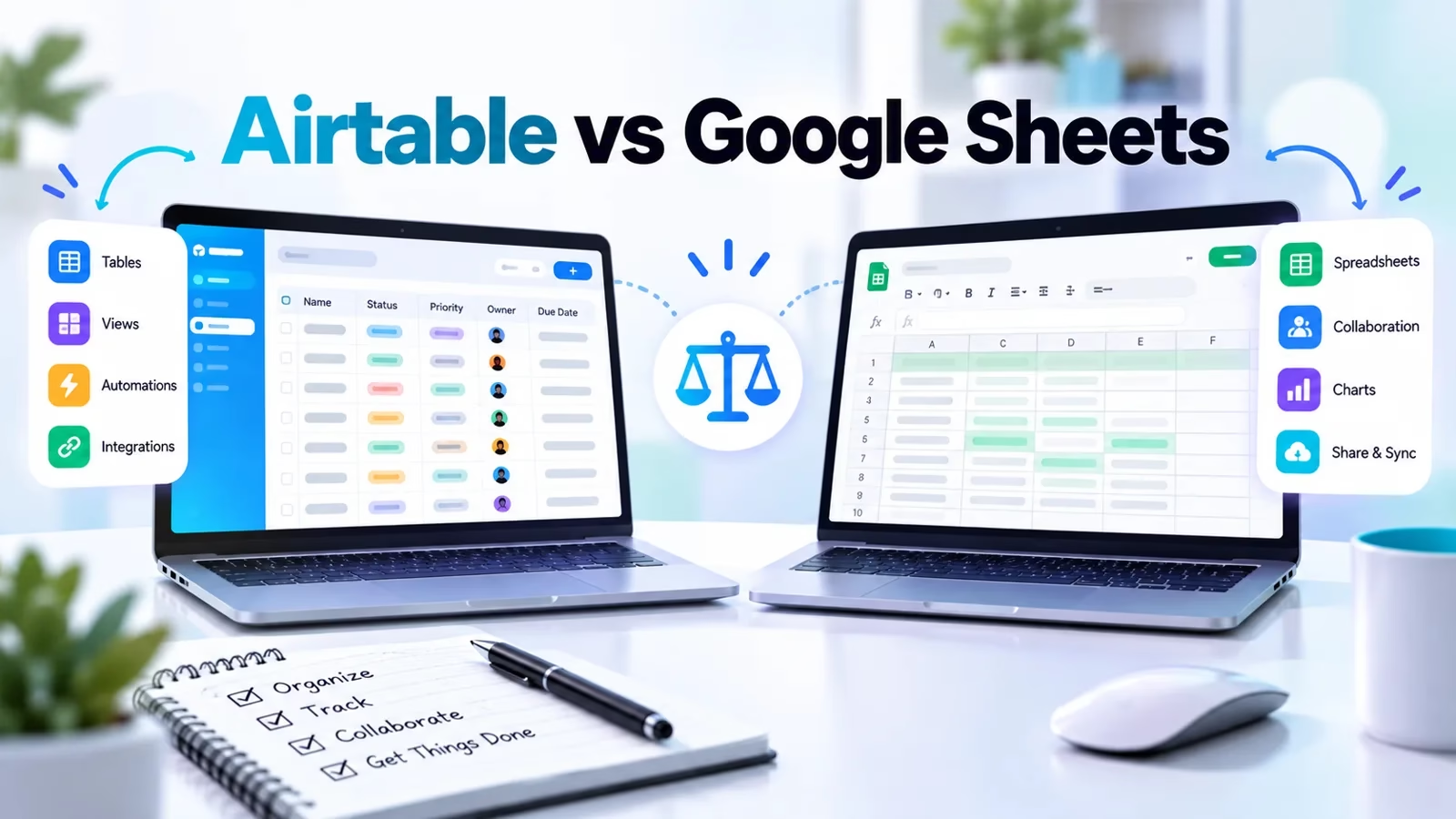

Airtable is a database that wears a spreadsheet’s clothes. Google Sheets is a spreadsheet, full stop. That single fact explains almost every difference that matters between them: how they store your data, what breaks as you scale, who they bill and how much. Both are excellent tools.
I have rebuilt the same client-tracker workflow in each of them more than once, and the right choice has never once been “whichever is cheaper” – it is “which shape is my data.” Neither tool is a toy, and neither is cheap once a real team sits on it.
Below is the full comparison, with every price and limit taken from the Airtable and Google Workspace plan pages as listed on Oct 16, 2026.
The one-line difference: if your rows are records that relate to each other – clients, orders, assets, projects – Airtable is built for you. If your rows are numbers you calculate, chart and share, Google Sheets is built for you.
Teams that need a no-code app builder usually end up layering tools on top of Airtable; teams that need a calculator with sharing end up in Sheets.
How the two tools actually work
Google Sheets gives you a grid of cells. A cell can hold anything – text, a number, a formula – and nothing stops you from typing a phone number into a date column.
That freedom is the point: Sheets is a general-purpose calculating surface, and its formula engine, pivot tables and charts are genuinely best in class.
The grid tops out at 20 million cells or 100 MB per spreadsheet, per Google’s own Drive help documentation, which sounds generous until a growing team starts logging every order, ticket and lead in one file.
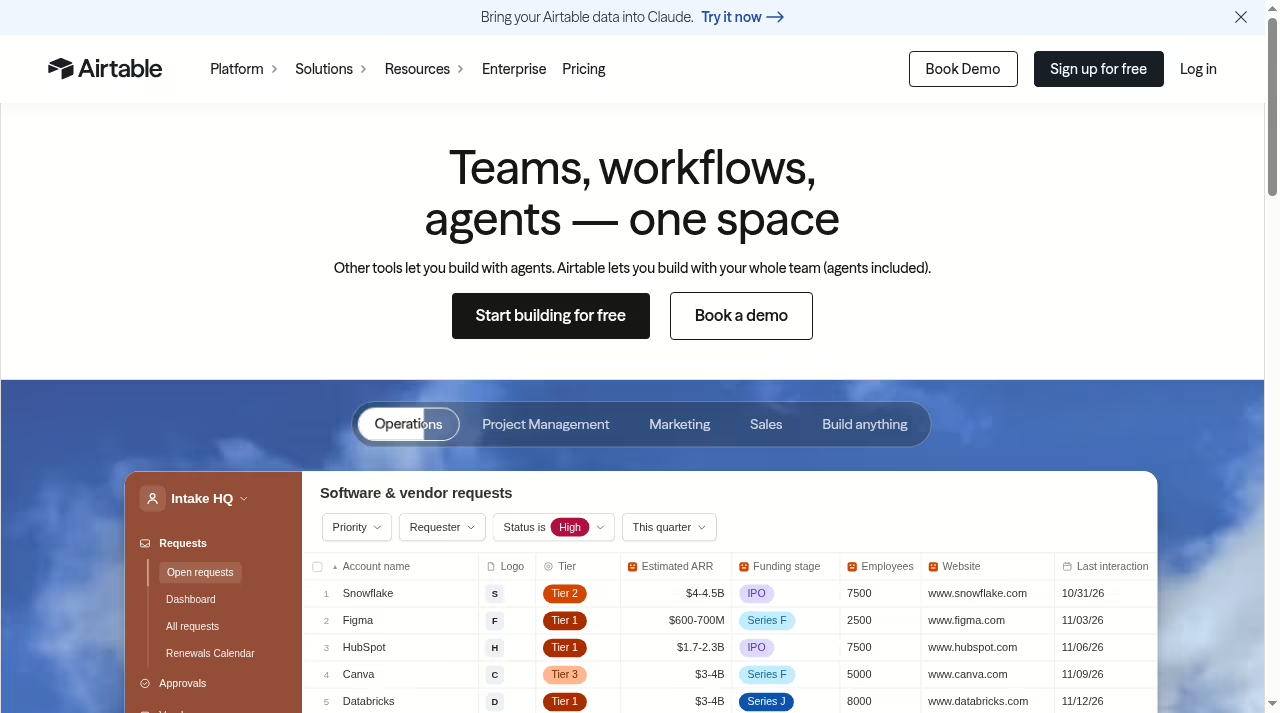
Airtable gives you tables of records, like a real database. Every column has a declared type – date, currency, attachment, checkbox, single-select, linked record – and the type is enforced.
A linked-record column points at a row in another table, so a client record can connect to that client’s invoices, projects and files without VLOOKUP gymnastics – the same record model we walked through in Airtable vs monday.com.
Views are where this pays off: the same table can render as a grid for data entry, a Kanban board for a pipeline, a calendar for deadlines and a form for intake, all reading from one source of truth.
The practical consequence: in Sheets, your process lives in your head and in whoever maintains the formulas. In Airtable, the process lives in the schema. When someone new joins the team, the difference shows up in week one.
Collaboration follows the same split. Sheets gives you commenting and suggesting on cells, with version history that is effectively unlimited and free – you can rewind a file to any afternoon in its life.
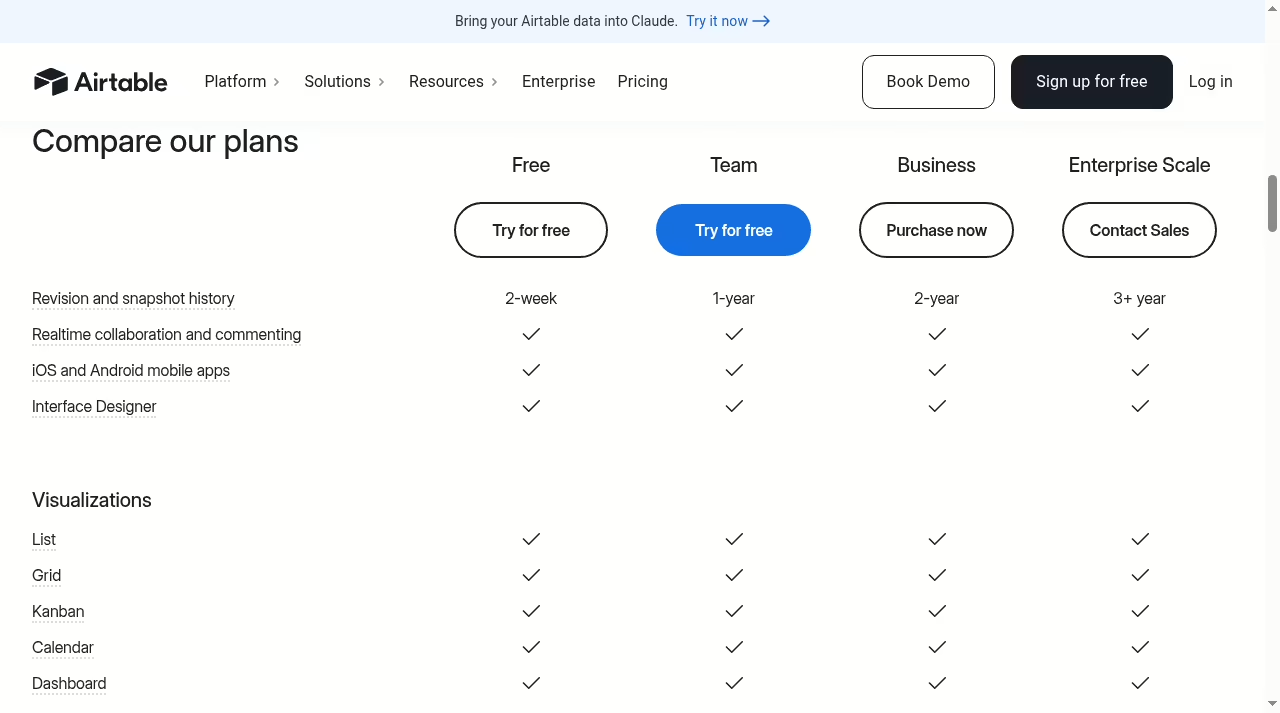
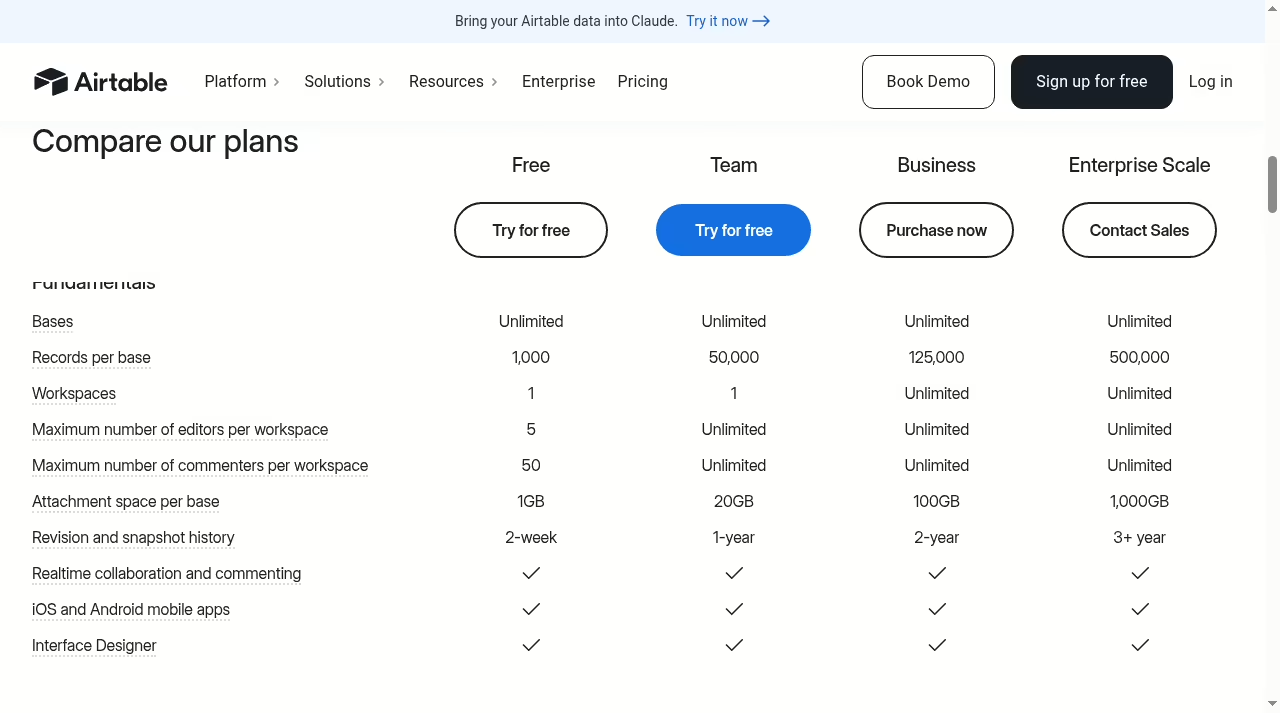
Airtable comments attach to records rather than cells, which suits workflow review, but its revision and snapshot history is metered by plan: two weeks on Free, one year on Team, two years on Business and three or more on Enterprise Scale.
If audit depth matters to you, that row of the pricing table is worth reading twice.
Where Airtable earns its price
Structure that holds up. Once a sheet passes a few thousand rows and five collaborators, discipline erodes: someone sorts a column and breaks a formula, someone pastes over a validation range. Airtable’s typed fields, locked views and field-level permissions make that class of accident nearly impossible.
If you have read our piece on why CRM projects fail, the pattern will look familiar – tooling that cannot enforce structure pushes the cost onto people.
Interfaces and forms. Airtable’s Interface Designer turns a base into a simple internal app – dashboards, record detail pages, buttons – without code, and native forms feed records straight into tables.
For a small sales team this can replace a lightweight CRM entirely; we keep a running list of easy CRM platforms for small sales teams, and Airtable-as-CRM is a legitimate entry on it.
Niche teams go further: there are playbooks for real estate client relationships and even CRMs for managed service providers built on this exact pattern.
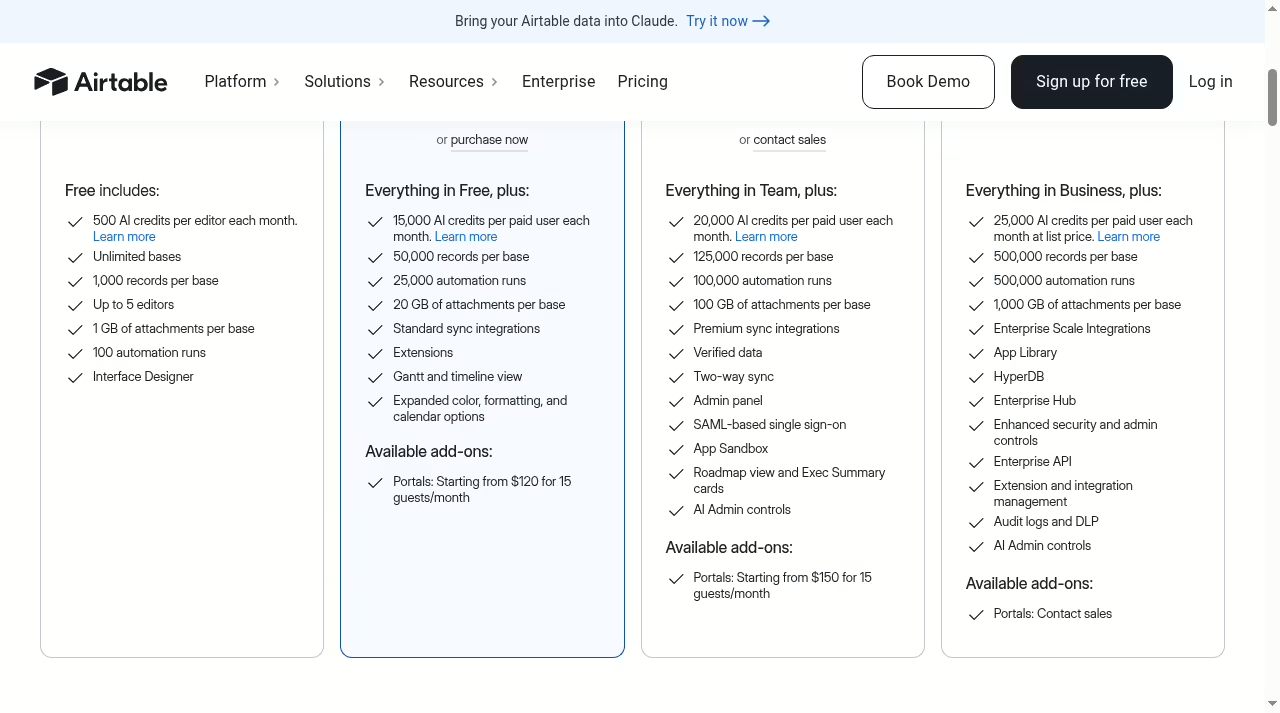
Automations and sync. Every paid Airtable plan includes native automations – when a record changes, notify, create, update or call a webhook – plus two-way sync between bases on Business and above. The Team plan allows 25,000 automation runs a month, Business 100,000 and Enterprise Scale 500,000.
Sheets can approximate some of this with Apps Script, but you are writing and maintaining code to get there.
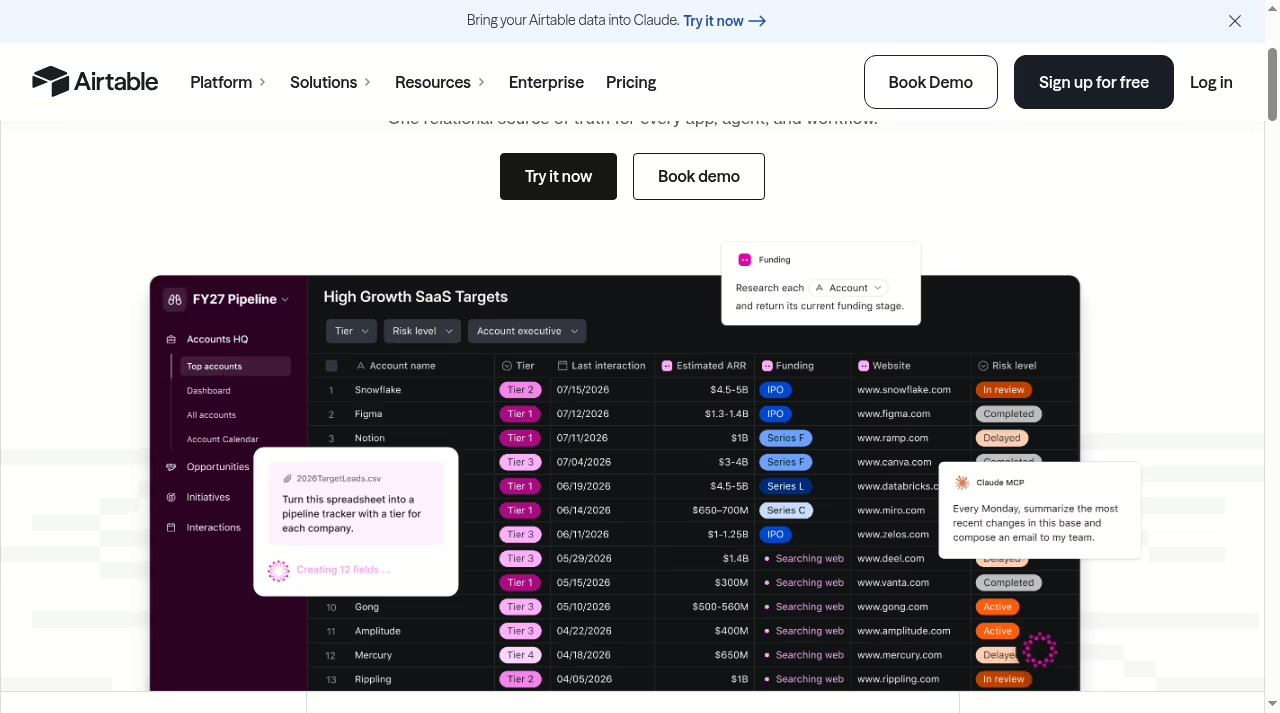
Templates as a head start. Airtable’s template gallery covers project management, marketing calendars, product roadmaps, HR tracking and more, each a working base you copy and adapt. It is the fastest way to understand what “a database that looks like a spreadsheet” buys you.
Most teams I advise find their production base by forking a template and deleting half of it, not by starting from an empty grid.
Where Google Sheets stays unbeaten
Calculation and analysis. Sheets’ formula library, pivot tables, charting and QUERY function are deeper than anything Airtable offers, and they are instant. Financial modeling, ad-hoc analysis, quick scenario math – Sheets wins these without a fight.
If your week is mostly numbers in and insight out, this is your tool, and our Google Analytics 4 guide pairs well with it since GA4 exports land naturally in Sheets.
Free and frictionless sharing. Sheets is free with any Google account, and sharing is a link – no seat math, no collaborator tiers, no procurement. Commenting, suggesting mode, real-time cursors and version history are all included at no cost. For ad-hoc collaboration with people outside your org, nothing is cheaper or faster.
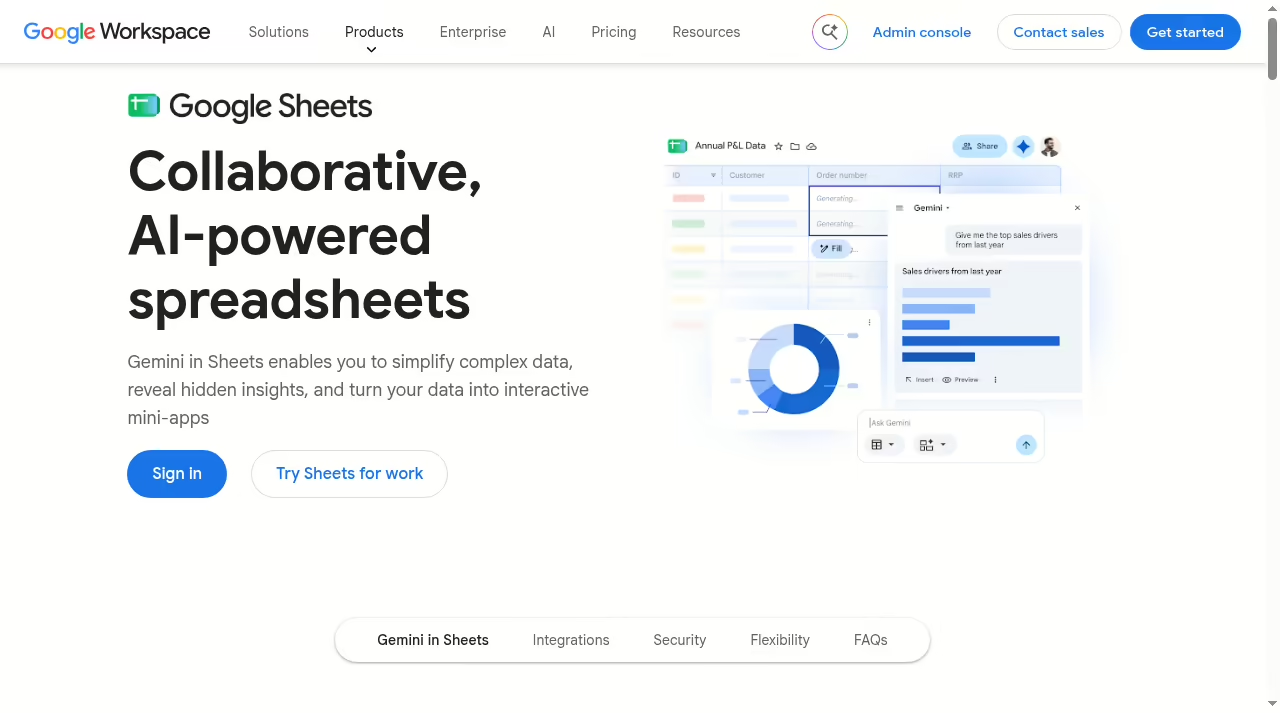
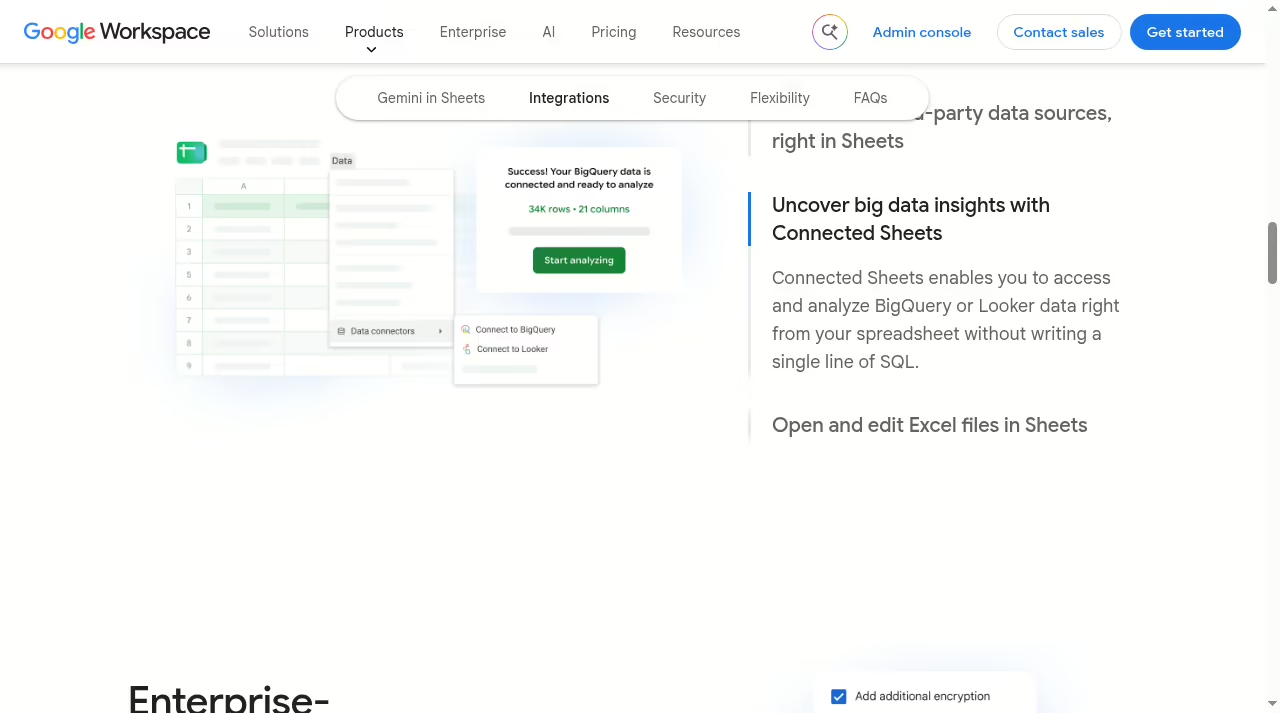
Connected Sheets and the Google ecosystem. Connected Sheets pulls BigQuery and Looker data into a spreadsheet without SQL, and native connectors reach Asana, HubSpot, QuickBooks, Salesforce and more. Sheets opens and edits Excel files directly, which matters in any mixed Microsoft-and-Google company – the Excel vs Google Sheets comparison covers that side in detail.
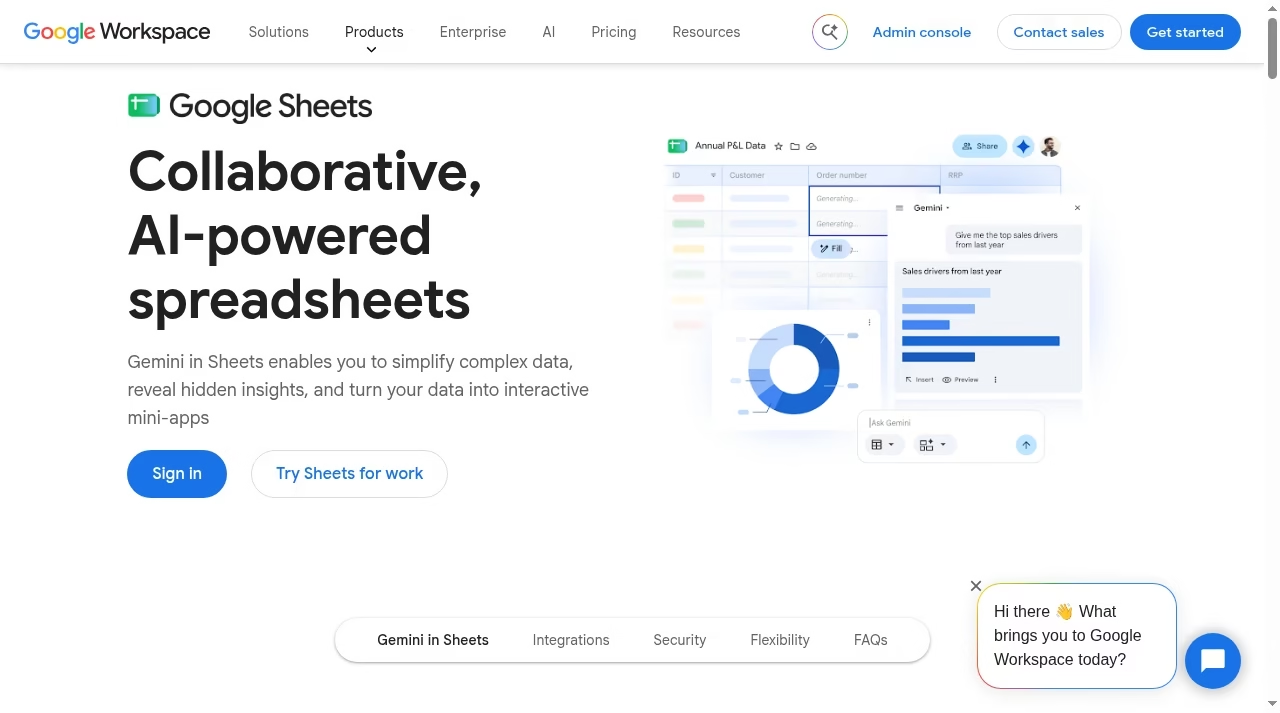
Gemini, included. On current Workspace plans, Gemini in Sheets is bundled rather than sold as an add-on: it builds tables from a prompt, writes and debugs formulas, auto-populates columns and summarizes what your data says.
Airtable has AI credits of its own – 500 per editor monthly on Free, 15,000 on Team, 20,000 on Business – but Google’s implementation sits inside the grid where spreadsheet users already work. We track the broader options in best AI tools for small business.
Zero learning curve and true offline. Everyone on earth who has used a computer knows the spreadsheet grid – new hires are productive in Sheets in minutes, where Airtable’s views, field types and linked records take a day or two to internalize.
Sheets also works offline in the browser and on mobile with automatic sync, while Airtable’s mobile app is a capable companion but assumes connectivity for anything beyond light edits.
What they cost
Google Sheets itself is free with a personal Google account. The paid path is Google Workspace, which bundles Sheets with Gmail, Drive, Meet and the rest, billed per user per month. The per-seat billing model will be familiar if you read our Airtable vs monday.com comparison.
Airtable bills per seat, and only people who edit or comment in a workspace need seats – read-only collaborators are free on every plan. One gotcha worth knowing before you budget: on the self-serve Team plan, commenters count as billable seats. On the self-serve Business plan they do not.
A five-person team where three people only comment can actually be cheaper on Business than on Team.
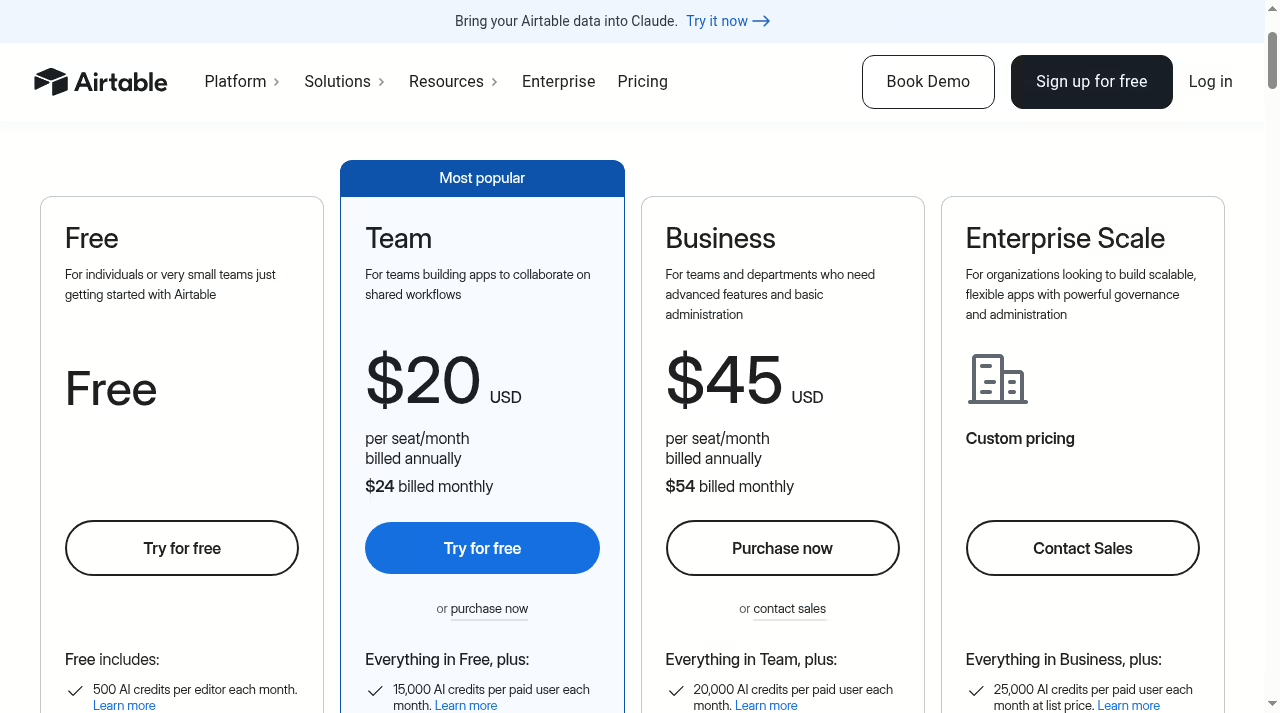
| Airtable plan | Price per seat/mo | Key limits |
|---|---|---|
| Free | $0 | 1,000 records per base, 1 GB attachments, 5 editors, 100 automation runs, 2-week revision history |
| Team | $20 annual, $24 monthly | 50,000 records per base, 20 GB attachments, 25,000 automation runs, 1-year history, Gantt and timeline views |
| Business | $45 annual, $54 monthly | 125,000 records per base, 100 GB attachments, 100,000 automation runs, two-way sync, admin panel, SAML SSO |
| Enterprise Scale | Custom | 500,000 records per base, 1 TB attachments, 500,000 automation runs, audit logs and DLP |
If dashboards and reporting are the end goal rather than the raw grid, our Databox alternatives piece covers that layer separately.
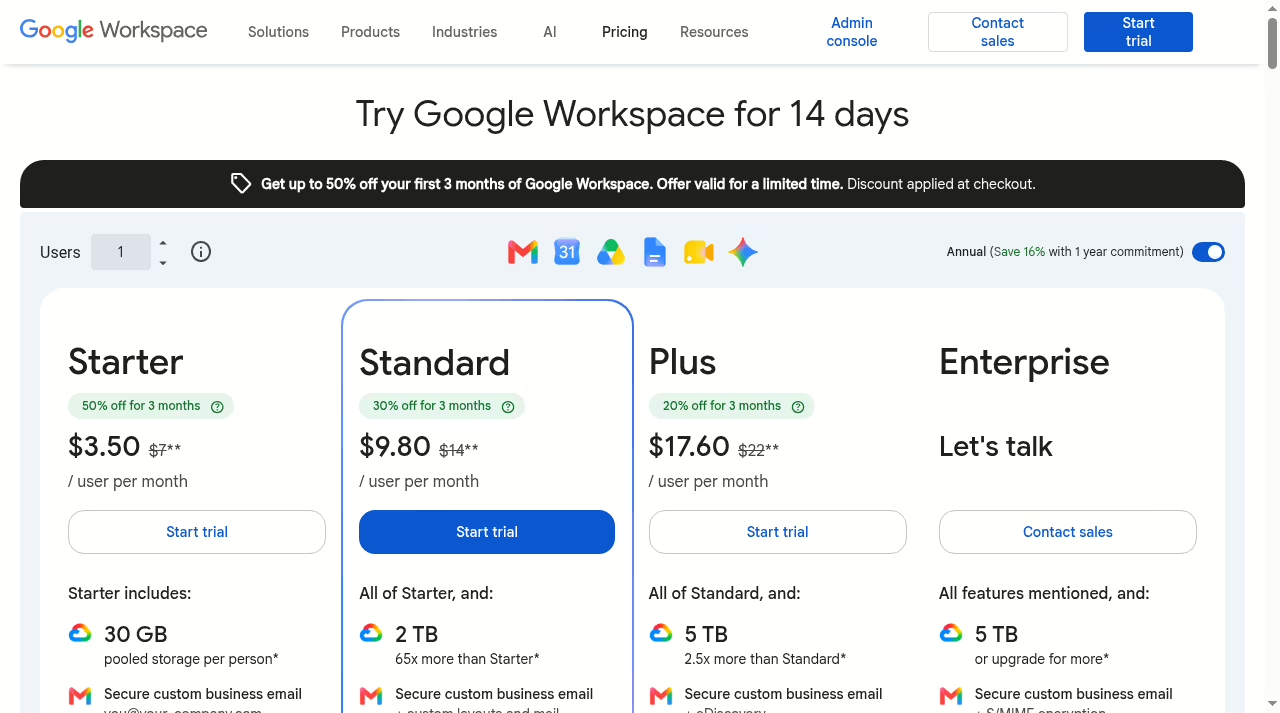
| Workspace plan | Price per user/mo | Storage per user |
|---|---|---|
| Business Starter | $7 annual, $8.40 monthly | 30 GB pooled |
| Business Standard | $14 annual, $16.80 monthly | 2 TB pooled |
| Business Plus | $22 annual, $26.40 monthly | 5 TB pooled |
| Enterprise | Contact sales | 5 TB, more on request |
Seat math on a real team
Take a ten-person operations team where seven people edit daily and three only review and comment. On Airtable Team at $20 per seat on annual billing, all ten seats are billable – editors and commenters alike – so the bill is $200 a month.
The same team on self-serve Business pays $45 only for the seven editors because commenters are included free: $315 a month, but with the record cap lifted from 50,000 to 125,000 and two-way sync included.
On Google Workspace, every one of the ten needs a license regardless of how lightly they touch the file: $70 a month on Business Starter or $140 on Business Standard, annual commitment.
The honest comparison is therefore never “Airtable $20 vs Workspace $7” – it is your seat mix against each vendor’s billing rules, and the mix flips the winner more often than the sticker prices suggest – the same sticker-versus-billing trap we documented in Airtable vs Excel.
Both vendors run introductory discounts – Google is currently advertising up to 50% off the first three months for new Workspace customers – but budget on the list prices above. Airtable’s Team plan trial lasts 14 days and Workspace offers its own 14-day trial, so a real side-by-side test costs nothing but an afternoon.
If spreadsheets are only one piece of a wider stack decision, our automation tools roundup covers the reporting layer that usually sits on top of whichever one you pick.
Security and admin control
Both platforms gate their serious controls behind upper tiers. Airtable puts SAML-based single sign-on and the admin panel on Business, and reserves audit logs, DLP and its Enterprise API for Enterprise Scale.
Google Workspace spreads controls across editions: standard sharing and endpoint management on the Business tiers, with data regions, advanced endpoint management and the deepest compliance tooling on Enterprise. Two differences matter in practice.
First, Business and Enterprise Scale Airtable plans require a private email domain, so a team running on Gmail addresses cannot self-serve upgrade to them.
Second, the admin question is bigger than the spreadsheet: choosing Workspace means your Sheets security inherits whatever Gmail, Drive and Meet policies your admin already enforces, which for most companies is a reason to consolidate rather than a cost.
Moving from Sheets to Airtable: what survives
Airtable imports a Google Sheet via CSV in a few minutes, and it will guess column types as it goes. What survives the trip: your raw data, your text and number columns, and your tab structure as separate tables.
What does not: formulas (they arrive as static values), charts, pivot tables, conditional formatting rules, and any Apps Script logic. Linked records – the same structure covered in our monday.com comparison – have to be rebuilt by hand – you import both tabs, then convert the key column into a link field and let Airtable match the rows.
Before importing, spend ten minutes cleaning the sheet: one header row, no merged cells, no blank spacer rows, one value per cell. Merged headers and subtotal rows are the two things that most reliably mangle an import, and subtotals should never be migrated at all – they are a spreadsheet habit that a database replaces with grouped views and rollups.
The migration pattern that works: import one high-friction workflow first, keep the original sheet read-only as the archive, and run both in parallel for two weeks. The moment of truth is usually the first weekly report – if rebuilding it in Airtable views takes longer than the old pivot table, that workflow belongs in Sheets.
Teams comparing Airtable against Microsoft’s grid face the same calculus; see Airtable vs Excel for that matchup.
The limits that decide for you
Two ceilings matter more than any feature list. In Google Sheets, a single spreadsheet stops at 20 million cells or 100 MB, whichever comes first. In Airtable, each base caps at your plan’s record count: 1,000 on Free, 50,000 on Team, 125,000 on Business, 500,000 on Enterprise Scale.
Records sound small until you realize one record equals one row with real types and relations, while 20 million cells can be one very wide, very slow sheet that nobody dares to touch.
The softer limits bite earlier. Airtable Free holds just 5 editors and 1,000 records – a demo, not a system. Sheets starts to lag noticeably well before its hard cap once formulas multiply across hundreds of thousands of cells.
And automation headroom, the category we track in best automation tools, differs wildly: Airtable meters runs per month (100 on Free, 25,000 on Team), while Sheets relies on Apps Script quotas that are generous but demand code. Whichever ceiling you hit first is the honest answer to which tool you have actually chosen.
API access is the quiet third ceiling. Airtable meters API calls per workspace per month: 1,000 on Free, 100,000 on Team, unlimited on Business and above. Sheets leans on the Google Sheets API, which is free at standard quotas but expects a developer to stand behind it.
If your plan is to wire either tool into other systems, budget the integration side before the subscription side. At the heavier end of that road sit the ERP and business intelligence stacks, which both of these tools feed but neither replaces.
Who should pick which
Pick Google Sheets if your work is analysis: budgets, forecasts, marketing reports, one-off models, anything where formulas and charts are the product. Also pick it when cost and zero-friction sharing decide, when your collaborators are outside your org, or when your data flows in from Google Analytics, BigQuery or an Excel-sending client. Reporting stacks built on marketing automation platforms tend to land here.
Pick Airtable if your work is operations: tracking clients, orders, content, inventory, requests or candidates through stages, especially with five or more people touching the same data. Also pick it when you need forms feeding a pipeline, interfaces for non-technical teammates, or automations without code.
If you are weighing Airtable against a fuller work-management suite, Airtable vs monday.com is the natural next read, and the JustCreateApp directory lists the adjacent tools worth a look.
- Freelancer tracking 30 clients: Sheets free tier is enough; upgrade only when reporting hurts.
- Ten-person ops team with intake forms: Airtable Team at $20 per seat pays for itself in the first avoided mistake.
- Finance running the monthly model: Sheets, not close.
- Agency managing content pipelines for clients: Airtable, one base per client, Interfaces for review.
- Startup under 300 staff standardizing email plus docs: Google Workspace first, add Airtable later if a workflow outgrows cells.
The bottom line
Sheets is the better calculator; Airtable is the better system. Most small teams should start in Sheets because it is free and everyone already knows it, then move the one workflow that keeps breaking – usually the one with stages, owners and attachments – into Airtable.
The seat math decides the ceiling: a team of reviewers and commenters pays less under Airtable’s read-only-free rules than under Workspace’s everyone-licensed model, while a company already paying for Workspace gets Sheets at a marginal cost of zero.
Running both is not indecision; it is the correct architecture for most companies under fifty people, and the sync burden stays low precisely because each tool owns a different kind of work. If Airtable-as-CRM is the direction that emerges, our list of easy CRM platforms for small sales teams compares the dedicated alternatives.
Frequently asked questions
Is Airtable better than Google Sheets?
Neither is universally better. Airtable is stronger when your data behaves like records in a database – typed, related, moving through stages. Google Sheets is stronger for calculation, analysis, charting and free, frictionless sharing. Many teams run both: Sheets for models and reports, Airtable for operational tracking.
The clearest signal you have outgrown Sheets is a file that several people edit daily and that breaks when someone sorts the wrong column.
Is Airtable free?
Yes, Airtable has a Free plan at $0 with unlimited bases, but it caps at 1,000 records per base, 1 GB of attachments, 5 editors and 100 automation runs per month. New accounts also get a 14-day complimentary trial of the Team plan on the first workspace.
The Free tier is fine for evaluation and personal projects, too small for a real team workflow. Paid plans start at $20 per seat per month on annual billing.
Can Airtable replace Google Sheets?
For structured tracking – CRM-style lists, content calendars, inventory, request pipelines – yes, and it usually does the job better. For financial modeling, heavy formula work, pivot tables and quick ad-hoc math, no: Airtable’s calculation features are basic by design, and that work belongs in Sheets or Excel – see Excel vs Google Sheets for that comparison.
The practical split most teams land on is Airtable for the system of record, Sheets for the numbers that come out of it.
Does Airtable charge for viewers?
No. Read-only collaborators are free on every Airtable plan. The trap is commenting: on the self-serve Team plan, commenters are billable seats, while on the self-serve Business plan they are included at no charge. If your team has more commenters than editors, run the numbers on both tiers before buying.
Can I import a Google Sheet into Airtable?
Yes. Export the sheet as CSV, or use Airtable’s Google Drive import, and Airtable will create a table and guess column types. Data, text and numbers survive; formulas arrive as static values, and charts, pivots and Apps Script logic do not transfer. Plan to rebuild linked columns and views by hand.
What does Gemini do in Google Sheets?
On current Workspace plans, Gemini is built into Sheets at no extra cost. It can generate a table from a text prompt, write and explain formulas, auto-fill columns, and summarize trends in your data. Access scales with the Workspace edition – the higher tiers get expanded access to the newer models and features.
Where do I go next?
If you are still mapping the field, start with our Airtable vs Excel and Excel vs Google Sheets comparisons for the other two corners of this decision, then the best automation tools list for what connects to whichever one you choose.





Leave a Reply