

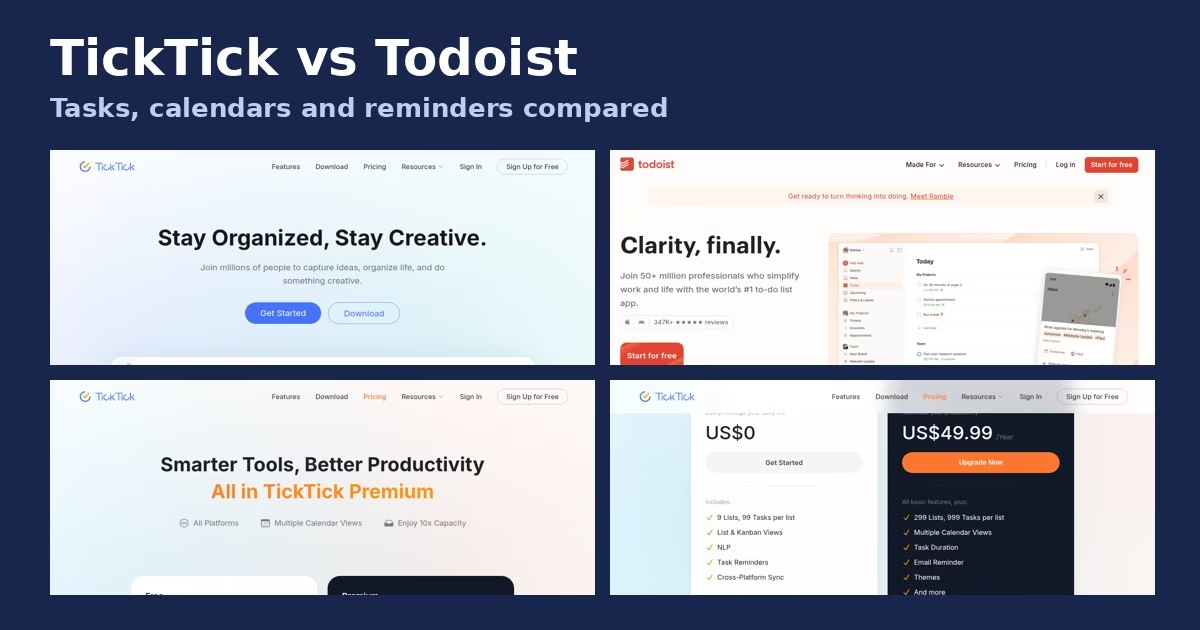

TickTick and Todoist top most to-do app shortlists, and they earn it. Both capture tasks fast, sync everywhere and remind you on time. But they are built around different ideas of what a planner should be.
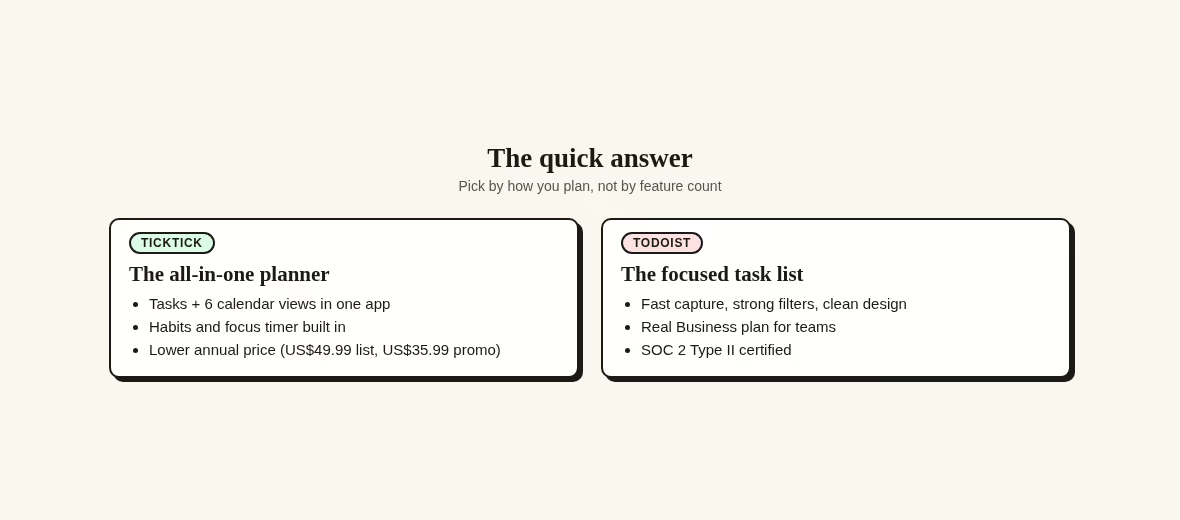
TickTick wants to be the one app you open all day: tasks, calendar views, habits and a focus timer in a single place. Todoist wants to do one thing well: a clean, quick task list with strong filters and a real team plan behind it.
The short answer: if you want tasks, calendar and habits in one app for yourself, start with TickTick. If you want a fast, focused list – or you manage a team – start with Todoist. And if neither fits, I keep a running guide to Todoist alternatives that covers the rest of the field.
The two apps at a glance
Everything below comes from what each vendor publishes on its own pages, checked on 17 October 2026. Where a number can change, I say when I checked it, so you can re-verify it yourself. Guides like this one live in the Apps section of the site.
| TickTick | Todoist | |
|---|---|---|
| Free plan | 9 lists, 99 tasks per list, list and Kanban views, natural-language entry, 2 reminders per task | 5 personal projects, 3 filter views, 5 MB uploads, 1 week of activity history |
| Paid personal plan | Premium: US$49.99 per year list price, with a limited-time US$35.99 annual offer on the upgrade page | Pro: US$7 per user per month, or US$60 per year |
| Team option | Shared lists with assigned tasks, up to 29 members on Premium | Business: US$10 per user per month, or US$8 per user per month billed yearly |
| Calendar | Yearly, monthly, weekly, agenda, multi-day and multi-week views | Calendar layout on Pro and Business |
| Habits and focus | Habit tracking and focus statistics built in | Not listed as core features |
| Best for | One person who wants everything in one place | People and teams who want a fast, clean task list |
A table cannot show how each app feels to type into, or which cap you will hit first.
What TickTick puts on the table
TickTick’s own pages pitch it as one app for work projects, personal tasks and study plans. The feature list is long: six calendar views (yearly, monthly, weekly, agenda, multi-day and multi-week), voice capture, priorities, an audio summary feature for recordings, constant reminders that keep ringing until you finish the task, repeat reminders and natural-language dates. The list and Kanban views cover simple project stages, though heavy board users should also compare Trello alternatives before settling.
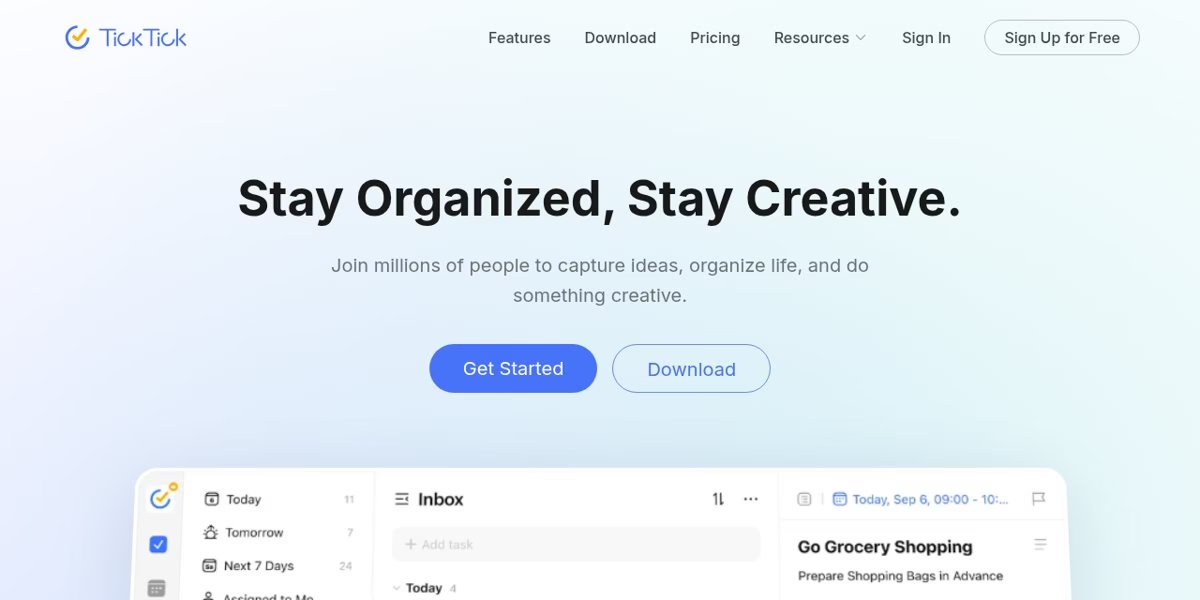
The pricing page lists a Free tier and a Premium tier. Free includes 9 lists with 99 tasks each, list and Kanban views, natural-language entry, task reminders and cross-platform sync. Premium raises the caps to 299 lists and 999 tasks per list, and adds the full calendar views, task duration, email reminders and themes.
The upgrade page also lists an Eisenhower Matrix view, widgets, statistics and AI features, basic on free and unlimited on Premium. Habit tracking sits next to tasks rather than in a separate app – 5 habits on free, 299 on Premium – which is enough for most people, though serious streak-builders should still look at dedicated habit tracker apps.
Two vendor promises worth knowing: TickTick says purchases through Google Play, PayPal or Stripe can be refunded within 14 days, and that your data is retained if Premium expires. That lowers the risk of trying the paid tier.
Where TickTick stops is documents. It handles tasks, notes and checklists, but if you want wikis and long docs attached to your tasks, you are really shopping in Notion alternatives territory instead.
What Todoist puts on the table
Todoist’s homepage calls it the world’s number one task manager – that is the vendor’s own claim. What the pages back up: quick natural-language entry, boards, 50+ templates, and SOC 2 Type II certification, which matters if your company asks security questions before approving tools.
The pricing page shows three plans. Beginner is free with 5 personal projects, 3 filter views and one week of activity history. Pro adds 300 personal projects, a calendar layout, 150 filters, task reminders and 100 MB uploads. Business adds a shared team workspace, team projects, roles and permissions, and centralized billing.
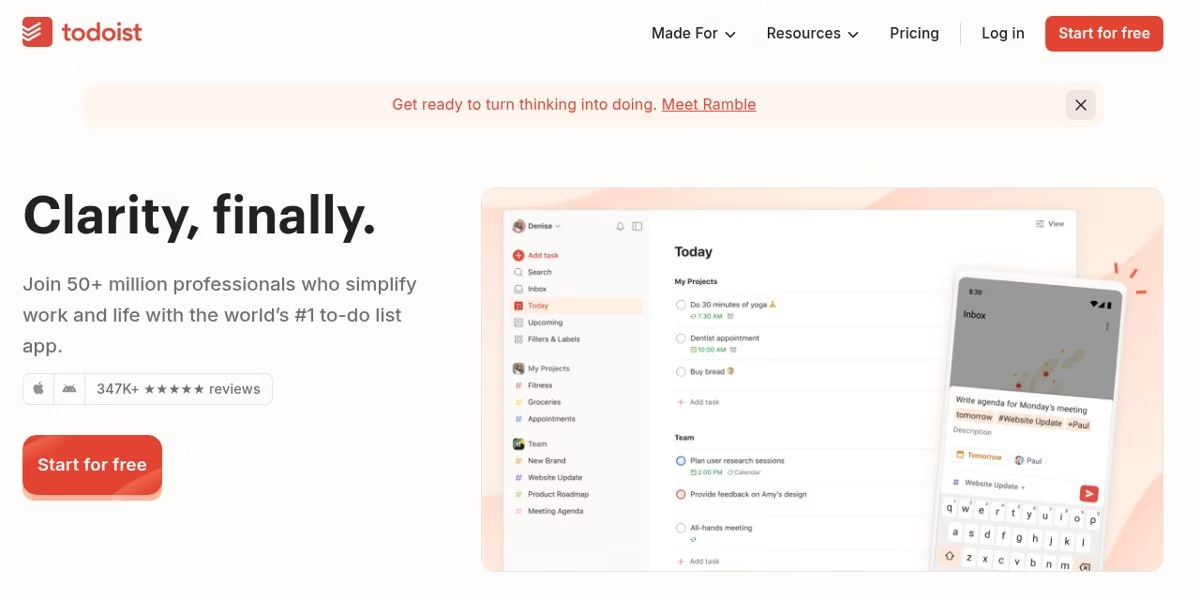
Newer additions on the paid tiers include Todoist Assist (AI help for breaking down tasks), Ramble for voice capture, and a deadlines feature that separates the real due date from when you plan to work on something. Activity history stretches to a week on free and is unlimited on Pro, which is handy when you need to see who changed what. None of these change the core loop, but they make the paid tier feel like a different tier rather than the same app with higher caps.
Todoist’s board view is real but secondary to the list. If boards are how you think, it is worth comparing Trello alternatives too, because dedicated board tools go much deeper on that view.
Priority levels in Todoist are simple: p1 to p4. That is enough for most personal lists, and the discipline of picking what matters is the same one you would use to prioritize features for an app – few things at the top, everything else waits.
The free-plan limits that decide it
The free plans are where the two apps differ most, and the limit that bites first depends on how you work.
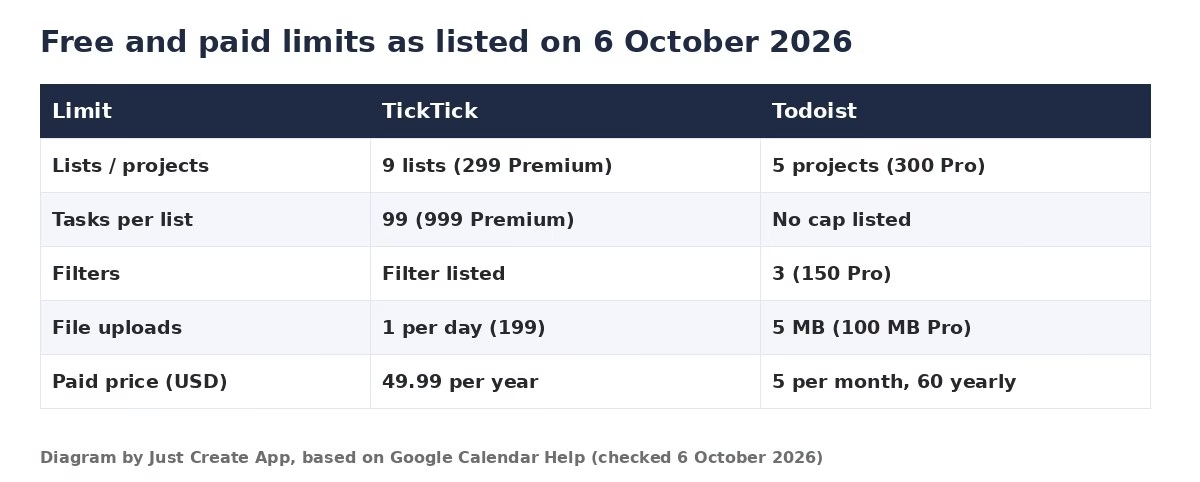
- Many small lists: TickTick’s 9 free lists and Todoist’s 5 free projects are both tight. Paid tiers raise them to 299 lists and 300 projects.
- Heavy filters: Todoist lists 3 filter views on free and 150 on Pro. TickTick sells filters less; its strength is the calendar.
- Attachments: TickTick lists 1 attachment per day on free and 199 on Premium. Todoist lists 5 MB uploads on free and 100 MB on Pro.
- Reminders: TickTick gives 2 reminders per task on free and 5 on Premium. Todoist lists task reminders in its essentials feature set.
- Habits: TickTick includes habit tracking with 5 habits on free and 299 on Premium. Todoist does not list habits at all – if streaks are the main goal, dedicated habit tracker apps do it better than either.
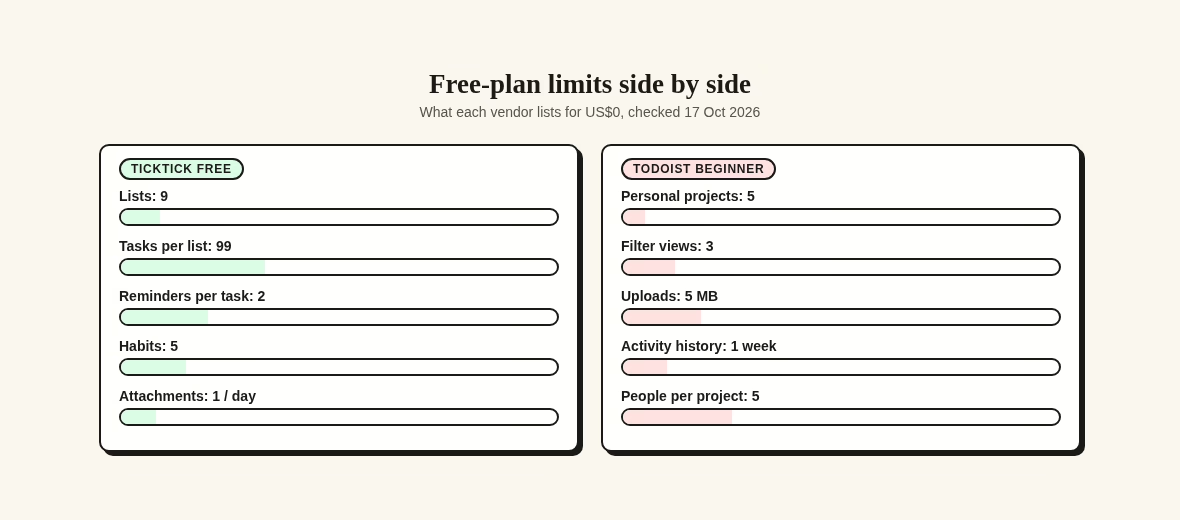
Neither free plan is a demo. Both are usable long-term if your system fits inside the caps. The question is which cap you hit first, and the matrix below lines the two up side by side. If both feel tight, that is a sign you should budget for a paid plan rather than fight the limits. Some of the apps in my Todoist alternatives guide have looser free tiers, though none bundle a calendar the way TickTick does.
Tasks, calendars and reminders
Tasks
Both apps do natural-language entry: type “Submit report every Friday at 4pm” and the date, repeat and time are parsed. TickTick adds checklists inside tasks and habit tracking beside them. Todoist answers with faster capture, labels, and filters that can slice your list almost any way.
Both also put capture widgets on your phone’s home screen, so adding a task takes seconds. The difference shows up after capture: TickTick wants you to see the task on a calendar, Todoist wants you to forget it until the right filter surfaces it. Neither approach is wrong; they just suit different memories.
Calendars
This is the biggest day-to-day difference. TickTick lists several calendar views, with a basic calendar on free and unlimited views on Premium, so your tasks and your week live on the same screen. Todoist keeps the calendar layout on its paid plans, so on free your tasks stay a list. If your week is planned in a calendar app already, that may not matter at all. But if your to-do list and your schedule currently live in two apps you keep switching between, having them on one screen removes a surprising amount of daily friction.
Both vendors also document ways to pull in outside calendars. If you share availability with family or clients from Google Calendar, it is worth knowing how sharing private Google Calendar events works before you connect anything.
Reminders
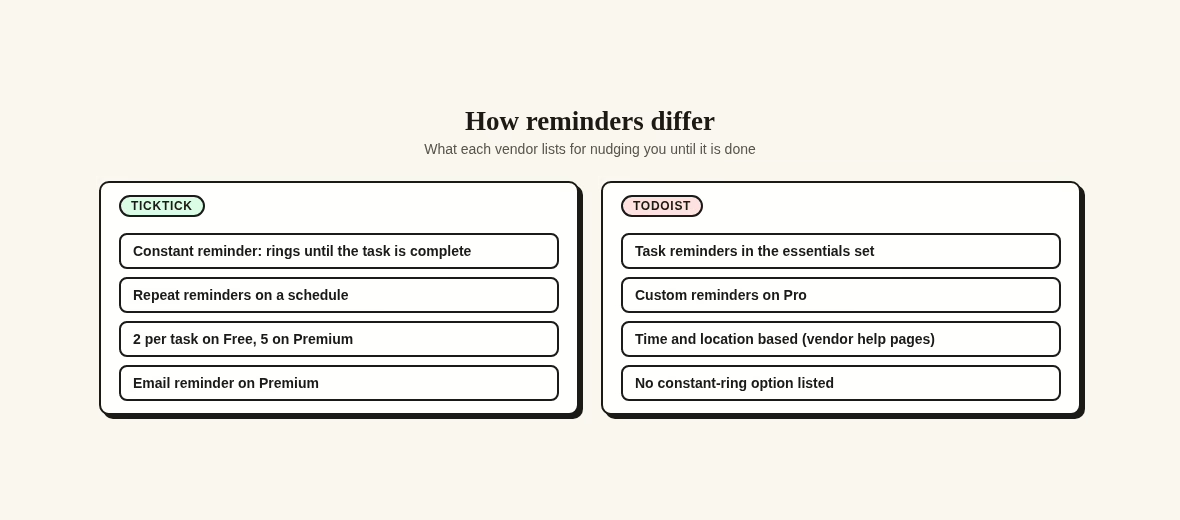
TickTick advertises constant reminders that keep ringing until the task is done, plus repeat reminders – useful if you snooze and forget. Todoist lists task reminders across plans, with custom reminders on Pro. If missed reminders are your main failure mode, that difference alone can decide this.
TickTick also bundles a Pomodoro-style focus timer and focus statistics, so the app nudges you to work, not just to remember. Todoist leaves focus and streaks to other apps, which is where the habit tracker category comes in again.
What each app costs, checked 17 October 2026
Prices change, so treat these as a snapshot with a date on it. I re-checked both vendors’ pages for this update. And if you are auditing what you already pay across your phone, expense tracker apps will show the full picture.
- TickTick Premium: the upgrade page lists US$49.99 per year, with a limited-time annual offer of US$35.99 shown alongside it.
- Todoist Pro: US$7 per user per month, or US$60 per year. Todoist’s help center documents this price from 10 December 2025.
- Todoist Business: US$10 per user per month, or US$8 per user per month billed yearly – US$96 per person per year.
- Trials: Todoist lists a 7-day Pro trial and a 14-day Business trial. TickTick’s refund window on the paid plan is 14 days through Google Play, PayPal or Stripe.
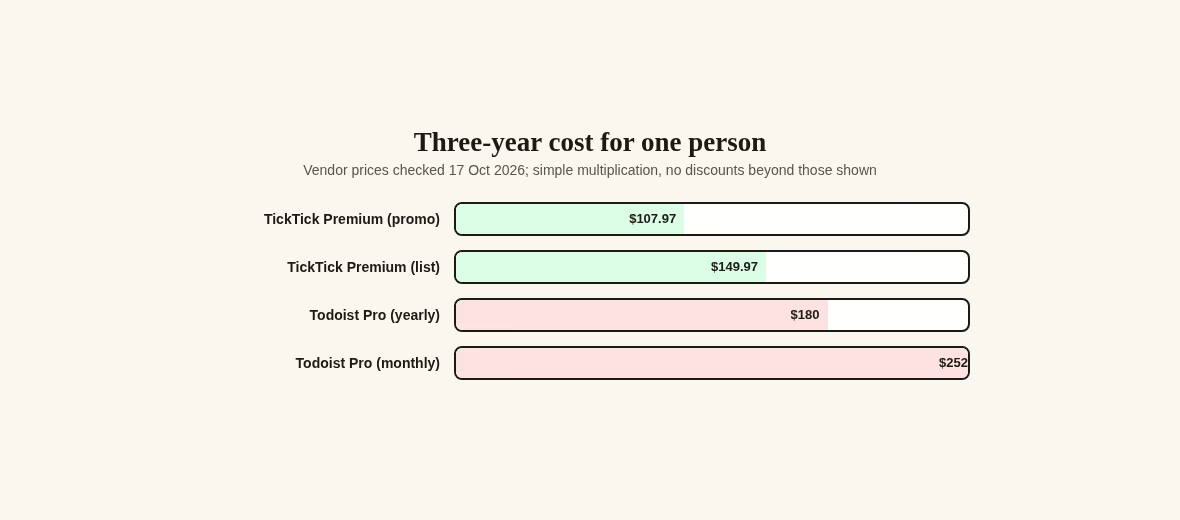
One person over three years: TickTick Premium is about US$149.97 at list price, or US$107.97 at the promo price. Todoist Pro billed yearly comes to US$180, versus US$252 paid monthly.
On billing cycles: pick monthly only for the first month while you decide, then move to yearly. The monthly premium on Todoist is 40% over the annual rate. TickTick sells Premium by the year, so there is less to decide – but budget against the US$49.99 list price, since the promo is labeled limited-time.
The gap between the two annual plans is roughly US$30 over three years at list price. That is small enough that features and habits should decide this, not price.
Teams and sharing
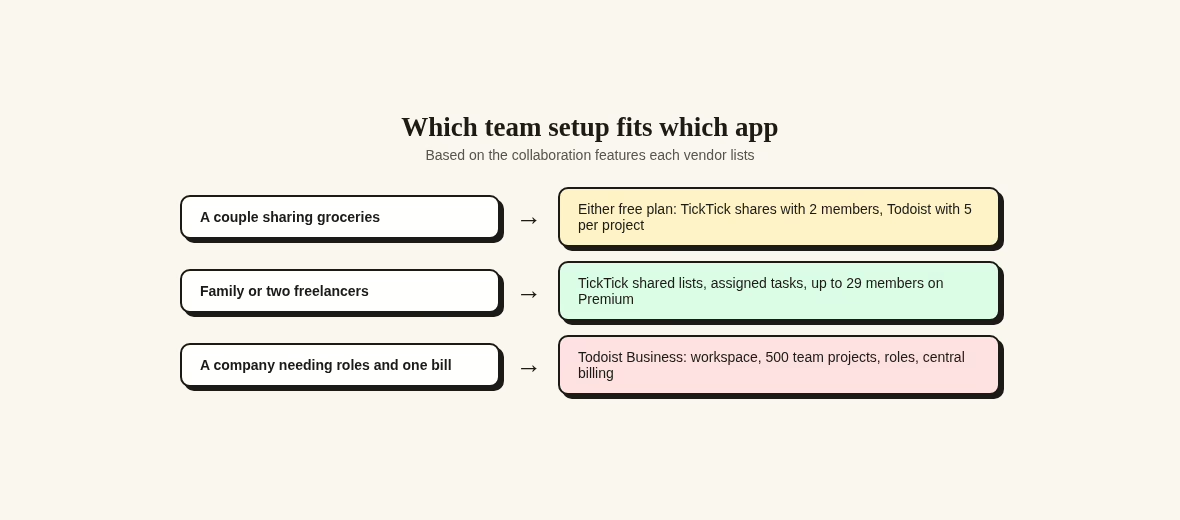
Only one of these apps is built for a company. Todoist Business has a named team workspace, up to 500 team projects with 250 people per project, roles and permissions, and centralized billing.
Todoist’s help pages also note that even the free Beginner plan includes one team at no cost, which is handy for trying the collaboration features before a company commits. That is unusually generous for this category and makes the Business trial easy to justify. For anything larger than a handful of people, the decision is genuinely one-sided.
TickTick’s answer is shared lists with assigned tasks: 2 members on free, up to 29 on Premium. For a couple sharing groceries or two freelancers splitting a project, that is genuinely enough. For a company that needs audit trails and permissions, it is not what the vendor built.
A note on scope: if your team’s real problem is measuring output rather than listing tasks, that is a different software category – see these approaches to employee performance tracking. And if the work carries delivery risk, a task list will not save you; a proper risk register in project management is the tool for that.
Which kind of planner are you
Feature tables only go so far. These five profiles match how people actually plan to the app that fits, using only what each vendor lists.
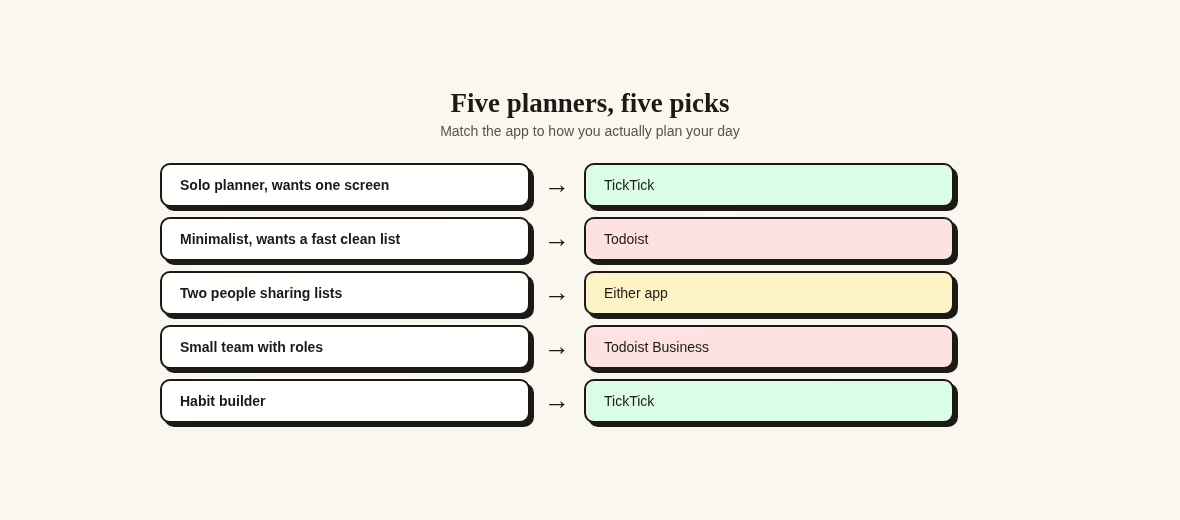
The solo planner who wants one screen
Six calendar views, habits and focus stats next to your tasks. If your morning question is “what does today look like”, this bundle answers it in one place.
The minimalist
You want a fast, clean list with quick entry and filters, nothing else on screen. If your lists ever outgrow plain tasks into docs and wikis, look at Notion alternatives instead of either app here.
Two people sharing lists
TickTick’s free plan covers 2 members on a shared list with assigned tasks. Todoist shares projects with up to 5 people. For groceries and trips, both work; pick the interface you like.
A small team with roles
You need a workspace, permissions and one bill. That is exactly what Todoist Business lists, and it is what TickTick does not offer.
The habit builder
Habits and a focus timer sit inside the app, 5 habits free. If tracking streaks becomes the main event, graduate to dedicated habit tracker apps.
Try the same week in both
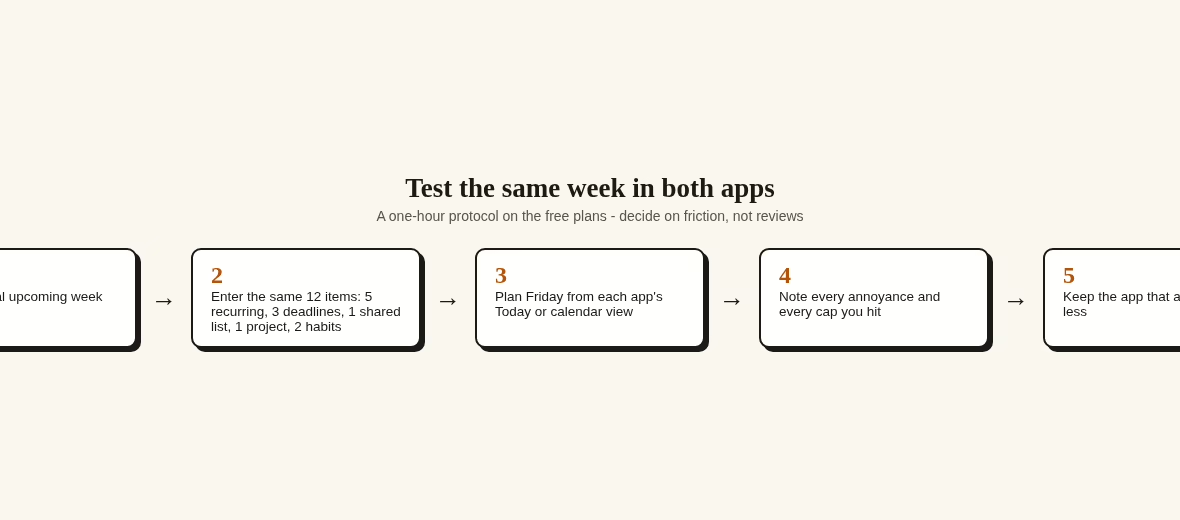
A fair comparison costs nothing but an hour. Rather than trust anyone’s review – including this one – run the same real week through both free plans and watch where the friction appears. If you want more candidates for the test, the Apps section lists every category I have reviewed.
- Pick one real upcoming week, not a quiet fake one.
- Enter the same 12 items in both apps: 5 recurring tasks, 3 deadlines with reminders, 1 shared list, 1 project with sub-tasks and 2 habits.
- On Friday morning, plan the day from each app’s Today or calendar view.
- Note every annoyance: a reminder you missed, a view you could not get, a cap you hit.
- Keep the app that annoyed you less.
This protocol is deliberately small so you will actually finish it. A week is long enough for recurring tasks and reminders to fire, which is where the real differences show up.
If it comes out a tie, the tie-breaker is the calendar: ask yourself whether you want to see tasks on a weekly grid. A yes points to TickTick, a no points to Todoist. If your week already lives in Google Calendar, check how private event sharing works either way.
Switching without losing your system
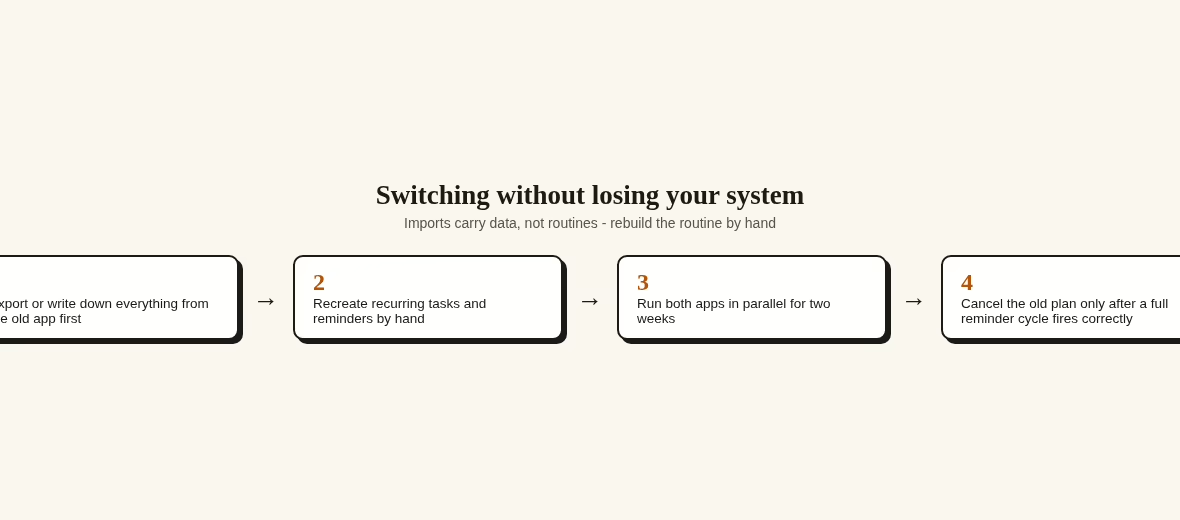
If you are moving from one to the other, do it slowly. Both vendors document import and export options on their help sites, but imports never carry your routine – only your data.
What transfers poorly: saved filters, streaks and habit history, and the exact timing of your recurring reminders. Expect to rebuild those by hand, and expect the first week in the new app to feel slower no matter which direction you move. None of that is a reason to stay on the wrong app; it is a reason to plan one slow week for the move.
The order that works: export or note down everything from the old app first, recreate recurring tasks and reminders by hand in the new one, then run both apps in parallel for two weeks. Recurring tasks are the piece that breaks most often in a move, which is why they get typed in fresh rather than imported.
Keep the export file somewhere safe even after the move settles. A task list is data worth backing up like anything else – the same logic behind choosing between incremental and differential backups applies at small scale here: regular copies, kept off the app itself.
Only cancel the old paid plan after your reminders have fired correctly for a full cycle. And if this switch is part of a bigger cleanup of how you work, the rest of my app guides sit in the Apps section.
FAQ
Neither is better for everyone. TickTick bundles calendar views, habits and a focus timer at a lower annual price. Todoist is a cleaner, faster task list with the only real team plan of the two. If neither sounds right, my Todoist alternatives guide covers the rest of the field.
Yes. The free plan includes 9 lists with 99 tasks each, list and Kanban views, natural-language entry and task reminders. Premium lifts the caps to 299 lists and 999 tasks per list and adds the full calendar views, task duration, email reminders and themes.
Todoist’s help center lists Pro at US$7 per user per month, or US$60 per year, a price in effect since 10 December 2025. Checked again on 17 October 2026.
Yes, but on paid plans. The calendar layout is listed on Pro and Business. The free Beginner plan keeps tasks in list and board views.
Todoist has a Business plan with a shared workspace, roles and centralized billing at US$8 per user per month billed yearly. TickTick offers shared lists with assigned tasks for up to 29 members on Premium, which suits families and pairs more than companies. If the work itself is risky, a risk register belongs alongside either app.
TickTick Free: 9 lists with 99 tasks per list. Todoist Beginner: 5 personal projects with 3 filter views. Both raise those caps to 299 lists or 300 projects on their paid personal plans.
Yes. Both have genuinely usable free plans. Todoist adds a 7-day Pro trial and a 14-day Business trial, and TickTick says paid purchases via Google Play, PayPal or Stripe can be refunded within 14 days.
TickTick, clearly – habit tracking and a focus timer are built in, with 5 habits on the free plan. Todoist does not list habit tracking as a feature. For deeper streak tracking, dedicated habit tracker apps go further than either.





Leave a Reply