



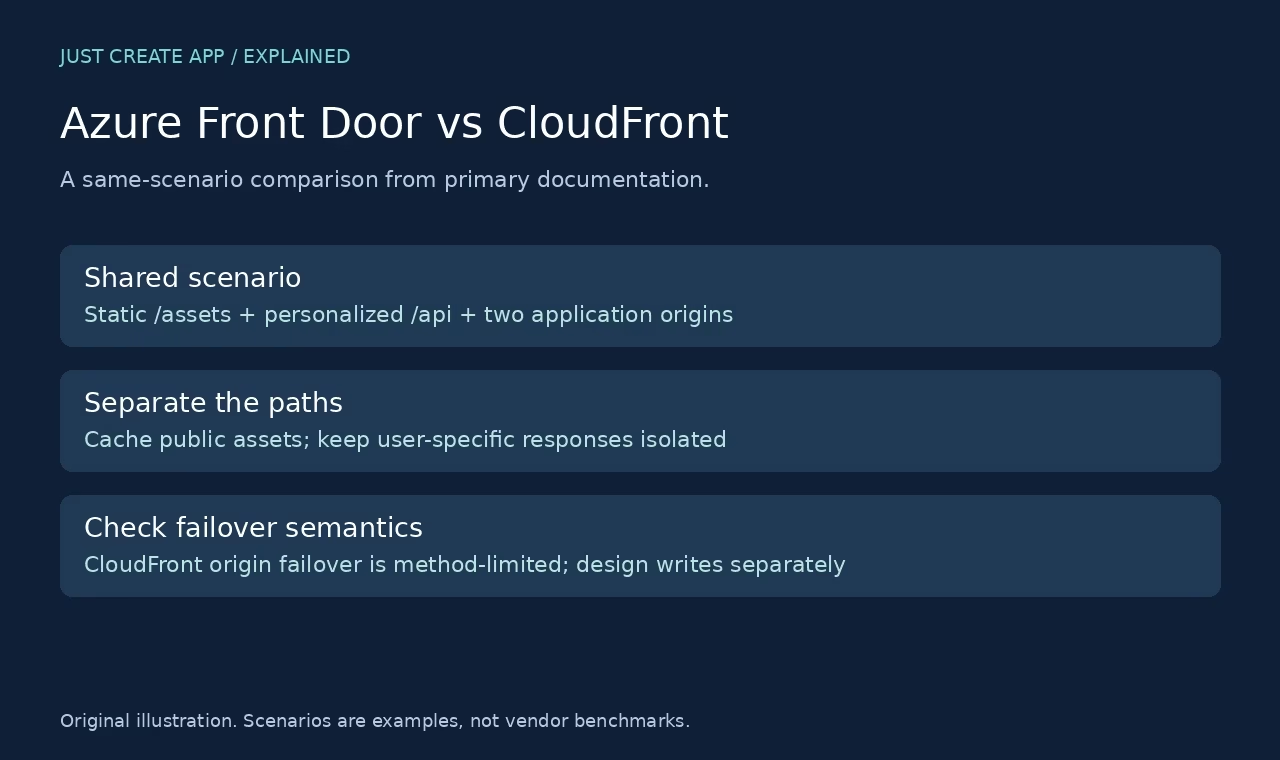

Two names keep coming up when teams ask me about a global edge layer in front of their apps: Azure Front Door and AWS CloudFront. Both terminate user traffic close to the user, both cache, both absorb DDoS, and both can fail traffic over to a healthy origin. Yet they are built on different philosophies, and the pricing models could not be more different right now.
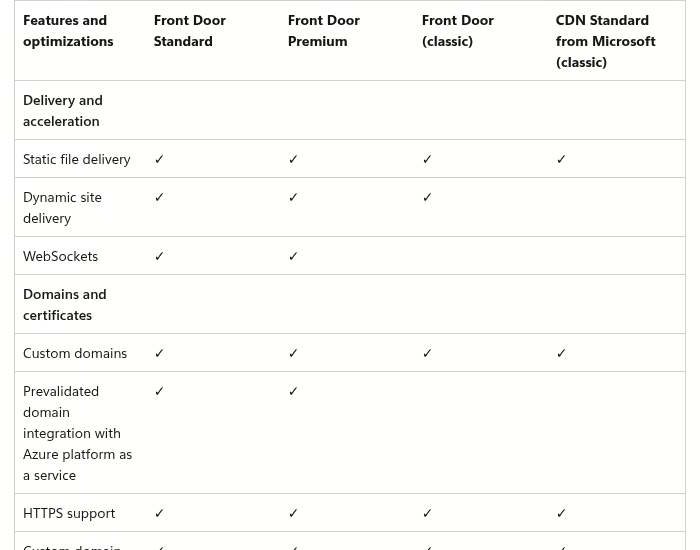
Front Door is a unified layer-7 entry point for your whole web application architecture: static content, dynamic APIs, and global load balancing in one profile. CloudFront is a content delivery network first, with a huge edge footprint and, as of its new flat-rate plans, a subscription-style pricing model that bundles security and DNS. Picking between them is less about features on a checklist and more about where your stack lives and how you want to pay.
Pick Azure Front Door if
Your origins live in Azure, you want WAF and Private Link origins bundled in Premium, and you like one service that handles caching, routing, and failover together.
Pick CloudFront if
You are on AWS, you want the biggest edge network, a genuinely usable free tier, or a flat monthly plan with no overage charges.
At a glance
If you are still weighing the right tech stack for your business, start with this table. The CDN decision usually follows your cloud, not the other way around.
| Azure Front Door | AWS CloudFront | |
|---|---|---|
| Edge footprint | 118+ edge locations across 100 metro areas | 750+ PoPs in 100+ cities, plus 1,140+ embedded PoPs and 15 Regional Edge Caches |
| Service tiers | Standard and Premium | Pay-as-you-go or flat plans: Free, Pro, Business, Premium, Custom |
| Free tier | No permanent free tier | Always Free: 1 TB data out + 10M requests per month |
| Caching | Static and dynamic in one tier; rules engine controls cache behavior | Cache policies, origin request policies, Regional Edge Caches as mid-tier |
| Routing logic | Rules engine with regex and server variables | CloudFront Functions and Lambda@Edge |
| Origin failover | Built-in health probes, priority and weight per origin | Origin groups on pay-as-you-go; Premium flat plan only on subscriptions |
| WAF | Included in Premium tier | Bundled in flat plans; AWS WAF billed separately on pay-as-you-go |
| Private origins | Private Link (Premium) | Origin Access Control for S3; private origins on Business flat plan and up |
| Pricing model | Pure pay-as-you-go: base fee + transfer + requests | Pay-as-you-go or flat monthly plans with no overages |
What each service actually is
Azure Front Door
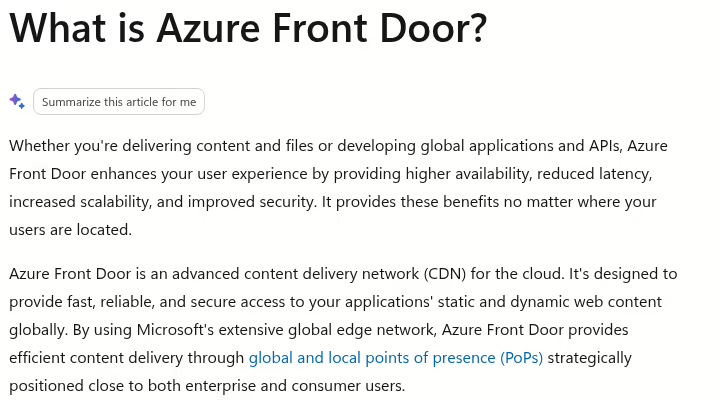
Microsoft calls Front Door an advanced CDN for the cloud, and that undersells it. It is also a global HTTP load balancer, in the same category as the tools in our load balancer guide, with health probes, session affinity, URL-based routing, and a rules engine, all running on 118+ edge locations across 100 metro areas.
It comes in two tiers. Standard covers caching, routing, and failover. Premium adds the full WAF, bot protection, Private Link origins, and enhanced reporting. There is one profile for both static and dynamic traffic, so you do not split your app across two services, and one rules engine governs the whole thing from a single place.
AWS CloudFront
CloudFront is Amazon’s CDN, and its scale is the headline: 750+ points of presence in 100+ cities across 50+ countries, another 1,140+ embedded PoPs inside ISP networks, and 15 Regional Edge Caches sitting between the edge and your origin. That footprint makes it one of the largest pieces of IT infrastructure you can rent by the gigabyte.
It is CDN-first rather than load-balancer-first. Routing logic lives in edge functions, failover lives in origin groups, and security comes from AWS WAF and Shield. You can pay per request and per GB, or move to the new flat plans that bundle CDN, WAF, DDoS protection, Route 53 DNS, logging, TLS, and S3 credits into one monthly price.
Caching compared
Both services cache close to users, but they organize the cache differently. CloudFront runs a two-tier cache: the edge PoP first, then a Regional Edge Cache with much larger storage when the PoP misses. That mid-tier, a form of edge computing applied to storage, quietly raises hit ratios for long-tail content without you configuring anything.
Front Door keeps a single-tier design and leans on its rules engine instead. You define cache behavior per route: which query strings join the cache key, whether to compress, how long to keep objects, and when to bypass the cache for dynamic responses. It is explicit and predictable, which platform teams tend to like.
Dynamic traffic gets help on both sides too. Each service terminates the user’s connection at the edge, keeps warm connections back to your origin, and routes over the vendor’s backbone instead of the public internet. The effect is faster TLS handshakes and fewer slow middle miles for API calls and HTML, even when nothing is cached.
Practical differences that matter day to day:
- Cache keys. CloudFront builds keys from cache policies and origin request policies; Front Door builds them from rules engine match conditions. Both let you include headers, cookies, and query strings.
- Purging. CloudFront gives you the first 1,000 invalidation paths free each month, then charges $0.005 per path. Front Door purge is part of the service with no per-path fee on the pricing page.
- Compression. Both compress at the edge. Front Door applies it per route; CloudFront per cache behavior.
- CORS and headers. If your cached responses fight your CORS setup, the fix patterns in my guide to the Access-Control-Allow-Origin header in JavaScript apply to both CDNs, since both can inject or strip headers at the edge.
Both also support modern freshness controls. Origin headers like stale-while-revalidate and stale-if-error let an edge serve a slightly old object while it revalidates in the background, which smooths out origin hiccups without users noticing.
One honest caveat: raw cache hit ratios depend on your content mix far more than on the vendor. Anyone quoting a universal percentage is guessing.

Routing and rules
This is where the two services feel most different. Front Door treats routing as configuration. The rules engine matches on paths, headers, query strings, and server variables, supports regular expressions on Standard and Premium, and then rewrites, redirects, forwards, or overrides cache behavior. If you have managed traffic steering with tools from my HAProxy alternatives roundup, the mental model will feel familiar.
CloudFront treats routing as code. CloudFront Functions run lightweight JavaScript at the edge for URL rewrites, redirects, header changes, and cache-key normalization, completing in under a millisecond at millions of requests per second. Lambda@Edge runs heavier Node.js or Python at the Regional Edge Caches for work that needs external libraries or network calls, like HLS manifest rewrites or server-side rendering.
Two pricing notes on the compute side. CloudFront Functions cost $0.10 per million invocations, with 2 million free each month. Lambda@Edge has no free tier and bills on duration at $0.00005001 per GB-second, so it adds up on high-traffic paths. Front Door’s equivalent, edge actions, runs $0.10 per million invocations on the pricing page.
Which approach wins depends on your team. If your platform engineers live in Terraform and YAML, Front Door’s declarative rules are a gift. If your app developers want logic in versioned code next to the app, CloudFront’s functions fit the edge computing model better.

Failover and high availability
Front Door bakes failover into the core product. Every origin group gets health probes on an interval and path you set, with configurable timeout and sample counts, and you assign each origin a priority and a weight. When a probe fails, traffic shifts to the next priority origin automatically. Because routing, caching, and failover share one profile and one set of metrics, there is one place to debug when something flaps, much like the standalone products in our load balancer software list.
CloudFront does failover through origin groups: a primary and a secondary origin, with failover triggered by status codes you choose, like 502, 503, or 504. It works well, but watch the packaging. On pay-as-you-go, origin groups are just a feature you configure. On the new flat-rate plans, origin failover and origin load reduction only appear on the Premium plan at $1,000 per month. If you pick the Pro or Business flat plan, you do not get automatic origin failover at all.
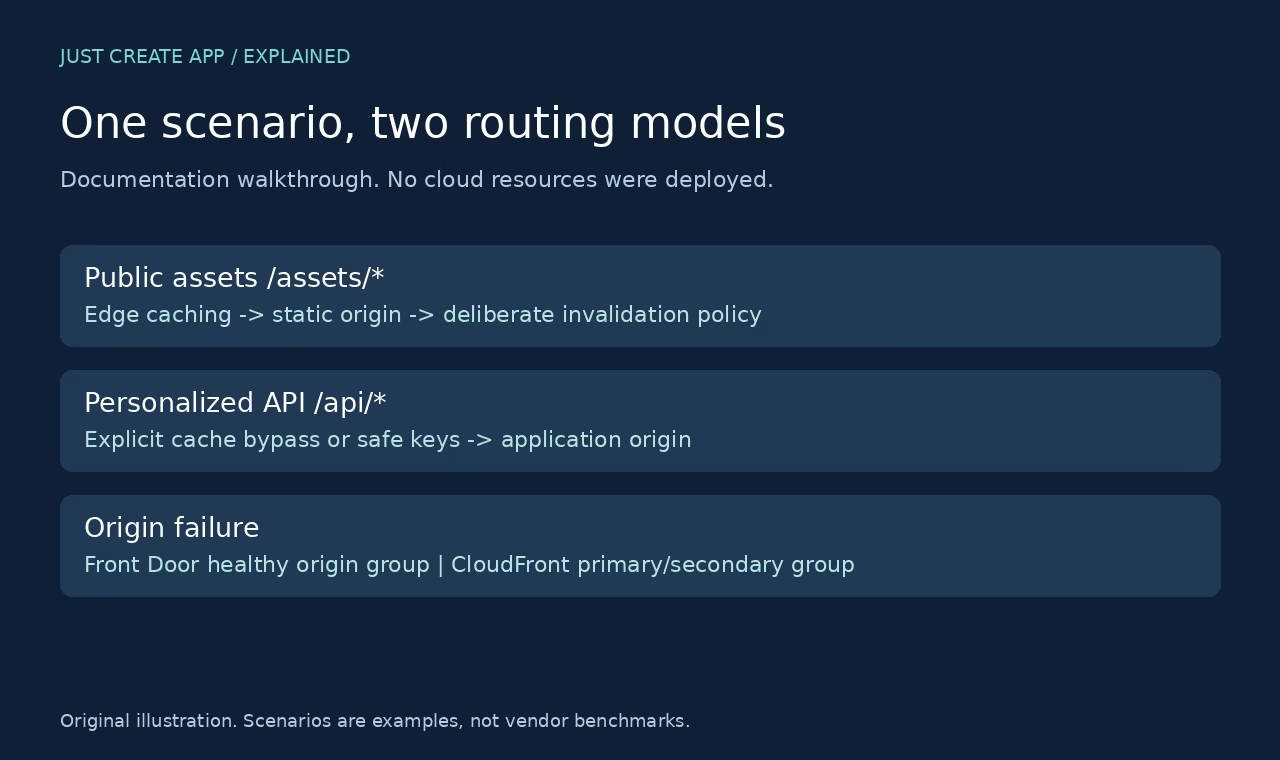
For real multi-region resilience, treat the CDN as one layer, not the whole plan. The same thinking behind incremental and differential backup strategies applies here: know your recovery point, know your recovery time, and test the failover path before you need it. Teams building toward multi-cloud infrastructure sometimes run both CDNs behind a DNS layer for exactly this reason, though most shops do not need that complexity.
Security and WAF
Both services terminate TLS at the edge with free managed certificates, automatic renewal, and modern protocol support, and both absorb layer 3 and 4 DDoS attacks at the edge by default, before traffic ever reaches your origin. The differences start at layer 7, where the WAF lives.
Front Door Premium includes the Azure WAF with Microsoft-managed rule sets covering OWASP-style threats, a bot protection rule set, and custom rules with geo-filtering and per-IP rate limiting. Custom rules run before managed rules, which gives you a clean escape hatch for false positives. If you are tuning rate limits at the edge, the debugging approach in my piece on API rate limiting not working translates directly. Premium also unlocks Private Link origins, so your app can stay off the public internet entirely.

CloudFront leans on AWS WAF. Shield Standard covers the network-layer DDoS side at no charge on every distribution, and Shield Advanced exists for enterprises that want a response team on call. On pay-as-you-go you attach and pay for WAF separately, which adds a web ACL fee, per-rule fees, and per-request charges on top of CloudFront itself. The flat plans change the math: every plan from Free up bundles WAF, DDoS protection, and bot mitigation, with rule counts rising per tier. For apps in regulated spaces, where your logs and telemetry live also feeds into your data governance posture, and both vendors let you export edge logs to your own storage. If security testing is part of your release cycle, our list of top application security testing companies is a good next read.
Pricing compared
Here is the biggest recent change in this comparison. CloudFront now offers two pricing models, while Front Door stays purely pay-as-you-go. All numbers below come straight from the vendors’ pricing pages, in USD, and your zones and negotiated rates may differ. Prices move, so treat every figure here as a snapshot from the day of writing.
Azure Front Door pricing
Front Door charges an hourly base fee per profile: $35 per month for Standard, $330 for Premium, with Premium including WAF and Private Link at no extra line-item cost. On top of that you pay for data transfer and requests. In Zone 1, which covers North America and Europe, edge-to-client data starts at $0.083 per GB for the first 10 TB, edge-to-origin transfer runs $0.02 per GB, and requests cost $0.009 per 10,000 on Standard or $0.015 on Premium. WAF CAPTCHA challenges and edge actions carry their own small per-use fees. Remember that edge-to-origin traffic is billed on top, so a chatty origin on a separate host adds up; if you are still picking that host, our take on whether Render is a good hosting platform covers one popular option.

CloudFront pay-as-you-go
The classic model bills per GB and per request, with tiered rates by region. In the US, data out starts at $0.085 per GB after the free tier, HTTPS requests cost $0.0100 per 10,000, and invalidation paths beyond the first 1,000 per month cost $0.005 each. Shield Standard DDoS protection is included, and AWS WAF is a separate bill.
CloudFront flat plans
The new plans flip the model to a flat monthly price per distribution with no overage charges, the same kind of packaging teardown we did in our Gusto pricing breakdown. Free costs $0 and includes 1 million requests and 100 GB of transfer. Pro is $15 for 10 million requests and 50 TB. Business is $200 for 125 million requests and adds an SLA and private origins. Premium is $1,000 for 500 million requests and adds origin failover. Each plan bundles WAF, DDoS protection, Route 53 DNS, CloudWatch Logs, TLS, and S3 credits.

On top of that sits the always-free tier on pay-as-you-go: 1 TB of data out and 10 million requests every month, plus 2 million CloudFront Function invocations, at no charge. For a small site that is effectively a free production CDN, and for a growing one it still knocks a visible chunk off the monthly bill.
What the list prices actually mean
Take a workload of 500 GB of outbound traffic and 5 million HTTPS requests a month, served to US users. On Front Door Standard, list-price arithmetic gives roughly $35 base, plus $41.50 for transfer, plus $4.50 for requests, so about $81 a month before edge-to-origin traffic. On CloudFront pay-as-you-go, the same workload fits inside the always-free tier, so the CDN line item is $0. The $15 Pro flat plan covers it too.
Scale the same example to 5 TB and 50 million requests. Front Door Standard lands near $495. CloudFront pay-as-you-go lands near $388, and the $200 Business flat plan undercuts both while adding an SLA. These are list-price calculations, not quotes, but they show why the pricing model itself is now a deciding factor. If cost modeling is not your team’s strength, the firms in our DevOps consulting companies and top cloud consulting companies roundups do this analysis for a living.
Who should pick which
Best for AWS-native teams
CloudFront. Native integration with S3, ALB, API Gateway, Shield, and Certificate Manager, plus the deepest edge network.
Best for Azure-native teams
Front Door. One profile for static and dynamic traffic, Private Link origins, and a WAF that is part of the tier rather than a separate bill.
Best free start
CloudFront. 1 TB and 10 million requests a month at $0 is hard to argue with for side projects and early products.
Best predictable bill
CloudFront flat plans. No overage charges means finance stops asking questions after traffic spikes.
And here is the free tier that makes the first scorecard possible, straight from AWS:

My verdict
If your origins, identity, and ops live in Azure, Front Door is the cleaner product: one service for caching, routing, and failover, with Premium bundling the security features most teams eventually need. The rules engine alone replaces glue code that many teams maintain at the edge today, something the consultancies in our IT architecture consulting firms roundup run into on client projects every week. If you are on AWS, or you simply want the largest edge network with the friendliest entry price, CloudFront wins, and the flat plans make it the easier conversation with finance.
The trap to avoid is picking a CloudFront flat plan for the price and discovering that origin failover needs Premium. If failover is why you are buying a global edge layer, either stay on pay-as-you-go with origin groups or budget for the top plan. For vetted providers who implement either service, browse our Apps directory.
How we put this comparison together
Every price and limit above comes from the official Azure and AWS pricing and documentation pages, checked the day this article was updated. Where we show cost examples, they are arithmetic on those published list prices, not benchmarks or lab tests. That is the same standard behind how we rank companies across the site. Prices and plan limits change often in this space, so before you commit, re-check the two pricing pages with your own traffic numbers and regions in hand.
Frequently asked questions
Is Azure Front Door a CDN or a load balancer?
Both. It caches static content like a traditional CDN and also does global layer-7 load balancing with health probes, priorities, and weights for dynamic traffic. Microsoft positions it as one service so you do not split static and dynamic delivery across two products.
Does CloudFront really have a free tier?
Yes, two of them. Pay-as-you-go includes an always-free allowance of 1 TB data out, 10 million requests, and 2 million CloudFront Function invocations per month. Separately, the new Free flat plan gives a distribution 1 million requests and 100 GB of transfer at $0 with bundled security.
Which is cheaper, Front Door or CloudFront?
At small scale, CloudFront, because the free tier can cover the whole bill. At mid to large scale, CloudFront’s flat plans often undercut pay-as-you-go list prices from either vendor, while Front Door Premium’s $330 base only makes sense when you would otherwise pay separately for WAF and Private Link. Run your own traffic numbers through both pricing pages before committing.
Can CloudFront fail over to a second origin automatically?
Yes, through origin groups on pay-as-you-go, where you pick the status codes that trigger a switch to a secondary origin. On the flat-rate plans, automatic origin failover is only included in the $1,000 Premium plan, so check the plan feature list before you subscribe.
Which service has the better WAF?
Front Door Premium includes the full Azure WAF with managed rule sets, bot protection, geo-filtering, and rate limiting in the $330 tier price. CloudFront bundles WAF into every flat plan or uses AWS WAF billed separately on pay-as-you-go. Both are capable; Front Door’s packaging is simpler, CloudFront’s is more flexible.
Can I use Front Door in front of AWS origins, or CloudFront in front of Azure?
Yes to both. Either service accepts any publicly reachable origin over HTTPS. You lose the private-origin perks, since Private Link only works for Azure origins and Origin Access Control only covers AWS origins, but the caching, routing, and failover features work the same.
Which one has more edge locations?
CloudFront, by raw count: 750+ points of presence in 100+ cities, plus 1,140+ embedded PoPs and 15 Regional Edge Caches. Front Door lists 118+ edge locations across 100 metro areas. For most apps the practical latency difference is small; test from where your users actually are.




Leave a Reply