



Local search is where small businesses win or disappear. When someone pulls out a phone and searches “plumber near me” or “best tacos in Austin,” the Google map pack decides who gets the call. Two tools keep coming up when owners ask me how to manage that fight: Moz Local and BrightLocal.
They overlap on listings and reviews, but they are built around different jobs. Moz Local is a listing and reputation manager priced per location. BrightLocal is a full local SEO platform that tracks rankings, audits your presence, builds citations and runs review campaigns.
Solid SEO strategies treat local visibility as its own discipline, and this guide lays out what each tool actually does, what the plans cost as listed on Oct 16, 2026, and a quick test you can run before committing.
Short version: Moz Local wins if you want simple, affordable listing management with review monitoring and social posting from one of the oldest names in SEO. BrightLocal wins if you want to measure and grow local visibility: geo-grid rank tracking, local SEO audits, review generation and pay-as-you-go citation building.
Every price below comes straight from the two pricing pages, and if neither fits, our Moz Local alternatives roundup covers the wider field.
At a glance: Moz Local vs BrightLocal
| Area | Moz Local | BrightLocal |
|---|---|---|
| Core model | Listing and reputation management, priced per location | Full local SEO platform: track, manage and grow local visibility |
| Entry paid plan | Lite at $16 per month billed annually ($20 monthly) | Track at $31 per month billed annually ($41 monthly) |
| Free trial | Free online presence checker; no full trial advertised | Free trial, no credit card required |
| Rank tracking | Local Grid view of map-pack rankings | Daily rank tracking on Google, Bing, Google Maps and Apple Maps, plus geo-grid |
| Reviews | Monitoring on Lite; responding and sentiment analysis on Preferred | Monitoring, responding and generation campaigns on Grow |
| Citations | Managed listing sync across 90+ directories while subscribed | Citation Builder pay-as-you-go from $3.20 per site, no subscription |
| Social posting | Google and Facebook on Preferred; Instagram, LinkedIn and TikTok on Elite | Google Business Profile post scheduling on Manage |
| Location scaling | Per-location plans; Enterprise custom pricing at 50+ locations | Price matrix scales from 1 to 100 managed locations |
What each tool is built for
Moz Local: listings and reputation, priced per location
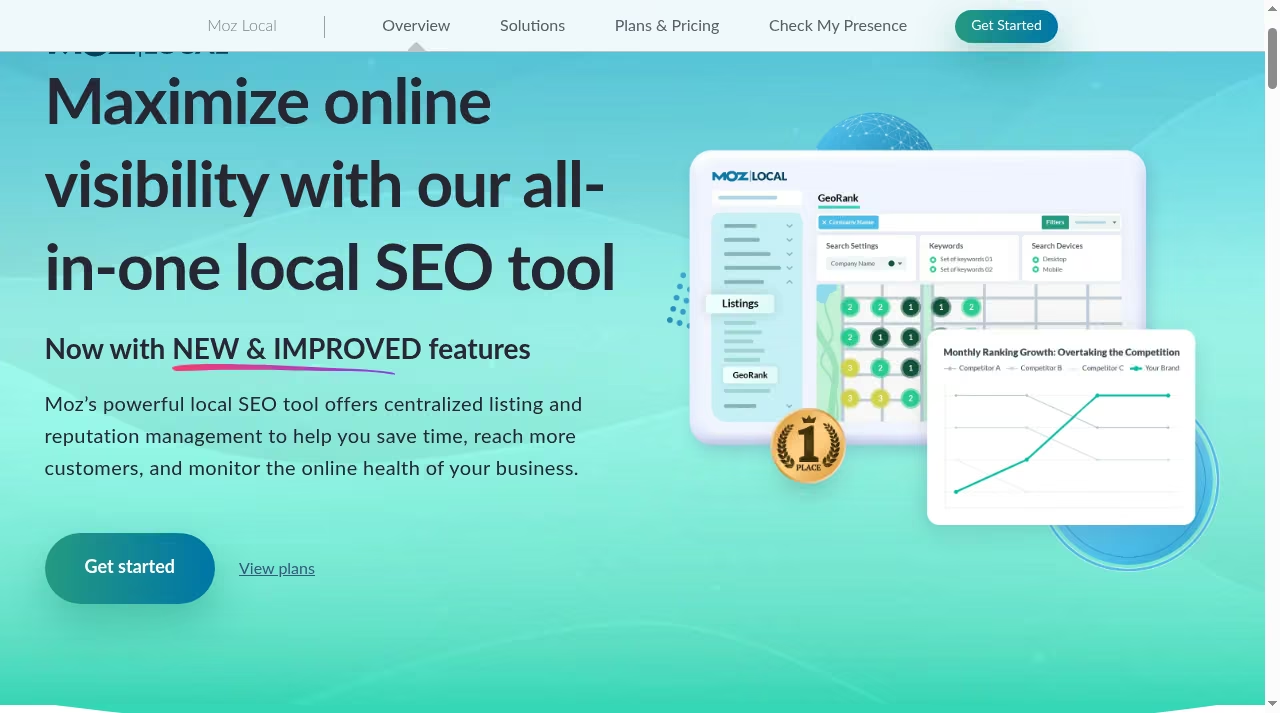
Moz Local comes from Moz, a company that has sold SEO software since the mid-2000s. Its core job is consistency: it pushes your business name, address, phone number, hours and categories out to a network of 90+ directories and data aggregators, then keeps them in sync.
Wrong hours on Yelp or an old address on Bing cost real customers, and Moz Local exists to stop that. On top of listings it layers reputation work. Even the Lite plan monitors incoming reviews across the major review platforms, and Preferred lets you respond from one dashboard with sentiment analysis on top.
Moz cites a widely shared stat on its product page: 60% of consumers expect a response to their review within two days, and the dashboard is built around hitting that.
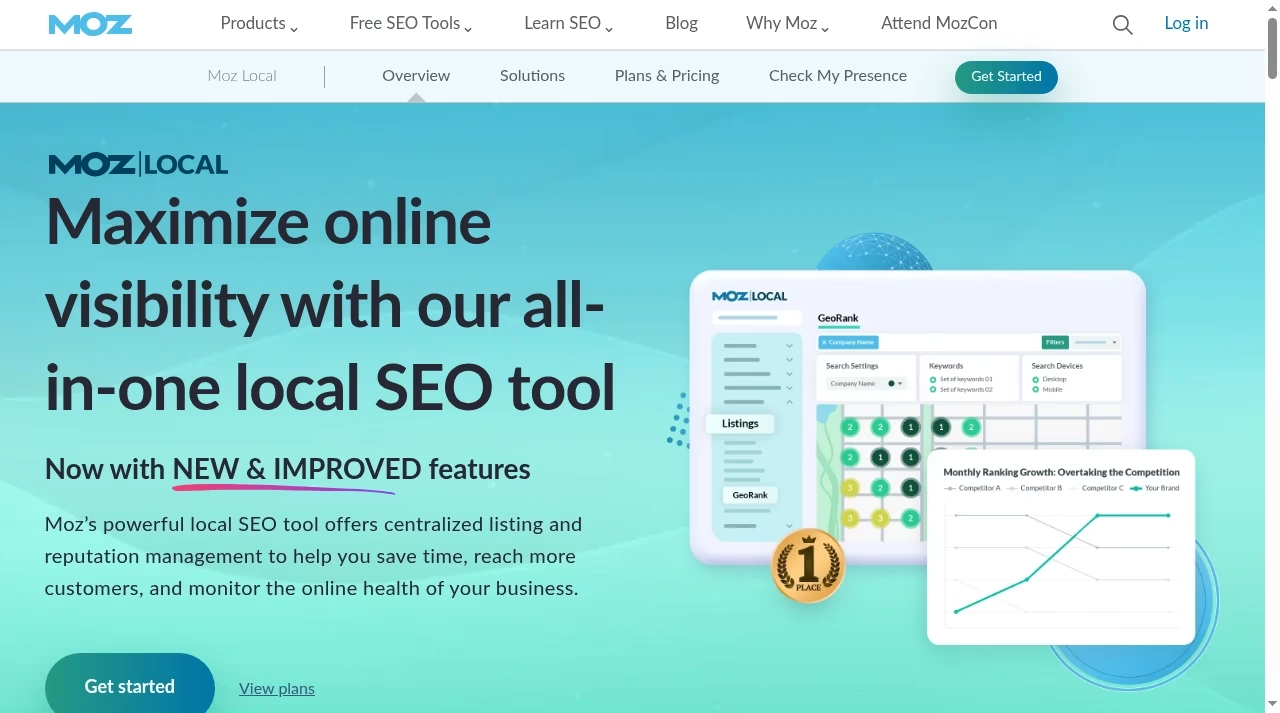
The Local Grid feature deserves a mention because it is Moz Local’s answer to rank tracking: a grid view of where your business appears in the map pack for a keyword, measured at points around your physical location.
It is lighter than a dedicated tracker but enough for a single-location owner who wants to know whether the map pack is improving. The sync also watches for duplicate listings, the old profiles with a previous address or phone number that split your reviews and confuse Google, and flags them for cleanup.
Because reviews drive so much of local conversion, Moz Local’s review workflow ties directly into improving customer relationships rather than treating reputation as a separate chore. Plans are bought per location, so a three-location business buys three plans or talks to the Enterprise team at 50+.
BrightLocal: a full local SEO platform
BrightLocal started life as a local rank tracker and grew into a platform that covers the whole local SEO cycle. Its three paid modules map to the jobs: Track measures where you rank and audits what is holding you back, Manage keeps listings and your Google Business Profile in shape, and Grow runs review monitoring and generation campaigns.
The audits go beyond listings into the same territory as broader technical SEO work: citation accuracy, Google Business Profile completeness, and the on-page signals that decide local rankings, which pairs naturally with our guide to on-page SEO techniques.
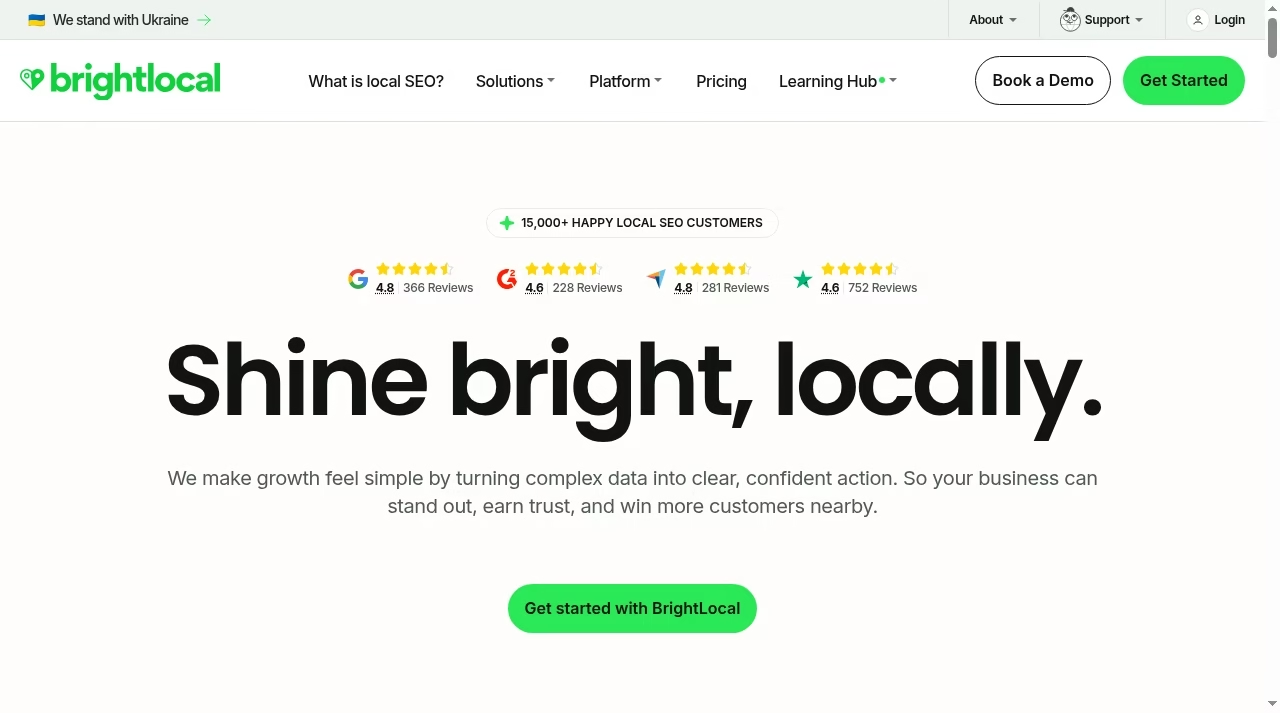
Two things make BrightLocal structurally different from Moz Local. First, it is built for measurement: daily rank tracking across Google, Bing, Google Maps and Apple Maps, competitor tracking and geo-grid scans are core, not add-ons.
Second, its Citation Builder is a standalone pay-as-you-go service, so you can use BrightLocal for citations without any subscription at all. The audit alone is worth understanding before you buy: it checks your Google Business Profile for completeness, scores citation accuracy across directories, reviews on-page local signals and benchmarks competitors, then turns the findings into a prioritized to-do list.
For a business that suspects something is wrong but cannot say what, that list is often the fastest answer available. Agencies are a clear focus too, with white-label reporting and a pricing matrix that scales by the number of locations you manage, from 1 up to 100.
Where Moz Local wins
Entry price per location. Moz Local Lite starts at $16 per month billed annually, or $20 month to month. BrightLocal’s entry plan starts at $31 annually billed for one location. For a single-location business that only needs listing sync and review monitoring, Moz Local is the cheaper way to get the fundamentals handled.
Social posting bundled in. Preferred includes posting to Google and Facebook, and Elite extends that to Instagram, LinkedIn and TikTok with post boosting. If your listings, reviews and social all live in one dashboard, you skip paying for separate social scheduling or marketing automation platforms for basic local posting.
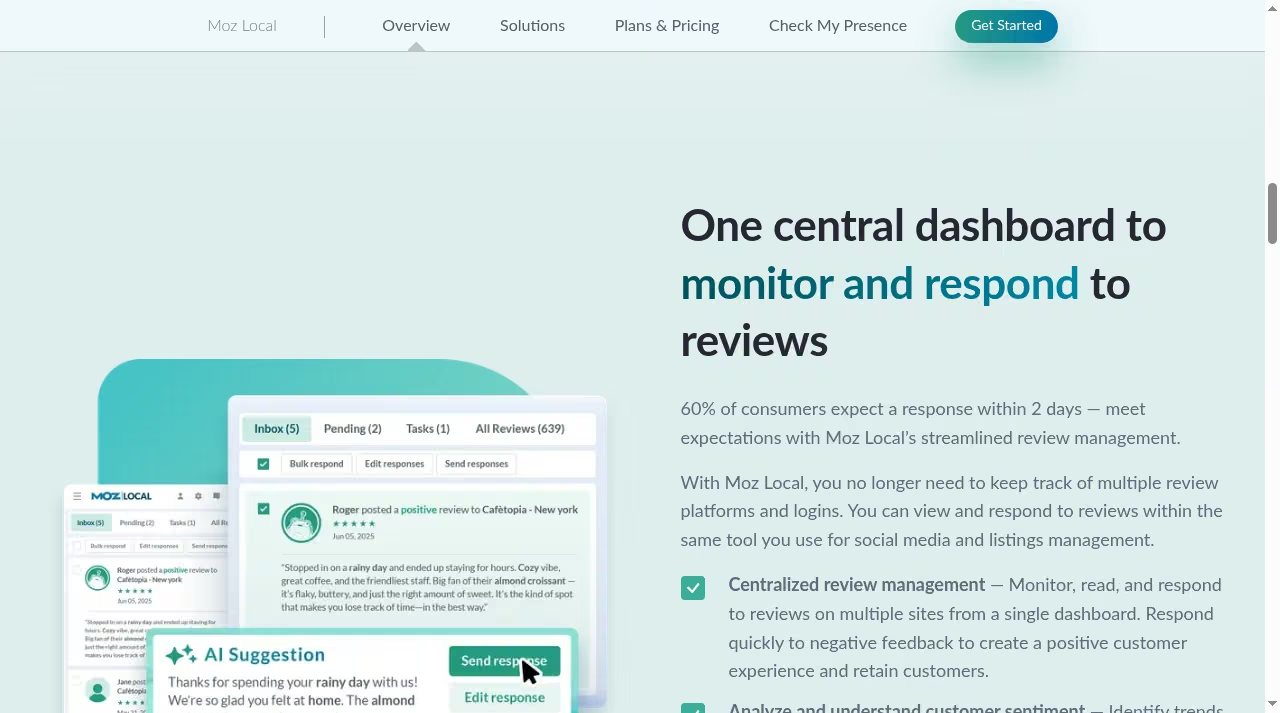
Review workflow with AI help. From Preferred up, you monitor and respond to reviews from a single inbox instead of logging into five platforms. The review view drafts an AI Suggestion for each response, which you edit and send, and sentiment analysis flags trends across your review base.
For owners juggling reviews alongside everything else, that workflow sits closer to customer messaging software than to a traditional SEO tool, and it is the part of Moz Local users tend to open every day.
Brand and simplicity. Moz has nearly two decades of credibility in SEO, and Moz Local inherits that trust. The product is deliberately narrow: listings, reviews, a Local Grid view and social. For an owner who wants the job handled without learning a platform, narrow is a feature.
The support library and Moz’s long-running SEO guides also mean that when you do want to understand the why behind a setting, the answer usually exists in plain language on the same site.
Where BrightLocal wins
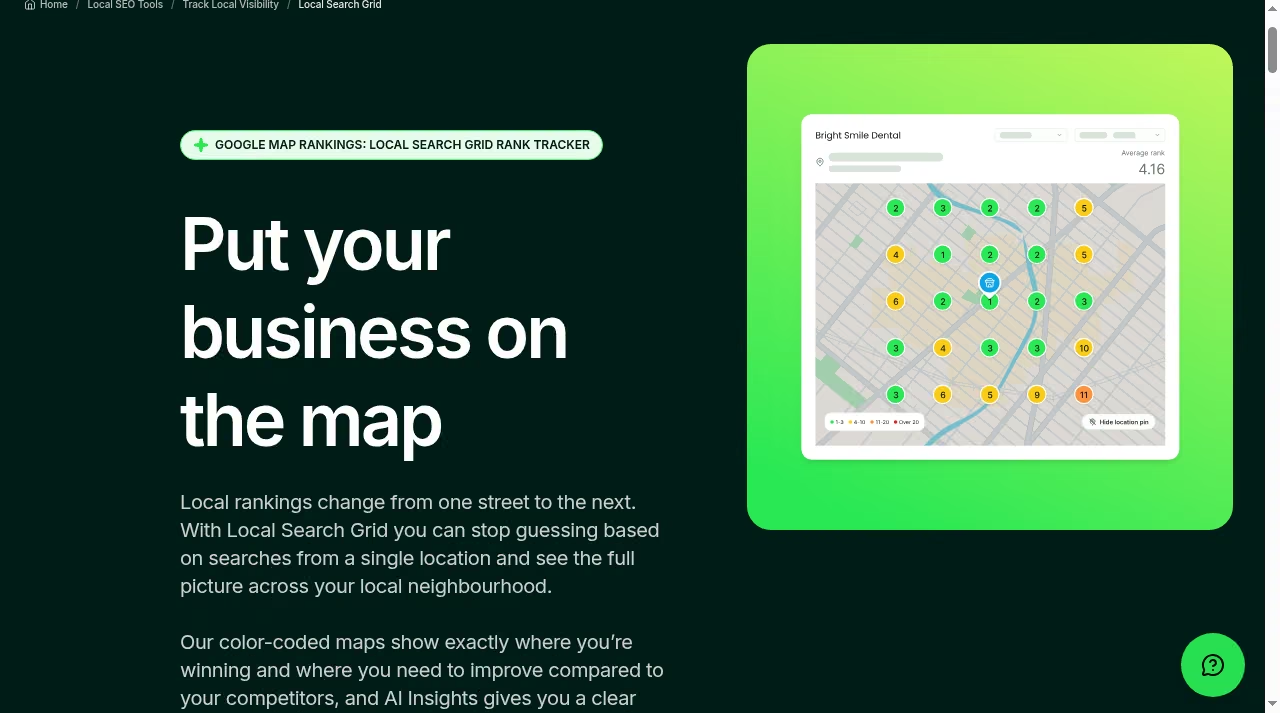
Geo-grid rank tracking. BrightLocal’s Local Search Grid shows your map-pack position at points across a grid around your location, so you can see that you rank third two blocks away but nowhere a mile out. Moz Local has a Local Grid view, but BrightLocal’s geo-grid is deeper, tracks over time and feeds into competitor comparisons.
If rankings are the point, this is the tool, and it sits much closer to the dedicated rank trackers we have compared elsewhere.
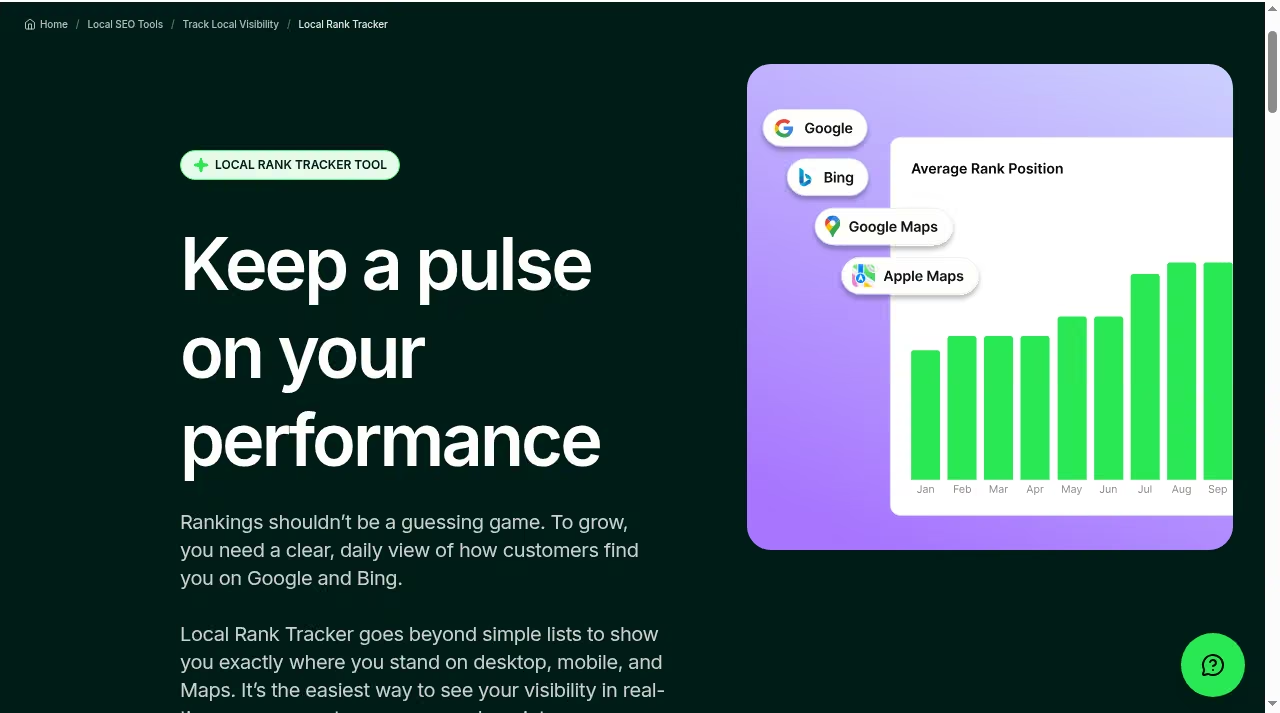
Deeper rank tracking overall. The Track plan monitors 100 keywords plus 4 competitors, with daily updates across Google, Bing, Google Maps and Apple Maps, split by desktop and mobile. Local queries increasingly come from spoken searches, so pairing that data with voice search optimization work makes the tracking more actionable. Moz Local simply does not compete at this layer.
Local SEO audits that prioritize. The audit in the Track plan pulls your citations, Google Business Profile, reviews and on-page signals into one score, compares you against the competitors you track, and orders the fixes by likely impact.
Instead of a wall of data you get a sequence: claim this profile, fix these five citations, add these categories. For owners without an SEO background, that ordering is the difference between a report you act on and one you close.
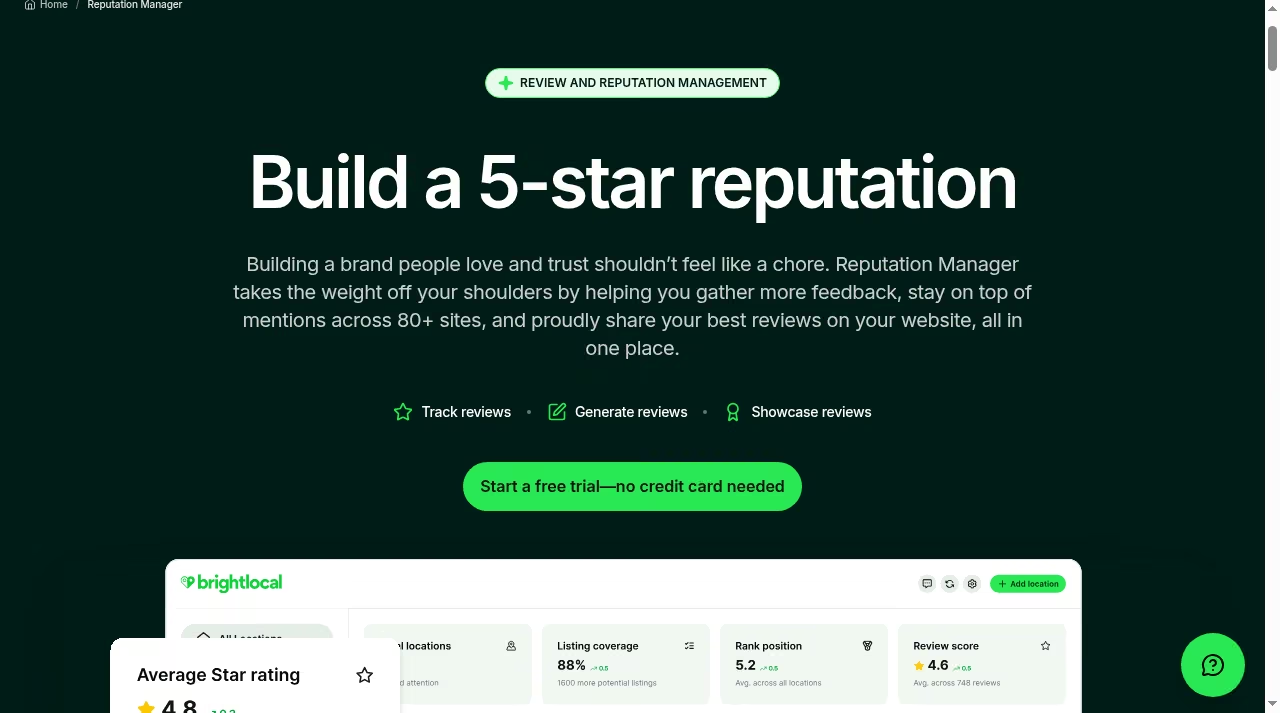
Review generation, not just monitoring. The Grow plan runs campaigns that ask customers for reviews by email, SMS or in-store prompts, then publishes selected reviews on your own site. BrightLocal monitors reviews and mentions across 80+ sites.
That generation loop matters because review volume and recency feed local rankings directly, and businesses comparing review platforms often also look at Trustpilot alternatives before committing.
Reporting for client work. BrightLocal’s white-label reports roll rankings, audits, citations and reviews into something an agency can put its logo on and send to a client. If you bill clients for local SEO, that reporting layer, plus the per-location price matrix, is built for you.
Teams that outgrow its dashboards sometimes add dedicated reporting dashboard tools, but most agencies never need to.
Citations: subscription sync vs pay-as-you-go building
This is the sharpest structural difference between the two. Moz Local manages your listings through continuous sync: while your subscription runs, it pushes correct data to its network of 90+ directories and flags duplicates.
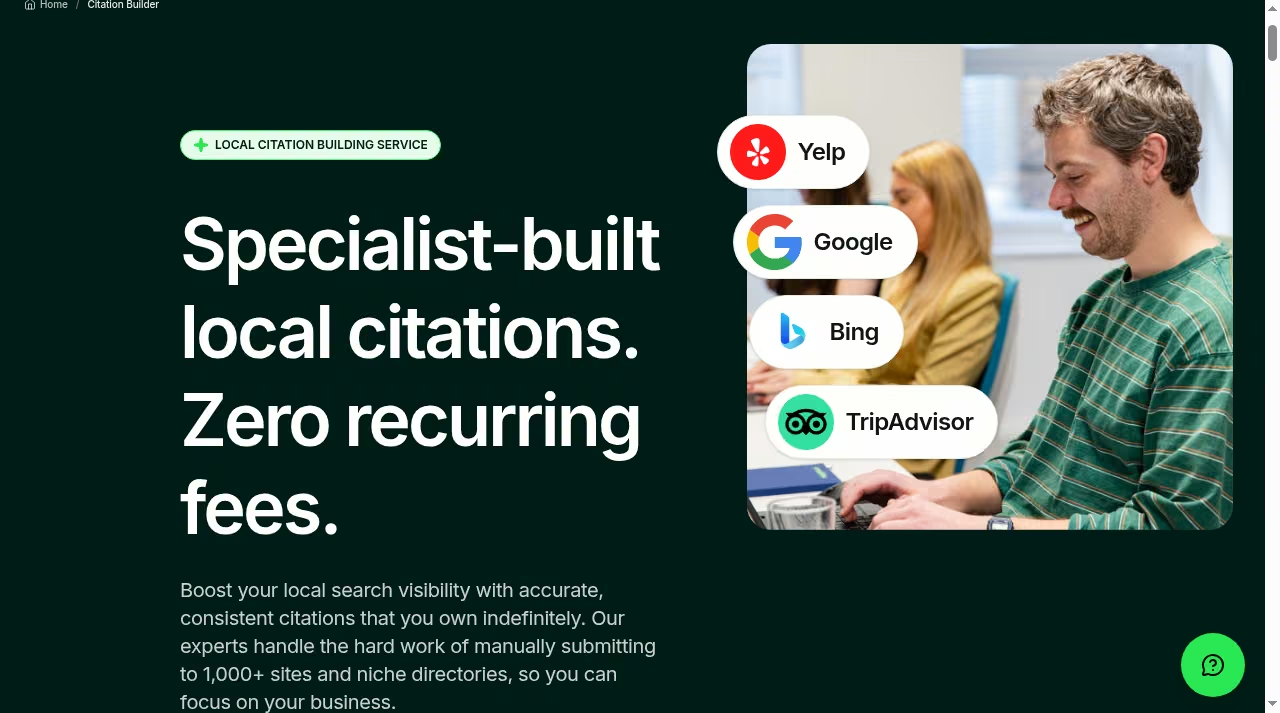
BrightLocal’s Citation Builder works the other way: its specialists manually submit your business to a pool of 1,000+ sites and niche directories, from $3.20 per site and as low as $2 per site in bulk, with no subscription required. You own those citations indefinitely.
That distinction matters for anyone doing one-off cleanup work, and it pairs well with earning trust in Google’s local ecosystem through things like the Google Local Guide program on the community side.
Neither approach is universally better. Ongoing sync suits businesses whose details change: seasonal hours, new phone systems, menu or service updates. Manual building suits businesses with stable details that need a one-time foundation of accurate citations, especially in niche directories Moz’s network may not cover.
Pricing and plan limits as listed on Oct 16, 2026
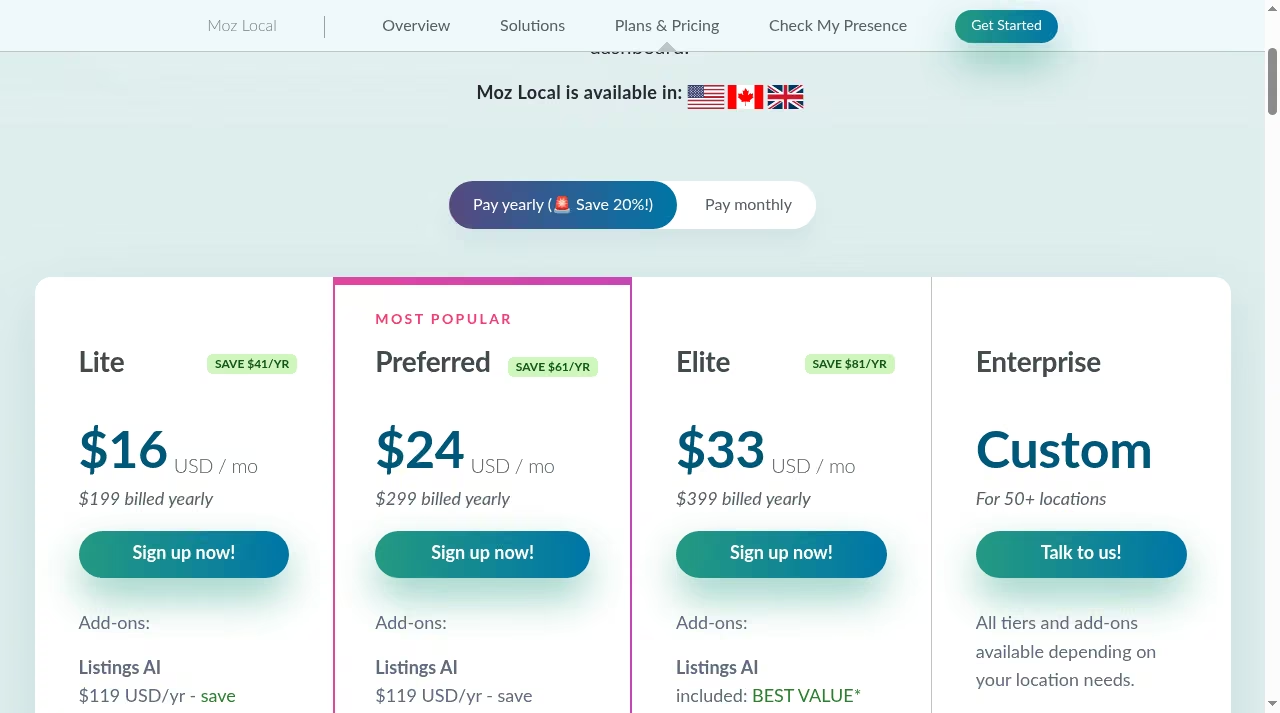
Moz Local sells three per-location plans plus a custom Enterprise tier. Paying annually cuts the monthly rate by about 20%. Both vendors adjust pricing a few times a year, which is why we date-stamp these guides, as we do on our Calendly pricing breakdown.
| Moz Local plan | Annual billing (per month) | Monthly billing | What you get |
|---|---|---|---|
| Lite | $16 ($199 per year) | $20 | Listing sync across 90+ directories, Local Grid map-pack view, review monitoring |
| Preferred | $24 ($299 per year) | $30 | Adds review responding, sentiment analysis, social posting to Google and Facebook, competitor analysis |
| Elite | $33 ($399 per year) | $40 | Adds Instagram, LinkedIn and TikTok posting, post boosting, full reporting suite, Listings AI included |
| Enterprise | Custom | Custom | For 50+ locations, custom terms |
Two AI add-ons work on top of the plans: Listings AI at $119 per year (or $14 per month) and Reviews AI at $69 per year (or $10 per month). Moz Local is available in the US, Canada and the UK.
The per-location model is worth doing the math on before you commit. One location on Preferred costs $24 per month annually billed; three locations cost $72; ten cost $240. There is no bundle discount below the Enterprise tier, so costs scale linearly.
That is fine at two or three locations and worth a quote comparison at ten. We see the same linear per-seat math in other tools, and it is worth checking the live page before you budget.
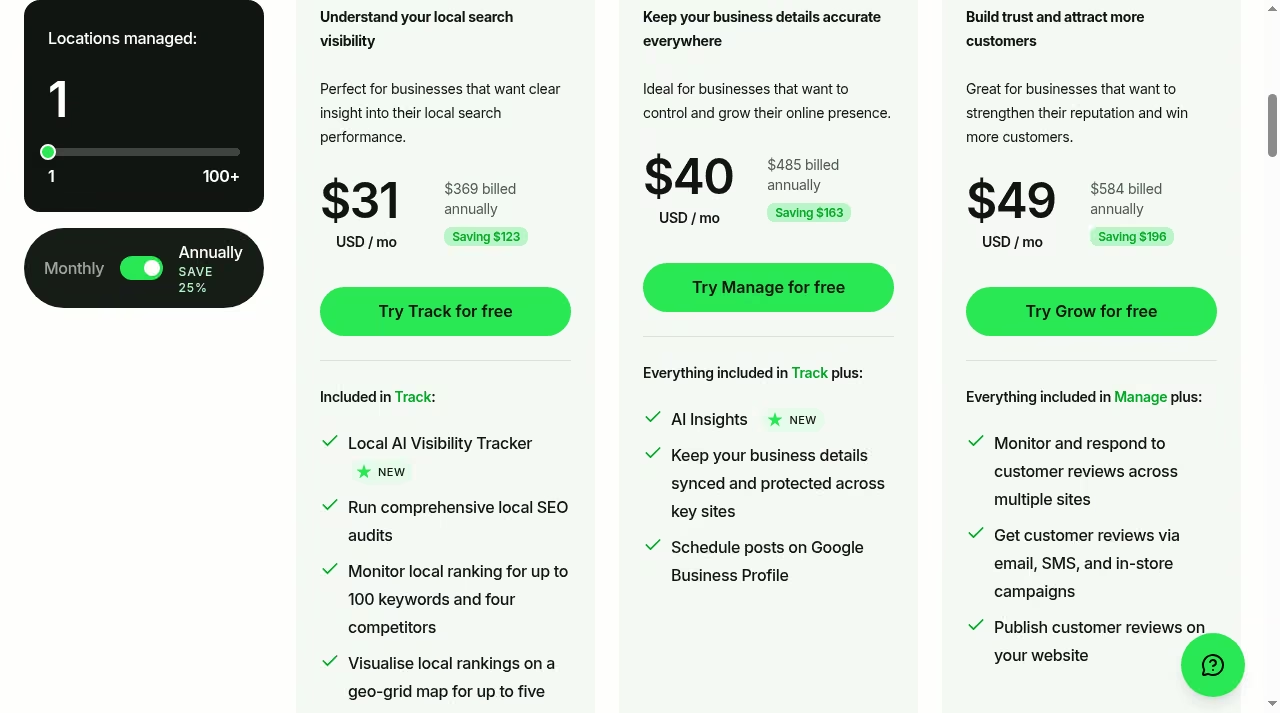
BrightLocal prices by plan and by the number of locations managed, and annual billing saves 25%, the same annual-discount pattern we saw when comparing AccuRanker vs Ahrefs. At a single location:
| BrightLocal plan | Annual billing (per month) | Monthly billing | What you get |
|---|---|---|---|
| Track | $31 ($369 per year) | $41 | Local rank tracking for 100 keywords and 4 competitors, geo-grid tracking for 5 keywords, local SEO audits, citation accuracy tracking, GBP audit, Local AI Visibility Tracker |
| Manage | $40 ($485 per year) | $54 | Adds listing sync and protection, GBP post scheduling, AI Insights |
| Grow | $49 ($584 per year) | $65 | Adds review monitoring and responding across sites, review generation campaigns via email, SMS and in-store, publish reviews on your site |
Prices step up with locations: at 2 to 5 locations, Track runs $47 per month annually billed ($62 monthly), Manage $57 ($76) and Grow $65 ($87), and the matrix continues up to 100 locations. Citation Builder stays separate and pay-as-you-go. BrightLocal also sells a fully managed local SEO service starting at $1,299 per month.
The free trial needs no credit card, so the real comparison cost is an afternoon of your time. One pricing note from the page: monthly billing costs roughly a third more than annual at every tier, which matters if you only need a tool for a one-off cleanup project rather than ongoing tracking, and if you are also weighing broader SEO suites, our Sistrix vs Ahrefs comparison covers the all-in-one end of the market.
AI features in both tools
Both vendors now bolt AI onto the core product, but differently. Moz Local sells AI as paid add-ons: Listings AI generates and optimizes listing content, and Reviews AI drafts responses, at $119 and $69 per year respectively, with Listings AI bundled into Elite.
BrightLocal builds AI into the plans: the Local AI Visibility Tracker on Track monitors how your business surfaces in AI-powered search results, and AI Insights on Manage summarizes what your data says you should fix first.
AI features are moving fast across the whole SEO tool market, as our BrightEdge vs Ahrefs comparison shows at the enterprise end, so treat this section as a snapshot from Oct 16, 2026.
A same-task test you can run this week
You can feel the difference between these tools in a couple of hours without spending anything. The goal is not to feature-check; it is to see which product answers your actual question faster:
- Pick one location and write down the five search terms that actually bring you customers.
- Start the BrightLocal free trial, no credit card needed. Run a Local Search Grid scan and a local SEO audit for that location, and save the reports.
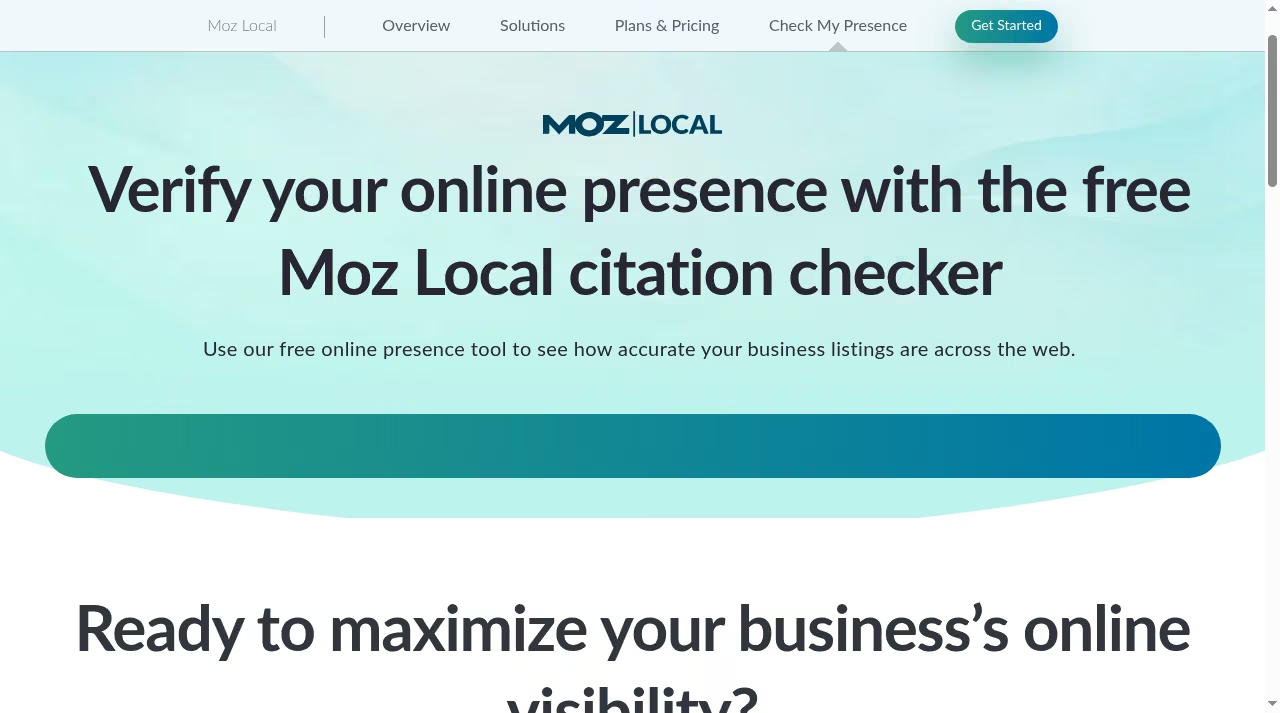
- Run Moz Local’s free online presence check on the same business, then put that location on a Lite plan for one month if the check shows listing problems. The checker is the screenshot below: a free citation score for any business, no signup needed.
- Track whether calls, direction requests and site visits move over the following weeks, using Google Analytics 4 and your Google Business Profile insights.
- After a month, ask one question: which dashboard did I actually open? Keep that one.
Limits matrix: what to confirm before you commit
| Limit | Moz Local | BrightLocal |
|---|---|---|
| Locations per plan | One location per plan; Enterprise custom from 50+ | Matrix from 1 to 100 locations, price steps with count |
| Keyword caps | Local Grid view, no published keyword quota | Track: 100 keywords, 4 competitors, 5 geo-grid keywords |
| Review responding | Preferred and up | Grow |
| Countries | US, Canada and UK | Check current availability for your market before buying |
| Citations without subscription | No; sync is part of the subscription | Yes; Citation Builder from $3.20 per site |
| Trial terms | Free presence check, no full trial advertised | Free trial, no credit card |
If neither column fits, the broader shortlist in our Moz Local alternatives guide is the next stop.
Who should choose which
Choose Moz Local Lite if you run a single-location business, your listings are inconsistent, and you want the cheapest reputable fix. Choose Moz Local Preferred or Elite if reviews and social posting belong in the same dashboard and you will actually use them. Choose BrightLocal Track if rankings are the question and you need daily data and geo-grids to answer it. Choose BrightLocal Grow if your business lives on reviews: restaurants, clinics, contractors and anyone whose customers compare star ratings before calling.
Agencies and freelancers should default to BrightLocal: white-label reporting, per-location pricing that scales to 100 locations, and Citation Builder as a billable line item. It is the setup we see most often among the top digital marketing companies doing local work.
Franchise operators in between those sizes should run the per-location math on both pricing pages with their real location count, because the cheapest plan at three locations is not always the cheapest at fifteen. Multi-location brands past 50 locations should get Moz Enterprise quotes and BrightLocal’s matrix pricing in front of them side by side before signing anything.
The bottom line
Pick Moz Local when the problem is “my listings are a mess and I want them fixed cheaply.” Pick BrightLocal when the problem is “I cannot see or move my local rankings and reviews.” Moz Local costs less to start and asks less of you.
BrightLocal costs more and gives you the measurement and campaigns to actually grow. If you are still weighing the whole category, the JustCreateApp directory lists every local SEO tool we have reviewed.
Frequently asked questions
Is Moz Local cheaper than BrightLocal?
At the entry level, yes. Moz Local Lite costs $16 per month billed annually per location, against $31 per month annually billed for BrightLocal Track at one location. The comparison shifts with what you need: BrightLocal’s entry plan includes rank tracking and audits that Moz Local does not match at any tier.
If you only need listings and review monitoring, Moz costs less. If you need measurement, Moz is cheaper but not actually comparable.
Does BrightLocal have a free trial?
Yes. BrightLocal offers a free trial with no credit card required, and its Citation Builder works from a free account with pay-as-you-go pricing. Moz Local offers a free online presence check but does not advertise a full product trial, so trying Moz Local properly means paying for one month on the monthly billing option.
Does Moz Local charge extra for AI features?
Mostly yes. Listings AI costs $119 per year and Reviews AI $69 per year as add-ons, with monthly options at $14 and $10. The Elite plan includes Listings AI. BrightLocal includes its Local AI Visibility Tracker in Track and AI Insights in Manage at no extra line-item cost.
Can I build citations without a subscription?
Yes, with BrightLocal’s Citation Builder. Pricing starts at $3.20 per site and drops as low as $2 per site in bulk, and you own the citations indefinitely. Moz Local only manages listings as part of an active subscription.
Which is better for agencies?
BrightLocal. White-label reporting, a pricing matrix that scales from 1 to 100 managed locations, and pay-as-you-go citation building are all designed for client work. Moz Local’s per-location model and custom Enterprise tier aim at brands managing their own locations.
Which tool is better for reviews?
It depends on direction. For responding to reviews you already get, Moz Local Preferred is cheaper and includes sentiment analysis and AI-drafted replies. For generating new reviews through email, SMS and in-store campaigns, BrightLocal Grow is the only one of the two built for it.
Where can I find other local SEO tools?
Our Moz Local alternatives roundup compares the wider field, and the JustCreateApp directory covers every marketing and SEO tool we have reviewed, with pricing and verdicts for each.



Leave a Reply