



Every SEO team I know hits the same fork sooner or later. The simple rank tracker they started with stops being enough, or the all-in-one platform they pay for treats rank tracking like an afterthought. AccuRanker and Ahrefs sit on opposite sides of that fork.
One is a dedicated rank tracker that does a single job very fast. The other is a full SEO platform where rank tracking is one tab among many. The right answer depends less on feature lists than on what your working week actually looks like.
This guide walks through where each tool genuinely fits, what the plans cost as listed on Oct 16, 2026, and a quick test you can run before moving anything.
Short version: AccuRanker wins when rank tracking is the job: thousands of keywords, daily and on-demand updates, agency-grade reporting. Ahrefs wins when rank tracking is one task among many: backlinks, keyword research, site audits, content and AI visibility inside one subscription.
Every price and limit below comes straight from the AccuRanker and Ahrefs pages as listed on Oct 16, 2026. This is one of several Ahrefs head-to-heads on this site; Sistrix vs Ahrefs covers the European visibility-data angle of the same decision.
If your actual battleground is local search, Moz Local vs BrightLocal is the better starting point.
At a glance: AccuRanker vs Ahrefs
| Area | AccuRanker | Ahrefs |
|---|---|---|
| Core model | Dedicated rank tracker | Full SEO platform with rank tracking inside |
| Tracked keywords at entry | 2,000 on Professional | 750 on Lite |
| Update cadence | Daily updates, on-demand refresh | Tracked in Rank Tracker, 190+ locations |
| Keyword research | Keyword database for any domain | Keywords Explorer plus Content Explorer |
| Backlinks and audit | Not the product | Site Explorer and Site Audit with crawl credits |
| AI visibility | AccuLLM and AccuRanker MCP | Brand Radar plus tracked AI prompts |
| Entry price | $249 per month, or $224 with annual billing | $129 per month, save up to 17% annually |
| Free route | Demo on request, no free tier listed | Limited free plan |
| Best fit | Agencies and teams tracking keywords at scale | In-house teams running the whole SEO workflow |
What each tool is built for
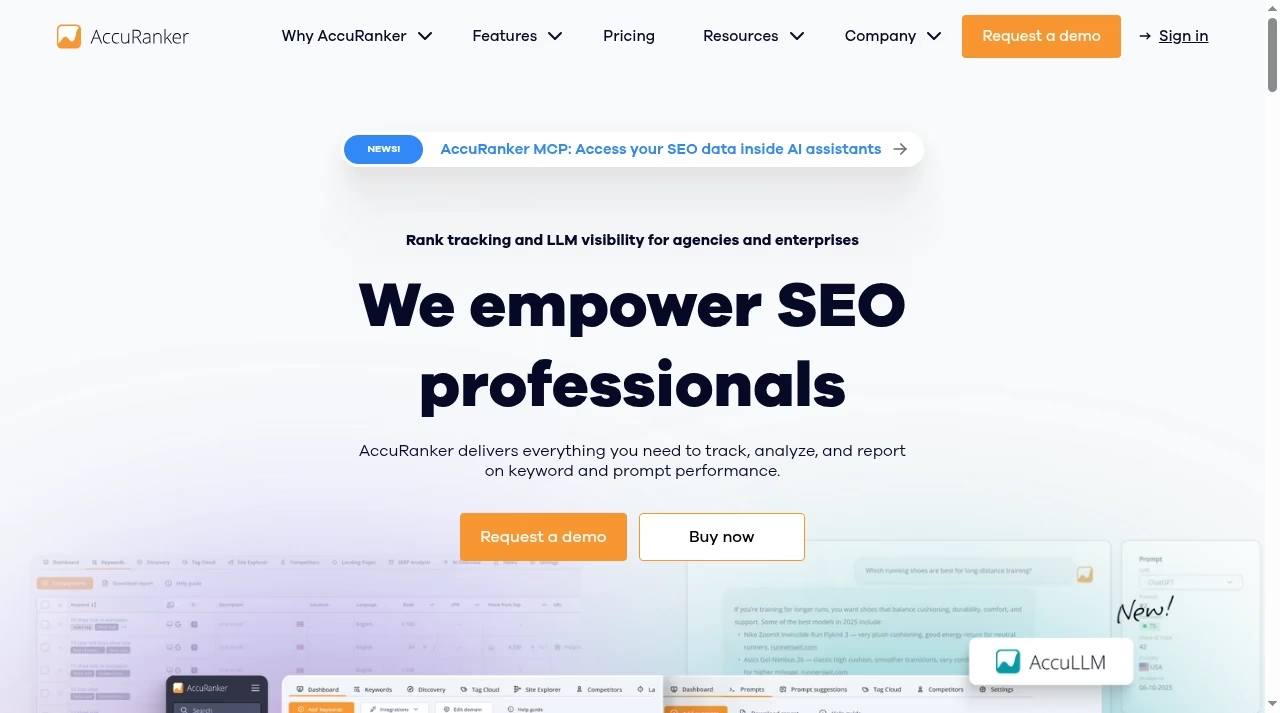
Two homepages, two pitches: one says rank tracking is the product, the other says the platform is. Adjacent categories get the same treatment elsewhere on this site, like Freshservice vs Freshdesk for support tooling.
AccuRanker: a rank tracker that does one job fast
AccuRanker is a dedicated rank tracker, and the product page never pretends otherwise. You hand it a keyword list and it tells you where every keyword ranks, every day, with the option to refresh on demand when you cannot wait for the next scheduled run.
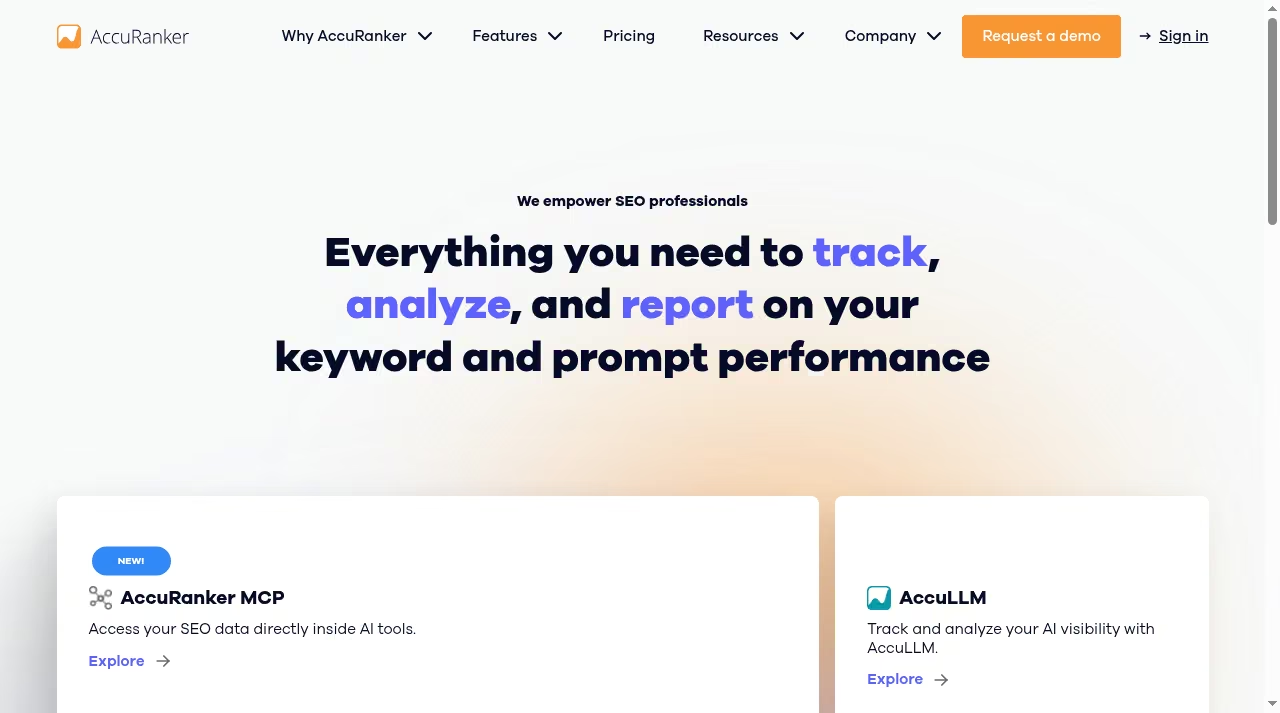
Around that core it adds the things a tracking workflow actually needs: rule-based tagging and folders for organizing thousands of keywords, SERP analysis that shows which features you are winning or losing, a keyword database you can query for any domain, an organic site explorer for competitor context, forecasting to tie rankings to business impact, and reporting with flexible templates.
The integrations tell you who it is for.The keyword side deserves a mention too. AccuRanker ships a keyword database you can query for any domain, search-intent labels on your tracked terms, an organic site explorer for competitor context, and forecasting that models the traffic and revenue impact of moving a keyword from position six to position three.
It will not replace a research platform, but it covers the day-to-day questions: what is this term worth, what intent sits behind it, and what happens to the business if it moves three spots.
That forecasting ties rankings to business growth, the same shift our piece on SEO strategies reshaping the landscape argues is changing the field. Google Search Console and Google Analytics come in on the entry plan, Google Data Studio and an unlimited read API arrive at Expert, and Enterprise adds Google BigQuery, a write API and raw SERP HTML access.
If your reporting stack already pulls from several sources, our Google Analytics 4 guide covers the analytics side that AccuRanker plugs into. The mental model is simple: the keyword list is the product. Everything else in the tool exists to make that list fresher, better organized and easier to report on.
Ahrefs: a full SEO platform with a rank tracker inside
Ahrefs is the platform play. Site Explorer for backlink and organic traffic research, Keywords Explorer for demand, Content Explorer for finding what earns links and shares, Site Audit for technical health (the benefits of technical SEO piece covers why that side pays for itself), Web Analytics, and a Rank Tracker that watches your keyword list across 190+ locations on mobile and desktop.
The Rank Tracker itself is solid: 19 SERP features including AI Overviews, tags and presets for segmentation, position-group charts and share-of-voice style metrics. It is not an afterthought; it is simply not the whole product.
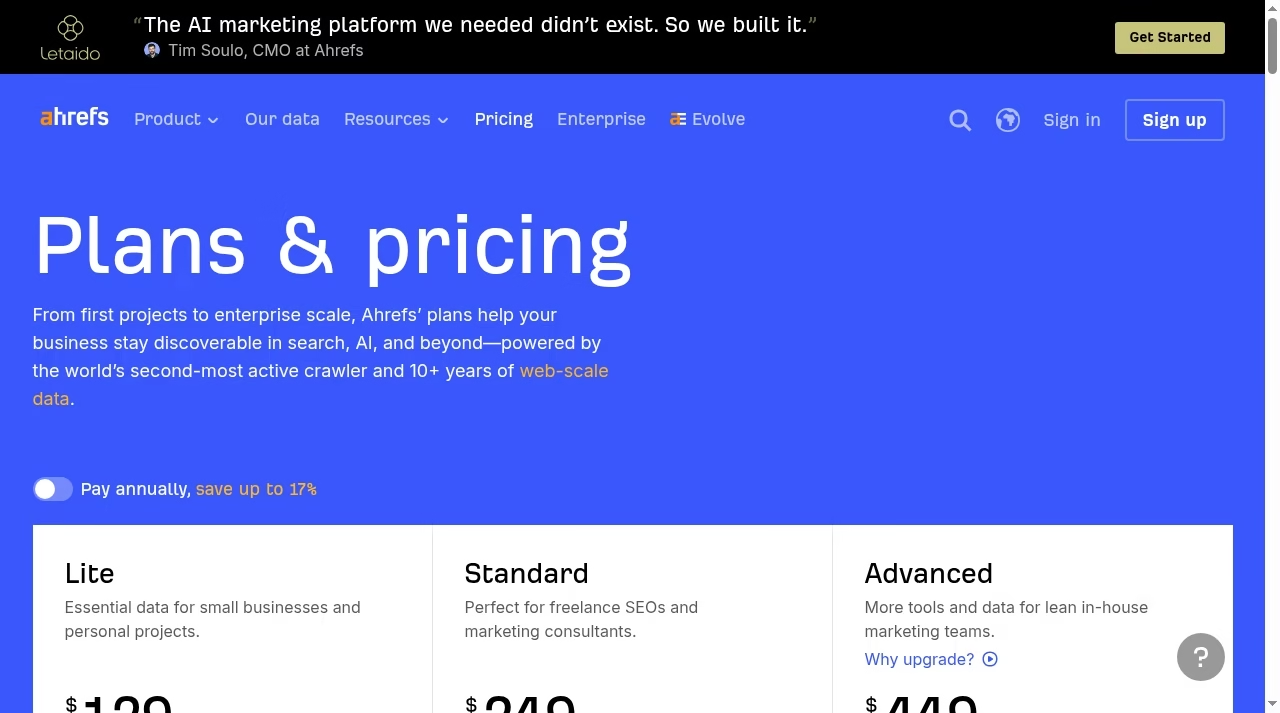
The mental model flips here: the subscription buys you the whole search picture, and rank tracking is one tab in it. That matters most for in-house teams. The same person who checks rankings on Monday runs a content gap analysis on Tuesday and audits a migration on Wednesday, and one login covers all three.
The trade-off is capacity. The entry plan tracks 750 keywords, which a small site will not feel and an agency will hit in a week.
The platform keeps widening, too. Web Analytics measures traffic without a second tool, (our Google Analytics 4 guide covers the default it replaces) GBP Monitor and Social Media Manager sit in beta, and historical data runs from 6 months on Lite to 5 years on Advanced.
For a team consolidating subscriptions, that breadth is the argument: the tracker, the research, the audit and the analytics share one login and one dataset.
Where AccuRanker wins
Freshness and scale of tracking. AccuRanker’s whole infrastructure exists to update keyword rankings daily and on demand, and its entry plan tracks 2,000 keywords where Ahrefs Lite tracks 750.
At monthly list prices, that is $249 for 2,000 keywords against $129 for 750: about 12 cents per tracked keyword versus about 17, and the annual discount widens the gap. If the volume you need is large and the update cadence is the point, the specialist wins the economics as well as the workflow.
We break plan pricing down the same way in our Calendly pricing guide.
Segmentation that survives growth. Rule-based tagging, dynamic tagging on Expert, tag clouds and advanced filtering are how you keep 10,000 keywords legible. A list that size without tags is a spreadsheet you dread opening. AccuRanker is built for the day the list outgrows memory.
Reporting as the deliverable. Agencies do not sell rankings; they sell the report about rankings. Flexible report templates, scheduled exports, the Looker Studio integration at Expert and BigQuery at Enterprise are all aimed at getting data out in front of clients cleanly.
If your reporting layer lives in dashboards, our Core App dashboard review and the Databox alternatives roundup cover the tools teams pair with a tracking feed like this.
Where Ahrefs wins
Everything around the tracking. Rankings tell you where you stand; Ahrefs tells you why. Site Explorer shows the backlink profile behind a competitor’s jump, Keywords Explorer sizes the terms you are not tracking yet, and Content Explorer finds the pages in your niche that actually earn links.
When a ranking drops, the answer is usually in one of those three tools, and they all live in the same subscription.
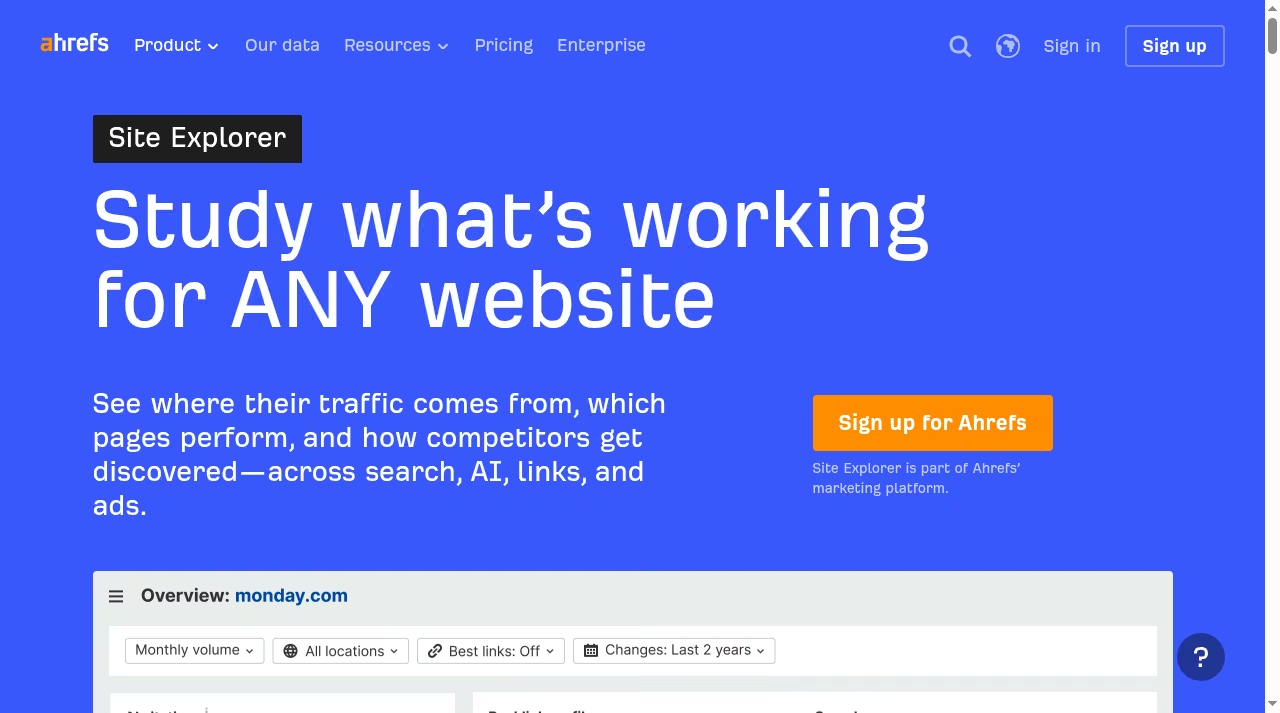
Technical health. Site Audit crawls your site on a schedule with 100,000 crawl credits on Lite, scaling to 1.5 million on Advanced, and flags the issues that quietly cap rankings. Our guide to on-page SEO techniques covers the fixes that matter most. AccuRanker has no equivalent; it assumes the site side is handled elsewhere.
Content workflow. Ahrefs has been building out the content side: Content Explorer for research, an optional Content Kit add-on with an AI content grader from $99 per month, and Web Analytics for measuring what the content does after publication.
If producing the content is the bottleneck, our best AI writing tools guide covers the generation side, but the research-to-publish loop inside Ahrefs is genuinely useful on its own.
Pricing and plan limits as listed on Oct 16, 2026
AccuRanker’s pricing page is built around keyword volume. Three tiers, monthly billing, and paying annually takes 10% off. You can change or cancel at no cost.
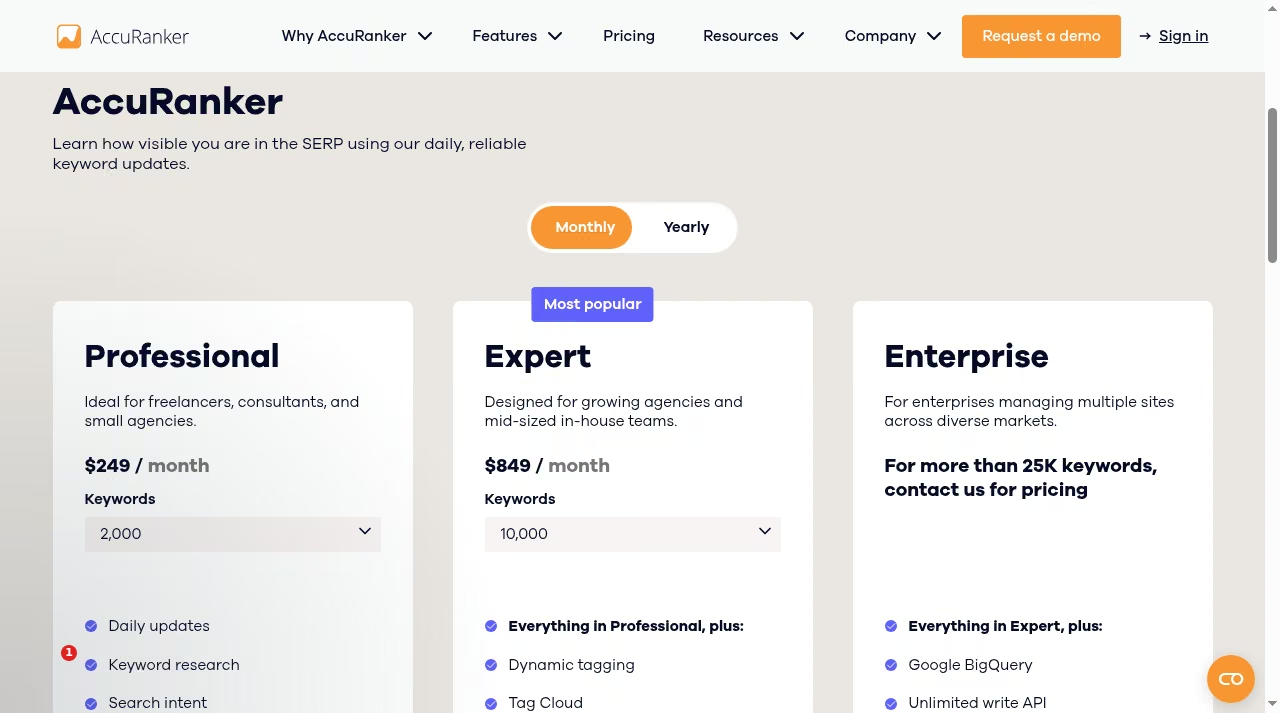
| AccuRanker plan | Price (monthly billing) | Keywords | What it adds |
|---|---|---|---|
| Professional | From $249 per month ($224 with annual billing) | 2,000 to 5,000 | Daily updates, keyword research, search intent, tagging, advanced filtering, GSC and GA, reporting and export |
| Expert | From $849 per month ($764 with annual billing) | 10,000 to 25,000 | Dynamic tagging, Tag Cloud, AI CTR, AI Search Volume, Google Data Studio, unlimited read API |
| Enterprise | Contact for pricing above 25K keywords | 25,000+ | Google BigQuery, unlimited write API, raw SERP HTML, enhanced speed, unlimited users and domains, dedicated CSM |
Ahrefs’ pricing page is a platform ladder. Four tiers, 1 user included on each, annual billing saves up to 17%.
| Ahrefs plan | Price (monthly billing) | Tracked keywords | Crawl credits | Extra users |
|---|---|---|---|---|
| Lite | $129 per month | 750 | 100,000 | Up to 2 at $40 per month each |
| Standard | $249 per month | 2,000 | 500,000 | Up to 5 at $60 per month each |
| Advanced | $449 per month | 5,000 | 1,500,000 | Up to 10 at $80 per month each |
| Enterprise | $1,499 per month, annual commitment | Custom scale | Custom | Unlimited |
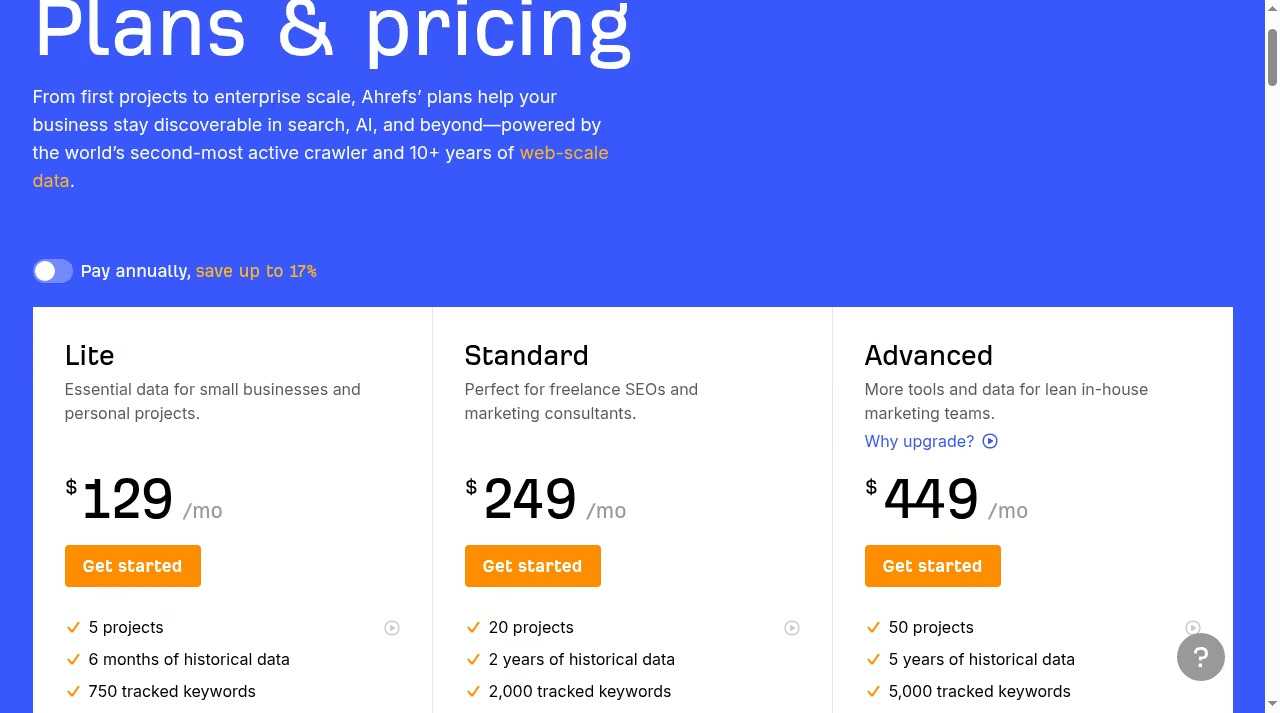
Optional add-ons sit on top: Content Kit from $99 per month, Report Builder at $99 per month, and Project Boost at $20 or $200 per project for faster or always-on audits. Historical data scales with the tier, from 6 months on Lite to 5 years on Advanced.
One more line item: Ahrefs charges per added seat, $40 to $80 per month depending on tier, while AccuRanker builds pricing around keyword volume and lists unlimited users and domains at Enterprise. The per-seat math is the same one that decides the rest of the ops stack; our Gusto pricing guide runs those numbers for payroll.
The honest cost comparison: for pure tracking volume, AccuRanker Professional’s 2,000 keywords at $249 matches Ahrefs Standard’s 2,000 at $249 on price, and AccuRanker’s annual discount takes it to $224; the cheapest way to track 750 keywords remains Ahrefs Lite. The crossover question is what else you will use.
Paying $129 for Lite and using the audit, the research tools and the tracker is good value. Paying $249 for Standard because your keyword list outgrew Lite, and never opening Site Explorer, is not.
If you are costing out the wider reporting stack at the same time, the Databox alternatives guide runs similar numbers for dashboard tools.
AI and LLM visibility in both tools
Both vendors have moved fast on AI-era visibility, and it is worth a section because the approaches differ. AccuRanker built AccuLLM, a companion product for tracking how your brand appears in AI answers, plus an MCP server that pipes your SEO data directly into AI tools.
The main tracker also lists AI CTR and AI Search Volume metrics at Expert. The message: your keyword data should be readable by the AI assistants your team already talks to, the same shift that put AI writing tools on every content desk.
Worth knowing what you are buying either way: AI visibility metrics are young, and every vendor measures them differently. Treat AccuLLM and Brand Radar as directional signals for trend lines, not as audited numbers, and build your reporting around the trend rather than any single score.
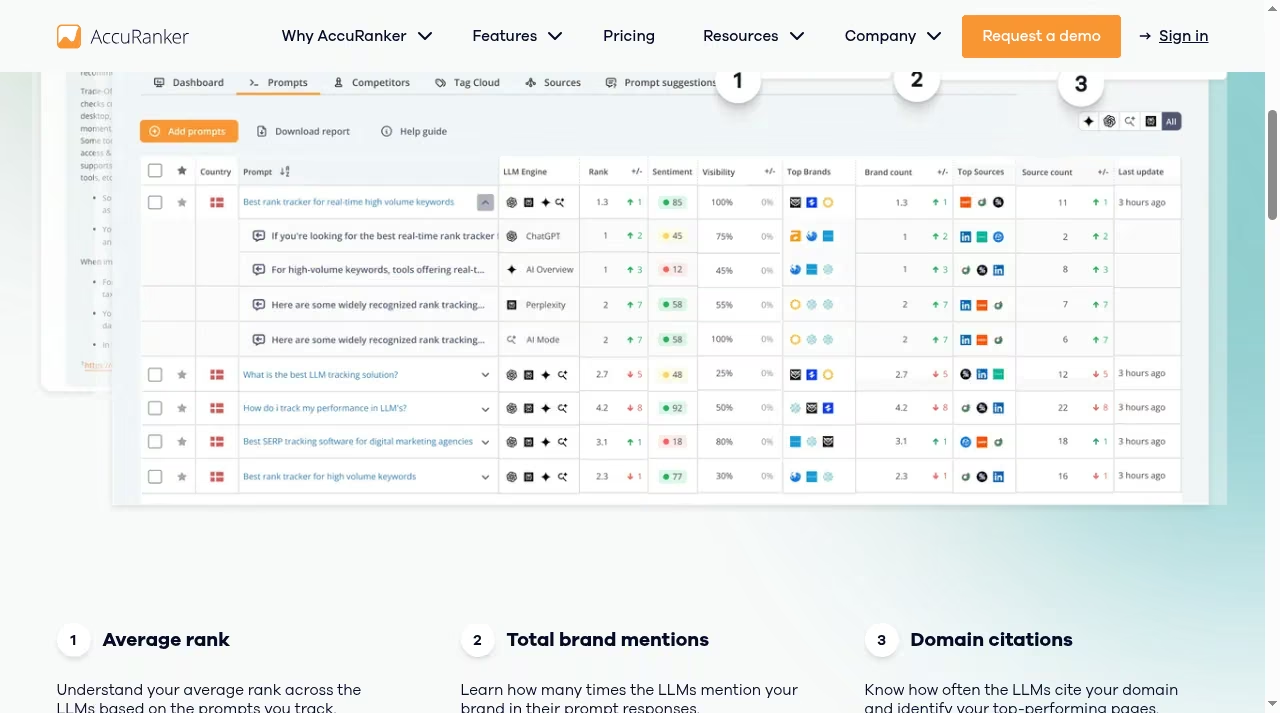
Ahrefs went the platform route. Brand Radar tracks brand visibility across AI surfaces, every plan includes a quota of tracked AI prompts (5 on Lite, 10 on Standard, 20 on Advanced), and the Rank Tracker itself watches AI Overviews as one of its 19 SERP features.
If AI visibility is becoming a line item in your reporting, our best AI tools for small business guide covers the surrounding stack. The practical read: AccuRanker treats AI visibility as a dedicated product, Ahrefs folds it into the platform you already have.
A same-task test you can run in one afternoon
Before you move anything, run the same keyword list through both tools. One afternoon with real data tells you more than a week of reviews, mine included.
Step 1. Take 50 keywords you know cold: 20 money terms, 20 supporting terms, 10 long-tail, with a mix of mobile and local intent. In AccuRanker, import them, apply three rule-based tags, and request an on-demand refresh. Note how long the update takes and how the SERP feature view reads.
Step 2. In Ahrefs, add the same 50 to Rank Tracker across two locations. Check the AI Overview column, the position groups and the share-of-voice chart. Then do one thing AccuRanker cannot do at all: open Site Explorer for your own domain and look at the backlink growth next to the ranking trend.
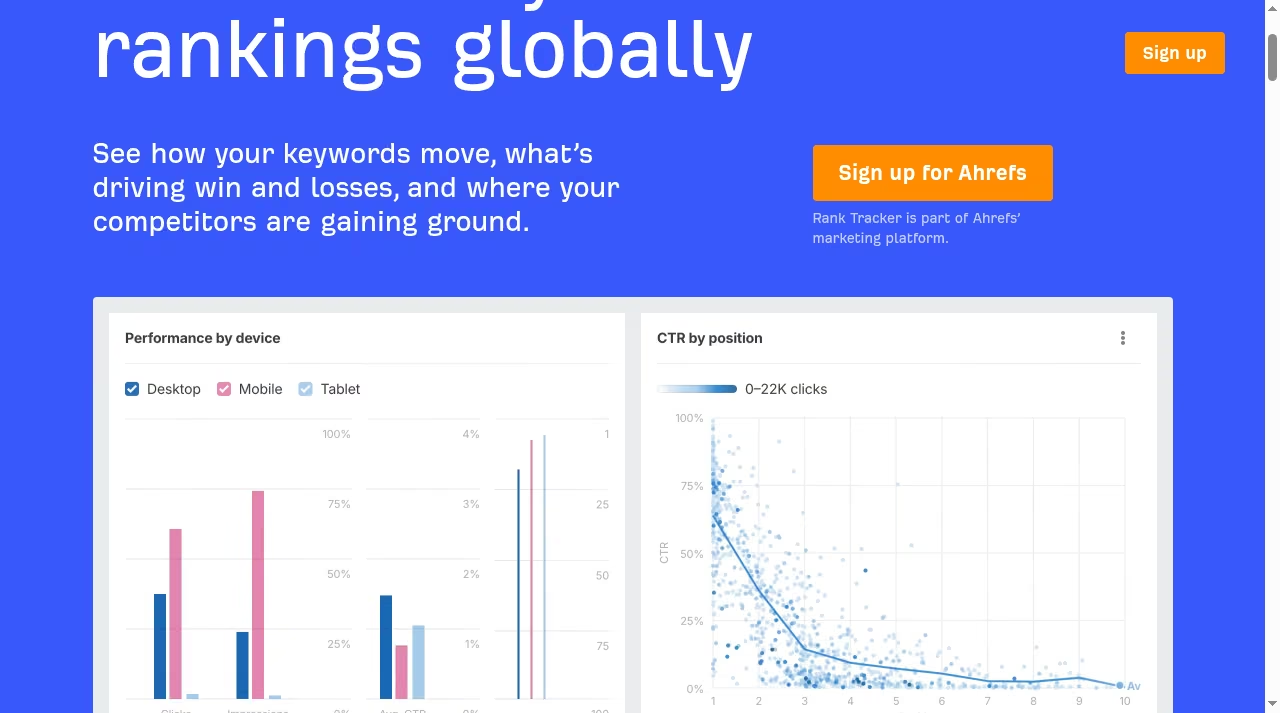
Step 3. Pick one keyword that moved recently. In each tool, ask: can I see why? AccuRanker shows you the SERP change. Ahrefs shows you the SERP plus the links, content and technical state behind it, the same diagnosis our on-page SEO techniques guide walks through page by page. Which answer your team actually needs is the whole decision in miniature.
Do the same for one keyword where you gained ground. The tool that makes the wins easiest to explain is usually the tool your clients or your boss will prefer, because ranking charts without a story attached get skimmed, not read.
Step 4. Build the report you would actually send. In AccuRanker, run a scheduled report template against a tag. In Ahrefs, assemble the equivalent from the dashboard or the Report Builder add-on. If step 4 is your Monday morning, weight it heavily.
Step 5. Check the math against your list size. Under 750 keywords with research and audit needs points to Lite. Over 2,000 keywords with reporting needs points to Professional. Between them, the tie-breaker is step 3. If you are also evaluating enterprise suites, our BrightEdge vs Ahrefs comparison covers the top end of that market.
Running both, or moving between them: what actually changes
The most common setup I see in agencies is both tools at once: Ahrefs for research and audits, AccuRanker for the daily tracking feed and client reporting. The tools barely overlap in that arrangement, which is exactly why it works.
The keyword list is the handoff point: export from Keywords Explorer, import into AccuRanker, tag once and let the tracker run.
Moving in either direction is easy on data and annoying on history. Keyword lists, tags and locations export cleanly as CSV. Historical rank charts do not transfer, so the first month in the new tool always feels thin. The practical fix is to run both in parallel for one reporting cycle before canceling anything.
And remember what clients actually see: the report, not the tool behind it. Our piece on how to improve your customer relationships is about exactly that handoff, because a smooth report matters more to them than which tracker produced it.

Limits matrix: what to confirm before you commit
Numbers worth re-checking on the vendors’ own pages the week you sign up, because these pages change more often than the tools do.
| Limit | AccuRanker | Ahrefs |
|---|---|---|
| Tracked keywords at entry | 2,000 (Professional) | 750 (Lite) |
| Keyword ceiling | 25,000+ on Enterprise | 5,000 on Advanced, custom above |
| Historical data | Full history on your tracked list | 6 months to 5 years by plan |
| Seats | Unlimited users and domains on Enterprise | 1 included, $40 to $80 per extra user |
| API | Unlimited read API at Expert, write API at Enterprise | API and MCP access with plan credits |
| Free option | None listed, demo on request | Limited free plan |
Who should choose which
Choose AccuRanker if rank tracking is the deliverable: agencies reporting to clients every month, in-house SEOs at larger sites tracking thousands of terms daily, or teams whose question is always “what moved and when”.
The per-keyword economics beat the platform at volume, and the reporting layer is built for the client handoff, much like the dashboards in our Core App Dashboard review.
Choose Ahrefs if rankings are one input among several:
Freelancers and solo consultants sit in the middle and should be honest about volume. If you track 300 keywords across five clients and also do the research and the fixes, Ahrefs Lite covers the week.
If you track 800 keywords per client and the monthly report is the product, AccuRanker Professional pays for itself in hours saved.
in-house teams doing research, content, links and technical work in the same week, smaller sites whose 750 keywords fit inside Lite, or anyone whose follow-up to a ranking drop is “now find out why”. If local search is the actual battleground, the decision looks different again; our Moz Local vs BrightLocal comparison covers that pair, and the strategies reshaping SEO puts the tool choice in wider context.
The bottom line
Pick AccuRanker when tracking is the job: big keyword lists, daily freshness, reports that go straight to clients. Pick Ahrefs when tracking is one tab in a bigger workflow: research, links, audits and content alongside the rank charts.
Run the one-afternoon test with your own keyword list before you commit, check the list-size math twice, and let the shape of your week, not the feature grid, make the call. The JustCreateApp directory has the rest of the category if neither fits.
Frequently asked questions
Is AccuRanker better than Ahrefs for rank tracking?
For tracking alone, yes. Daily and on-demand updates, 2,000 keywords at entry against 750, tagging that scales, and reports built for agencies. Ahrefs’ Rank Tracker is solid for an in-house list, with 190+ locations and AI Overview tracking, but it is one feature in a platform, sized for teams that also need the rest.
How much does AccuRanker cost?
As listed on Oct 16, 2026: Professional starts at $249 per month for 2,000 keywords, Expert starts at $849 per month for 10,000, and Enterprise is custom-priced above 25,000 keywords. Annual billing takes 10% off (so $224 and $764 per month respectively), and you can change or cancel at no cost.
Does AccuRanker charge per user?
No. AccuRanker’s pricing is built around keyword volume, not seats. The tiers scale by how many keywords you track, and Enterprise explicitly lists unlimited users and domains. Ahrefs is the opposite: one user per plan, with extra seats at $40 to $80 per month depending on tier.
Is there a free plan?
Ahrefs has a limited free plan with restricted access to Site Explorer and Site Audit. AccuRanker lists no free tier on its pricing page; the route in is a demo on request. Ahrefs’ Lite at $129 per month is the cheapest paid entry between the two.
Can I use both tools together?
Yes, and many agencies do exactly that: Ahrefs for keyword research, backlinks and audits, AccuRanker for the daily tracking feed and client reporting. The overlap is small, the keyword list exports from one and imports into the other, and the combined cost is still below most enterprise suites.
How many keywords do I need to track?
Fewer than you think, then more. A focused small site often fits inside 300 to 750 terms: money pages, category terms and a competitor watchlist. Agencies hit thousands fast because every client adds a list. Buy for the list you will actually review each week, not the one that looks impressive in a dashboard.
Where can I find more tools to compare?
If you are mapping the rank tracking and local search landscape, read Sistrix vs Ahrefs for the visibility-data angle and Moz Local vs BrightLocal for the local side. The JustCreateApp directory lists the wider category, and Moz Local alternatives covers more local SEO options.




Leave a Reply