

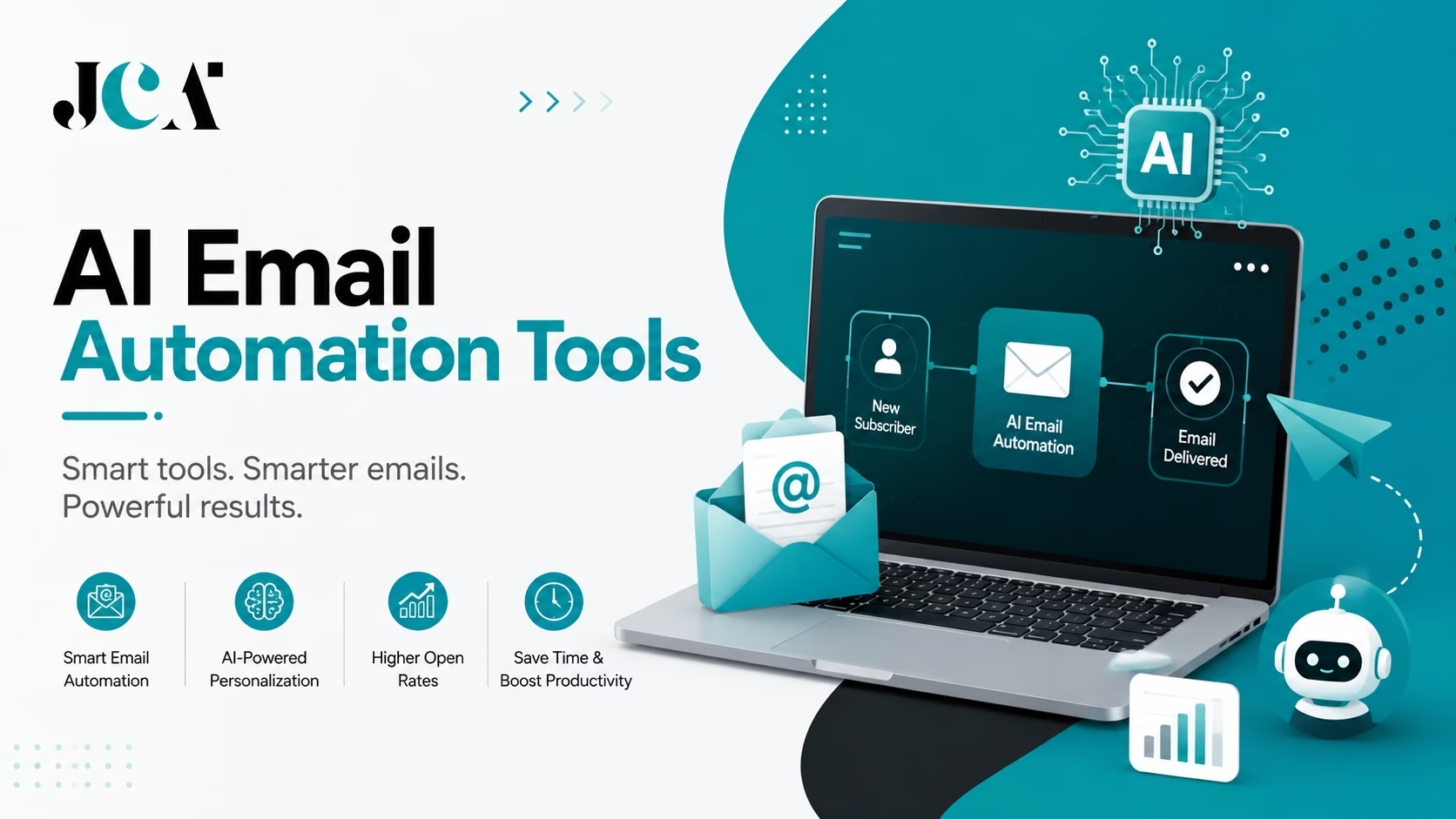

Email marketing used to mean building a campaign, choosing a list, writing the emails, and scheduling everything manually. Today, that approach is starting to look outdated. AI email automation tools can now help businesses create, personalize, trigger, and optimize email communication with far less manual work.
Instead of sending the same message to everyone, AI-powered email platforms can use customer behavior, engagement, purchase history, lifecycle stage, and other data to determine what to send, who should receive it, and when it should be sent. Some tools focus on marketing automation and customer journeys, while others specialize in sales outreach, ecommerce, SaaS lifecycle messaging, transactional emails, or AI-powered inbox management.
The market is also becoming more fragmented. A platform such as Klaviyo is built heavily around ecommerce personalization, while Customer.io focuses on behavioral and lifecycle messaging. Resend, Postmark, and SendGrid are better suited to developers building transactional email infrastructure, whereas HubSpot and Salesforce combine email automation with broader CRM and marketing ecosystems.
That distinction matters because the “best” AI email automation tool depends on what you actually need to automate.
In this guide, we compare 30 AI email automation tools across AI capabilities, workflow automation, personalization, integrations, analytics, scalability, and use cases. Whether you are running a SaaS company, ecommerce store, sales team, agency, startup, or enterprise marketing operation, this list will help you identify the platform that fits your workflow instead of simply choosing the tool with the longest feature list.
Also read: How to Maximize Conversions with Exit-Intent Popups in Email Capture?
What Is AI Email Automation?
AI email automation is the use of artificial intelligence, automation workflows, and customer data to automatically create, personalize, send, and optimize email messages based on specific triggers or user behavior.
Traditional email automation typically follows predefined rules. For example, when someone subscribes to a newsletter, the system sends a welcome email. After three days, it sends another email, followed by a promotional message a week later.
AI email automation can make these workflows more adaptive.
Instead of relying entirely on fixed rules, AI can analyze customer behavior and help determine which message is most relevant, what content should be included, which audience should receive it, and sometimes when the message is most likely to generate engagement.
For example, an ecommerce business could create a workflow like this:
Customer views a product → AI identifies buying intent → personalized email is generated → customer receives a recommendation → purchase triggers a follow-up → no purchase triggers another message.
The same concept can be applied to SaaS onboarding, lead nurturing, sales outreach, customer retention, abandoned-cart campaigns, transactional notifications, and re-engagement.
AI Email Automation vs. Traditional Email Automation
The biggest difference is adaptability.
Traditional email automation generally depends on predefined conditions:
- If a user signs up, send a welcome email.
- If a customer abandons a cart, send a reminder.
- If a lead downloads an ebook, start a nurture sequence.
- If a customer has not purchased for 90 days, send a re-engagement campaign.
These workflows remain useful, but they require marketers to manually define many of the rules.
AI-powered email automation can add another layer of intelligence by using customer and campaign data to assist with:
- Email and subject-line generation
- Audience segmentation
- Personalization
- Lead scoring
- Behavioral analysis
- Send-time optimization
- Product recommendations
- Campaign optimization
- Customer journey decisions
- Performance analysis
However, AI does not necessarily replace traditional automation. The most capable platforms combine both.
Think of traditional automation as the engine that executes your workflow, while AI acts as the decision-making layer that can make parts of that workflow more personalized and data-driven.
What Can AI Email Automation Tools Do?
Depending on the platform, AI email automation can help automate different parts of the customer communication process.
A modern platform may allow you to:
- Generate email content based on a campaign objective or customer segment.
- Personalize messages using customer attributes and behavioral data.
- Create automated customer journeys triggered by actions such as signups, purchases, clicks, or product usage.
- Segment audiences according to engagement, behavior, demographics, purchase history, or lifecycle stage.
- Score leads and identify prospects that may be ready for sales outreach.
- Automate follow-ups when recipients do not respond or take the expected action.
- Optimize campaigns using engagement and conversion data.
- Connect email with other channels, including SMS, push notifications, WhatsApp, or in-app messaging, depending on the platform.
The important point is that not every tool on this list offers all of these capabilities.
Some are full marketing automation platforms. Others specialize in ecommerce, sales outreach, transactional email, SaaS lifecycle messaging, or personal inbox productivity.
That is why choosing an AI email automation tool should start with the type of communication you need to automate, rather than simply looking for the platform with the most AI features.
Also read: The Role of Email Finders in Sales: How to Find and Reach Prospects
How We Selected the Best AI Email Automation Tools
With dozens of email platforms claiming to offer AI, comparing them based on a simple feature checklist can be misleading. A tool designed for sending transactional emails through an API serves a very different purpose from a platform built for ecommerce customer journeys or enterprise marketing automation.
For this list, we looked at the capabilities that matter when choosing an AI email automation platform, including:
AI Capabilities
We considered how each platform uses AI beyond basic email writing. This includes AI-assisted content creation, personalization, segmentation, predictive insights, campaign optimization, lead scoring, recommendations, and workflow assistance.
Automation & Workflows
We looked at how deeply each platform can automate email communication. Important capabilities include visual workflow builders, behavioral triggers, conditional logic, event-based automation, automated sequences, follow-ups, and customer journeys.
Personalization
Modern email automation should go beyond inserting a recipient’s first name. We considered whether platforms can use customer behavior, preferences, purchase history, product usage, lifecycle stage, and other data to create more relevant communication.
Integrations
Email rarely operates in isolation. We considered integrations with CRM platforms, ecommerce systems, analytics tools, customer databases, APIs, and other business applications.
Use Cases
We also evaluated what each tool is actually best at. Some platforms are built for SaaS companies, some for ecommerce brands, some for sales teams, and others for developers or enterprise marketing departments.
Scalability
A tool that works well for a small newsletter may not be suitable for a company managing millions of customer interactions. We considered the ability of each platform to support growing contact lists, more complex workflows, larger sending volumes, and more sophisticated customer journeys.
Deliverability & Analytics
Automation only matters if emails reach the inbox and businesses can measure the results. We considered deliverability-related capabilities, campaign reporting, engagement analytics, testing, attribution, and optimization features where available.
Ease of Use & Overall Value
Finally, we considered the learning curve, workflow complexity, available features, and overall value for different types of users.
One important distinction runs throughout this list: not all 30 tools are direct competitors. Some are comprehensive marketing automation platforms, while others focus on transactional email, sales outreach, SaaS lifecycle messaging, ecommerce automation, or AI-powered inbox productivity.
The goal is therefore not to declare one universal winner. Instead, this guide helps you identify the best AI email automation tool for your specific use case, team size, technical requirements, and automation goals.
Also read: Top 20 Social Media Automation Tools
30 Best AI Email Automation Tools in 2026
There is no single AI email automation tool that is best for every business. A SaaS company needs event-based lifecycle emails, an ecommerce brand needs behavioral campaigns and product recommendations, while a sales team may care more about AI personalization and automated follow-ups.
The first 10 tools below cover a broad range of email automation needs, from SaaS and enterprise CRM to ecommerce, sales outreach, and small-business marketing.
1. Loops
- Best for: SaaS companies and product-led businesses
- Core strength: Product and lifecycle email automation
- Automation level: Advanced
- Email type: Marketing and transactional
- Ideal for: SaaS onboarding, product updates, and event-triggered emails
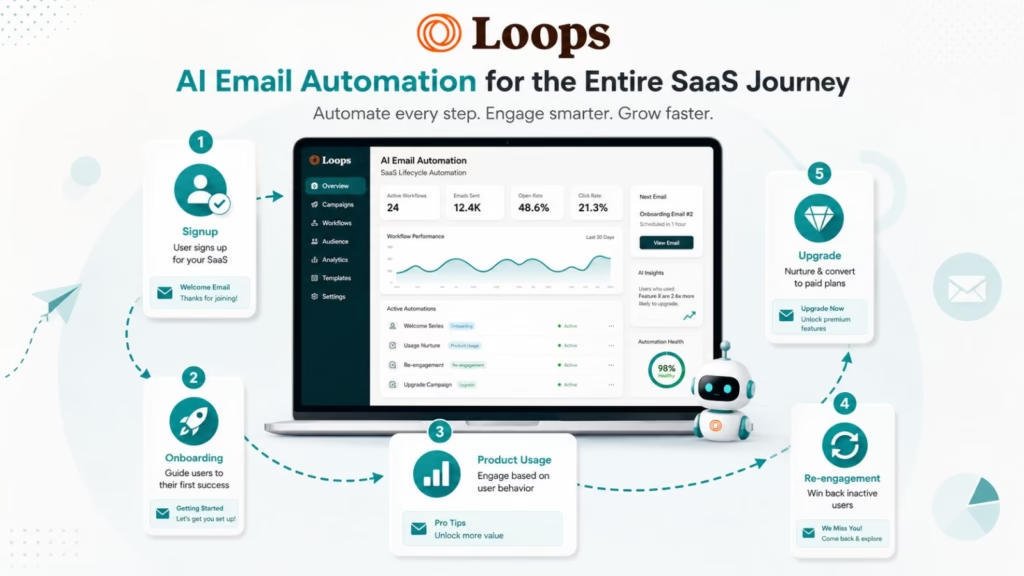
Loops is built with modern SaaS businesses in mind, making it particularly useful when email communication needs to respond to what users actually do inside a product.
Instead of treating every subscriber as part of the same mailing list, SaaS teams can connect email workflows with product events. A signup, feature interaction, subscription change, or other user action can become the trigger for an automated message.
For example, a SaaS company could create a workflow that sends an onboarding email after signup, follows up when a user has not completed setup, and sends a product education email after the user reaches a specific milestone.
Key capabilities include:
- Event-based email automation
- SaaS lifecycle messaging
- Transactional email
- Audience segmentation
- Automated workflows
- API and developer integrations
- Product-triggered communication
Why choose Loops: Loops makes the most sense when your email strategy is closely connected to your SaaS product and user activity. It is less about sending generic newsletters and more about communicating with users throughout their product lifecycle.
Potential limitation: Businesses looking for a broad, all-in-one CRM and marketing platform may need more functionality than Loops provides.
2. Salesforce
- Best for: Enterprise CRM and marketing automation
- Email type: Marketing, sales, and lifecycle
- Core strength: Connecting customer data with sales and marketing workflows
- Automation level: Advanced
- Ideal for: Large organizations with complex customer journeys
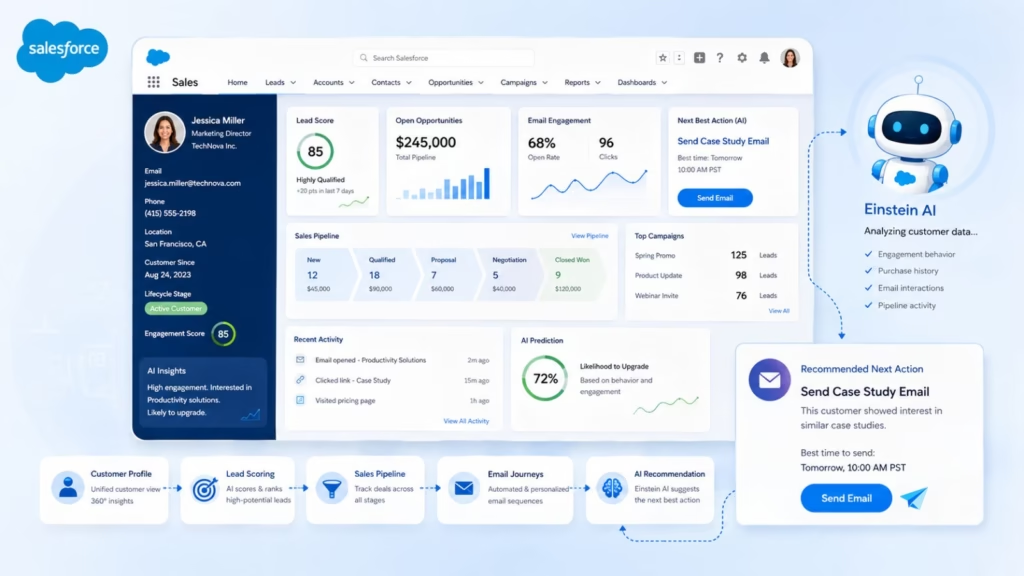
Salesforce approaches email automation from a CRM-first perspective. Instead of keeping customer information, sales activity, marketing campaigns, and email engagement in separate systems, Salesforce can connect these activities within a broader customer data ecosystem.
Its AI capabilities can assist teams with tasks such as content generation, customer insights, sales workflows, and personalization. For organizations with complex sales processes, this can make email automation part of a much larger customer journey.
A typical workflow might look like:
Lead captured → lead scored → personalized email → engagement detected → sales follow-up → opportunity created
Key capabilities include:
- AI-assisted sales and marketing workflows
- CRM integration
- Customer segmentation
- Lead scoring
- Marketing automation
- Personalized campaigns
- Sales workflows
- Enterprise integrations
- Reporting and analytics
Why choose Salesforce: Salesforce is a strong choice when email automation needs to work closely with CRM data, sales pipelines, customer records, and enterprise processes.
Potential limitation: Its extensive ecosystem can introduce more complexity than a small business needs for straightforward email automation.
3. Resend
- Best for: Developers and SaaS product teams
- Core strength: Developer-focused email infrastructure
- Email type: Primarily transactional
- Ideal for: Application emails and product notifications
- Automation level: Event and API-based
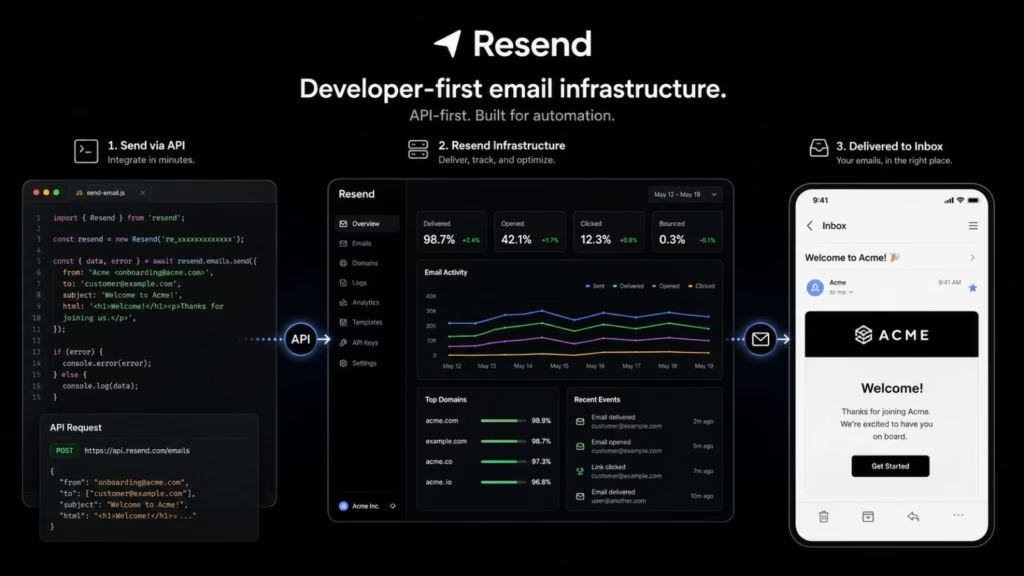
Resend is aimed at developers who need to integrate email directly into websites, applications, and SaaS products. Rather than competing primarily with newsletter platforms, it focuses on making programmable email easier to build and manage.
This makes it useful for automated messages such as:
- Account verification
- Password resets
- Invoices
- Payment notifications
- Product alerts
- Onboarding messages
- Application notifications
Developers can trigger emails from events happening inside an application and connect email functionality directly to their product infrastructure.
Key capabilities include:
- Email API
- Transactional email
- Event-triggered sending
- Developer integrations
- Email templates
- Delivery monitoring
- React Email support
Why choose Resend: If developers need reliable, programmable email inside a SaaS product or application, Resend can be a better fit than a traditional marketing automation platform.
Potential limitation: It is not designed to replace a full ecommerce or CRM-based marketing automation platform.
4. Mailercloud
- Best for: Small and midsize businesses
- Core strength: Accessible email marketing automation
- Email type: Marketing and lifecycle
- Automation level: Moderate to advanced
- Ideal for: SMB campaigns, newsletters, and automated customer journeys
- Website: Mailercloud
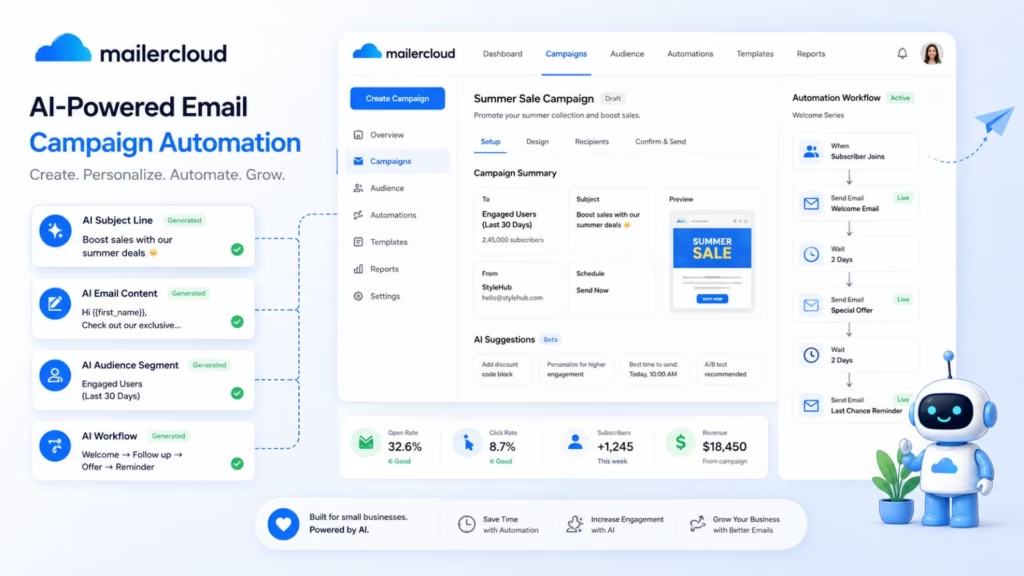
Mailercloud combines email campaigns, automation, segmentation, analytics, and AI-assisted content creation in a platform designed for businesses that may not need the complexity of an enterprise marketing stack.
Businesses can use automation to create welcome sequences, promotional campaigns, customer follow-ups, and other communications based on subscriber behavior.
Its AI capabilities can also help marketers with content creation, making it useful for teams that want to reduce the time spent starting campaigns from a blank page.
Key capabilities include:
- AI-assisted email content
- Marketing automation
- Subscriber segmentation
- Automated workflows
- Email templates
- Campaign analytics
- Personalization
- Integrations
Why choose Mailercloud: It is worth considering if you want a combination of AI-assisted email creation and traditional marketing automation without immediately moving to an enterprise platform.
Potential limitation: Businesses with highly complex CRM, enterprise lifecycle, or developer-focused requirements may need a more specialized platform.
5. Lemlist
- Best for: Sales teams and outbound email
- Core strength: AI-assisted personalization and sales sequences
- Email type: Sales and cold outreach
- Automation level: Advanced
- Ideal for: Lead generation, prospecting, and automated follow-ups
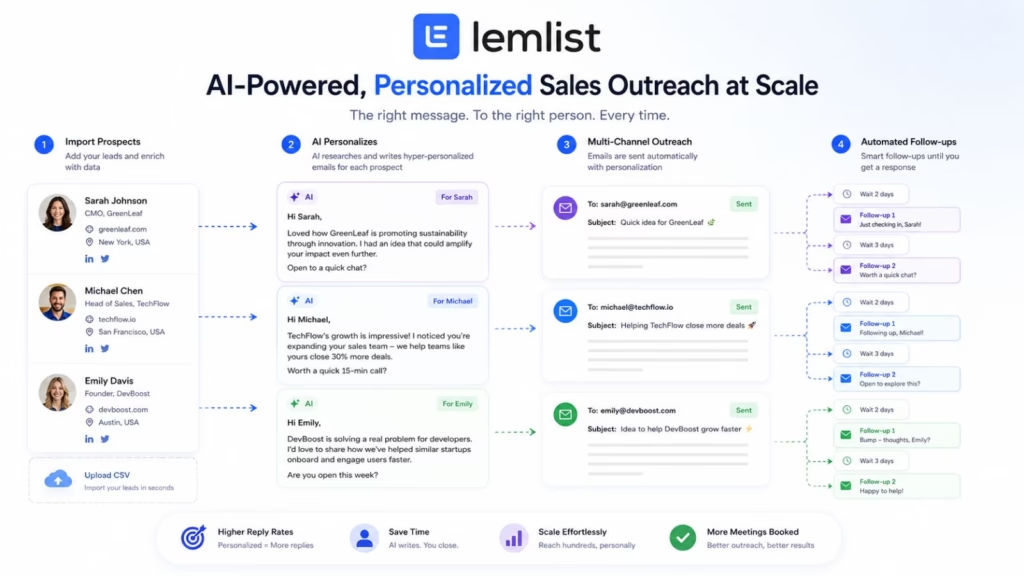
Lemlist is built for a different type of email automation than platforms such as Mailchimp or Klaviyo. Its primary focus is outbound sales, where the goal is to turn prospects into conversations.
Sales teams can create automated sequences that send an initial message, wait for a defined period, check engagement, and continue with personalized follow-ups.
AI can help make this outreach more relevant by assisting with personalization rather than forcing sales teams to manually write every message.
Key capabilities include:
- AI-assisted personalization
- Automated cold email sequences
- Follow-up workflows
- Lead management
- Sales automation
- Multichannel outreach
- Deliverability features
- Campaign analytics
Why choose Lemlist: Lemlist makes more sense for a sales team trying to automate prospecting than for a brand primarily sending newsletters or customer lifecycle campaigns.
Potential limitation: Its outbound-sales focus means it may not be the right choice for businesses looking for sophisticated ecommerce or customer retention automation.
6. Drip
- Best for: Ecommerce businesses
- Core strength: Customer behavior-driven marketing automation
- Email type: Ecommerce and lifecycle
- Automation level: Advanced
- Website: Drip
- Ideal for: Online stores, abandoned carts, retention, and repeat purchases
Drip is designed around ecommerce customer journeys. Instead of simply sending scheduled campaigns, businesses can use customer behavior and purchase activity to determine which communication should happen next.
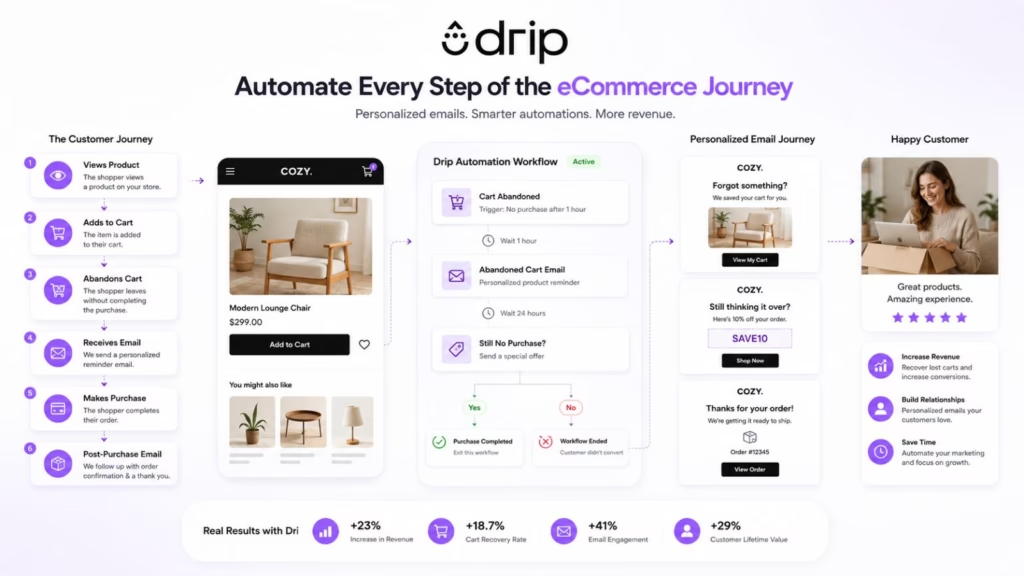
For example:
Product viewed → customer leaves → abandoned-browse email → purchase → post-purchase email → repeat-purchase campaign
This behavioral approach allows ecommerce brands to automate communication throughout the customer lifecycle.
Key capabilities include:
- Ecommerce automation
- Behavioral triggers
- Customer segmentation
- Abandoned-cart workflows
- Post-purchase automation
- Personalized campaigns
- Customer journey automation
- Ecommerce integrations
- Revenue-focused analytics
Why choose Drip: Drip is a strong option for ecommerce businesses that want their email strategy to respond to customer actions rather than rely primarily on scheduled broadcasts.
Potential limitation: Businesses outside ecommerce may find some of its strongest capabilities less relevant.
7. GetResponse
- Best for: All-in-one marketing automation
- Core strength: Combining email automation with broader marketing tools
- Email type: Marketing and lifecycle
- Automation level: Advanced
- Ideal for: Small businesses, marketers, and companies running multiple digital campaigns
- Website URL: https://www.getresponse.com/
GetResponse combines email marketing with automation, landing pages, conversion funnels, webinars, and other marketing capabilities.
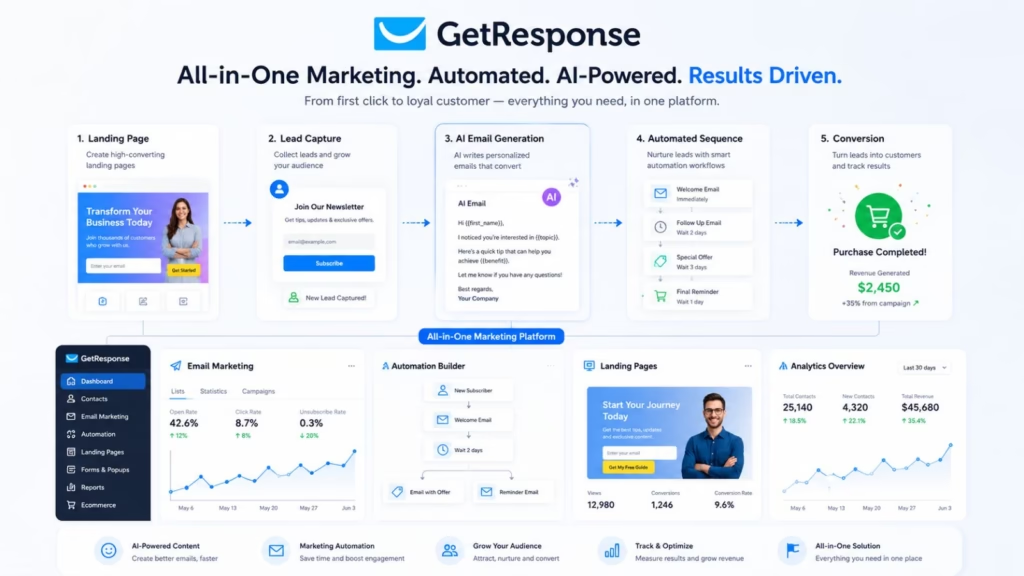
Its AI features can assist with tasks such as content creation, while its automation builder allows marketers to create multi-step customer journeys based on subscriber activity.
A business could use GetResponse to automate a sequence such as:
Landing-page signup → welcome email → content sequence → engagement trigger → offer → follow-up
Key capabilities include:
- AI-assisted content creation
- Email automation
- Customer journeys
- Segmentation
- Landing pages
- Marketing funnels
- Ecommerce features
- Analytics
Why choose GetResponse: It is a good fit for businesses that want email automation as part of a broader marketing toolkit rather than as a standalone email service.
Potential limitation: Companies that need highly specialized product-event automation or enterprise-scale customer data orchestration may need a more specialized platform.
8. ActiveCampaign
- Best for: Advanced marketing automation
- Email type: Marketing, sales, and lifecycle
- Core strength: Complex, behavior-based customer journeys
- Automation level: Advanced
- Ideal for: Businesses that have outgrown basic email sequences
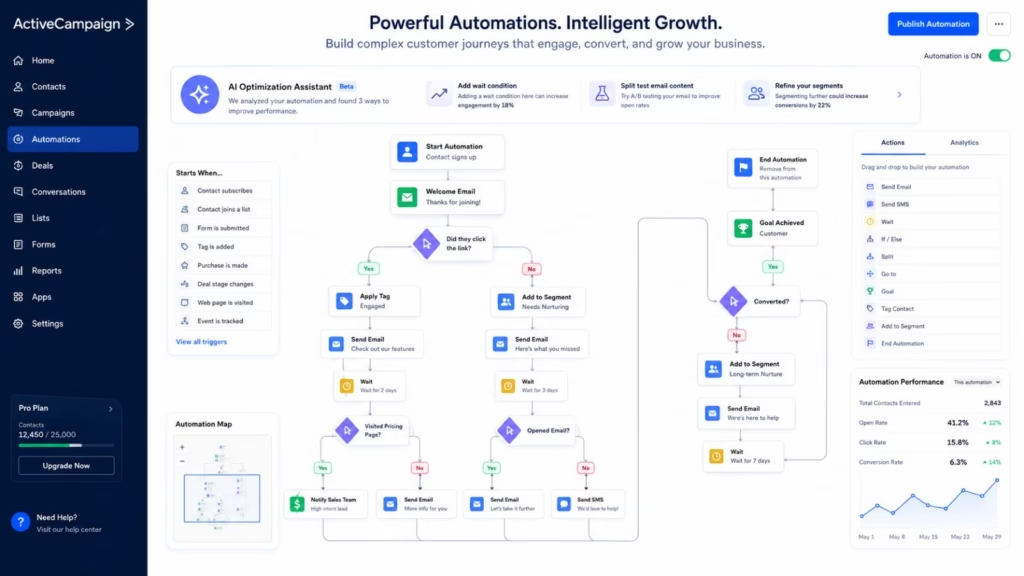
ActiveCampaign is one of the strongest options for businesses that want to build sophisticated automated customer journeys.
Its visual automation capabilities allow marketers to combine triggers, conditions, customer data, engagement signals, and follow-up actions into complex workflows.
For example:
New lead → welcome email → link clicked → segment lead → send relevant content → score lead → notify sales
Its AI capabilities can assist with campaign creation and optimization, while CRM functionality helps connect marketing automation with sales activity.
Key capabilities include:
- AI-assisted campaign creation
- Visual workflow builder
- Behavioral triggers
- Conditional logic
- Lead scoring
- CRM
- Customer segmentation
- Personalized messaging
- Sales automation
- Campaign analytics
Why choose ActiveCampaign: If simple autoresponders are no longer enough and you need detailed, multi-step automation, ActiveCampaign is one of the platforms worth evaluating first.
Potential limitation: Its extensive automation capabilities can require more setup and learning than simpler email platforms.
9. Postmark
- Best for: Transactional email
- Core strength: Reliable application-generated email
- Email type: Transactional
- Automation level: Event-based
- Ideal for: SaaS products, applications, and developer teams
- Website: Postmark
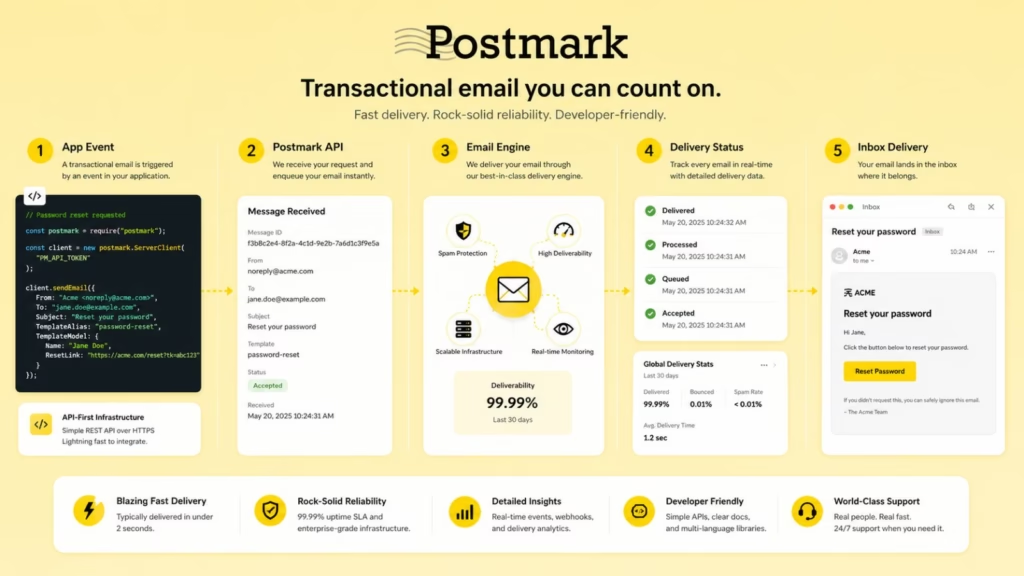
Postmark focuses on transactional email rather than traditional promotional marketing.
That distinction is important.
A marketing automation platform might send a promotional campaign to 100,000 subscribers. Postmark is designed for messages that are triggered by individual actions, such as:
- Password resets
- Account verification
- Receipts
- Order confirmations
- Shipping notifications
- Application alerts
- Password-change notifications
These messages are often essential to the user experience, which makes reliable delivery especially important.
Key capabilities include:
- Transactional email
- Email API
- Templates
- Event-triggered messages
- Delivery tracking
- Bounce management
- Developer tools
- Deliverability monitoring
Why choose Postmark: Choose Postmark when transactional email is a core part of your application and reliability is more important than building elaborate promotional campaigns.
Potential limitation: It is not a direct replacement for full-scale marketing automation platforms such as HubSpot, ActiveCampaign, or Klaviyo.
10. MailerLite
- Best for: Small businesses, creators, and beginners
- Core strength: Simple email automation
- Email type: Marketing and lifecycle
- Automation level: Moderate
- Ideal for: Newsletters, lead nurturing, and straightforward customer journeys
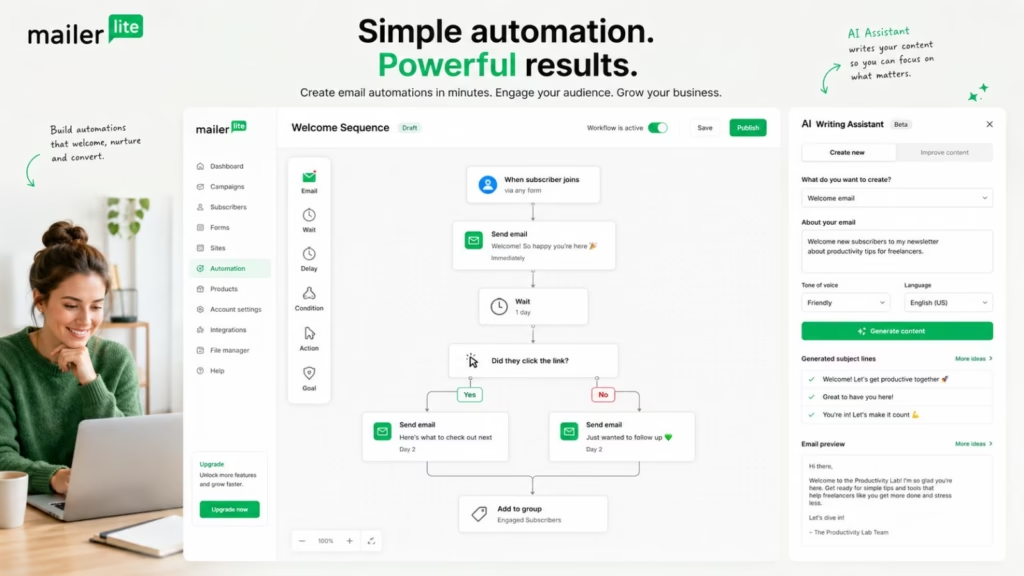
MailerLite focuses on making email marketing easier to launch and manage. It combines newsletters, forms, landing pages, segmentation, automation, and AI-assisted content creation without requiring the complexity of a large enterprise platform.
A small business could use it to build a simple workflow such as:
Newsletter signup → welcome email → educational sequence → engagement check → promotional email
The platform is particularly attractive when a business needs useful automation but does not want to spend weeks building complicated workflows.
Key capabilities include:
- AI writing assistance
- Email automation
- Subscriber segmentation
- Automated sequences
- Landing pages
- Signup forms
- Email templates
- Campaign analytics
Why choose MailerLite: It is a strong starting point for small businesses and creators that want practical automation without a steep learning curve.
Potential limitation: Businesses requiring highly sophisticated CRM workflows, enterprise customer data, or complex behavioral orchestration may eventually need a more advanced platform.
11. Brevo
- Best for: Multichannel marketing automation
- Core strength: Email, SMS, and customer communication workflows
- Email type: Marketing, transactional, and lifecycle
- Automation level: Advanced
- Ideal for: Small and midsize businesses that want multiple communication channels
Brevo is more than an email marketing platform. It combines email automation with SMS, transactional messaging, CRM capabilities, segmentation, and customer journeys, making it useful for businesses that want to manage several customer touchpoints from one platform.
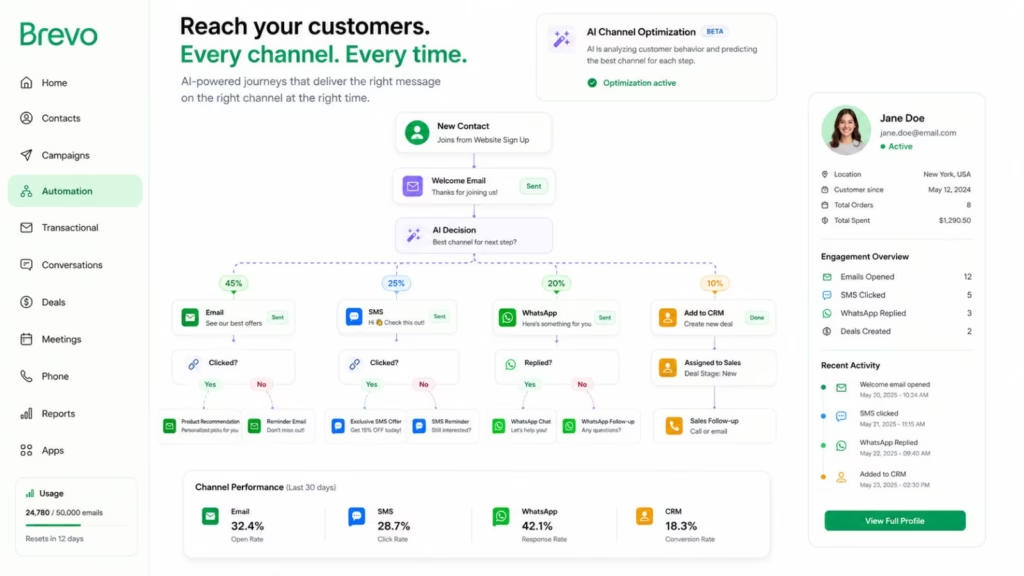
Its automation features allow businesses to trigger communication based on actions such as signup, email engagement, purchases, or changes in customer information. AI-assisted capabilities can also help marketers create and refine campaigns.
For example:
Signup → welcome email → SMS reminder → engagement check → personalized offer → follow-up
Key capabilities include:
- AI-assisted email creation
- Email automation
- SMS marketing
- Transactional email
- CRM functionality
- Customer segmentation
- Automated customer journeys
- Personalization
- Campaign analytics
Why choose Brevo: Brevo is a strong option if email is only one part of your communication strategy and you also want SMS, transactional messaging, and CRM capabilities.
Potential limitation: Businesses that need extremely sophisticated enterprise customer journeys may eventually require a more specialized platform.
12. Mailchimp
- Best for: General-purpose email marketing
- Core strength: Accessible email campaigns and customer journeys
- Email type: Marketing and lifecycle
- Automation level: Moderate to advanced
- Ideal for: Small businesses, nonprofits, creators, and growing brands
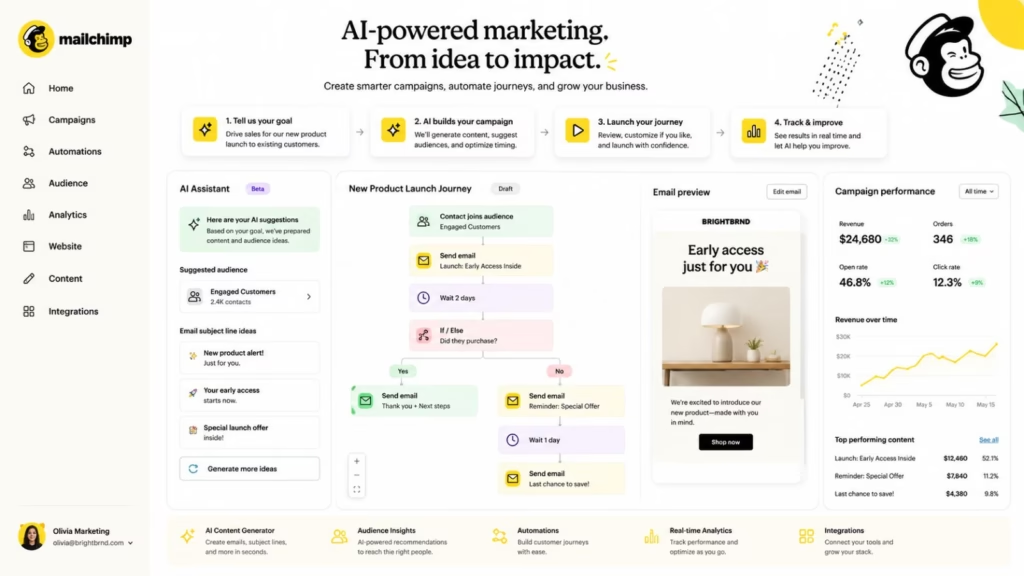
Mailchimp is one of the most recognizable names in email marketing, and its platform has evolved beyond simple newsletters into automated customer journeys, segmentation, analytics, integrations, and AI-assisted marketing.
Businesses can create automated workflows for welcome campaigns, customer engagement, ecommerce activity, lead nurturing, and re-engagement.
Its broad ecosystem is one of its biggest advantages. Businesses can connect Mailchimp with other applications and use customer data to trigger more relevant campaigns.
Key capabilities include:
- AI-assisted content creation
- Automated customer journeys
- Audience segmentation
- Email templates
- A/B testing
- Ecommerce integrations
- Campaign analytics
- Marketing integrations
Why choose Mailchimp: It is a practical choice for businesses looking for a familiar email marketing platform that combines automation with a large ecosystem.
Potential limitation: Businesses with highly complex automation requirements may find specialized platforms more flexible.
13. Mailmodo
- Best for: Interactive email marketing
- Core strength: Interactive email experiences
- Email type: Marketing and engagement
- Automation level: Advanced
- Ideal for: Brands using forms, surveys, quizzes, and interactive content
- Website: Mailmodo
Mailmodo takes a different approach to email automation by focusing on interactive email experiences. Instead of requiring recipients to leave the inbox for every action, businesses can incorporate interactive elements into supported emails.
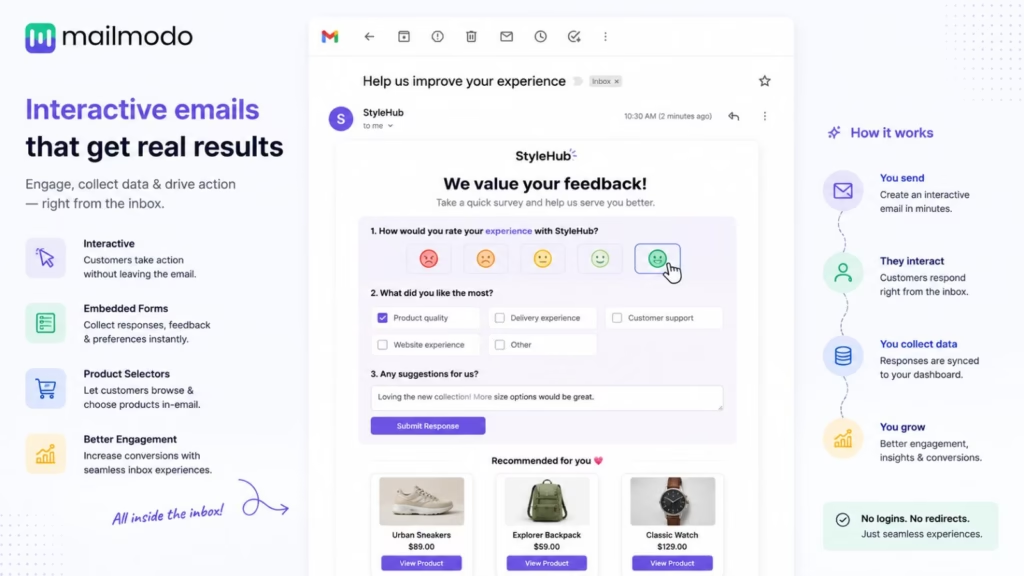
This can be useful for collecting information, running surveys, generating leads, gathering feedback, or creating more engaging ecommerce experiences.
For example:
Email sent → recipient completes form → response triggers segmentation → personalized follow-up
Key capabilities include:
- Interactive emails
- AMP email capabilities
- Email automation
- Personalization
- Forms and surveys
- Automated customer journeys
- Analytics
- Integrations
Why choose Mailmodo: If engagement and interactivity are important parts of your email strategy, Mailmodo offers capabilities that go beyond conventional text-and-image newsletters.
Potential limitation: Interactive email features may not be necessary for businesses that primarily need straightforward newsletters or transactional messaging.
14. Instantly
- Best for: Cold email and outbound sales
- Core strength: Automated prospecting and follow-ups
- Email type: Sales and outbound
- Automation level: Advanced
- Website: https://instantly.ai/
- Ideal for: Sales teams, agencies, lead-generation businesses, and outbound campaigns
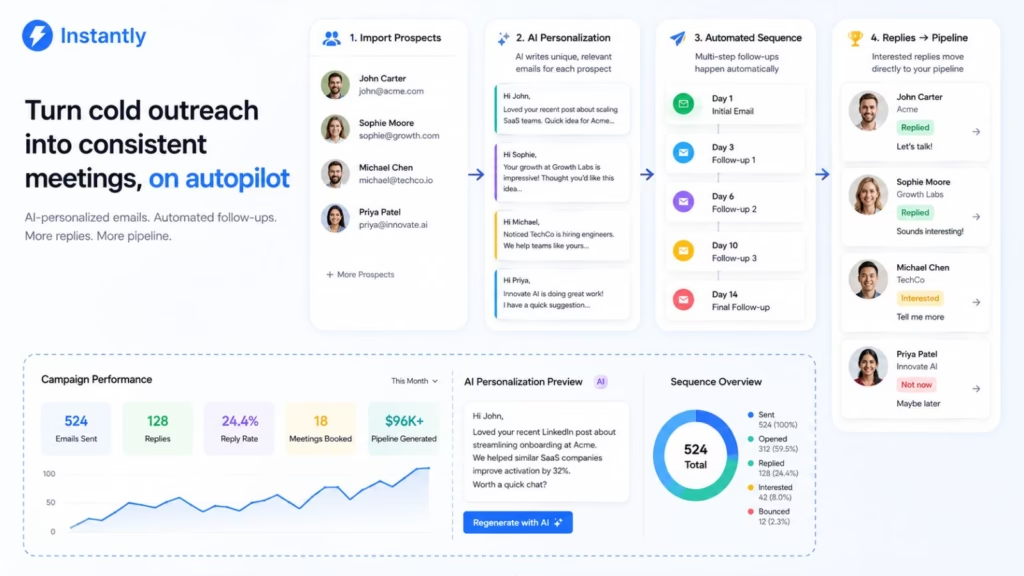
Instantly focuses on outbound email rather than traditional subscriber marketing. Its automation capabilities are designed to help sales teams contact prospects at scale while maintaining sequences and follow-ups.
Instead of manually remembering when to follow up with every prospect, a sales team can create a sequence that automatically handles multiple stages of outreach.
A typical workflow might look like:
Prospect added → personalized email → wait → follow-up → engagement detected → next step
AI-assisted features can help with personalization and campaign creation, while other features focus on managing sending infrastructure and outreach.
Key capabilities include:
- Automated cold email sequences
- AI-assisted personalization
- Follow-up automation
- Lead management
- Multiple sending accounts
- Deliverability tools
- Sales analytics
Why choose Instantly: It is a strong choice when the primary objective is outbound lead generation and automated sales follow-up.
Potential limitation: It is not designed to replace a full customer lifecycle platform for ecommerce or product-led businesses.
15. HubSpot
- Best for: CRM-powered email automation
- Core strength: Connecting email, marketing, sales, and customer data
- Email type: Marketing, sales, and lifecycle
- Automation level: Advanced
- Ideal for: B2B companies and businesses with complex customer journeys
HubSpot combines CRM, marketing automation, sales, customer service, and content tools in a single ecosystem. That makes it particularly useful when email needs to be connected to the entire customer lifecycle.
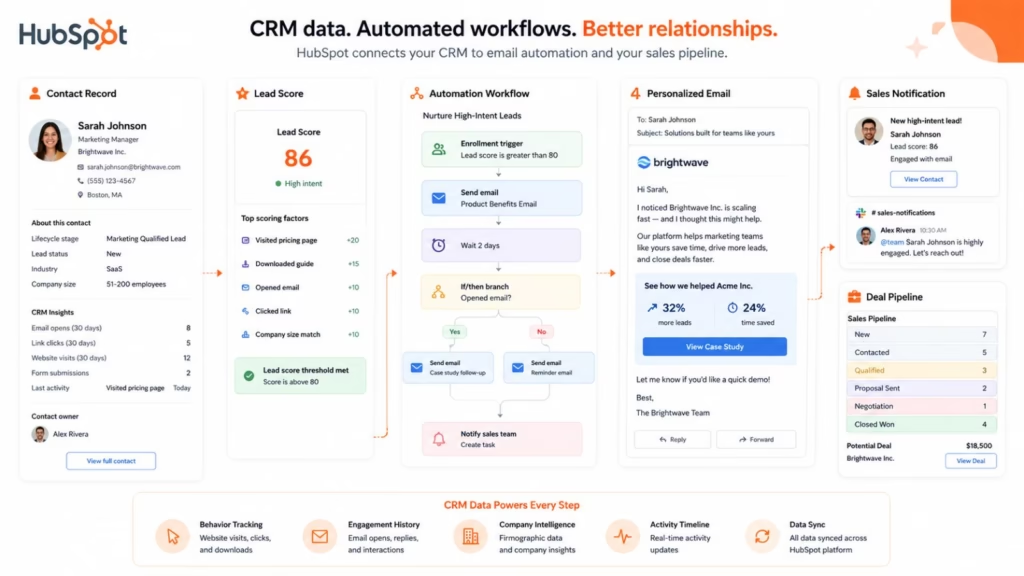
For example, a lead can enter the CRM, receive an automated nurture sequence, become more qualified based on engagement, trigger a sales notification, and eventually enter a customer onboarding workflow.
Its AI capabilities can assist marketers and sales teams with content, data analysis, workflow-related tasks, and personalization.
Key capabilities include:
- AI-assisted marketing
- CRM
- Marketing automation
- Lead scoring
- Customer segmentation
- Automated workflows
- Personalization
- Sales automation
- Reporting
- Lifecycle management
Why choose HubSpot: Choose HubSpot if you want email automation to work alongside CRM, sales pipelines, lead management, and broader customer operations.
Potential limitation: The breadth of the HubSpot ecosystem can make it more complex and expensive than a simple email automation platform.
16. Klaviyo
- Best for: Ecommerce personalization
- Core strength: Behavioral customer data and personalized journeys
- Email type: Ecommerce and lifecycle
- Automation level: Advanced
- URL: https://www.klaviyo.com/
- Ideal for: Online stores and ecommerce brands
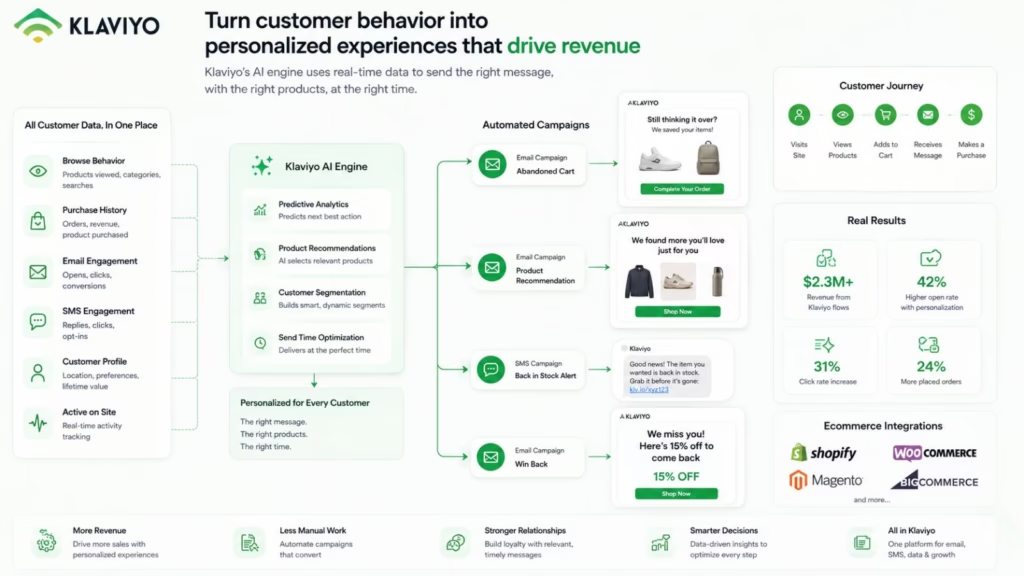
Klaviyo is one of the strongest choices for ecommerce businesses because its automation can respond to customer behavior throughout the buying journey.
A customer browsing a product, abandoning a cart, completing a purchase, or returning after a long period of inactivity can trigger different campaigns.
Its AI and predictive capabilities can help businesses use customer data to improve personalization and identify potential opportunities across the customer lifecycle.
A typical ecommerce workflow could be:
Product viewed → no purchase → personalized reminder → cart created → abandoned-cart email → purchase → post-purchase campaign
Key capabilities include:
- AI-powered personalization
- Predictive analytics
- Behavioral segmentation
- Ecommerce automation
- Abandoned-cart workflows
- Product recommendations
- Email and SMS
- Customer lifecycle automation
- Revenue analytics
Why choose Klaviyo: Ecommerce businesses with substantial customer and behavioral data should strongly consider Klaviyo for personalized email and SMS automation.
Potential limitation: A simple newsletter business may not need the depth of ecommerce-focused functionality.
17. Omnisend
- Best for: Ecommerce email and SMS automation
- Core strength: Combining ecommerce workflows with multiple communication channels
- Email type: Ecommerce and lifecycle
- Ideal for: Online retailers and direct-to-consumer brands
- Automation level: Advanced
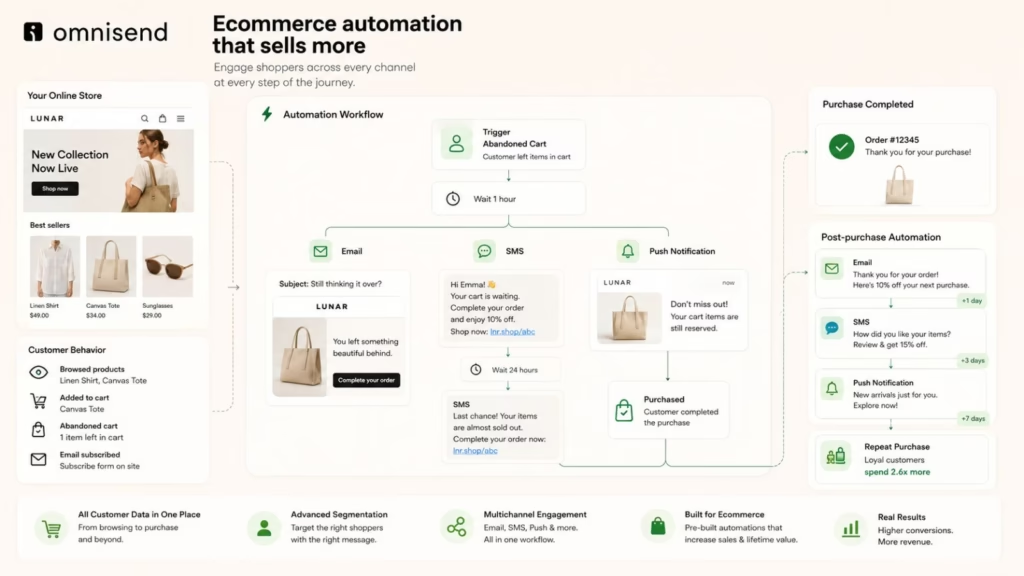
Omnisend is designed around ecommerce marketing and combines email with SMS and other customer communication capabilities.
Its automation features can help businesses build workflows for welcome campaigns, abandoned carts, order follow-ups, customer reactivation, and promotional communication.
AI-assisted features can also help marketers create content and accelerate campaign production.
Key capabilities include:
- Ecommerce automation
- Email and SMS
- AI-assisted content
- Customer segmentation
- Abandoned-cart workflows
- Post-purchase automation
- Product recommendations
- Ecommerce integrations
- Customer analytics
Why choose Omnisend: It is a good choice for ecommerce businesses that want email and SMS automation without building their entire marketing operation around an enterprise CRM.
Potential limitation: Businesses with highly complex B2B sales processes may need a more CRM-centric platform.
18. Sequenzy
- Core strength: Connecting product events with automated email
- Best for: SaaS event-based email automation
- Email type: SaaS lifecycle and transactional
- Automation level: Advanced
- Ideal for: SaaS products and developer-focused teams
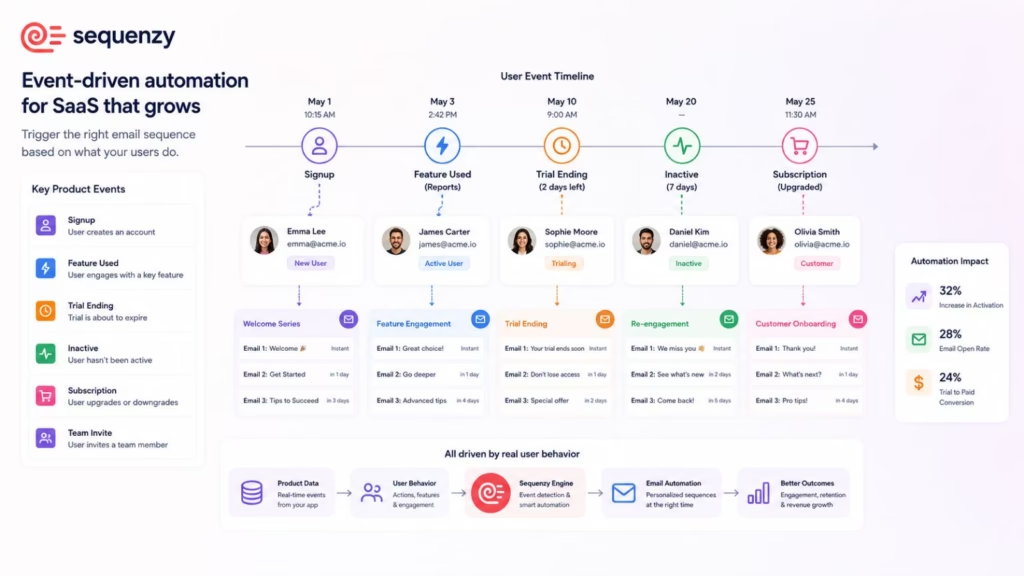
Sequenzy is designed around event-driven email automation, which makes it particularly relevant to SaaS companies.
Instead of relying only on a subscriber joining a mailing list, businesses can connect email communication to events happening inside their application.
For example:
User signs up → completes setup → uses feature → becomes inactive → receives targeted message
This type of automation can help SaaS businesses improve onboarding, activation, engagement, and retention.
Key capabilities include:
- Event-based email automation
- SaaS lifecycle messaging
- Product-event triggers
- Automated sequences
- Transactional email
- Developer integrations
- AI-assisted workflows
Why choose Sequenzy: SaaS businesses that want product behavior to drive their email communication should consider Sequenzy alongside platforms such as Loops and Customer.io.
Potential limitation: It is more specialized than broad marketing platforms designed for every type of business.
19. Superhuman
- Best for: AI-powered email productivity
- Core strength: Helping professionals process and respond to email faster
- Email type: Personal and business email
- Website: Superhuman
- Automation level: Productivity-focused
- Ideal for: Executives, sales professionals, founders, and knowledge workers
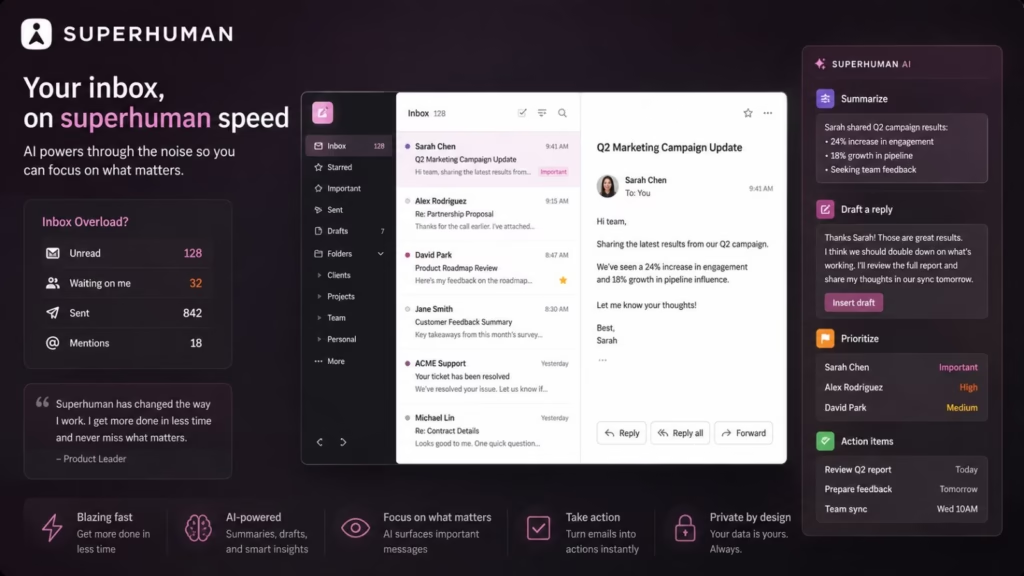
Superhuman belongs to a different category from most of the platforms in this guide.
Rather than helping marketers send automated campaigns to thousands of subscribers, it focuses on helping individuals and teams work more efficiently inside their inbox.
Its AI capabilities can help with drafting, summarizing conversations, managing email, and reducing repetitive inbox tasks.
Key capabilities include:
- AI-assisted writing
- Email summarization
- Follow-up assistance
- Intelligent search
- Inbox productivity
- Workflow features
- Team collaboration
Why choose Superhuman: It makes sense for professionals who want to automate and accelerate their own email workflow rather than run large-scale customer marketing campaigns.
Potential limitation: It should not be considered a direct alternative to platforms such as Klaviyo, HubSpot, or ActiveCampaign for marketing automation.
20. Shortwave
- Best for: AI-powered inbox management
- Email type: Personal and business email
- Core strength: AI-assisted email organization and productivity
- Automation level: Productivity-focused
- Ideal for: Professionals and teams managing high-volume inboxes
- Website: https://www.shortwave.com/
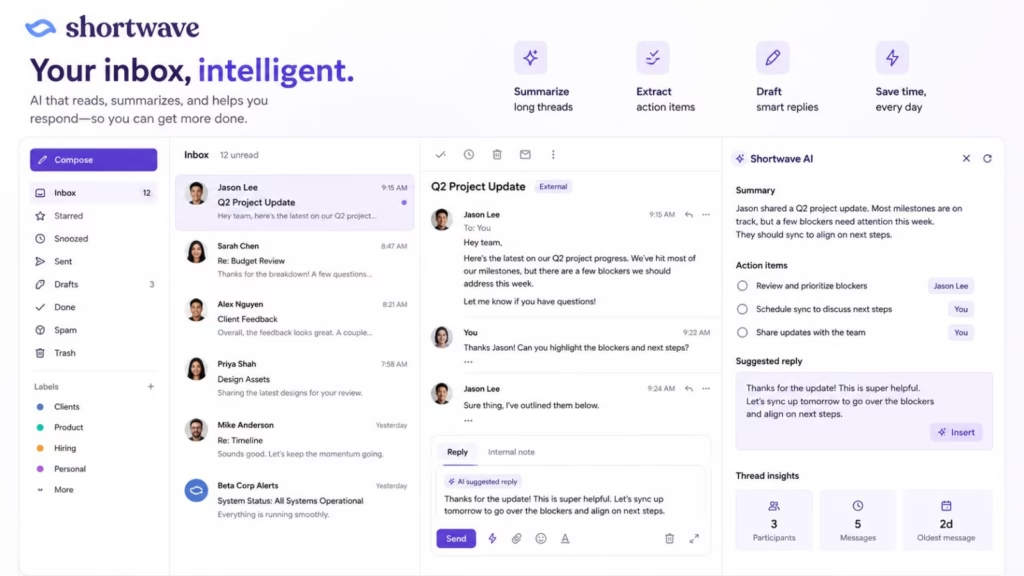
Shortwave brings AI capabilities into the email inbox itself. It can help users summarize conversations, search through email, draft responses, organize information, and reduce the amount of manual work involved in processing messages.
For professionals who spend a significant part of their day inside email, this can provide a different form of automation than traditional marketing platforms.
Instead of:
Customer action → marketing campaign
the workflow is closer to:
Email arrives → AI understands it → information is organized → response is drafted → user reviews and sends
Key capabilities include:
- AI email assistant
- Email summarization
- Intelligent search
- AI drafting
- Inbox organization
- Workflow assistance
- Productivity features
Why choose Shortwave: It is a strong option for people who want AI to help manage their daily inbox rather than automate customer marketing campaigns.
Potential limitation: It does not replace a full email marketing automation platform for subscriber campaigns, ecommerce journeys, or lead nurturing.
21. SaneBox
- Best for: Automated inbox organization
- Core strength: Intelligent email filtering and prioritization
- Email type: Personal and business email
- Automation level: Productivity-focused
- Ideal for: Professionals dealing with overloaded inboxes
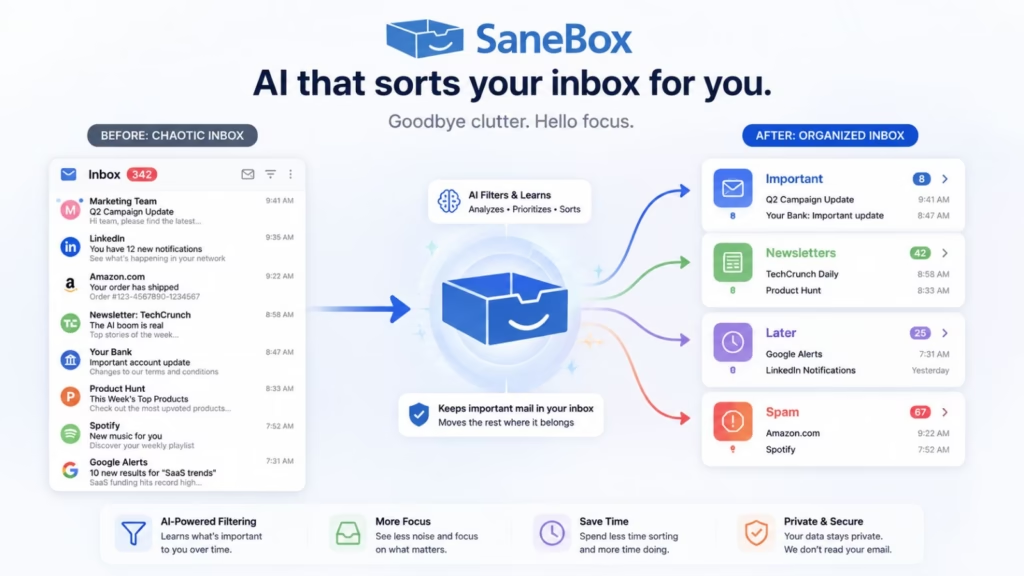
SaneBox approaches email automation from the inbox-management side rather than traditional email marketing. Its goal is to reduce the amount of manual sorting users have to do every day by intelligently organizing incoming messages.
Instead of helping a marketing team build a customer journey, SaneBox helps an individual decide which emails deserve immediate attention and which can be handled later.
It can be useful for professionals who receive hundreds of emails and want their inbox to become less of a daily triage exercise.
Key capabilities include:
- AI-powered email filtering
- Automated inbox organization
- Email prioritization
- Unsubscribe assistance
- Automated sorting
- Inbox cleanup
- Productivity workflows
Why choose SaneBox: If your definition of email automation includes managing the emails arriving in your own inbox, SaneBox is worth considering.
Potential limitation: It is not a replacement for marketing platforms such as ActiveCampaign, HubSpot, or Klaviyo.
22. Microsoft Copilot for Outlook
- Best for: AI-assisted email productivity
- Core strength: Bringing generative AI into Outlook workflows
- Email type: Personal and business email
- Automation level: Productivity-focused
- Ideal for: Microsoft 365 users and enterprise teams
Microsoft Copilot for Outlook brings AI assistance directly into the Microsoft email ecosystem. Rather than building automated marketing campaigns, it helps users handle everyday email tasks more efficiently.
Depending on the Microsoft 365 environment and available Copilot capabilities, users can work with AI to summarize email conversations, draft messages, improve wording, and understand lengthy threads.
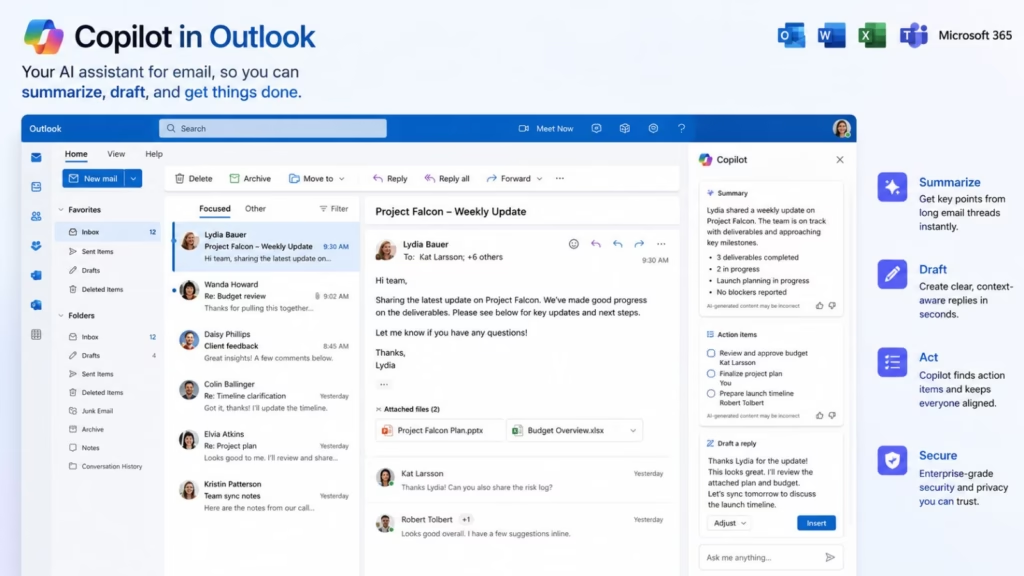
For teams already using Microsoft 365, the major advantage is that AI assistance can fit into an existing workflow rather than requiring employees to move their email activity to another platform.
Key capabilities include:
- AI-assisted email drafting
- Email thread summarization
- Writing assistance
- Microsoft 365 integration
- Email productivity
- Enterprise workflows
- AI-assisted communication
Why choose Microsoft Copilot: Organizations already invested in Microsoft 365 may find Copilot particularly useful for reducing repetitive email work without introducing a separate email productivity platform.
Potential limitation: Copilot for Outlook is not a conventional email marketing automation system and should not be compared directly with platforms built for customer journeys.
23. Customer.io
- Core strength: Connecting customer behavior with personalized messaging
- Best for: Behavioral and product-led lifecycle automation
- Automation level: Advanced
- Email type: Lifecycle, marketing, and transactional
- Ideal for: SaaS, product-led businesses, and digital products
Customer.io is one of the most interesting platforms for businesses that want customer behavior to determine what happens next in their email journey.
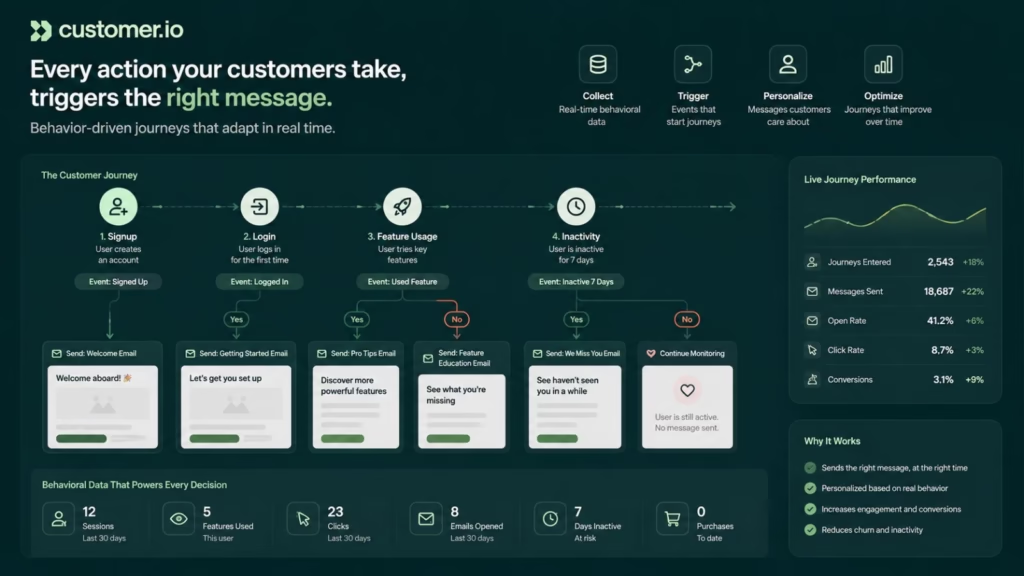
Instead of treating a customer simply as a contact on a list, Customer.io can use events and behavioral data to trigger communication. This makes it particularly useful for SaaS products where actions inside an application can provide important signals about what a user needs.
For example:
Signup → onboarding event → feature usage → inactivity → targeted email → re-engagement
This approach can help businesses build more relevant onboarding, activation, retention, and re-engagement campaigns.
Key capabilities include:
- Behavioral email automation
- Event-based triggers
- Customer journeys
- Segmentation
- Email, SMS, and push messaging
- Product-led lifecycle campaigns
- Personalization
- Analytics
- Integrations
Why choose Customer.io: If your product generates meaningful behavioral data and you want that data to drive personalized customer communication, Customer.io is one of the strongest tools to evaluate.
Potential limitation: Its event-driven approach can require more setup and technical understanding than simple newsletter platforms.
24. Kit (Formerly ConvertKit)
- Best for: Creators and newsletter businesses
- Core strength: Audience-focused email automation
- Email type: Marketing and lifecycle
- Automation level: Moderate to advanced
- Ideal for: Creators, publishers, coaches, and digital-product businesses
- URL: https://kit.com/
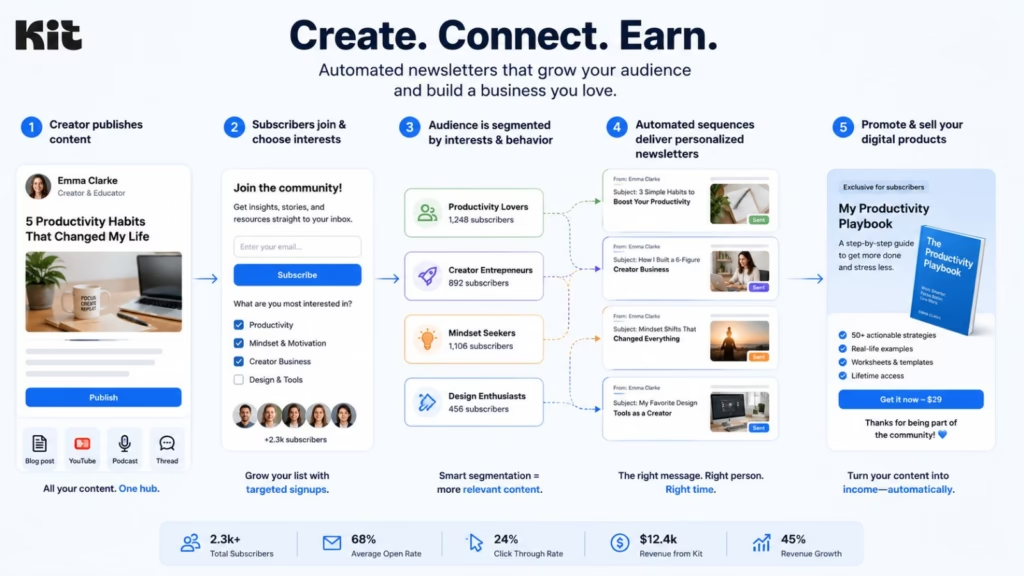
Kit, formerly known as ConvertKit, is designed around creators who use email to build audiences, distribute content, and sell digital products.
Its automation features allow creators to segment subscribers, apply tags, create sequences, and send different content depending on subscriber behavior or interests.
For example:
New subscriber → welcome sequence → content engagement → subscriber tag → targeted sequence → product promotion
This makes Kit less about enterprise CRM automation and more about helping creators build automated relationships with their audiences.
Key capabilities include:
- Automated email sequences
- Subscriber segmentation
- Tags and triggers
- Newsletter automation
- Creator workflows
- Landing pages
- Digital product capabilities
- AI-assisted content features
Why choose Kit: Creators and newsletter businesses that want straightforward audience automation may find Kit more suitable than enterprise marketing platforms.
Potential limitation: Companies requiring complex CRM orchestration, enterprise analytics, or highly sophisticated customer journeys may need a more advanced platform.
25. SendGrid
- Best for: Developer-focused email infrastructure
- Core strength: Combining programmable email with marketing capabilities
- Email type: Transactional and marketing
- Ideal for: Developers, SaaS companies, and businesses sending email at scale
- Automation level: Advanced
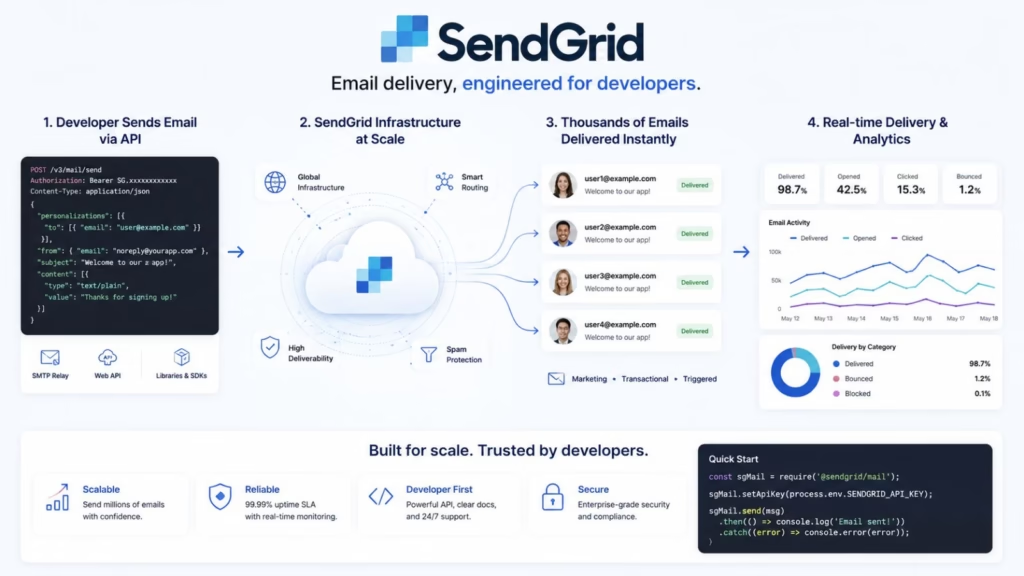
SendGrid occupies an important middle ground between developer email infrastructure and marketing email.
Developers can integrate email into applications using APIs, while marketing teams can use the platform for campaigns, templates, contacts, and analytics.
This makes it useful for organizations that need both application-generated emails and broader marketing communication.
For example:
User signs up → API sends verification email → user activates account → marketing workflow starts → campaign engagement triggers follow-up
Key capabilities include:
- Email API
- Transactional email
- Marketing campaigns
- Email templates
- Deliverability tools
- Analytics
- Developer integrations
- Automated sending
Why choose SendGrid: SendGrid is a good option when a business needs scalable email infrastructure while also giving marketing teams tools for managing campaigns.
Potential limitation: Businesses looking for highly specialized ecommerce personalization or SaaS behavioral journeys may find dedicated platforms more suitable.
26. AWeber
- Best for: Small businesses and straightforward email automation
- Core strength: Simple subscriber and campaign automation
- Email type: Marketing and lifecycle
- Automation level: Moderate
- Website: https://www.aweber.com/
- Ideal for: Small businesses, creators, and organizations
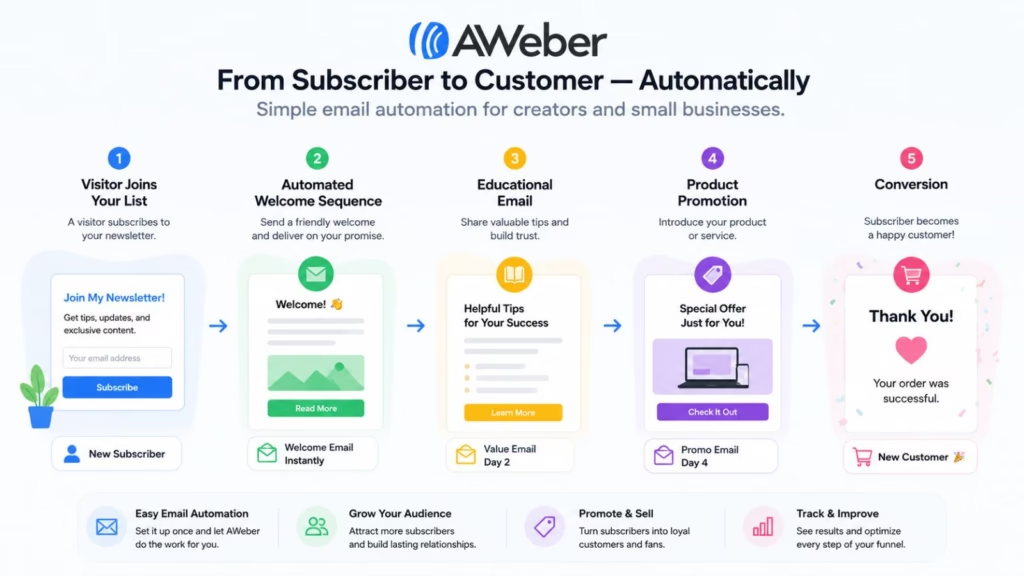
AWeber focuses on making email marketing accessible to businesses that don’t need a highly complex enterprise marketing stack.
Its automation features can support subscriber sequences, autoresponders, newsletters, segmentation, and follow-up campaigns.
For a small business, a workflow might look like:
Signup → welcome email → educational sequence → promotional email → follow-up
AI-assisted features can also help reduce the time required to create email content.
Key capabilities include:
- Email automation
- Autoresponders
- AI-assisted content
- Subscriber segmentation
- Email templates
- Landing pages
- Analytics
- Automated campaigns
Why choose AWeber: It is worth considering if you want straightforward automation without the complexity associated with enterprise marketing platforms.
Potential limitation: Businesses with sophisticated behavioral, CRM, or enterprise automation requirements may eventually outgrow the platform.
27. Moosend
- Best for: Affordable marketing automation
- Core strength: Combining automation, segmentation, and personalization
- Email type: Marketing and ecommerce
- Automation level: Advanced
- Ideal for: SMBs and growing ecommerce businesses
- Website URL: Moosend
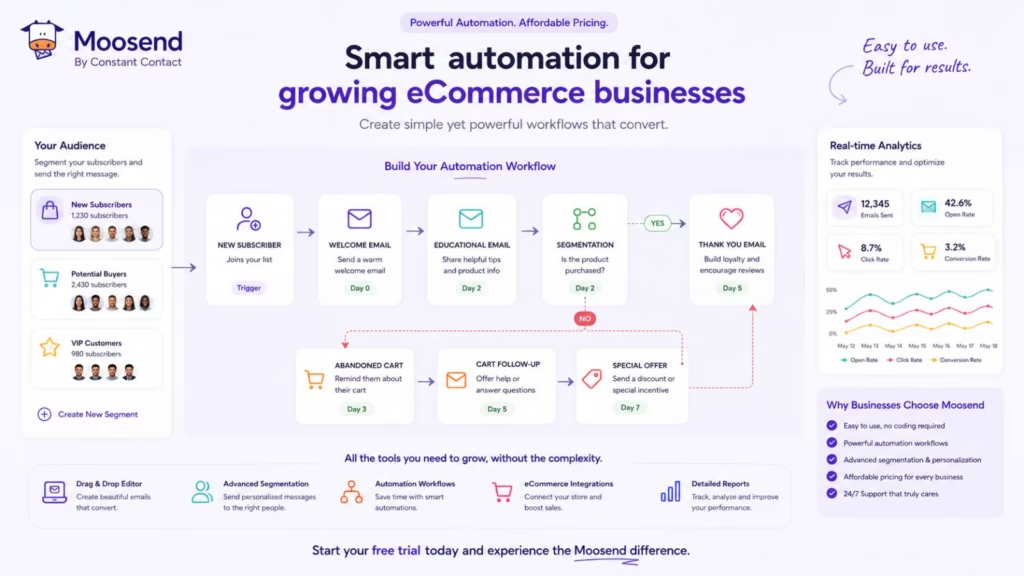
Moosend combines email marketing with automation, segmentation, personalization, and analytics. Its workflow builder allows marketers to create automated journeys based on subscriber behavior and other conditions.
This can be useful for welcome sequences, abandoned-cart campaigns, customer reactivation, promotional campaigns, and other lifecycle workflows.
Key capabilities include:
- Email automation
- Segmentation
- Personalization
- AI-assisted features
- Ecommerce automation
- Workflow builder
- Campaign analytics
- Automated customer journeys
Why choose Moosend: Businesses looking for a balance between automation capabilities and platform value may find Moosend worth evaluating.
Potential limitation: Companies with highly complex enterprise customer data or advanced cross-channel requirements may need a larger platform.
28. Braze
- Best for: Enterprise customer engagement
- Core strength: Real-time, cross-channel customer journeys
- Email type: Lifecycle and customer engagement
- Automation level: Enterprise
- Ideal for: Large consumer brands and digital businesses
- Website: Braze
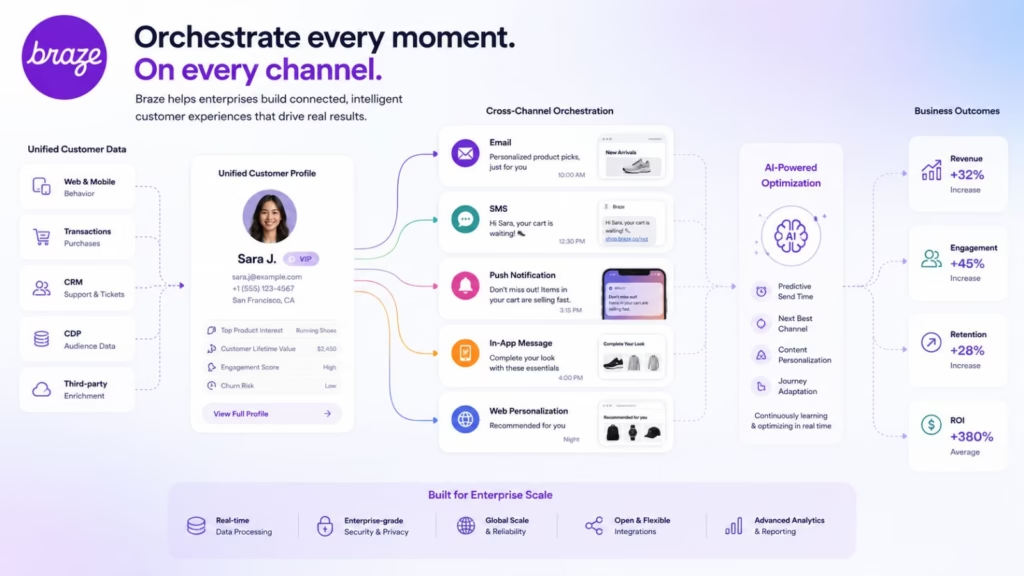
Braze takes email automation beyond the inbox. The platform is designed for organizations that need to coordinate customer communication across email, push notifications, SMS, in-app messaging, and other channels.
Behavioral data can be used to trigger personalized journeys in real time.
For example:
User opens app → product behavior analyzed → personalized email → push notification → in-app message → conversion event
This makes Braze particularly relevant for businesses with large user bases and sophisticated customer engagement programs.
Key capabilities include:
- AI-powered customer engagement
- Email automation
- Push notifications
- SMS
- In-app messaging
- Behavioral segmentation
- Real-time customer journeys
- Personalization
- Experimentation
- Enterprise analytics
Why choose Braze: Large organizations that need sophisticated cross-channel customer engagement at scale should consider Braze.
Potential limitation: Its enterprise capabilities can be excessive for small businesses that only need basic email automation.
29. Iterable
- Best for: Enterprise lifecycle marketing
- Core strength: Cross-channel customer journeys
- Email type: Lifecycle and marketing
- Automation level: Enterprise
- Ideal for: Growing and large organizations
Iterable is designed for businesses that want to build sophisticated lifecycle marketing campaigns across email and other communication channels.
Marketers can create journeys around onboarding, engagement, retention, reactivation, and other stages of the customer lifecycle.
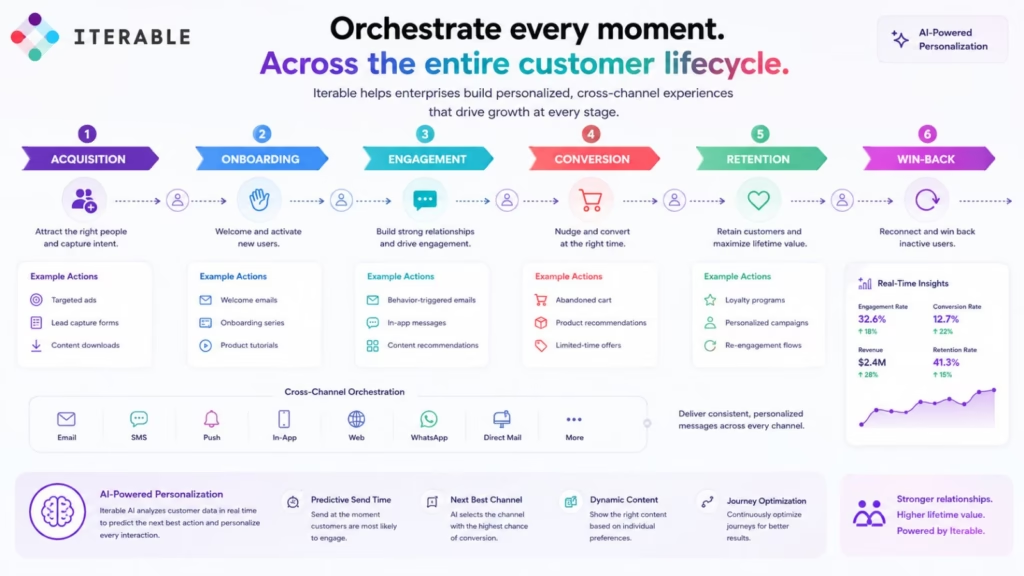
Its cross-channel approach allows organizations to coordinate email with SMS, push notifications, and other customer touchpoints.
Key capabilities include:
- AI-assisted marketing
- Customer journeys
- Email automation
- SMS
- Push notifications
- Personalization
- Segmentation
- Experimentation
- Analytics
- Enterprise integrations
Why choose Iterable: Iterable is a strong option for organizations that need sophisticated lifecycle marketing rather than simple email sequences.
Potential limitation: Smaller companies may not need its enterprise-level functionality.
30. Adobe Marketo Engage
- Best for: B2B enterprise marketing automation
- Core strength: Lead nurturing and revenue-focused automation
- Email type: B2B marketing and lifecycle
- Automation level: Enterprise
- URL: https://business.adobe.com/products/marketo.html
- Ideal for: B2B organizations with complex sales cycles
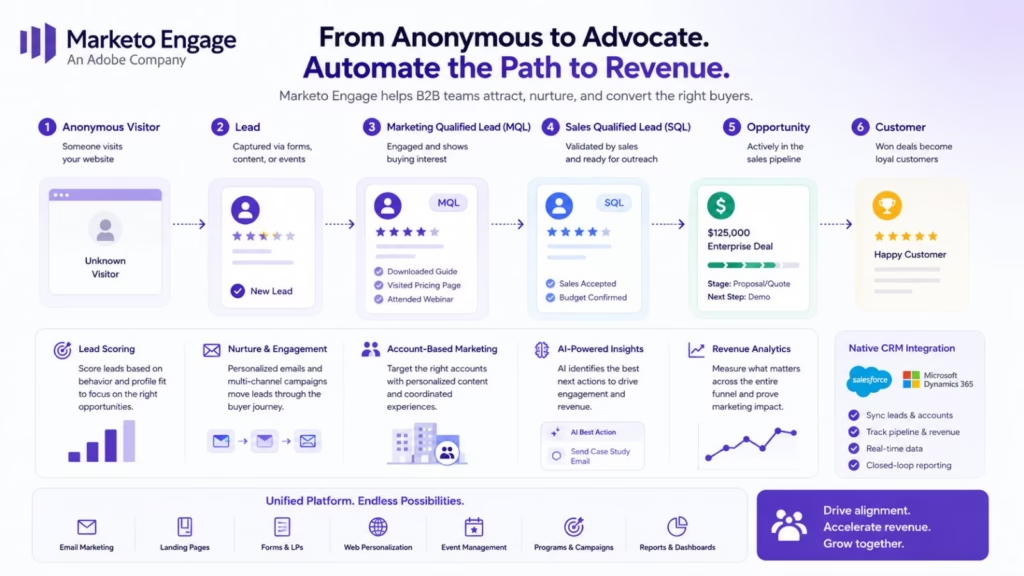
Adobe Marketo Engage is built for sophisticated B2B marketing operations where email is only one part of a larger lead-generation and revenue process.
It can support lead nurturing, lead scoring, campaign management, account-based marketing, customer segmentation, and CRM-connected workflows.
For example:
Lead captured → lead scored → nurture campaign → engagement increases → sales notification → opportunity workflow
This type of automation can help marketing and sales teams coordinate communication throughout long B2B buying journeys.
Key capabilities include:
- Lead nurturing
- Lead scoring
- Marketing automation
- Account-based marketing
- AI-assisted capabilities
- CRM integrations
- Customer segmentation
- Campaign management
- Analytics
- Enterprise workflows
Why choose Marketo Engage: B2B organizations with complex buying journeys, large databases, and sophisticated marketing operations may find Marketo Engage a strong fit.
Potential limitation: It can be unnecessarily complex for small businesses or teams looking for simple email campaigns.
The 30 Tools at a Glance
After looking across all 30 platforms, one thing becomes clear: AI email automation is not one category anymore.
Some platforms automate marketing campaigns, while others automate sales outreach, ecommerce journeys, SaaS lifecycle communication, transactional email, enterprise customer engagement, or personal inbox workflows.
Here is the simplest way to narrow your options:
| If you need… | Consider |
|---|---|
| Advanced marketing automation | ActiveCampaign |
| CRM + email automation | HubSpot or Salesforce |
| Ecommerce personalization | Klaviyo |
| Ecommerce email + SMS | Omnisend |
| SaaS lifecycle automation | Customer.io, Loops, or Sequenzy |
| Cold email automation | Lemlist or Instantly |
| Transactional email infrastructure | Resend or Postmark |
| Transactional + marketing email | SendGrid |
| Simple email automation | MailerLite or AWeber |
| Affordable marketing automation | Moosend or Mailercloud |
| Interactive email | Mailmodo |
| Creator newsletters | Kit |
| Enterprise customer engagement | Braze or Iterable |
| B2B enterprise automation | Marketo Engage |
| AI inbox productivity | Superhuman, Shortwave, SaneBox, or Microsoft Copilot |
The best choice ultimately comes down to your audience, workflow complexity, existing technology stack, and the type of emails you need to automate. A developer building password-reset and onboarding emails should not choose the same platform as an ecommerce brand trying to recover abandoned carts, and neither should automatically choose the same platform as an enterprise B2B marketing team.
That distinction is what makes comparing AI email automation tools more useful than simply counting how many AI features each platform offers.
Also read: 7 Best Automation Tools to Streamline Your Workflow
AI Email Automation Tools Comparison
Choosing an AI email automation platform becomes easier when you compare the tools according to what they are actually designed to do. A SaaS company, ecommerce brand, developer, sales team, and enterprise marketing department may all need email automation, but their requirements can be very different.
The table below provides a high-level comparison of the 30 tools covered in this guide.
| Tool | Best For | AI Capabilities | Marketing Automation | Transactional Email | CRM | Ecommerce | Multichannel |
|---|---|---|---|---|---|---|---|
| Loops | SaaS | AI-assisted workflows/content | Yes | Yes | Limited | No | Limited |
| Salesforce | Enterprise | Einstein AI | Advanced | Yes | Excellent | Yes | Yes |
| Resend | Developers | AI-assisted development | Limited | Excellent | No | No | No |
| Mailercloud | SMBs | AI content assistance | Yes | Limited | Basic | Yes | Yes |
| Lemlist | Sales outreach | AI personalization | Yes | No | Yes | No | Yes |
| Drip | Ecommerce | AI-assisted marketing | Advanced | Limited | Basic | Excellent | Yes |
| GetResponse | All-in-one marketing | AI content/optimization | Advanced | Yes | Yes | Yes | Yes |
| ActiveCampaign | Marketing automation | AI-assisted campaigns | Advanced | Limited | Excellent | Yes | Yes |
| Postmark | Transactional email | Limited AI | Limited | Excellent | No | Limited | No |
| MailerLite | Small businesses | AI writing | Moderate | Limited | Basic | Yes | Limited |
| Brevo | SMB/multichannel | AI-assisted content | Advanced | Excellent | Yes | Yes | Yes |
| Mailchimp | General marketing | AI content/optimization | Advanced | Yes | Yes | Yes | Yes |
| Mailmodo | Interactive email | AI assistance | Advanced | Limited | Basic | Yes | Yes |
| Instantly | Cold outreach | AI personalization | Advanced | No | Basic | No | Yes |
| HubSpot | CRM + marketing | HubSpot AI | Advanced | Yes | Excellent | Yes | Yes |
| Klaviyo | Ecommerce | Predictive AI | Advanced | Limited | Yes | Excellent | Yes |
| Omnisend | Ecommerce | AI content | Advanced | Limited | Basic | Excellent | Yes |
| Sequenzy | SaaS | AI-assisted automation | Advanced | Yes | Limited | No | Limited |
| Superhuman | Email productivity | Generative AI | No | No | No | No | No |
| Shortwave | Inbox productivity | Generative AI | No | No | No | No | No |
| SaneBox | Inbox management | AI filtering | No | No | No | No | No |
| Microsoft Copilot | Microsoft 365 | Generative AI | Limited | No | Microsoft ecosystem | No | Yes |
| Customer.io | SaaS/lifecycle | AI-assisted journeys | Advanced | Yes | Integrations | Yes | Yes |
| Kit | Creators | AI content assistance | Advanced | Limited | Basic | Yes | Limited |
| SendGrid | Developers | AI-assisted tools | Advanced | Excellent | Integrations | Yes | Limited |
| AWeber | Small businesses | AI content | Moderate | Limited | Basic | Yes | Limited |
| Moosend | SMB/ecommerce | AI assistance | Advanced | Limited | Basic | Excellent | Yes |
| Braze | Enterprise | AI-powered engagement | Advanced | Yes | Integrations | Yes | Yes |
| Iterable | Enterprise lifecycle | AI optimization | Advanced | Yes | Integrations | Yes | Yes |
| Marketo Engage | B2B enterprise | AI-assisted marketing | Advanced | Limited | Excellent | Limited | Yes |
How to Read This Comparison
The most important thing to notice is that AI email automation is not one category with one type of product.
For example, Resend and Postmark are excellent choices when developers need reliable transactional email infrastructure. They are not designed to replace a sophisticated ecommerce platform such as Klaviyo.
Similarly, Superhuman, Shortwave, SaneBox, and Microsoft Copilot can automate or simplify a user’s own inbox, but they are not traditional customer marketing automation platforms.
For customer-facing marketing automation, platforms such as ActiveCampaign, HubSpot, Klaviyo, Customer.io, Brevo, and Salesforce offer much deeper workflow and segmentation capabilities.
The right choice therefore depends on whether you are automating marketing campaigns, sales outreach, customer journeys, transactional communication, ecommerce messaging, SaaS lifecycle emails, or your own inbox.
Also read: Hottest 20 AI Automation App Development Companies
Which AI Email Automation Tool Is Best for You?
There is no single AI email automation platform that is the right choice for every business. The best option depends on what you are trying to automate, how much customer data you manage, how complex your workflows are, and whether you need marketing, sales, transactional, or inbox automation.
Here is a practical way to narrow down the options.
Best AI Email Automation Tool Overall: ActiveCampaign
ActiveCampaign is a strong overall choice for businesses that need sophisticated email automation without necessarily moving to a large enterprise platform.
Its visual automation builder, segmentation, CRM capabilities, behavioral triggers, lead scoring, and AI-assisted features make it suitable for businesses that want to build complex customer journeys.
Best for: Small and midsize businesses, agencies, marketers, and sales teams.
Best AI Email Automation Tool for Ecommerce: Klaviyo
For ecommerce businesses, Klaviyo is one of the strongest choices in this list.
Its strength comes from connecting customer behavior and purchasing data with automated communication. Businesses can create workflows around browsing activity, abandoned carts, purchases, customer value, product interests, and other ecommerce events.
Best for: Shopify stores, ecommerce brands, retailers, and DTC businesses.
Best AI Email Automation Tool for SaaS: Customer.io
Customer.io is particularly well suited to SaaS and product-led businesses because it can use product events and behavioral data to trigger customer communication.
For example, a SaaS company can automatically send different emails depending on whether a user has completed onboarding, used a particular feature, become inactive, or reached a specific stage in the customer lifecycle.
Best for: SaaS companies, product teams, subscription businesses, and apps.
Best AI Email Automation Tool for SaaS Simplicity: Loops
If you are running a SaaS business and want a platform specifically aligned with product and lifecycle email communication, Loops is worth considering.
Its SaaS-focused approach can make it easier to connect product events with customer emails without building a massive marketing automation stack.
Best for: Startups, SaaS companies, and product-led businesses.
Best AI Email Automation Tool for Cold Outreach: Instantly
Instantly is designed around outbound email rather than traditional newsletter marketing.
It can help teams automate prospecting sequences, follow-ups, and personalized sales outreach.
Best for: Lead-generation agencies, sales teams, founders, recruiters, and outbound marketers.
Best AI Email Automation Tool for Sales Personalization: Lemlist
Lemlist is another strong option for sales outreach, particularly when personalization is a major part of the strategy.
Its focus is on helping sales teams create automated sequences while adding personalization to prospect communication.
Best for: B2B sales teams, outbound agencies, and lead-generation businesses.
Best AI Email Automation Tool for Developers: Resend
For developers, Resend is a very different proposition from a traditional marketing automation platform.
It focuses on email infrastructure and APIs, making it useful when email needs to be integrated directly into a web or mobile application.
Best for: Developers, SaaS products, startups, and application teams.
Best Transactional Email Platform: Postmark
If your primary requirement is transactional communication, Postmark is a strong option.
It is designed for emails such as password resets, account verification, purchase confirmations, notifications, and other application-generated messages.
Best for: Developers and businesses that need reliable transactional email delivery.
Best Email Platform for Developers and Marketing Teams: SendGrid
SendGrid is useful when a company needs both developer-oriented email infrastructure and marketing capabilities.
It can support transactional email through APIs while also providing tools for marketing campaigns and customer communication.
Best for: Growing technology companies, developers, marketing teams, and businesses with larger email requirements.
Best AI Email Automation Platform for CRM: HubSpot
HubSpot is a strong choice when email automation needs to be connected to CRM and sales operations.
Instead of managing email separately, businesses can connect campaigns with contact records, lifecycle stages, lead scoring, sales pipelines, customer interactions, and other CRM data.
Best for: B2B companies, SaaS businesses, agencies, sales teams, and growing companies.
Best Enterprise CRM + Email Automation: Salesforce
Salesforce makes more sense for organizations that need enterprise-scale CRM and marketing automation.
Its biggest advantage is the depth of customer data and the ability to connect email activity with sales, service, marketing, and other business operations.
Best for: Large organizations and enterprise marketing teams.
Best AI Email Automation Tool for Enterprise Customer Engagement: Braze
Braze is designed for sophisticated customer engagement across multiple channels.
It can coordinate email with push notifications, SMS, in-app messaging, and other customer touchpoints.
Best for: Large consumer apps, ecommerce companies, subscription businesses, and enterprise customer engagement teams.
Best Enterprise Lifecycle Marketing Platform: Iterable
Iterable is another strong enterprise option for businesses that need complex lifecycle journeys across multiple channels.
It is particularly useful when email is only one part of a larger customer engagement strategy.
Best for: Enterprise marketing teams and high-volume digital businesses.
Best B2B Marketing Automation Platform: Marketo Engage
Adobe Marketo Engage is particularly relevant for B2B companies with longer sales cycles.
Its capabilities around lead nurturing, lead scoring, account-based marketing, and campaign automation make it more appropriate for sophisticated B2B marketing operations than simple newsletter platforms.
Best for: Enterprise B2B organizations and account-based marketing teams.
Best AI Email Tool for Creators: Kit
Kit, formerly known as ConvertKit, is designed around creators, newsletters, digital products, and audience businesses.
Its subscriber automation and tagging capabilities make it useful for creators who want to automatically deliver different content based on subscriber interests and actions.
Best for: Creators, newsletter publishers, coaches, authors, and digital-product businesses.
Best AI Email Platform for Small Businesses: MailerLite
MailerLite is a good choice for small businesses that want useful automation without the complexity of an enterprise marketing platform.
It combines email campaigns, automation, landing pages, forms, segmentation, and AI-assisted content features.
Best for: Small businesses, freelancers, creators, and startups.
Best Affordable Multichannel Platform: Brevo
Brevo is worth considering if you want email automation alongside SMS, transactional messaging, and CRM features.
Its broader communication capabilities can make it useful for businesses that don’t want separate platforms for every channel.
Best for: SMBs, agencies, ecommerce businesses, and companies running email + SMS campaigns.
Best AI Email Automation Tool for Interactive Emails: Mailmodo
Mailmodo stands out because its focus is on interactive email experiences.
If you want recipients to complete forms, surveys, quizzes, or other actions without immediately leaving the email, it offers capabilities that traditional email platforms may not emphasize.
Best for: Interactive campaigns, engagement-focused marketers, and businesses experimenting with richer email experiences.
Best AI Email Tool for Inbox Productivity: Superhuman
Superhuman belongs in a different category from marketing automation platforms.
Its purpose is primarily to help professionals manage their own email more efficiently using AI-powered drafting, summarization, search, and productivity features.
Best for: Executives, founders, sales professionals, and knowledge workers.
Best AI Inbox Assistant: Shortwave
Shortwave is another productivity-focused option rather than a traditional marketing automation platform.
It can help users summarize conversations, search their inbox, draft messages, and organize information.
Best for: Professionals who want an AI-powered email workspace.
Best AI Inbox Organization Tool: SaneBox
SaneBox focuses on reducing inbox clutter through automated filtering and organization.
It is particularly useful for people who receive large amounts of email and want less time spent manually sorting messages.
Best for: Busy professionals, executives, and high-volume email users.
Best AI Email Assistant for Microsoft 365: Microsoft Copilot
For organizations already using Microsoft 365, Microsoft Copilot in Outlook can be a natural choice for AI-assisted email productivity.
It can help with drafting, summarizing conversations, and other email-related tasks within the Microsoft ecosystem.
Best for: Microsoft 365 users and enterprise teams.
Also read: Manufacturing Automation App Development Companies
Quick Recommendations
If you want the shortest possible answer:
| Your Goal | Recommended Tool |
|---|---|
| Best overall marketing automation | ActiveCampaign |
| Ecommerce | Klaviyo |
| SaaS lifecycle automation | Customer.io |
| Simple SaaS email | Loops |
| Cold email | Instantly |
| Sales personalization | Lemlist |
| Developer email infrastructure | Resend |
| Transactional email | Postmark |
| Developer + marketing email | SendGrid |
| CRM + email automation | HubSpot |
| Enterprise CRM | Salesforce |
| Enterprise customer engagement | Braze |
| Enterprise lifecycle marketing | Iterable |
| B2B marketing automation | Marketo Engage |
| Creators/newsletters | Kit |
| Small businesses | MailerLite |
| Email + SMS | Brevo |
| Interactive emails | Mailmodo |
| AI email productivity | Superhuman |
| AI inbox assistant | Shortwave |
| Inbox organization | SaneBox |
| Microsoft 365 users | Microsoft Copilot |
The key takeaway is simple: don’t choose an AI email automation tool based solely on its AI features. Choose it based on the workflow you want to automate. A developer building transactional emails needs a very different platform from an ecommerce brand trying to recover abandoned carts, and both are different from a sales team automating cold outreach.
AI Email Automation Tools vs. AI Email Assistants
The terms AI email automation and AI email assistant are often used interchangeably, but they solve different problems.
An AI email automation platform is generally designed to communicate with customers, leads, subscribers, or users automatically. An AI email assistant is usually designed to help an individual or team manage their own inbox and email workload.
Understanding this difference can prevent you from choosing the wrong type of tool.
What Is AI Email Automation?
AI email automation focuses on customer-facing communication.
These platforms can connect customer data, behavioral events, triggers, and workflows to automatically send relevant messages.
For example:
User signs up → Welcome email → User completes onboarding → Product education email → User becomes inactive → Re-engagement email
Common use cases include:
- Lead nurturing
- Customer onboarding
- Abandoned-cart emails
- Product recommendations
- Sales follow-ups
- Customer retention
- Re-engagement campaigns
- Transactional notifications
- Product lifecycle messaging
- Promotional campaigns
Tools such as ActiveCampaign, HubSpot, Klaviyo, Customer.io, Braze, Iterable, Loops, and Omnisend are designed for these types of workflows.
What Is an AI Email Assistant?
An AI email assistant focuses on helping people manage their own email.
Instead of automatically sending marketing messages to thousands of customers, it helps a person process the messages already sitting in their inbox.
Typical capabilities include:
- Drafting replies
- Summarizing long conversations
- Finding information
- Organizing messages
- Prioritizing important emails
- Improving writing
- Generating responses
- Managing follow-ups
Tools such as Superhuman, Shortwave, SaneBox, and Microsoft Copilot for Outlook fall closer to this category.
The Difference at a Glance
| Feature | AI Email Automation | AI Email Assistant |
|---|---|---|
| Primary purpose | Automate customer communication | Improve personal email productivity |
| Main audience | Marketers, sales teams, product teams | Individuals and employees |
| Sends campaigns automatically | Yes | Usually no |
| Customer journeys | Yes | No |
| Behavioral triggers | Yes | Limited |
| Lead nurturing | Yes | No |
| Automated follow-ups | Yes | Usually personal |
| AI writing | Yes | Yes |
| Email summarization | Sometimes | Yes |
| Inbox organization | Limited | Yes |
| CRM integration | Common | Limited |
| Ecommerce integration | Common | Rare |
| Transactional email | Some platforms | No |
| Best example | Customer.io | Superhuman |
Which One Should You Choose?
Choose an AI email automation platform if your goal is to automatically communicate with customers or prospects at scale.
For example, if you want to automatically send a welcome sequence whenever someone signs up for your SaaS product, use a platform such as Customer.io, Loops, or ActiveCampaign.
Choose an AI email assistant if your main problem is the amount of email your team receives and processes every day.
For example, if you want AI to summarize a 20-message conversation, draft a response, or organize your inbox, a tool such as Superhuman, Shortwave, SaneBox, or Microsoft Copilot may be more appropriate.
What About Tools That Do Both?
The line between these categories is becoming less rigid.
Some platforms combine automation, AI content generation, customer data, analytics, and productivity features. At the same time, AI assistants are becoming increasingly capable of taking actions rather than simply answering questions.
That means the market is gradually moving toward AI-driven email workflows, where AI can help determine what should happen next while automation systems execute the workflow.
For businesses, however, the fundamental distinction remains useful:
AI email automation helps you communicate with your audience automatically. AI email assistants help you manage your own email more efficiently.
Knowing which problem you are trying to solve is the first step toward choosing the right tool.
Also have a look at: 8 Free AI and No-Code Tools to Start Making Money Online Now
What Can AI Email Automation Actually Automate?
The real value of AI email automation is not simply generating an email faster. It is the ability to connect customer behavior, business rules, AI-driven decisions, and automated communication into a continuous workflow.
Instead of manually checking who signed up, who clicked, who purchased, who stopped engaging, or who needs a follow-up, an automated system can monitor these signals and trigger the appropriate action.
Here are some of the most useful tasks AI email automation can handle.
1. Welcome Emails
A new subscriber or customer can automatically enter a welcome workflow immediately after signing up.
A basic workflow might look like:
Signup → Welcome email → Educational content → Product introduction → Conversion email
AI can help personalize the content based on information available about the subscriber, such as their interests, industry, product selection, or signup source.
2. Lead Nurturing
Not every lead is ready to speak with sales immediately.
AI email automation can place leads into different nurture journeys based on their behavior.
For example:
Lead downloads an ebook → Receives educational email → Clicks pricing link → Lead score increases → Receives case study → Sales team receives notification
This allows businesses to continue nurturing prospects without requiring a marketer to manually follow up with every lead.
3. Customer Onboarding
SaaS companies can use product activity to create automated onboarding journeys.
For example:
Account created → Welcome email → User completes profile → Feature tutorial → User doesn’t log in → Re-engagement email
AI can help determine which content is more relevant based on what the user has already done.
Platforms such as Customer.io, Loops, Sequenzy, and ActiveCampaign are particularly relevant for this type of lifecycle automation.
4. Abandoned Cart Recovery
Ecommerce businesses can automatically respond when someone adds a product to their cart but does not complete the purchase.
A workflow might be:
Product added to cart → No purchase → Reminder email → Personalized recommendation → Final reminder
AI can potentially improve the workflow by helping personalize product recommendations, messaging, timing, or customer segmentation.
Tools such as Klaviyo, Drip, and Omnisend are particularly suited to ecommerce automation.
5. Personalized Product Recommendations
AI can analyze customer behavior and purchase history to help determine which products or content may be relevant to a particular customer.
Instead of sending:
Here are our latest products.
A personalized campaign might recommend products based on previous purchases, browsing activity, preferences, or customer segments.
This can be especially valuable for ecommerce businesses with large product catalogs.
6. Automated Sales Follow-Ups
Sales teams often lose opportunities because follow-ups are inconsistent.
An automated sequence can handle routine follow-ups after an initial outreach email.
For example:
Initial email → Wait → No response → Follow-up → Wait → Second follow-up → Engagement detected → Notify salesperson
Platforms such as Instantly and Lemlist are particularly focused on this type of outbound automation.
7. Lead Scoring
AI can help businesses identify which leads are more likely to convert.
A system might consider:
- Email engagement
- Website activity
- Content downloads
- Product usage
- Previous purchases
- Sales interactions
- Customer attributes
A highly engaged lead could then automatically enter a sales workflow while a low-engagement lead continues receiving educational content.
8. Re-Engagement Campaigns
Some subscribers gradually stop opening or interacting with emails.
Instead of manually identifying inactive customers, an automation platform can detect inactivity and trigger a re-engagement sequence.
For example:
No engagement for 60 days → Re-engagement email → No response → Personalized offer → Final reminder → Suppress inactive subscriber
This can also help businesses avoid repeatedly sending emails to people who are no longer interested.
9. Customer Retention
Email automation can continue after the initial purchase.
Businesses can create workflows for:
- Product education
- Renewal reminders
- Subscription notifications
- Cross-selling
- Upselling
- Loyalty campaigns
- Customer feedback
- Replenishment reminders
AI can help determine which customers should receive particular messages based on their behavior and lifecycle stage.
10. Transactional Emails
Not every automated email is a marketing campaign.
Applications also need to send messages such as:
- Account verification
- Password resets
- Payment confirmations
- Invoices
- Shipping notifications
- Security alerts
- Account changes
- Product notifications
Platforms such as Resend, Postmark, and SendGrid are particularly relevant for developers building these types of automated email systems.
11. Send-Time Optimization
The traditional approach is to choose a single campaign time and send the email to everyone.
AI-powered systems can potentially analyze engagement patterns and determine when different recipients are more likely to interact with an email.
Instead of:
Send to everyone at 10:00 AM
the system may use customer-level data to determine more appropriate sending windows.
The availability and sophistication of this capability varies significantly between platforms, so businesses should verify exactly how each tool implements send-time optimization.
12. Automated Segmentation
Segmentation is one of the foundations of effective email automation.
Instead of treating every subscriber as identical, businesses can create segments based on:
- Purchase history
- Engagement
- Location
- Product usage
- Customer value
- Lifecycle stage
- Website behavior
- Email interactions
AI can assist with identifying patterns within this data and creating more relevant audience groups.
13. Behavioral Triggering
Behavior is often more useful than a static customer profile.
A user who repeatedly views a particular product is sending a different signal from someone who has never interacted with it.
Behavioral triggers can respond to actions such as:
- Clicking an email
- Visiting a page
- Viewing a product
- Creating an account
- Using a feature
- Making a purchase
- Abandoning a cart
- Becoming inactive
These events can then trigger different automated journeys.
14. Customer Win-Back Campaigns
Businesses can use AI and automation to identify customers who appear to be drifting away.
For example:
Customer purchase frequency declines → System identifies churn risk → Personalized email → Special offer → Follow-up → Customer returns
This is particularly useful for subscription businesses, ecommerce companies, and SaaS products where retention directly affects revenue.
15. Campaign Optimization
AI can also help analyze what happened after an email was sent.
Depending on the platform, it may help identify patterns involving:
- Opens
- Clicks
- Conversions
- Revenue
- Unsubscribes
- Engagement
- Customer segments
The goal is to move from:
Create → Send → Forget
to:
Create → Automate → Measure → Learn → Optimize
The Bigger Picture
The most powerful email automation workflows combine several of these capabilities rather than using them individually.
For example, a SaaS company could build a journey like:
New signup
↓
AI identifies customer segment
↓
Personalized onboarding email
↓
Product usage detected
↓
Relevant educational email
↓
User becomes inactive
↓
AI-assisted re-engagement message
↓
User returns
↓
Upgrade campaign
↓
High-value customer identified
↓
Customer success notification
That is where AI email automation becomes more than an email-sending tool. It becomes part of the broader customer lifecycle and revenue engine.
The best systems don’t simply send more emails. They help businesses send more relevant messages at the right stage of the customer journey, while reducing the repetitive work required to manage those journeys manually.
AI Email Automation Workflows You Should Build
Knowing what AI email automation can do is useful, but the real value comes from turning those capabilities into practical workflows. A well-designed workflow connects a specific customer action with the right response, allowing your team to automate repetitive communication without making every email feel identical.
Here are five AI email automation workflows worth building.
1. New Lead Nurturing Workflow
A new lead is rarely ready to buy immediately. Instead of sending the same promotional email to every new contact, use automation to gradually educate and qualify the lead.
Workflow:
Lead submits form → AI identifies segment → Welcome email → Educational content → Engagement detected → Personalized follow-up → Lead score updated → Sales notification
For example, someone who downloads a guide about AI app development could receive content about AI development costs, features, implementation strategies, and relevant case studies.
If the lead repeatedly visits pricing or service pages, the automation can increase their lead score and trigger a sales notification.
Useful for: B2B companies, SaaS businesses, agencies, consultants, and service providers.
2. SaaS User Onboarding Workflow
SaaS businesses can use product activity to create highly contextual onboarding campaigns.
Instead of sending the same seven-email sequence to every new customer, the workflow can react to what users actually do inside the product.
Workflow:
Signup → Welcome email → User completes setup → Feature email → User uses key feature → Advanced tip → User becomes inactive → Re-engagement email
For example, if a customer signs up but never uses a core feature, the system can send an educational email explaining that feature rather than sending another generic promotional message.
Platforms such as Customer.io, Loops, and Sequenzy are particularly relevant to this type of event-driven lifecycle automation.
Useful for: SaaS companies, mobile apps, subscription businesses, and digital products.
3. Ecommerce Abandoned-Cart Workflow
Abandoned carts are one of the most common ecommerce automation use cases.
A customer may add an item to their cart but leave without completing the purchase. Automation can bring that customer back without requiring a marketer to manually identify each abandoned cart.
Workflow:
Product added to cart → No purchase → Reminder email → Personalized recommendation → Second reminder → Purchase or exit workflow
AI can make this workflow more sophisticated by helping determine which products to recommend, which customer segment the shopper belongs to, and what type of message may be most relevant.
For example, a returning customer with a strong purchase history could receive a different message from a first-time visitor.
Useful for: Ecommerce stores, DTC brands, retailers, and online marketplaces.
4. Automated Sales Follow-Up Workflow
Sales teams often spend a significant amount of time sending repetitive follow-ups.
An automated sequence can handle routine outreach while allowing sales representatives to step in when a prospect shows meaningful buying intent.
Workflow:
Prospect added → AI-assisted personalization → Initial email → No response → Follow-up → Link clicked → Lead score increases → Sales notification
You can also add conditions to prevent unnecessary messages.
For example:
- If the prospect replies, stop the sequence.
- If the prospect books a meeting, stop the sequence.
- If the prospect clicks the pricing page, notify sales.
- If there is no engagement after several attempts, move the prospect into a longer-term nurture campaign.
Tools such as Instantly and Lemlist are designed around this type of outbound workflow.
Useful for: B2B sales teams, agencies, recruiters, founders, and lead-generation companies.
5. Customer Win-Back Workflow
Not every customer remains active forever. A good email automation strategy should also focus on customers who are gradually becoming inactive.
A win-back workflow can identify declining engagement and automatically attempt to re-establish the relationship.
Workflow:
Customer activity declines → AI identifies inactive customer → Personalized re-engagement email → No response → Incentive or educational email → Final reminder → Customer returns or exits workflow
The messaging should reflect the reason the customer may have become inactive.
For example, a SaaS company might send product tips to a user who stopped using a feature, while an ecommerce company might recommend products based on previous purchases.
Useful for: SaaS, ecommerce, subscription services, marketplaces, and membership businesses.
The Best Workflows Are Connected
The most effective automation strategy doesn’t treat each workflow as an isolated campaign.
A customer might move through several workflows during their relationship with a business:
Lead generation
↓
Lead nurturing
↓
Signup
↓
Onboarding
↓
Product engagement
↓
Purchase or upgrade
↓
Retention
↓
Win-back
AI can help businesses make these journeys more personalized, while the underlying automation engine ensures that the right action happens at the right stage.
The goal isn’t to automate every possible email. It is to automate the repetitive decisions and actions that can be handled reliably by software, while leaving important customer interactions to humans.
That balance is what turns email automation from a collection of scheduled campaigns into a scalable customer communication system.
Also have a look: Top 17 Best Free Online Dating Apps
Key Features to Look for in an AI Email Automation Tool
Choosing an AI email automation platform based on its feature count can be a mistake. A platform may advertise dozens of AI features but still lack the workflow controls, integrations, data capabilities, or deliverability infrastructure your business actually needs.
Before choosing a tool, look beyond AI-generated copy and evaluate how well the platform can support the entire email automation lifecycle, from collecting customer data to triggering a message and measuring the outcome.
1. AI Content Generation
Look for tools that can help create:
- Email copy
- Subject lines
- Preview text
- Calls to action
- Different versions of a campaign
- Personalized content
The best platforms let marketers edit and control AI-generated content rather than treating the generated copy as a finished product.
2. Visual Workflow Builder
A visual workflow builder makes it easier to create complex automation without manually managing every campaign.
For example:
Signup → Welcome email → Wait 3 days → Check engagement → Send different email → Update customer segment
Look for drag-and-drop workflow builders with clear conditions, triggers, branches, and actions.
3. Behavioral Triggers
Behavior-based automation is one of the most valuable capabilities in modern email marketing.
Useful triggers include:
- Signup
- Purchase
- Link click
- Page visit
- Product view
- Cart abandonment
- Feature usage
- Email engagement
- Subscription changes
- Inactivity
The more accurately a platform can respond to customer behavior, the more relevant your automated communication can become.
4. AI-Powered Segmentation
Basic segmentation might divide subscribers by location or age.
AI-powered segmentation can potentially identify more meaningful patterns based on engagement, purchase behavior, product usage, customer value, and other available data.
This allows businesses to create more relevant campaigns without manually defining every possible audience.
5. Personalization
Personalization should go beyond:
Hi, {{first_name}}.
Look for platforms that can personalize messages using information such as:
- Customer preferences
- Purchase history
- Product usage
- Browsing behavior
- Lifecycle stage
- Engagement
- Customer value
- Previous interactions
More advanced platforms can use these signals to determine which content or journey a customer should receive.
6. Conditional Logic
Complex customer journeys require conditional logic.
For example:
If customer purchased → send post-purchase email
If customer did not purchase → send reminder
If customer clicked → move to engaged segment
If customer replied → stop automation
Without conditional logic, even AI-powered automation can become a collection of rigid sequences.
7. Lead Scoring
Lead scoring helps sales and marketing teams identify prospects who are showing stronger buying intent.
A platform may assign scores based on actions such as:
- Opening emails
- Clicking links
- Visiting pricing pages
- Downloading content
- Requesting a demo
- Using a product
- Interacting with sales
AI can potentially improve scoring by identifying patterns across customer behavior.
8. Send-Time Optimization
Some platforms use customer engagement data to determine when individual recipients are most likely to engage.
Instead of sending every email at exactly the same time, the platform may optimize delivery based on historical behavior.
This can be particularly useful for businesses with audiences spread across multiple time zones.
9. A/B Testing
Automation doesn’t mean you should stop experimenting.
Look for tools that allow you to test:
- Subject lines
- Email copy
- Calls to action
- Images
- Offers
- Sending times
- Workflow variations
Some platforms can also use AI to help identify stronger-performing variations.
10. CRM Integration
Email automation becomes much more powerful when it can access customer information from your CRM.
Useful integrations include:
- HubSpot
- Salesforce
- Pipedrive
- Zoho
- Microsoft Dynamics
- Custom CRM systems
CRM integration allows marketing and sales teams to work from the same customer data instead of maintaining disconnected lists.
11. Ecommerce Integrations
For ecommerce businesses, integration with the store is essential.
Look for compatibility with platforms such as:
- Shopify
- WooCommerce
- BigCommerce
- Magento
- Custom ecommerce platforms
The integration should ideally allow the email platform to access events such as product views, purchases, abandoned carts, refunds, and customer value.
12. API and Developer Support
Technical teams may need more control than a standard dashboard provides.
An API allows developers to connect an email platform with:
- Mobile apps
- Web applications
- SaaS products
- Customer databases
- Internal systems
- Custom workflows
Platforms such as Resend, Postmark, SendGrid, Customer.io, and Loops can be particularly relevant when email needs to be closely integrated with a software product.
13. Transactional Email Support
If your application needs to automatically send password resets, verification emails, invoices, receipts, or account notifications, check whether the platform supports transactional email.
Marketing email and transactional email have different requirements, so some businesses may need a dedicated transactional email provider rather than a traditional marketing platform.
14. Multichannel Automation
Email may be only one part of the customer journey.
Depending on your business, you may want automation across:
- SMS
- Push notifications
- In-app messaging
- Web notifications
Platforms such as Brevo, Klaviyo, Braze, Iterable, and Salesforce can be useful when businesses want to coordinate communication across multiple channels.
15. Analytics and Reporting
A good automation platform should tell you what happened after a workflow was triggered.
Important metrics include:
- Delivery rate
- Open rate
- Click-through rate
- Conversion rate
- Unsubscribe rate
- Bounce rate
- Revenue
- Customer engagement
- Workflow performance
For serious marketing operations, revenue and conversion data are usually more meaningful than opens alone.
16. Deliverability Tools
An automated campaign is worthless if messages consistently land in spam folders.
Look for capabilities related to:
- Bounce management
- Domain authentication
- Reputation monitoring
- Suppression lists
- Spam protection
- Sending infrastructure
- Deliverability analytics
Businesses should also maintain proper authentication and sending practices regardless of which platform they choose.
17. Scalability
A tool that works for 5,000 contacts may not be suitable for five million.
Consider:
- Contact limits
- Sending volume
- API limits
- Workflow complexity
- Database size
- Performance
- Enterprise support
- Security requirements
Think about where your business will be 12 to 24 months from now, not just what you need today.
18. Human Oversight and AI Controls
This is becoming increasingly important as AI takes a larger role in email marketing.
Look for platforms that let your team:
- Review AI-generated content
- Edit messages
- Set automation rules
- Approve campaigns
- Control personalization
- Define brand guidelines
- Set frequency limits
- Stop workflows when necessary
The best AI email automation strategy isn’t “let AI send everything.”
It is let AI handle repetitive work while humans retain control over important customer communication.
What Matters Most?
You don’t need every feature listed above.
A small business might prioritize:
Ease of use → Templates → AI writing → Basic automation → Pricing
A SaaS company may prioritize:
API → Product events → Behavioral triggers → Segmentation → Lifecycle automation
An ecommerce business may prioritize:
Customer data → Product events → Personalization → Abandoned-cart automation → Revenue analytics
An enterprise may prioritize:
Security → CRM integration → Scalability → Multichannel journeys → Analytics → Governance
The best AI email automation tool is therefore not the platform with the longest feature list. It is the platform whose capabilities match the data, workflows, customers, and business processes you actually need to automate.
Also read: Top 50 Best App Builders: Pick Your Favourite No-Code App Builder Right Now!
How Much Does AI Email Automation Software Cost?
AI email automation software can cost anywhere from $0 to several thousand dollars per month, depending on the platform, number of contacts, email volume, AI capabilities, automation complexity, and business size.
For most small businesses and startups, a realistic starting point is around $10 to $100+ per month for basic to moderately advanced email automation. Growing businesses with larger databases, advanced segmentation, CRM integrations, and sophisticated customer journeys may spend $100 to $1,000+ per month. Enterprise platforms with large databases, multiple channels, advanced analytics, security requirements, and custom contracts can cost thousands of dollars per month or more.
Developer-focused transactional email platforms can follow a completely different pricing model because they may charge according to email volume rather than the number of marketing contacts.
AI Email Automation Software Cost at a Glance
| Type of Platform | Typical Cost Range | Best For |
|---|---|---|
| Free/basic email automation | $0–$20/month | Beginners, creators, small lists |
| Small business automation | $20–$100/month | SMBs and startups |
| Advanced marketing automation | $100–$1,000+/month | Growing businesses |
| Ecommerce automation | $50–$1,000+/month | Ecommerce and DTC brands |
| Developer/transactional email | Usage-based | SaaS and applications |
| Enterprise automation | $1,000s/month | Large organizations |
These are general budgeting ranges, not fixed prices. Actual costs vary considerably by provider and plan.
What Determines the Cost of AI Email Automation Software?
The subscription price is only one part of the calculation. Several factors can significantly affect what you pay.
1. Number of Contacts
Many email marketing platforms price plans according to the number of contacts in your database.
For example, a business with 2,000 subscribers may pay considerably less than a company managing 100,000 contacts.
This makes database growth an important consideration when comparing platforms.
2. Email Sending Volume
Some platforms charge according to how many emails you send rather than how many contacts you store.
This pricing model is particularly relevant for transactional email providers and businesses with high-volume application messaging.
3. AI Features
AI capabilities may be included in a standard plan, limited to certain features, or available only on higher-tier plans.
Depending on the platform, AI may help with:
- Email copy generation
- Subject-line creation
- Personalization
- Segmentation
- Send-time optimization
- Predictive analytics
- Campaign recommendations
- Workflow creation
Before choosing a platform, check whether the AI features you actually need are included in the plan you are considering.
4. Automation Complexity
A simple welcome sequence costs very little to operate.
A sophisticated customer journey involving behavioral triggers, conditional branches, lead scoring, CRM data, product events, and multiple communication channels requires a much more capable platform.
As automation complexity increases, software costs often increase as well.
5. Number of Users
Some platforms charge according to the number of people who need access to the account.
This matters more for agencies, sales teams, marketing departments, and enterprise organizations than for solo users.
6. Integrations
Basic integrations may be included with your subscription, while advanced CRM, ecommerce, API, or enterprise integrations may require a higher plan.
For a growing business, integration costs can become an important part of the total technology budget.
How Much Does AI Email Automation Cost for a Small Business?
A small business can often start with $0 to $100 per month, depending on its subscriber count and automation requirements.
At this level, you may only need:
- Email campaigns
- Welcome sequences
- Basic segmentation
- Simple automation
- AI-assisted writing
- Basic analytics
Platforms such as MailerLite, Mailchimp, Brevo, AWeber, and Mailercloud can be considered in this segment, depending on the plan and contact volume.
For a small business, paying for an enterprise platform before you actually need complex automation can create unnecessary costs.
How Much Does AI Email Automation Cost for Ecommerce?
Ecommerce businesses generally need more than basic newsletter automation.
A typical ecommerce automation stack may include:
- Abandoned-cart workflows
- Product recommendations
- Customer segmentation
- Purchase-based automation
- Post-purchase campaigns
- Customer win-back
- Email and SMS
- Revenue attribution
Platforms such as Klaviyo, Omnisend, Drip, and Brevo are designed for these types of workflows.
The cost can increase significantly as the customer database and message volume grow, so ecommerce businesses should evaluate pricing based on both contacts and revenue generated through the platform.
How Much Does AI Email Automation Cost for SaaS Companies?
SaaS companies often need event-based automation rather than traditional newsletter campaigns.
For example:
Signup → Onboarding → Feature usage → Inactivity → Re-engagement → Upgrade
This requires the email platform to work with product events, customer attributes, APIs, and behavioral data.
Platforms such as Customer.io, Loops, Sequenzy, ActiveCampaign, and HubSpot can be relevant depending on the complexity of the SaaS workflow.
For SaaS companies, the cost of the platform should be evaluated against metrics such as:
- Trial-to-paid conversion
- Activation rate
- Customer retention
- Expansion revenue
- Churn reduction
A more expensive platform can make financial sense if better automation materially improves those metrics.
How Much Does Transactional Email Automation Cost?
Transactional email platforms work differently from many marketing automation tools.
Services such as Resend, Postmark, and SendGrid are commonly used for application-generated emails such as:
- Password resets
- Account verification
- Payment confirmations
- Invoices
- Shipping notifications
- Security alerts
- Product notifications
Pricing may depend primarily on email volume, features, or usage rather than the number of marketing contacts.
This can make transactional email relatively inexpensive at low volumes while becoming a significant infrastructure expense at very large sending volumes.
How Much Does Enterprise AI Email Automation Cost?
Enterprise email automation can cost thousands of dollars per month or more, depending on the organization.
Enterprise platforms may include:
- Large customer databases
- Advanced segmentation
- AI-driven personalization
- Lead scoring
- CRM integration
- Cross-channel automation
- Advanced analytics
- Security and governance
- Multiple teams and users
- Dedicated support
- Custom implementation
Platforms such as Salesforce, HubSpot, Braze, Iterable, and Adobe Marketo Engage can serve enterprise requirements.
Enterprise pricing is frequently customized, so businesses should request a quote based on their contact volume, channels, users, integrations, and required features.
Final read: Top 20 Mobile App Design Companies to Hire (Expert Reviewed)
AI Email Automation Pricing Models
Before comparing vendors, understand how they charge.
Per Contact
You pay based on the number of contacts stored in your database.
Best for: Traditional email marketing and customer databases.
Per Email
You pay based primarily on how many emails you send.
Best for: High-volume transactional email and businesses with large databases but relatively low engagement.
Per User
Pricing depends partly on how many team members use the platform.
Best for: Marketing and sales teams.
Usage-Based
You pay according to actual platform usage, such as email volume or API activity.
Best for: Developers and applications.
Custom Enterprise Pricing
Large organizations negotiate pricing based on their specific requirements.
Best for: Enterprise marketing and customer engagement operations.
Hidden Costs to Consider
The monthly subscription is not always the total cost of implementing email automation.
Businesses may also need to budget for:
- Email template design
- Automation setup
- CRM integration
- API development
- Data migration
- Contact cleanup
- Deliverability management
- Strategy and consulting
- Third-party integrations
- Additional SMS or messaging channels
For example, a $100-per-month platform may become a much larger project if your team needs a custom CRM integration and several complex workflows.
This is why businesses should compare total cost of ownership, not just monthly subscription prices.
Is AI Email Automation Worth the Cost?
For many businesses, it can be, particularly when repetitive email work represents a significant amount of marketing or sales effort.
The strongest business case usually comes from automating activities such as:
- Lead nurturing
- Sales follow-ups
- Customer onboarding
- Abandoned-cart recovery
- Re-engagement
- Product recommendations
- Retention campaigns
The ROI should ultimately be measured through business outcomes rather than the number of automated emails sent.
Useful metrics include:
Revenue generated → Conversion rate → Customer acquisition cost → Retention → Customer lifetime value → Time saved
The right AI email automation platform is therefore not necessarily the cheapest one.
It is the platform that can automate the workflows you need at a cost that makes economic sense for your business.
AI Email Automation Best Practices
AI can make email automation significantly more efficient, but adding AI to an existing workflow does not automatically make that workflow effective.
The strongest results usually come from combining good customer data, thoughtful segmentation, useful content, clear automation rules, and human oversight. AI should make those systems smarter, not simply increase the number of emails being sent.
Here are the best practices to follow when implementing AI email automation.
1. Start With the Customer Journey
Don’t begin by asking, “What can we automate?”
Start by asking:
Where does the customer need information, assistance, or a reminder?
Map the customer journey first.
For example:
Visitor → Lead → Customer → Onboarding → Active User → Repeat Customer → At-Risk Customer
Then identify which communications make sense at each stage.
This prevents businesses from creating dozens of disconnected automated sequences that overwhelm subscribers.
2. Use Behavior Instead of Guesswork
The more relevant the trigger, the more useful the email is likely to be.
Instead of sending the same campaign to everyone, use signals such as:
- Signup
- Purchase
- Product usage
- Website activity
- Email engagement
- Cart abandonment
- Subscription changes
- Inactivity
- Previous interactions
A customer who just purchased a product should not receive the same message as someone who has never purchased.
Behavior-based automation gives AI and your marketing platform better information to work with.
3. Personalize Beyond the First Name
Adding someone’s first name to an email is no longer meaningful personalization on its own.
Modern personalization can consider:
- Previous purchases
- Products viewed
- Customer interests
- Lifecycle stage
- Engagement level
- Product usage
- Location
- Customer value
- Previous conversations
For example, a SaaS company could send different onboarding emails to a user who has already completed setup compared with someone who has not logged in since registration.
The goal is not to make an email look personalized.
The goal is to make the message more relevant.
4. Segment Before You Automate
AI cannot compensate for poor customer data.
Before building complex workflows, make sure your database has useful information about your customers and prospects.
Useful segmentation criteria can include:
- New vs. existing customers
- Active vs. inactive users
- Free vs. paid users
- High-value vs. low-value customers
- Product interest
- Purchase behavior
- Engagement
- Customer lifecycle stage
A smaller, well-defined audience can often produce better results than a huge audience receiving generic messages.
5. Give AI Clear Guardrails
AI-generated email content should not operate without boundaries.
Define:
- Brand voice
- Approved messaging
- Words or claims to avoid
- Personalization rules
- Promotional limits
- Approval requirements
- Customer data restrictions
AI should not invent product features, customer information, discounts, testimonials, or business claims.
Human review is particularly important for high-value customers, sensitive communications, regulated industries, and important sales messages.
6. Don’t Automate Every Conversation
Automation works best for repetitive and predictable communication.
It is less appropriate for every customer interaction.
Automate things such as:
- Welcome messages
- Onboarding reminders
- Abandoned-cart emails
- Routine follow-ups
- Transactional notifications
- Re-engagement campaigns
But give people an opportunity to step in when:
- A customer replies
- A high-value lead shows strong buying intent
- A complaint is received
- A customer requests human assistance
- A sensitive issue is detected
The best systems know when to continue automation and when to hand the conversation to a person.
7. Set Frequency Limits
One of the easiest ways to damage an email program is to let multiple automated workflows compete for the same customer.
Imagine a customer qualifies for:
- Welcome campaign
- Product campaign
- Abandoned-cart workflow
- Promotional campaign
- Re-engagement sequence
Without frequency controls, that customer could receive several messages in a short period.
Create rules that control how often customers can receive marketing emails and prioritize the most relevant workflow.
8. Test AI-Generated Content
AI-generated content should still be tested like any other marketing content.
Test:
- Subject lines
- Email length
- Calls to action
- Offers
- Personalization
- Images
- Sending times
- Different workflow branches
Don’t assume that AI-generated content will automatically outperform human-written content.
Let the data decide.
9. Measure Business Outcomes
Open rates and click-through rates can provide useful signals, but they should not be the only metrics you track.
Depending on your business, measure:
- Conversion rate
- Revenue
- Lead-to-customer rate
- Trial-to-paid conversion
- Customer retention
- Churn
- Customer lifetime value
- Sales-qualified leads
- Cart recovery
- Revenue per recipient
For SaaS companies, for example, an onboarding workflow should ultimately be evaluated by whether it improves activation and retention, not simply whether more users open the emails.
10. Protect Email Deliverability
More automation means more sending activity, which makes deliverability increasingly important.
Pay attention to:
- Bounce rates
- Spam complaints
- Unsubscribe rates
- Domain authentication
- Sending reputation
- Inactive subscribers
- Suppression lists
- Email engagement
Do not assume that an AI-generated campaign is successful simply because the platform can send it automatically.
If emails stop reaching inboxes, the automation has failed its most basic job.
11. Keep Your Customer Data Clean
AI-powered automation is only as reliable as the information behind it.
Regularly review:
- Duplicate contacts
- Invalid addresses
- Unsubscribed users
- Inactive contacts
- Incorrect customer attributes
- Outdated segments
- Broken integrations
- Missing event data
Clean data improves segmentation, personalization, reporting, and automation reliability.
12. Connect Email With Your Other Systems
Email automation becomes considerably more useful when it can access information from the systems your business already uses.
Depending on your business, consider connecting your email platform with:
- CRM
- Ecommerce platform
- Website
- Mobile app
- Customer support system
- Analytics platform
- Payment system
- Product database
For example, a SaaS company could connect product events to its email platform so that a user’s actual behavior determines the next message.
13. Build Automation in Small Stages
You don’t need to automate the entire customer lifecycle on day one.
Start with one high-value workflow.
For example:
New customer → Welcome → Onboarding → Activation
Measure the results.
Then expand into:
Retention → Upsell → Re-engagement → Win-back
This approach makes it easier to identify problems and understand which automation actually produces business value.
14. Review Your Automations Regularly
An automation that works today may become outdated as your product, audience, pricing, or customer journey changes.
Review important workflows regularly for:
- Outdated messaging
- Broken links
- Incorrect triggers
- Old product information
- Poor-performing branches
- Excessive frequency
- Low engagement
- Deliverability issues
Automation should reduce maintenance work, not become something your team forgets about for two years.
The Golden Rule of AI Email Automation
The objective is not to send more emails.
It is to send more relevant emails with less repetitive manual work.
A useful AI email automation system should help answer three questions:
Who should receive this message?
What should the message say?
When should it be sent?
When customer data, AI, automation rules, and human judgment work together, email becomes more than a broadcast channel. It becomes an adaptive part of the customer journey.
Google’s current guidance also reinforces the broader principle that content should provide genuine value rather than being created primarily to manipulate search rankings. That same principle applies here: build automation that genuinely helps the recipient, not automation that simply produces more output.
Pros and Cons of AI Email Automation
AI email automation can save marketers significant time and help businesses deliver more relevant communication at scale. But it is not a magic button. Poor data, excessive automation, generic AI-generated content, and weak deliverability practices can create problems just as quickly as good automation can create efficiencies.
Understanding both sides is important before choosing an AI email automation platform.
Pros of AI Email Automation
Saves Time
One of the biggest advantages is reducing repetitive marketing work.
Instead of manually creating and sending every follow-up, marketers can build a workflow once and allow the platform to execute it automatically.
AI can also assist with:
- Email drafts
- Subject lines
- Segmentation
- Personalization
- Campaign ideas
- Performance analysis
- Workflow creation
This allows marketing teams to spend more time on strategy and creative work.
Enables Personalized Communication at Scale
Personalizing thousands of emails manually is impractical.
AI and automation can use customer information and behavior to create more relevant experiences across large audiences.
A customer who repeatedly views one product category, for example, can receive different messaging from a customer who has purchased from another category.
Reduces Manual Follow-Ups
Sales and marketing teams often lose opportunities because follow-ups are inconsistent.
Automated workflows can send appropriate follow-ups based on customer actions while allowing sales representatives to intervene when a prospect becomes highly engaged.
Supports 24/7 Customer Communication
Automated workflows don’t need to operate during business hours.
A customer can sign up, make a purchase, abandon a cart, or trigger another event at any time, and the appropriate workflow can respond automatically.
This is particularly valuable for global businesses operating across multiple time zones.
Makes Behavioral Marketing Possible
Traditional campaigns often depend heavily on static lists.
AI email automation can respond to behavior such as:
- Website visits
- Product views
- Purchases
- Feature usage
- Email engagement
- Cart abandonment
- Subscription changes
- Inactivity
This allows communication to become more contextual.
Can Improve Marketing Efficiency
When repetitive work is automated, smaller teams can potentially manage larger audiences without increasing headcount at the same rate.
The real value comes when automation improves a measurable business outcome such as conversion, retention, activation, or revenue.
Cons of AI Email Automation
AI-Generated Content Can Become Generic
AI can produce an email in seconds, but fast does not always mean good.
If every company uses similar prompts and allows AI to generate content without editorial control, emails can start sounding repetitive, predictable, and impersonal.
Human review remains important for brand voice, positioning, and high-value communication.
Poor Data Creates Poor Personalization
AI cannot magically fix bad customer data.
If your database contains incorrect information, missing events, duplicate contacts, or outdated segments, automated personalization can make the wrong assumptions at scale.
The better the data, the more useful the automation.
Automation Can Become Too Complicated
As businesses add more triggers, conditions, segments, and workflows, automation systems can become difficult to understand.
A poorly documented automation setup can eventually create questions such as:
- Why did this customer receive this email?
- Which workflow triggered it?
- Why did the customer enter two campaigns?
- Why did the follow-up continue after they purchased?
Complexity should therefore be added only when it provides a clear business benefit.
Over-Automation Can Damage Customer Relationships
Not every customer interaction should be automated.
Sending too many messages or responding to every behavior with another automated email can make communication feel robotic.
Customers should have clear paths to human assistance when necessary.
Costs Can Increase as You Scale
Many platforms become more expensive as your:
- Contact list grows
- Email volume increases
- Number of users increases
- Automation requirements become more sophisticated
- AI usage increases
- Number of communication channels expands
A platform that is affordable for 2,000 contacts may have a very different economics at 200,000 contacts.
Deliverability Still Requires Attention
AI does not eliminate the fundamentals of email deliverability.
Businesses still need to manage:
- Domain authentication
- Sending reputation
- Bounce rates
- Spam complaints
- Unsubscribes
- Inactive contacts
- Sending frequency
An automated campaign that consistently lands in spam is not a successful automation strategy.
AI Email Automation: Pros vs. Cons
| Pros | Cons |
|---|---|
| Saves repetitive work | AI content can sound generic |
| Scales personalization | Poor data can create poor personalization |
| Automates follow-ups | Complex workflows can become difficult to manage |
| Enables behavioral campaigns | Too much automation can feel robotic |
| Supports 24/7 communication | Costs can increase with scale |
| Helps smaller teams do more | Deliverability still requires human oversight |
| Can improve customer journeys | AI output still needs review |
The Bottom Line
AI email automation works best when it is treated as a productivity and decision-support layer, not as a replacement for marketing strategy.
Let automation handle repetitive processes. Let AI assist with personalization and analysis. But keep humans responsible for strategy, brand voice, sensitive communication, and important customer relationships.
The businesses that get the most value from AI email automation are not necessarily the ones sending the most automated emails. They are the ones using automation to make each customer interaction more timely, relevant, and useful.
Important FAQs
AI email automation combines artificial intelligence with automated email workflows to help businesses create, personalize, send, and optimize emails based on customer data and behavior.
Unlike basic autoresponders, AI-powered systems can assist with tasks such as content generation, segmentation, personalization, lead scoring, send-time optimization, and campaign analysis.
There is no single best tool for every business.
ActiveCampaign is a strong option for advanced marketing automation, while Klaviyo is particularly well suited to ecommerce. Customer.io and Loops are strong choices for SaaS lifecycle messaging, Instantly and Lemlist focus on sales outreach, and Resend, Postmark, and SendGrid are useful for developer-focused transactional email.
The best choice depends on the type of emails, customer data, integrations, and workflows you need to automate.
Yes. AI can be part of an automated system that sends emails when predefined triggers or customer behaviors occur.
For example:
Customer signs up → automation detects signup → personalized email is generated or selected → email is sent automatically.
The exact level of AI involvement varies by platform. Some tools use AI primarily for content creation, while others use it for segmentation, personalization, optimization, or customer journey decisions.
Yes. Depending on the platform and available customer data, AI can help personalize emails using information such as purchase history, product usage, engagement, interests, lifecycle stage, and previous interactions.
Effective personalization goes beyond inserting a customer’s name. The goal is to make the content, offer, timing, or message relevant to the recipient.
AI email marketing generally refers to using AI to improve activities such as content creation, personalization, campaign planning, segmentation, and optimization.
AI email automation focuses more heavily on automatically executing workflows based on triggers and customer behavior.
The two overlap considerably, and many modern platforms provide both.
Small businesses often benefit from platforms that combine ease of use, affordable pricing, AI-assisted content, basic segmentation, and straightforward automation.
MailerLite, Brevo, Mailchimp, AWeber, Mailercloud, and Moosend are worth considering depending on the business’s contact volume and automation requirements.
Klaviyo is one of the strongest options for ecommerce because of its focus on customer behavior, personalization, product data, segmentation, and lifecycle automation.
Other platforms worth considering include Omnisend and Drip, particularly for businesses that want automated email and other customer communication based on ecommerce activity.
For SaaS companies, Customer.io, Loops, and Sequenzy are particularly relevant because they can connect customer communication with product events and lifecycle stages.
ActiveCampaign and HubSpot can also be strong choices when CRM, marketing automation, and sales processes need to work together.
AI can assist with cold-email workflows by helping with prospect research, personalization, email drafting, segmentation, and follow-up sequences.
Platforms such as Instantly and Lemlist are specifically designed for sales outreach and automated sequences.
However, businesses should still follow applicable email marketing, privacy, and anti-spam requirements and avoid relying on AI-generated messages without review.
AI email automation can be worthwhile when it eliminates repetitive work or improves measurable business outcomes.
It can be particularly valuable for:
Lead nurturing
Customer onboarding
Ecommerce recovery campaigns
Sales follow-ups
Customer retention
Re-engagement
Product lifecycle messaging
The business case becomes stronger when automation can be connected to measurable outcomes such as increased conversions, higher retention, more sales-qualified leads, or reduced manual workload.
AI email automation software can range from free plans to thousands of dollars per month ($0 to $2000+) for advanced enterprise platforms.
Small businesses may start with relatively inexpensive plans, while growing businesses can spend hundreds of dollars per month as contact databases and automation requirements increase.
Enterprise platforms may use custom pricing based on contacts, users, channels, integrations, and other requirements.
Developer-focused transactional email platforms may instead use usage-based pricing tied to sending volume.
AI can automate many repetitive email marketing tasks, but it does not eliminate the need for marketing strategy.
AI can assist with:
– Content creation
– Segmentation
– Personalization
– Workflow creation
– Data analysis
– Testing
Human marketers are still needed to determine positioning, messaging, customer strategy, brand voice, campaign objectives, and the broader customer experience.
The strongest approach is generally human strategy combined with AI-assisted execution.
Start with the workflow you need to automate.
Ask:
1. Are you automating marketing, sales, transactional, or personal email?
2. How many contacts do you manage?
3. How many emails do you expect to send?
4. Do you need CRM integration?
5. Do you need ecommerce or product-event data?
6. Do you need SMS or other channels?
7. How sophisticated do your workflows need to be?
8. Which AI features are actually useful for your team?
9. Does the platform provide API access if you need it?
10. How will pricing change as your business grows?
The best platform is the one that supports your current workflow while giving you enough room to scale without creating unnecessary complexity.





Leave a Reply