
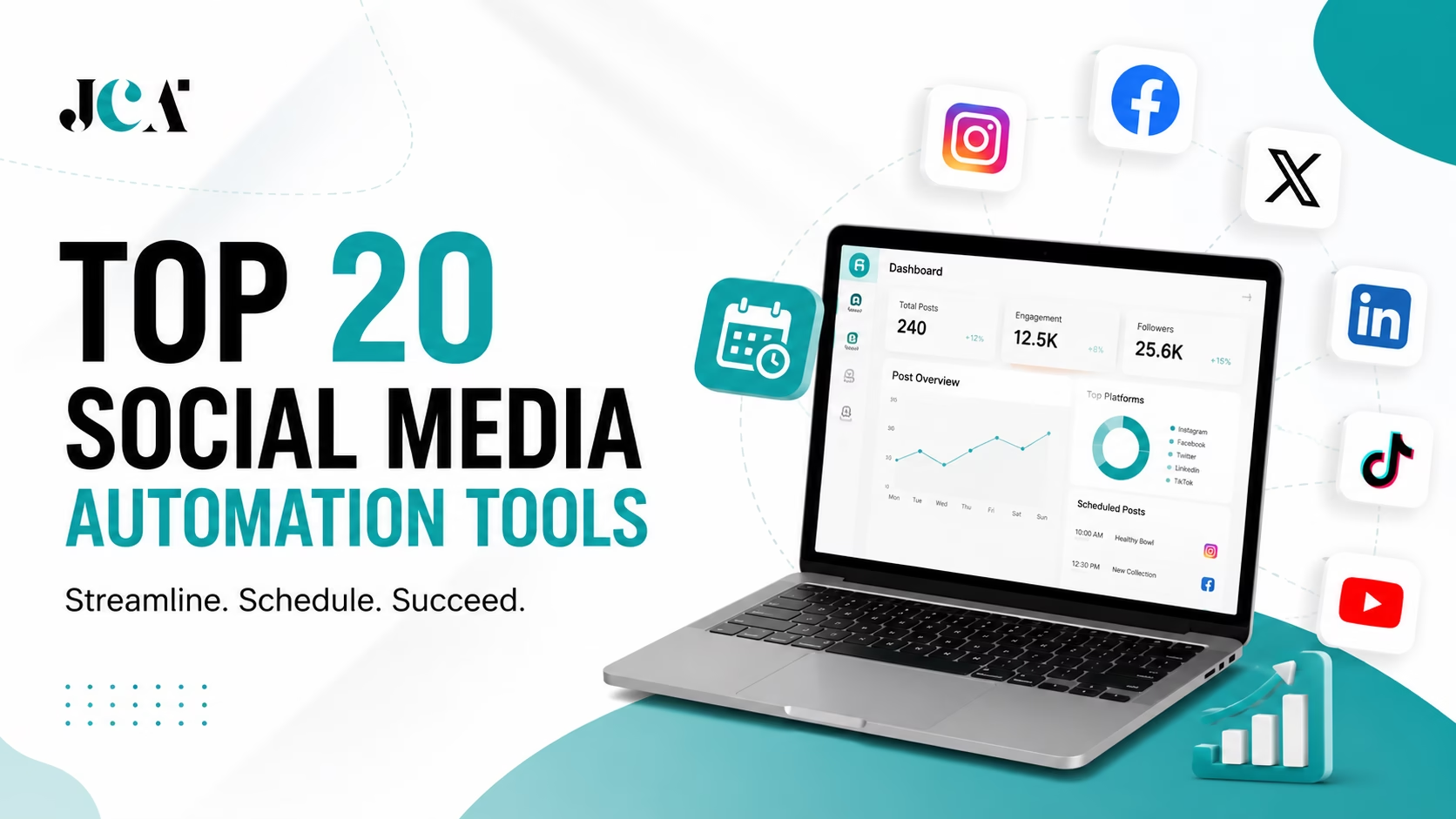

Managing social media has changed dramatically. A business may need to publish on Instagram, Facebook, LinkedIn, TikTok, YouTube, Pinterest, X, Threads, and other channels, often with different formats, audiences, and publishing requirements.
Doing all of that manually can quickly turn social media into a full-time administrative job.
That is where social media automation tools come in.
Modern social media automation software does much more than place posts into a calendar. Depending on the platform, automation can include content scheduling, auto-publishing, recurring posts, content recycling, AI caption generation, image creation, optimal posting times, analytics, approval workflows, social inboxes, and automated reporting.
However, not every platform approaches automation in the same way. Some are excellent scheduling tools. Others are built around analytics and social listening. Some focus heavily on agencies and approvals, while newer AI-first platforms aim to automate more of the content creation process itself.
For this Just Create App comparison, we researched 20 leading social media management and automation platforms and compared their current features, pricing, supported networks, AI capabilities, collaboration tools, analytics, and target audiences.
My note: Software features, pricing, supported networks, and API capabilities can change frequently. Pricing below reflects the latest publicly available information we could verify while researching this article in August 2026. Always confirm pricing and platform support on the vendor’s website before purchasing.
Also read the guide on: Social Media Automation App Development Companies
Quick Answer: What Are the Best Social Media Automation Tools?
There is no single tool that is perfect for everyone.
- Best overall: Hootsuite
- Best for advanced analytics and social care: Sprout Social
- Best for creators and simple scheduling: Buffer
- Best for content recycling: SocialBee
- Best for affordable analytics: Metricool
- Best for agencies: SocialPilot
- Best for visual content and creators: Later
- Best for AI content creation: Predis.ai
- Best for AI-first automation: Bibby
- Best for collaboration and approvals: Planable
- Best for community management: Agorapulse
- Best for affordable multi-profile management: Publer
- Best for marketing teams: CoSchedule
- Best for social moderation: NapoleonCat
- Best for Pinterest-focused marketing: Tailwind
The right choice depends heavily on how many accounts you manage, which networks you use, how much content you publish, whether you need approval workflows, and how much automation you actually want.
What Is Social Media Automation?
Social media automation is the use of software to handle repetitive social media tasks with little or no manual effort. Instead of logging into every social platform separately, creating each post from scratch, and publishing everything manually, businesses can use automation software to organize, schedule, publish, analyze, and manage content from a centralized dashboard.
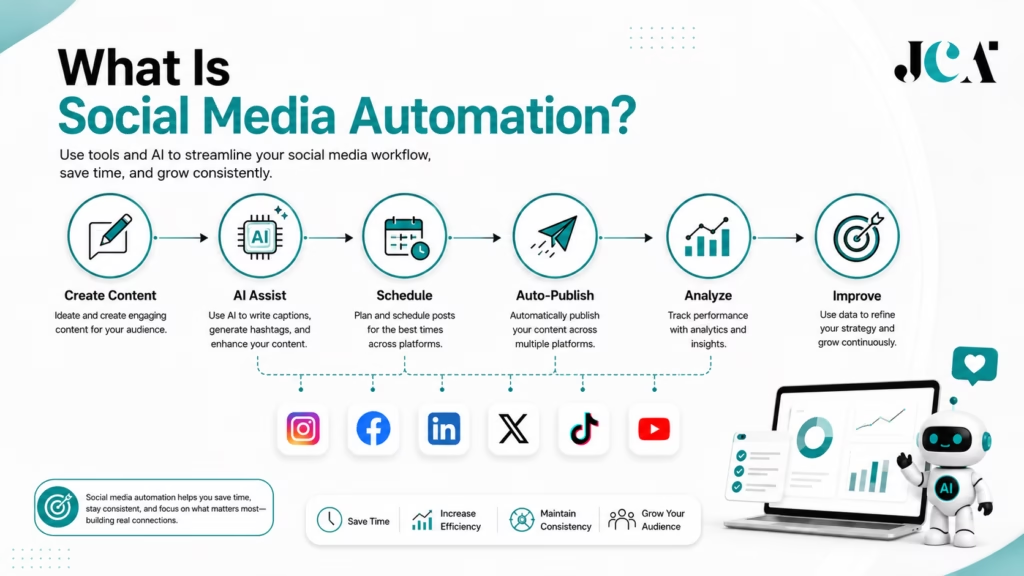
At its simplest, social media automation means scheduling content in advance. But today’s social media automation software can do much more. Depending on the platform, it may help generate captions with AI, create visual content, recycle evergreen posts, recommend publishing times, manage approval workflows, automate reports, and coordinate content across multiple social networks.
This makes automation particularly valuable for businesses and creators that need to maintain a consistent presence across several platforms without spending their entire day managing posts.
How Does Social Media Automation Work?
A typical automated social media workflow can look like this:
Create Content → Add Caption → Choose Platforms → Schedule → Auto-Publish → Analyze Results → Improve Future Content
For example, a small business could prepare a week’s worth of Instagram, Facebook, and LinkedIn content on Monday. Instead of manually publishing every day, the business can schedule the posts through a social media management platform. The software then publishes them according to the selected schedule while collecting performance data.
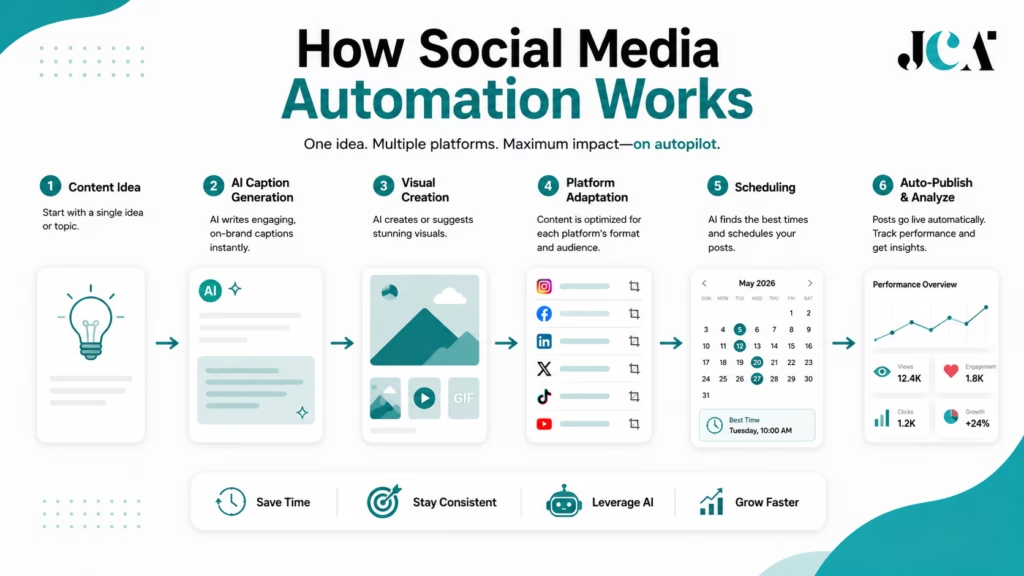
More advanced platforms can automate additional steps in the workflow.
AI Content Creation → Content Optimization → Smart Scheduling → Auto-Publishing → Performance Tracking
The exact capabilities depend on the software, social network, subscription plan, and available platform APIs.
Key Features of Social Media Automation
The best social media automation tools combine several capabilities rather than focusing only on scheduling.
1. Automated Scheduling
Scheduling is the foundation of most social media automation platforms.
You can prepare posts in advance and assign specific dates and times for publication. Some tools also offer best-time-to-post recommendations, allowing the software to identify potentially stronger publishing windows based on audience activity and previous performance.
This is useful for businesses that want to maintain a consistent publishing schedule without constantly monitoring the clock.
2. Auto-Publishing
With supported social networks and account types, automation software can publish content automatically after it has been scheduled.
This removes repetitive tasks such as:
- Logging into multiple platforms
- Uploading the same content repeatedly
- Copying captions between networks
- Remembering publishing times
- Manually checking each post before publication
However, not every social network supports every publishing format. Features such as Reels, Stories, carousels, videos, first comments, and other formats can have different API restrictions.
3. Content Recycling
Content recycling allows businesses to automatically reuse selected evergreen content.
For example, an educational post such as “5 Ways to Improve Website Security” may remain useful months after it was first published. A platform with content-recycling functionality can place that post back into the publishing queue rather than requiring the marketing team to manually schedule it again.
This is particularly useful for:
- Evergreen educational content
- Blog posts
- Industry tips
- Product information
- FAQs
- Quotes
- Tutorials
- Promotional content that remains relevant
The important part is to use recycling thoughtfully. Repeating the exact same content too frequently can make a social feed feel repetitive.
4. AI-Assisted Content Creation
AI has become an increasingly important part of social media automation software.
Depending on the platform, AI features can help with:
- Caption generation
- Post ideas
- Content rewriting
- Hashtag suggestions
- Image generation
- Video creation
- Content repurposing
- Brand voice assistance
- Calls to action
- Content calendars
For example, instead of starting with a blank caption box, a marketer might provide a topic and ask the platform to generate an initial caption. The marketer can then review, edit, and approve the content before publishing.
This can significantly reduce the time required to create routine social posts while keeping humans involved in the final decision.
5. Cross-Platform Publishing
Managing several social networks separately can become inefficient.
Social media publishing tools allow users to manage multiple channels from one dashboard. A single piece of content can potentially be adapted and scheduled for platforms such as:
- TikTok
- YouTube
- X
- Threads
The exact platforms and publishing features vary by software.
Cross-platform publishing is particularly useful for businesses that want consistent messaging without manually uploading the same campaign to every network.
6. Automated Analytics and Reporting
Publishing content is only one part of social media management. Businesses also need to understand what happens after a post goes live.
Social media automation platforms can automatically collect performance data and display metrics such as:
- Reach
- Impressions
- Engagement
- Likes
- Comments
- Shares
- Clicks
- Follower growth
- Video views
- Post performance
More advanced platforms can also provide competitor comparisons, audience insights, sentiment analysis, campaign reporting, and automated reports.
This allows marketers to spend less time collecting numbers manually and more time deciding what the numbers mean.
7. Team Approval Workflows
Automation becomes more important when multiple people are involved in social media publishing.
A typical workflow might look like:
Writer → Designer → Marketing Manager → Client Approval → Schedule → Publish
Platforms designed for agencies and marketing teams can provide content approvals, permissions, comments, workspaces, and publishing controls.
This reduces the risk of someone accidentally publishing unfinished or unapproved content.
8. Automated Social Media Workflows
More advanced social media management tools can connect multiple tasks together.
For example:
Content Library → AI Caption → Approval → Smart Scheduling → Auto-Publishing → Analytics → Reporting
This is where social media automation starts becoming significantly more powerful than a basic scheduling calendar.
What Social Media Automation Cannot Replace
Automation can remove repetitive work, but it cannot replace the strategic and human side of social media.
Businesses still need people to:
- Understand their target audience
- Develop a social media strategy
- Create original ideas
- Review AI-generated content
- Respond to meaningful conversations
- Handle complaints
- Manage sensitive customer interactions
- Protect brand reputation
- React to breaking events
- Decide what should and should not be published
For example, automatically replying to every customer comment may save time, but a complaint about a failed order or poor customer experience requires context and empathy.
The strongest social media strategies therefore use automation as a productivity layer, not as a replacement for human communication.
Social Media Scheduling vs. Social Media Automation
These terms are closely related, but they are not identical.
| Social Media Scheduling | Social Media Automation |
|---|---|
| Schedules posts for future publication | Automates multiple parts of the social workflow |
| Primarily focused on publishing time | Can include creation, publishing, recycling, analytics and workflows |
| Usually requires content to be created first | Some platforms can help create content with AI |
| Often simpler to use | Usually offers broader functionality |
| Ideal for basic publishing needs | Better for larger or more complex workflows |
A scheduling tool answers:
“When should this post be published?”
A broader automation platform can help answer:
“What should we publish, where should we publish it, when should it go live, what should happen afterward, and how did it perform?”
That distinction is important when comparing the best social media automation tools.
Why Businesses Use Social Media Automation
The main benefit is not simply saving a few clicks.
A well-designed automation workflow can help businesses:
- Maintain consistent publishing
- Reduce repetitive manual work
- Manage multiple social accounts
- Publish content at planned times
- Reuse evergreen content
- Speed up content creation
- Improve team collaboration
- Reduce publishing mistakes
- Centralize performance data
- Scale social media operations
For a small business, automation can make consistent publishing manageable. For an agency, it can make dozens of client accounts easier to organize. For a larger marketing team, it can create a structured workflow from content production through reporting.
Ultimately, the value of social media automation software depends on how much repetitive work it removes while still allowing marketers to maintain quality, authenticity, and control.
How We Selected the Top 20
Choosing the best social media automation tools is not simply a matter of listing the platforms with the biggest names or the most features. A tool can have dozens of functions and still be a poor choice if it is difficult to use, too expensive for its target audience, or lacks the social networks a business actually needs.
For this comparison, Just Create App evaluated each platform from a practical user perspective. We looked at how well each product handles everyday social media workflows, how much repetitive work it can automate, what AI capabilities it offers, how useful its analytics are, and whether its pricing and features make sense for its intended audience.
Because social media software changes frequently, this ranking should be viewed as an editorial comparison for 2026, rather than a permanent leaderboard. Features, pricing, supported networks, and platform APIs can change over time.
We considered:
- Automation capabilities
- Scheduling and publishing
- Supported social platforms
- AI functionality
- Analytics and reporting
- Ease of use
- Team collaboration
- Content creation
- Integrations
- Pricing and overall value
- Suitability for different audiences
- Overall usefulness
The ranking is editorial rather than a permanent scorecard. Social media platforms regularly change their APIs, product capabilities, pricing, and publishing permissions, so the order can change as these products evolve.
Top 20 Social Media Automation Tools Compared
With the selection criteria established, the next step is to compare the platforms side by side.
The table below provides a quick overview of the 20 social media automation tools covered in this guide. It focuses on the capabilities that are most useful when choosing software, including AI functionality, social network support, automation, analytics, and pricing.
Because each platform uses different pricing models, the starting price should be treated as a reference point rather than a direct measure of value. Some charge per social channel, while others charge per user, workspace, brand, or number of profiles.
| Rank | Tool | Best For | AI Features | Major Platforms | Automation | Analytics | Starting Price* |
|---|---|---|---|---|---|---|---|
| 1 | Hootsuite | Businesses & teams | Strong | Instagram, Facebook, LinkedIn, TikTok, YouTube, X and more | Excellent | Advanced | Paid plans |
| 2 | Sprout Social | Analytics & social care | Strong | Major social networks | Excellent | Excellent | $79/seat/mo |
| 3 | Buffer | Creators & small businesses | Good | Instagram, Facebook, LinkedIn, TikTok, YouTube, Pinterest, X, Threads and more | Very good | Good | Free; paid from $5/channel/mo |
| 4 | SocialBee | Content recycling | Strong | Major social networks | Excellent | Good | $24/mo annually |
| 5 | Metricool | Analytics & value | Good | Major social networks | Very good | Excellent | Free; paid from $20/mo |
| 6 | Agorapulse | Community management | Good | Facebook, Instagram, LinkedIn, TikTok, YouTube, X, Threads, Pinterest and more | Excellent | Advanced | $79/user/mo annually |
| 7 | Later | Visual marketers | Good | Instagram, Facebook, TikTok, LinkedIn, Pinterest, YouTube, Threads, Snapchat | Very good | Good | $18.75/mo annually |
| 8 | SocialPilot | Agencies & SMBs | Strong | Facebook, Instagram, LinkedIn, TikTok, X, YouTube, Pinterest and more | Excellent | Advanced | $17/mo annually |
| 9 | Sendible | Agencies | Strong | Instagram, Facebook, LinkedIn, TikTok, YouTube, X, Threads and more | Excellent | Good | Paid; 14-day trial |
| 10 | Publer | Affordable automation | Strong | Major social networks | Excellent | Good | Paid plans |
| 11 | Planable | Approvals & collaboration | Good | Major social networks | Very good | Add-on/advanced | $33/workspace/mo |
| 12 | Zoho Social | SMBs & Zoho users | Good | Facebook, Instagram, LinkedIn, X, YouTube, TikTok, Pinterest, Threads, Bluesky and more | Very good | Good | Free plan |
| 13 | CoSchedule | Marketing teams | Strong | Facebook, Instagram, LinkedIn, Pinterest, TikTok, Threads, YouTube and more | Excellent | Advanced | Free; $19/user/mo annually |
| 14 | Predis.ai | AI content creation | Excellent | Major social platforms | Excellent | Good | Paid/free options |
| 15 | Ocoya | AI content & commerce | Excellent | Major social networks | Excellent | Good | From $15/mo |
| 16 | Loomly | Content teams | Strong | Major social networks | Very good | Advanced | $49/mo annually |
| 17 | NapoleonCat | Moderation & customer care | Good | Instagram, Facebook, TikTok, LinkedIn, YouTube, X and more | Excellent | Advanced | From $67/mo annually |
| 18 | MeetEdgar | Evergreen automation | Good | Facebook, Instagram, LinkedIn, TikTok, X, Threads, Pinterest | Excellent | Basic to moderate | $24.91/mo annually |
| 19 | Tailwind | Pinterest & visual marketing | Strong | Pinterest, Instagram, Facebook | Very good | Good | Paid plans |
| 20 | Bibby | AI-first automation | Excellent | Facebook, Instagram, LinkedIn, YouTube, with additional networks listed by product | Excellent | Good | $19/mo annually |
*Prices are starting or representative published prices and can vary by billing cycle, number of profiles, users, add-ons, and current promotions.
1. Hootsuite
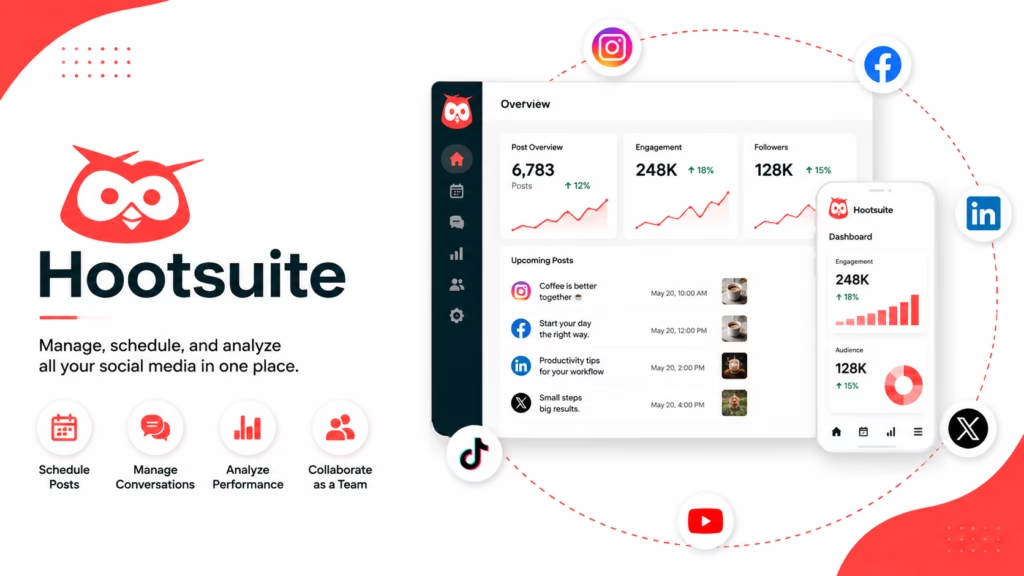
Best for: Businesses that want an established all-in-one social media management platform.
Hootsuite remains one of the most comprehensive options for organizations that need publishing, engagement, monitoring, analytics, and AI features in one platform.
Its Standard plan supports up to 10 social accounts, unlimited scheduling, best-time recommendations, an AI assistant, content creation tools, a unified inbox, DM automations, and monitoring capabilities. Advanced adds unlimited social accounts, customizable analytics, saved replies, and auto-responses.
Key Features
- Multi-network publishing
- Unlimited scheduling
- AI caption and image generation
- Social inbox
- Best-time recommendations
- Analytics and reporting
- Team workflows
- Monitoring and social listening features
Automation Capabilities:
Hootsuite can automate scheduled publishing, recurring workflows, inbox processes, and selected messaging tasks. Its automation becomes particularly useful for organizations managing multiple accounts and teams.
AI Capabilities:
Its AI-first approach includes assistance with post ideas, captions, images, and content creation.
Supported Platforms:
Instagram, Facebook, LinkedIn, TikTok, YouTube, X and other supported networks vary by plan and feature.
Analytics:
One of Hootsuite’s strengths is its reporting and monitoring ecosystem, particularly for businesses that need more than a simple posting calendar.
Pricing:
Hootsuite’s Standard plan is published at $99 per user/month in current market comparisons, with Advanced at $249 per user/month. The company also offers Enterprise options. Pricing should be confirmed directly before purchasing.
Pros
- Broad feature set
- Strong automation
- Excellent for larger social operations
- AI integrated into the workflow
- Good monitoring and reporting capabilities
Cons
- Can become expensive as teams grow
- More complex than basic schedulers
- Some advanced capabilities require higher tiers
Best For:
Mid-sized businesses, enterprises, marketing teams, and organizations managing many social channels.
Just Create App Verdict:
Hootsuite is one of the strongest all-rounders for teams that need publishing, monitoring, engagement, analytics, and automation under one roof. Smaller teams may find simpler tools more economical.
2. Sprout Social
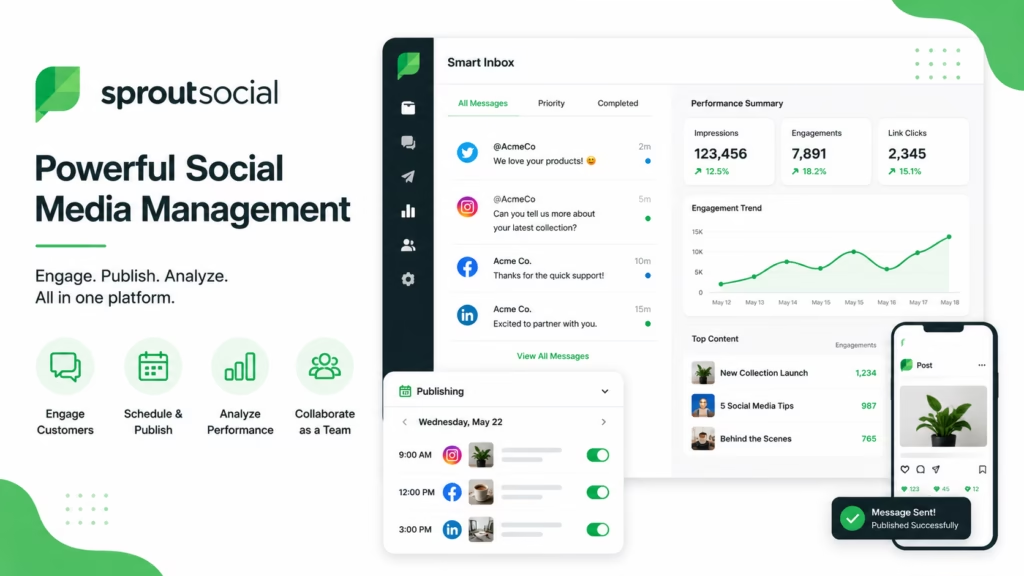
Best for: Organizations that prioritize analytics, customer care, social listening, and advanced workflows.
Sprout Social is positioned well beyond basic social scheduling. It combines publishing with social inbox management, monitoring, reporting, customer care, and AI-assisted workflows.
Its current plans range from Essentials at $79 per seat/month when billed annually to Standard at $199, Professional at $299, and Advanced at $399.
Key Features
- Social publishing
- Smart Inbox
- Social listening
- Competitive insights
- Review management
- AI assistance
- Reporting
- Collaboration
- Customer-care workflows
Automation Capabilities:
Automation is particularly useful around publishing, optimal send times, inbox workflows, reporting, and repetitive social management tasks.
AI Capabilities:
AI features include AI-assisted content and reply functions, AI-generated alt text, and other workflow assistance depending on the plan.
Supported Platforms:
Major networks including Instagram, Facebook, LinkedIn, TikTok, X, YouTube and others, with exact availability depending on the product module.
Analytics:
Analytics is a major differentiator. Professional and Advanced plans add deeper competitive, paid, sentiment, and customer-care insights.
Pricing:
Essentials starts at $79/seat/month annually. Standard starts at $199/seat/month annually. A 30-day free trial is available.
Pros
- Excellent analytics
- Strong social inbox
- Strong customer-care features
- Advanced reporting
- Excellent enterprise capabilities
Cons
- Expensive for solo users
- Advanced features can require higher tiers
- More platform than a casual creator needs
Best For:
Larger brands, social teams, agencies, and organizations where social media is connected to customer service and business intelligence.
Just Create App Verdict:
Sprout Social is one of the strongest choices when analytics and customer interaction matter as much as publishing. Its pricing makes more sense for teams with serious social operations.
3. Buffer
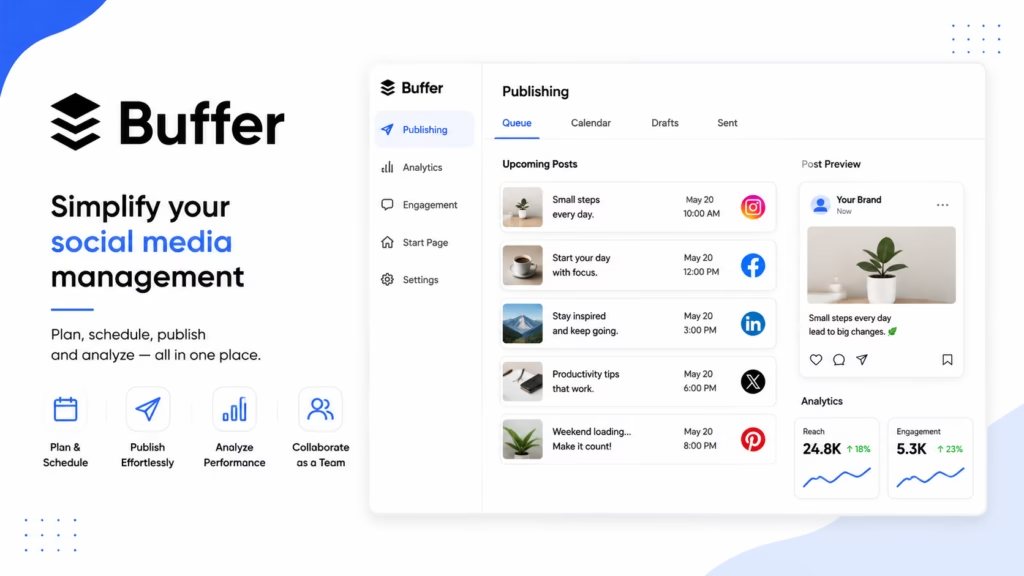
Best for: Creators, freelancers, and small businesses that want straightforward publishing.
Buffer is deliberately easier to approach than many enterprise-oriented platforms. Its channel-based pricing makes it particularly attractive to users who manage a limited number of profiles.
Buffer currently offers a free plan supporting up to three channels, with 10 scheduled posts per channel. Paid Essentials starts at $5 per month for one channel when billed annually.
Key Features
- Content scheduling
- Publishing calendar
- AI Assistant
- Analytics
- Community inbox
- Ideas management
- Hashtag management
- API access
Automation Capabilities:
Buffer is excellent for scheduling queues and maintaining a consistent publishing routine. Its automation is more publishing-focused than some AI-first competitors.
AI Capabilities:
The AI Assistant can help create and refine content.
Supported Platforms:
Buffer supports a broad selection of social channels, with availability dependent on channel and plan.
Analytics:
Paid plans provide deeper analytics than the free tier.
Pricing:
Free forever for up to three channels. Essentials begins at $5/month per channel when billed annually.
Pros
- Very easy to use
- Affordable entry point
- Free plan
- Transparent channel-based pricing
- Strong creator experience
Cons
- Costs increase with many channels
- Advanced enterprise functionality is limited compared with Sprout Social or Hootsuite
- AI content creation is not its main differentiator
Best For:
Solo creators, freelancers, bloggers, small businesses, and lean marketing teams.
Just Create App Verdict:
Buffer is one of the safest recommendations for someone who wants to start scheduling social content without learning a giant enterprise platform.
4. SocialBee
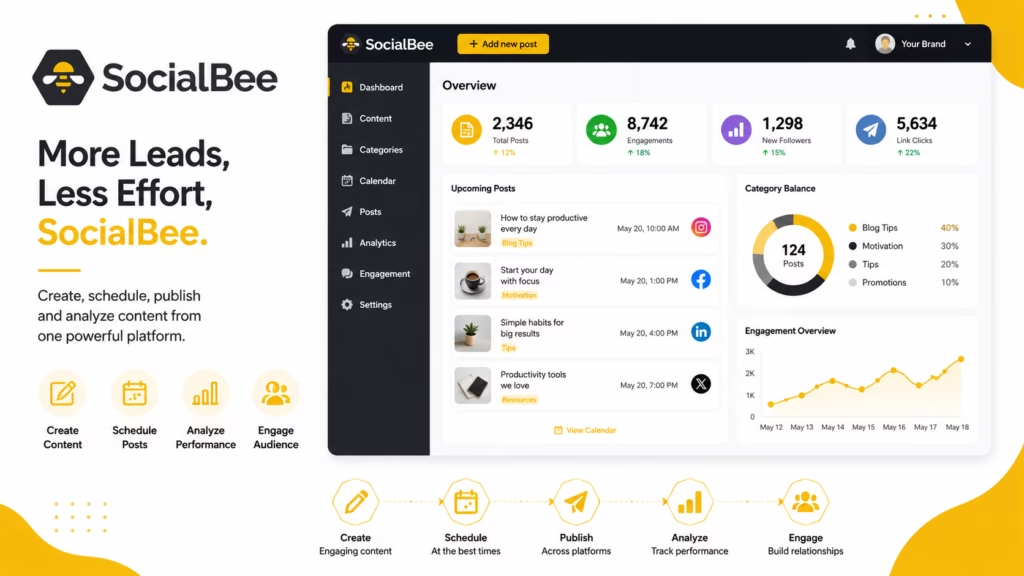
Best for: Businesses and creators that rely heavily on evergreen content and content recycling.
SocialBee takes a category-based approach to social publishing. Instead of simply creating a chronological queue, users can organize content into categories and create repeatable publishing systems.
Its Bootstrap plan is currently listed at $24/month when billed annually and includes up to five social profiles, 10 content categories, content sources, unlimited AI content generation, and analytics.
Key Features
- Content categories
- Evergreen recycling
- Scheduling
- AI content creation
- Content sources
- Analytics
- Collaboration
- Social calendars
Automation Capabilities:
Content recycling is the standout feature. Businesses can create categories and automate the distribution of evergreen content.
AI Capabilities:
SocialBee includes AI content generation and related writing assistance.
Supported Platforms:
Major networks are supported, with specific capabilities varying by platform and plan.
Analytics:
Analytics provides performance visibility, with history depending on the plan.
Pricing:
Bootstrap starts at $24/month billed annually, with a 14-day free trial.
Pros
- Excellent content recycling
- Strong automation
- Useful category system
- Good AI capabilities
- Practical for consistent publishing
Cons
- Category-based workflow takes some learning
- Advanced requirements can become more expensive
- Not primarily an enterprise social listening platform
Best For:
Small businesses, agencies, coaches, creators, and marketers with lots of evergreen content.
Just Create App Verdict:
If your biggest problem is not creating content but consistently reusing and distributing it, SocialBee deserves a close look.
5. Metricool
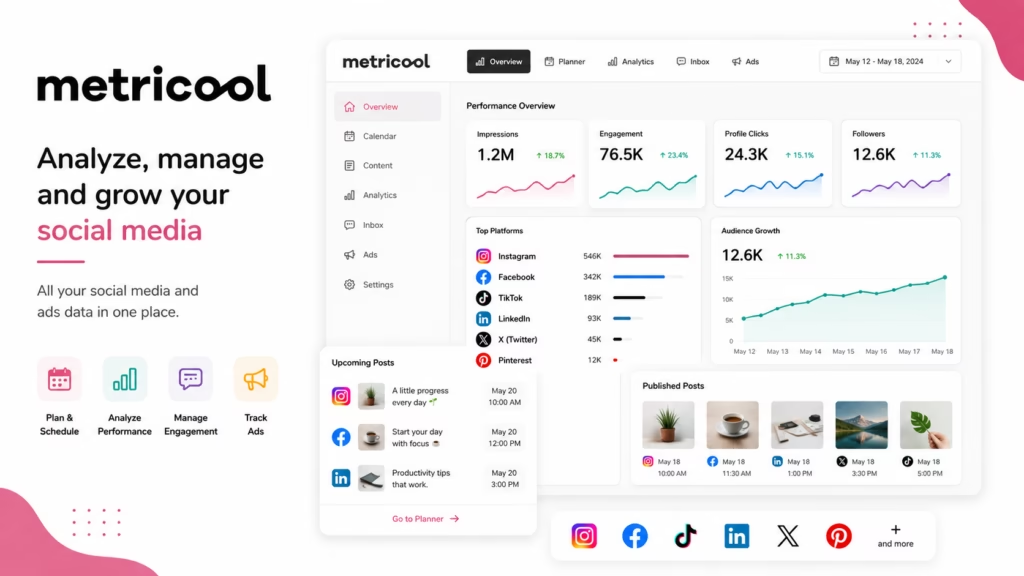
Best for: Marketers who want strong analytics without paying enterprise-level prices.
Metricool combines scheduling, analytics, competitor research, planning, and AI assistance.
Its free plan supports one brand, up to 20 scheduled posts per month, competitor analysis, 30 days of analytics, and an AI social media assistant. The Starter plan currently begins at $20/month in USD.
Key Features
- Social scheduling
- Analytics
- Competitor analysis
- AI assistant
- Content planning
- Reporting
- Multi-brand management
Automation Capabilities:
Metricool handles scheduling and publishing workflows while reducing manual reporting work.
AI Capabilities:
Its AI assistant can support content creation and planning.
Supported Platforms:
It covers major social networks, with certain networks and features restricted by plan.
Analytics:
Analytics is one of Metricool’s strongest areas, particularly for users who want data alongside publishing.
Pricing:
Free plan available. Starter begins from $20/month in the current USD pricing displayed by Metricool.
Pros
- Strong analytics
- Free tier
- Competitor analysis
- Good value
- Suitable for marketers
Cons
- Some advanced functionality is add-on based
- Free plan has publishing limits
- Not as extensive as enterprise platforms for social care
Best For:
Small businesses, creators, agencies, and marketers who want a strong balance between publishing and analytics.
Just Create App Verdict:
Metricool is particularly attractive when you want to know not just what you published, but whether your social strategy is actually working.
6. Agorapulse

Best for: Teams that need publishing plus community management.
Agorapulse combines publishing, inbox management, reporting, moderation, and collaboration.
Its Standard plan is $79 per user/month when billed annually, while Professional is $119 and Advanced is $149. A 30-day free trial is available without a credit card.
Key Features
- Unlimited publishing
- Unified inbox
- Social monitoring
- Reporting
- Team assignments
- Automated moderation
- Competitor benchmarking
- AI reply assistance on higher tiers
Automation Capabilities:
Automation covers publishing, moderation rules, saved replies, inbox workflows, and bulk actions.
AI Capabilities:
AI-powered reply suggestions are available in higher-level plans, alongside other workflow improvements.
Supported Platforms:
Facebook, Instagram, Threads, X, LinkedIn, YouTube, Pinterest, Google Business, TikTok, Bluesky and Reddit are listed among supported networks.
Analytics:
Advanced reporting includes competitor benchmarking, ROI analysis, and ad reporting.
Pricing:
Starts at $79/user/month annually.
Pros
- Strong community management
- Excellent inbox
- Good reporting
- Team workflows
- Broad network coverage
Cons
- Per-user pricing can add up
- Advanced functions require higher tiers
- More than basic creators need
Best For:
Agencies, social teams, community managers, and businesses handling significant audience interaction.
Just Create App Verdict:
Agorapulse is a strong middle ground between publishing software and full social customer-care platforms.
7. Later
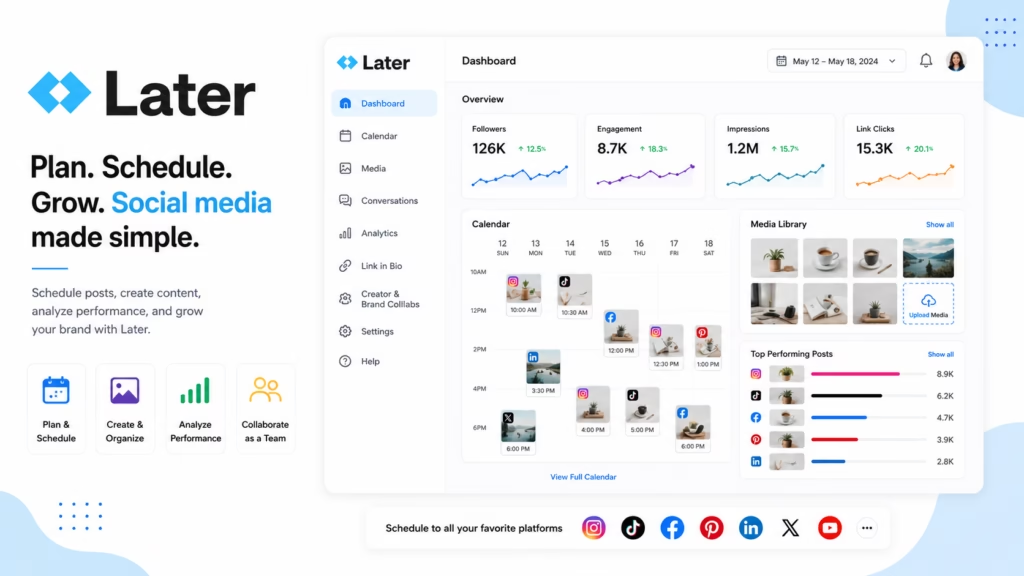
Best for: Visual brands, creators, and marketers managing multiple social formats.
Later has a particularly strong reputation around visual planning, while its current product has expanded into broader social media management.
Its Starter plan is currently $18.75/month when billed annually and includes eight profiles across Instagram, Facebook, Threads, Pinterest, TikTok, LinkedIn, YouTube, and Snapchat. Growth begins at $37.50/month annually and adds collaboration, approvals, social inbox functionality, and more publishing capacity.
Key Features
- Visual content planning
- Scheduling
- Best-time recommendations
- AI ideas
- AI caption writing
- Social inbox
- Approvals
- Link in bio
- Analytics
Automation Capabilities:
Later provides scheduling, smart scheduling, and automated publishing across supported networks.
AI Capabilities:
AI Ideas and Caption Writer are included with monthly credit allowances based on plan.
Supported Platforms:
Instagram, Facebook, Threads, Pinterest, TikTok, LinkedIn, YouTube, and Snapchat are included in the current product structure.
Analytics:
Analytics depth increases with the Growth and Scale plans.
Pricing:
Starter from $18.75/month annually; Growth from $37.50/month annually.
Pros
- Excellent visual planning
- Strong Instagram workflow
- Broad platform coverage
- Useful AI features
- Good collaboration
Cons
- Some advanced reporting is reserved for higher plans
- AI features use credits
- Best value depends on number of profiles
Best For:
Creators, ecommerce brands, visual marketers, influencers, and social teams.
Just Create App Verdict:
Later is especially compelling if Instagram and visual content are central to your marketing strategy.
8. SocialPilot
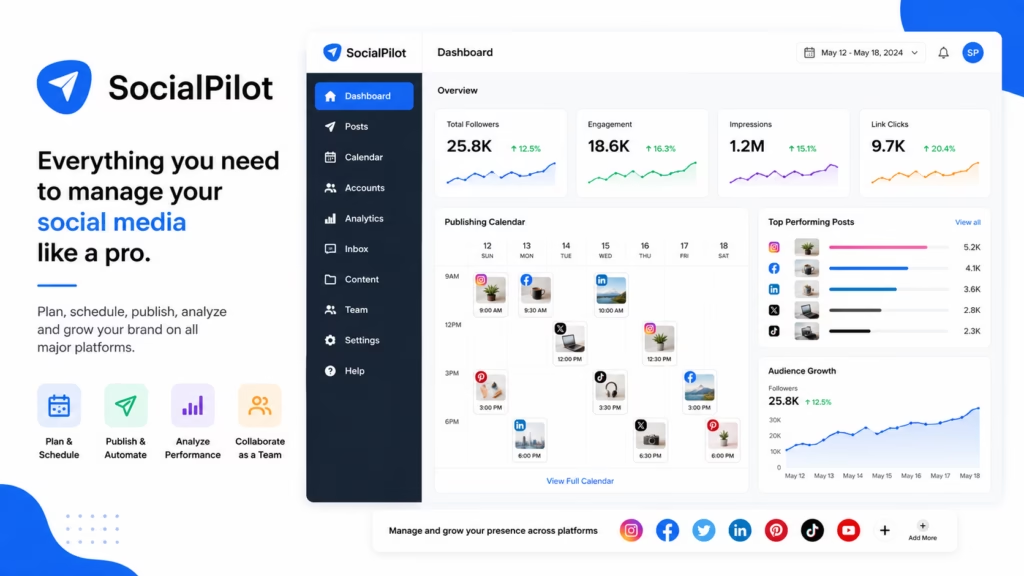
Best for: Agencies and small-to-medium businesses managing multiple accounts.
SocialPilot focuses heavily on scalable scheduling, collaboration, reporting, and agency workflows.
Its Essentials plan starts at $17/month annually for five social media accounts. Standard is $34, Premium $85, and Ultimate $170 when billed annually.
Key Features
- Bulk scheduling
- Content library
- AI Pilot
- Social inbox
- Analytics
- Team management
- Client approvals
- White-label reports
- AI scheduler
Automation Capabilities:
Bulk scheduling, content libraries, AI scheduling, RSS publishing, and repeatable workflows make SocialPilot strong for agencies.
AI Capabilities:
AI Pilot and AI Scheduler assist with content and scheduling.
Supported Platforms:
Facebook, Instagram, TikTok, X, LinkedIn, Threads, YouTube, Pinterest, Google Business, and Bluesky are listed.
Analytics:
Higher plans include advanced analytics and white-label reporting.
Pricing:
Starts at $17/month annually. A 14-day free trial is available without a credit card.
Pros
- Excellent agency value
- Bulk scheduling
- Client approvals
- White-label reporting
- Strong profile limits
Cons
- Advanced features are tier-dependent
- Interface can feel more operational than creator-focused
- Costs increase with additional accounts
Best For:
Agencies, consultants, social media managers, and growing businesses.
Just Create App Verdict:
SocialPilot is one of the strongest choices for users who manage many profiles but don’t want enterprise-level pricing.
9. Sendible
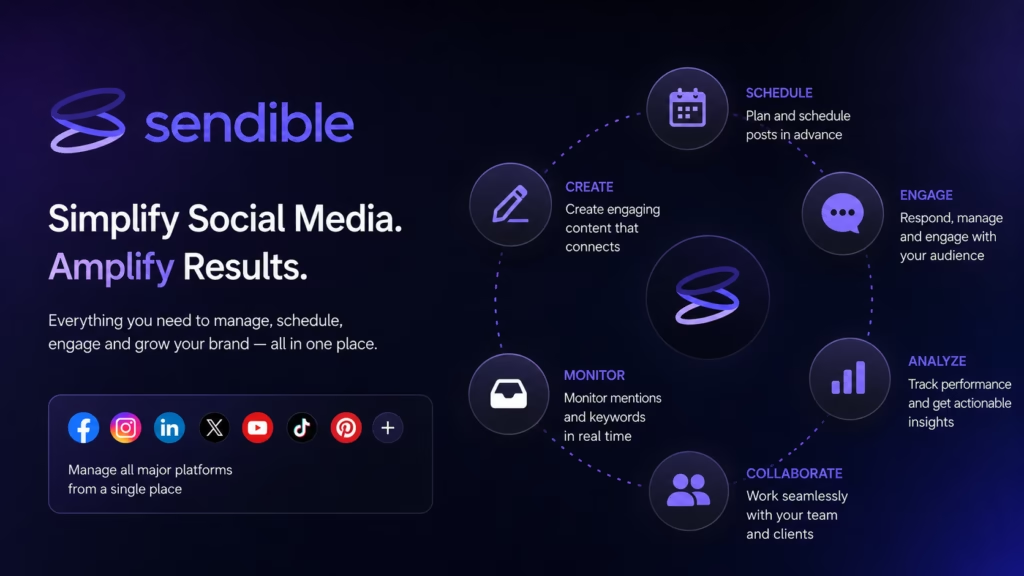
Best for: Agencies and organizations managing multiple brands or clients.
Sendible is designed around workspaces, client management, publishing, collaboration, analytics, and content operations.
Its plans include unlimited users, unlimited scheduling, AI credits, monitoring, and replying. Higher plans add approvals, content libraries, branded reports, campaigns, and advanced permissions.
Key Features
- Unlimited users
- Workspaces
- Bulk scheduling
- AI Assist
- Client approvals
- Content libraries
- Branded reporting
- Social inbox
- Canva integration
Automation Capabilities:
Sendible supports direct publishing, bulk posting, workflow automation, RSS-style content workflows, and integrations such as Zapier.
AI Capabilities:
AI Assist can generate content and captions, rephrase copy, and help with writing.
Supported Platforms:
Instagram, Facebook, TikTok, X, LinkedIn, YouTube, Threads, Bluesky, Google Business Profile and others.
Analytics:
Standard and branded reporting is available, with more advanced reporting on higher plans.
Pricing:
Sendible offers a 14-day free trial. Pricing is workspace-based, with unlimited users included.
Pros
- Unlimited users
- Excellent agency structure
- Strong workspaces
- Good automation
- Client collaboration
Cons
- Workspace model takes some learning
- Higher tiers become expensive
- Some capabilities vary by plan
Best For:
Agencies, multi-location businesses, consultants, and social media teams.
Just Create App Verdict:
Sendible is particularly strong when the social operation involves several clients, brands, or stakeholders rather than a single creator.
10. Publer

Best for: Users looking for affordable, feature-rich social scheduling.
Publer combines scheduling, bulk publishing, AI assistance, analytics, collaboration, and content management.
The platform also has a Business offering aimed at agencies and larger companies, with client management, collaboration, and analytics.
Key Features
- Bulk scheduling
- AI assistance
- Content recycling
- Analytics
- Workspace management
- Collaboration
- Content library
- Multi-network publishing
Automation Capabilities:
Publer supports bulk scheduling, recurring content, RSS automation, and other publishing workflows.
AI Capabilities:
AI can assist with content creation and optimization.
Supported Platforms:
It supports a broad selection of major networks, with exact publishing features dependent on the network.
Analytics:
Performance analytics are available for tracking social results.
Pricing:
Publer’s pricing varies according to account and plan configuration, so users should check its current pricing page before subscribing.
Pros
- Strong feature-to-price ratio
- Bulk scheduling
- Good automation
- Useful for agencies
- AI features
Cons
- Some advanced features are plan-dependent
- Interface has many settings
- Exact costs depend on account configuration
Best For:
Small businesses, creators, agencies, and users who want lots of functionality without immediately moving to enterprise software.
Just Create App Verdict:
Publer is worth shortlisting if value matters and you need more than a basic scheduler.
11. Planable

Best for: Teams that need content approvals and collaborative workflows.
Planable approaches social media as a collaborative content-production process.
Its Basic plan is $33 per workspace/month and Pro is $49 per workspace/month. Both include unlimited users, while higher plans increase social pages, approvals, and publishing capacity.
Key Features
- Content calendar
- Feed and grid views
- Approval workflows
- AI post generation
- AI rewriting
- Campaign management
- Team collaboration
- Social inbox add-on
- Analytics add-on
Automation Capabilities:
Planable supports recurring posts, first-comment scheduling, omnichannel planning, and publishing workflows.
AI Capabilities:
AI post generation and rewriting are built into the product.
Supported Platforms:
Major social networks are supported, with capabilities depending on the network and plan.
Analytics:
Analytics is available as an add-on with page, post, audience, and reporting functionality.
Pricing:
Basic $33/workspace/month and Pro $49/workspace/month. The first 50 posts can be created free with no time limit or credit card.
Pros
- Excellent approval workflow
- Unlimited users on paid plans
- Strong visual planning
- Good agency collaboration
- AI assistance
Cons
- Analytics costs extra
- Social inbox costs extra
- Workspace-based pricing requires planning
Best For:
Agencies, marketing departments, clients, editors, and teams with approval-heavy processes.
Just Create App Verdict:
If five people need to review a post before it goes live, Planable can be more useful than a tool built primarily around individual scheduling.
12. Zoho Social
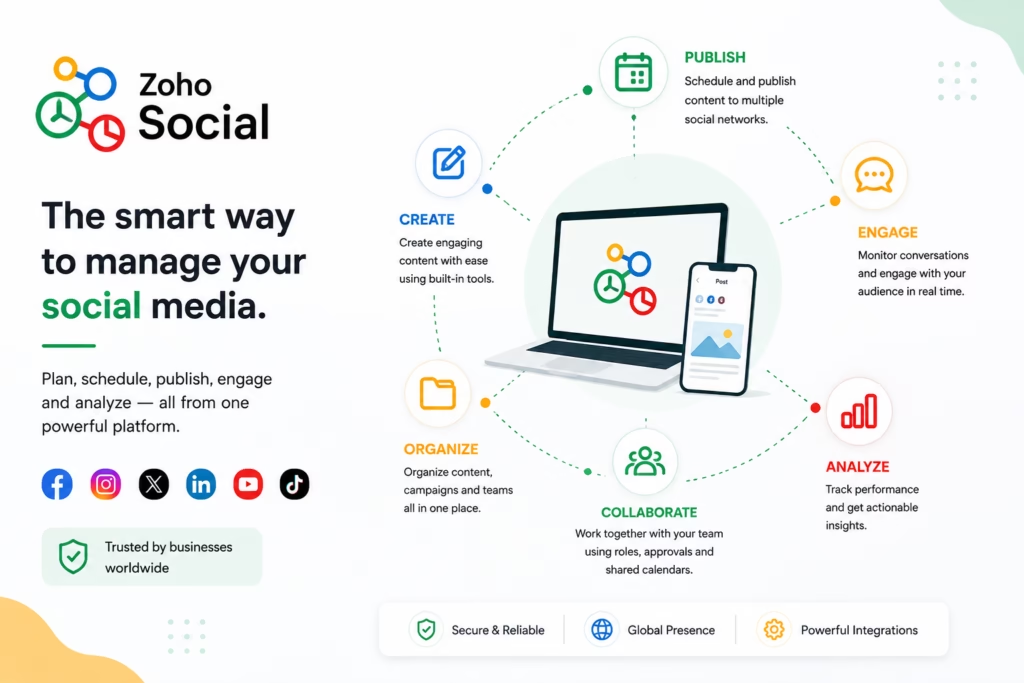
Best for: Small and medium businesses, particularly those already using Zoho.
Zoho Social provides scheduling, monitoring, collaboration, publishing, analytics, and content queues.
Zoho currently offers Free, Standard, Professional, Premium, Agency, and Agency Plus structures, with platform availability expanding substantially on paid tiers.
Key Features
- Publishing calendar
- SmartQ scheduling
- Content queues
- Monitoring
- Analytics
- Collaboration
- Social inbox
- Agency features
Automation Capabilities:
SmartQ can recommend publishing times, while content queues and recurring workflows help maintain consistency.
AI Capabilities:
Zoho’s automation is more workflow-oriented than some AI-first competitors.
Supported Platforms:
Facebook, X, Instagram, LinkedIn, Google Business Profile, YouTube, Pinterest, TikTok, Mastodon, Threads, Bluesky and additional channels are listed across plans.
Analytics:
Zoho offers social performance reporting and intelligent reports.
Pricing:
A forever-free plan is available, and Zoho offers a 15-day trial for paid plans without requiring credit card information.
Pros
- Free option
- Strong business ecosystem
- Smart scheduling
- Broad network support
- Useful for SMBs
Cons
- Some features are more valuable inside the Zoho ecosystem
- Advanced agency requirements require higher plans
- Interface may feel less creator-oriented
Best For:
SMBs, agencies, and companies already using Zoho products.
Just Create App Verdict:
Zoho Social is a sensible option when you want social media management to fit into a broader business software ecosystem.
13. CoSchedule
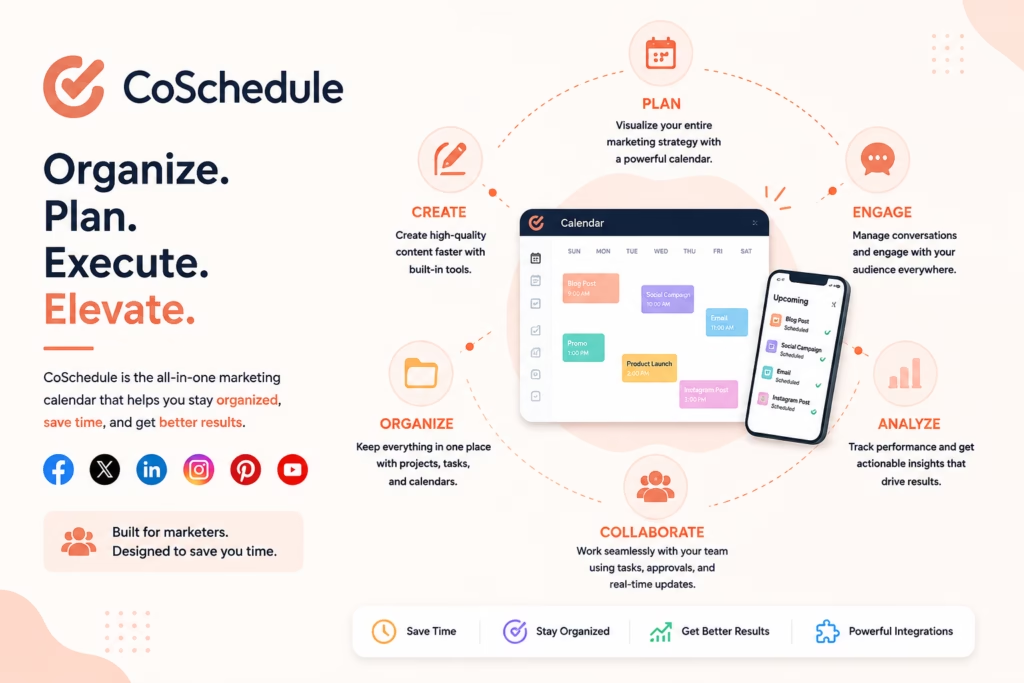
Best for: Marketing teams that want social media connected to a broader marketing calendar.
CoSchedule treats social publishing as part of an overall marketing calendar rather than an isolated activity.
Its Free Calendar includes one social profile and up to 15 scheduled social messages. Social Calendar starts at $19/user/month when billed annually.
Key Features
- Marketing calendar
- Social publishing
- AI assistant
- Best-time scheduling
- Bulk scheduling
- ReQueue
- Social analytics
- Social inbox
- Approvals
- Campaign management
Automation Capabilities:
ReQueue automatically fills gaps in publishing schedules and can recycle selected social content. Bulk scheduling and best-time publishing are also available.
AI Capabilities:
CoSchedule offers AI assistance for content, campaigns, projects, and social copy.
Supported Platforms:
Facebook, Instagram, LinkedIn, Pinterest, TikTok, Threads, YouTube, Google Business Profile, Mastodon, Bluesky and others are supported across the product.
Analytics:
Social Calendar and higher plans provide analytics and reporting.
Pricing:
Free Calendar is free. Social Calendar starts at $19/user/month annually. Agency Calendar starts at $59/user/month annually.
Pros
- Excellent marketing calendar
- Strong ReQueue automation
- AI campaign assistance
- Good team workflows
- Broad publishing support
Cons
- Better suited to marketers than casual creators
- Additional profiles cost extra
- X profiles are separately priced
Best For:
Marketing teams, content marketers, agencies, and businesses coordinating multiple campaigns.
Just Create App Verdict:
CoSchedule is a strong choice when social media is one part of a larger content and marketing operation.
14. Predis.ai
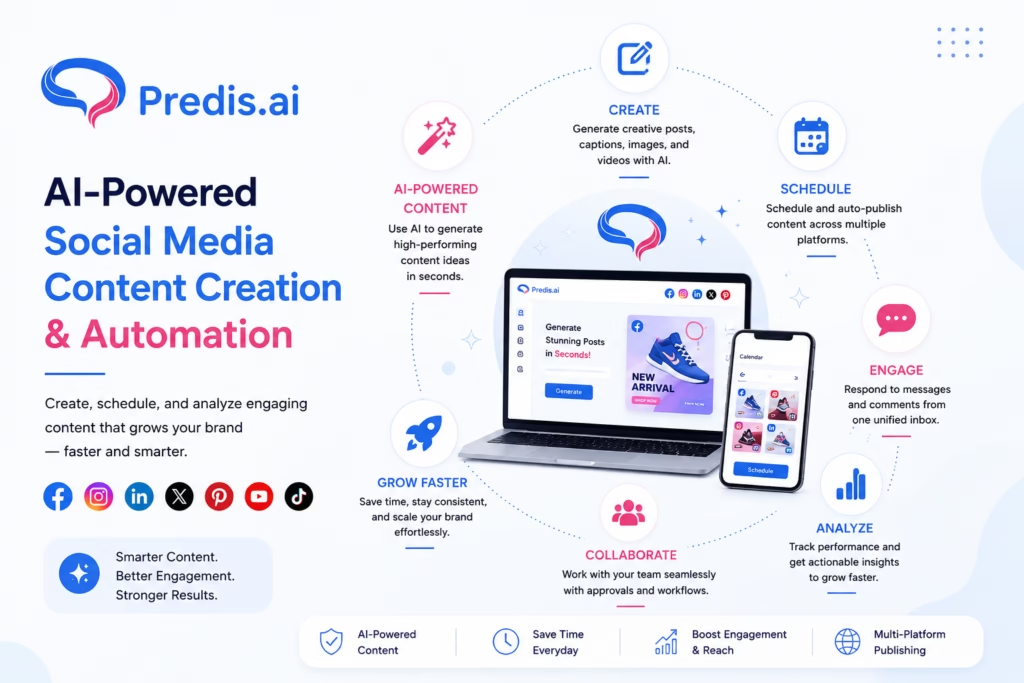
Best for: Businesses that want AI to help create social content, not merely schedule it.
Predis.ai is one of the more AI-centric platforms in this comparison.
Its core proposition combines AI-generated social content, creative generation, optimization, and publishing. The current pricing model uses AI credits to measure content generation capacity.
Key Features
- AI post generation
- AI images
- AI videos
- Captions
- Creative templates
- Content ideas
- Scheduling
- Brand management
- Ecommerce-oriented content
Automation Capabilities:
Predis can connect AI content generation with scheduling and publishing, reducing the number of manual steps between idea and post.
AI Capabilities:
This is its strongest category. Users can generate social creatives, captions, videos, and other content with AI.
Supported Platforms:
The platform supports major social networks, with publishing capabilities depending on the specific network and account.
Analytics:
Analytics and content performance capabilities complement its creation workflow.
Pricing:
Predis uses credit-based plans. Current published plans include higher-volume options such as Enterprise+, with pricing and credits varying by plan.
Pros
- Excellent AI content generation
- Strong visual creation
- Useful for high-volume content
- Good ecommerce use cases
- Combines creation and publishing
Cons
- Credit systems require monitoring
- AI output still needs human review
- Less focused on enterprise social care
Best For:
Creators, ecommerce brands, marketers, and businesses producing large amounts of social content.
Just Create App Verdict:
Predis.ai is one of the better options if content creation is the bottleneck rather than scheduling alone.
15. Ocoya
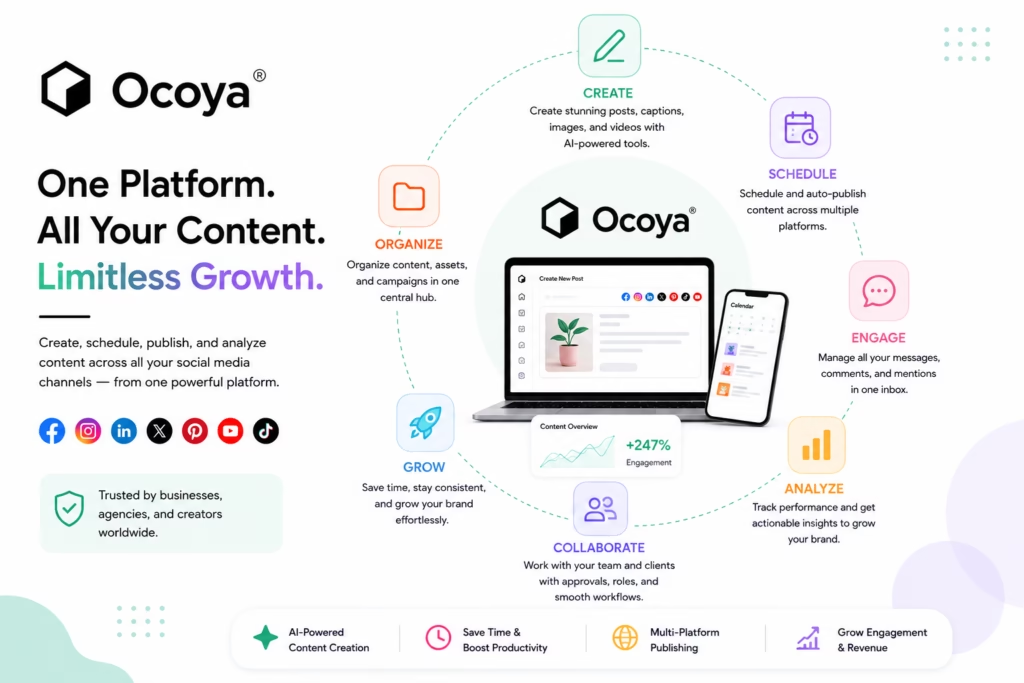
Best for: Users who want AI content creation, social publishing, and ecommerce functionality.
Ocoya combines social media scheduling with AI copywriting, visual creation, ecommerce integrations, and content management.
Key Features
- AI captions
- AI art
- Copywriting
- Social scheduling
- Templates
- Ecommerce integrations
- Analytics
- Team workspaces
Automation Capabilities:
Ocoya can automate publishing workflows, content generation, RSS-style processes, and ecommerce-related social content.
AI Capabilities:
AI captioning, copywriting, visual creation, and performance-related functions are central to the product.
Supported Platforms:
Major social networks are supported, with exact capabilities dependent on the account and plan.
Analytics:
Analytics and AI performance features become more extensive at higher tiers.
Pricing:
Ocoya’s published pricing has included Bronze at $15/month, Silver at $39, Gold at $79, and Diamond at $159, although users should verify current pricing before subscribing.
Pros
- Strong AI content workflow
- Ecommerce integrations
- Affordable entry point
- Content creation and publishing in one platform
- Good agency potential
Cons
- AI credits vary by plan
- Advanced features require higher tiers
- Less established than some enterprise competitors
Best For:
Ecommerce businesses, solopreneurs, agencies, and AI-focused marketers.
Just Create App Verdict:
Ocoya is particularly interesting for businesses that want social publishing and AI-assisted content production in one workflow.
16. Loomly
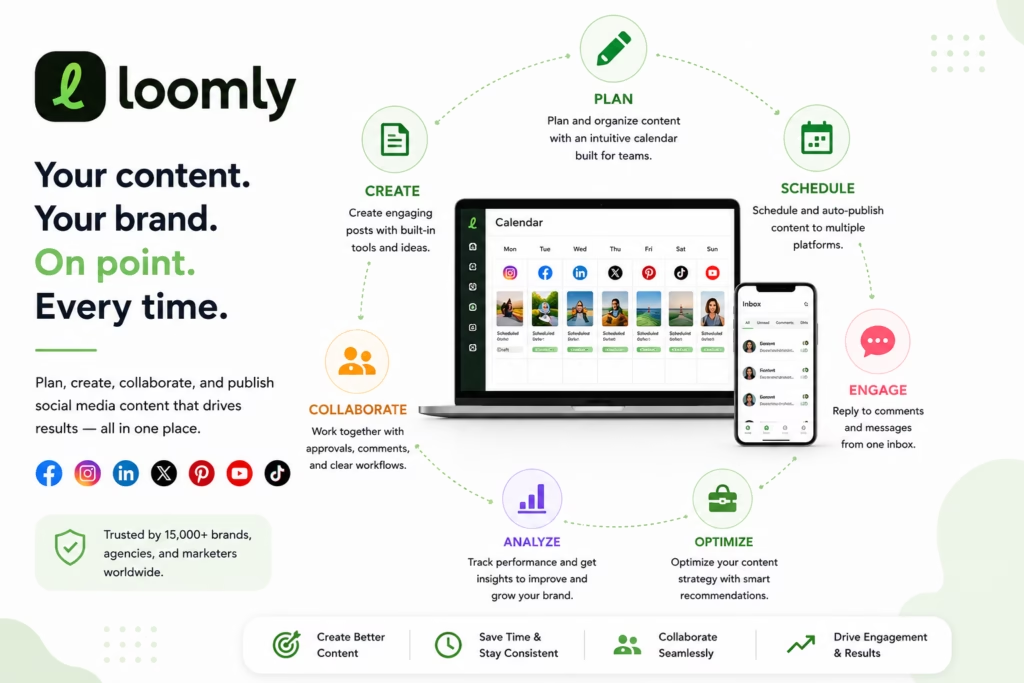
Best for: Marketing teams that want structured calendars, approvals, and analytics.
Loomly is built around content calendars and collaborative social publishing.
Its Starter plan currently supports 12 social accounts and three users and costs $65/month monthly or $49/month when billed annually. It includes AI Assistant, scheduling, approval workflows, roles, and advanced analytics.
Key Features
- Content calendars
- Scheduling
- AI Assistant
- Approval workflows
- Advanced analytics
- Roles and permissions
- Link shortening
- Custom branding
Automation Capabilities:
Loomly helps automate scheduling and approval workflows while keeping teams organized around a shared calendar.
AI Capabilities:
Its AI Assistant supports content development and workflow assistance.
Supported Platforms:
It supports major social platforms, with exact features varying according to network.
Analytics:
Advanced analytics are included in the Starter plan according to the current pricing page.
Pricing:
Starter $49/month annually or $65 monthly. Beyond is $249/month annually.
Pros
- Strong calendar workflow
- Good approvals
- Useful for teams
- Advanced analytics
- AI assistant
Cons
- More expensive than creator-first schedulers
- High-tier plans become costly
- Some users may not need the full workflow
Best For:
Marketing departments, agencies, content teams, and growing brands.
Just Create App Verdict:
Loomly makes sense when social media involves multiple people and content needs to pass through a structured production process.
17. NapoleonCat
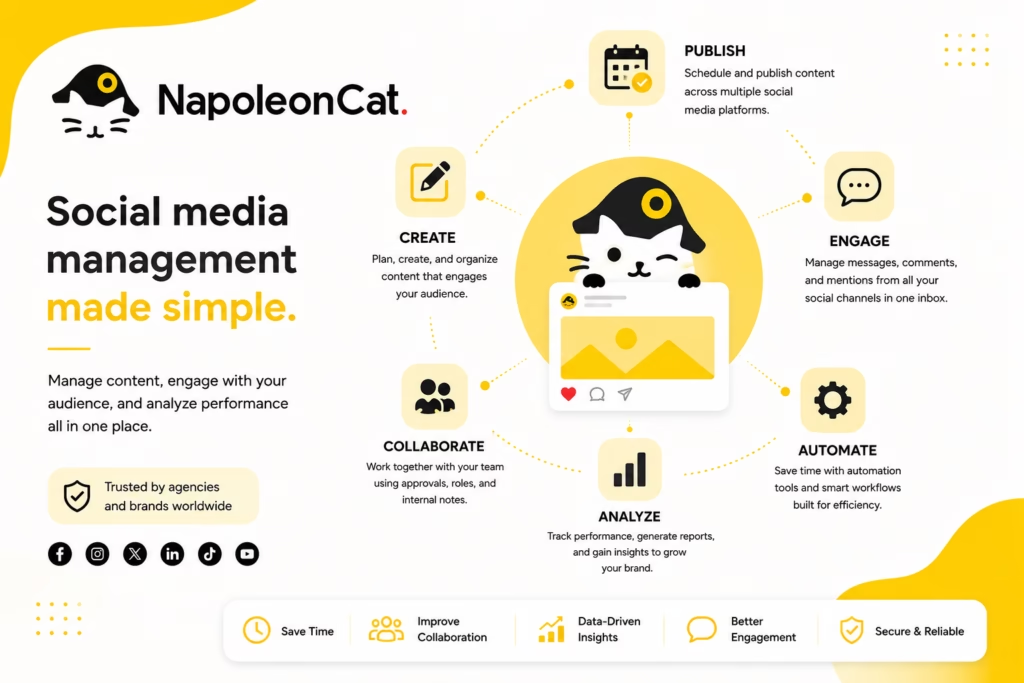
Best for: Social media moderation, customer interaction, and automated community management.
NapoleonCat stands out because it places strong emphasis on moderation and social customer service.
Its Standard plan includes unlimited post scheduling, team collaboration, analytics, competitor tracking, benchmarking, and automated reporting. Higher plans add Social Inbox, AI reply suggestions, automatic moderation, comment hiding, and sentiment analysis.
Key Features
- Social Inbox
- Auto-moderation
- Scheduling
- Analytics
- Competitor benchmarking
- Automated reporting
- Sentiment analysis
- AI reply suggestions
Automation Capabilities:
Its Expert tier adds automatic moderation, comment hiding/deletion, sentiment analysis, and advanced search.
AI Capabilities:
AI reply suggestions and AI-assisted sentiment analysis are important differentiators.
Supported Platforms:
Instagram, Facebook, LinkedIn, TikTok, YouTube, X, Google Business and other supported properties are available.
Analytics:
Strong analytics, benchmarking, team reports, and automated reports are available.
Pricing:
Standard is currently listed from $67/month annually, with regular monthly pricing shown at $89. Pro and Expert start higher.
Pros
- Excellent moderation
- Strong customer-care workflows
- Competitor benchmarking
- Automated reporting
- Useful AI assistance
Cons
- More expensive than basic schedulers
- Some features are specialized
- Better for teams than casual creators
Best For:
Brands, agencies, ecommerce companies, and teams handling large numbers of comments and customer interactions.
Just Create App Verdict:
NapoleonCat is worth considering when managing comments and conversations is just as important as publishing posts.
18. MeetEdgar
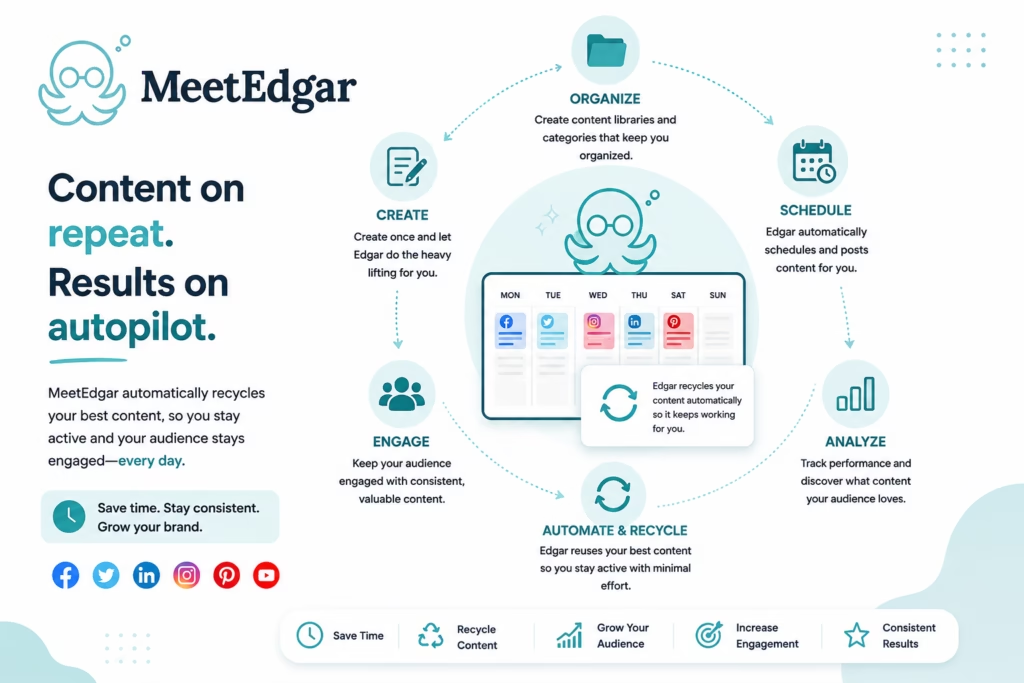
Best for: Evergreen content and automated social publishing.
MeetEdgar has long focused on reducing the amount of manual work involved in keeping social feeds active.
Its current Eddie plan costs $29.99/month and supports five social accounts, unlimited scheduled posts, weekly automations, content categories, and AI credits. The Edgar plan costs $49.99/month and increases automation and account limits.
Key Features
- Content categories
- Evergreen publishing
- Weekly automation
- Unlimited scheduled posts
- AI writing assistance
- Multi-network scheduling
Automation Capabilities:
Automation and content recycling are central to MeetEdgar.
AI Capabilities:
Its Inky AI assistant helps generate copy and hashtag suggestions.
Supported Platforms:
TikTok, Instagram, X, Threads, LinkedIn, Facebook, Pinterest, and Google Business Profile are listed.
Analytics:
Analytics are less comprehensive than those found in Sprout Social or Metricool.
Pricing:
Eddie starts at $29.99/month monthly, with annual billing lowering the effective monthly cost.
Pros
- Excellent evergreen automation
- Easy content categorization
- Unlimited scheduled posts
- AI assistance
- Strong automation focus
Cons
- Analytics are not its strongest area
- Less comprehensive than enterprise suites
- Primarily focused on publishing
Best For:
Entrepreneurs, creators, freelancers, and businesses with evergreen content libraries.
Just Create App Verdict:
MeetEdgar remains interesting if you want your content library to keep working after you’ve initially created it.
19. Tailwind
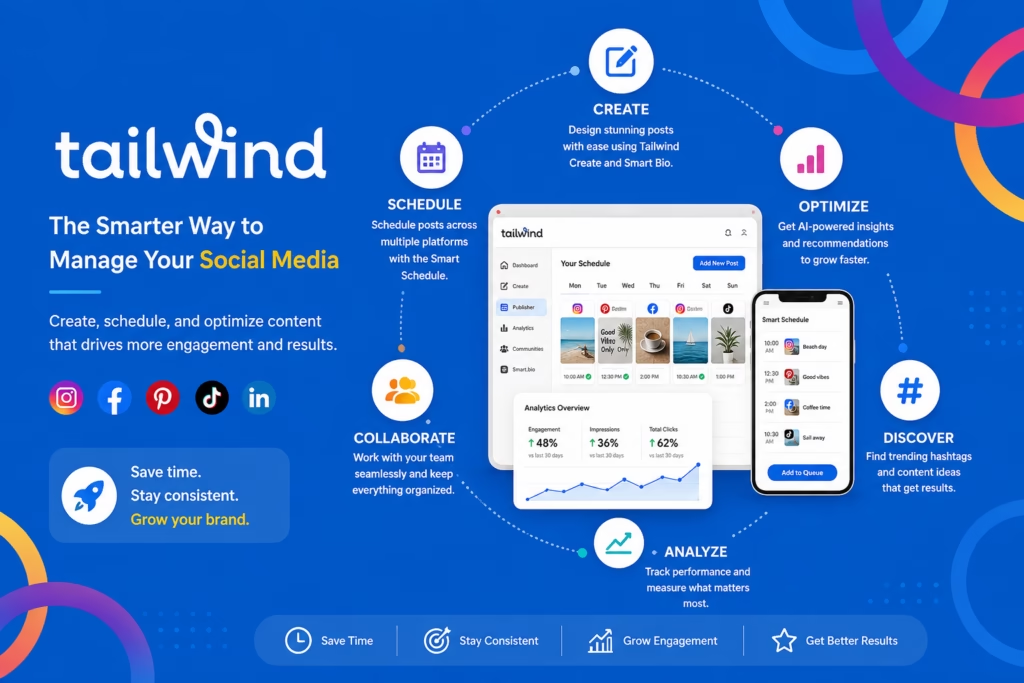
Best for: Pinterest-focused creators and visual-content marketers.
Tailwind is particularly relevant for marketers whose strategy depends on Pinterest and visual discovery, while also supporting Instagram and Facebook workflows.
Key Features
- Pinterest scheduling
- Instagram publishing
- Facebook publishing
- Visual planning
- AI assistance
- Content creation
- Smart scheduling
- Analytics
Automation Capabilities:
Tailwind’s strongest value comes from visual scheduling and recurring content workflows.
AI Capabilities:
AI tools assist with content ideas and creation.
Supported Platforms:
Pinterest remains its strongest ecosystem, with Instagram and Facebook also supported.
Analytics:
Performance tracking helps users understand which visual content produces results.
Pricing:
Tailwind’s pricing varies by plan and feature set, so check the current pricing page before subscribing.
Pros
- Excellent Pinterest functionality
- Strong visual workflow
- Useful scheduling automation
- Good for content discovery
Cons
- Less suitable for broad enterprise social management
- Best value depends on Pinterest usage
- Not designed as a complete social customer-care suite
Best For:
Pinterest marketers, bloggers, ecommerce brands, creators, and visual businesses.
Just Create App Verdict:
If Pinterest is a major traffic source, Tailwind deserves consideration even if another tool is used for the rest of your social stack.
20. Bibby
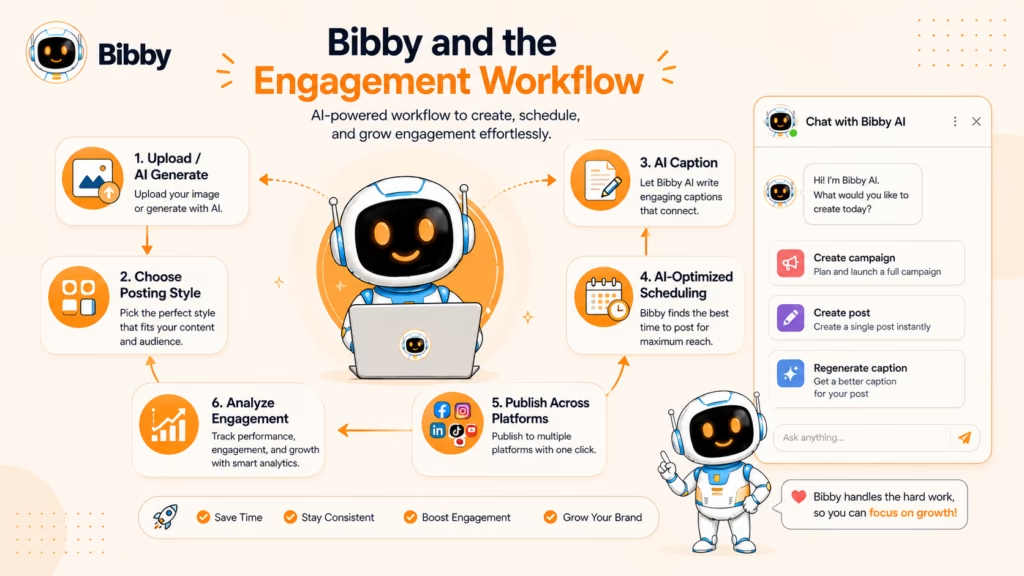
Best for: Small businesses and creators looking for AI-first social media automation.
Bibby takes a more automated, AI-first approach than traditional scheduling platforms.
Its workflow combines AI content creation, captions, images, scheduling, analytics, and automated publishing. The company describes Bibby as an AI social sidekick designed to automate content creation and publishing.
Key Features
- AI captions
- AI-generated images
- Smart scheduling
- Growth insights
- Brand analysis
- Content calendar
- Automated publishing
- Evergreen content recycling
Automation Capabilities:
Bibby’s central proposition is automating more of the workflow between content creation and publishing. Its feature pages describe automatic scheduling, optimal posting-time detection, reposting, and evergreen content recycling.
AI Capabilities:
AI can generate captions, visuals, hashtags, and social content based on a brand’s context and voice.
Supported Platforms:
Bibby’s current website lists Facebook, Instagram, LinkedIn, and YouTube as connected channels, while its broader channel page lists additional integrations and marks some as coming soon. Because the network status is evolving, users should verify the current connection options before subscribing.
Analytics:
Growth Insights and analytics are part of the product’s positioning.
Pricing:
Bibby’s current official pricing page lists $19/month billed annually, $25/month billed quarterly, and $29/month monthly. Each plan includes unlimited social page connections, unlimited social automations, 50 posts/month, five AI videos/month, AI captions, AI-generated images, smart scheduling, growth insights, and advanced brand analysis. Additional posts are listed at $1 each beyond the included 50.
Pros
- Strong AI-first workflow
- Content creation and scheduling together
- Simple pricing structure
- Smart scheduling
- AI-generated images and captions
Cons
- Social-network coverage is still evolving
- Newer platform compared with Hootsuite and Sprout Social
- Advanced enterprise functionality is less mature
Best For:
Small businesses, entrepreneurs, creators, and teams that want more of the content workflow automated.
Just Create App Verdict:
Bibby is one of the more interesting AI-first options in this list, particularly for smaller businesses that want to move from “schedule my content” toward “help me create and publish my content.”
Best Social Media Automation Tools by Use Case
There is no single best social media automation tool for every business.
A solo creator may care most about an easy content calendar and affordable scheduling. A marketing agency may need client approvals, multiple workspaces, bulk publishing, and white-label reports. An enterprise team may prioritize advanced analytics, social listening, customer care, and permissions.
That is why choosing a platform by use case is often more useful than choosing one simply because it ranks highly on a general list.
Current 2026 comparisons also show a clear split in the market: some platforms focus on straightforward scheduling, while others combine publishing with AI, analytics, social listening, collaboration, or content recycling.
Below are our top recommendations for the most common social media management needs.
Best Overall: Hootsuite
Hootsuite is our pick for the best overall social media automation platform because it combines scheduling, publishing, engagement, monitoring, analytics, AI-assisted content creation, and team workflows in one environment.
It is particularly useful for businesses that manage several social networks and need more than a simple publishing calendar.
Why choose it:
- Broad social network support
- Strong scheduling and publishing
- AI-assisted content workflows
- Analytics and reporting
- Team collaboration
- Social monitoring and engagement features
Best for: Businesses, marketing teams, and organizations managing a larger social media operation.
Consider an alternative if: You are a solo creator who only needs simple scheduling. Buffer or Later may provide a simpler experience.
Best for Small Businesses: Buffer
Buffer is one of the easiest options for small businesses that want to start scheduling social content without adopting an overly complicated platform.
Its free plan and relatively simple pricing structure make it particularly approachable for businesses with a limited number of social profiles. Buffer’s paid plans also add analytics, engagement, and AI-assisted content features.
Why choose it:
- Simple interface
- Free plan available
- Affordable entry point
- AI content assistance
- Multi-platform scheduling
- Easy-to-understand workflow
Best for: Small businesses, freelancers, consultants, and lean marketing teams.
Consider an alternative if: You need advanced social listening, enterprise reporting, or complex client workflows.
Best for Agencies: SocialPilot
SocialPilot is particularly well suited to agencies because its feature set is built around managing multiple social profiles, clients, teams, approvals, bulk scheduling, and reporting.
Its agency-oriented capabilities make it easier to separate different client workflows while maintaining centralized control.
Why choose it:
- Bulk scheduling
- Multiple social profiles
- Client approvals
- Team collaboration
- Analytics
- White-label reporting
- AI-assisted scheduling and content
Best for: Digital marketing agencies, consultants, and social media management companies.
Consider an alternative if: Your agency needs particularly advanced social listening or customer-care functionality, where platforms such as Sprout Social or Agorapulse may be stronger.
Best for Creators: Later
Later is a strong choice for creators and visual-first brands, particularly those whose strategy revolves around Instagram, short-form video, and visual content.
Its visual planning approach makes it easier to see how content will fit together before publishing.
Why choose it:
- Visual content calendar
- Instagram-focused workflow
- Multi-platform publishing
- AI-assisted content features
- Analytics
- Link-in-bio functionality
- Creator-friendly interface
Best for: Creators, influencers, ecommerce brands, bloggers, and visual marketers.
Consider an alternative if: Your workflow depends more heavily on advanced analytics or enterprise social listening.
Best Budget Option: Buffer
For users who want to minimize software costs, Buffer is one of the strongest places to start.
Its free plan provides a practical entry point, while the paid model allows users to add channels as their needs grow. Current 2026 comparisons continue to identify Buffer as one of the more affordable mainstream scheduling platforms.
Why choose it:
- Free plan
- Low starting cost
- Straightforward interface
- Good scheduling capabilities
- AI assistance
- Suitable for small teams
Best for: Individuals and small businesses with modest publishing requirements.
Consider an alternative if: You need extensive automation across many accounts, advanced analytics, or sophisticated approval workflows.
Best AI-Powered Tool: Predis.ai
Predis.ai stands out for users who want AI to play a larger role in content creation.
Instead of focusing primarily on scheduling existing content, it helps businesses generate social media posts and creative assets before connecting them with publishing workflows.
Why choose it:
- AI-generated captions
- AI visual creation
- AI video capabilities
- Content ideas
- Creative templates
- Social publishing
- Content optimization
Best for: Ecommerce businesses, creators, marketers, and teams producing a high volume of social content.
Consider an alternative if: Your main requirement is advanced social listening, customer care, or enterprise analytics.
Best for Analytics: Sprout Social
Sprout Social is one of the strongest options when social media analytics are a major part of the decision-making process.
It combines publishing with reporting, social listening, customer-care workflows, competitive insights, and other data-driven capabilities.
Its higher-tier plans are designed for organizations that need considerably more than basic post-performance statistics. Current 2026 comparisons consistently place Sprout Social among the strongest analytics-oriented platforms.
Why choose it:
- Advanced analytics
- Competitive insights
- Social listening
- Customer-care tools
- Reporting
- Sentiment-related insights
- Team workflows
Best for: Mid-sized companies, enterprises, agencies, and data-driven marketing teams.
Consider an alternative if: Your budget is limited or analytics are not central to your social strategy.
Best for Content Recycling: SocialBee
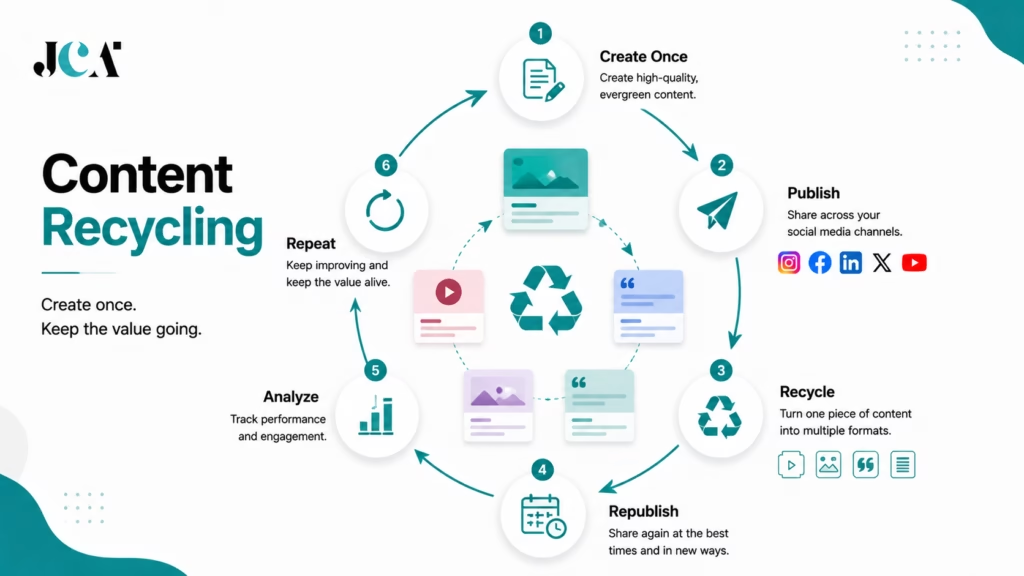
SocialBee is particularly useful for businesses with a library of evergreen content.
Its category-based approach allows users to organize different types of content and create repeatable publishing schedules. This makes it easier to keep useful posts circulating without manually rebuilding the queue every week.
Why choose it:
- Evergreen content recycling
- Content categories
- Automated queues
- AI content assistance
- Scheduling
- Analytics
- Multiple social profiles
Best for: Coaches, consultants, creators, bloggers, small businesses, and agencies with substantial evergreen content.
Consider an alternative if: Your priority is real-time community management or enterprise social listening.
Best for Team Collaboration: Planable
Planable is designed around collaborative content creation rather than simply giving one person a publishing calendar.
It is particularly useful when several people need to review social content before it goes live.
A typical workflow can look like:
Create → Review → Comment → Approve → Schedule → Publish
Why choose it:
- Approval workflows
- Content calendar
- Team collaboration
- Client feedback
- AI writing assistance
- Workspace organization
- Multi-platform publishing
Best for: Agencies, marketing departments, content teams, and businesses with approval requirements.
Consider an alternative if: You need advanced built-in analytics or social listening without purchasing additional functionality.
Best for Enterprises: Sprout Social
For enterprise teams, Sprout Social is one of the strongest choices because its value extends beyond scheduling.
Large organizations often need to connect social publishing with customer service, analytics, monitoring, reporting, and governance.
Why choose it:
- Advanced reporting
- Social listening
- Customer-care workflows
- Team permissions
- Competitive analysis
- Analytics
- Enterprise capabilities
Best for: Large organizations, global brands, and teams with dedicated social media operations.
Consider an alternative if: Your organization prioritizes broad channel coverage and complex publishing workflows, where Hootsuite may be a better fit.
Best Free Option: Buffer
For someone who wants to start without immediately paying for software, Buffer is one of the strongest mainstream choices.
Its free plan provides a practical way to test social scheduling before committing to a subscription. Metricool, Zoho Social, and CoSchedule also provide free options, although their limits and included features differ.
Best for: Beginners, creators, freelancers, and very small businesses.
Important: Free plans are generally designed for lighter workloads. Account limits, scheduled-post limits, analytics history, AI credits, and collaboration features can become restrictions as your social operation grows.
Best for Content Analytics and Scheduling: Metricool
Metricool is a particularly attractive option for marketers who want scheduling and analytics in the same platform.
Instead of treating analytics as an afterthought, Metricool puts performance data near the center of the social media workflow.
Why choose it:
- Social scheduling
- Detailed analytics
- Competitor analysis
- Content planning
- AI assistance
- Reporting
- Multi-brand management
Best for: Small businesses, agencies, creators, and marketers who want strong analytics without immediately moving to enterprise software.
Consider an alternative if: You need advanced social customer-care features or extensive social listening.
Best for Community Management: Agorapulse
Agorapulse is particularly useful for businesses where social media involves a significant amount of audience interaction.
Its combination of publishing, social inbox functionality, moderation, monitoring, analytics, and team workflows makes it more than a scheduling platform.
Why choose it:
- Unified social inbox
- Publishing
- Automated moderation
- Social monitoring
- Analytics
- Team collaboration
- Reporting
Best for: Community managers, agencies, brands, and businesses that receive substantial comments and messages.
Consider an alternative if: You only need basic publishing and scheduling.
Best for Evergreen Automation: MeetEdgar
MeetEdgar is built around the idea that your existing content should continue working for you.
Its category-based and evergreen publishing workflows make it useful for users who have educational posts, articles, tips, and other content that remains relevant over time.
Why choose it:
- Evergreen publishing
- Content categories
- Automated queues
- Recurring content
- AI writing assistance
- Multi-platform publishing
Best for: Creators, consultants, entrepreneurs, and content-heavy businesses.
Consider an alternative if: You require advanced analytics or enterprise-level social management.
Best for Pinterest: Tailwind
Tailwind is the specialist choice in this comparison for businesses and creators whose social strategy relies heavily on Pinterest.
While many general-purpose social media management platforms support Pinterest, Tailwind is much more focused on visual discovery and Pinterest workflows.
Why choose it:
- Pinterest scheduling
- Visual planning
- Smart scheduling
- Content creation
- Analytics
- Instagram and Facebook support
Best for: Bloggers, ecommerce businesses, publishers, creators, and Pinterest-focused marketers.
Consider an alternative if: You need comprehensive management across eight or more social networks.
Best for AI Content + Ecommerce: Ocoya
Ocoya is an interesting option for ecommerce businesses that want to combine AI content generation with social publishing.
Its workflow is designed to reduce the distance between creating promotional content and distributing it across social channels.
Why choose it:
- AI copywriting
- AI visuals
- Social scheduling
- Ecommerce integrations
- Content creation
- Analytics
- Team workflows
Best for: Ecommerce brands, online businesses, agencies, and marketers who produce frequent promotional content.
Consider an alternative if: You need deep enterprise social listening or customer-care functionality.
Best for Moderation and Social Customer Care: NapoleonCat
NapoleonCat is particularly valuable when the social media workload includes large volumes of comments and customer interactions.
Its automated moderation capabilities can help teams manage repetitive interactions while keeping humans involved in conversations that require judgment.
Why choose it:
- Social inbox
- Automated moderation
- Comment management
- Scheduling
- Analytics
- Competitor benchmarking
- Automated reporting
- AI reply assistance
Best for: Ecommerce brands, agencies, customer-care teams, and businesses receiving high volumes of social interactions.
Consider an alternative if: Your social strategy is primarily about content scheduling.
Best for Marketing Calendars: CoSchedule
CoSchedule is a strong choice when social media is part of a larger content marketing operation.
Instead of treating social publishing as an isolated activity, it connects social content with broader marketing calendars and campaigns.
Why choose it:
- Marketing calendar
- Social scheduling
- ReQueue automation
- AI assistance
- Campaign planning
- Team workflows
- Analytics
Best for: Content marketing teams, marketing departments, and agencies coordinating multiple campaigns.
Consider an alternative if: You want a simple social-only scheduler.
Quick Use-Case Comparison
| Use Case | Recommended Tool | Why It Stands Out |
|---|---|---|
| Best overall | Hootsuite | Broad combination of publishing, automation, analytics and engagement |
| Small businesses | Buffer | Simple, affordable and easy to start |
| Agencies | SocialPilot | Strong multi-account, approval and reporting workflows |
| Creators | Later | Visual planning and creator-friendly publishing |
| Budget | Buffer | Free plan and low-cost entry |
| AI content | Predis.ai | Deep AI-assisted content creation |
| Analytics | Sprout Social | Advanced reporting and social intelligence |
| Content recycling | SocialBee | Strong evergreen content automation |
| Team collaboration | Planable | Excellent review and approval workflow |
| Enterprise | Sprout Social | Advanced analytics, customer care and governance |
| Free plan | Buffer | Useful free scheduling capabilities |
| Analytics + scheduling | Metricool | Strong combination of publishing and measurement |
| Community management | Agorapulse | Strong inbox, moderation and engagement workflow |
| Evergreen automation | MeetEdgar | Built around recurring content |
| Tailwind | Specialized visual and Pinterest workflow | |
| AI + ecommerce | Ocoya | Combines AI content with ecommerce-oriented workflows |
| Moderation | NapoleonCat | Automated comment and moderation tools |
| Marketing calendar | CoSchedule | Connects social publishing with broader campaigns |
How to Use These Recommendations
The easiest way to narrow the market is to start with your primary problem.
If your problem is “I don’t have time to publish consistently,” start with Buffer, SocialBee, Later, or MeetEdgar.
If it is “I need to manage many clients,” look at SocialPilot, Sendible, Planable, or Agorapulse.
If it is “I don’t know what is actually working,” Metricool or Sprout Social may be a better starting point.
If it is “Creating social content takes too long,” explore Predis.ai, Ocoya, or other AI-first platforms.
And if it is “My team keeps sending content back and forth for approval,” a collaboration-first platform such as Planable may solve a bigger problem than another scheduling feature.
The strongest shortlist is usually not the three platforms with the highest overall ranking. It is the three platforms that solve your specific social media bottleneck.
That is the key difference between choosing a tool because it is popular and choosing one because it actually fits the way your team works.
Social Platform Comparison
Choosing among the best social media automation tools is not only about comparing prices and features. One of the most important questions is whether a platform supports the social networks your business actually uses.
Most leading social media management tools now support several major networks, but the level of support can differ considerably. A platform may allow direct publishing to Instagram but offer limited support for Stories or certain video formats. Another may support LinkedIn profiles and Pages, while a different tool may restrict one of those options to higher-tier plans.
Platform APIs and publishing policies also change regularly, so social network support should always be checked before purchasing.
For example, Buffer’s current documentation lists publishing support for Facebook Pages and Groups, Instagram, X, LinkedIn, Pinterest, TikTok, Google Business Profile, Threads, Bluesky, Mastodon, and YouTube Shorts, while noting that some features are limited by API restrictions or account type.
Social Media Platform Support at a Glance
The following comparison focuses on the major networks most businesses, creators, agencies, and marketers are likely to need.
| Social Platform | Tools to Consider | What to Check Before Choosing |
|---|---|---|
| Later, Buffer, Hootsuite, Metricool, SocialBee, Sprout Social, Predis.ai | Reels, Stories, carousels, direct publishing, analytics | |
| Hootsuite, Buffer, Sprout Social, Agorapulse, SocialPilot, Zoho Social | Pages, Groups, videos, comments, inbox | |
| Buffer, Hootsuite, Sprout Social, SocialPilot, Metricool, Later | Profiles vs Pages, scheduling, analytics, approval workflows | |
| TikTok | Later, Hootsuite, Buffer, SocialPilot, Metricool, Sprout Social | Video publishing, account type, analytics, notifications |
| YouTube | Hootsuite, Later, SocialPilot, Sendible, Metricool, Zoho Social | Shorts vs videos, publishing, analytics |
| Tailwind, Buffer, Later, SocialPilot, Metricool, CoSchedule | Pins, scheduling, analytics, business accounts | |
| X | Hootsuite, Buffer, Sprout Social, SocialPilot, Sendible, MeetEdgar | Post scheduling, analytics, API-related restrictions |
| Threads | Buffer, Later, SocialPilot, Sendible, Metricool, MeetEdgar | Publishing, analytics, account connection |
| Google Business Profile | Buffer, Metricool, Zoho Social, Hootsuite and others | Posts, local updates, analytics |
| Bluesky | Buffer, Metricool, SocialPilot and selected platforms | Publishing and analytics availability |
| Mastodon | Buffer and selected platforms | Publishing and community features |
| Twitch | Metricool and selected platforms | Analytics and publishing requirements |
The exact combination of networks varies by product and subscription plan. Metricool, for example, currently lists support for Facebook, Instagram, X, LinkedIn, TikTok, Pinterest, YouTube, Twitch, Google Business Profile, Threads, and Bluesky, with some capabilities restricted to paid plans or add-ons.

Instagram is one of the most important networks for social media automation because businesses increasingly rely on a mix of photos, carousels, Reels, Stories, and other visual formats.
Platforms such as Later, Buffer, Hootsuite, Metricool, SocialBee, Sprout Social, SocialPilot, and Predis.ai are worth comparing for Instagram workflows.
However, do not stop at the phrase “Instagram supported.”
Check whether the tool supports the specific formats you use.
Important Instagram features to compare
- Feed posts
- Carousels
- Reels
- Stories
- Video
- First-comment scheduling
- Hashtag workflows
- Direct publishing
- Notification publishing
- Instagram analytics
- Comment management
Buffer’s current documentation, for example, distinguishes between publishing and analytics capabilities and notes that certain Instagram analytics are unavailable because of API limitations.
Best options to explore: Later for visual planning, Buffer for simplicity, Metricool for analytics, SocialBee for content recycling, and Sprout Social or Hootsuite for larger teams.
Facebook remains important for businesses, local organizations, communities, and brands that use Pages and Groups.
Most major social media scheduling tools support Facebook, but capabilities can differ between Pages, Groups, and personal profiles.
Important Facebook features to compare
- Facebook Page publishing
- Group publishing
- Video scheduling
- Content recycling
- Comment management
- Messenger or inbox functionality
- Analytics
- Ad-related reporting
- Team permissions
For example, Buffer currently supports Facebook Pages and Groups for publishing, while Facebook personal profiles cannot be connected because of platform/API restrictions.
Best options to explore: Hootsuite, Sprout Social, Buffer, Agorapulse, SocialPilot, Zoho Social, and Metricool.
LinkedIn has become particularly important for B2B companies, software companies, consultants, recruiters, executives, and professional creators.
A good LinkedIn automation platform should ideally support both LinkedIn Pages and personal profiles, depending on your strategy.
Important LinkedIn features to compare
- Personal profile publishing
- Company Page publishing
- Scheduling
- PDF or document posts
- Analytics
- Team approvals
- Multiple Pages
- Content repurposing
Buffer currently supports both LinkedIn Pages and profiles, although advanced analytics availability differs between them.
Metricool also supports LinkedIn profiles and Pages, with LinkedIn access depending on the plan.
Best options to explore: Buffer for straightforward publishing, Hootsuite and Sprout Social for larger organizations, and SocialPilot or Metricool for agencies and marketers.
TikTok
TikTok has become an important channel for short-form video, but it also presents different publishing requirements from traditional text-and-image platforms.
When comparing AI social media automation tools for TikTok, pay particular attention to whether the platform supports direct publishing or requires notification-based publishing for particular workflows.
Important TikTok features to compare
- Video scheduling
- Direct publishing
- Notification publishing
- Captions
- Video previews
- Analytics
- Comment management
- Business account support
Buffer currently lists TikTok publishing and community functionality, while noting that some publishing methods can depend on API capabilities.
Best options to explore: Later, Buffer, Hootsuite, SocialPilot, Metricool, and Sprout Social.
YouTube
YouTube requires a different approach because long-form videos and Shorts have different publishing and measurement requirements.
A tool that simply supports YouTube Shorts may not provide the same functionality as one that supports broader YouTube video workflows.
Important YouTube features to compare
- YouTube video publishing
- YouTube Shorts
- Scheduling
- Video descriptions
- Thumbnails
- Analytics
- Performance reporting
- Content planning
Buffer currently supports YouTube Shorts, while Metricool provides broader YouTube management capabilities.
Best options to explore: Metricool, Later, Hootsuite, SocialPilot, Sendible, and Zoho Social.
Pinterest is particularly valuable for ecommerce brands, bloggers, publishers, home and lifestyle businesses, and other visual-content marketers.
Unlike general-purpose social networks, Pinterest can function heavily as a visual discovery and traffic channel.
Important Pinterest features to compare
- Pin scheduling
- Multiple boards
- Bulk publishing
- Evergreen content
- Analytics
- Visual planning
- Business account support
Tailwind is the specialist option worth considering if Pinterest is central to your strategy. General-purpose tools such as Buffer, Later, SocialPilot, and Metricool can make more sense when Pinterest is only one part of a broader social strategy.
X
X can be useful for real-time communication, news, thought leadership, customer interaction, and professional communities.
However, X’s developer ecosystem and API access have changed significantly over time, making it especially important to verify current functionality.
Important X features to compare
- Post scheduling
- Threads
- Media posts
- Analytics
- Engagement management
- Monitoring
- Multiple profiles
Buffer currently supports X publishing, analytics, and community functionality.
Best options to explore: Hootsuite, Buffer, Sprout Social, SocialPilot, Sendible, and MeetEdgar.
Threads
Threads is a relatively newer addition to the social media management ecosystem.
Support has expanded across many scheduling platforms, but the functionality is not necessarily as mature as Instagram or Facebook support.
Important Threads features to compare
- Scheduled posts
- Publishing
- Multiple accounts
- Analytics
- Replies and engagement
- Cross-platform content adaptation
Buffer currently supports Threads publishing, analytics, and community functionality, while Metricool also lists Threads among its supported channels.
Best options to explore: Buffer, Later, SocialPilot, Sendible, Metricool, and MeetEdgar.
Google Business Profile
Google Business Profile is not a traditional social network, but it can be an important part of local digital marketing.
Some social media management tools allow businesses to schedule posts and manage their Google Business Profile alongside other channels.
This can be particularly useful for:
- Restaurants
- Retail stores
- Healthcare businesses
- Professional services
- Local businesses
- Multi-location companies
If local visibility matters to your business, check whether the platform supports Google Business Profile rather than assuming that every social media scheduler does.
Bluesky and Mastodon
Decentralized and emerging social platforms are increasingly appearing in social media management software.
Buffer currently lists both Bluesky and Mastodon among its supported channels, while Metricool lists Bluesky but not Mastodon.
These networks may matter more to specific communities than to mainstream businesses, so their presence should be treated as a useful differentiator rather than a mandatory requirement.
Which Social Media Automation Tool Is Best for Each Platform?
If you are choosing software primarily around one social network, the shortlist becomes much smaller.
| Platform | Strong Tools to Consider | Primary Strength |
|---|---|---|
| Later, Buffer, Metricool | Visual planning, scheduling and analytics | |
| Hootsuite, Sprout Social, Agorapulse | Publishing and community management | |
| Buffer, Hootsuite, SocialPilot | Professional publishing and team workflows | |
| TikTok | Later, Buffer, Metricool | Short-form video publishing |
| YouTube | Metricool, Later, Hootsuite | Video and Shorts workflows |
| Tailwind | Pinterest-focused scheduling | |
| X | Hootsuite, Buffer, Sprout Social | Scheduling and engagement |
| Threads | Buffer, Later, Metricool | Multi-network publishing |
| Google Business Profile | Metricool, Buffer, Zoho Social | Local business publishing |
| Bluesky | Buffer, Metricool | Emerging-network publishing |
These recommendations are starting points rather than universal winners. The best option depends on the content formats you publish, the number of accounts you manage, your analytics requirements, and the plan you choose.
One Tool or Multiple Tools?
A common question is whether businesses should choose one platform that supports every social network or use specialized tools.
One-platform approach
Using one social media management platform can make sense when you want:
- One content calendar
- One publishing workflow
- Centralized analytics
- Fewer subscriptions
- Easier team management
- Consistent processes
This approach is particularly useful for businesses managing several mainstream networks.
Multi-tool approach
A specialized stack may make sense when one platform does not perform well for a critical channel.
For example:
General social management platform + Tailwind for Pinterest
or:
Social scheduling platform + dedicated analytics tool
This can provide deeper functionality, but it also means more subscriptions, more dashboards, and more complicated workflows.
For most small businesses, starting with one strong platform is usually the simpler approach. Add specialized tools only when a genuine gap appears.
Why Platform Support Should Not Be Your Only Decision Factor
A tool supporting eight social networks is not necessarily better than one supporting five.
Imagine you primarily manage Instagram, LinkedIn, and TikTok.
A platform with 15 integrations does not automatically provide more value if its Instagram analytics are weak, its LinkedIn workflow is awkward, or its TikTok publishing requires manual intervention.
Instead, evaluate each platform against your actual social media workflow.
Ask:
- Does it support the networks I actually use?
- Does it support the content formats I publish?
- Can it publish directly or does it require notifications?
- Does it provide the analytics I need?
- Can my team approve content?
- Does it support the number of profiles I manage?
- Are the required features included in my plan?
This approach produces a much more useful comparison than simply counting integrations.
Platform APIs Can Change the Rules
One of the most important things to understand about social media publishing tools is that third-party software does not control the social networks.
Platforms such as Meta, TikTok, LinkedIn, YouTube, Pinterest, and X control their APIs and publishing permissions.
That means a social media management company may have to change or remove a feature when a social network changes its technical requirements.
Buffer explicitly notes API-related limitations for some channel features, including Facebook personal profiles, LinkedIn groups, Pinterest personal accounts, and certain Instagram analytics.
This is why a current feature comparison should always be treated as a snapshot rather than a permanent promise.
The Bottom Line
When comparing social platforms, support is only the first filter.
The better question is not:
“How many social networks does this tool support?”
It is:
“How well does this tool support the networks, formats, workflows, and analytics that my business actually needs?”
For an Instagram-heavy brand, visual planning and Reels support may matter most. For a B2B company, LinkedIn publishing and analytics may be more important. For a creator focused on video, TikTok and YouTube capabilities should take priority. For a Pinterest-driven ecommerce business, specialized Pinterest functionality may be worth more than dozens of additional integrations.
That distinction can save both money and frustration when choosing among today’s social media automation tools.
How AI Is Changing Social Media Automation in 2026
The biggest change in social media software is the shift from automation of publishing to automation of the content workflow.
Traditional scheduling looked like this:
Create post → Upload image → Write caption → Choose time → Schedule
AI-first systems increasingly aim for:
Business information → AI content → AI visual → AI caption → Optimization → Schedule → Publish → Analyze
That difference matters.
AI Caption Generation
AI can generate first drafts, rewrite captions, adjust tone, create calls to action, and adapt content for different networks.
The best use of AI is usually as a fast first draft rather than a replacement for human editing.
AI Image Generation
Some platforms can create visuals from text prompts.
This is particularly useful for businesses that don’t have a designer available for every social post.
Content Repurposing
AI can transform one idea into multiple formats.
For example:
Blog article → LinkedIn post → Instagram caption → Short-form video idea → X post
This can dramatically reduce content production time.
Hashtag Suggestions
AI can suggest relevant hashtags, although marketers should avoid assuming that adding more hashtags automatically produces more reach.
Best-Time Recommendations
Many platforms analyze previous engagement patterns and recommend publishing times.
Some tools go further by automatically scheduling content around those recommendations.
Performance Insights
Instead of simply showing impressions and engagement, AI can help interpret what happened and suggest what to change.
Content Calendars
AI can help turn broad goals into content ideas and publishing calendars.
Brand Voice Assistance
AI systems increasingly attempt to learn tone, terminology, audience, and brand guidelines so generated content feels more consistent.
Automated Workflows
The biggest opportunity is combining several AI features.
For example:
AI idea → AI caption → AI image → human approval → smart scheduling → automatic publishing → performance analysis
That is closer to true AI social media automation than simple post scheduling.
AI-Assisted Social Media Management vs Traditional Scheduling
These terms are often used interchangeably, but they are not the same.
| Capability | Traditional Scheduler | AI-Assisted Platform |
|---|---|---|
| Schedule posts | Yes | Yes |
| Auto-publishing | Yes | Yes |
| Content recycling | Some | Often |
| Caption generation | Limited | Common |
| Image generation | Rare | Increasingly common |
| Content ideas | Limited | Stronger |
| Best-time suggestions | Some | Common |
| Performance recommendations | Limited | Increasing |
| Brand voice assistance | Rare | Increasing |
| Automated workflows | Moderate | Advanced |
The important question is not whether a tool has an “AI” label.
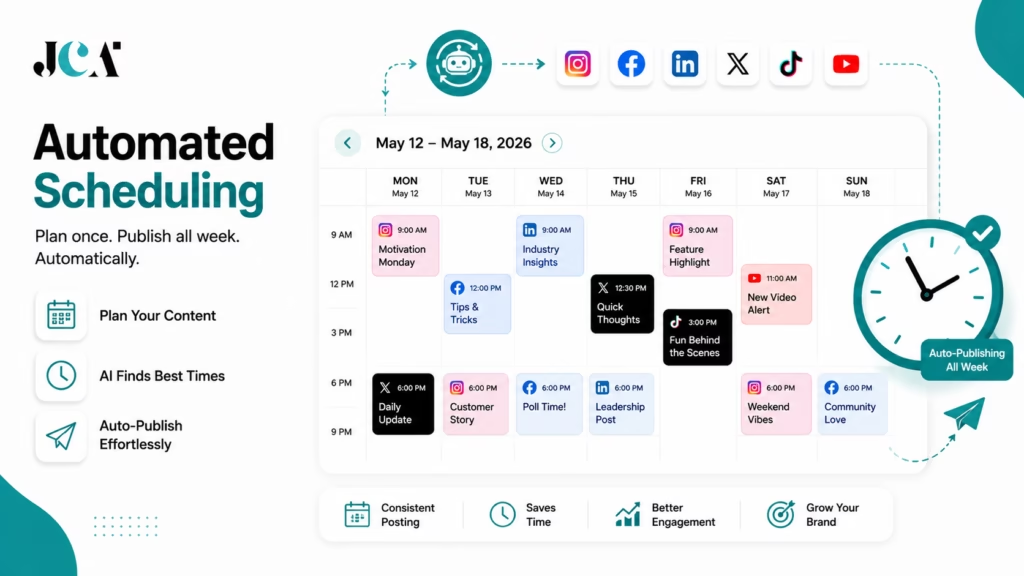
Ask what the AI actually does.
Free vs Paid Social Media Automation Tools
Free plans can be surprisingly useful, but they usually come with limitations.
Typical free-plan restrictions include:
- Fewer social accounts
- Fewer scheduled posts
- One user
- Limited analytics
- No approval workflows
- Limited AI credits
- Limited history
- No white-label reporting
- Reduced automation
For example, Buffer’s free plan supports up to three channels and 10 scheduled posts per channel. Metricool’s free plan supports one brand and up to 20 scheduled posts per month. CoSchedule’s Free Calendar provides one social profile and up to 15 scheduled social messages. Zoho Social also provides a forever-free option.
A free plan is usually enough when:
- You manage one or two brands
- You publish occasionally
- You are testing a tool
- You don’t need team approvals
- Advanced reporting isn’t important
A paid plan becomes worthwhile when:
- You manage several accounts
- You publish frequently
- Multiple people need access
- Clients need approvals
- You need advanced analytics
- You want automated reporting
- Content recycling saves significant time
The real calculation should be based on time saved and business value, not simply subscription price.
How Much Does Social Media Automation Software Cost?
There is no useful single “average price” because social media software uses several pricing models.
Free plans
Some platforms offer permanent free tiers with limited channels or publishing volume.
Examples include Buffer, Metricool, CoSchedule, Zoho Social, and others.
Creator plans
These are generally designed for individuals managing a small number of profiles.
Buffer’s paid pricing begins at $5 per channel/month when billed annually, while Later’s Starter begins at $18.75/month annually.
Small-business plans
These generally add:
- More profiles
- More scheduling capacity
- Analytics
- AI tools
- Content libraries
- Additional users
Agency plans
Agency software commonly introduces:
- Client workspaces
- Approval workflows
- White-label reports
- More users
- More social profiles
- Advanced analytics
- Client permissions
SocialPilot, Sendible, Planable, SocialBee, and Agorapulse are examples.
Enterprise plans
Enterprise pricing is often customized.
These plans can include:
- SSO
- Advanced permissions
- APIs
- Custom reporting
- Dedicated support
- Security controls
- Large profile limits
- Multi-brand management
For example, Sprout Social’s Enterprise pricing is custom, while its Advanced plan is $399 per seat/month when billed annually.
The lesson is simple: compare the total cost for your actual number of users, profiles, workspaces, and required features.
How to Choose the Right Social Media Automation Tool
Choosing the right social media automation tool is less about finding the platform with the longest feature list and more about finding software that fits the way you actually work.
A solo creator managing two accounts has very different requirements from an agency handling 30 clients. Likewise, a business focused on Instagram and TikTok may need a completely different platform from a B2B company that depends heavily on LinkedIn.
The social media management market has also become more crowded in 2026. Many platforms now offer similar core features such as scheduling, analytics, AI assistance, and multi-platform publishing. The real differences often appear in pricing models, workflow design, reporting depth, collaboration, and the amount of work the platform can genuinely automate.
Before subscribing, use the following framework to narrow your options.
1. Start With the Number of Social Accounts You Manage
The first question is simple:
How many social media accounts do you actually need to manage?
A creator with three profiles should not necessarily choose an enterprise platform designed for dozens or hundreds of accounts.
Check:
- Number of social profiles included
- Number of brands or workspaces
- Number of users
- Number of scheduled posts
- Additional profile costs
- Additional user costs
- Whether limits are monthly or permanent
Pricing models vary considerably. Some platforms charge by social channel, while others charge per user, workspace, brand, or profile. That difference can dramatically affect the total cost as your operation grows.
Practical tip: Calculate the price based on your expected setup six to twelve months from now, not only what you need today.
A tool that costs $15 today may become considerably more expensive after adding five team members and 20 additional profiles.
2. Check the Social Platforms You Actually Need
Do not choose a platform simply because it advertises support for “10+ social networks.”
Instead, make a list of your essential channels.
For example:
Instagram + Facebook + LinkedIn + TikTok
Then check whether each platform supports the exact publishing functions you need.
Look for:
- Instagram Reels
- Instagram Stories
- Carousels
- TikTok videos
- YouTube Shorts
- LinkedIn Pages
- LinkedIn profiles
- Pinterest boards
- X posts
- Threads
- Google Business Profile
Also check whether the feature is direct publishing or notification-based publishing.
Platform APIs can restrict certain functions, and support can change as social networks update their policies. Buffer, for example, documents differences in functionality across supported channels and account types.
Best practice: Never buy a social media scheduling tool based solely on its integration count.
3. Decide How Much Automation You Actually Need
“Automation” can mean very different things from one platform to another.
A basic scheduler may automate:
Upload → Schedule → Publish
A more advanced platform may support:
Create → AI Assist → Approve → Optimize → Schedule → Publish → Analyze → Report
Before choosing software, identify the repetitive tasks that consume the most time.
Do you need to automate:
- Scheduling?
- Bulk publishing?
- Content recycling?
- AI caption writing?
- Image creation?
- Video creation?
- Best-time scheduling?
- RSS publishing?
- Content queues?
- Automated reporting?
- Comment moderation?
- Client approvals?
If you only need scheduling, paying for a large enterprise platform may be unnecessary.
If you want to automate several stages of the workflow, a more advanced platform can provide substantially more value.
4. Evaluate the AI Features Carefully
Nearly every major social media management platform now talks about AI. That does not mean every platform offers the same level of AI automation.
Ask what the AI actually does.
A basic AI feature might simply:
Generate a caption.
A more advanced workflow might:
Analyze the topic → generate the caption → create a visual → adapt the content for multiple networks → recommend a publishing time → schedule the post.
That distinction matters.
Look for AI features such as:
- Caption generation
- Content ideas
- Content rewriting
- Brand voice assistance
- Image generation
- Video generation
- Hashtag suggestions
- Content repurposing
- Content calendars
- Best-time recommendations
- Performance insights
AI is increasingly becoming part of the core social media workflow rather than a separate writing assistant. Current 2026 tools span everything from basic AI caption assistance to AI content creation and broader automated workflows.
Important: Do not judge AI quality by the number of AI features listed on a pricing page. Test the output using your own brand content.
5. Compare Analytics Before You Subscribe
Scheduling content is only half the job.
You also need to know whether your content is working.
At minimum, look for:
- Reach
- Impressions
- Engagement
- Likes
- Comments
- Shares
- Saves
- Clicks
- Follower growth
- Video views
More advanced users may need:
- Competitor analysis
- Social listening
- Sentiment analysis
- Campaign reporting
- ROI measurement
- Custom dashboards
- Automated reports
- White-label reporting
If analytics are central to your strategy, platforms such as Sprout Social and Metricool deserve particular attention. Current comparisons commonly distinguish analytics-heavy platforms from scheduling-first tools.
Simple rule: If you cannot easily answer “What worked last month and why?” your social media software may not be giving you enough data.
6. Consider Your Team Size
A platform that works beautifully for one person can become frustrating when five people start using it.
If you work alone, prioritize:
- Simple scheduling
- Easy content creation
- Affordable pricing
- Basic analytics
- Minimal setup
If you work with a team, look for:
- User roles
- Permissions
- Approval workflows
- Internal comments
- Assignments
- Shared calendars
- Workspaces
- Content review
Team collaboration and approval chains are increasingly important buying criteria for professional social media management.
7. Check Approval and Client Workflows
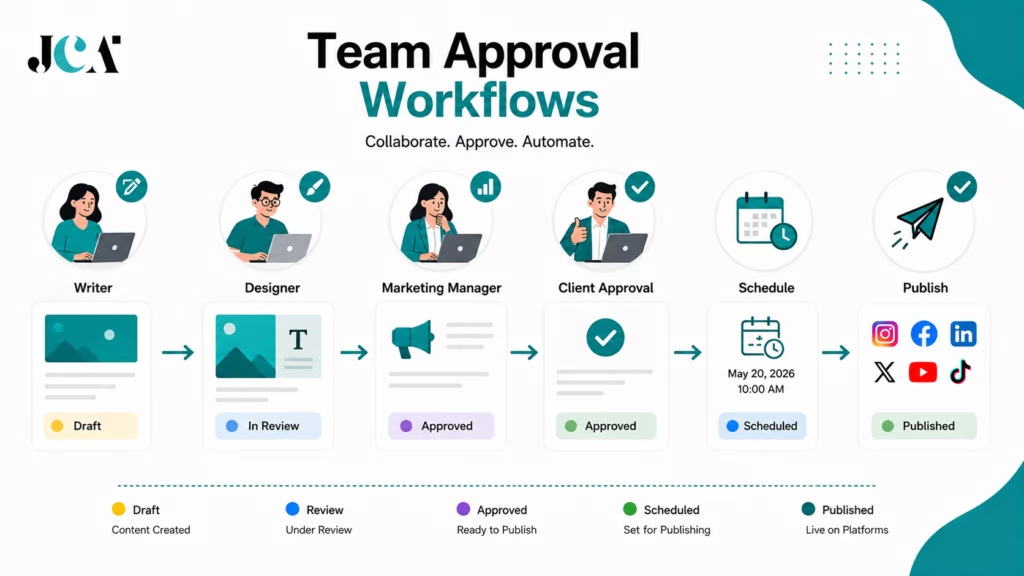
This is particularly important for agencies.
Imagine a social media agency manages 15 clients.
A typical workflow might look like:
Copywriter → Designer → Account Manager → Client → Approval → Schedule → Publish
If the platform does not support this process, your team may end up using email, spreadsheets, Slack, or separate project-management software just to get a post approved.
For agencies and approval-heavy teams, look closely at:
- Client approvals
- Approval levels
- Draft status
- Internal comments
- Client comments
- User permissions
- Workspaces
- Content calendars
- Revision history
Tools such as Planable, SocialPilot, Sendible, Loomly, and Agorapulse are particularly relevant when collaboration is an important part of the workflow.
8. Look at the Pricing Model, Not Just the Starting Price
A headline such as “$19/month” does not tell you what you will actually pay.
The important question is:
How much will my required setup cost?
Compare:
| Pricing Factor | Why It Matters |
|---|---|
| Per user | Costs rise as your team grows |
| Per social profile | Costs rise as accounts increase |
| Per brand | Useful for multi-brand businesses |
| Per workspace | Often useful for agencies |
| AI credits | High-volume AI users may need more |
| Scheduled posts | Important for active publishers |
| Analytics add-ons | Can change the real subscription cost |
| Reporting add-ons | Important for agencies |
| Extra users | Often overlooked |
| Extra profiles | Can significantly increase costs |
For example, Buffer uses channel-based pricing, while several enterprise platforms use per-seat pricing. SocialBee, Planable, and other platforms use different combinations of profiles, users, or workspaces.
Always calculate the total cost of ownership, not just the advertised entry price.
9. Check Free Plans and Trials
A free plan or trial is useful because screenshots and feature lists cannot tell you everything.
Before committing, test the platform with real content.
Create:
- One Instagram post
- One LinkedIn post
- One short-form video
- One scheduled campaign
- One analytics report
Then see how the workflow feels.
Pay attention to how many clicks it takes to perform common tasks.
A platform that saves 10 minutes every day can be more valuable than one with 20 extra features your team never uses.
10. Think About Content Volume
Your publishing volume should influence your choice.
If you publish three posts per week, almost any reliable scheduling platform can handle the basic requirement.
If you publish dozens of posts every week across multiple networks, look for:
- Bulk scheduling
- Content libraries
- Recurring posts
- Content queues
- Evergreen recycling
- RSS feeds
- AI content generation
- Bulk editing
- Automated publishing
Content-heavy businesses can benefit significantly from platforms such as SocialBee and MeetEdgar, while agency workflows may benefit more from SocialPilot or Sendible.
11. Consider Content Recycling
Do you have a large library of content that remains useful?
If yes, content recycling should be high on your checklist.
This is especially useful for:
- Blog posts
- Educational tips
- FAQs
- Tutorials
- Industry statistics
- Evergreen videos
- Product information
- Frequently asked questions
SocialBee and MeetEdgar are particularly relevant here because evergreen publishing is central to their positioning.
However, recycling should not become repetition.
Set sensible intervals and review your evergreen library regularly so outdated offers, statistics, or references do not accidentally return to your publishing queue.
12. Decide Whether You Need Social Inbox Features
Not every business needs a powerful social inbox.
If your main goal is publishing content, a scheduling-first tool may be enough.
But if customers regularly ask questions through comments and messages, social inbox functionality becomes much more valuable.
Look for:
- Unified inbox
- Comment management
- Direct-message management
- Saved replies
- Conversation assignments
- Automated moderation
- Sentiment analysis
- Customer-care workflows
Platforms such as Sprout Social, Agorapulse, and NapoleonCat are particularly relevant for businesses where social media doubles as a customer-service channel.
13. Think About Reporting Requirements
Reporting needs vary enormously.
A creator may only need a simple dashboard showing engagement and follower growth.
An agency may need:
- Client-ready reports
- Automated reports
- White-label reports
- Custom date ranges
- Multiple profiles
- Comparative reporting
- PDF exports
An enterprise team may require even more detailed reporting and integrations.
Before purchasing, identify who will receive the reports and what decisions those reports need to support.
If clients expect monthly reports, reporting functionality can save hours of manual spreadsheet work.
14. Check Integrations With Your Existing Workflow
Your social media tool should ideally fit into your existing technology stack.
Check whether it integrates with tools you already use, such as:
- Canva
- Google Drive
- Dropbox
- Zapier
- CRM software
- Ecommerce platforms
- Content management systems
- Analytics platforms
- Project management software
This becomes especially important for agencies and larger marketing teams.
A social media platform that connects naturally to your existing workflow can eliminate unnecessary downloading, uploading, copying, and pasting.
15. Consider Scalability
Think beyond today’s requirements.
Ask:
What happens if my business doubles?
You may start with:
3 accounts → 1 user → 10 posts/week
But eventually move to:
20 accounts → 5 users → 100+ posts/week
Will your chosen platform still make financial and operational sense?
Check:
- Profile limits
- User limits
- Brand limits
- Workspace limits
- AI usage limits
- Analytics history
- Automation limits
- Reporting limits
- API access
- Enterprise options
A scalable platform does not necessarily need to be the most powerful one today. It simply needs a sensible path for growth.
Choosing a Tool Based on Your Business Type
Once you understand the criteria, the decision becomes easier.
If You Are a Solo Creator
Prioritize:
- Easy scheduling
- Low cost
- Visual planning
- AI captions
- Basic analytics
- Mobile usability
Consider: Buffer, Later, Metricool, or SocialBee.
You probably do not need enterprise social listening or complex approval workflows.
If You Run a Small Business
Prioritize:
- Multiple platforms
- Scheduling
- AI assistance
- Analytics
- Content recycling
- Affordable pricing
Consider: Buffer, Metricool, SocialBee, Publer, Zoho Social, or Bibby.
Your goal should be to reduce repetitive social media work without creating another complicated system to manage.
If You Manage Multiple Clients
Prioritize:
- Multiple workspaces
- Client approvals
- User permissions
- Bulk scheduling
- Reporting
- White-label capabilities
- Scalable profile limits
Consider: SocialPilot, Sendible, Planable, Agorapulse, or Hootsuite.
For agencies, workflow management can be more important than having the most sophisticated AI image generator.
If You Are an Enterprise Marketing Team
Prioritize:
- Advanced analytics
- Social listening
- Customer care
- Permissions
- Governance
- Reporting
- Integrations
- Scalability
- Security
Consider: Sprout Social, Hootsuite, or other enterprise-oriented platforms.
At this level, the question is no longer simply “Can we schedule posts?”
It becomes:
“Can this platform support our entire social operation?”
If AI Content Creation Is Your Priority
Prioritize:
- AI caption generation
- Image generation
- Video generation
- Content repurposing
- Brand voice
- Content ideas
- AI scheduling
- Content calendars
Consider: Predis.ai, Ocoya, Bibby, or other AI-focused platforms.
Test the actual AI output before committing. Your brand may need a particular tone or vocabulary that generic AI content does not naturally reproduce.
If Analytics Is Your Priority
Prioritize:
- Historical data
- Engagement analysis
- Competitor benchmarking
- Campaign reporting
- Custom reports
- Audience insights
- ROI measurement
Consider: Sprout Social, Metricool, Hootsuite, or Agorapulse.
A Simple Five-Step Decision Framework
If comparing 20 platforms feels like opening 20 browser tabs and immediately regretting your life choices, simplify the process.
Step 1: Define Your Must-Haves
Write down three to five features you absolutely need.
For example:
Instagram + LinkedIn + TikTok + AI captions + analytics
Anything that does not meet these requirements can be removed from your shortlist.
Step 2: Set Your Real Budget
Decide what you can realistically spend every month or year.
Then calculate the cost based on your actual number of users and profiles.
Step 3: Shortlist Three Platforms
Choose three tools that satisfy your must-have requirements.
Do not test 10 platforms simultaneously.
Step 4: Run the Same Workflow on Each
Use the same content and test:
Create → Schedule → Approve → Publish → Analyze
This gives you a much better comparison than simply reading feature pages.
Step 5: Choose the Platform That Removes the Most Work
The winner should not necessarily be the platform with the most features.
It should be the platform that removes the most repetitive work without making the workflow unnecessarily complicated.
Final Buying Checklist
Before paying for any social media automation software, ask:
- Does it support all the social networks I need?
- Does it support the specific content formats I publish?
- Does it offer direct publishing where I need it?
- Does it provide the AI features I actually need?
- Does it have adequate analytics?
- Does it support my number of social profiles?
- Does it support the number of users on my team?
- Does it provide approval workflows if required?
- Does it offer content recycling or bulk scheduling if needed?
- Does it integrate with my existing tools?
- Is the pricing model easy to understand?
- What will the software cost after I scale?
- Is there a free plan or trial?
- Have I tested it with real content?
- Can I export or access my data if I change platforms?
The right social media automation tool should ultimately make your workflow simpler, not give you another dashboard to babysit.
Choose based on the work you need to automate, the networks you actually use, the people involved in publishing, and the level of analytics and AI you genuinely need. A focused tool that fits your workflow will usually deliver more value than an expensive platform packed with features your team never touches.
For that reason, the best buying strategy is simple: define your workflow first, then choose the software.
Final Verdict
The social media automation market in 2026 is no longer simply about scheduling posts.
The strongest platforms increasingly combine publishing, AI, analytics, content creation, collaboration, automation, and community management.
For an all-around business platform, Hootsuite remains one of the strongest choices. Sprout Social is better suited to organizations that need advanced analytics, monitoring, and social customer care. Buffer is an excellent starting point for creators and small businesses. SocialBee is particularly strong for evergreen content and recycling.
For agencies, SocialPilot, Sendible, Planable, and Agorapulse deserve serious consideration because collaboration, approvals, workspaces, and reporting become increasingly important as the number of clients grows.
For AI-first content creation, Predis.ai, Ocoya, and Bibby take a different approach by bringing more of the content-production process into the automation workflow.
And for specialized needs, Later is particularly useful for visual marketers, Metricool is excellent for analytics and value, CoSchedule works well for broader marketing calendars, NapoleonCat stands out for moderation, MeetEdgar for evergreen automation, and Tailwind remains highly relevant for Pinterest-focused marketing.
The most important takeaway is that the best social media automation tool is the one that matches your workflow.
Before subscribing, calculate how many profiles you manage, how many people need access, which networks matter most, what publishing formats you require, how much AI you actually need, and whether analytics or approvals are essential.
Then shortlist two or three platforms and test them with your real content.
A good automation platform should make social media feel more organized and intentional. It should not turn your brand into a vending machine that spits out posts while nobody listens to the people on the other side of the screen.
Key Takeaways
- Social media automation is broader than simple scheduling.
- AI is increasingly involved in content creation, optimization, scheduling, and analytics.
- Buffer is a strong low-cost starting point.
- Hootsuite and Sprout Social are powerful choices for larger operations.
- SocialBee excels at content recycling.
- Metricool offers an excellent publishing-and-analytics combination.
- SocialPilot and Sendible are particularly useful for agencies.
- Planable is strong for approvals and collaboration.
- Predis.ai and Ocoya focus heavily on AI-powered content creation.
- Bibby is an emerging AI-first option for businesses seeking more automated content workflows.
- Always verify current pricing and network support before purchasing because social platforms and software plans change frequently.


Leave a Reply