

FastComet vs SiteGround: compare renewal cost and workload
FastComet and SiteGround both sell hosting for websites, but the lowest introductory price is a poor basis for choosing. Match the number of sites, storage, backup retention, staging and renewal cost to the actual workload. Then test performance on a representative site. This review compares current published plans, not measured hosting speed. Web development planning should state the workload before the hosting purchase.
Reviewed against current official product pages and documentation on October 10, 2026. Screenshots are original captures of public vendor pages. This is a documented workflow comparison, not a purchased-account benchmark or a claim that a production deployment was tested. Performance, support speed and migration outcomes remain unmeasured.
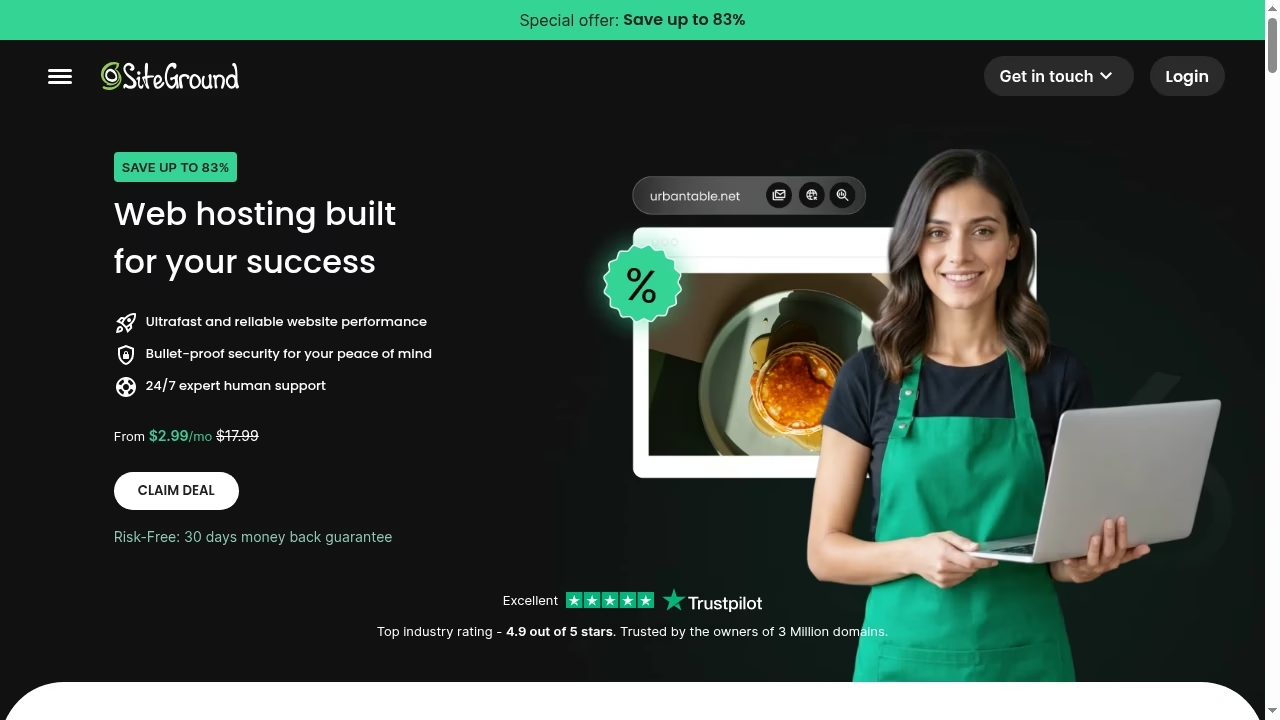
Price snapshot: promotions are not permanent prices
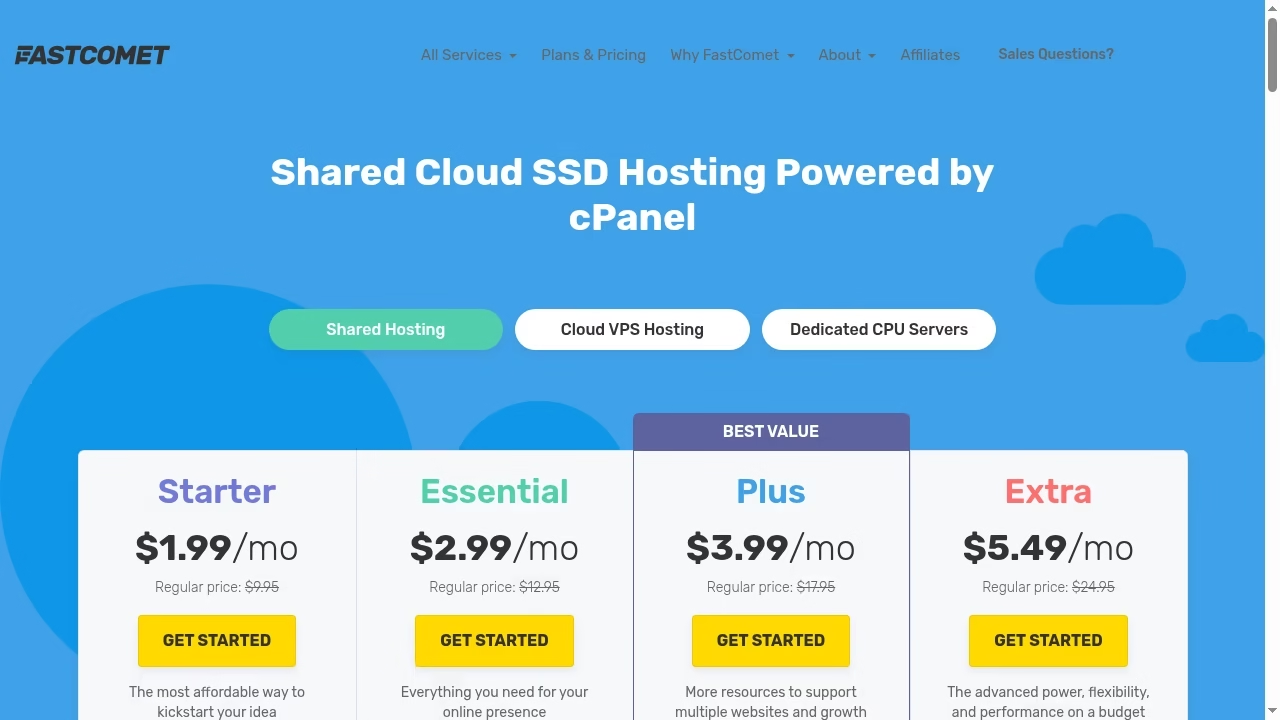
The numbers below were shown on the FastComet pricing page and SiteGround web-hosting page on October 10, 2026, in US dollars. They are page quotes, not a completed checkout. Taxes, eligible term, region and cart conditions must be verified before payment. SiteGround explicitly labels these offers as prepaid for 12 months.
| Plan | Intro per month | Regular / renewal per month | Sites | Storage |
|---|---|---|---|---|
| FastComet Starter | $1.99 | $9.95 | 1 | 10 GB |
| FastComet Essential | $2.99 | $12.95 | 1 | 20 GB |
| FastComet Plus | $3.99 | $17.95 | Unlimited | 30 GB |
| FastComet Extra | $5.49 | $24.95 | Unlimited | 40 GB |
| SiteGround StartUp | $2.99 | $17.99 | 1 | 10 GB |
| SiteGround GrowBig | $4.99 | $29.99 | Unlimited | 50 GB |
| SiteGround GoGeek | $7.99 | $44.99 | Unlimited | 100 GB |
Watch the changed storage figures
Older reviews and feature tables can disagree with the active sales page. The current SiteGround offer showed GrowBig at 50 GB and GoGeek at 100 GB, rather than the smaller numbers common in older comparisons. FastComet showed 10, 20, 30 and 40 GB across its four plans. Recheck the final cart and order terms rather than letting a stale comparison decide the purchase.
A single WordPress site does not need the largest plan by default
For a small brochure or editorial site, begin with storage, traffic behavior and maintenance needs. The entry plans both list one website and 10 GB in this snapshot. Additional resources or features can justify a higher plan, but an unlimited-site label is not a performance guarantee. Hosted commerce versus a custom site shows why the site type matters before buying infrastructure.
Multiple sites change the comparison
FastComet Essential still lists one site; Plus and Extra list unlimited websites. SiteGround GrowBig and GoGeek list unlimited websites. That means choosing the second tier of each vendor does not produce an equivalent site allowance. Resource limits and acceptable-use rules still apply to an unlimited label. Custom software operating needs may extend beyond what shared website hosting is intended to run.
Backups and restore conditions deserve close reading
FastComet’s active page showed seven daily backups for Starter, Essential and Plus, and 30 for Extra. SiteGround lists backups and higher-tier on-demand backup features. Confirm retention, restore process and any limits in the actual plan documentation. A host backup is valuable, but a tested backup and restore chain remains important for changes, incidents and moving away from the host.
Staging and developer features can be worth more than extra storage
SiteGround’s current page lists staging on GrowBig and staging plus Git on GoGeek. Its base features include WP-CLI and SSH. Confirm the exact staging and deployment workflow for the selected application. DevOps planning should keep a staging experiment away from live orders and customer data. A feature label is not evidence that every custom deployment process is supported.
The same task: migrate a representative WordPress site
Use a copy of a real site with non-sensitive sample data, equivalent plugin configuration and the same content. Measure migration steps, cache behavior, checkout or form flows and a restore. Give both hosts the same dataset and agreed configuration. No paid-account migration or performance test was run here. WooCommerce delivery requirements need extra care because a working homepage does not prove orders and payments are correct.
Caching does not establish a speed winner
SiteGround promotes multilevel caching and other performance features, while hosting comparisons frequently make speed claims. Those claims should not be imported into this review without comparable test conditions. A cache hit, logged-in session, database-heavy page and ecommerce cart can behave differently. CDN and routing choices affect delivery too, but do not replace origin testing.
Refund language has changed in some comparisons
FastComet’s current pricing page says a 30-day money-back guarantee. Older independent sources mention 45 days, so this article uses the current vendor figure rather than the review-site claim. Verify eligible products, exclusions and the cancellation route in the contract before ordering. A guarantee headline is not proof that domain charges, add-ons or every service are refundable.
Support quality remains an open question
Both hosts market support, but this article did not open support tickets or measure response times. Ask a specific pre-sales question about your migration and chosen plan, then evaluate the clarity of the answer. Marketing promises and unrelated anecdotes are not a controlled support comparison. IT outsourcing responsibilities should define who contacts the host and owns incidents.
Build a renewal-aware budget
Use the actual prepaid term and renewal rate in the checkout, then add tax, domains, add-ons and any paid migration. Do not compare one discounted annual price against the other host’s standard monthly rate. MVP budgeting and SaaS planning benefit from recording year-one and ongoing costs separately.
Set a migration rollback condition
Keep a verified source copy, DNS plan and acceptance checklist before switching traffic. Confirm mail routing and certificates as well as web pages. For a store, validate inventory, orders and payment callbacks in the approved test environment. Ecommerce development planning should include that handover, not only the hosting dashboard.
Choose on fit, then verify the cart
FastComet’s current offer may suit a buyer prioritizing the published renewal rates and its plan structure. SiteGround’s current higher tiers may suit a buyer needing their listed storage and staging features. Neither is a tested overall winner here. The correct decision follows the workload, commercial terms and a representative pilot.
Keep the comparison fresh at the purchase point
Promotions, storage and plan conditions can change. Save the final plan name and order terms, not just this article’s snapshot. Architecture review can identify when a shared-hosting plan is the wrong category entirely. For that case, re-scope the hosting requirement rather than buying a larger website package.
Frequently asked questions
Which host is cheaper after renewal?
In the October 10, 2026 US-dollar page snapshot, FastComet listed lower regular rates at the displayed tiers. The tiers are not identical, and taxes, terms and add-ons were not checked in a purchase cart. Compare the final workload and order total.
Does SiteGround GrowBig have 20 GB or 50 GB?
The active web-hosting offer reviewed here showed 50 GB. Older reviews or other pages may show different figures. Confirm the applicable storage allowance in the final order terms before buying.
Does FastComet still offer a 45-day guarantee?
The current pricing page reviewed here said 30 days. Older comparison pages mentioning 45 days are not used as current policy. Confirm exclusions and the exact product’s cancellation terms.
Do unlimited websites mean unlimited resources?
No. A site-count allowance does not remove storage, resource or acceptable-use limits. Check the plan rules and expected workload, especially for several active sites.
Which host is faster for WordPress?
This article has no controlled paid-hosting benchmark, so it does not declare a speed winner. Test the same site, region, plugin configuration and cached and uncached workflows.
Should I buy the highest tier for an online store?
Not automatically. Confirm the store’s storage, concurrency, backup, staging and support needs. Test checkout and restore behavior, then choose an appropriate plan or hosting category.
Are these prices a final checkout quote?
No. They are dated published-page prices. Verify the selected term, taxes, discounts, renewal, add-ons and refund conditions in the actual cart before paying.



Leave a Reply