


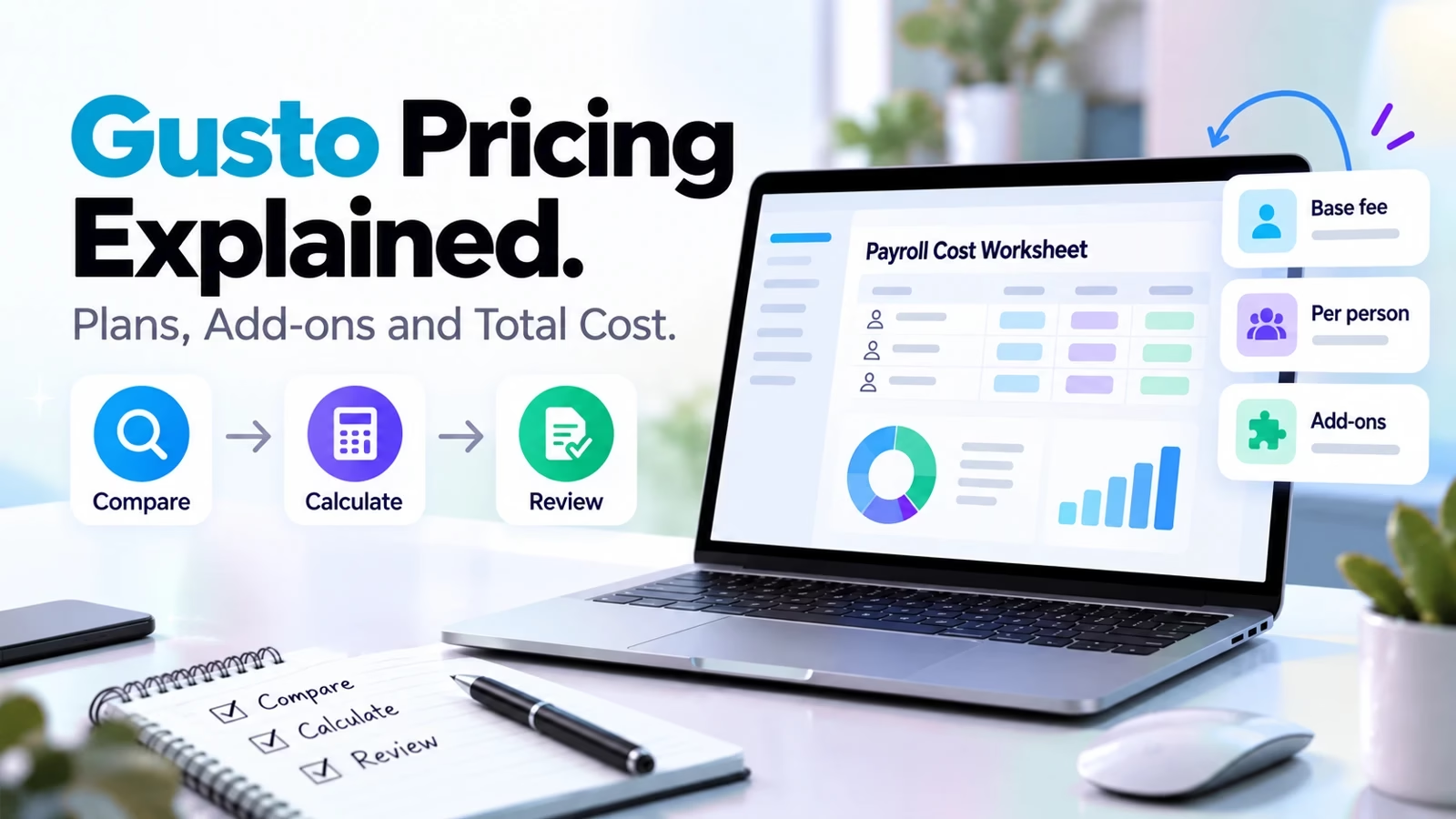

Gusto pricing currently starts at $49 per month plus $6 per person for Simple, $80 plus $12 per person for Plus, and $180 plus $22 per person for Premium. These are US-dollar team-plan prices shown on the live official page on October 11, 2026. The base subscription is only part of the budget: faster pay, compliance services, benefits and extra support can add recurring or per-use charges.
Older cached versions of the same page show different offers and add-ons. This guide follows the current live Gusto pricing page, not an old promotion. We did not enroll a company or run payroll, so the worked totals below are subscription arithmetic, not invoices. For a broader stack decision, our business-efficiency tools guide explains why overlapping modules should be priced together.
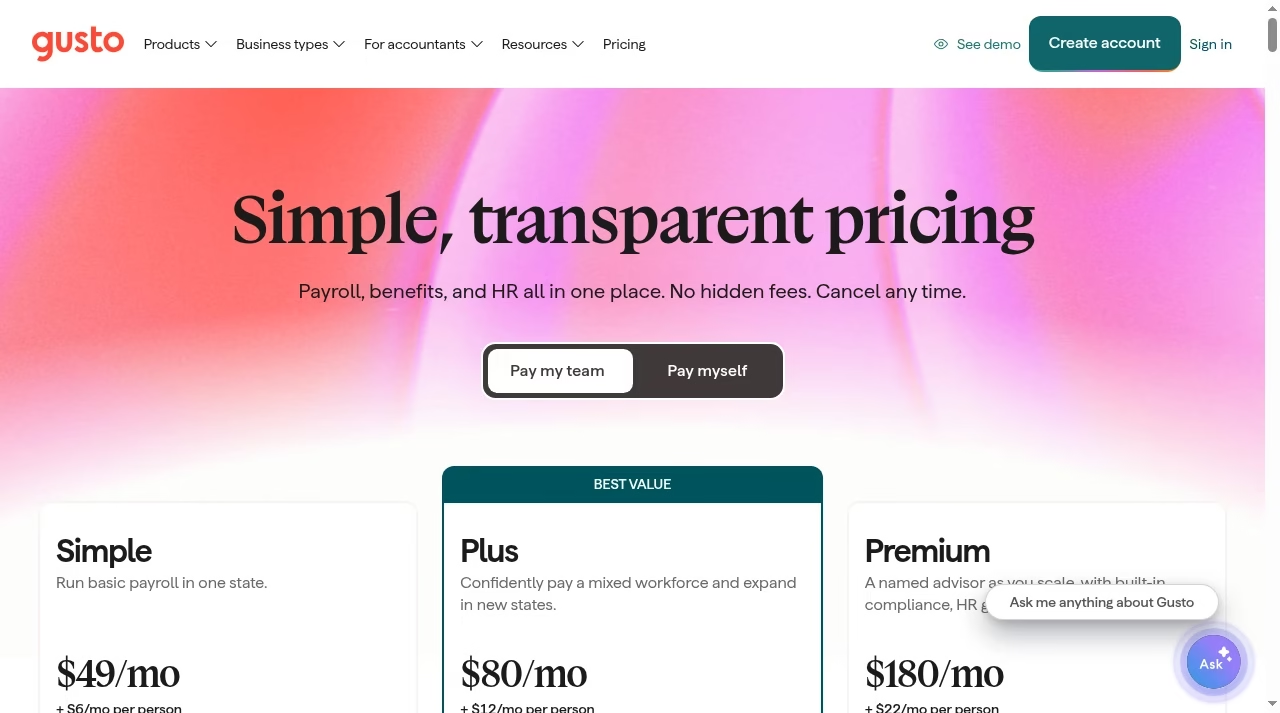
Gusto team plans and base subscription totals
| Plan | Monthly formula | 10 people | 25 people | 50 people |
|---|---|---|---|---|
| Simple | $49 + $6 per person | $109 | $199 | $349 |
| Plus | $80 + $12 per person | $200 | $380 | $680 |
| Premium | $180 + $22 per person | $400 | $730 | $1,280 |
Illustrations assume every counted person is billable at the displayed monthly rate for the whole month. They exclude benefits premiums, employer taxes, other add-ons and any special contract or promotion. Confirm Gusto’s current billing treatment for contractors, people paid only occasionally and headcount changes before using these numbers as a budget approval.
Simple: basic payroll in one state
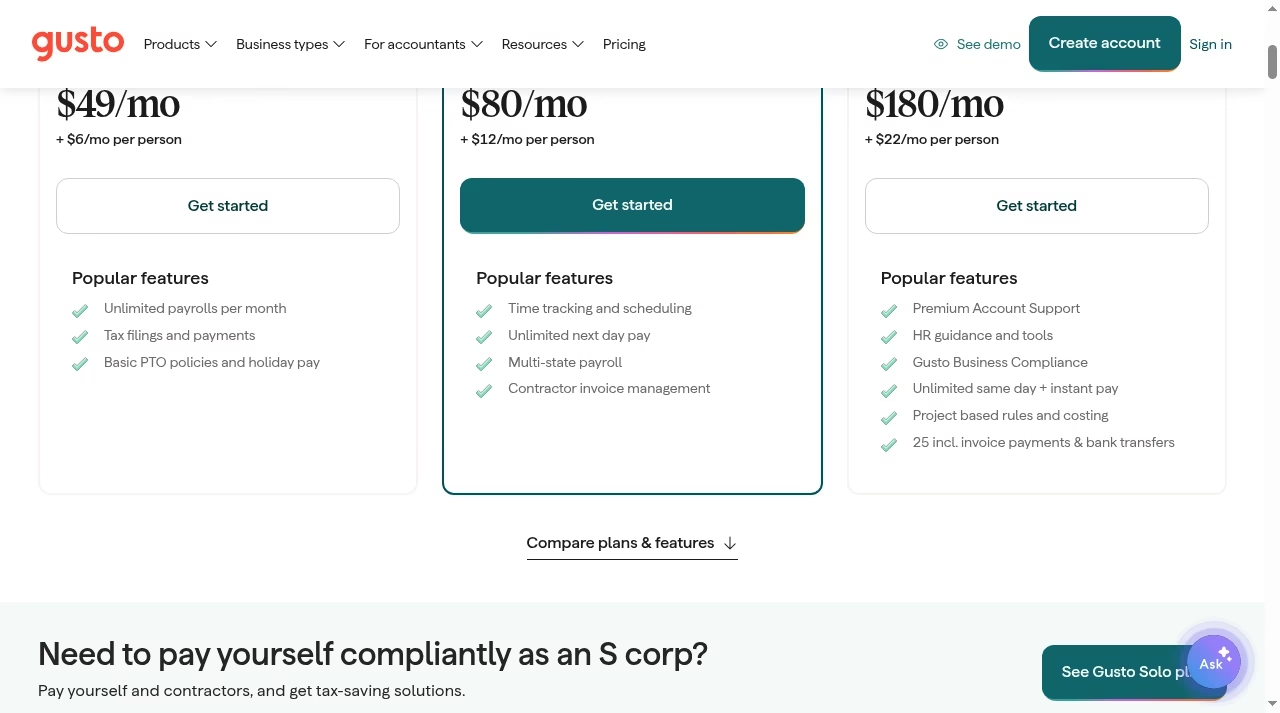
Simple is described as basic payroll in one state. The current plan includes unlimited payroll runs, tax filings and payments, basic PTO policies and holiday pay. The comparison also lists domestic contractor payments, multiple pay rates and schedules, expenses and reimbursements, and employee access. That is useful breadth, but it should not be mistaken for every time, HR or compliance feature.
Choose Simple when one-state payroll is the real requirement and the optional additions still keep its total below the next plan. If you need time tracking and faster deposits together, price the additions before deciding. A team coordinating hourly coverage may still need a separate schedule workflow; our Shiftsmart alternatives guide covers worker-facing shift platforms, not employer payroll processing.
Plus: multi-state payroll and time workflows
Plus is shown at $80 per month plus $12 per person. Its highlighted features include multi-state payroll, time tracking and scheduling, unlimited next-day pay and contractor invoice management. Those are meaningful differences for a mixed workforce, especially when timesheets and wages otherwise require a manual handoff.
Compare the process, not only the license difference. Ask who approves hours, how overtime and pay codes transfer, and whether your required calendar or accounting connector is supported. A product integration list is not proof of a working connection, as our integration tools comparison explains.
Premium: support and included services as you scale
Premium is shown at $180 per month plus $22 per person. The current page highlights a named advisor, Premium Account Support, HR guidance, Gusto Business Compliance, unlimited same-day and instant pay, project-based rules and costing, and a limited number of included invoice payments and bank transfers. Terms, supported jurisdictions and eligibility remain material.
Premium can be easier to compare when you put a price beside the included services you would actually use. It is not automatically the best choice for a larger headcount, and a compliance module does not replace qualified advice. Our small-business AI tools guide makes a similar distinction between tool assistance and business responsibility.
Additional costs that can change the plan decision
| Add-on or service | Current public charge | Important qualification |
|---|---|---|
| Next-day pay | $15/month + $3/month per person | Simple add-on; included in Plus/Premium |
| Time & Attendance Plus | $6/month per person after trial | Available with Simple |
| Instant pay | $100 per payroll | Simple/Plus add-on; Premium included; eligibility applies |
| Same-day pay | $90 per payroll | Simple/Plus add-on; Premium included; eligibility applies |
| Gusto Business Compliance | $85/month per state | Annual contract on Simple/Plus; Premium included; supported states |
| Remote I-9 | $20 per submission | Simple/Plus add-on; Premium included |
| E-Verify | $5 per submission | On top of $20 Remote I-9; already enrolled; Premium included |
| Priority Support | $30/month + $3/month per person | Simple/Plus add-on |
| Existing health-broker integration | $6/month per eligible employee | Eligibility and plans must be confirmed |
| Gusto Money Plus | $19/month | Available on all plans |
The page also lists variable state-tax-registration pricing, global contractor payment costs and foreign-exchange variability, R&D-credit fees, insurance premiums and retirement-integration pricing. The employer still pays wages, employer payroll taxes and any benefits contributions. “No administration fees” for an insurance offering does not mean the insurance is free.
Tax-advantaged account fees are separate
The live page lists one $200 annual service charge covering its tax-advantaged account types. HSAs cost $2.50 per participant per month with no minimum. FSAs, dependent-care FSAs and commuter benefits each cost $4 per participant per month with a $20 monthly minimum for the respective offering. These fees should be modeled separately from payroll, particularly for a small group of participants.
The page’s general payroll language says no long-term contract, but Gusto Business Compliance is explicitly priced on an annual contract. Read that exception before assuming every selected add-on can be canceled month to month. Procurement notes belong in a governed workspace such as the options in our Notion alternatives guide, not in a salesperson’s chat alone.
Worked examples: when the cheaper plan stops being cheaper
10 people with time tracking and next-day pay
Simple costs $109 before extras. Adding Time & Attendance Plus adds $60, and next-day pay adds $45, for an illustrative $214 monthly subscription total. Plus is $200 for the same 10 billable people and includes the highlighted time and next-day features. In that scenario, Plus is $14 lower before any other differences. This is arithmetic using the displayed rates, not a claim that the packages are identical.
25 people with occasional urgent payroll
Plus is $380 monthly for 25 billable people. One $100 instant-pay payroll would bring that illustration to $480; four would bring it to $780. Premium’s base illustration is $730 and includes instant pay subject to eligibility. Frequency can therefore change the comparison, but first establish whether your company and payroll qualify. Never assume the fastest pay method is guaranteed.
Keep a consistent approval workflow so expensive urgent runs are exceptions, not a substitute for planning. Our task app comparison and project-board comparison cover reminders and rollout work; neither runs payroll or confirms bank settlement.
What this guide deliberately does not price
The live pricing page links a Gusto Solo offering for paying yourself compliantly as an S corporation. We did not verify that offering’s current final price here, so it is not folded into the three team plans. We also do not repeat an older Contractor Only promotion that appeared in a stale fetched copy. If your business needs either shape, check the current dedicated offer rather than applying an old advertised rate.
Gusto’s wider product catalog includes hiring and HR capabilities, but buying payroll does not automatically answer every recruiting requirement. Compare job approvals, candidate records and offer workflows with the relevant tools, not with a generic sales pipeline. Our small-sales-team CRM guide explains the customer workflow separately.
Build a payroll budget with the real billing population
Count people, states and usage separately
List employees paid monthly, employees paid irregularly, domestic contractors and international contractors. Add the states where payroll or compliance work is required. Confirm the vendor’s billing rules for each category and ask when changes take effect. Then model ordinary and busy months, including urgent runs, benefit participants and support additions. Keep employer taxes and wages outside the software subtotal so nobody mistakes one for the other.
Reconcile the contract and the rollout work
Request a written breakdown of the plan, all selected add-ons, annual terms, implementation scope and renewal conditions. Ask whether year-to-date migration, prior tax issues, workers’ compensation and benefits setup create extra work or charges. If bespoke data work is needed, it is a separate service scope like those in our SaaS development companies guide. Do not let a discounted first month hide the ongoing total.
Validate the payroll workflow before switching
Use a representative sample pay run
Test salaried and hourly employees, leave, reimbursements, a contractor and one correction. Check bank cutoff times and approval permissions. Reconcile gross pay, deductions and employer taxes against an agreed expected result with the person who owns payroll. Do not transmit live wages simply to make the trial look complete.
Assign ownership after the first run
Name the people responsible for approvals, late timesheets, tax notices and employee questions. Confirm which support channel handles urgent problems under your plan. An integration failure needs an escalation route, not repeated exports into different tools. Our automation tools guide and software rollout failure analysis are useful context for these operational controls.
Frequently asked questions
How much does Gusto cost for 10 people?
At the displayed monthly team-plan rates, Simple is $109, Plus is $200 and Premium is $400 for 10 billable people. These illustrations exclude add-ons, premiums, wages and employer taxes.
Does Gusto charge per payroll run?
The team plans list unlimited payroll runs, but faster-pay add-ons can have a per-payroll charge: the current page lists $100 for instant pay and $90 for same-day pay on Simple and Plus, subject to eligibility.
Is Gusto month to month?
The general plan page says no long-term contract, but Gusto Business Compliance has an annual-contract price on Simple and Plus. Inspect each selected service’s terms.
Is health insurance free with Gusto?
No. The page says no Gusto administration fee for its health-insurance offering, but premiums still apply. Using an existing broker can add a per-eligible-employee integration fee.
Can I use an old Contractor Only promotion?
Do not assume an older cached offer is current. This guide does not price Contractor Only or Gusto Solo because their current dedicated offer was not verified here.
Are these prices an exact invoice?
No. They are a dated official-page snapshot and worked subscription examples. Final billing depends on the counted people, selected services, usage, eligibility and contract.





Leave a Reply