
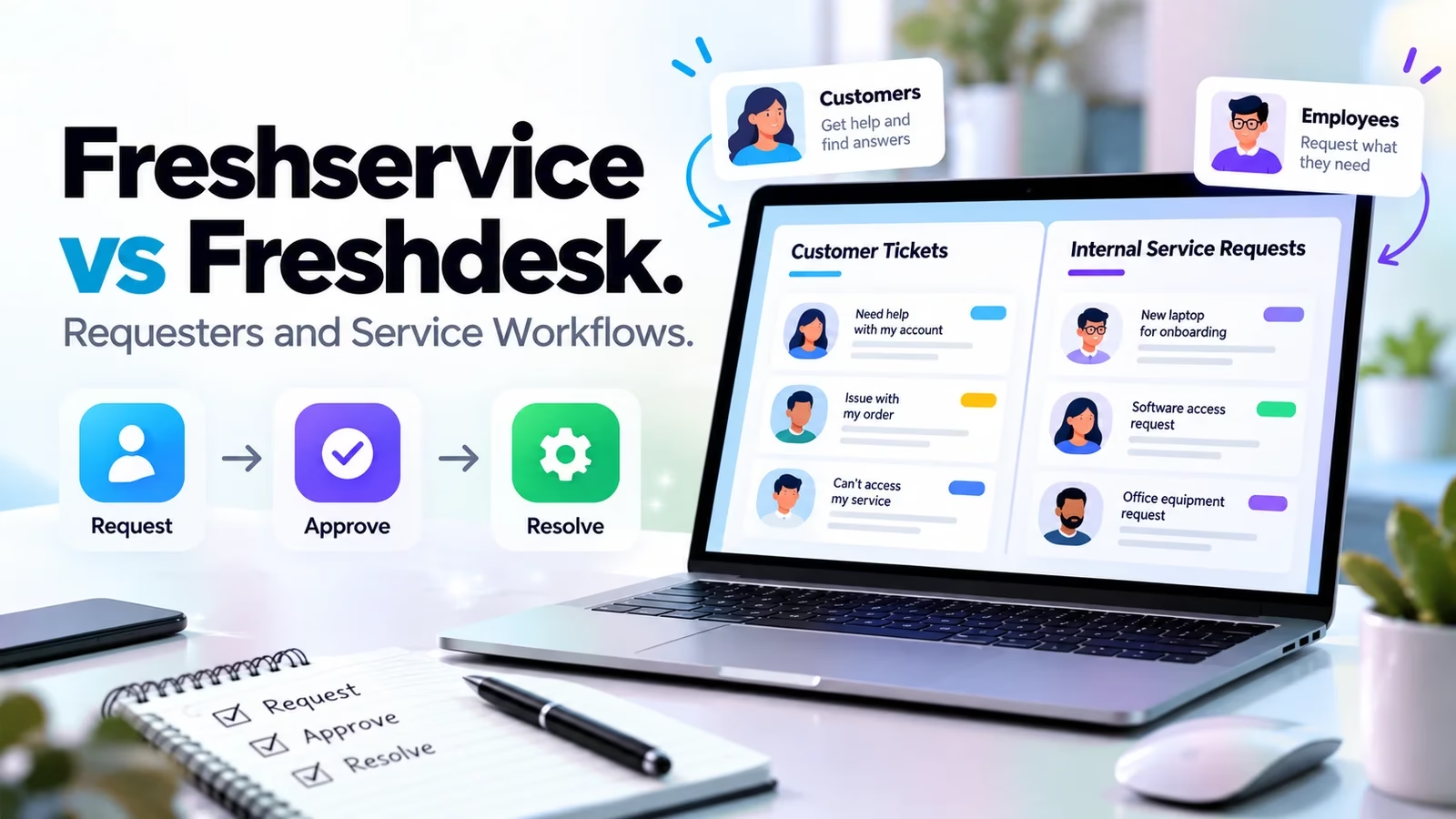

Freshservice and Freshdesk come from Freshworks but start with different service jobs. Freshservice is for internal IT and employee services; Freshdesk is for customer-support ticketing. Choose by requester, data and workflow, not by the fact that both can display tickets. A laptop incident and a delayed customer order need different context, permissions and follow-up.
This comparison uses the official Freshworks comparison and current product and pricing pages checked October 12, 2026. The same-task scenarios are evaluation plans based on documentation, not measured speed tests in deployed accounts. For other internal-service candidates, see our ServiceNow alternatives guide.
The main difference is the service model
| Question | Freshservice | Freshdesk |
|---|---|---|
| Who usually asks? | Employees and internal business teams | Customers and external service users |
| What information matters? | Services, assets, incidents and internal ownership | Customer conversation, priority and support history |
| What work follows? | IT/employee service delivery and controlled technical work | Customer response, collaboration and resolution |
| What should a trial prove? | Catalog, approval, asset and incident paths in required tier | Routing, reply, knowledge and SLA behavior |
| What is not interchangeable? | ITSM/ESM scope is not merely a customer inbox | Basic ticketing does not establish full ITSM |
| Multichannel customer scope | Not the primary comparison | Evaluate separate Freshdesk Omni offer |
Freshservice: internal IT and employee service delivery
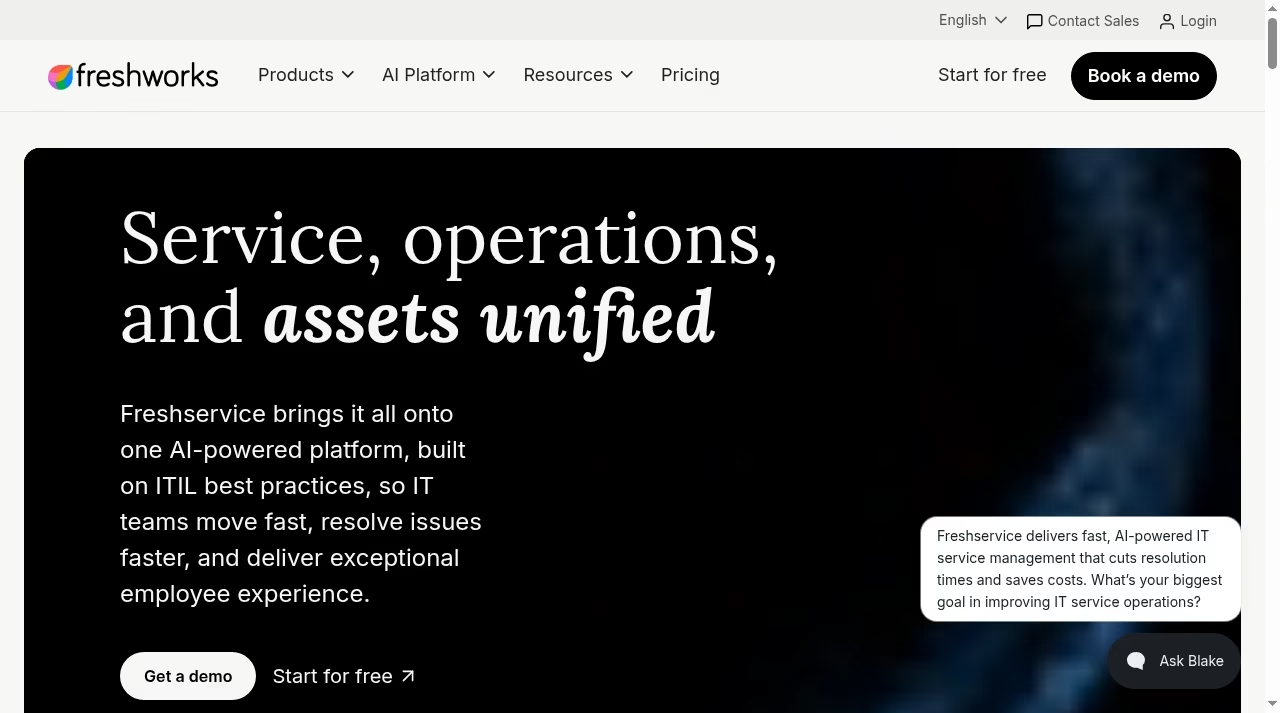
Freshservice brings IT service, operations and asset-related work into its current positioning and extends service delivery to teams such as HR, finance, facilities and legal. That does not mean every module is included in every tier. The requirement should name a workflow, such as requesting approved software or responding to an employee incident, rather than simply demand an IT dashboard. Check current plans and pricing.
Assets and services change the question
An employee laptop request may need a device, assigned user, approved model, stock information and fulfillment owner. A technical incident may need relationships to affected services and related work. Those are different data from a customer order number. Ask which sources feed asset and service context and who corrects it when the source is wrong.
Governance is part of the fit
Some internal work needs approvals, change controls and restricted visibility. A confidential HR request should not become visible to every technical agent. Test the exact plan, roles and requester portal. If an MSP is involved, distinguish internal IT management from agreements, billing and customer relationships in our MSP CRM and PSA guide.
Freshdesk: customer conversations and support ownership
Freshdesk focuses on customer service, ticket prioritization and collaboration. The queue should help an agent answer correctly, hand off privately and track a customer issue through resolution. Knowledge and a portal can reduce repetitive work, but their content still needs an owner and approved policy.
Customer context is useful only when access is right
A CRM connection can show the account behind a request. Decide which customer fields an agent needs and which commercial notes remain restricted. Our small-team CRM comparison and Pipedrive alternatives guide address the sales side, not the complete support queue.
Omni is a separate purchasing question
Freshdesk Omni positions multichannel service separately. If messaging and connected channel history are required, compare the Omni plan rather than assume basic Freshdesk includes every channel. Test customer identity across channels, handoff and an agent reply in the relevant interface. A homepage channel list is not a configured-workflow test.
Current prices are similar at entry, but the scope differs
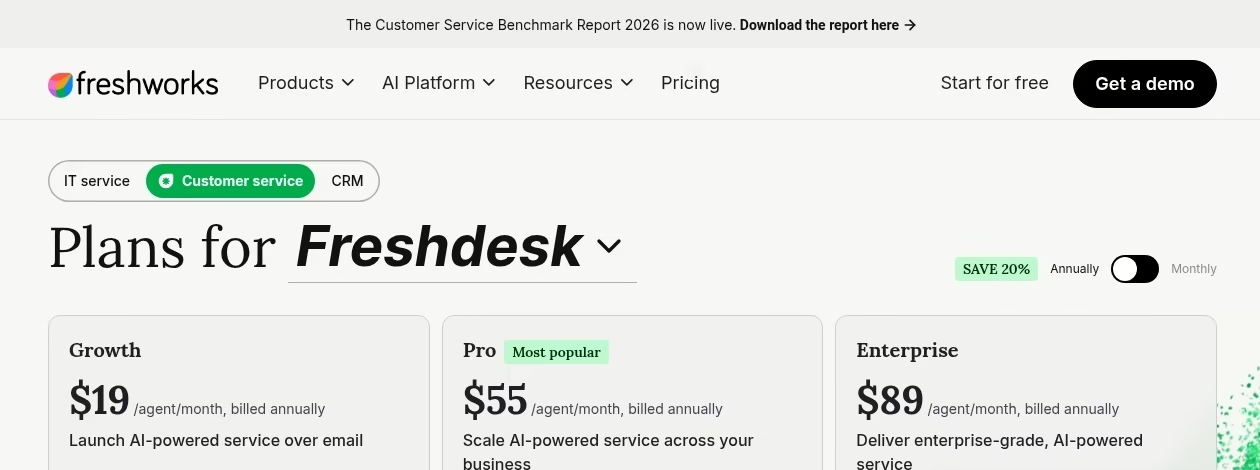
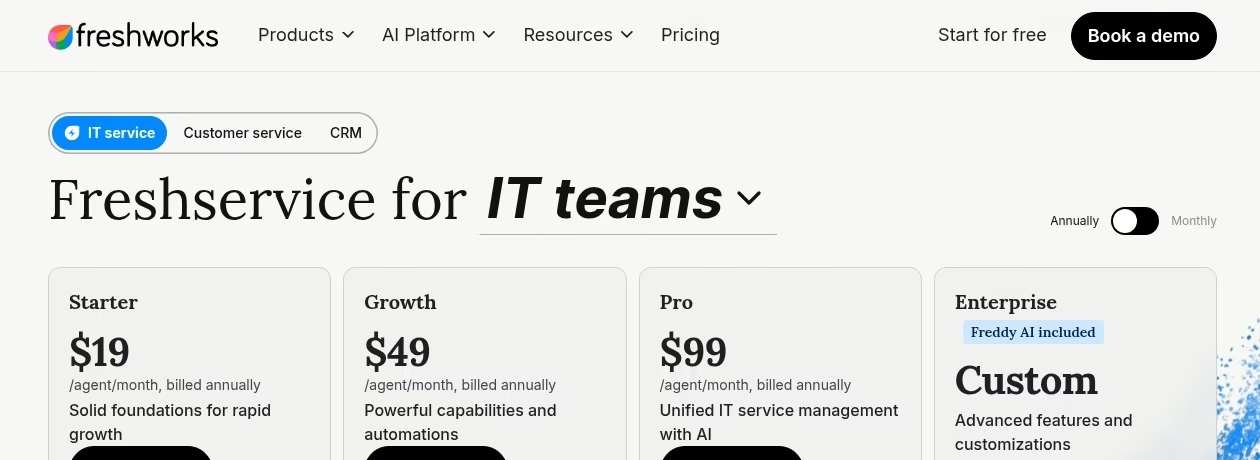
| Product | Annual-billed USD agent rates | Plan boundary to examine |
|---|---|---|
| Freshservice | Starter $19; Growth $49; Pro $99; Enterprise custom | Catalog/SLA in Growth; problem/change and other listed Pro controls |
| Freshdesk | Growth $19; Pro $55; Enterprise $89 | Multiple SLA policies and advanced reporting from Pro |
| Freshdesk Omni | Growth $29; Pro $79; Enterprise $119 | Connected multichannel service and separate add-ons |
These are per agent/month when billed annually, shown on Freshservice pricing, Freshdesk pricing and Omni pricing. They are not a tax-inclusive invoice or a price for the whole suite. The correct comparison includes mandatory modules, agent count, implementation and usage.
For example, four Freshdesk Growth agent seats imply a $76 monthly equivalent and $912 annual base-seat amount before tax and add-ons. Four Freshservice Growth seats imply $196 and $2,352 on the same basis. This is illustrative multiplication of the published annual-billed rates, not a quote. The matching plan names do not imply equivalent features.
AI adds another dimension. Freshdesk lists Copilot at $29 per agent/month and additional AI Agent sessions at $49 per 100. Its first 500 sessions are once per account, not a monthly allowance. Freshservice has its own AI packaging. Verify those details for the chosen scope rather than transfer Freshdesk session assumptions to Freshservice. Evaluate the outcome and oversight, as in our small-business AI guide.
Compare both products with the same request, not the same dashboard
Scenario one: a new employee needs equipment and access
In the Freshservice demo, request equipment and software, show approvals, identify the fulfillment owner and inspect the asset or service context needed. In the Freshdesk demo, ask what data and controls would need to be added around the ticket. Do not award a point merely because both can store a form. The deciding issue is whether the whole internal service process has reliable ownership and evidence.
Scenario two: a customer reports a delayed order
In the Freshdesk demo, identify the customer, record the order context, send an approved answer and hand off privately to operations. In Freshservice, investigate what would be required to support that external workflow. If order actions are involved, inspect permissions and the commerce connection. The platform behind the store matters, as our Shopify versus custom website guide explains.
Scenario three: a customer issue exposes an internal outage
A business may need both products. Keep the customer communication owner separate from the internal incident owner. Define which status changes should be shared and which engineering notes remain private. The official comparison says integration is possible, but does not prove your selected tiers and connector configuration. Map the fields and failure path with our integration evaluation guide.
Design the handoff and service promises before choosing
Give each request one accountable owner
A linked internal incident does not remove the customer agent responsibility to update the customer. Likewise, a resolved customer ticket does not prove the internal cause was fixed. Write the handoff contract: triggering event, shared identifier, visible status, next update and escalation owner. Test missing data and a failed connection. A controlled automation workflow should surface errors instead of silently dropping an update.
Set response targets that match staffing and risk
For Freshdesk, the SLA documentation distinguishes business and calendar hours and says automation-rule Send Reply messages do not count toward first response. Test an outside-hours case and the relevant policy tier. Do not carry these exact mechanics into Freshservice without checking its own configuration. An expert call booked through a scheduling tool is a support step, not evidence that the case is resolved.
Use separate identifiers for related work
A customer ticket and an internal incident can be linked without pretending they are one record. Keep both identifiers, owners and statuses. Decide which event should request a customer update and which event simply informs the internal team. Test an internal incident closed as a duplicate and a customer ticket reopened after resolution. The integration should not blindly mirror every state. Require a visible failure path so an internal update cannot disappear without the customer-facing owner noticing.
Pilot permissions, migration and long-term administration
Move representative records rather than chase import counts
Choose a customer request, internal incident, attachment and restricted record. Inspect how history, authors and links survive migration or cross-product sharing. Preserve an archive when a source record cannot be recreated accurately. Test export and recovery using the principle in our backup and restore comparison: stored data is useful only if the required record can be retrieved.
Budget the people who maintain the system
Routing, catalogs, knowledge, permissions and integrations need owners after purchase. Track rollout work in a project board and keep internal instructions in a knowledge workspace where appropriate, but do not fragment live service history. Unclear process ownership causes many software failures; our CRM failure guide offers a relevant warning even though the service workflows differ.
Set a clear go/no-go decision for the pilot
Before the demo, write the minimum outcomes: restricted records stay restricted, the required approval can be reproduced, a representative export is usable and owners can see failed handoffs. Assign someone who can accept or reject each outcome. Do not waive a failed permission test because the interface is otherwise convenient. If a required feature only works on a higher tier, revise the total cost before selecting. Keep an archive and fallback route until the live team has reconciled early requests.
Frequently asked questions
Is Freshservice the same as Freshdesk?
No. Freshservice serves IT and employee service delivery; Freshdesk serves customer-support ticketing. Both can manage requests, but the requester, data model and follow-up differ. Their scopes and tiers should be evaluated separately.
Which is better for an internal IT team?
Freshservice is the more directly aligned starting candidate when requirements include an IT service catalog, assets, incidents or controlled changes. Verify the required tier and modules. Basic Freshdesk ticketing should not be treated as evidence of the same ITSM scope.
Which should a small customer-support team try?
Freshdesk is the more directly aligned starting product for customer tickets, replies and knowledge. If the workflow is messaging-led or needs connected multichannel history, evaluate Freshdesk Omni separately. Confirm seats, policy limits and AI usage before comparing total cost.
Can a business use both?
Yes, the official comparison describes integration between them. You still need to verify the connector, tiers, permissions and synchronization behavior. Keep a customer communication owner and an internal service owner, and decide which status changes are appropriate to share.
Are their similarly named plans equivalent?
No. Freshservice Growth and Freshdesk Growth have different work and price scope. Compare the exact mandatory features, not plan names or entry rates. Include modules, integrations, implementation, usage and tax in a real quote.
Can we copy Freshdesk SLA rules into Freshservice?
Do not assume identical mechanics. This comparison cites Freshdesk documentation for business/calendar hours and automated-reply behavior. Inspect Freshservice configuration and documentation independently before promising the same timer or escalation behavior.
How do we avoid paying for the wrong platform?
Write three representative requests with expected owners, data, approvals and outputs. Have each demo show the complete path in the offered tier. Budget administration and migration. Choose the operating model that fits those cases rather than the dashboard with the most features.



Leave a Reply